
這是歷史版本頁面 — 看 1by1 最新版本
1by1 直接播放資料夾音樂,免安裝的輕量播放器
 1by1 5.3.0
資料更新 2015-12-17
閱讀約 5 分鐘
你手上有一堆音樂檔案,分散在好幾個資料夾裡,可能是當年從 CD 轉出來的,也可能是從舊電腦備份過來的。你想聽的時候,得先打開某個播放器,把檔案一個個加進媒體庫,等它掃描完,再建立播放清單——但你的檔案根本沒整理,資料夾路徑亂成一團,光是想到要建媒體庫就懶了。你只想打開某個資料夾,直接點一首歌來聽,就這麼簡單。
一般人的習慣是裝一套功能完整的播放器,但那些軟體為了管理大量音樂,設計上都要先建立媒體庫或播放清單,對檔案散亂的人來說反而是多餘的步驟。而且這類軟體通常比較吃資源,開機後多掛一個程式,老電腦就變慢。這類工具的切入點是:把「播放音樂」這件事簡化到只剩「開啟資料夾、點檔案」,不做多餘的整理工作,也不佔用系統資源,讓聽音樂回歸到最直接的操作。
011by1 跟其他音樂播放器有什麼不同?
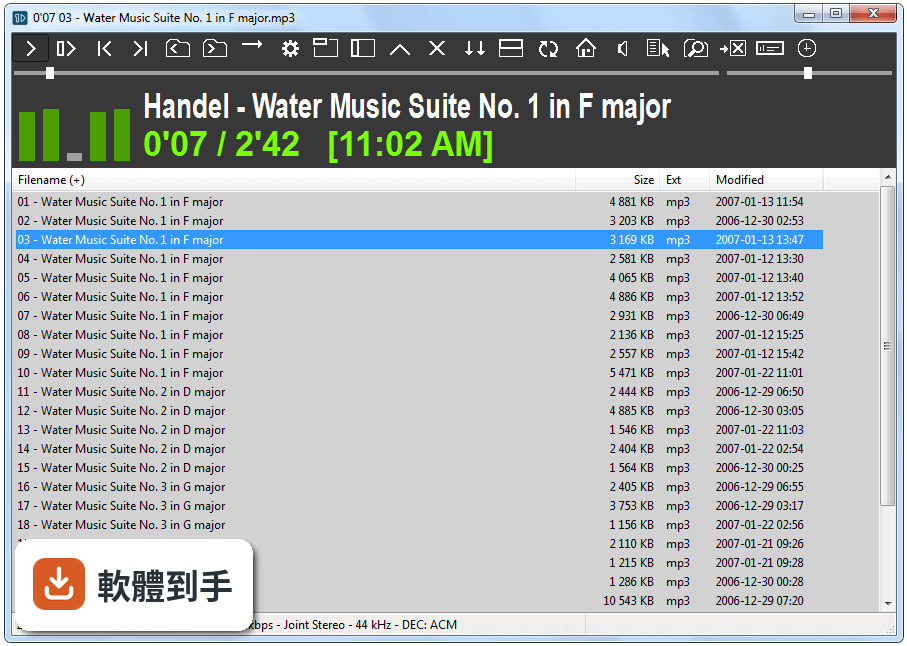
它不走媒體庫和播放清單的路線,而是直接從資料夾播放音樂檔案。開啟程式後,左邊是資料夾瀏覽,右邊是播放控制,找到資料夾就能點歌來聽。沒有掃描、沒有匯入,也不需要建立播放清單,對檔案本來就按資料夾分類的人來說,省掉很多整理時間。
02它可以直接播放資料夾裡的音樂嗎?還是要先建媒體庫?
直接播放,不需要建媒體庫。程式開啟後,左側是檔案瀏覽器,切換到任何資料夾,裡面的音樂檔就會列出來,點選就能播放。也可以把整個資料夾丟進去播放,它會依序播放裡面的檔案。沒有「匯入」或「掃描」的步驟,資料夾就是你的播放清單。
03支援哪些音樂格式?
預設支援 MP3、WAV、OGG 三種格式,其他格式需要另外安裝外掛程式才能播放。如果你手邊的音樂檔主要是這三種格式,那直接就能用;如果還有 FLAC、AAC 之類的檔案,要先確認外掛是否齊全,或考慮其他支援更多格式的播放器。
04可以接續上次聽的地方嗎?
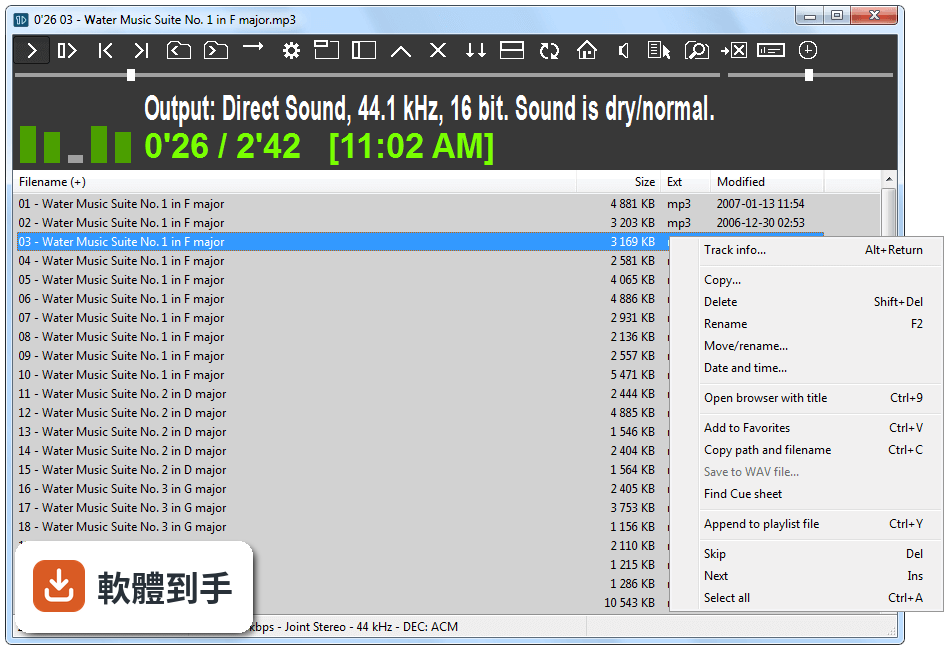
可以。它會自動記錄上次播放的位置,下次開啟程式時,從中斷的地方繼續播放,不用重新找歌。這個功能對聽長篇有聲書或長時間的錄音檔特別實用,關掉程式再打開,不用從頭開始聽。
05音質可以調整嗎?
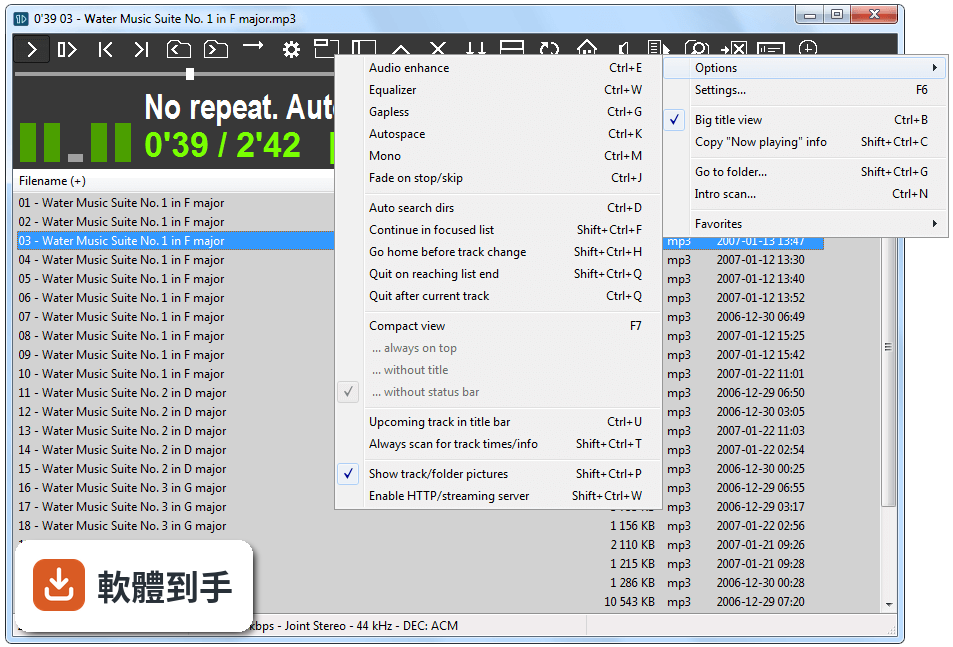
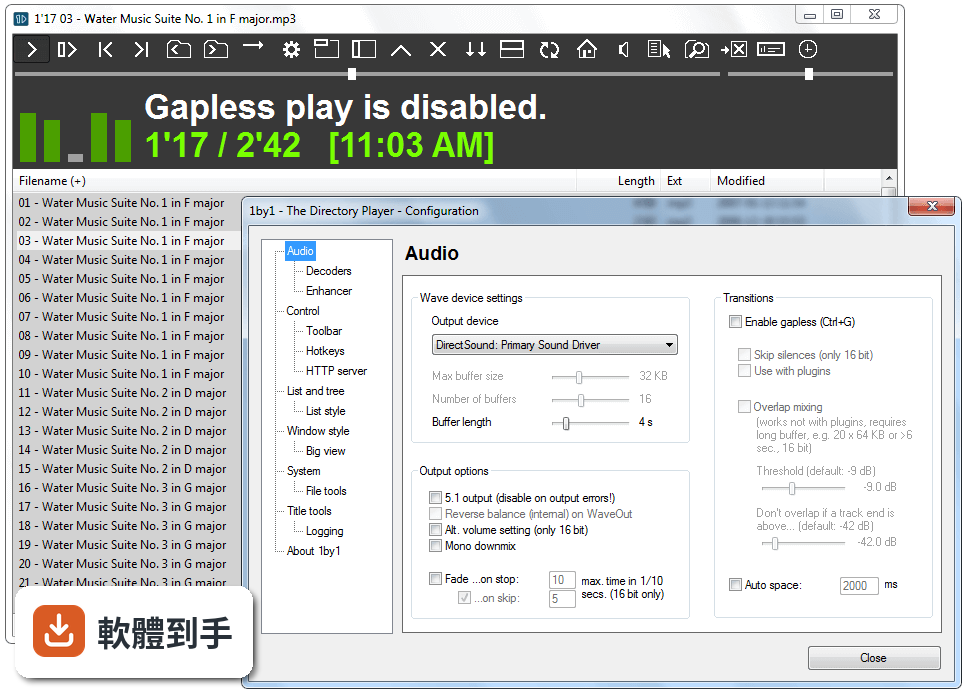
內建等化器、音量標準化和可自訂的聲音設定。可以依個人喜好調整高低頻,或開啟音量標準化,避免不同歌曲之間音量落差太大。這些設定都從選單進去調整,不需要另外安裝外掛。
06電腦很舊跑不動大型播放器,這套軟體會比較順嗎?
它標榜低資源佔用,官方說明提到 CPU 和記憶體使用量都很小,適合老舊電腦。系統需求只要 512MB 記憶體,程式本體不到 5MB,對硬體規格很低的機器來說,負擔比那些功能豐富的播放器小很多。如果你的電腦跑其他播放器會卡,可以試試這套。
07不想安裝軟體,只想下載來直接用,可以嗎?
可以,它是可攜式應用程式,下載執行檔後直接開啟就能用,不需要安裝。想移除的話,把檔案刪掉就乾淨了,不會在系統裡留下登錄檔或殘留檔案。也可以把程式放在隨身碟裡,帶到別台電腦直接執行。
08介面是英文的,看不懂會很難操作嗎?
介面是英文,但功能很單純,主要就是資料夾瀏覽和播放控制,按鈕不多,不太需要閱讀大量文字。如果完全看不懂英文,可能需要對照說明或自己摸索一下,但基本操作不太會卡住。會介意的話,可以考慮其他有中文介面的播放器。
09我習慣用播放清單整理音樂,這套軟體適合嗎?
它沒有傳統的播放清單功能,但可以建立和管理「我的最愛」,把常聽的資料夾或檔案加進去,方便快速存取。如果你習慣用播放清單把不同資料夾的歌混在一起排順序,這套軟體的做法比較像是「把整個資料夾當成一組」,而不是逐首挑選排列,使用習慣上需要調整。
10我想聽線上串流音樂,這套軟體可以嗎?
不行,它完全不支援串流或線上音樂服務,只能播放電腦本機的檔案。官方說明明確指出這套軟體完全離線運作,不需要網路連線。如果你有聽串流的需求,這套軟體幫不上忙,得另外找支援串流的播放器。
11我有很多不同格式的音樂檔,這套軟體都能播嗎?
預設只支援 MP3、WAV、OGG,其他格式要靠外掛才能播。如果你的音樂檔格式很雜,像是 FLAC、APE、AAC 這些常見格式,得先確認外掛是否齊全,否則會遇到某些檔案無法播放的狀況。格式種類多的話,建議先測試再決定,或直接選支援格式更廣的播放器。
12我喜歡漂亮的介面,這套軟體會不會太陽春?
它的介面以實用為主,沒有現代化的視覺設計,外觀比較樸素。官方說明也承認介面缺乏現代視覺元素,但可以透過設定更換主題、字型和顏色。如果你很在意播放器的外觀,這套軟體可能無法滿足,視覺上會覺得停留在早期 Windows 程式的風格。
下載與官方連結
VNC-5.3.0-Windows.exe · 17.47 MB · 連結指向軟體原廠
版本紀錄
再看 5 筆
這一版改了什麼
What's new in this version:
All platforms:
- Providing VNC Server and VNC Viewer are both version 5.3, connections use the very latest RFB 5 protocol for enhanced security, with updated cipher suites and support for Perfect Forward Secrecy
- VNC Server with an Enterprise or a Personal license can restrict the IP addresses on which it listens for connections, reducing the attack surface. Note the InTransports parameter has been removed, which means VNC Server with a Free license can no longer listen on just IPv4 addresses, or on just IPv6 addresses
- VNC Viewer can send keep alive messages to VNC Server in order to maintain (perhaps minimized) connections that might otherwise be considered idle by routers or gateways, and unexpectedly terminated. Conversely, the same mechanism can clean up connections that have terminated, perhaps due to network failure
- VNC Server has a new screen capture architecture that is both more robust and responsive. Users should see fewer disconnections and reconnections when transiting between desktop and login screens. System administrators should be aware of a new vncagent binary and process
- Screen capture on Windows 8+ computers using DirectX is now more efficient, giving a better user experience. As part of this work, the UpdateMethod parameter has been renamed CaptureMethod on all platforms, and has new defaults that make choosing the optimal capture method easier
- Configuring security for VNC Server at the command line or using policy is now simpler using new, separate, more intuitive Authentication and Encryption parameters. On upgrade, SecurityTypes and UserPasswdVerifier values are mapped appropriately unless a VNC password is mandated using policy
- The vncpasswd utility now has flags that make specifying a VNC password for VNC Server in all modes easier. In addition, running the utility without a flag now shows the help rather than defaulting to VNC Server in User Mode.
- The Password parameter is now included in policy template files so VNC Server with an Enterprise license can be remotely provisioned with a VNC password. To obtain a password in the correct obfuscated format, run vncpasswd -print
Windows:
- Support for Windows 10
- VNC Viewer can send media keys such as Play and Volume Up to VNC Server
- VNC Server can remap keys received from VNC Viewer, perhaps to inject a non-native character or control key