
這是歷史版本頁面 — 看 360 Total Security 最新版本
電腦變慢又怕中毒,360 Total Security 免費版夠用嗎
 360 Total Security 6.10.8.0
資料更新 2019-04-15
閱讀約 5 分鐘
你最近是不是覺得電腦越來越慢,開機要等半天,開個網頁也卡卡的。更煩的是,你不太確定它是不是中毒了,還是隻是用久了變鈍。你其實只想找個免費軟體,一次把「掃毒」和「清理加速」這兩件事搞定,不想裝一堆來路不明的東西,也不想花大錢買年度授權。
一般人遇到這種狀況,第一反應是用 Windows 內建的防護,或者去抓一些免費的清理工具。但內建防護功能陽春,清理工具又常常只清表面,而且東裝一個西裝一個,反而讓電腦更亂。這類「安全防護 + 系統最佳化」二合一的工具,切入點是讓你用一個介面同時處理安全威脅和系統垃圾,不用在好幾個軟體之間切來切去。
01360 Total Security 到底能防什麼?
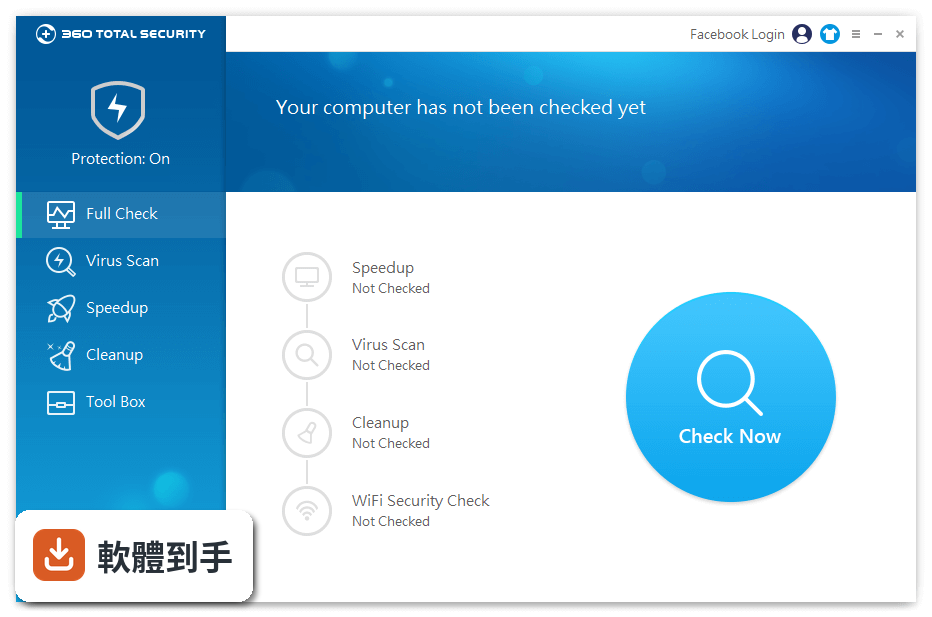
它提供即時防護,針對病毒、木馬和其他網路威脅,在你上網購物、下載檔案、瀏覽網頁時持續監控。官方說明提到它使用多個掃毒引擎,包括 360 Cloud Scan Engine、QVMII AI Engine、QEX 和 KunPeng,並宣稱有超過六億人使用。實際防護效果會因使用環境而異,建議裝好後先做一次完整掃描。
02它除了掃毒,還能幫電腦做哪些事?
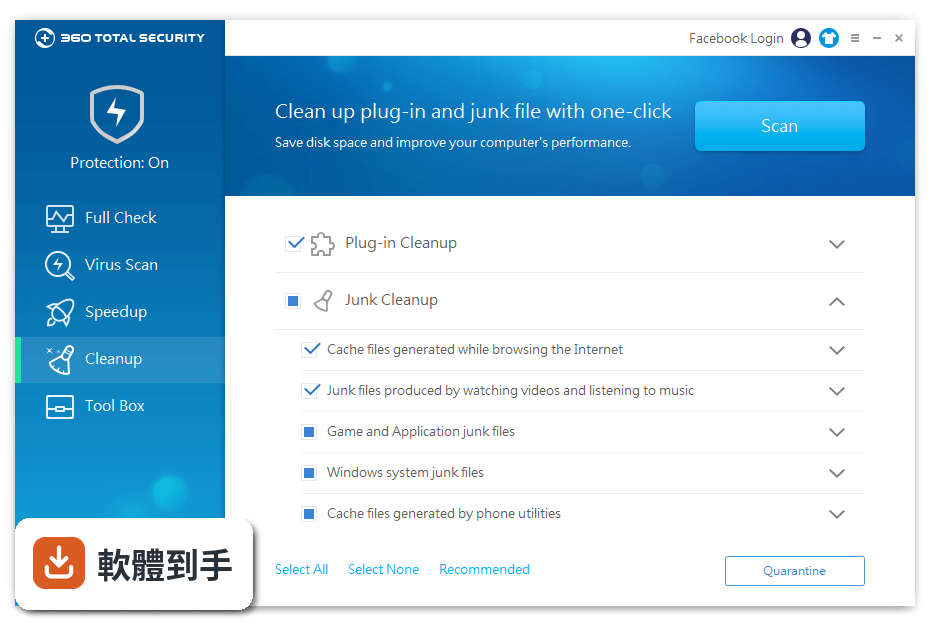
它內建不少系統工具,包括一鍵加速(管理開機啟動項和系統服務)、清理垃圾檔案、磁碟分析(看哪些檔案佔空間)、驅動更新、登入檔清理,還有遊戲加速器。這些功能都整合在同一個介面裡,不用另外裝軟體。不過每個工具的實際效果要看你的電腦狀況,不是每台電腦都會有明顯改善。
03免費版和付費版差在哪?
官方說明指出,免費版可以下載和使用,但另外有 PREMIUM 版本,多了 VPN、廣告封鎖、線上購物詐騙防護,以及更快的更新速度和優先客服。免費版已經包含基本的掃毒、清理、加速和隱私保護功能,如果你只需要這些,免費版就夠用。付費版的功能細節和價格,官方說明沒有列出,需要自行到官網確認。
04它可以排定時間自動掃毒嗎?
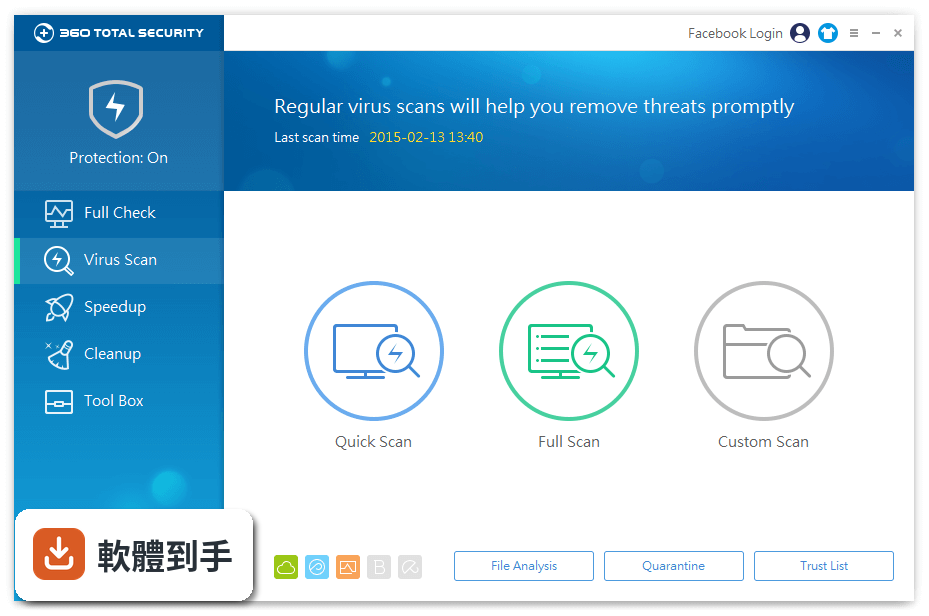
可以。官方說明提到,你可以設定定期清理,讓電腦自動清除垃圾快取和暫存檔。掃毒方面,FAQ 建議至少每週手動掃一次,也可以設定排程掃描,在方便的時間自動執行。設定方式是在軟體介面裡找排程或排定的選項,依照你的需求調整頻率。
05它會不會很佔資源,裝了反而讓電腦更慢?
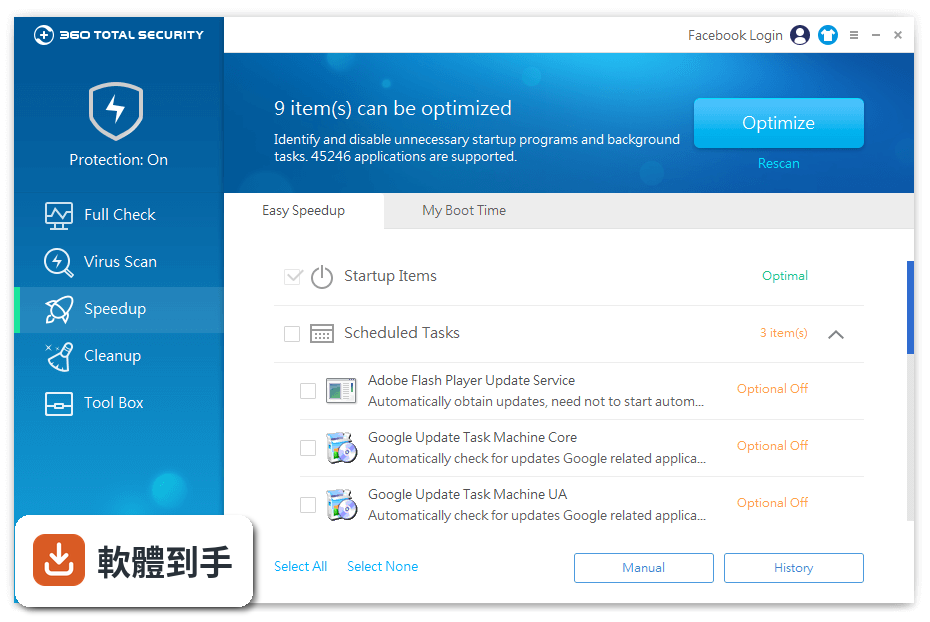
官方說明強調它有加速功能,可以管理開機啟動項和系統服務來縮短開機時間。但防毒軟體本身會常駐背景,多少會佔用一些系統資源。如果你擔心效能問題,可以調整保護模式,它有四種模式可選:效能、平衡、安全、自訂,不同模式提供不同等級的防護,你可以選效能模式來減少資源佔用。
06英文不好的人適合用這套軟體嗎?
這套軟體的介面語系是英文,如果你不熟悉英文操作介面,使用上會有一些門檻。雖然主要功能圖示還算直覺,但設定選項、掃毒報告、隔離區操作這些都需要閱讀英文。如果你完全看不懂英文,操作時容易卡住,可能需要一邊查翻譯一邊使用,會比較吃力。
07老電腦或規格較低的電腦適合裝嗎?
它支援 Windows 7 到 Windows 11,老電腦在系統需求上應該沒問題。而且它主打加速和清理,對老電腦來說,清理垃圾檔案和關閉不必要的啟動項,通常能帶來有感的速度提升。不過防毒軟體本身會佔用資源,建議安裝後觀察一下系統反應,如果覺得卡頓,可以調整保護模式或關閉不常用的功能。
08我已經裝了其他防毒軟體,還需要換嗎?
不建議同時安裝兩套防毒軟體,容易互相沖突,反而拖慢系統。如果你現有的防毒軟體還能正常更新、掃毒也沒問題,就不需要換。但如果你覺得現有軟體掃毒效果不彰、介面難用,或授權快到期不想續約,可以考慮換到這套。換之前記得先移除舊防毒,再安裝新的。
09在意隱私的人適合用嗎?
它內建隱私清理工具,可以移除瀏覽器紀錄、Cookie 和其他線上活動痕跡,也有 Data Shredder 功能,能徹底銷燬已刪除的檔案,防止被還原。另外還有 Privacy Antitracker,防止網站追蹤你的線上行為。不過它本身是免費軟體,官方說明沒有提到是否收集使用者資料,如果你很在意這點,建議先閱讀隱私政策再決定。
10想要中文介面的人適合嗎?
不適合。這套軟體的介面語系只有英文,沒有中文選項。如果你習慣看中文介面,操作上會需要花時間適應。市面上有其他免費防毒軟體提供中文介面,你可以先比較看看。如果你願意用英文介面,這套的功能還算完整,但如果你覺得英文介面是障礙,建議找其他選擇。
11它適合用來保護重要檔案或資料夾嗎?
它有一個 360 Document Protector 功能,提供即時監控和自動備份,用來保護重要檔案,防止勒索軟體或其他威脅加密你的資料。另外還有 Sandbox 功能,可以在隔離環境中執行不明程式,避免影響主系統。如果你經常下載不明檔案或擔心勒索軟體,這兩個功能會有幫助。
下載與官方連結
host6.10.msi · 18 MB · 連結指向軟體原廠
版本紀錄
- 2026-10-29 360 Total Security 12.0.0.1217 1.5 MB
- 2026-10-13 360 Total Security 12.0.0.1212 1.5 MB
- 2026-09-25 360 Total Security 12.0.0.1208 1.5 MB
再看 5 筆
- 2026-09-19 360 Total Security 12.0.0.1204 1.5 MB
- 2026-09-10 360 Total Security 12.0.0.1198 1.5 MB
- 2026-09-09 360 Total Security 12.0.0.1196 1.5 MB
- 2026-09-04 360 Total Security 12.0.0.1191 1.5 MB
- 2026-08-27 360 Total Security 12.0.0.1187 1.5 MB
這一版改了什麼
What's new in this version:
Remote Utilities - Host 6.10.8.0
- Synchronization of large address books via the self-hosted server (RU Server) was improved
- Keyboard input model in Viewer connection properties can now be explicitly selected on the Keyboard tab
- Fixed an issue with RU Server which would sometimes cause client authorization to drop
- Fixed an issue with email notifications not sent via SMTP when using non-Latin characters in computer name
- Minor fixes and improvements
Remote Utilities - Host 6.10.5.0
- Fixed an issue with certain keyboard shortucts not working after the previous program update
- Fixed an issue with blank remote screen feature not working on Windows 10 in some cases
- Minor fixes and improvements
Remote Utilities - Host 6.10.3.0
- Added Ability to switch to the legacy keyboard input model in Viewer connection properties
- Fixed an issue with certain Windows hotkeys and key combinations not working
Remote Utilities - Host 6.10.2.0
Added:
- Ability to specify your own SMTP settings in the MSI Configurator for the "Send email" feature. Note: This feature has replaced the old mechanism of sending emails via our hosted service
- Added Local cursor now takes the shape of the remote cursor. This lets the program display different remote cursor states (such as column resizing arrows) correctly
Fixed:
- Fixed Fixed an issue with some Settings protection checkboxes not saving in Host configuration window
- FixedRemote printing now works with apps such as Edge and Photos
- FixedSession video recording consumes less CPU resouces on the Viewer. Session videos now show the remote cursor
- Fixed Fixed an issue with RU Server's Auto-import feature which caused RU Server service to hang/freeze in certain conditions
- Fixed Switching to the main Viewer window is now possible even when an authorization prompt window is being displayed. The authorization prompt window is no longer modal
- Fixed Fixed a bug which would sometimes cause switching the typing focus away from the mini-chage window in Full Control connection mode
- Fixed Minor fixes and improvements
Remote Utilities - Host 6.9.0.4
- Added authorization methods — Single password, RU Security, Windows security and Custom Server Security — can now be enabled simultaneously using checkboxes
- Added 2-step verification has been added. You can use Google Authenticator or any other similar app to receive the security code when connecting to a remote Host
- Added The self-hosted server can now be protected with a PIN-code against unauthorized use of the Internet-ID feature by strangers who happen to find out or guess the server's address and port
- Added You can now remotely restart the Agent as administrator (provided you know the credentials) in order to perform the necessary tasks during a remote session, such as installing programs and interacting with UAC prompts
- Added The use of the self-hosted server's Internet-ID feature can now be restricted to authorized users only (i.e. permission-based use of the Internet-ID)
- Added Single-password security is now more clearly separated from Remote Utilities Security in connection properties on the Viewer side. Namely, the password and username/password can be saved separately for each of these two authorization methods
- Added Data encryption protocol has been changed to a more modern TLS 1.2
- Added Host authority is now verified automatically based on certificates. If Host certificate has been changed the Viewer receives a warning
- Added New and more streamlined Host settings interface with a Dashboard that summarizes the most important details
- Added The remote screen transfer speed of dynamically changing content (e.g. videos) over slow connections has been increased
- Added New "Log off on disconnect" option added to connection properties
- Added "Force custom server security" option can now be enabled for a user account on RU Server. This option, when enabled, forces this specific user to connect to Hosts using Custom Server Security only (provided the user is signed in on the server)
- Added Left-hand mouse support
- Fixed Remote Utilities monitor driver (the one used for blanking remote screen) now works on Windows 10 with secure boot enabled
- Fixed Data transmission protocol for the remote sound feature has been updated. The new protocol is not backward compatible with older versions
- Fixed A bug that would cause a folder in an address book to disappear when dragged onto itself
- Fixed A bug that would cause the notification panel to stay on the desktop even after remote connection was closed or terminated
- Fixed A bug that would cause the address book file to get corrupted in some cases after closing the Viewer
- Fixed A bug that would cause the Viewer to show a warning when trying to unbind hotkeys in Viewer options
- Fixed Minor fixes and improvements
Remote Utilities - Host 6.8.0.1
Added:
- Custom Host installers built with the MSI Configurator can now be digitally signed
Fixed:
- Minor fixes and improvements