
這是歷史版本頁面 — 看 Adobe AIR 最新版本
Adobe AIR 現在還能做什麼?它到底是拿來幹嘛的
 Adobe AIR 28.0.0.127
資料更新 2017-12-12
閱讀約 5 分鐘
你大概是在這種狀況下碰到它的:下載了一個老遊戲或工具程式,安裝到一半跳出訊息說需要「Adobe AIR」才能繼續,或者某個網頁上的互動內容打不開,瀏覽器叫你裝這個東西。你當下只想把事情辦完,卻被這個沒聽過的名字卡住,不確定它是不是安全、是不是必要、裝了會不會拖慢電腦。
一般人遇到這種情況,通常會先跳過安裝,結果程式根本打不開;或者隨便裝了,事後又怕它佔空間、有安全疑慮。這類「執行環境」工具的角色,就是讓用舊技術寫成的程式還能順利跑起來,就像老遊戲需要模擬器一樣。它不是你要用的軟體本身,而是讓那些軟體能動起來的底層平台。
01Adobe AIR 到底是什麼,裝了對我有什麼好處?
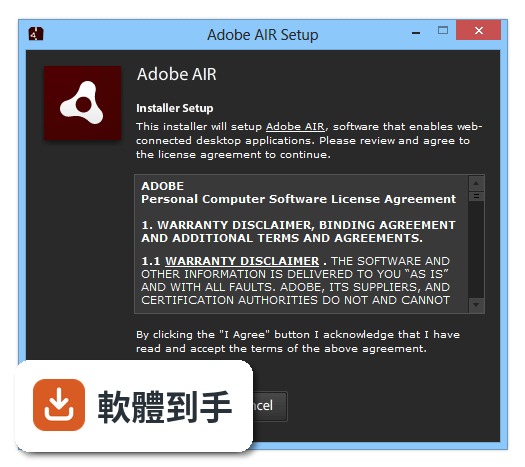
它是一個執行環境,讓用 HTML、JavaScript、ActionScript 或 Flex 寫成的桌面程式和遊戲能在 Windows 上跑。對一般使用者來說,你不需要主動去用它,只有當你安裝的某個應用程式或遊戲要求安裝它時,才需要裝。裝了之後,那些程式才能正常開啟。
02這套軟體可以拿來開發手機 App 嗎?
可以。官方說明指出它支援 iOS 和 Android 平台的行動應用程式開發,而且 Windows 使用者也能用它來建立 iPhone 和 iPad 應用程式。不過開發時需要另外搭配 Adobe Animate 或 Adobe Flash Builder 這類工具,不是裝了 AIR 就能直接寫 App。
03用它開發的遊戲和一般遊戲有什麼不同?
它適合做多媒體內容豐富的遊戲,支援 GPU 加速和原生擴充功能,可以存取裝置的相機、麥克風、定位等功能。很多用 Adobe Animate 做的動畫整合遊戲就是透過 AIR 打包發佈的。但它的開發門檻在於要熟悉 Adobe 相關技術,新手需要一些學習時間。
04這套軟體需要付費嗎?
對開發者和一般使用者來說,下載和使用都是免費的。但要注意,HARMAN 接手後,AIR SDK 有提供商業授權版本,同時也保留免費層級給業餘開發者或收入非常有限的公司。一般使用者安裝 runtime 本身不用花錢。
05它跟 Flash 有什麼關係?Flash 不是已經停止支援了嗎?
dobe 官方在 2020 年底停止支援 Flash Player 和 AIR,但 HARMAN 跟 Adobe 簽了協議,接手 AIR 的維護和支援。所以 AIR 沒有跟著 Flash 一起消失,目前仍持續更新,甚至新增了部分 Linux 電腦的支援。你現在裝的 AIR 是由 HARMAN 維護的版本。
06我只是想玩一個老遊戲,裝這個安全嗎?
如果你從官方網站或可信的軟體下載站取得安裝檔,安全性是有保障的。它的評分是 8.18/10,有 525 人評分,算是中上水準。不過因為它會在你的系統中安裝執行環境,建議下載後先掃毒再安裝,並確認來源不是來路不明的鏡像站。
07這套軟體適合什麼樣的人使用?
適合三種人:一是想玩或使用依賴 AIR 的舊遊戲和應用程式的人;二是想開發跨平台桌面和手機應用程式、而且已經熟悉 Adobe 工具鏈的開發者;三是用 Adobe Animate 做動畫、想把它打包成可執行檔的人。如果你只是偶爾碰到一次需要它,裝了用完也不一定要移除。
08我完全不懂程式,裝了會不會很複雜?
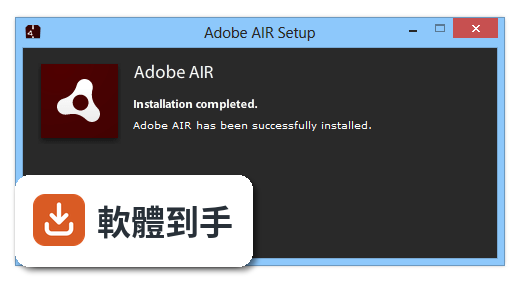
不會。安裝過程就是下載安裝檔、執行、按下一步,跟裝一般軟體沒兩樣。你不需要設定任何東西,runtime 會自己運作。唯一的差別是它的介面是英文的,但安裝過程的按鈕就那幾個,不太會造成困擾。
09什麼情況下我不該選這套軟體?
如果你要開發的是現代化的跨平台桌面應用程式,而且不想學 Adobe 的技術,那它不適合你。官方自己也提到 Electron 和 NW.js 是替代方案,這兩個框架在開發社群中更常見、資源更多。另外,如果你很在意介面語言,它只有英文,沒有繁體中文介面。
10它跟 Adobe AIR SDK 有什麼不同?我該裝哪個?
一般使用者裝的是 AIR runtime,用來執行 AIR 應用程式;SDK 是給開發者用的工具包,用來建立和打包 AIR 應用程式。SDK 的評分人數只有 41 人,遠少於 runtime 的 525 人,可見使用族群不同。你不是開發者的話,只需要裝 runtime 就好。
11這套軟體還有人在維護嗎?會不會裝了之後沒多久就沒人管了?
目前 HARMAN 持續在維護,近 12 個月有 2 次更新、近 24 個月有 7 次,顯示開發團隊仍有在運作。官方也說會根據 AIR 社群的需求修 bug、加新功能。不過 Adobe 已經不碰這塊了,未來的長期發展還是要觀察 HARMAN 的投入程度。
12我電腦是 Windows 11,裝這個會不會有相容性問題?
官方說明它支援 Windows 7(32 或 64 位元)到 Windows 11,所以系統相容性方面不用太擔心。但要注意,每個用 AIR 做的應用程式對系統的需求可能不同,如果某個特定程式打不開,問題可能出在那個程式本身,而不是 AIR runtime。
下載與官方連結
AdobeAIRInstaller.exe · 連結指向軟體原廠
版本紀錄
- 2026-10-30 Adobe AIR 51.4.1.2 6.01 MB
- 2026-07-08 Adobe AIR 51.3.3.1 6.01 MB
- 2025-11-24 Adobe AIR 51.2.2.6 6 MB
再看 5 筆
- 2025-06-17 Adobe AIR 51.2.1.5 6 MB
- 2025-05-08 Adobe AIR 51.2.1.3 6 MB
- 2025-05-01 Adobe AIR 51.2.1 5.99 MB
- 2025-01-15 Adobe AIR 51.1.3.4 5.94 MB
- 2024-11-08 Adobe AIR 51.1.2.2 5.94 MB
這一版改了什麼
What's new in this version:
Adobe AIR 28.0.0.127
- Change log not available for this version
Adobe AIR 27.0.0.124
- Change log not available for this version
Adobe AIR 26.0.0.127
- Change log not available for this version
Adobe AIR 26.0.0.118
- Change log not available for this version
Adobe AIR 25.0.0.134
- Change log not available for this version
Adobe AIR 24.0.0.180
- Change log not available for this version
Adobe AIR 23.0.0.257
New:
- Mozilla NPAPI AsyncDrawing support
- HSTS Support in Flash Player
- Disabling local-with-filesystem access in Flash Player by default
- Video and Camera support for Stage3D by VideoTexture for Flash Player
- GameInput API for iOS
- Echo Cancellation on AIR for Android
- The StageText clear button is now optional on iOS
Fixed:
- [iOS] ld-64 Compilation getting failed while packaging app with multiple swf and ANE
- [iOS] Capabilities.screenDPI gives a wrong value on AIR 22 simulator
- [iOS] Context3D.drawToBitmapData uses wrong offset on mobile
- [iOS] TextField with TextFieldType.INPUT cuts off text on the left side when focused
- [iOS] StageWebView makes application crash
- [Android] MP4 Video rendering completely broken in Air 22 on all version of Android
- [Android] Full screen display states must use immersive mode on Android 4.4+
- [Android] OpenSSL library upgraded to 1.0.2h version
- [iOS] App using concurrency closes when a class is instantiated on the worker .swf
- [iOS] CameraRoll on iOS returns Bitmap in incorrect orientation
- [iOS] [Windows] Error, ld: in section __TEXT,__text reloc 153: R_ABS reloc but no absolute symbol at target address for architecture arm64 while packaging Application with Social.ane using flag -hideAneLibSymbols yes
- [iOS] sharedobjects fail when available storage is low
- TextField contextMenu displayed with offset with HiDPI screens
Known Issues:
- [Android] softKeyboardRect height is incorrect
- [iOS] VideoTexture on iOS - sometimes the event TEXTURE_READY isn't dispatched
- [iOS] Crash when trying to access function arguments
- [iOS] Landscape mode is not able to initiate the camera and the app crashes in debug mode
- [Android N] AIR apps are not able to recognise display changes & font size as per the new Android N features
- TextField: delay after creation of first TextField
Adobe AIR 22.0.0.153
New:
- Video Pipeline Changes for Android AIR
- HiDPI support for AIR Windows
- Anti-Aliasing (Render to texture) for AIR Mobile
- Echo Cancellation on AIR iOS
- Multitasking Enhancements Support in AIR iOS - Beta
- System level Flash Player support for AIR desktop applications
Fixed:
- [Win10][StageWebView] Some uppercase letters can't be entered in a form input
- [Win10] AIR quits unexpectedly when trying to instantiate camera on Surface 4
- Application throws error#2031 if SecureSocket tries to connect to non-TLS server socket
- [iOS][Win] IPA packaged on Windows machine cannot be submitted to the Apple App store. Error "This build is invalid" occurs in iTunes connect
- [iOS][Win] Installation Error: ApplicationVerificationFailed message appears on installing IPA using adt command if there is any info plist inside the assets or ANE
- ATF containing RGB888 format are not getting rendered properly
- ANE compiled with AIR 22 is not working anymore
Adobe AIR 21.0.0.215
- Change log not available for this version
Adobe AIR 21.0.0.198
- Change log not available for this version
Adobe Air 21.0.0.176
- AIR Apps created from Version 20 SDK not accepted in MAC App store
- AIR application quits unexpectedly while creating a Netgroup inside an AS3 worker
- [iOS] Fails to link ImageIO.framework when targeting iOS
- [Android] GPU mode apps crash on devices with Tegra K1 GPU.
- Android 6 : Stage3D AIR application fails to return from background
- ATF textures (with JPEG Compression) are not rendered properly on MALI GPU.
- [iOS] Packaging error appears in Flex app having TextField for non-interpretor (e.g., Ipa-app-store) mode on Macintosh
- [iOS and Android] Icon files get duplicated when packaging iOS, Android versions
- [iOS] Crash when debugging on iOS 7
- [iOS] On compiling empty app using Xcode 7.2 to iOS Simulator in Adobe CC 2015, throws an error.
- [iOS] Wrong rotation in IOS 7
- [iOS] Flash Pro doesn't remember the application version number when AIR SDK is changed to 20.0.
- [iOS] ld: library not found for -lstdc++ error in Windows 10 while packaging an IPA using -platformsdk flag
Adobe Air 20.0.0.260
- Change log not available for this version
Adobe Air 20.0.0.233
- Change log not available for this version
Adobe Air 20.0.0.204
- Change log not available for this version
Adobe Air 19.0.0.241
- Change log not available for this version
Adobe Air 19.0.0.190
- Change log not available for this version
Adobe Air 19.0.0.190
- Change log not available for this version
Adobe Air 18.0.0.199
- Change log not available for this version
Adobe Air 18.0.0.180
- Change log not available for this version
Adobe Air 18.0.0.144
- Change log not available for this version
Adobe Air 17.0.0.172
- Change log not available for this version
Adobe Air 17.0.0.144
- Change log not available for this version
Adobe Air 17.0.0.124
- Change log not available for this version
Adobe Air 16.0.0.273
- Change log not available for this version
Adobe Air 16.0.0.245
- Change log not available for this version
Adobe Air 15.0.0.356
- Change log not available for this version
Adobe Air 15.0.0.249
- Change log not available for this version
Adobe Air 14.0.0.178
- Change log not available for this version
Adobe Air 14.0.0.110
- Change log not available for this version
Adobe Air 13.0.0.111
- Important bug and security fixes
- Multiple security and stability fixes
- GamePreview with Adobe AIR Stage3D
- Anti-Aliasing for Texture Rendering
- New Stage3D Texture Wrapping Modes
- Enhanced Supplementary Character Support for TextField
- Relocated Full Screen Video Warning to Top of Screen
Adobe Air 13.0.0.83
- Change log not available for this version
Adobe Air 4.0.0.1390
- Change log not available for this version
Adobe Air 3.9.0.1380
- Change log not available for this version
Adobe Air 3.9.0.1210
- Change log not available for this version
Adobe Air 3.9.0.1030
- Change log not available for this version
Adobe Air 3.8.0.1430
- Change log not available for this version
Adobe Air 3.8.0.1280
- Multiple stability and security fixes
Adobe Air 3.8.0.870
- Change log not available for this version
Adobe Air 3.7.0.2090
Updated to address stability and performance issues, in particular the following problems have been addressed:
- Camera is not working for stageVideo(iOS)
Adobe Air 3.7.0.1860
- Change log not available for this version
Adobe Air 3.7.0.1530
New features and changes:
- Prevent Cloud backup for Shared Objects (iOS): To comply with Apple updated guidelines, only user data can be backed up on iCloud. Any files that can be downloaded or generated should not be backed up and it should be marked as "DoNotBackup". This feature allows developers to control which files should be backed up or excluded using the "DoNotBackup" attribute.
- Use CPU render mode for selected devices (iOS): This feature allows developers to control the render mode on different iOS devices. Using this feature developers can turn on CPU rendering for specific iOS devices, and utilize GPU rendering for others.
- Externally host secondary SWF files (iOS): This feature allows developer to externally host SWFs and load them as needed. External SWFs could contain game assets, different game levels, etc. Benefits of this feature are faster initialization time, smaller apps, and more control over your game or app.
- Game Input API (Android): This feature allows applications to communicate with attached game input devices (joysticks, gamepads, wands, etc). There is a wide range of game input devices, which have different capabilities and controls. This API is supported on devices running Android OS version 4.1 and higher. It is implemented such that it might function well with different (and possibly unknown) types of game input devices.
Notable bug fixes include:
- In AIR on iOS, loading a swf with and embedded video can cause a crash in some circumstances
- In AIR on iOS, loading an image from a remote server can cause a crash
- On MacOS, setting stage.fullScreenSourceRect when renderMode is set to “GPU”, leads to inaccurate mouse position reporting
- In AIR on Windows, if a Worker (Concurrency) has been started, the application does not terminate properly
- On Windows XP, application which make use of the system microphone may encounter feedback
- In AIR for iOS, some apps get rejected for missing push notification entitlement
- In AIR for iOS, Flex applications running on iPad2 over 3G connections can experience a crash
- In AIR for iOS, reloading of pure asset SWFs isn't allowed
Adobe Air 3.6.0.6090
Address stability and performance issues, in particular the following problems have been addressed:
- Sporadic crashes when launching Muse on OS X.
- Update embedded Flash Player to the latest version.
Adobe Air 3.5.0.1060
Address stability and performance issues, in particular the following problems have been addressed:
- Publishing stuck at 5 seconds remaining, ADT never launches to finish packaging
- [AOT][iOS] Export to release build of an iOS app never completes
Adobe Air 3.5.0.880
Address stability and performance issues, in particular the following problems have been addressed:
- Video playback broken on Digital Theater AIR app
- Wrong layering/depth of video component after re-activating app on Nexus 7
- Mac AIR not enforcing output protection when switching/dragging from internal to external monitor
Adobe Air 3.5.0.600
- Change log not available for this version
Adobe Air 3.4.0.2710
Fixed Issues:
- Unable to package an application using an ANE on iOS, which doesn't not implement the finalizer function
- Packaging fails with null pointer exception, when packaging an IPA using only the default implementation in the ANE on iOS
- Database data is wiped out for every launch on iOS Simulator
- WIFi Debugging on iOS: Debugging on iOS does not work when network interface is chosen as "Default" for Player Target AIR3.4
Adobe Air 3.4.0.2540
- Change log not available for this version
Adobe Air 3.3.0.3670
- Change log not available for this version
Adobe Air 3.3.0.3650
Stylus support for Android 4.0:
- Stylus support in Flash takes advantage of the new-in-4.0 Android Stylus API, so that stylus-aware apps work automatically with any devices supporting the Android API set
Aspect Ratio Enhancements
- With AIR 3.3 the issue with the runtime ignoring the specified aspect ratio has been resolved. In this release we address this use-case by allowing only screen orientation corresponding to app specified aspectRatio and orientation corresponding to 180 degree device rotation from the specified aspectRatio
Adobe Air 3.2.0.2070
- Includes security enhancements
Adobe Air 3.1.0.4880
New Features:
- iOS5 support
Fixed Issues for iOS:
- Fails to connect under the WiFi + Proxy RTMPT and RTMPS
- Include security enhancements
Adobe Air 3.0.0.4080
- Includes new features as well as enhancements and bug fixes related to security, stability, performance and device compatibility
Adobe Air 2.7.1.19610
- Includes security enhancements
Adobe Air 2.7.0.19530
- Change log not available for this version
Adobe Air 2.7.0.19480
- Includes security enhancements
- Fixed issues
- Resolved a fullscreen issue on some Android 3.0 devices
- AIR plays video with 4-5 seconds delay, as it is keeping a buffer
- On NVidia Tegra 2 devices, there are artifacts on playback for some videos
- Video playback stutters on some youtube videos that are 480p or higher when hardware acceleration is enabled on 13'' 2011 MacBook Air
Adobe Air 2.6.0.19140
- Change log not available for this version
Adobe Air 2.6.0.19120
New features for mobile applications iOS Support:
- iOS support 4.0 and above iOS Hardware Support: iPod Touch 3rd gen and iPod Touch 4th gen, iPhone 3GS and iPhone 4, iPad
- Changes from PFI to ADT for packaging iOS applications
- iOS applications built with the "Packager for iPhone" cannot be updated with AIR 2.6
- GPU rendering changes for iOS
- Multitasking support for iOS
- Microphone for iOS
- Read from camera roll for iOS
- CameraUI for iOS
- Camera for iOS
- Retina display support in the AIR for iOS
- StageWebView for iOS
- Capture bitmap of StageWebView
- Programmatic control of soft keyboard
- Disable automatic panning and resizing behavior on the display of a soft keyboard
- Android USB drivers for Windows are bundled with AIR SDK for Windows
- USB device debugging for Android
- Text field interaction mode on Android
- Alternate Android market URLs
Other new features:
- Owned NativeWindow for desktop
- Native Menu event refinement for desktop
- Image decoding policy
- LoaderContext parent and parameters
- NetConnection.httpIdleTimeout
- Linux vector printing
- New -version option added to ADT
- Native mouse cursors
Changes:
- Following changes have been made to Screen Orientation APIs
- supportedOrientations property is added to stage
- existing autoOrients property is writable now
- setOrientation method is restored, this method was marked as deprecated in AIR 2.5
- orientation property is restored, this property was marked as deprecated in AIR 2.5
- ORIENTATION_CHANGING event is restored, this event was marked as deprecated in AIR 2.5
Adobe Air 2.5.1.17730
- Change log not available for this version
Adobe Air 2.5.0.16600
- Change log not available for this version
Adobe Air 2.0.4.13090
- Change log not available for this version
Adobe Air 2.0.3.13070
- Change log not available for this version
Adobe Air 2.0.2.12610
- Change log not available for this version
Adobe Air 1.5.3.9130
- Change log not available for this version
Adobe Air 1.5.3.9120
- Change log not available for this version
Adobe Air 1.5.2.8900
- Change log not available for this version
Adobe Air 1.5.2.8870
- Change log not available for this version
Adobe Air 1.5.1.8210
- Change log not available for this version
Adobe Air 1.5.0.7220
- Change log not available for this version
Adobe Air 1.1.0.5790
- Change log not available for this version
Adobe Air 1.0.8.4990
- Change log not available for this version
Adobe Air 1.0.7.4880
- Change log not available for this version