
這是歷史版本頁面 — 看 Advanced Installer 最新版本
Windows 安裝包做不出來?Advanced Installer 能幫你什麼
 Advanced Installer 12.8
資料更新 2016-03-23
閱讀約 8 分鐘
你寫好了一支 Windows 程式,準備丟給別人用,結果對方一打開就跳出缺東缺西的錯誤。你心想,總不能叫每個使用者自己把檔案複製到正確位置、手動建捷徑、再自己改登錄檔吧。你需要的是一個「安裝程式」,讓使用者雙擊、下一步、下一步就裝好。但打開安裝包製作工具的那一刻,面對 MSI、EXE、Prerequisites、Registry 這些名詞,你才發現這不是「把檔案包一包」那麼簡單。
很多人第一個念頭是上網找免費的安裝包工具,但免費方案往往陽春到連「開始功能表捷徑」都要自己寫腳本;或者找到功能完整的,卻卡在介面全是英文、設定選項多到不知道從哪下手。這類工具的核心切入點,是把「打包檔案、設定安裝路徑、處理系統相依、建立捷徑與登錄檔」這些繁雜步驟,變成一個有介面可以操作的專案流程,讓你能夠重複建置、測試,而不是每次發布都手工重來一遍。
01Advanced Installer 到底能拿來做什麼?
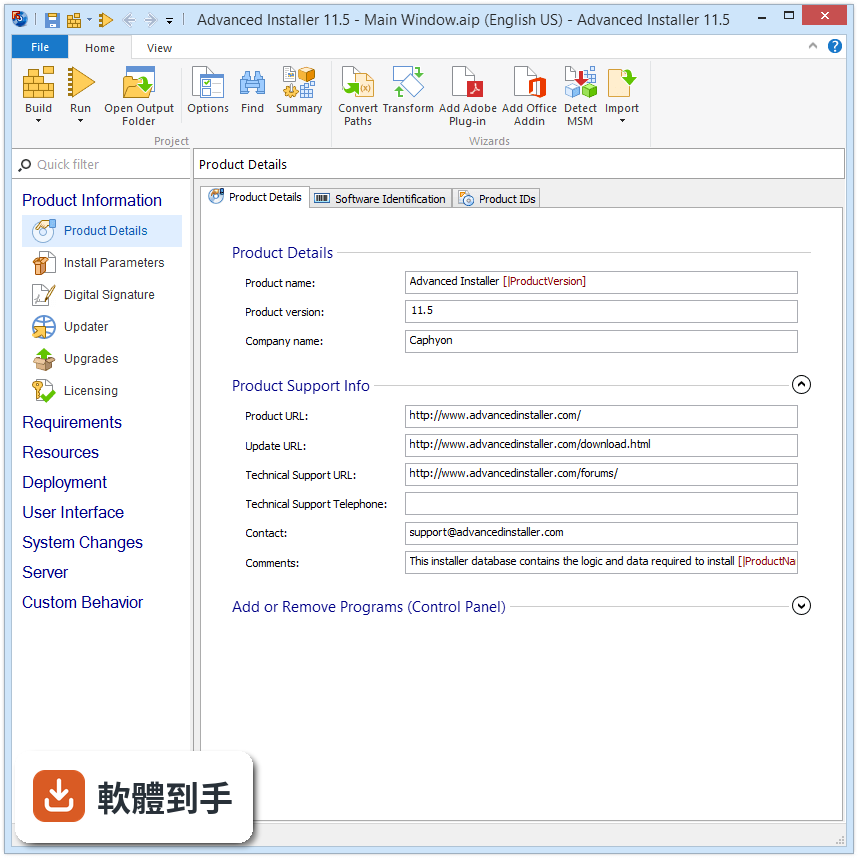
它主要用來把 Windows 應用程式打包成安裝檔。你可以把程式檔案、登錄檔設定、捷徑、系統元件需求全部放進一個專案,然後輸出成 MSI 或 EXE 格式。除了基本的安裝包,它也支援 MSIX、App-V 和 UWP 等較新的封裝格式,也能把舊的 EXE 安裝程式轉換成 MSI。對開發者來說,它等於是把「手動寫安裝腳本」這件麻煩事變成圖形化操作。
02它跟直接寫 Inno Setup 或 NSIS 腳本比起來,差在哪?
最大的差別在於操作方式。Inno Setup 和 NSIS 是用文字腳本描述安裝邏輯,你必須懂它們的語法才能做出像樣的安裝程式。Advanced Installer 提供圖形化介面,左邊面板可以點選「Product Information」「Files and Folders」「Registry」等區塊,用填表的方式設定安裝內容。如果你不熟悉腳本語言,或需要處理比較複雜的安裝邏輯,圖形介面會比一行一行寫腳本來得直覺。
03我只有一個簡單的免安裝軟體,需要用到它嗎?
如果你的軟體只是幾個檔案丟在一起就能跑,那確實不需要。Advanced Installer 是為了解決「需要安裝程序」的軟體而設計的,例如要寫入登錄檔、要安裝 Windows 服務、要檢查 .NET Framework 是否安裝、要建立開始功能表捷徑這類需求。如果你的程式完全不需要這些,把檔案壓縮成 ZIP 讓使用者解壓縮反而更快,不需要引入安裝包工具。
04免費版跟付費版差很多嗎?
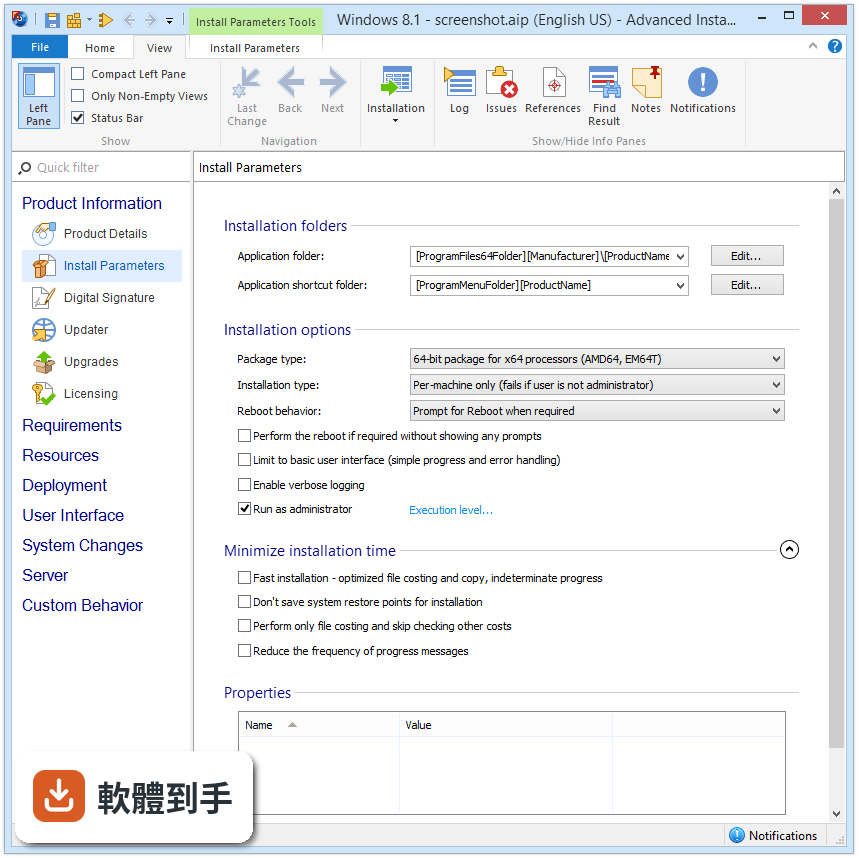
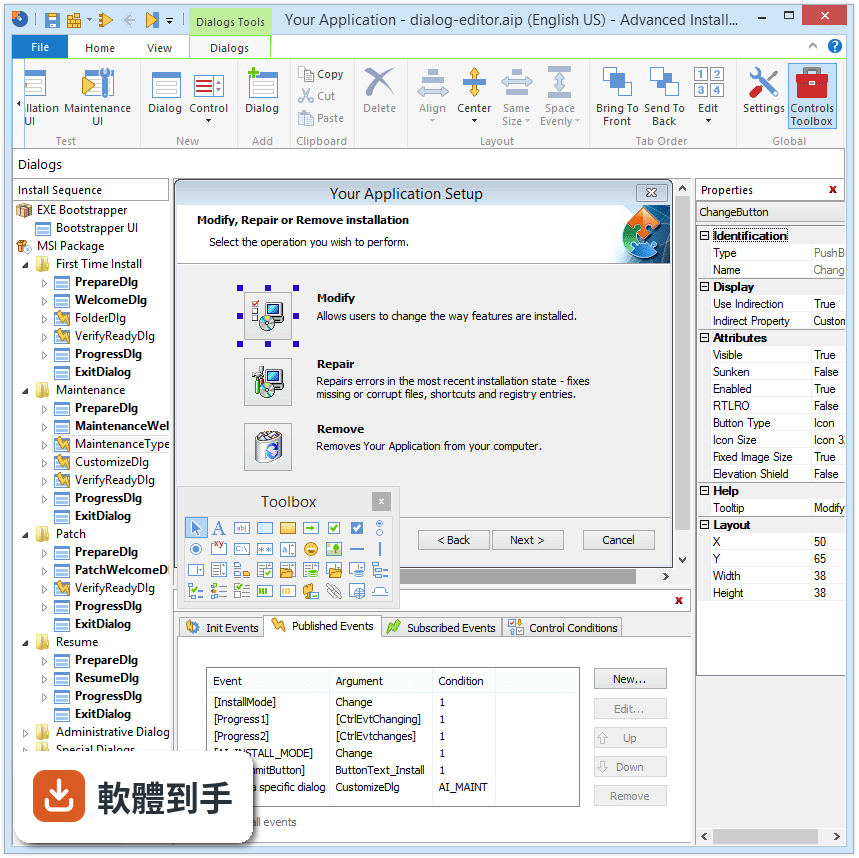
官方資料顯示,免費版可以建立基本的 MSI 安裝包,但功能有限。付費版才提供對話框客製化、數位簽章、Visual Studio 擴充功能、PowerShell 自動化、MSIX 主題、服務與前置需求設定等功能。也就是說,如果你只需要把檔案打包成 MSI,免費版可能夠用;但如果你要自訂安裝介面、簽署安裝檔,或整合進 CI/CD 流程,就得付費。具體免費版少了哪些功能,官方網站有比較表可以查。
05它能不能自動檢查使用者電腦有沒有裝 .NET Framework?
可以。官方功能說明中提到,它支援打包「Prerequisites」,也就是應用程式執行前需要先安裝的相依元件,包括 .NET、IIS、COM、ODBC 等。你可以在專案裡設定這些前置需求,安裝程式在安裝前會先檢查使用者電腦是否具備這些元件,沒有的話會一併安裝。這對企業內部部署特別實用,因為使用者電腦環境往往不一致。
06我公司有 DevOps 流程,它能接進去嗎?
可以。官方說明明確列出它支援 Jenkins、TeamCity、Azure DevOps 等 CI/CD 工具,也有命令列介面(CLI)和腳本選項,讓你能把建置安裝包的步驟自動化。也就是說,你可以在每次程式碼更新後,自動觸發安裝包的重新建置,不需要有人手動打開軟體按「Build」。這對需要頻繁發布的團隊來說是關鍵功能。
07什麼樣的人適合用這套軟體?
適合「需要定期產出 Windows 安裝程式」的開發者或 IT 人員。如果你是獨立開發者,想做出看起來專業的安裝介面,它的圖形化操作可以降低入門門檻;如果你在企業團隊,需要處理 MSI 部署、前置需求、數位簽章,甚至整合 CI/CD,它的進階功能就是為這種場景設計的。但前提是你願意花時間熟悉安裝包製作的概念,它不是打開就能立刻上手的工具。
08我只是學生或偶爾做一次安裝包,適合嗎?
如果你的需求是一次性的、安裝邏輯也很簡單,那免費版可能勉強夠用,但你要先確認免費版的功能有沒有涵蓋你要做的事。另外它的介面是英文,而且進階功能有學習曲線,對偶爾才用一次的人來說,花時間摸索的成本可能高於找現成腳本範本來改。這種情況下,Inno Setup 或 NSIS 這種免費且輕量的工具,也許更符合你的使用頻率。
09它支援哪些 Windows 版本?
官方資料顯示,它支援 Windows 7、8、10、11,以及 Windows Server 2012 之後的伺服器系統。硬體需求方面,CPU 至少 1.4 GHz、記憶體最少 2GB(建議 4GB 以上)、硬碟空間至少 1GB。另外建議安裝 .NET Framework 4.7 或更新版本。如果你要製作給 Windows 7 使用者安裝的安裝包,這套軟體本身也支援在那個系統上執行。
10它的更新頻率如何?會不會裝了就放生?
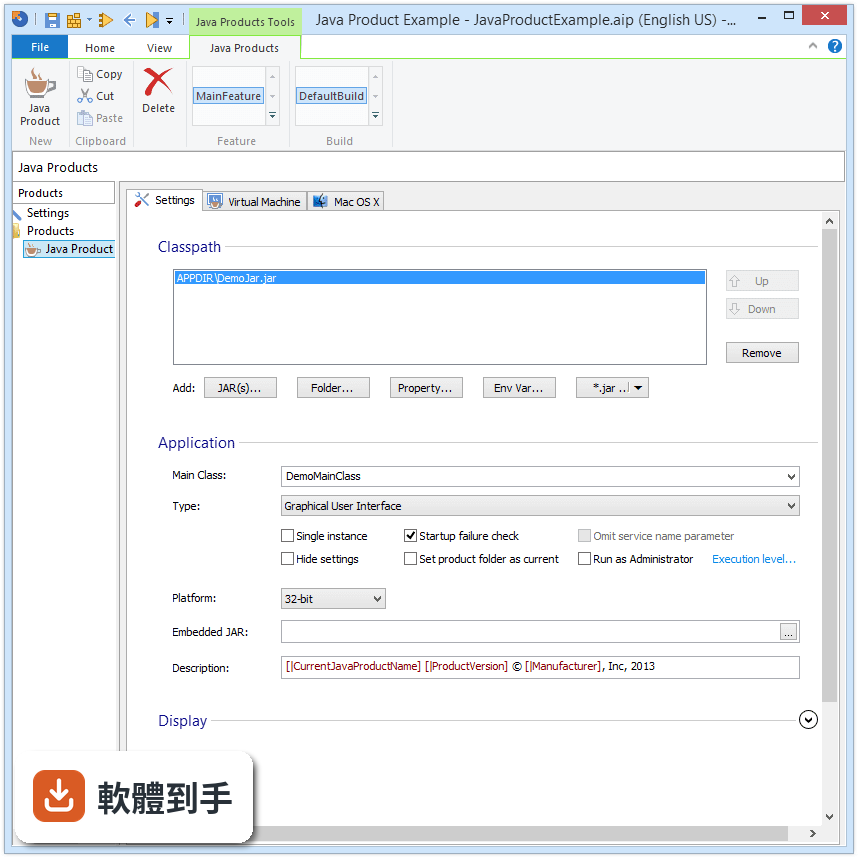
根據收錄的版本紀錄,這套軟體從 2011 年就持續在更新,最近一年內有釋出 2 次新版本,顯示開發商仍有在維護。對比同類的 Inno Setup 和 NSIS,它們的評分人數各只有 42 人,而 Advanced Installer 有 162 人評分,能看出使用者的關注度相對較高。不過軟體更新頻率這種事,建議你到官方網站或社群看最新的發布動態,會比看歷史紀錄更準。
11我聽說它可以做數位簽章,這功能一定要付費嗎?
官方資料顯示,數位簽章功能包含在 Professional 付費方案裡,免費版沒有。數位簽章的作用是讓使用者安裝時能看到「發行者」資訊,減少 Windows SmartScreen 的警告。如果你發布的是公開軟體,簽章幾乎是必要的;但如果只是內部工具,不簽章也能用,只是安裝時會出現不明發行者的提示。另外,簽章本身需要向憑證機構購買憑證,這筆費用是另外的,不包含在軟體授權費裡。
12這套軟體有沒有什麼明顯的缺點?
從官方資料來看,幾個可以預期的限制是:免費版功能陽春、付費價格偏高(最高階的 Architect 方案年費要新台幣十幾萬)、介面只有英文、進階功能需要花時間學習。另外它的定位是「功能完整」,對只需要簡單打包的人來說,操作起來反而比輕量工具囉嗦。如果你的需求只是把幾個檔案包成 EXE,市場上有更輕量、免費的選擇,不一定要用這套。
下載與官方連結
advinst.msi · 84.83 MB · 連結指向軟體原廠
版本紀錄
- 2026-10-13 Advanced Installer 24.1 297 MB
- 2026-09-03 Advanced Installer 24.0 314 MB
- 2026-07-23 Advanced Installer 23.9 312 MB
再看 5 筆
- 2023-11-04 Advanced Installer 21.2
- 2023-10-05 Advanced Installer 21.1
- 2023-09-08 Advanced Installer 21.0.1
- 2023-09-06 Advanced Installer 21.0
- 2023-08-09 Advanced Installer 20.9.1
這一版改了什麼
What's new in this version:
New features in this release:
- Support to create a new virtual machine for testing or repackaging operations
- Detect embedded MSI installs during EXE repackaging
- Launch condition to allow packages installation on Windows XP/2003 only with latest Service Pack
Enhancements to existing features:
- Support for App Paths, URL Protocols and TreatAs settings in App-V 5 manifest
- Import ActiveX settings for a COM when editing an App-V package
- Support to impersonate installing user for "File Download" operation
- Updated "New custom action" wizard to include PowerShell Scripts
- Automatically detect "msimsp.exe" from latest Windows SDK
- User can select and copy the computer ID to the clipboard
- "Install Content into Parent Folder" command line option
- Command line option to set the detection criteria in an "Updates Configuration" project
- Bootstrapper command line option to hide the [ Cancel ] button in basic UI
- Show an error message if dual signing is not supported by "signtool.exe"
- Updated "Adobe AIR" prerequisite to new major version 21
- Updated "Adobe Flash Player 18 ESR" prerequisites to latest version 18.0.0.333
- Updated "Apache Tomcat 6.0" prerequisite to latest version 6.0.45
- Updated "Java 8" prerequisites to latest version 8u74
- Updated "Visual C++ Redistributable for Visual Studio 2015" prerequisites to Update 1
Bug fixes:
- Fixed exception thrown when trying to create a new registry value in App-V 5 builds
- App-V 5 registry virtualize level could not be set for keys with no values
- The "Install Parameters" page showed the other builds properties when selecting App-V and MacOSX builds
- Fixed crash when importing a repackager file that contained Unicode characters in its name
- Registry values were processed incorrectly for short file paths when extracting COM info
- Fixed self-registration extraction issues for duplicated COM files
- IIS web site subsequent installations were skipped when the product was not registered with Windows Installer
- Some custom actions were not shown when switching between Install and Uninstall UI filter
- "Active Directory Federation Services" role was not installed on Windows Server 2012
- Files were digitally signed SHA256 with a SHA1 certificate
- EXE setup process hanged when using log command line switch
- Enhanced UI caused delay on uninstall
- Fixed multiple instances upgrades for 64-bit packages
- Multiple instances could not be maintained when Enhanced UI was enabled
- Could not edit MSIs with custom tables having file references in formatted fields like: [#fileid]
- Features' conditions disappeared after build
- Could not edit MSIs with invalid MsiIdentifier as file ID
- "File Copy/Move" operation ignored the "Execute on" flag
- Validation message on "Upgrades Product Info" tab was wrong
- "Uninstall using this command line" option didn't work during basic UI uninstall
- Advanced Installer crashed when generating transform file
- Installer Analytics uninstall reports got in exceptions reports when Advanced Installer was in trial mode
- Installer Analytics charts displayed data for the current year only
- Prerequisites were launched in background
- Fixed download links for "Apache Tomcat" 7 and 8 prerequisites
- Fixed ".NET Framework 4.6.1" prerequisites installation on Windows 10