
這是歷史版本頁面 — 看 Audacity 最新版本
免費又開源的 Audacity,剪聲音、去雜訊、轉檔夠用嗎
 Audacity 1.3.7 RC2
資料更新 2009-01-29
閱讀約 5 分鐘
你手上有一段錄音,可能是訪談、Podcast、上課側錄,或是一段想剪成鈴聲的音樂。你想把中間的空白剪掉、把雜訊弄小聲、轉成 MP3 傳給別人,但打開手機內建錄音程式,發現它只能錄不能剪;上網找線上工具,又怕上傳檔案有隱私問題,而且一次只能處理一小段。你只是想快速把聲音弄乾淨,卻發現每個步驟都卡卡的。
一般人遇到這種狀況,通常會先試手機或電腦裡現成的播放軟體,但它們只能播放,不能編輯。接著可能去找免費軟體,卻發現很多號稱免費的其實試用期一過就鎖功能,或是在輸出時偷偷加上浮水印。這類工具的切入點,是讓你在自己的電腦上完成錄音、剪輯、降噪、轉檔整個流程,不必上傳檔案、不必付費解鎖,而且操作過程可以隨時反悔,不用怕剪壞。
01Audacity 到底能拿來做什麼?
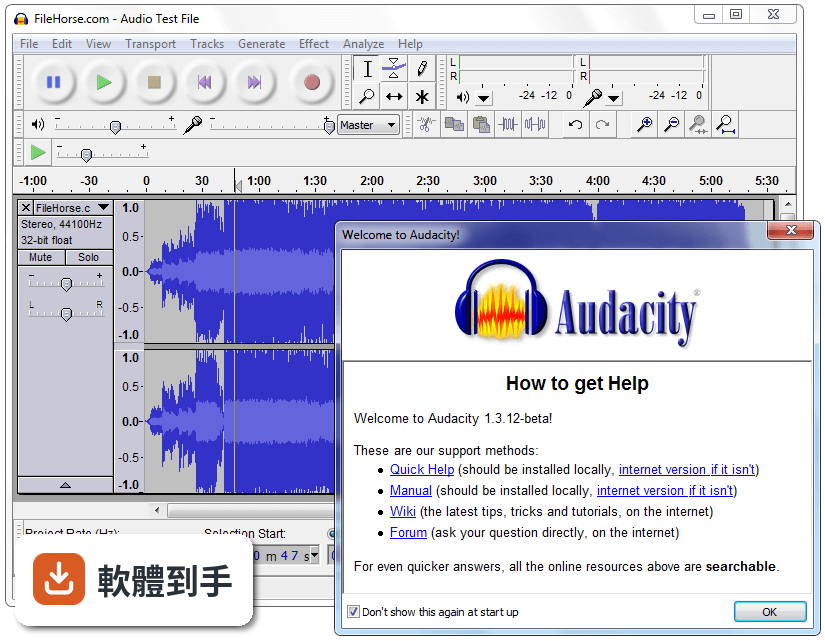
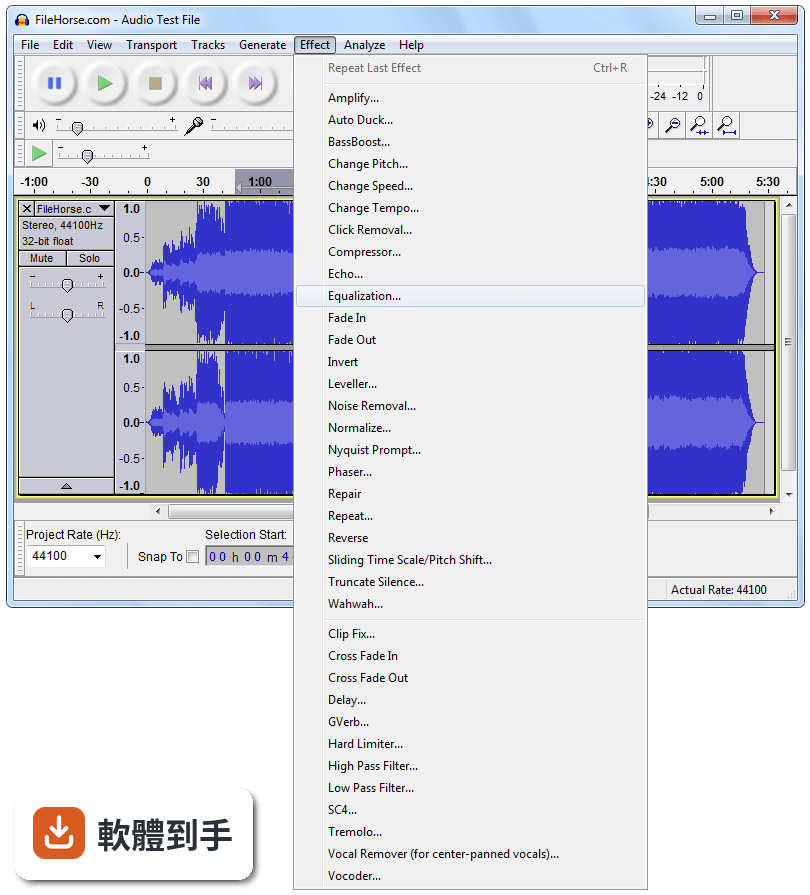
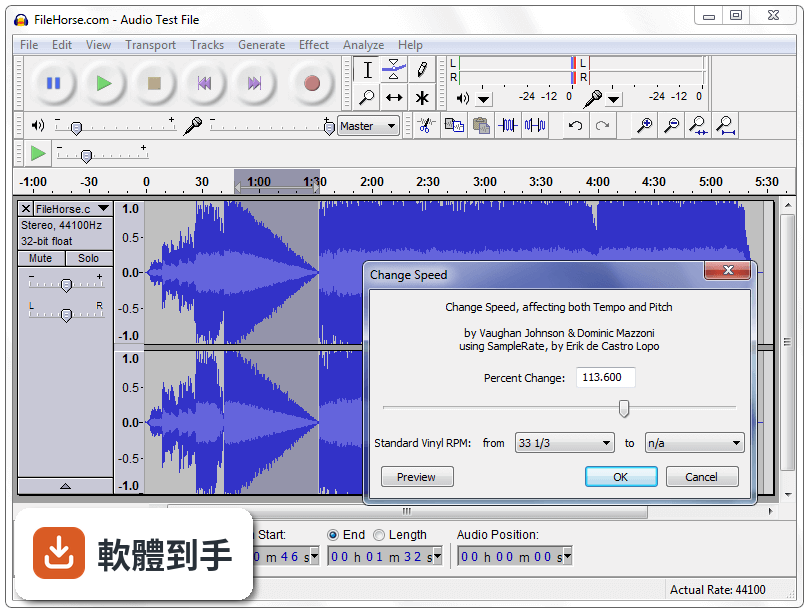
它能錄音、剪輯、混音、轉檔。你可以接麥克風錄人聲,把錄好的音檔剪掉不要的段落,疊上背景音樂,加上淡入淡出,最後輸出成 MP3 或 WAV。也內建降噪、變速、變調、等化器這類效果,處理 Podcast 或簡單音樂剪輯都夠用。
02這套軟體可以剪掉錄音中間的空白或咳嗽聲嗎?
可以。用選取工具框選要刪除的段落,按 Delete 就能移除。剪錯了也能用復原功能一步步退回,沒有次數限制。如果要處理的空白很多,可以先用「效果」選單裡的「截取靜音」自動偵測並刪除,再手動檢查一遍。
03它能不能把錄音裡的背景雜訊弄掉?
可以,做法是先選取一段只有雜訊、沒有人聲的部分,到「效果」選單選「降噪」,點「取得雜訊特徵」,再全選整個音軌套用降噪。效果好不好取決於雜訊的型態和原本錄音的品質,太嚴重的雜訊只能減輕,無法完全消除。
04這套軟體支援哪些音檔格式?
內建支援 WAV、AIFF、MP3、OGG、FLAC。要匯入或匯出更多格式(例如 M4A),需要另外安裝 FFmpeg 程式庫;要匯出 MP3 則需要 LAME 編碼器。這些都是免費的,但安裝步驟要自己上網找教學。
05它可以同時編輯多條音軌嗎?
可以。你可以開多條音軌,把不同錄音或音樂分別放在不同軌道,個別調整音量,再一起播放或混音輸出。這對做 Podcast 訪談、把背景音樂和人聲疊在一起,或簡單的音樂編曲都夠用。
06這套軟體適合完全沒用過剪輯軟體的人嗎?
介面是英文的,而且按鈕和選單很多,第一次打開會覺得眼花撩亂。但基本操作不難:紅色圓鈕是錄音、空格鍵是播放、用滑鼠框選範圍就能剪下或刪除。官方網站有完整說明文件,YouTube 上也有大量教學影片,願意花一兩個小時學就能上手。
07我主要是錄 Podcast,這套軟體夠用嗎?
夠用。錄音、剪掉廢話、降噪、加上開頭音樂、調整音量大小、輸出成 MP3,這些 Podcast 的基本流程它都做得到。多人遠端訪談的錄音,只要每個人各自錄好音檔,再丟進來對齊和混音也行。但如果你需要自動移除「嗯」「啊」這類語助詞,它沒有這個功能。
08它可以用在商業用途嗎?例如幫客戶剪廣告配音。
可以。它是開源軟體,授權允許商業使用,不需要付費也不用標註來源。你接案剪出來的成品可以自由交給客戶,不會有版權問題。但要注意,如果你用了某些第三方效果插件,要另外確認那些插件的授權。
09這套軟體有沒有什麼明顯做不到的事?
它不支援 MIDI 編輯,只能匯入 MIDI 檔來播放,不能編輯音符。它也不是完整的音樂製作工作站,沒有內建虛擬樂器、沒有自動對拍校正,編曲功能很陽春。如果你要做的是專業音樂製作,它會不夠用。
10它的介面只有英文,對看不懂英文的人是不是很難用?
介面確實只有英文,沒有官方中文介面。不過核心操作詞彙不多,錄音、播放、剪下、貼上、匯出這些字,查一次就能記住。網路上有中文教學文章和影片,可以跟著做。如果你完全無法接受英文介面,可以考慮其他有中文的免費軟體。
11這套軟體和 WavePad、mp3DirectCut 這些免費軟體比起來,差在哪?
udacity 的功能比 mp3DirectCut 完整很多,後者主要做無損剪輯,不能降噪也不能加效果。WavePad 也有剪輯和效果功能,但免費版有功能限制,進階功能要付費。Audacity 是完整功能免費,而且更新頻率高,使用者評分人數也遠多於其他幾套,代表實際使用的人比較多。
12我電腦很舊,跑得動這套軟體嗎?
官方支援 Windows 7 到 Windows 11 的 64 位元系統。處理一般長度的錄音剪輯,舊電腦跑起來沒問題。但如果編輯的檔案很大、音軌很多,或是套用即時效果,會比較吃資源。官方說明有提到新版在大型專案上效能有改善,但實際跑不跑得動,還是要看你電腦的記憶體和處理器。
下載與官方連結
audacity-win-unicode-1.3.7.exe · 4.1 MB · 連結指向軟體原廠
版本紀錄
- 2026-11-02 Audacity 4.0.2 47.5 MB
- 2026-10-01 Audacity 4.0.1 47.5 MB
- 2026-09-04 Audacity 4.0.0 47.2 MB
再看 5 筆
- 2026-09-02 Audacity 3.7.9 19 MB
- 2026-06-12 Audacity 3.7.8 19.5 MB
- 2025-12-12 Audacity 3.7.7 17.7 MB
- 2025-12-05 Audacity 3.7.6 17.7 MB
- 2025-08-06 Audacity 3.7.5 17.2 MB
這一版改了什麼
What's new in this version:
Cross-platform Bug Fixes:
* Muting/soloing caused incorrect channel results in exported
stereo files
* Noise Removal and all Nyquist effects pasted the original
unmodified audio at the end of the modified region
* Noise Removal inserted a tail of low level noise at the end
of the modified region
* Nyquist and Compressor plug-ins did not display moving bars
in progress dialogue and over-estimated "Remaining Time"
* Cancelling Nyquist effects deleted unprocessed audio
* Change Speed and Change Tempo failed to modify the original
selection length
* Cut lines invisible
* Fixed various bugs importing multi-stream files via FFmpeg
* File > Export as WAV could be corrupted if overwriting
an imported WAV read direct from the file
* Export multiple "Other uncompressed files" choice always
produced 16-bit PCM audio irrespective of chosen options.
* MP3 export usually produced a 128 kbps constant bit rate file
irrespective of chosen options; reported length often
incorrect
* MP3 ID3 Genre tag misread on import if the genre list in
Metadata Editor was opened and saved
* Exported metadata tags in MP3, OGG and FLAC often not seen by
player software - now substantially improved
* WMA exports (via FFmpeg)corrupted if metadata tags included
* Some multi-channel recording devices that previously recorded
more than two channels no longer did so
* Generated audio did not fit in window
* No warning was given when saving an empty project
* Beep on completing longer process did not work on many
systems
* fixed crashes importing lists of files (.LOF), in Meter Toolbar
and Change Speed
Platform-specific Bug Fixes:
* Windows Vista: crash opening Preferences with no sound
devices enabled and connected
* Mac OS X and Linux:
* Spurious clipping at start of playback
* Labels did not accept certain legal characters
* Shortcuts did not work after running effects
* Project Rate did not change to respect rate of first
imported file if that rate was unsupported
* Mac OS X only:
* Crash resizing project window
* Menu items became inactive or visibly corrupted
* File > Open dialogue did not always work on OS X 10.4
* Impossible to set independent Command and Control
shortcuts that shared the same key
* Freeze importing uncompressed files via On-Demand
(please report any remaining instances of this to:
[email protected])
* Portable settings were not picked up, instead settings
were taken from the default location
* Fixed unavailability of FFmpeg installer
New Features:
* F11 Full Screen mode
* High-quality "Sliding Time Scale/Pitch Shift" effect
* Audio Contrast Analyzer for testing audio on the
internet for WCAG2 accessibility compliance.
* Windows: sound devices can now be opened using the
more efficient DirectSound API
Other changes:
* Latency correction should be improved for many users
by employing a fixed rather than variable correction
* Grouping of Effects into categories turned off until
a way is added for users to do so themselves
* Numerous minor interface improvements such as Metadata
Editor navigation, new "hh:mm:ss + hundredths"
selection format
* Note: Windows users wanting to export MP3 files will
require the latest version of the LAME encoder from
http://lame.buanzo.com.ar/