
這是歷史版本頁面 — 看 Balsamiq Mockups 最新版本
Balsamiq Mockups 畫線框圖還夠用嗎
 Balsamiq Mockups 3.3.11
資料更新 2016-03-09
閱讀約 5 分鐘
你正在規劃一個新功能或新頁面,腦子裡已經有大概的輪廓,但打開 PowerPoint 或 Figma 想畫出來時,卻發現自己卡在「要選什麼顏色」「字體多大」這些細節上,半小時過去了,版面還沒排出來。你只是想讓團隊看懂「這裡有個按鈕、那邊放一張圖」,卻被迫先當一個視覺設計師。這種時候,你需要的是把想法快速倒出來、讓大家討論功能而不是美醜的工具。
一般人的直覺是打開繪圖軟體或簡報軟體來畫,但這些工具的精細度反而成了阻礙——太容易分心在視覺細節,而且修改版面很費工。另一條路是拿紙筆畫草圖,但紙本無法分享給遠端同事,也無法建立多頁流程。於是出現了一種折衷做法:用數位工具模擬手繪草圖的質感,刻意保持「未完成」的樣貌,讓討論焦點鎖定在功能與架構上,而不是顏色和字型。
01Balsamiq Mockups 到底能做什麼?
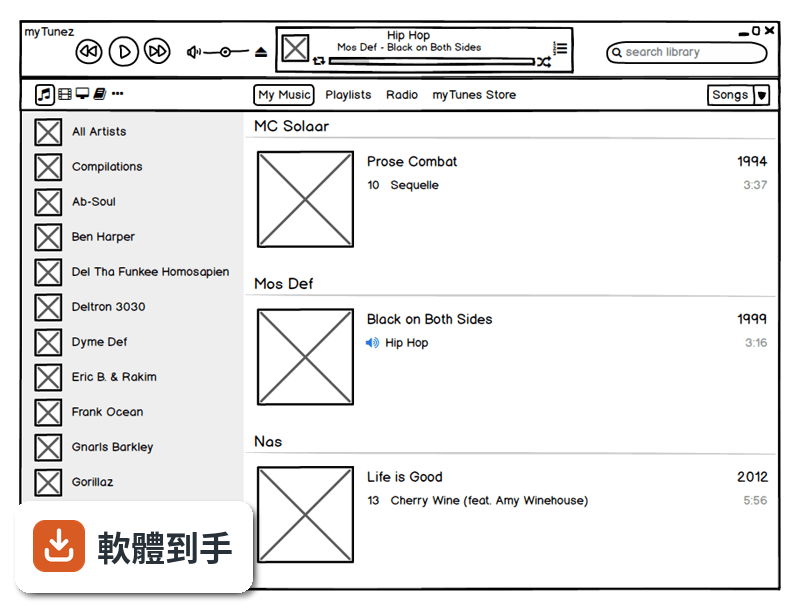
它是一套快速建立線框圖(wireframe)的工具,用來在產品開發初期畫出網頁或 App 的版面草稿。你從左側元件庫拖曳按鈕、文字方塊、圖片框等到畫布上,排列出頁面配置,再用連結功能把多個頁面串起來,變成可以點擊的簡易原型。畫出來的成品是手繪風格,看起來像草圖,目的是讓討論聚焦在功能與動線上。
02它和一般設計軟體畫出來的東西有什麼不同?
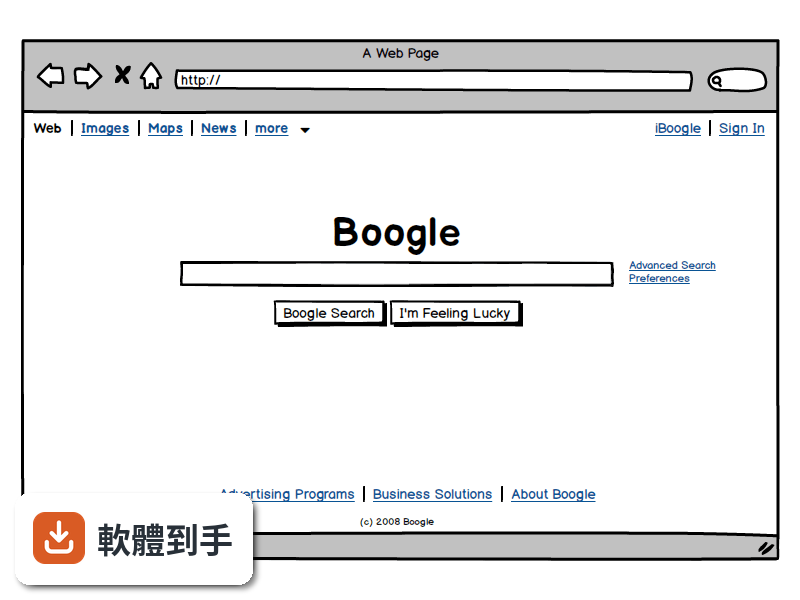
最大的差別在於「精緻度」。Figma 或 Adobe XD 這類工具做出來的是高傳真設計,顏色、字型、間距都接近最終成品;Balsamiq 刻意維持低傳真的手繪感,讓觀看者不會被視覺細節帶走,專注在版面結構與功能邏輯。如果你需要跟客戶確認「首頁要放哪些區塊」,用 Balsamiq 比用高傳真稿更不容易失焦。
03能不能做出可以點來點去的原型?
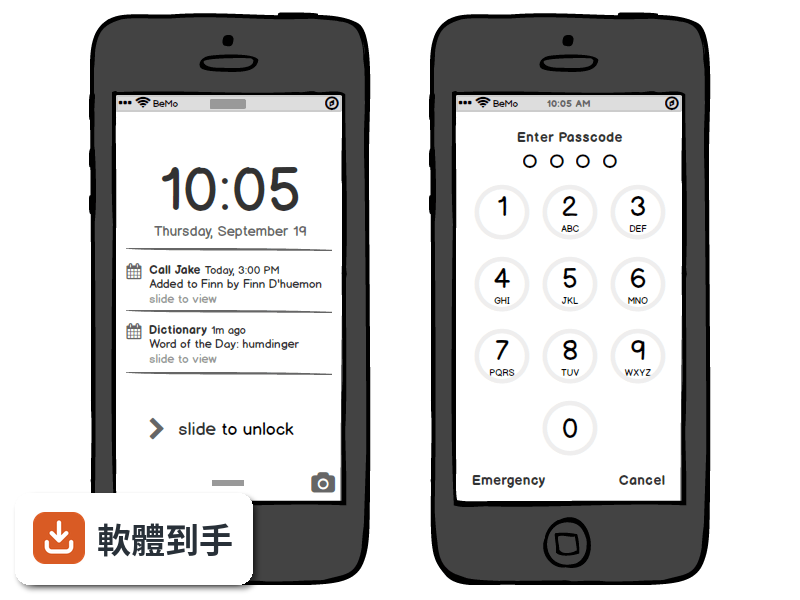
可以。你可以在不同頁面之間建立連結,做出點擊按鈕就跳到下一頁的效果,用來模擬使用流程。這對於使用者測試或向利害關係人展示動線很有用。不過它的互動能力僅限於頁面跳轉,不支援複雜的動畫、條件式邏輯或動態資料,這點要先有心理準備。
04畫好的東西要怎麼給別人看?
可以匯出成 PNG 或 PDF。PDF 匯出時會保留頁面之間的連結,對方在 PDF 閱讀器裡點擊就能跳頁,適合用來做簡報或寄給客戶確認。如果你想要更進一步的協作,可以考慮它後續推出的雲端版本,但這套桌面版本身沒有內建多人即時共編功能。
05多人一起用的話,它怎麼運作?
這套桌面版沒有即時協作功能,團隊要分工的話,比較常見的做法是各自畫好自己的部分,再合併討論。不過它支援建立可重複使用的元件庫(Symbols),團隊可以先定義好共用的按鈕、表單等元件,大家畫圖時直接拖出來用,確保一致性。註解功能可以讓你在圖上加註意見,方便非同步溝通。
06不會寫程式的人用得了嗎?
可以,這正是它的設計目標之一。操作方式就是拖曳元件、調整大小、輸入文字,不需要任何程式背景。官方說明也提到,任何人只要會用滑鼠就能上手。產品經理、專案經理、業務人員都可以用它來表達想法,不需要等設計師有空才能動工。
07產品經理或開發者適合用嗎?
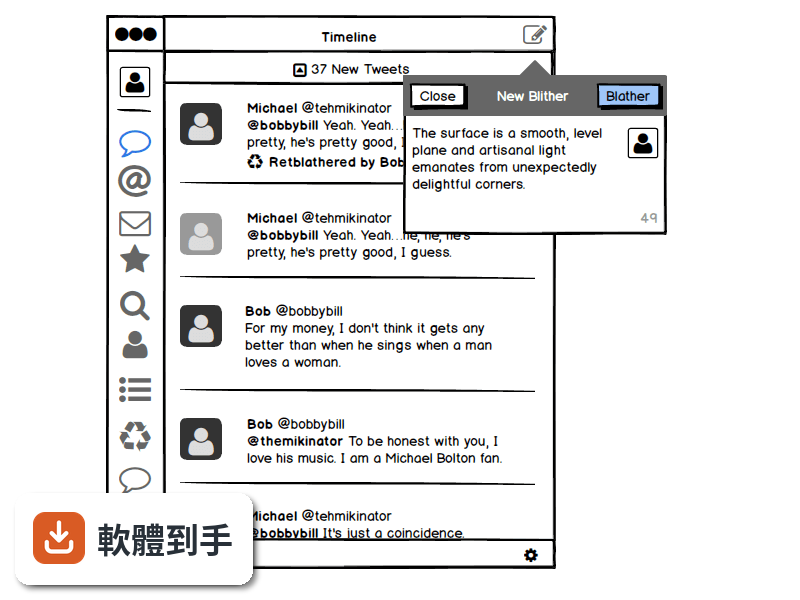
適合。產品經理可以用它快速把需求視覺化,跟工程師溝通時有個具體的參考依據,減少「我說的是這個意思嗎」的來回確認。開發者也可以用它先畫出介面草稿,確認版面與流程後再開始寫程式,避免開發到一半才發現動線有問題。它特別強調「在流程最早期的時候迭代,成本最低」這個概念。
08它和 Figma 或 Adobe XD 比起來如何?
定位不同。Figma 和 Adobe XD 是完整的高傳真設計工具,適合做最終視覺稿、設計系統、交互動畫;Balsamiq 只做低傳真線框圖,功能範圍小很多。如果你的工作流程需要先快速確認功能架構,再進入視覺設計,Balsamiq 可以當作第一步;但如果你需要的是直接做出接近成品的設計稿,它幫不上忙。
09這套舊版還值得用嗎?
這套 Mockups 3 for Desktop 已經停止更新,官方把後續版本改名為 Balsamiq Wireframes,並表示舊的 BMPR 檔案格式可以繼續沿用。也就是說,如果你手上已經有這套軟體、檔案也都是這個格式,繼續用沒有問題;但如果你是要新開始使用,官方建議的長期方案是更新的版本或雲端服務,因為舊版不會再有新功能或修正。
10有沒有其他更多人用的選擇?
在線框圖這個領域,Balsamiq 是知名度很高的老牌工具,但它的評分人數只有 80 人,相較之下 Avocode 有 144 人評分、Google Web Designer 有 74 人評分。如果你在意的是社群規模或長期維護,可以參考這些替代方案,或是直接考慮 Figma 這類免費且活躍的設計工具。另外要注意,這套軟體只有英文介面,授權型式是 Trial,使用前需要確認試用限制。
下載與官方連結
Balsamiq_Mockups_3.3.11.exe · 3.83 MB · 連結指向軟體原廠
版本紀錄
- 2020-03-13 Balsamiq Mockups 4.0.26 69.95 MB
- 2019-02-12 Balsamiq Mockups 3.5.17 15.3 MB
- 2018-08-09 Balsamiq Mockups 3.5.16 15.3 MB
再看 5 筆
- 2018-08-05 Balsamiq Mockups 3.5.15 14.44 MB
- 2017-07-06 Balsamiq Mockups 3.5.14
- 2017-06-23 Balsamiq Mockups 3.5.13 14.41 MB
- 2017-06-22 Balsamiq Mockups 3.5.12 14.41 MB
- 2017-06-21 Balsamiq Mockups 3.5.11 14.41 MB
這一版改了什麼
What's new in this version:
Automatic Repositioning of Aligned Labels:
- This little and nearly invisible feature will save you loads of time, especially if you create forms.
- When labels are auto-sized, we now respect their text alignment property and move them accordingly after you change the text.
- It's much easier to show than to describe, take a look:
Duplicate an Alternate As a New Mockup:
- Ever wanted to turn an alternate into its own mockup? You used to have to select all, copy, create a new mockup and paste.
- As of today, you can just select the new "Duplicate As New Mockup" feature and pronto, you're done! :)
- Are you on Windows and use a trackpad or a mouse with a mouse wheel? Or are you on Mac and use a Mighty Mouse? Then you might have gotten frustrated at our lack of support for horizontal scrolling.
- Because of the platform we're using right now, we have limited support for horizontal scrolling, but we found a compromise! Just hold SHIFT and scroll up and down, and we'll interpret it as horizontal scrolling. Yay!
A Brand New Web Demo Project:
- We spent some time to update the default project you see when you visit our Web Demo Version.
- We now show a bunch of our newest features, and teach you how to use them. We even include some sample interactive prototypes in it to use as a starting point.
Other improvements and bug fixes:
- Fixed an issue with exporting PDF when a mockup contained a link with a % character in it. Thanks Jeff A. for reporting it!
- Fixed an issue with links not showing up in the right place in exported PDFs when the mockups were really tall. Thanks obg for reporting it!
- Fixed an issue with links in PDFs not respecting the z-Order in some cases. Thanks Luis C. and Jeff B. for reporting it!
- Fixed an issue with exporting Arrow controls to BMML in some cases.
- Fixed an issue with the "remove overrides" button in the inspector maintaining focus. Thanks Kevin for reporting it!
- Fixed an issue with Symbol overrides getting committed even after hitting Escape in some circumstances. Thanks for the bug report russ!
- Fixed an issue with the mockup name tooltip not refreshing immediately after a duplicate or rename operation. Thanks Samuel D. and Robson W. for reporting it!
- Fixed an issue with the Page Up and Page Down keys turning off Markup in some situations on Windows in Full Screen Presentation Mode. Thanks grebe for reporting it!
- CTRL+D now duplicates the current mockup when the focus is in the navigator. Thanks Michael H. for requesting it!
- The little helper icon next to the Links inspector pointed to a 404 page. That's now fixed.
- Fixed a strange little issue with the DataGrid showing the wrong label color in some cases. Thanks russ for the bug report!
- Added support for the {mockup-name} macro in the Browser control. A good idea by cschriemer!
- Fixed an old issue with text links when the URL contains - or _ characters. Finally!
- Fixed an issue with the Button control not showing the text if the font size was set to 30 or higher.
- We now properly center the line inside the H.Rule and V.Rule controls. Such a simple little thing, but so useful! Thanks so much ArcticMe for reporting the issue!
- Fixed an issue with the Formatting Toolbar control not exporting properly in some cases.
- Fixed a little regression in the help menu in the web versions (it was showing Register... as if it was on Desktop).
- We now default to showing all branches of the mockups navigator as being open instead of closed. It gives you a better sense of the contents and size of the project when you first open it.
- Fixed an issue with export to ZIP failing in some rare cases. Thanks for Ben G. reporting it!
- We now fully disable Quick Draw when overriding symbol instances.
- We restored the old v2 behavior of the Links Inspector when multiple controls are selected. Thanks Colin M., Chris G., and Colin McQ. for reporting it!