
這是歷史版本頁面 — 看 Cocos Creator 最新版本
想自己做遊戲但不知從何下手?Cocos Creator 能幫上什麼忙
 Cocos Creator 1.10.0
資料更新 2018-08-03
閱讀約 6 分鐘
想開發自己的遊戲,腦子裡有畫面、有玩法,但打開電腦卻不知道第一步要做什麼。上網找資料,看到的不是要寫一堆程式,就是介面複雜到讓人直接關掉視窗。你只是想先把一個小遊戲做出來,看看它跑起來是什麼樣子,而不是一開始就被工具本身嚇跑。
很多人會先想到用現成的遊戲引擎,但那些引擎多半預設你已經會寫程式,或者介面全是英文又綁著一堆用不到的功能。就算勉強裝好了,光是搞懂場景、物件、腳本之間的關係就要花掉好幾個晚上。這類工具的切入點,是讓你把「設計場景」和「寫邏輯」分開處理——用視覺化的方式把關卡、角色、物件擺好,再針對需要互動的部分補上程式碼,而不是逼你從零開始用程式碼刻出整個遊戲。
01Cocos Creator 到底是做什麼用的?
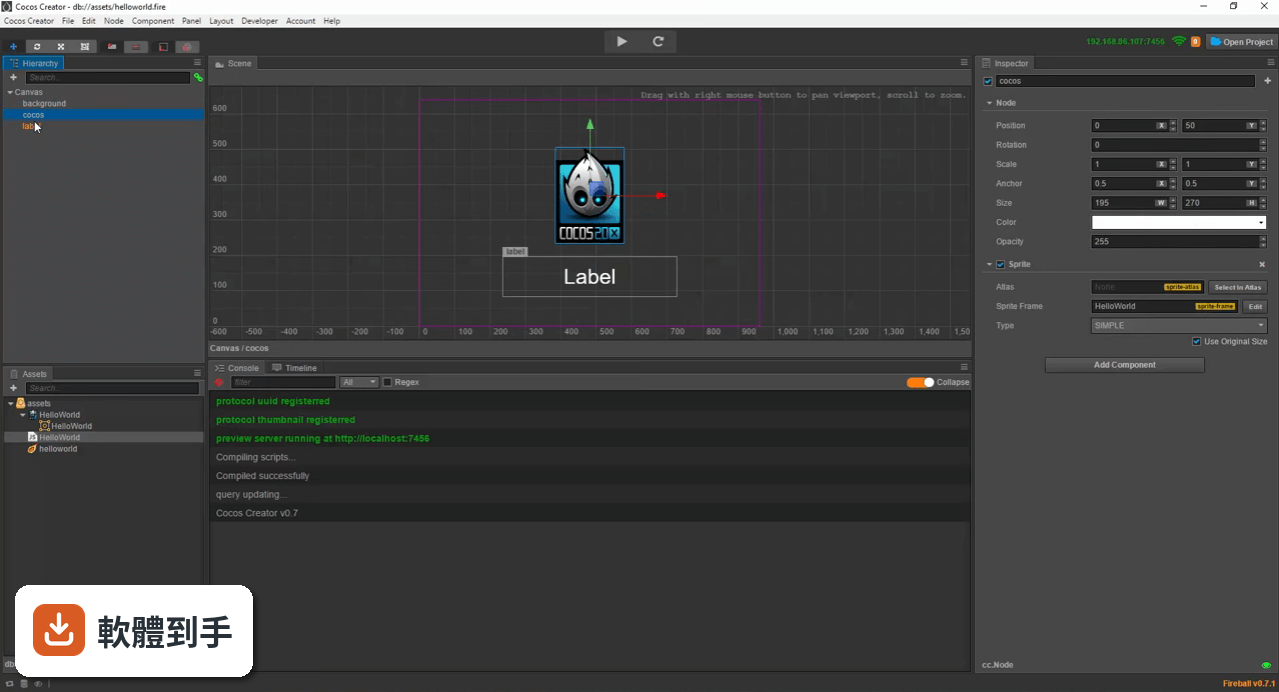
它是一套遊戲開發工具,主要用來製作 2D 和 3D 遊戲。你可以在裡面設計關卡場景、擺放角色和物件、加上動畫與物理效果,最後匯出成可以在不同平台執行的遊戲。它提供視覺化的編輯介面,讓你不必從頭到尾都用程式碼刻出整個遊戲,適合想做出完整遊戲、但不想被技術細節淹沒的人。
02不會寫程式的人也能用這套軟體嗎?
可以,前提是你願意學一點基礎。它的視覺編輯器讓你可以用拖曳的方式設計場景、安排物件位置,這部分不需要寫程式。但遊戲要能互動,例如角色移動、碰撞判斷、分數計算,還是得透過 JavaScript、TypeScript 或 Lua 來寫腳本。官方說明提到它對新手友善,有完整的文件可以參考,但完全不碰程式碼的話,能做的東西會很有限。
03用這套軟體可以做出什麼類型的遊戲?
官方說明指出它支援 2D 和 3D 遊戲開發,所以從平面關卡遊戲、解謎遊戲,到立體場景的動作遊戲都在範圍內。它內建動畫編輯器、物理引擎和資源管理工具,可以處理角色動畫、碰撞模擬、圖片與音效匯入這些常見需求。實際能做到什麼程度,取決於你的設計能力和程式撰寫經驗,工具本身沒有把遊戲類型限制死。
04做完的遊戲可以發布到哪些平台?
官方說明列出的匯出目標包含 iOS、Android、HTML5、Windows 和 Mac,另外也提到支援 Migu Mini Games 和 Google Play 的直接建置與部署。也就是說,你做的遊戲可以發布成手機 App、網頁遊戲或電腦程式。不過每個平台的發布流程和審核規定不同,實際操作時還是要針對目標平台另外確認細節。
05它支援哪些程式語言?
官方說明提到支援 JavaScript、TypeScript 和 Lua 三種語言。你可以選自己熟悉的來寫遊戲邏輯,也可以混用。對於初學者來說,JavaScript 的學習資源比較多,遇到問題比較容易找到解答;如果你已經會 TypeScript 或 Lua,也可以直接沿用,不需要為了這套工具特地學一套新語言。
06一個人做遊戲,用這套軟體夠用嗎?
官方說明中沒有提到團隊協作或多人同時編輯的功能,但從它的設計來看,場景編輯、資源管理、腳本撰寫和測試預覽都整合在同一個工具裡,一個人獨立完成小規模遊戲是可行的。它也有外掛擴充機制,可以安裝社群貢獻的外掛來補足缺少的功能。如果你打算做的是大型專案,可能需要另外搭配版本控制或其他協作工具,這部分官方說明沒有提供相關資訊。
07這套軟體跟 Unity 比起來,哪個比較適合新手?
官方說明中沒有直接比較它和 Unity 的差異,只提到 Unity 是功能相近的替代選擇。就資料來看,Cocos Creator 的切入點是視覺化編輯和簡化開發流程,對沒有程式背景的人來說,學習曲線可能比 Unity 平緩一些。但 Unity 的使用者多、教學資源豐富,遇到問題比較容易找到解答。建議你先下載試用,實際操作看看哪一套的介面和流程比較符合你的習慣。
08介面只有英文,看不懂怎麼辦?
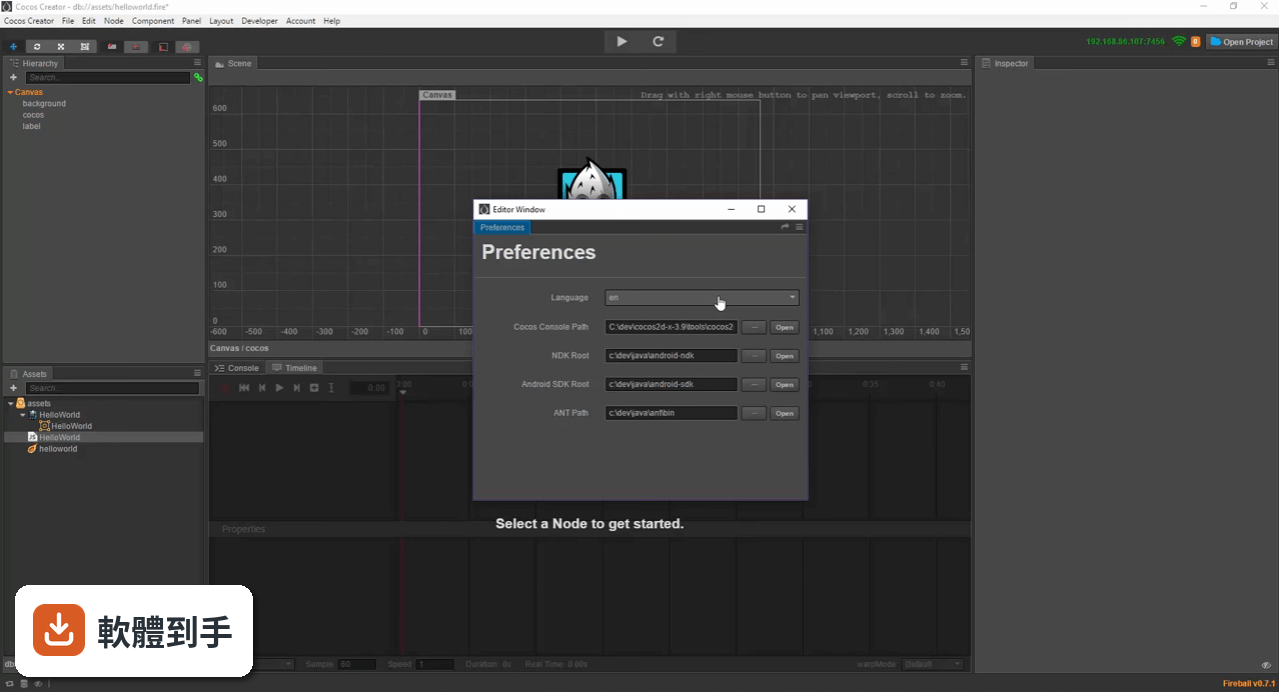
官方說明指出介面語系是英文,沒有提到其他語言選項。如果你不習慣英文介面,可以先從官方文件或社群教學影片入手,很多操作步驟會搭配畫面解說,看久了就能記住常用功能的位置。另外,遊戲開發的術語在英文介面下其實相對固定,學會一次之後,換到其他工具也派得上用場。真的無法接受英文介面的話,可能要考慮其他有中文介面的替代工具。
09這套軟體是不是沒什麼人在用?
從評分人數來看,目前只有 40 人評分,確實不算多。但評分人數少不代表軟體不好,可能是使用族群比較集中,或者大家沒有習慣去評分。官方說明提到它是開源軟體,也有外掛生態系和社群貢獻的擴充套件,表示有一定數量的開發者在參與。如果你在意的是社群活躍度和問題解答的即時性,這點可能需要你自己去論壇或社群觀察一下實際討論熱度。
10免費版會不會有什麼限制?
官方說明提到,免費版功能完整,足以應付大多數開發需求,但另外有付費版本 Cocos Creator Pro,提供額外功能和技術支援。具體來說免費版少了哪些功能、付費版多了什麼,官方說明沒有列出明細。如果你做到一半發現需要某個功能但找不到,可以先去確認是不是被歸在付費版本裡,再決定要不要升級。
11這套軟體是不是很久沒更新了?
從版本紀錄來看,近 12 個月更新了 1 次,近 24 個月更新了 2 次,更新頻率不算高,但也不是完全停擺。官方說明中提到的更新內容包含 Android 16KB 頁面大小支援、MSAA 渲染、Migu Mini Games 和 Google Play 平台支援,以及編輯器效能改進,看得出來還在持續維護。如果你需要的是非常頻繁的功能更新,這點可能要列入考量,但對一般開發需求來說,目前的更新節奏應該還算夠用。
下載與官方連結
CocosCreator_v1.10.0.7z · 552 MB · 連結指向軟體原廠
版本紀錄
- 2025-12-28 Cocos Creator 3.8.8 143 MB
- 2024-12-26 Cocos Creator 3.8.5 148 MB
- 2023-11-28 Cocos Creator 3.8.1
再看 5 筆
- 2023-11-28 Select Version
- 2020-10-16 Cocos Creator 2.4.3 85.8 MB
- 2020-08-09 Cocos Creator 2.4.2 85.7 MB
- 2020-06-08 Cocos Creator 2.3.4 611 MB
- 2020-03-03 Cocos Creator 2.3.1 594 MB
這一版改了什麼
What's new in this version:
Editor:
- Greatly optimize the size of the settings.js file after the release
- Added script subcontracting settings in the property inspector for the folder
- Allow each project to set a custom engine separately
- Add a node lock function in the hierarchy manager. When the mouse is moved to the node, there will be a lock button on the left side. After the node is locked, the node cannot be selected in the scene editor.
- Added an “Optimization Policy” option in the Property inspector of the Prefab resource file to optimize Prefab creation time. See [Prefabricated Resources: Setting Optimization Strategies] (http://docs.cocos.com/creator/manual/en/asset-workflow/prefab.html#设置�% 3 BC%98%E5%8C%96%E7%AD%96%E7%95%A5)
- Optimize the main menu under Windows
- Add auto-refresh to the list of scenes in the build panel
- When publishing to the native platform, it also supports adding MD5 to file naming for hot update
- Script compilation will automatically skip all .d.ts files to avoid TypeScript error reporting
- The Console panel adds a Clear on Play option to automatically clear the log before the game previews
- Adjust the text font and color of the Console panel
- Added search option button in the search bar of the hierarchy manager and explorer
- Added plugin management feature in the plugin store
- Allow changes to custom control icons in the control library
- Resource Manager adds recognition of aac and pcm extension audio files
- Supports direct search of compressed uuid format when Explorer searches for uuid
- Allow the right mouse button to drag and drop the timeline of the Timeline editor
- Added exit menu on Dashboard’s system tray icon
Engine:
- Support game script subcontract loading, see [Code Subcontract Loading]
- The align mode attribute is added to the Widget component. When set to ON_WINDOWS_RESIZE, it will be automatically refreshed when the window size changes.
- Official support for [text] and [JSON] Loading of resource types
- The native platform adds [cc.sys.getBatteryLevel] and cc.sys.getNetworkType 1 interface for getting device power and network status
- When the native platform is hot updated, it will actively delete the old version of the resource file.
- VideoPlayer adds volume adjustment and mute function
- Added DragonBones native platform binding interface getSlots, replaceSlotDisplay and Slot.name (thanks @feijing566)
- TiledMap supports rendering and cropping of ortho maps in any direction on the web platform
- Layout component will only typeset active nodes
- Retina rendering enabled by default on Android UC browser
- Enable Webgl on UC browser version 11 or higher
- Increased recognition of UCBS browsers
- Gravity sensing is adjusted to only get when the developer has a registration event
Bug Fixes:
- [Editor] Fixes the settings when setting SpriteFrame in the collection
- [Editor] Fix simulator configuration save related issues
- [Editor] Fixed an issue where the error message output from the emulator to the console was displayed in white
- [Editor] Fix the error when the resource export tool encountered the same parent folder name
- [Editor] Fixed an issue where copying the automatically synchronized Prefab subnode under the editor may be wrong
- [Editor] fixes the problem that the fragment texture in the automatic map set will be reported incorrectly if it is directly referenced by other resources
- [Editor] Fixed plugin script not correctly parsing CC_WECHATGAME and CC_QQPLAY keywords
- [Engine] Fixed an issue where the animation may not stop playing when the scene is switched or the node is destroyed
- [Engine] [Wechat] Fix some versions of WeChat games to get the problem of each frame interval
- [Engine] [Wechat] Fix RenderTexture related issues on Android WeChat games
- [Engine] [QQPlay] Fix QQ Play and play resources will be downloaded repeatedly
- [Engine] Fixed an issue where the slider of the Slider component might not be right when dragged
- [Engine] Fixed an issue where the audio load event could be triggered repeatedly
- [Engine] Fixed a problem where the user changed the level while dectivating the node without any error
- [Engine] Fix issues that WebView can’t hide in Safari browser on some platforms (iOS 9/10 or Mac)
- [Engine] Fixed native platform BMFont rendering pitch problem
- [Engine] Fixed an issue where the button’s touch area would be offset when Canvas was unchecked Fit Width and Fit Height
Upgrade Android SDK:
- Starting with v1.10, the API Level in the Android build panel specifies the minimum Android version supported by the compiled apk. targetSdkVersion, compileSdkVersion, buildToolsVersion have all been upgraded to 26. If the developer has other needs, you can manually modify proj.android-studio/app/build.grade and proj.android-studio/gradle.properties
Removed:
- Removed support for Eclipse and Ant build Android platform
- Removed support from Chipmunk
- Removed cc.loader.loadRes to directly load the support of the child SpriteFrame in the collection. Please load the atlas first and then call atlas.getSpriteFrame(name)
Deprecation:
- Since v1.10.0, Texture2D.releaseTexture is no longer recommended, please use Texture2D.destroy instead
- As of v1.8.2, cc.eventManager is no longer recommended. Use cc.EventTarget or cc.systemEvent instead. The original API will be removed in 2.0
- As of v1.8.2, cc.inputManager is no longer recommended. Replace it with the same interface of cc.systemEvent. The original API will be removed in 2.0
- Since v1.8.2, dragonBones.CCFactory.getFactory is no longer recommended. Use dragonBones.CCFactory.getInstance instead. The original API will be removed in 2.0
Known issues:
- When copying and pasting a resource in Explorer, the resource property will not be copied. (Since 1.9.0)
- Android native platform does not support playing remote video