
這是歷史版本頁面 — 看 Corel PaintShop Pro 最新版本
不想訂閱Photoshop?Corel PaintShop Pro能取代嗎
 Corel PaintShop Pro X4
資料更新 2011-10-18
閱讀約 6 分鐘
你手上有一堆照片想修,調色、去背、合成,但打開系統內建的小畫家或手機修圖App,怎麼都弄不出想要的樣子。你聽說過專業軟體,但訂閱制每個月扣款,對只是偶爾修圖的人來說,負擔不小。你開始找有沒有買斷制的選擇,卻又怕踩雷。
免費軟體不是沒有,但功能往往東缺西缺,或介面不順手;訂閱制軟體功能完整,卻綁定長期花費。於是有人轉向「一次買斷、功能接近專業級」的影像編輯工具,這類工具通常提供試用版讓你先驗證,但試用版可能有功能限制,介面也可能只有英文,這些都是選擇前要確認的。
01Corel PaintShop Pro主要能拿來做什麼?
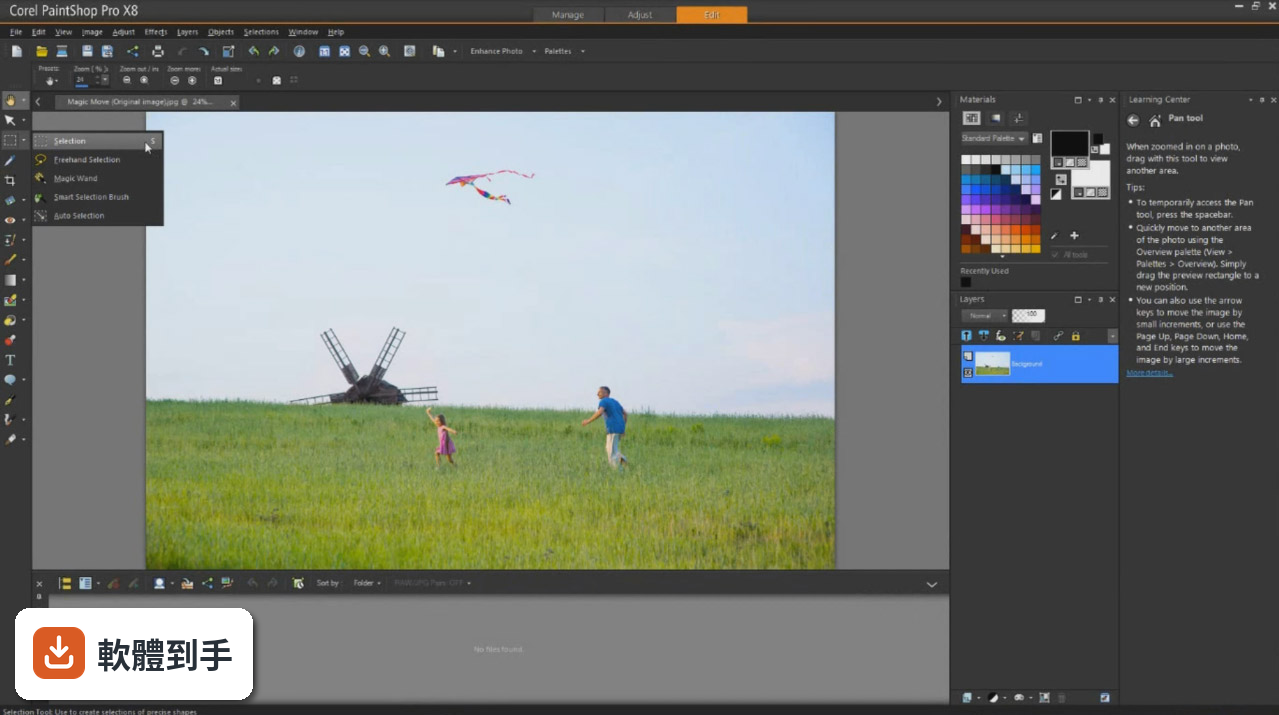
它是一套影像編輯軟體,涵蓋照片修圖、合成、圖形設計與數位藝術創作。內建圖層、遮罩、選取工具、仿製與修復筆刷,也支援RAW檔非破壞性編輯、360°照片調整、批次處理,以及AI輔助的一鍵增強、臉部辨識和內容感知編輯。官方定位是給業餘與專業攝影師、圖形設計師使用,功能範圍接近Photoshop,但價格與授權方式不同。
02它支援RAW檔編輯嗎?處理起來方便嗎?
支援。它可讀取多種相機品牌的RAW檔,並提供非破壞性編輯,調整曝光、白平衡等參數時不會破壞原始檔案。另外也內建Corel AfterShot 3,這是一套專業級RAW處理程式,可管理大量照片,並用批次處理一次套用調整到多張圖片。不過實際支援的相機型號與轉檔速度,需要自行確認官方文件。
03它的AI功能具體有哪些?實用嗎?
資料提到AI技術用於智慧照片調整,包括一鍵增強、臉部辨識、內容感知編輯。例如SmartClone功能可自動融合多張影像的元素,選取工具也有Refine Brush能精細選出頭髮等細節。這些功能是否實用,取決於你的使用情境,但官方強調能加速修圖流程。實際效果建議下載試用版親自測試。
04除了修照片,它能做圖形設計嗎?像是做海報或社群圖片?
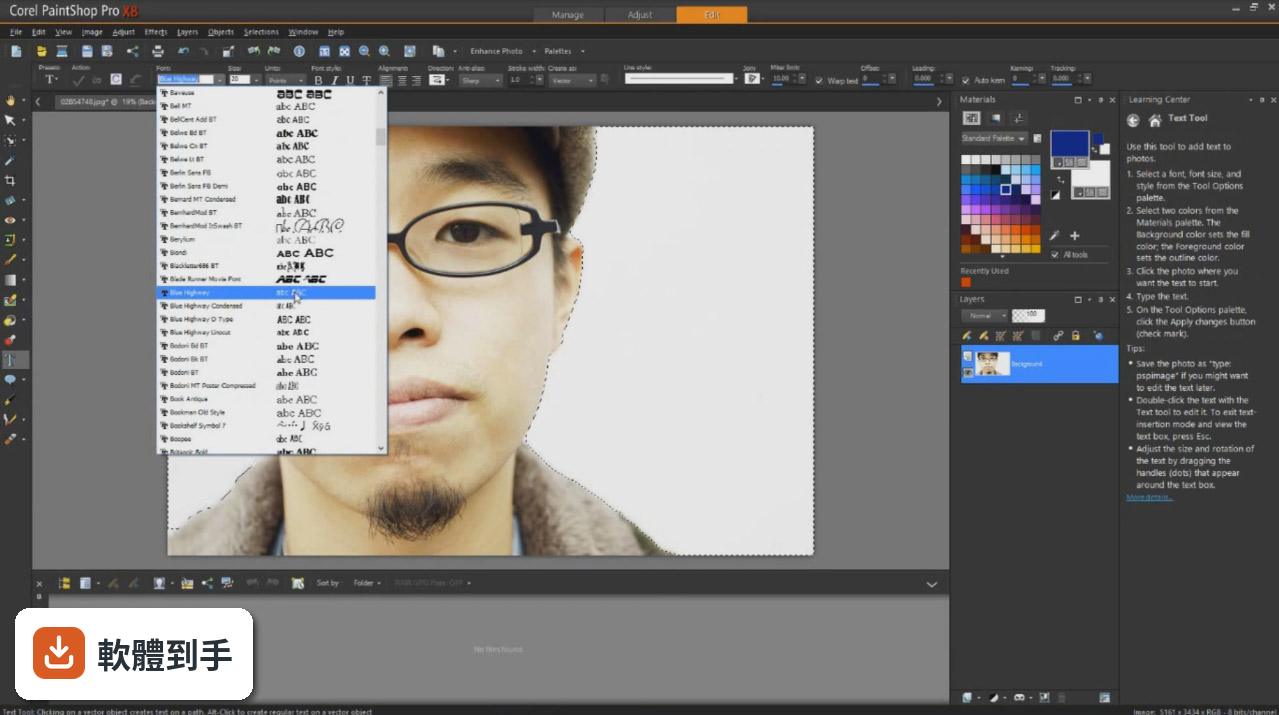
可以。它包含向量插圖、文字處理與版面設計工具,適合製作海報、傳單、社群媒體圖片、網頁橫幅等。內建多種範本,可快速做出拼貼、賀卡、邀請函。也提供筆刷、紋理與超過100個免版稅背景,讓設計更有變化。不過如果你需要的是純向量繪圖軟體,它可能不是最專精的選擇。
05批次處理是怎麼運作的?可以一次處理很多張照片嗎?
可以。它提供批次處理功能,能將調整套用到一張或數千張照片,例如一次調整曝光、縮圖、轉檔等。這對大量照片的整理與後製很省時間。具體操作方式是在批次處理視窗中選擇要套用的動作,然後指定輸出格式與資料夾。不過複雜的編輯動作可能無法完全自動化,需先錄製或設定。
06業餘攝影師用這套軟體會太難嗎?
官方說明它設計給業餘與專業攝影師,介面號稱直觀、可自訂工作區,工具列與面板邏輯清楚。對業餘使用者來說,基本修圖如調色、裁切、去汙點等,學習門檻不高。但進階功能如圖層、遮罩、RAW調整仍需花時間熟悉。如果你有Photoshop或Lightroom的使用經驗,轉換過來會比較快。
07完全沒用過修圖軟體的新手,適合從這套開始嗎?
它提供試用版,新手可以先下載試用,確認介面與功能是否符合直覺。官方強調介面直觀,但畢竟功能眾多,新手可能需要看教學或說明文件。另外,介面是英文,對不熟悉英文的人來說,操作上會多一層障礙。如果你完全沒經驗,建議先從免費的簡單軟體入門,再考慮這套。
08專業設計師用它來工作,夠用嗎?
它具備專業編輯工具,如圖層、遮罩、選取、仿製筆刷,也支援RAW、360°照片、批次處理,並有向量與文字工具,足以應付多數平面設計與照片編修工作。但專業工作流程可能依賴特定外掛或與其他軟體整合,這套軟體沒有提到外掛生態,與Adobe產品的相容性也需要自行確認。如果你需要與團隊協作,可能要考慮檔案格式相容性。
09我只有Mac電腦,可以用這套軟體嗎?
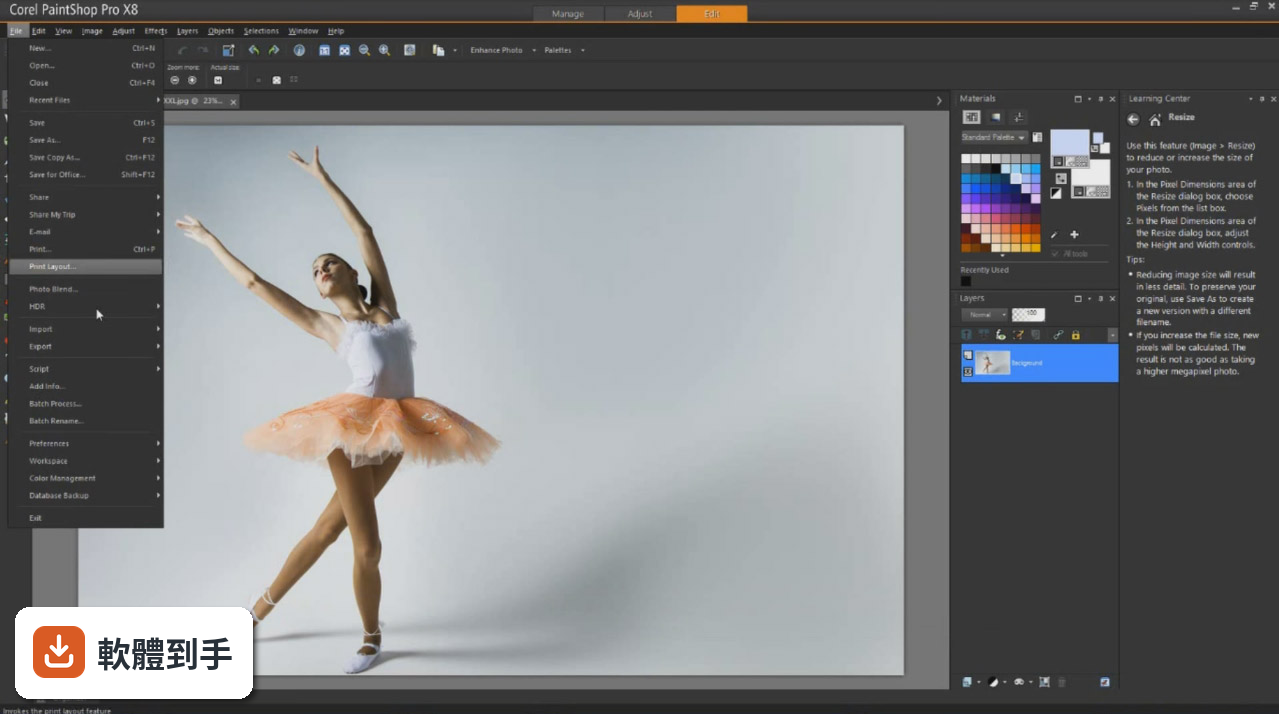
不行。官方支援系統僅列出Windows 7/8/10/11(64位元),沒有macOS版本。如果你只有Mac,這套軟體無法安裝。可以考慮其他跨平台或Mac原生軟體,例如Adobe Camera Raw(有295人評分)或ArtRage(有33人評分),但這些功能取向不同,需依需求選擇。
10我習慣用中文介面,這套軟體有中文嗎?
沒有。官方介面語系是English,沒有提供中文。如果你不熟悉英文操作,使用上會比較吃力。可以尋找中文化的教學或外掛,但官方不保證。如果你需要中文介面,可以考慮其他有中文的軟體,但資料中沒有列出,需自行搜尋。
11這套軟體是免費的嗎?我想找免費的修圖軟體。
不是免費軟體。授權型式是Trial,也就是試用版,通常有時間或功能限制,試用期過後需要付費購買。如果你想要完全免費的軟體,這套不適合。免費選項如GIMP、PhotoScape等,但資料中沒有提到,需自行確認。另外,試用版可能無法使用全部功能,下載前先了解限制。
12這套軟體更新頻率如何?會不會買了之後就沒更新?
根據版本紀錄,它收錄了24個版本,最早2005年,最近2026年,近12個月更新1次,近24個月也是1次,顯示開發商仍持續維護,但更新頻率不算高。評分人數只有67人,樣本不多,參考價值有限。如果你很在意軟體長期發展,可以觀察官方論壇或後續版本動態。
下載與官方連結
PSPX4_TBYB30EN.exe · 281.53 MB · 連結指向軟體原廠
版本紀錄
- 2026-04-06 Corel PaintShop Pro 2023 4.3 MB
- 2021-08-05 Corel PaintShop Pro 2022
- 2020-11-06 Corel PaintShop Pro 2021
再看 5 筆
- 2020-01-07 Corel PaintShop Pro 2020 (32-bit)
- 2020-01-07 Corel PaintShop Pro 2020 (64-bit)
- 2019-08-08 Corel PaintShop Pro 2020 6.2 MB
- 2019-07-29 Corel PaintShop Pro 2019 (64-bit)
- 2018-09-25 Corel PaintShop Pro 2019 21.1.0.8 6 MB
這一版改了什麼
What's new in this version:
MORE PRO-LEVEL TOOLS FOR INCREDIBLE PHOTOS
New 75 new and enhanced features:
- Enjoy a no-limits photo-editing environment that gives you the freedom to achieve your creative vision. PaintShop Pro X4 includes 75 new and enhanced features that we developed based on the needs and interests of real users, like you!
New High Dynamic Range (HDR) module:
- Create perfectly exposed photos or stunning surrealistic images with the new HDR module. The module lets you merge photos taken at different exposures or experiment with the tonal range of your images. Choose from two modes-Exposure Merge and Batch Merge-depending on the number of images you're working on.
New Photo Blend:
- Combine elements from several shots of the same scene to create the perfect photo. Remove unwanted cars or people from a street scene. Or choose the best smiles from several photos to create the perfect group shot.
New Fill Light and Clarity:
- Brighten shadows without changing the rest of your image with the Fill Light and Clarity filter. It's an easy way to draw attention to subtle details and increase the texture and depth of your photos.
New Selective Focus:
- Get the effect of expensive tilt-shift lenses without the cost! Selective Focus lets you turn a scene into a miniature world. You can also use it to add depth of field and blur out distracting details.
New Vignette effect:
- Draw attention to the focal point of your photo by applying a classic faded border around the edges. Use intuitive sliders to control the appearance of the edges by choosing the shape, color and tone, and adjusting the amount of blur, glow, and feathering.
Enhanced RAW Lab:
- Get a better look at your images with a larger preview area in the RAW Lab. The improved histogram lets you fine-tune images quickly and the new highlight recovery feature helps you restore detail in overexposed areas.
New Adjustment layers:
- Enjoy worry-free editing by using new adjustment layers to leave your original background image untouched while you're working. Layers are especially useful with complex editing, such as adding graphic elements, creating image compositions, and applying artistic enhancements or text.
Enhanced 16-bit support:
- Enjoy greater precision and flexibility with extended 16-bit support for over 20 tools and adjustments—including Scratch Remover, Paint Brush, Object Remover, Color Replacer, Warp Brush, Mesh Warp, Background Eraser and more!
Bonus WinZip Pro:
- WinZip Pro is your one-stop solution for file compression, encryption, sharing and data backup, helping you save space, work faster and keep your files secure! (Available as a free download.)
Bonus Corel KPT Collection Plug-in Filters:
- A natural addition to your photo-editing software, the KPT Collection includes 24 creative plug-in filters that help you quickly create remarkable image transformations and original effects. (Available upon product registration.)
Plus Comprehensive full color printed User Guide:
- Get the PaintShop Pro X4 User Guide when you purchase the box version! This complete full color manual helps you get the most out of your new software.
A MORE INTUITIVE WORKFLOW
Enhanced Redesigned workspace:
- Welcome to a more enjoyable photo-editing experience! The PaintShop Pro X4 interface has been redesigned with separate Manage, Adjust and Edit workspaces so it's easy to find the tools you need when you need them. Plus, the Organizer is now available from every workspace.
New Shot Info Panel:
- Everything you need to know about your image, including the camera it was shot with and the settings, is available at a glance in this new panel.
New Dual monitor support:
- Manage your photos on one screen while editing on the other.
FOCUSED ON PERFORMANCE
Enhanced Speed and performance:
- With performance updates that include GPU optimizations, the PaintShop Pro X4 interface is fast and responsive—in fact, this version launches more than 50 per cent faster than the previous release.
Enhanced Real-time results:
- Noise Reduction, Vibrancy, Tone Mapping and many other real-time effects are significantly faster, letting you see results as you work.