
這是歷史版本頁面 — 看 Corel VideoStudio Ultimate 最新版本
舊電腦想剪片跑不動?Corel VideoStudio 能幫上什麼忙
 Corel VideoStudio Ultimate 2018 21.1.0.9
資料更新 2018-02-13
閱讀約 6 分鐘
電腦用久了,想把手邊的旅遊影片、小孩成長紀錄剪成一支能看的片子,結果打開新下載的剪輯軟體,光是載入就轉圈圈,預覽畫面卡到像幻燈片,更別說輸出要等半小時。你只是想簡單剪接、加個字幕、配個音樂,不是要拍電影,但為什麼每個軟體都像在考驗電腦的極限?
一般人遇到這種狀況,第一個念頭是找免費軟體,但免費的往往功能陽春,連轉場都要一個一個手動加,輸出畫質還被壓縮得亂七八糟。不然就是找功能完整的付費軟體,結果安裝才發現介面全英文、操作邏輯複雜,光是搞懂時間軸就耗掉一個晚上。這類工具的切入點其實是:在硬體資源有限的前提下,提供夠用的剪輯功能,同時讓操作門檻低到一般人願意打開來試。
01Corel VideoStudio Ultimate 到底能做什麼?
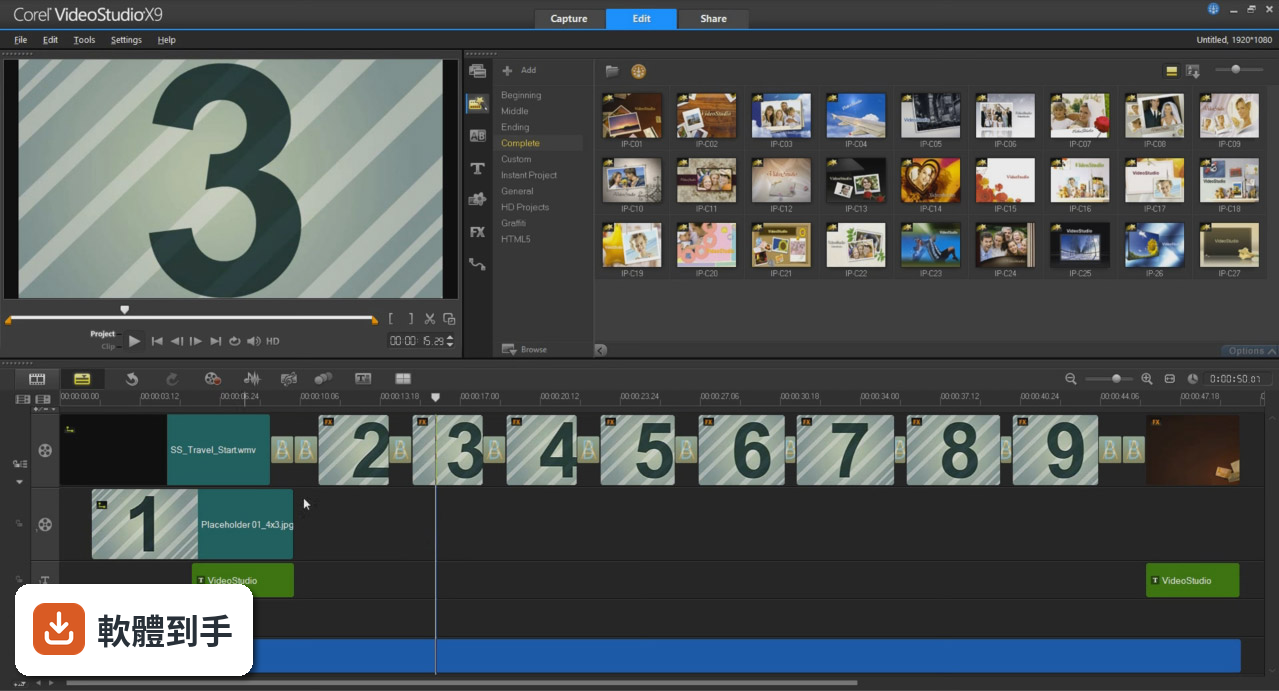
它是一套影片剪輯軟體,支援 HD、4K、8K 和 360 度影片編輯,可以匯入影片、照片、音樂,在時間軸上做多軌剪接。內建超過 2000 種特效、轉場和範本,也有色彩校正、影片遮罩、動態追蹤、子母畫面這些進階工具。另外有語音轉文字功能,可以自動產生字幕,還有臉部辨識協助快速裁掉不要的片段。
02這套軟體對新手友善嗎?
官方說明提到它適合各種技能程度的使用者,有 FastFlick 和 Instant Projects 可以快速套用範本,幾分鐘內做出成品,之後再慢慢學多軌時間軸編輯。不過介面是英文的,如果對英文介面不熟悉,初期需要花時間摸索按鈕位置。它也有提供拖曳素材到時間軸、點擊特效套用這類直覺操作,整體學習曲線比專業級軟體平緩。
03它支援哪些影片格式和解析度?
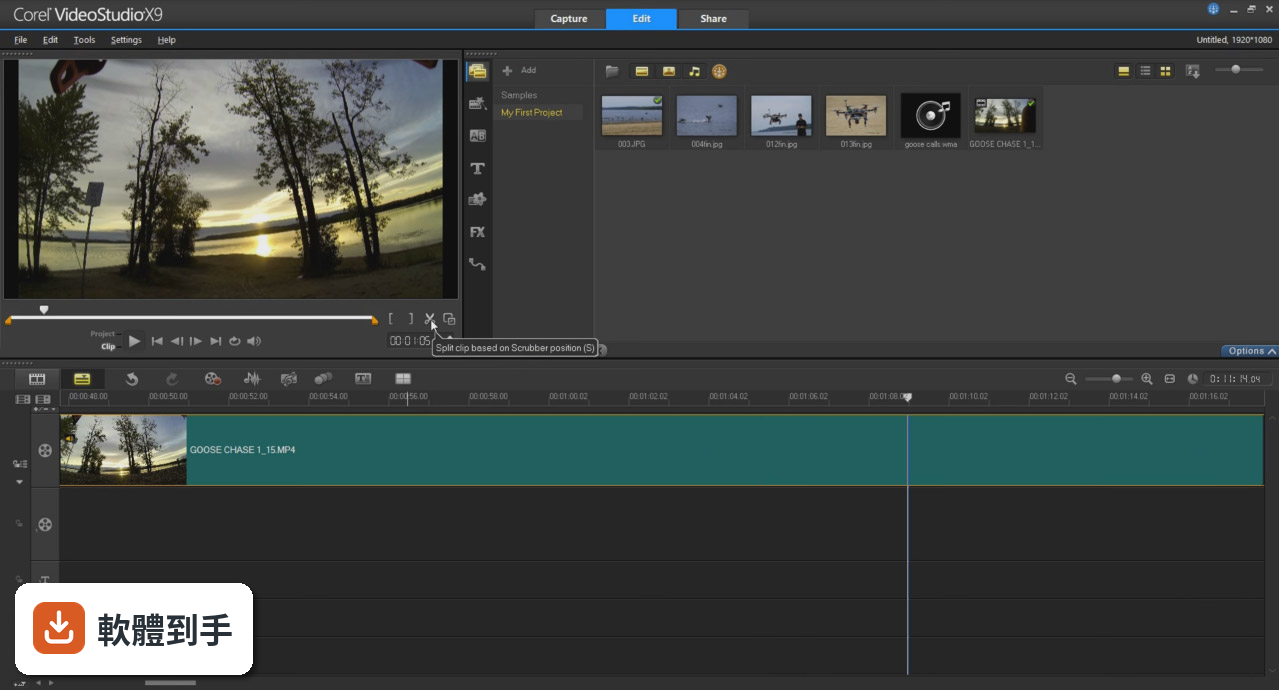
官方資料明確列出支援 HD、4K、8K 和 360 度影片編輯,可以匯入常見的影片、音訊和圖片檔案。輸出時可以存到電腦、燒錄成 DVD 或藍光,也能直接上傳到 YouTube、Facebook 等社群平台。至於更詳細的格式清單,官方說明沒有逐一列出,需要自行確認是否符合你的檔案類型。
04它有哪些比較特別的功能?
幾個官方特別提到的功能包括:多機剪輯編輯器,可以同時處理最多 6 個角度的畫面;視差標題和動態標題,讓文字有拖曳或加速動畫效果;時間重新對映,可以做出慢動作、快動作、凍結畫面或倒轉。還有 AR 動態貼圖、臉部特效、GIF 產生器,以及自動音訊增強工具,這些都是官方列出的主打特色。
05它和 Pro 版差在哪裡?
官方說明指出,Ultimate 版比 Pro 版多了額外的 premium 特效包、更進階的工具和強化功能。這些特效如果分開購買,價值數百美元,但 Ultimate 的價格只比 Pro 高一些。具體來說,Ultimate 包含更多特效、更完整的創意工具,但官方沒有列出逐項差異,選購前建議先比較兩版的詳細功能表。
06我的電腦是五年前的舊機種,跑得動嗎?
官方列出支援 Windows 7 到 Windows 11,所以系統相容性沒問題。但官方沒有提供最低硬體需求,例如 CPU 等級、記憶體容量或顯示卡要求,這點需要自行到官網查詢或下載試用版測試。剪輯 4K 或 8K 素材對硬體負擔較大,舊電腦建議先試剪 HD 解析度的影片,確認流暢度再決定。
07這套軟體適合拿來做什麼類型的影片?
官方定位是「把值得紀念的事件變成紀念品」,適合家庭影片、旅遊紀錄、活動花絮這類生活向內容。它也有螢幕錄製功能,可以同時錄製網路攝影機和螢幕畫面,所以做教學影片或遊戲實況剪輯也適用。但如果是好萊塢等級的電影特效、複雜的視覺合成,它就不是這個定位,那需要更專業的工具。
08它和 Filmora 或 OpenShot 比起來如何?
以評分人數來看,Filmora 有 1240 人評分,這套軟體有 205 人,OpenShot 只有 38 人,樣本數差異很大,參考價值不同。Filmora 的介面同樣主打新手友善,OpenShot 是免費開源軟體。官方資料沒有提供三者比較,建議下載試用版實際操作,或參考各軟體的使用者評論,看哪個操作邏輯比較符合你的習慣。
09這套軟體很久沒更新了,還值得用嗎?
根據版本紀錄,最近一次更新是 2023 年 2 月,之後近兩年沒有新版本釋出。這代表它目前沒有持續開發的跡象,可能不會再新增功能或修復問題。如果你在意軟體是否持續維護,這點需要列入考量。但如果你只是需要穩定的剪輯工具,現有功能仍然可以使用,只是要承擔未來可能遇到相容性問題的風險。
10介面只有英文,看不懂怎麼辦?
官方資料顯示介面語系只有 English,沒有繁體中文。如果英文介面會造成困擾,可以考慮其他有中文介面的剪輯軟體,例如 Wondershare Filmora 或 VideoPad Video Editor,這兩套都有中文版本。或者也可以試著用翻譯工具對照操作,但學習成本會比較高。這點沒有官方替代方案,只能自行取捨。
11它需要付費嗎?有沒有免費試用?
授權型式是 Trial,代表有試用版可以下載測試。官方定價是一次性買斷,大約 99.99 美元,偶爾會有促銷折扣,但實際價格以官網為準。試用版通常會有功能限制或浮水印,具體限制內容官方說明沒有列出,建議下載後先確認是否符合需求,再決定是否購買。
下載與官方連結
前往官方網站 下載 Corel VideoStudio Ultimate
VideoStudio2018_Installer.exe · 107 MB · 連結指向軟體原廠
版本紀錄
- 2023-02-22 Corel VideoStudio Ultimate 2023 26.0.0.136
- 2023-01-05 Corel VideoStudio Ultimate 2022 25.0.0.584
- 2022-02-25 Corel VideoStudio Ultimate 2022 25.0.0.376
再看 5 筆
- 2021-06-22 Corel VideoStudio Ultimate 2021 24.0.1.299
- 2021-02-23 Corel VideoStudio Ultimate 2021 24.0.0.1
- 2020-08-19 Corel VideoStudio Ultimate 2020 23.3.0.646 6.8 MB
- 2020-06-12 Corel VideoStudio Ultimate 2020 23.2.0.587 6.8 MB
- 2020-03-30 Corel VideoStudio Ultimate 2020 23.0.1.481 6.8 MB
這一版改了什麼
What's new in this version:
Corel VideoStudio Ultimate 2018 21.1.0.9
Exclusive to Ultimate - More creativity, more power:
Stabilize Video:
- Help fix one of the most common problems when capturing video. Remove the shake and stabilize video from handheld cameras for a cleaner, smoother end result with proDAD Mercalli
New Split Screen Video Template Creator:
- Show multiple videos simultaneously with pre-designed split screen templates, or create your own custom layouts with the Split Screen template creator
New 3D Title Editor:
- Captivate your audience with new titling possibilities. Start with presets or create your custom motion, control lighting, textures, and more in the 3D Title Editor
Mask Creator:
- Apply effects to selected areas of your video. Use brush and shape tools to define and fine-tune a masked area and add selective color, blurring, and more
Ultimate Exclusive:
Premium Plugins - Ultimate Effects Collection:
- Add incredible creative effects and correct almost any video problem with these popular apps from proven industry leaders. Get hundreds of dollars’ worth of professional-quality special effects applications for only a few dollars more than the price of VideoStudio Pro
Blue Titler Pro 5:
- Create a stunning title in seconds by applying one of more than 100 animated templates, customize text, colors, and more for a result beyond what you thought possible
Enhanced Boris Title Studio:
- Create professional broadcast titles and high-quality motion graphic animations. Create stylized 2D or 3D titles with custom bevels, fills, and styles with Boris Title Studio
Video overlays from ProDAD:
- Enjoy over 400 amazing overlay effects to add to your videos for transitions and more. You’ll find something for any occasion with proDAD Adorage video effect packs
Your creative video editor:
Split Screen Video:
- Show multiple video streams simultaneously with new Split Screen video templates. Easily drag and drop to create impressive promotional videos or share the highlights from your latest trip! Looking to do even more? Create your own custom split screen layouts with the Template Creator in VideoStudio Ultimate.
Multi-Camera Video Editor:
- Tell your story from multiple angles. Easily combine, sync, and edit footage from multiple cameras and select the angle you want to show as your video plays. Combine up to 4 camera angles with VideoStudio Pro and up to 6 angles with VideoStudio Ultimate.
Stop Motion Animation:
- Plug in your camera and create a stop motion animation, frame by frame. Now with expanded support for Canon and Nikon cameras, auto capture settings, and new grid tools to help make it easy to make controlled motions
Track Transparency:
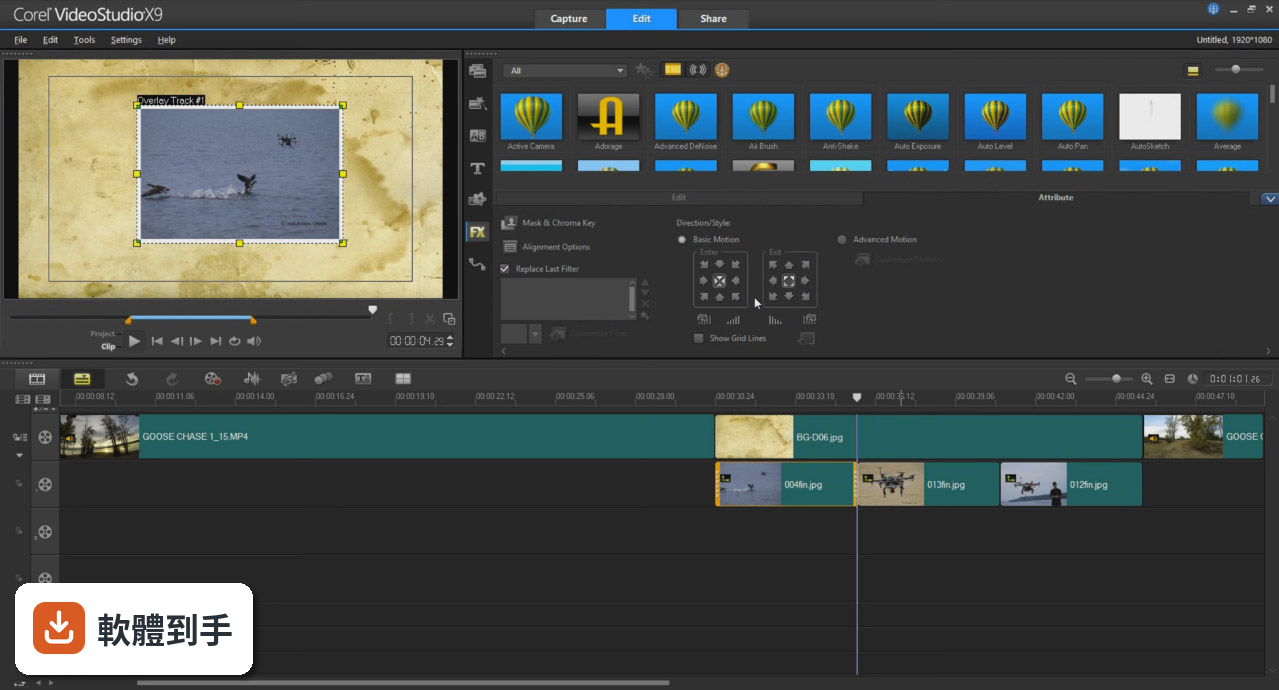
- Easily adjust the opacity of your tracks directly in the timeline to show multiple clips at once. Create custom fade in, fade out, or superimposed effects. The creative possibilities are unlimited with this fun effect
Customize Motion Path:
- Create and customize the movement of graphics, titles, and more along a defined path. It’s the perfect way to introduce or emphasize elements in your video
Filters & Effects:
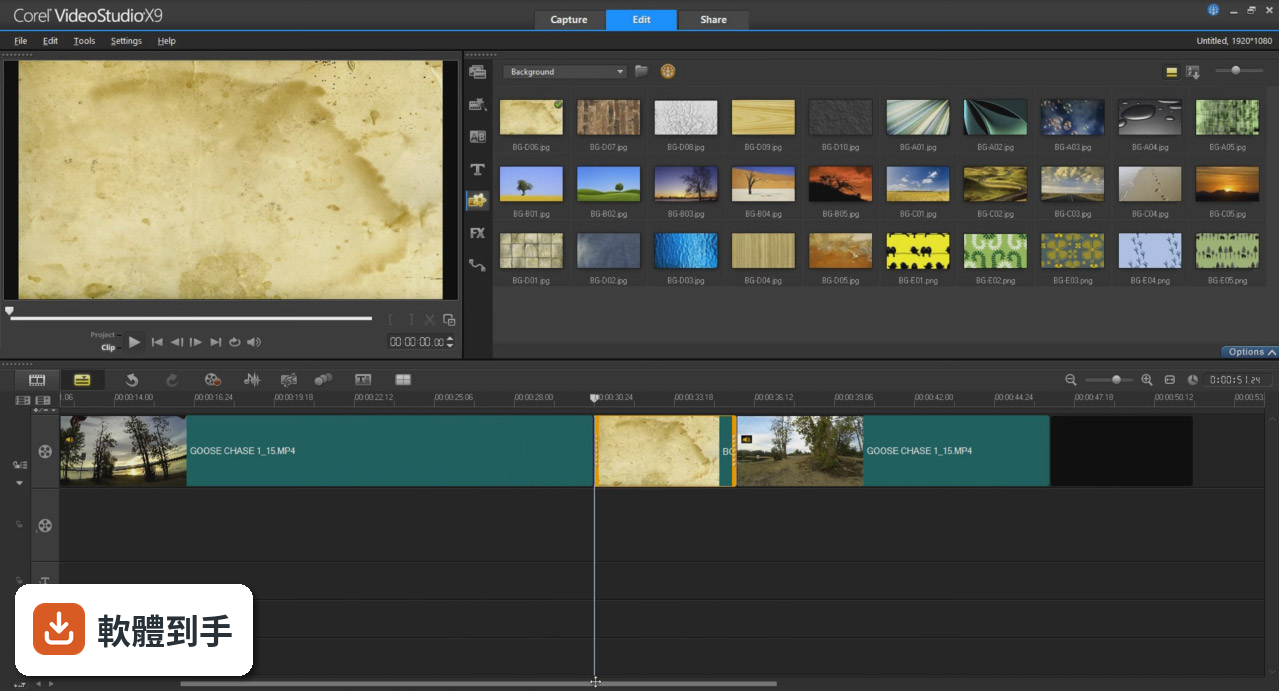
- Get the right look with hundreds of drag-and-drop effects, animated titles, and transitions. Create picture-in-picture effects, overlays, and more video effects and filters
Motion Tracking:
- Track an object and add moving text, graphics, or blur faces, logos or license plates in your video with accurate Motion Tracking tools
Green Screen/Chroma Key:
- Adjust how overlay objects blend with the background with the Green Screen effect. Use a video mask, set transparent color, and easily swap out backgrounds and add fun effects
Create high impact, action-packed videos:
Lens correction tools:
- Remove the distortion or fisheye effect captured by wide angle or action cameras. Start with presets for GoPro cameras and then fine-tune adjustments with correction tools
Slow motion and fast motion:
- Play with speed with Time Remapping and easily add slow motion or high-speed effects, freeze the action, or reverse and replay scenes
For all common formats:
- Dive into hands-on editing and edit virtually any type of media. Import your video from cameras or mobile devices, and edit freely in VideoStudio
Smart proxy editing:
- Enjoy a smooth and fast editing experience when working with large, high resolution video files. Smart Proxy creates low res working files to edit with, then reverts to the original high-res files when you render out your video
High quality audio tools:
Normalize Audio:
- Editing a mix of audio from different sources? Easily balance audio levels among selected clips or the entire track to keep audio at a consistent level
Audio Ducking:
- Working with music and dialog? Automatically lower background sound to make narration and dialog clear, and make adjustments with audio controls
Royalty-Free Music Library:
- Access royalty-free soundtracks in the ScoreFitter music library. Easily add them to your timeline and have them automatically adjust to the length of your movie
Improved tools for faster results:
- Crop tool
- Pan and zoom
- Chapter and cue points
- Smart Guide
- Faster editing
- Crop and resize your media directly in the preview window. Make quick edits, create picture in pictures, or straighten your media in a few easy clicks
Easy video editing:
- Get started quickly with the intuitive editing workspace. Create your videos and combine photos and videos in Storyboard or Timeline editing modes. Add subtitles, graphic overlays and more
Video templates:
- Start from scratch or drag and drop your media into a range of customizable templates to match your style. Even save your own projects as templates to fast-track future projects
One-click video fixes:
- Add filters and enhance color, or create that old film effect with drag and drop filters. Fine-tune adjustments in the options panel to get the exact look you want
Enhanced Edit 360 videos:
- Go full circle with the full suite of 360 degree video editing tools to trim, enhance, add titles or graphics and edit your 360 video. Even preview your 360 video in the new VideoStudio 360 video player before you export
Enhanced 360 video format support:
- Import your video and start editing! Now with support for all popular 360 cameras. VideoStudio supports 360 spherical video formats - equirectangular, fisheye, and dual fisheye
Convert 360 to standard video:
- Set the viewing angle and convert 360 video to standard video for playback on TVs and standard video players. You control the view the audience sees
Export 360 video:
- Export your video to view on your VR headset or 360 player. Even upload your 360 video directly to YouTube, Facebook, or Vimeo 360
Upload directly to social media:
- Upload your video to YouTube, Facebook, Vimeo and Flickr directly from VideoStudio
Enhanced Burn to disc:
- Author DVDs complete with themed templates to add chapters and menus. Now add chapter cues directly in the VideoStudio timeline as you edit
Enhanced Videos for mobile devices:
- Share movies anywhere with full support for Apple and Android devices, game consoles, and more. Now with support for exporting vertical/portrait video