
這是歷史版本頁面 — 看 Deluge 最新版本
輕量 BT 下載老是卡在英文介面?Deluge 插件能補什麼
 Deluge 1.3.4
資料更新 2012-03-05
閱讀約 6 分鐘
開場白第一段:你抓了一個熱門的種子檔,打開電腦裡那套老牌的 BT 軟體,結果它吃掉了大半記憶體,風扇開始狂轉,整個系統卡到連網頁都開不動。你只是想安安靜靜把檔案抓完,不想為了下載這件事關掉其他所有程式,更不想每次開機都被這套軟體拖慢速度。這種時候,你需要一個不佔資源、能長時間掛著跑的下載工具。
開場白第二段:很多人會直接改用瀏覽器下載,但瀏覽器不支援 BT 協定,遇到沒有 HTTP 直鏈的種子就沒輒。也有人換成其他免費 BT 客戶端,但有些預設功能太多、介面複雜,有些則精簡過頭,連排程下載、RSS 自動抓取都要另外想辦法。這類工具的切入點是:用輕量的核心程式搭配外掛模組,需要什麼功能再自己裝,而不是一次把所有東西都塞給你。
01Deluge 跟其他 BT 軟體比起來,主要差在哪裡?
它的核心和介面是分開設計的,程式本體很精簡,佔用的記憶體和磁碟空間都比較小。功能靠插件擴充,預設只有基本的下載、上傳、速度限制,其他像是 RSS 自動下載、圖形化統計都要另外裝。介面是英文的,沒有內建繁體中文語系,但操作邏輯和其他 BT 客戶端差不多,主要按鈕位置不難找。
02這套軟體能直接貼磁力連結開始下載嗎?
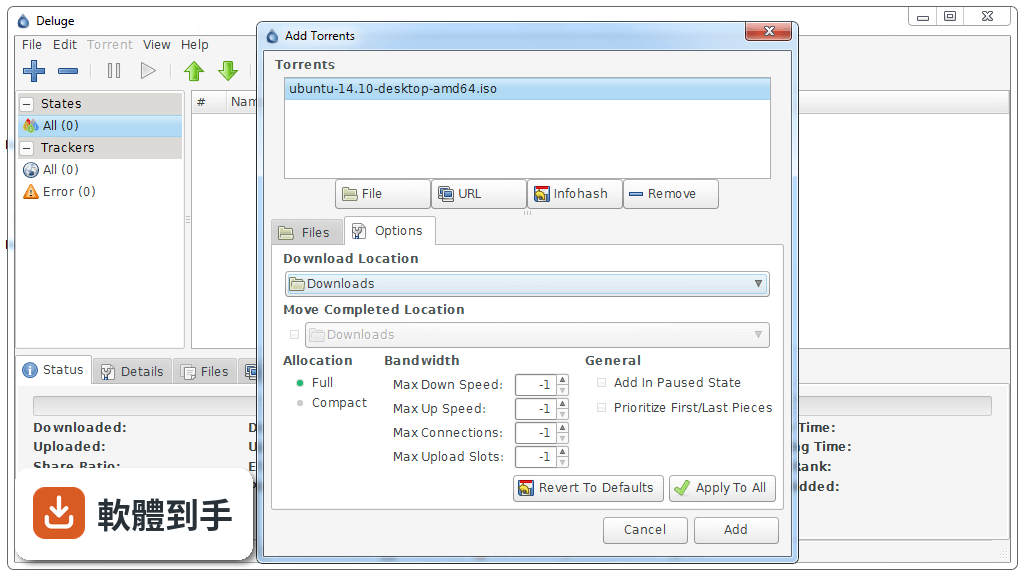
可以,它完整支援磁力連結,不需要先下載種子檔。在工具列的「Add Torrent」按鈕旁邊有個貼上連結的欄位,把 magnet 開頭的網址貼進去,按加入就會開始解析。解析速度取決於 DHT 節點和 Peer 數量,熱門種子通常幾秒內就能抓到來源。
03下載到一半的檔案,換電腦之後能接著抓嗎?
可以,但要手動處理。把原本的種子檔和未完成的檔案一起複製到新電腦,用「Add Torrent」加入時選擇同一個下載資料夾,它會檢查已下載的區塊並繼續抓取。要注意的是,如果種子檔或資料夾名稱有改動,檢查會失敗,必須保持原樣。另外,它沒有內建跨電腦同步功能,這部分要自己用雲端硬碟或隨身碟搬移。
04它能不能限制上傳速度,避免影響其他網路使用?
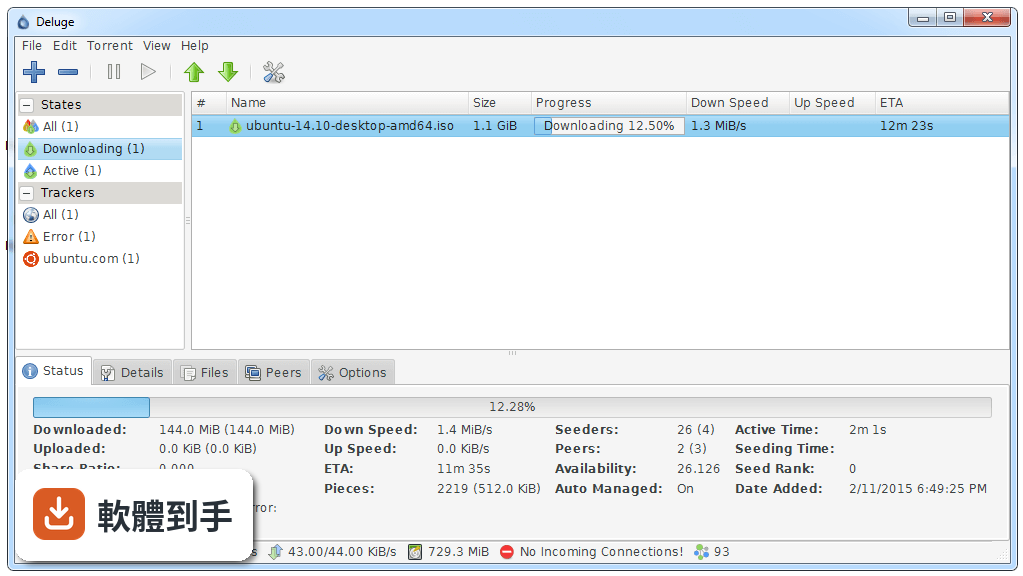
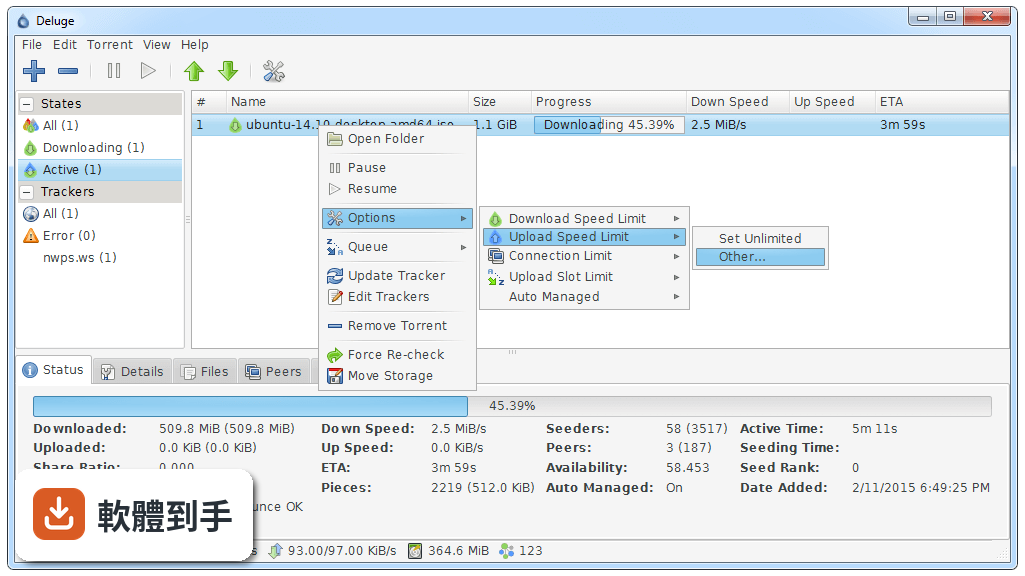
可以,而且分得很細。在「Preferences」的「Bandwidth」設定裡,可以分別設定全域的上傳、下載速度上限,也可以針對單一種子個別設定。還有排程功能,能指定星期幾、幾個時段套用不同速度,例如白天限制上傳、晚上放寬。設定單位是 KiB/s,要換算成你網速的實際數字。
05種子檔案很多,有沒有辦法自動分類或排序?
它沒有自動分類資料夾的功能,但主視窗可以靠欄位排序,點「Name」「Size」「Progress」這些標題列就會依序排列。要更進一步管理,可以建立不同的「標籤」來標記種子,例如「電影」「軟體」,之後用標籤過濾顯示。不過標籤功能是插件提供的,預設沒裝,需要到插件清單啟用。
06這套軟體適合什麼樣的人用?
適合電腦效能有限、不想被 BT 客戶端拖慢的人,也適合喜歡自己掌控功能、不想要一堆用不到的預設按鈕的人。因為它支援 Windows 7 到 10,舊電腦跑起來還算順。另外,會用 Web UI 從手機或另一台電腦遠端看下載進度的人,它的 daemon 模式很實用。但如果你完全不想碰設定、只想裝好就用,它預設功能偏少,可能會覺得陽春。
07我習慣用圖形介面,它有沒有比較好上手的操作方式?
它有 GTK+ 介面,外觀和一般桌面軟體差不多,主要按鈕都在工具列上。第一次啟動會跳出設定精靈,可以選下載資料夾和網路設定。不過介面文字全是英文,對不熟悉英文的人來說,要花點時間對照翻譯或記位置。它的 Web UI 介面更精簡,但功能也比較少,適合簡單監看,不適合做複雜設定。
08它的插件系統實際用起來方便嗎?
插件從官方來源下載後,在「Preferences」的「Plugins」頁籤勾選啟用,重開軟體就會生效。有些插件需要額外設定,例如 RSS 插件要自己新增訂閱來源和過濾規則。要注意的是,插件品質不一,官方說明有提到某些插件可能造成穩定性問題,裝了之後如果發現當機或異常,先停用最近裝的插件測試看看。
09這套軟體和 qBittorrent 比起來,哪個比較多人用?
就評分人數來看,qBittorrent 有 208 人評分,Deluge 只有 49 人,使用者的樣本數差距明顯。功能上兩者都是開放原始碼、免費、支援磁力連結和加密,但 qBittorrent 內建功能較多,例如搜尋外掛、RSS 訂閱,Deluge 則需要自己裝插件。如果你不想花時間研究插件,qBittorrent 的預設功能會更完整。
10我下載的種子來自私人 tracker,這套軟體能正常使用嗎?
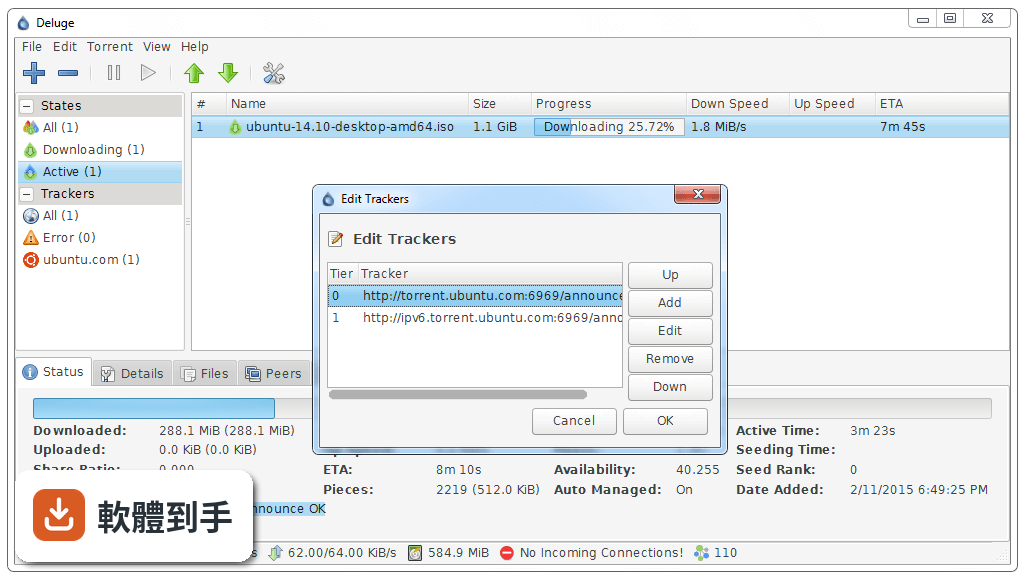
官方說明指出它支援私人 tracker,具備 tracker 認證和協定加密功能。使用的時候,在種子內容的「Trackers」頁籤確認 tracker 網址有正確加入,通常私人 tracker 會要求你在網頁上設定 passkey,種子檔裡已經包含,直接加入即可。如果遇到連線問題,檢查加密設定是否被 tracker 封鎖,必要時關閉加密。
11它的更新頻率會不會影響使用安全?
它的版本紀錄顯示近兩年只有一次更新,開發步調不算快。對 BT 客戶端來說,這代表功能變動少,但也可能意味著新的協定或安全性漏洞修補會比較慢。如果你很在意這點,可以考慮更新較頻繁的替代軟體,例如 qBittorrent。不過它本身是開放原始碼,有疑慮可以自己查看原始碼或追蹤開發者的公告。
12什麼情況不建議用這套軟體?
如果你需要中文介面、希望裝好就有完整功能、或不想花時間研究插件,它會讓你覺得綁手綁腳。另外,它的 Web UI 對初學者不太友善,如果你主要靠遠端管理下載,可能需要先花時間熟悉。還有,如果你下載的種子來源很雜、需要大量分類管理,它沒有內建自動整理功能,用起來會比較費力。這種情況下,qBittorrent 或其他功能更完整的客戶端會更省事。
下載與官方連結
deluge-1.3.4-win32-setup.exe · 12.48 MB · 連結指向軟體原廠
版本紀錄
- 2026-05-02 Deluge 2.2.0 39.51 MB
- 2022-07-11 Deluge 2.1.1 34.31 MB
- 2022-06-29 Deluge 2.1.0 34.32 MB
再看 5 筆
- 2017-05-13 Deluge 1.3.15
- 2017-03-07 Deluge 1.3.14 15.43 MB
- 2016-07-21 Deluge 1.3.13 15.22 MB
- 2015-10-15 Deluge 1.3.12.1 14.07 MB
- 2015-09-14 Deluge 1.3.12 14.61 MB
這一版改了什麼
What's new in this version:
Core:
- Free disk space reporting incorrectly in FreeBSD
- Fix unhandled UnpicklingErrors?
- Fix unhandled IndexError? when trying to open a non-json conf file
- Fix setting daemon listen interface from command line
- Fix share ratio limit not obeyed for seeded torrents added to session
- Add optparse custom version to prevent unnecessary loading of libtorrent
- Fix seeding on share ratio failing for partially selected torrents
- Add proper process title naming in ps, top etc. (Depends: setproctitle)
GtkUI:
- Fix Drag'n'Drop not working in Windows
- Increase maximum Cache Size to 999999 (15GiB)
- File & folder renaming issue when using Add Torrent dialog in Windows
- Fix UnpicklingError? when external selection dragged onto Files Tab
- Fix Unicode error in AddTorrent? Dialog
- Fix keyerror when adding columns for non-latin languages
- Fix menu item 'Quit & Shutdown' still available when not connected to daemon
- Fix Files Tab showing wrong files due to torrent_info race condition
- Move speed text in titlebar to the beginning
- Wait for client to shutdown/disconnect before stopping reactor
- Fix compatibility with Python 2.5
- Fix collapsed treeview in Create Torrent dialog
- Ignore unmaximise event when window isn't visible
- Fixed text entry with trailing newline characters causing issues for Move Storage
WebUI:
- Fix Webui files-tab menu setting wrong priority
- Update to ExtJS 3.4.0
- Fix statustab showing total_payload_download for upload as well
- Remove uneeded Titlebar to save space
- Fix clipped Browse button in WebUI
- Fix being unable to stop the status bar from autohiding
- Fix password box focus issue in Firefox
- Fix plugin uploads from behind a reverse proxy
- Move speed text in titlebar to the beginning
- Fix Referenced before assignment error in json_api
- Changes are now applied when clicking OK in Preferences
- Added Download,Uploaded,Down Limit, Up Limit & Seeder/Peeds columns
- Add magnet uri support to Add Url
- Add keymaps for torrents - Ctrl-A (select all) and Delete
- Fix 'Add Torrents' torrents list not scrolling
- Fix Chrome 17 disconnecting from webui
Console:
- Fix flickering on every update
- Fix 'invalid literal for float' when setting listen interface
- Fix UnicodeDecodeError? when using non-ascii chars in info
Label:
- Add missing 'All' filter option
- Fix label options dialog in webui
- Fix newly added labels not being sorted in torrent right click menu
Notification:
- Fix no email sent to second email address
- Fix email notifications not including date/time they were sent
Scheduler:
- Add plugin page for WebUi?
Execute:
- Commands now run scripts asynchronous to prevent Deluge from hanging
AutoAdd:
- Added watch folder support for '.magnet' text file containing single or multiple magnet uris
- Fix glade object issue when re-enabling plugin in same session
- Fix plugin not showing as enabled in webui