
這是歷史版本頁面 — 看 Evernote 最新版本
筆記散在手機電腦找不到?Evernote 幫你集中管理
 Evernote 10.1.7-1902
資料更新 2020-10-17
閱讀約 5 分鐘
開會時隨手拍的白板、Email 裡貼的一段網址、手機備忘錄記的採買清單——這些東西散落在不同裝置和 App 裡,等到真要找的時候,翻遍每個地方就是找不到。你需要的不是另一個記事本,而是一個能把所有零碎片段收攏在一起、之後還找得回來的地方。
一般人習慣用記事本、Word 或瀏覽器書籤來存東西,但這些工具各管各的:手機記的電腦看不到、網頁存下來就淹沒在書籤海裡、照片裡的文字根本無法搜尋。這類筆記工具的切入點,是讓所有內容進到同一個地方,統一被搜尋、被分類,而且不管從哪個裝置丟進去,都能在另一個裝置上接續使用。
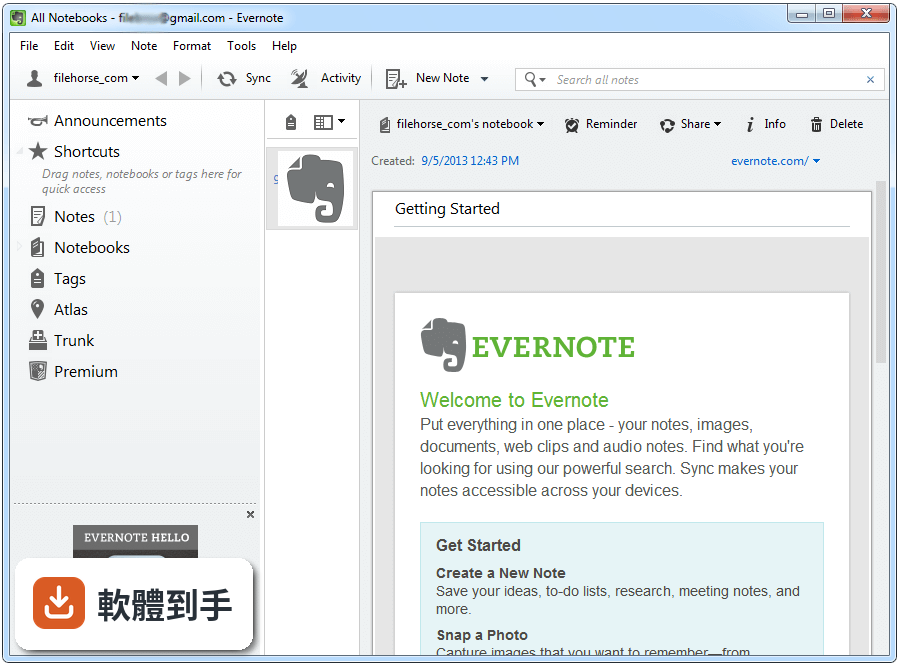
01Evernote 到底能拿來做什麼?
它能建立文字筆記、勾選清單、錄音筆記,也能附加檔案。除了自己打字,還能把整個網頁、圖片或 PDF 存進來,拍下的照片或手寫筆記上的文字,它也能辨識成可搜尋的內容。簡單說,它是把「想留下來的東西」集中存放、日後找得回來的地方。
02筆記累積多了,要怎麼整理才不會亂?
它用「記事本」和「標籤」兩層結構來分類。記事本像是資料夾,可以依專案或主題區分;標籤則可以跨記事本標記,例如同時貼上「工作」和「待回覆」。建立一個符合自己習慣的分類方式,之後用搜尋或點標籤就能快速過濾,不用靠記憶找檔案。
03看到網頁文章想存下來,要怎麼做?
安裝瀏覽器擴充功能後,看到想留的內容,點一下工具列上的圖示,就能把整篇文章、圖片或 PDF 存進筆記裡。存的時候可以指定要放進哪個記事本、加上哪些標籤,之後要回頭查資料時,直接搜尋就能找到,不用再開一堆分頁。
04手機和電腦之間的筆記會同步嗎?
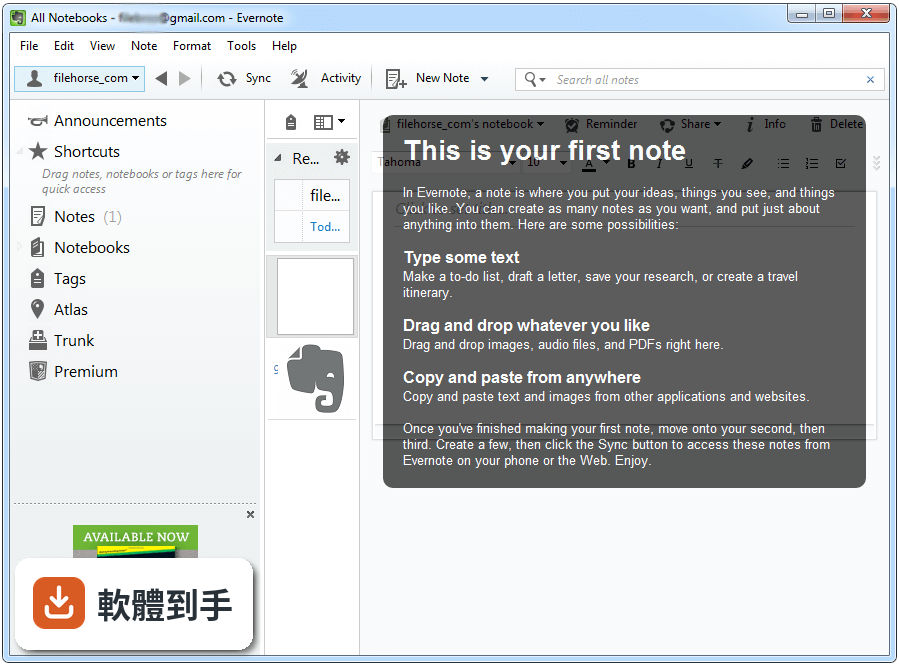
會。在手機、平板、電腦各裝上這套軟體並登入同一個帳號,新增或修改的內容會自動同步到所有裝置。例如在手機上拍下名片、回家打開電腦就能看到那張照片,也能搜尋到上面的文字。不過離線存取是付費方案才有的功能,免費版需要連上網路才能讀取。
05照片或手寫筆記上的字,真的能搜尋嗎?
官方說明指出,它具備文字辨識能力,可以認出照片和圖片中印刷或手寫的文字。也就是說,拍下白板、便利貼或文件,之後用關鍵字搜尋就能找到那張圖片。實際辨識率會受到字跡清晰度和拍攝品質影響,但確實不用手動打字就能讓圖片內容變成可搜尋的資料。
06什麼樣的人適合用這套軟體?
需要同時收集多種形式資訊的人最適合:例如研究時要剪貼網頁、訪談時要錄音、看到紙本資料要拍照存檔的人。它的設計就是讓各種來源的內容進到同一個地方,之後用搜尋找回來。如果你只需要偶爾記個文字備忘錄,用更簡單的工具可能就夠了。
07團隊一起用的話,方便嗎?
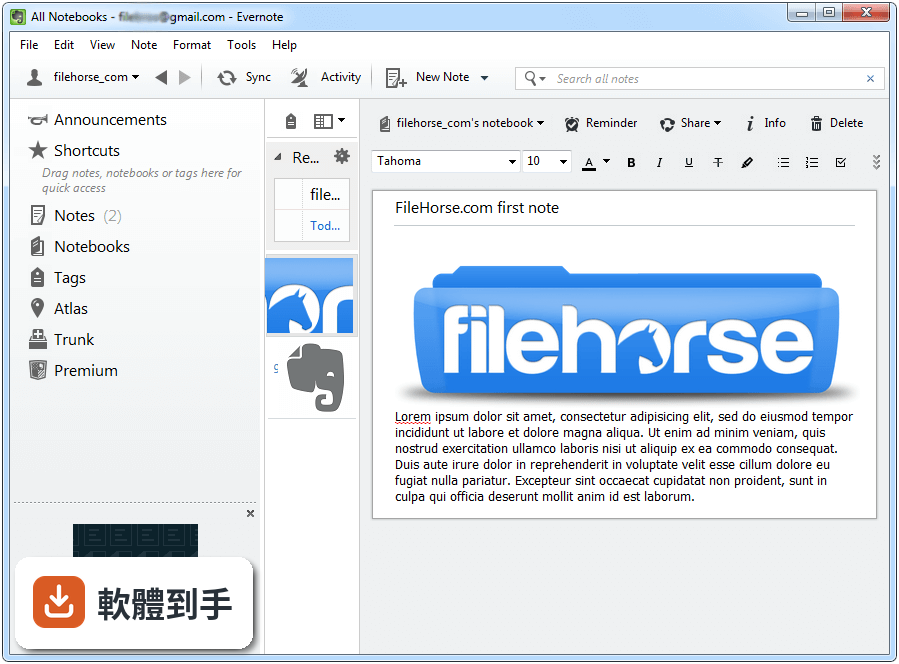
它可以分享記事本給其他人,共同編輯筆記、即時協作,不用離開軟體就能討論。官方也提到有 Business 方案,提供團隊協作和額外的管理功能。如果團隊成員都習慣用這套軟體,拿來當共用的資料庫是可行的;但若團隊已經慣用其他協作平台,要大家多開一個工具,需要先評估接受度。
08學生拿來記上課筆記,合適嗎?
可以。它能建立文字筆記、錄音、拍下黑板,之後用標籤和搜尋整理,對需要整理大量課程內容的學生來說,比傳統紙本筆記好找資料。不過介面是英文的,如果對英文介面不熟悉,操作上會多一層障礙,這點要列入考量。
09這套軟體是免費的嗎?授權方式有什麼限制?
官方 FAQ 說明它有免費方案,提供基本功能;付費的 Premium 方案則有離線存取、更多儲存空間、進階搜尋和 PDF 標註等功能。要注意的是,這套軟體在分類上標示為 Demo 授權,實際使用時免費方案的功能和儲存上限,需要到官方網站確認,以免用到一半才發現不符合需求。
10介面只有英文,不會英文的人能用嗎?
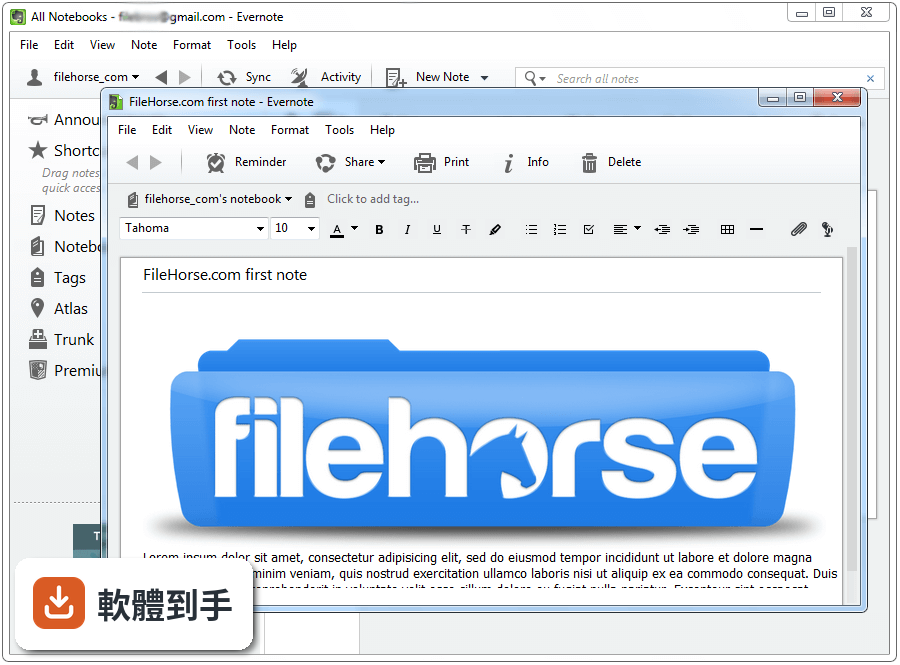
介面語系只有 English,沒有中文介面。如果對英文介面不熟悉,按鈕和選單名稱會需要一段時間適應。不過核心操作不算複雜,建立筆記、新增記事本、貼標籤這些動作,用幾次就能記住位置。若完全無法接受英文介面,可以考慮其他有中文介面的筆記軟體。
11評分人數只有 54 人,是不是沒什麼人在用?
這個平台的評分人數確實不多,參考價值有限。但 Evernote 本身是 2008 年就推出的服務,在筆記軟體市場有一定歷史。比較需要注意的是,官方列出的功能相近軟體如 Notezilla、Simple Sticky Notes 等,評分人數也都偏少,表示這個平台收錄的軟體本來就偏向小眾。實際使用情況建議參考其他管道的使用者討論。
12跟 OneNote 比起來,要選哪一個?
官方資料中將 OneNote 列為替代方案,表示兩者功能確實有重疊。OneNote 與 Microsoft Office 整合較深,如果日常工作離不開 Office 生態,OneNote 可能更順手;Evernote 的強項在於網頁剪藏和跨平台同步。兩者都有免費方案,建議實際裝來用一兩週,看哪個比較符合自己的工作流程,比看規格更準。
下載與官方連結
Evernote-10.1.7-1902-setup.exe · 296 MB · 連結指向軟體原廠
版本紀錄
- 2026-10-30 Evernote 11.40.3 386 MB
- 2026-10-29 Evernote 11.40.2 386 MB
- 2026-10-20 Evernote 11.39.2 382 MB
再看 5 筆
- 2026-10-14 Evernote 11.38.5 382 MB
- 2026-10-07 Evernote 11.37.5 381 MB
- 2026-10-02 Evernote 11.36.4 380 MB
- 2026-09-30 Evernote 11.36.3 380 MB
- 2026-09-23 Evernote 11.35.6 379 MB
這一版改了什麼
What's new in this version:
Evernote 10.1.7-1902
- Change log not available for this version
Evernote 10.1.6-1890
- Change log not available for this version
Evernote 10.1.4-1880
- Change log not available for this version
Evernote 10.0.10-1838
- Change log not available for this version
Evernote 6.25.1.9091
Fixed:
- Some users experienced issues with switching Google accounts once authenticated on non-Chrome browsers
- Issues with note history import
- Security update
Evernote 6.25.0.9084
Fixed:
- Some users experienced issues with switching Google accounts once authenticated on non-Chrome browsers
- Issues with note history import
- Security update
Evernote 6.24.2.8919
- Change log not available for this version
Evernote 6.24.1.8906
Fixed:
- Some users experienced errors when connecting Evernote to Google Drive
- The app would not restart after changing language settings
- When clicking on a notebook, the app would not always load the first note in that notebook
- The confirmation window when exiting the app was not always visible
- “Synchronizing notes” progress bar was not appearing
Evernote 6.23.2.8859
Fixed:
- Issue with logging in using Google sign-in
- Issue with access to Google Drive/Contacts in the app
- Items in “Shared with Me” disappeared when searching for an invalid keyword
- Restarts after crashes required the user to first “End Task” via Task Manager
- Issue with “Send a Copy” if email address contained a capital letter
Evernote 6.23.1.8853
- Change log not available for this version
Evernote 6.22.3.8816
- Change log not available for this version
Evernote 6.21.2.8716
Fixed:
- If you opened a notebook by double-tapping your touchscreen, all the notes in it would be duplicated. Admittedly this was a bit of an overreaction, so we fixed it
- The app was changing some characters in your hyperlinks, which meant they wouldn’t work on other Evernote clients. But it should be smooth surfing now
- In Work Chat, names with Japanese and Korean characters would sometimes be changed to Kanji or question marks. That was no help to anyone, but thankfully it’s a thing of the past
- We took care of a few other issues that were causing the app to crash
Evernote 6.20.2.8626
New:
- Improved automated file splitting
Fixed:
- Links to Google Drive documents created in Evernote Windows 6.19 now work in Evernote Web
- Attachments created through notes in a separate window now save properly
- Images copied from Chrome via "Copy image" paste as broken attachment
Evernote 6.19.2.8555
New:
- Automated file splitting on export of enex files. We are making it easier to backup and import files, especially on file systems that do not support large files or systems with low memory
- Security update
Fixed:
- Fixed an error in export option when selecting all notes (Ctrl + A)
- Cursor jumps to beginning of note body during sync while editing note in shared notebook
- Fixed an issue with changing Evernote DB location
Evernote 6.18.4.8489
New:
Added some new shortcuts:
- FindInEvernote: Ctrl+Shift+F
- CaptureScreen: Ctrl+Alt+S
- CopySelection: Ctrl+Shift+Alt+A
Fixed:
- Printing a note with a PDF in it no longer prints a blank page first
- We embiggened the “Save as template” icon, so it’s easier to see on HiDPI (that’s really high resolution) screens
- Files you drag into Evernote will now stay where you put them. Seems obvious, right? We thought so too
Evernote 6.17.7.8474
- Security update
Evernote 6.17.6.8292
- Images and PDFs no longer disappear after annotation
Evernote 6.17.5.8281
- Change log not available for this version
Evernote 6.17.5.8273
- Change log not available for this version
Evernote 6.17.4.8270
New:
- You told us you love Templates, so we’ve made it even easier for you to use them. Now you can view our gallery of templates—plus any you’ve saved—right inside the app. Just click on the “Template” button when you create a new note to see them all. Oh yeah, you know we’re doin’ our happy dance
- Now there’s one easy place to find all the notes and notebooks that have been shared with you. Check out “Shared with me” over there in the sidebar
Fixed:
- Now you can drag-and-drop notes from one shared notebook to another shared notebook
- We fixed an issue that removed a tag from a new note after you performed a search with that same tag name
- CTRL + N creates a new note in your current notebook instead of your default notebook
- Tamil and Sanskrit characters now display properly in the title of a note
- PDFs/images no longer disappear when attached to a new note via drag-and-drop
Evernote 6.16.4.8094
- Change log not available for this version
Evernote 6.15.4.7934
- Change log not available for this version
Evernote 6.15.3.7881
Updated:
- We tweaked the More menu icon to match its look on other platforms. It’s the little things
Fixed:
- Pasting into a numbered or bulleted list would remove the list text between any images. This was less than ideal, but on the bright side, we fixed it
- Turning bold text off then pasting something into a list would turn bold back on. We really like bold, but that’s taking it too far
- Pasting text into Evernote from a coding text editor messed up the formatting, but it should be smooth sailing now
- When you pasted bulleted lists from Word into Evernote, the bullets didn’t line up the way you expected. You could say it was a big mess
- If you annotated an image using 2-byte characters (for example, Chinese or Japanese characters), the annotation would look garbled. And that was no help to anyone
- When you restarted the app, any words you’d added to the dictionary would be flagged as misspelled. Opps! Wer’e sorrry abuot taht
- If you shared a note with someone in your Evernote Business account, the sharing list unhelpfully showed you their UserID instead of their name. We’re looking at you, user #24601
- If you shared a business notebook from an “invite-only” space, it wouldn’t show up in the Move dialog box, but we took care of that
- The About dialog layout looked all wrong in languages other than English. And that’s not what it’s all about
- We also fixed a few specific issues that might have caused the app to crash, like quickly clicking multiple notes in the note list. But that’s all in the past
- Sometimes the app wouldn’t respond if you were editing a note with five or more attachments, but now you can throw everything you want in there
- You might have wondered what the “Attachment Status” field in the note info list meant. It showed you when images you attached to a note were been scanned for handwriting recognition, but it didn’t apply to Office docs and PDFs (because they’re not images). That was confusing, so we changed it to “Image Status” instead. Hopefully that clears things up
- Sometimes the app would crash when it should have been syncing, but no more
Evernote 6.14.5.7671
- Change log not available for this version
Evernote 6.13.14.7474
- Change log not available for this version
Evernote 6.13.13.7425
Improved:
- Encryption between the client and server has been beefed up
- We let users save audio locally if they’ve exceeded the note size
- Users are prevented from making content changes when the Evernote client database is locked by another process (e.g., antivirus scanner)
- Evernote client asks once and remembers when you don't want to see a "note move" notification
- Messaging to alert the user when they're approaching their notebook limit
Fixed:
- The cursor stays in the note body when the user navigates away from the title field
- Files can be consistently reattached after deleting or undoing an editing action
- Print behavior works consistently between the main note and single note view
- Work Chat no longer flags an inbound message as a new thread when it’s not
- Notebook count is correct
- Large lists of notes and tags are scrollable as expected
- We gracefully handle when some video cards incorrectly report their capabilities
- Some users were intermittently unable to add a new note. We patched that.
- Numbered lists keep their numbering sequence intact consistently
- Drag & Drop of files and documents from Evernote to other apps
- Keyboard shortcut for renaming Notebook Stacks now consistently works
- Note statistics remain on screen when expected
- And of course: Misc. other product bug fixes and improvements
Evernote 6.11.2.7027
Improved:
- Improved drag and drop support for lists, to-dos, and tables
- Added incremental zoom control in the image gallery mode
- Added support for hundreds of emojis using typebehind
- Improved the performance of note loading
Fixed:
- An issue where some clipped content is not visible in notes
- An issue where words added to the dictionary aren't remembered between app launches
- An issue where some notebooks are not listed when moving a note from a joined notebook
- An issue where attached PDFs and Images are sometimes not searchable
- An intermittent issue where new users can sometimes see no content after first launch
- An issue where a new note is created in the default notebook when a stack is selected instead of the first notebook in the stack
- An issue where rotating an image or annotating it results in the size of the image getting reset
- An issue where Google drive links cannot be opened when the enable descriptive links is checked
- Several workchat issues including one where a user is taken back to the "All Notes" view after a sync is performed
- Several top crashes
Evernote 6.10.3.6921
Fixed:
- An intermittent issue where notes are sometimes not loaded when on-demand sync option is selected
- An issue where local notebooks are sometimes missing
- An issue where a new line is sometimes introduced after copy/pasting text into a note
- An issue where an audio note is not saved when switching away from a note while sync is happening
- An issue where Evernote can no longer be launched if the database folder is manually deleted
- An issue where encrypted text is not always shown after providing the passphrase
- An issue where annotation is not possible if an attached PDF file name includes "." (dot symbol)
Improved:
- UI tweaks to the sidebar to reduce the size of the new note button and to make the list of notebooks and shortcuts easier to scan
Evernote 6.9.7.6770
- Change log not available for this version
Evernote 6.9.6.6729
New:
- Spaces for Evernote Business users. Establish a shared organization for your teams' content — store your notes and notebooks in Spaces so they're all in one spot
Improved & Fixed:
- Fixed drag and drop of files from some 3rd party apps into Evernote
- Fixed an issue where inline PDFs are blank when mail attachments are clipped to Evernote
- Aligned 'New Note' button look + feel to other Evernote apps
- Fixed an issue where links in PDFs don't open in a browser
- Fixed an issue where ctrl+mousewheel doesn't zoom in/out
- Fixed an issue where recording audio is sometimes not saved when switching notes
- Fixed an intermittent issue where the view looks garbled when starting Evernote when offline
- Fixed an intermittent issue where text note's thumbnails are black when using the Thumbnail view for the note list
- Fixed an issue where High Efficiency Image File Format (HEIF/HEIC) are not displayed in notes
- Performance improvements for the notebook picker - especially when you have many notes + notebooks
- Several crash and stability fixes
Evernote 6.8.6.6350
- Change log not available for this version
Evernote 6.8.6.6350
Improved:
- Better Print results for notes including highlighting, italics and underline and the ability to print to PDF
- Updated the inline PDF preview experience with easier access to key commands including print and download
- If you have a touch monitor, you can now pan notes with the swipe of a finger
- More quickly start a bulleted list using a hyphen. In addition to using the still supported '*'+space shortcut, you can now also use '-'+space shortcut
Fixed:
- This release has many bug fixes. Some notable fixes include
- A fix where tables clipped from Microsoft Word or Outlook did not appear correctly in Evernote
- A fix where additional lines are pasted when pasting a line of text from Evernote to other applications
- A fix for no longer dropping the check box and end line on copy/paste of a to-do item
- A fix where some reminders are not synced after clicking the sync button
- A fix to ensure the app if downloaded from the Windows Store respects the Options>Start on Windows Logon option
- A fix so that selecting the 'New Note' button when in the Business tab with no notebook selected, no longer creates a note in Personal
Evernote 6.7.5.5825
- Change log not available for this version
Evernote 6.7.4.5741
New:
- Choose a light or dark theme for the sidebar. It’s initially set to dark, but you can change it in Tools > Options > General
Fixed:
- An issue where occasionally notes were created in notebooks other than what you’d selected
- An issue where adding a link to a local file with certain characters like ä, ö, ü, ß did not work
- Several crash fixes
Evernote 6.6.4.5512
Some highlights of what you can do with tables now:
- Add more rows and columns with a single click: Point to where you want a new column and click the plus button that appears.
- Select the contents of a cell by clicking and dragging
- Choose the entire column or row just by clicking the header
- Drag and drop entire rows & columns
- Copy and paste multiple cells: Select the cells you want to move, copy them, move cursor to a new spot and paste all the cells with one click
- Adjust the width of one column without affecting the width of the column next to it
- Scroll horizontally to view a table with many columns without expanding your window
- Hover within a cell to activate advanced table options. You can
- Distribute columns evenly
- Match the table width to the width of your window
- Change the alignment of items within cells
- Add and change background colors
- Note: Newly created tables do not support "table-in-table" or "merged cell" functionality. Incompatible tables pasted into a note will not have the updated table features or controls (including resizing). In a future update, we plan to support pasted-in tables with merged cells.
- New image gallery!
- Browse all the images in your note in gallery mode. Just double-click any image
- More improvements on the way!
- Evernote for Windows now utilizes our new editor, which allows for more rapid improvements
- Sharing notes is easier now
- Share within Evernote or with shareable links that anyone can access
- Bug fixes
We’ve fixed several bugs that users reported:
- Notes with tables and checkboxes were sometimes causing the app to hang
- Line breaks were sometimes hidden below the bottom margin of the note
- Sometimes attachments couldn’t be added to a note when people tried to add them repeatedly
- When dates and times were formatted as links in emails, sometimes people couldn’t paste them into Evernote
- Font size would sometimes revert back to the default size if you had changed the font size, began typing and creating line breaks
- Undo often didn’t work on the first try when there was a table in the note
Evernote 6.5.4.4720
New:
- Spend less time searching – view all your shared notes and notebooks from the Shared section in the sidebar
- Speed up the syncing process – limit sync to recently changed and frequently used notes. To turn it on, go to Tools/Options/Synchronization and select “Enable on demand sync.”
Improved:
- Handling of large notes including those with big images or attachments on 32-bit systems
Fixed:
- An intermittent error syncing when connecting to a business account for the first time
- Issues with the printing of notes with tables
Evernote 6.4.2.3788
- Change log not available for this version
Evernote 6.4.2.3773
New:
- Choose a light or dark theme for the sidebar. It’s initially set to dark, but you can change it in Tools>Options>General
Fixed:
- An issue where occasionally notes were created in notebooks other than what you’d selected
- An issue where adding a link to a local file with certain characters like ä, ö, ü, ß did not work
- Several crash fixes
Evernote 6.3.3.3502
New:
- You can save setting for viewing notes in a specific notebook, saved search, or tag—as snippets, cards, thumbnails, in a list, in reverse sort order. When you adjust your view of a note list, choose "Remember View Setting for…" from the drop down menu.
- Google Drive Integration: Instead of pasting messy links to files, Evernote now includes thumbnail previews of Drive Content. You can also search your Drive from Evernote. Changes to files in Drive will sync automatically with your notes. There's even a handy icon in the Evernote toolbar to jump right into your Drive.
Improved:
- Scrollbars now are available for ink notes. To create an ink note go to File > New Note > New Ink Note.
Fixed:
- Many sync conflict issues: we’ve made several fixes so that you should see fewer note conflicts and more automatic merging of content when editing notes across devices.
- An issue where Evernote for Business users were intermittently unable to write to some notebooks.
- Highlighting of text in notes with embedded PDFs when using the find function (Ctrl+F) on High DPI screens.
Evernote 6.2.4.3244
New:
- Choose from new options under the Tools menu and personalize your experience!
- Now, you can choose to see thumbnail previews of note content when viewing a list of notes. Select this from your note list view options.
Improved:
- Any existing local Evernote files will move to your computer’s user directory by default. You can then choose a custom location for these files if you like.
- You can display shortcuts to notes or notebooks on a separate toolbar if you like.
Fixed:
- Miscellaneous bug fixes
Evernote 6.2.3.3219
New:
- Choose from new options under the Tools menu and personalize your experience!
- Now, you can choose to see thumbnail previews of note content when viewing a list of notes. Select this from your note list view options.
Improved:
- Any existing local Evernote files will move to your computer’s user directory by default. You can then choose a custom location for these files if you like.
- You can display shortcuts to notes or notebooks on a separate toolbar if you like.
Fixed:
- Miscellaneous bug fixes
Evernote 6.1.2.2292
New:
- Quick Search: Effortlessly switch between notebooks, tags and searches. Just hit Ctrl + Q from anywhere in the app to give it a try / Switch to specific notebooks and tags across your Personal and Business content even faster.
- Note zoom: Ctrl+Plus, Ctrl+Minus, Ctrl+0.
Improved:
- Tag view is back! Use this view to easily filter, edit and organize your tags.
- Show and edit note dates directly from the note editor.
- Take snapshots and insert them directly into your notes.
Fixed:
- Minimized Evernote window will now be correctly restored to it's previous state, be it normal, maximized or docked.
- Search Box and Quick Search text entry fields will not accept formatted text any more.
- Some images were only shown as attachments. They are now consistently rendered inline.
- Audio recordings are now saved when navigating away from the note.
- Ink note shape recognition is now fixed.
Evernote 6.0.6.1769
- Fixed loss of tag structure on drag and drop of nested tags
- Fixed bug with subscription expired message
- Fixed various crashes
Evernote 6.0.5.1723
Fixed:
- Fixed crash on switching Evernote account
- Fixed crash when importing from OneNote 2016
- Fixed ENScript exportNotes bug
Saved Searches are back:
- Find your existing and new saved searches in the left sidebar below Tags
- Create new saved searches from the left sidebar saved searches section or right-click on the search description
Evernote 6.0.4.1688
More intuitive navigation:
- Manage and organize notebooks and tags directly inside the sidebar
- Quickly switch to a specific notebook or tag from the notebook/tag search option on hover
- Press F10 to use a slender left sidebar for a simplified navigation
- Switch to a vertical list view to show more notes in the note list
- Quickly access notes within the same notebook or with the same tag
- Easy access to recover deleted notes from the sidebar
Smarter search:
- Search bar moved to the top of your note list for easier access
- Search includes suggestions for refining/expanding your search to help you find the notes you’re looking for
- Separation of personal and business content (Evernote Business feature)
- Keep work and life in separate spaces. Business notes, notebooks, tags and shortcuts now displayed separately from personal ones
- Quickly toggle and switch between personal or business content using left sidebar tabs or keyboard shortcuts Alt+1 (for personal) or Alt+2 (for business)
- Explicitly copy or move notes between personal and business from the right-click menu
- Ability to add formatting colors to tags and notebooks
- Right-click then ‘Style’ on a specific notebook or tag to define a style. This adds style and color to the notebook or tag in the Left Panel to make it easier to find.
- Quickly and visually find notes tagged with an important tag by setting a color for that tag
Note editor improvements:
- Cleaner note toolbar. Customize to keep the features you use most often
- Add code block in the editor, to better display code snippets
- Note title stay visible to preserve your context in long notes
- Option to toggle formatting bar on and off in note view
- High DPI support
- App has a crisp, clean look that looks sharp on high-resolution displays
Improved:
- App stability and performance during launch and sync. Many ‘Not responding’ state are addressed.
- Search speed significantly improved. Note that this will require a one-time upgrade of your database when updating to v6.
- New settings options to default focus to note title when creating a new note, and to include all nested tags when selecting the parent tag.
Fixed:
- The note title no longer clears itself at unexpected times
- Images pasted from some screenshotting tools no longer disappear unexpectedly
- Many more bugs squashed
Evernote 5.9.9.9915
- Fixed an occasional crash when reindexing.
- Fixed behavior of saved search with specified notebook or stack.
Evernote 5.9.6.9494
- Fixed a crash that occurred when viewing some PDFs