
這是歷史版本頁面 — 看 FlashFXP 最新版本
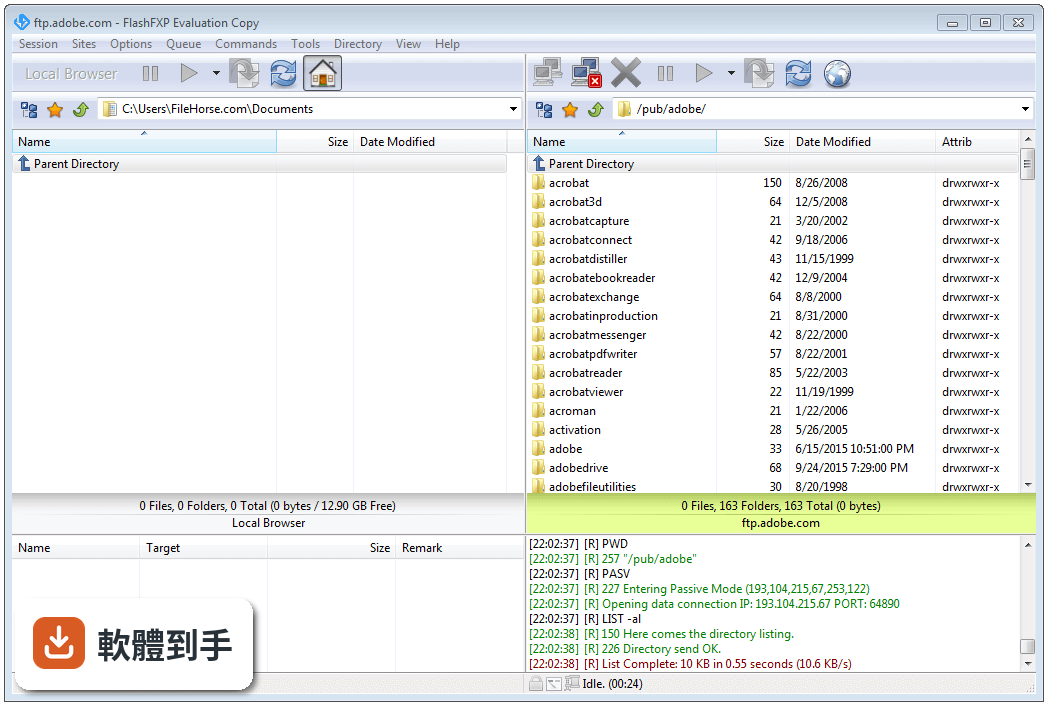
FlashFXP 5.1.0 Build 3834
 FlashFXP 5.1.0 Build 3834
資料更新 2015-04-27
下載與官方連結
FlashFXP51_3834_Setup.exe · 5.3 MB · 連結指向軟體原廠
版本紀錄
- 2026-08-27 FileZilla 3.71.1 (64-bit) 12.14 MB
- 2026-08-21 FileZilla 3.71.0 (64-bit) 12.14 MB
- 2026-06-06 FileZilla 3.70.6 (64-bit) 12.14 MB
再看 5 筆
- 2026-05-08 FileZilla 3.70.5 (64-bit) 12.12 MB
- 2026-04-20 FileZilla 3.70.4 (64-bit) 12.1 MB
- 2026-02-14 FileZilla 3.69.6 (64-bit) 12.15 MB
- 2025-11-12 FileZilla 3.69.5 (64-bit) 12.14 MB
- 2025-08-01 FileZilla 3.69.3 (64-bit) 11.88 MB
這一版改了什麼
What's new in this version:
- Fixed: Loading and executing a saved queue that references sites by ID (i.e Auto saved queues) that no longer exist in the Site Manager could under some conditions cause FlashFXP to get stuck in an infinite loop and lock up.
- Fixed: Under a rare condition the Queue List window might cache the wrong site name and the remark column would display the wrong site name. This did not effect functionality and was only a visual issue.
- Fixed: Local browser drag operations incorrectly passed a UTF-8 encoded path-name when calling a windows API when it should of used Unicode path-name, this caused some drag/drop operations to fail.
- Fixed: After the desktop color depth changes sometimes FlashFXP would incorrectly render the toolbar buttons with an opaque background.
- Fixed: If FlashFXP is left minimized while the local browser is displaying the content of a network drive/location and this location becomes unavailable it could cause FlashFXP to freeze for an unusually long time or lockup when restoring the window.
- Fixed: Synchronized browsing issue where the remote synchronized root path was not correctly defined under some conditions.
- Fixed: Scheduled tasks > If the task failed as a result of being unable to resolve the server host name this reason was not clearly indicated.
- Fixed: Internal file read-only check on data files was incorrectly passing Unicode file-names to ANSI version of APIs.
- Changed: Clipboard monitor now uses a more reliable monitoring method on Windows Vista and up.
- Fixed: Eliminated multiple RedrawWindow() API calls after unlocking the window canvas for drawing due to erroneous DrawLockLevel evaluation.
- Fixed: Indirect site to site transfers were experiencing a problem that caused the UI to appear frozen between the download and upload operations while waiting for the file to become ready.
- Fixed: In some cases FlashFXP was unnecessary reloading the FlashFXP data files from disk.
- Fixed: Remote editing, auto uploading on save could in some specific cases try to upload even when another operation is in progress resulting in a failed upload.
- Fixed: After a download transfer failure attempting to re-transfer the file could incorrectly result in the file being skipped.