
這是歷史版本頁面 — 看 Foobar2000 最新版本
想找不吃資源的音樂播放器?Foobar2000 能調出你要的樣子
 Foobar2000 1.4.1
資料更新 2018-11-15
閱讀約 6 分鐘
你電腦裡堆了好幾千首音樂檔案,從老舊的 MP3 到無損的 FLAC 都有。每次想好好聽個專輯,打開常用的播放器卻覺得卡卡的,介面一堆用不到的功能佔滿畫面,播到一半還會因為檔案格式不支援直接跳過。你只是想找一個能安安靜靜把音樂放完、不吃記憶體、也不會一直跳通知的播放器,卻發現市面上大多數選項都離這個需求很遠。
一般人遇到這種狀況,直覺是去抓一套功能最多的播放器來用,結果裝完才發現它為了討好所有人,介面塞滿了商店、電台、視覺效果,你的舊電腦跑起來更喘。另一條路是繼續忍受系統內建的播放器,但它連歌詞、專輯封面、曲目排序都處理得陽春。這類工具的切入點其實是反過來的:不求功能多,而是把播放這件事做到精準、省資源,再讓你自己決定要加裝什麼。Foobar2000 就是走這條路的代表。
01Foobar2000 到底能播哪些音樂格式?
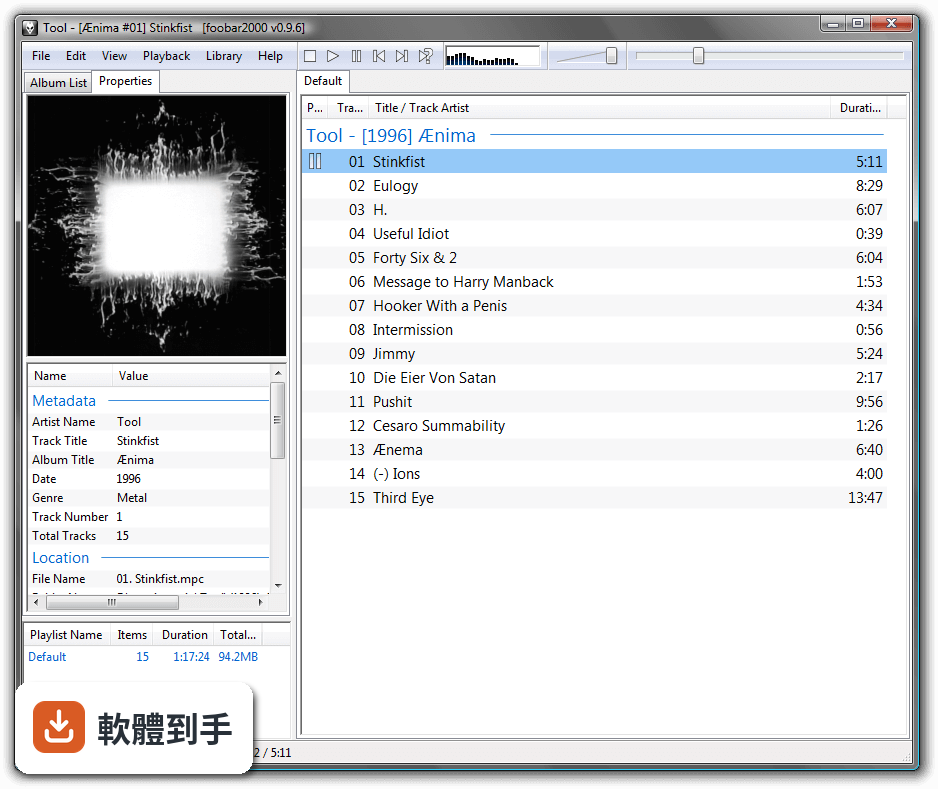
它支援的格式相當廣,常見的 MP3、AAC、FLAC、WAV、AIFF、Ogg Vorbis、WavPack 都能直接播放,高解析度的 FLAC、ALAC 和 DSD 也有對應支援。如果你手邊有比較冷門的格式,可以再去找第三方元件補上。基本上你硬碟裡常見的音樂檔案,它都能開啟,不太需要為了某個格式特地再裝另一套播放器。
02它的介面看起來很陽春,真的夠用嗎?
預設介面確實很樸素,就是播放清單加選單列,但它的重點是可以大幅改造。你可以透過「View > Layout」調整面板和工具列的位置,也能去裝別人做好的面板或外觀主題。如果你願意花點時間研究,最後可以把它弄成完全符合自己習慣的樣子;如果不想折騰,用預設介面也不影響播放功能。
03我有一堆音樂檔案,它能幫我管理嗎?
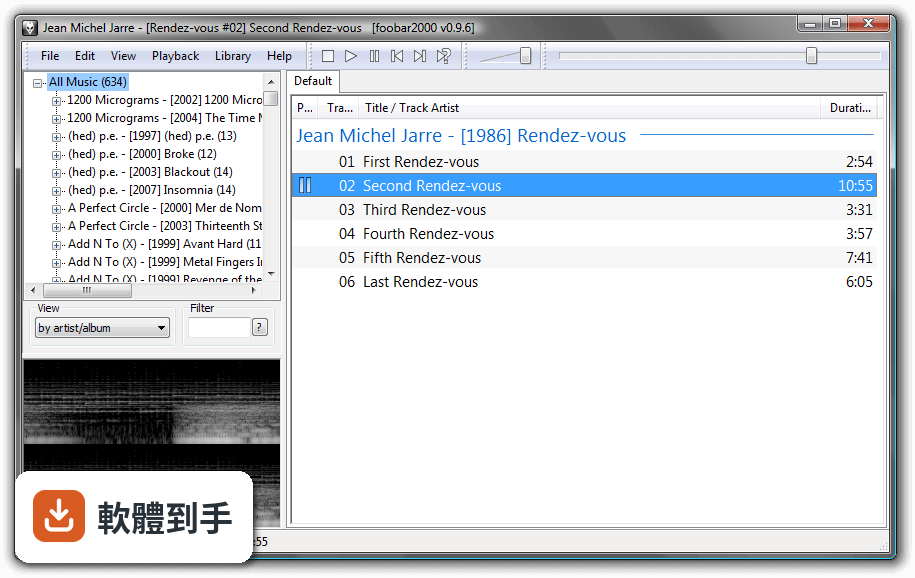
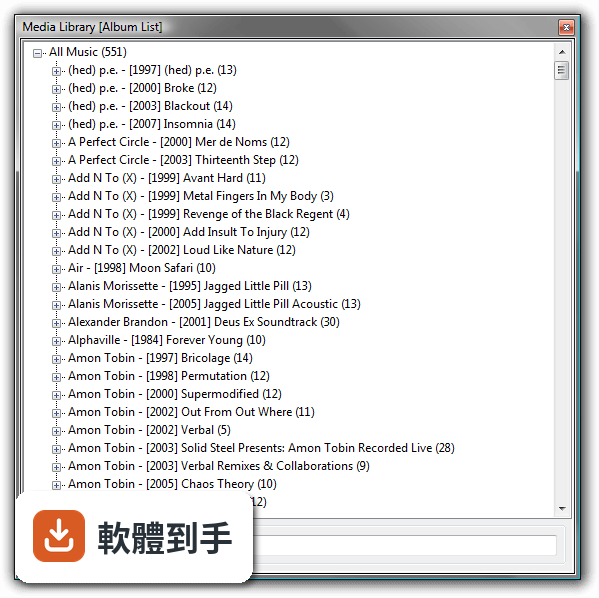
它內建了標籤編輯功能,可以修改專輯、演出者、曲目等資訊,也能處理專輯封面。播放清單的建立方式很直覺,在檔案上按右鍵選「New Playlist」就能整理。不過它不像 MediaMonkey 那樣有完整的資料庫管理介面,如果你的音樂庫超過幾萬首且很依賴自動分類,可能要花更多時間手動整理。
04聽說它可以做到無損輸出,這是什麼意思?
指的是 bit-perfect 音訊輸出,也就是讓數位音訊檔案在播放過程中不經過系統的額外處理,直接送到音效裝置。對有外接 DAC 或高階音效卡的人來說,這能確保聽到的聲音就是檔案原本的內容。這功能是內建的,不需要特別設定,但前提是你的音效裝置和驅動程式要支援。
05它能把音樂轉成其他格式嗎?
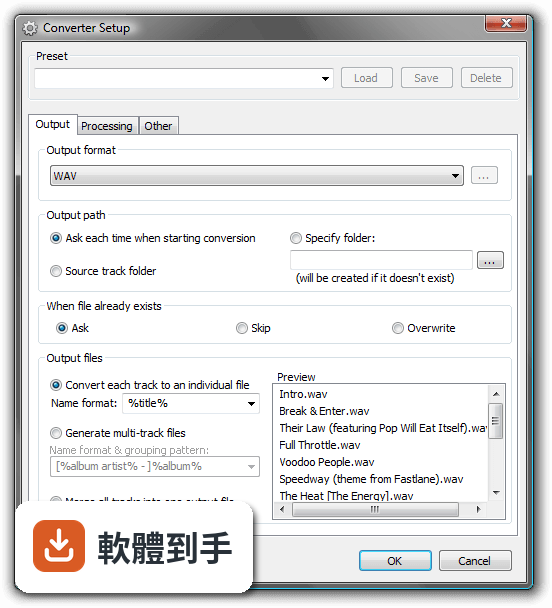
可以,它內建轉檔功能,能將音樂從一種格式轉成另一種,例如把 FLAC 轉成 MP3 或相反。操作方式是選取檔案後使用轉換功能,並指定輸出格式和品質設定。這對要幫舊隨身聽轉檔、或想把無損檔轉成手機能播的格式來說很方便,不需要另外找轉檔軟體。
06這套軟體適合什麼樣的人用?
適合對播放器有明確要求、且願意花時間設定的人。例如你很在意音質、手邊有大量不同格式的音樂檔案、電腦效能有限、或對介面有自己的想法不想被預設綁死。它也適合喜歡用鍵盤快速操作的人,內建大量快捷鍵可以加快播放控制。如果你只是要一個裝好就能用的播放器,它可能會讓你覺得太樸素。
07我平常會聽 Spotify 或 Apple Music,它能取代嗎?
不行,它本質上是本地音樂播放器,不支援 Spotify、Apple Music 這類串流服務。雖然有第三方元件可以聽網路電台,但跟完整的串流體驗差很多。如果你主要的音樂來源是訂閱串流平台,這套軟體幫不上忙,你應該繼續用平台自己的應用程式。
08它的介面是英文的,看不懂怎麼辦?
官方介面確實只有英文,沒有內建繁體中文語系。如果你對英文介面不熟悉,操作上會有一些門檻,尤其是進階設定和面板調整的選項。網路上有社群製作的中文化檔案,但那些不是官方提供的,使用前要自己確認來源和相容性。如果你完全無法接受英文介面,可以考慮 MusicBee,它有完整的中文支援。
09我電腦很舊,跑得動它嗎?
它以輕量著稱,官方建議的記憶體最低只要 256MB,CPU 只要是 Intel 或 AMD 處理器即可,硬碟空間需求也很小。比起其他功能豐富的播放器,它對系統資源的占用明顯低很多。如果你的電腦跑一般軟體都會喘,這套播放器可能是少數能順暢運作的音樂軟體之一。
10它跟 MusicBee 或 MediaMonkey 比起來,哪個比較好?
這三套的取向不同。Foobar2000 強調輕量、可自訂和音質輸出,但介面需要花時間調校;MusicBee 介面較親切、中文支援好,適合不想花太多時間設定的人;MediaMonkey 則強在大型音樂庫的管理。你可以先想清楚自己最在意的是什麼——省資源、好上手、還是管理大量檔案——再決定要選哪一套。
11它是不是開放原始碼軟體?
不是,它是免費軟體,但程式碼沒有開放。不過它採用了開放的元件架構,讓第三方開發者可以撰寫外掛來擴充功能。這表示你能用的擴充元件很多,但軟體本身的開發方向仍由原作者決定。如果你很在意開放原始碼這件事,這套軟體就不符合你的需求。
12它的更新頻率如何?會不會裝了就沒人維護?
根據現有紀錄,它的版本更新相當頻繁,近一年內有多次更新,不是那種放著不管的軟體。開發者持續在維護和修正問題,這對長期使用來說是好事。不過要注意的是,它支援的系統是 Windows 7 到 10,如果你用的是更新的系統,安裝前最好先確認相容性。
下載與官方連結
foobar2000_v1.4.1.exe · 4.23 MB · 連結指向軟體原廠
版本紀錄
- 2026-10-29 Foobar2000 2.26.2 7.59 MB
- 2026-10-10 Foobar2000 2.26.1 7.64 MB
- 2026-10-01 Foobar2000 2.26 6.66 MB
再看 5 筆
- 2026-05-30 Foobar2000 2.25.9 6.36 MB
- 2026-03-27 Foobar2000 2.25.8 6.34 MB
- 2026-02-19 Foobar2000 2.25.7 6.34 MB
- 2026-01-23 Foobar2000 2.25.6 6.37 MB
- 2025-12-31 Foobar2000 2.25.4 6.37 MB
這一版改了什麼
What's new in this version:
- Worked around the disappearing window bug of Windows 10 1809
Converter updates:
- Advanced-preferences option to encode to temp folder and move encoded-and-tagged files to the intended destination
- “Don't reset DSP between tracks” now respects DSP-reported latency for proper handling of gapless albums
- Made Converter “copy other files” feature respect parent folder (..pattern) references
- Better error message when trying to open M4A file renamed to .aac
- Added %video_codec% info for Matroska and MP4 files
- Added support for PCM audio in MP4 container
- Made mouse wheel work in playlist view during a drag&drop operation
- Improved handling of classical music metadata for iTunes M4A files
- Added %bitspersample_extra% info to tell between int32/float32 PCM files
- Added support for ID3v2 iTunes Grouping field
- Made tag update operations not fail when another application has the file open for reading
- Corrected wrong bitrate shown for FLAC in Matroska container
- Corrected labels for F13-F24 keyboard shortcuts
- Fixed bugs with ReplayGain Scanner's automatic resampling of high sample rate content
- Bumped maximum allowed sample rate to deal with DSD1024 content
- Made Media Library respect 'include hidden files & folders' setting in Advanced Preferences
- PPHS resampler bug fixes (inaccurate reported latency, crashing with extreme sample rates)
- Fixed ReplayGain scan results showing zero peaks on near-silent 24-bit files
- New and improved buffering scheme for improved network streaming performance (ported from foobar2000 mobile)
- Internet radio handling regressions from 1.4 fixed; added an Advanced Preferences setting for ShoutCast metadata codepage
- Fixed component auto update on Windows XP (1.4 regression)
- Added an Advanced Preferences option to toggle asymmetric search, reverting search behaviors to 1.3 style
- Added title formatting fields for showing track/album peaks as decibel values
- Improved status feedback from batch attach album art tool
- Pressing “next” past the end of playlist now restarts the playlist even without “repeat” mode
- Added EXTM3U info writing (enabled via advanced preferences)
- Added 5.1 and 7.1 upmix DSPs
- Deleting the currently playing files no longer shows error popups (1.4 regression)
- Fixed repaint glitches in media library search edit box
- Updated Opus decoder to latest libopus 1.3
- Fixed a bug causing poor Default UI playlist performance with tens of thousands of item
- Fixed incompatibility with certain HTTP servers causing music files to fail to play from those servers
- Internet radio regression fixes
- Made DSP presets in the toolbar sorted
- Made technical info properly shown for various Ogg based internet radios (Vorbis, Opus, FLAC)
- Fixed 1.4 regression causing incorrect detection of Internet Explorer proxy server settings
- Fixed 1.4 regression causing some tag updates to fail with 'access denied' when another app is accessing the files
- Fixed various 175% text size rendering glitches
- Fixed odd behaviors while installing regular foobar2000 alongside MS Store foobar2000
- Fixed ReplayGain scanner preferences page glitches