
這是歷史版本頁面 — 看 Foxit Reader 最新版本
PDF只能看不能改?Foxit Reader能做什麼
 Foxit Reader 10.1.4
資料更新 2021-05-07
閱讀約 7 分鐘
收到一份PDF合約,想直接在檔案上填資料、簽名、畫重點,卻發現電腦裡預設的閱讀器除了翻頁什麼都不能做。印出來用手寫再掃描回去,既浪費時間,掃出來的檔案又糊。你只是想快速處理一份文件,不是想開一套完整的辦公室軟體,但偏偏卡在「PDF只能看」這個關卡上。
很多人遇到這種狀況,第一個念頭是去裝付費的PDF編輯軟體,但為了偶爾一次的表單或註記,每個月付訂閱費實在划不來。免費的線上工具又怕檔案隱私外流,而且網路一不穩就卡住。這類PDF閱讀工具的切入點,是在「免費」和「能編輯」之間找平衡——不要求像文書處理器那樣隨心所欲,但至少讓你在文件上寫字、標註、填表、簽名,不用另外印出來處理。
01Foxit Reader能不能直接改PDF裡面的文字?
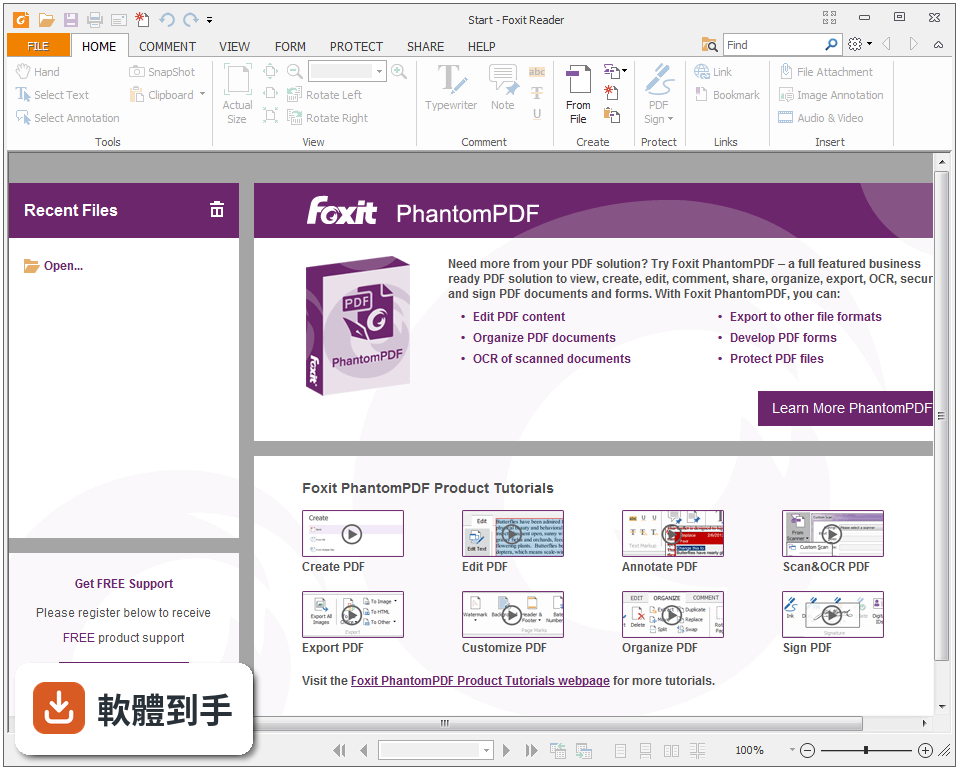
可以。它跟一般只能看的閱讀器不同,內建文字編輯功能,點開「Edit」標籤,選取要修改的文字,就能調整字型、大小、顏色和對齊方式。不過要注意,這套軟體的介面是英文,操作時需要對照按鈕位置。另外,它編輯的是文字內容,如果PDF裡有圖片或複雜排版,能不能完整改動,官方資料沒有明說,建議先用一份測試檔試試。
02用它填表單會不會很麻煩?
不會,它支援標準的Acroforms和XFA兩種表單格式,可以直接在欄位裡輸入文字、勾選選項。政府機關或銀行提供的申請表、契約書,只要原本是互動式表單,打開就能填。填完之後可以儲存起來,也可以直接列印。如果遇到不能填的欄位,通常是那份PDF本身沒有做表單欄位,這不是軟體的問題,而是檔案格式的限制。
03除了看PDF,它還有哪些功能?
它涵蓋了PDF處理的幾個主要面向:開啟和列印PDF、建立新的PDF檔案、在文件上加入註解和標註、填寫表單、加密文件、加上手寫簽名或電子簽名。另外它有一個ConnectedPDF功能,可以追蹤文件被誰開啟、做了什麼操作,也能在文件有新版本時通知相關的人。這些功能在官方說明中都有提到,但實際使用體驗還是要自己安裝測試。
04註解工具夠不夠用?
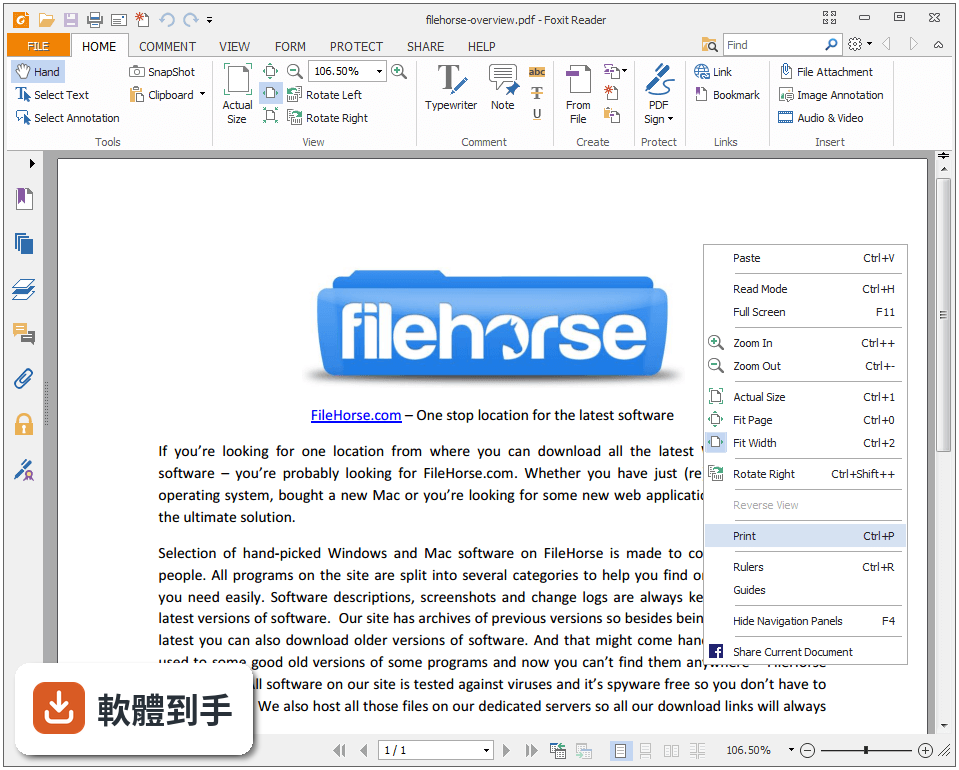
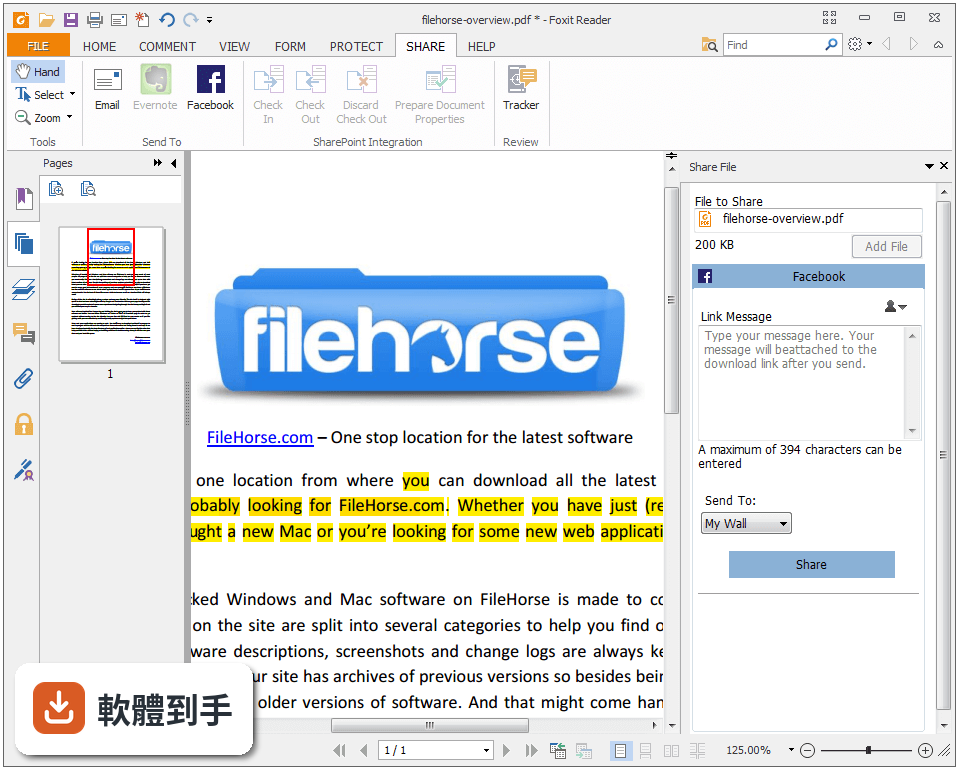
它提供的註解工具算齊全,包含螢光筆、底線、刪除線、便條註記和繪圖工具。團隊合作時,可以在同一份PDF上標註意見,再分享給其他人。它也能跟Google Drive、Dropbox、Box、SharePoint這些雲端硬碟整合,直接從雲端開檔、存回雲端。不過雲端整合的設定步驟,官方資料沒有詳細說明,實際操作可能需要自己摸索。
05能不能把Word或Excel轉成PDF?
可以,它內建PDF建立功能,安裝時會整合Word、PowerPoint和Excel的增益集,在這些Office軟體裡直接按一個按鈕就能轉成PDF。它也支援掃描紙本文件直接轉成電子PDF,掃描和轉檔一次完成。這對需要把紙本資料數位化的人來說很方便,不用另外裝一套轉檔軟體。
06這套軟體適合什麼樣的人用?
適合需要頻繁處理PDF、但不想付費買完整版Adobe的人。像是經常要填合約、在文件上簽名、給同事回饋意見的上班族,或是需要把紙本掃描成電子檔的行政人員。它強調開啟速度快、系統資源占用低,對電腦效能不高的使用者也是一個選擇。另外,它支援JAWS螢幕朗讀軟體,對視障使用者友善,這在免費PDF工具中比較少見。
07英文不好,用起來會很吃力嗎?
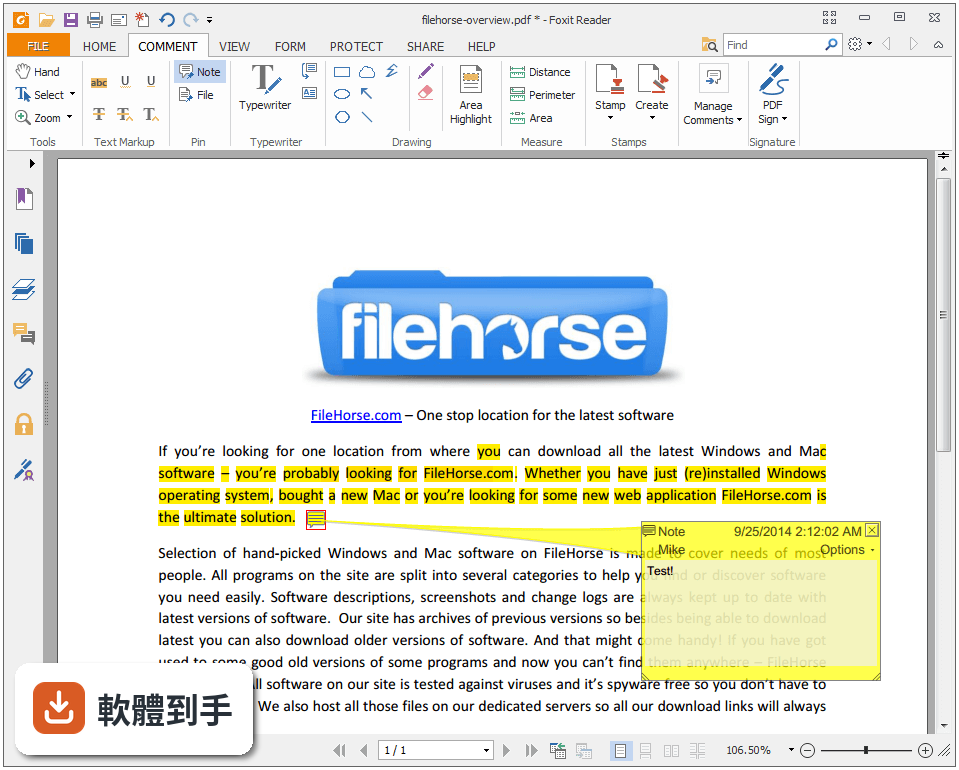
這套軟體的介面只有英文,沒有中文語系,這是它比較大的門檻。如果對英文介面不熟悉,操作上會需要花時間適應。它的工具列是仿Microsoft Office的Ribbon設計,如果你用過Office,按鈕位置大概能猜出功能。但進階功能像是ConnectedPDF、加密設定,英文不好可能就比較難上手。如果完全無法接受英文介面,可能要考慮其他有中文的PDF工具。
08跟Adobe Acrobat Reader比起來,它差在哪?
dobe Acrobat Reader DC有2840人評分,Foxit Reader有599人評分,Adobe的使用者基數明顯大很多,遇到問題比較容易找到教學或解答。但Foxit Reader的評分是8.74分,高於Adobe,而且它多了文字編輯功能——Adobe Reader免費版只能看和註記,不能改文字。如果你的需求是「免費又能編輯」,Foxit Reader在功能上確實比Adobe Reader多走了一步。
09它適合拿來做企業大量部署嗎?
官方資料顯示它支援群組原則(Group Policy),可以統一設定選單和組態,也提供SCUP目錄,讓IT人員透過Windows Update服務(SCCM)派送更新。還支援XML設定檔,方便大量客製化部署。這表示它確實有針對企業環境設計,不是只有個人使用。不過這些部署功能需要IT專業知識,一般使用者用不到,也不建議自己亂試。
10什麼情況下不該選它?
如果你只是偶爾開一次PDF、看完就關掉,那用Windows內建的Edge瀏覽器或免費的Sumatra PDF就夠了,不需要裝一套功能這麼多的軟體。另外,如果你很在意中文介面,這套只有英文,用起來會綁手綁腳。還有,如果你需要的是完整的PDF編輯能力——例如調整圖片位置、重排頁面、合併多個檔案——它的編輯功能有限,可能還是要考慮付費的Adobe Acrobat Pro DC。
11它跟PDF-XChange Viewer比,哪個比較多人用?
以評分人數來看,Foxit Reader有599人評分,PDF-XChange Viewer只有68人,Sumatra PDF有79人。Foxit Reader的使用者回饋數量明顯較多,代表實際使用的人比較多,遇到問題時比較容易找到討論或解法。不過評分人數多不代表功能一定比較好,只是表示它的能見度和使用者基數較大。如果你有特殊需求,還是要自己裝來試試看比較準。
12這套軟體還有人在維護嗎?
有,而且更新算頻繁。它的版本紀錄從2015年開始收錄,最近一次更新在2026年9月,近12個月更新了7次,近24個月更新了11次。這表示開發商持續在修bug和加功能,不是放著不管的軟體。對於免費軟體來說,這種更新頻率算是有誠意,至少不用擔心裝了之後沒人維護、遇到問題沒人處理。
下載與官方連結
FoxitPhantomPDF1014_enu_Setup_Website.exe · 連結指向軟體原廠
版本紀錄
- 2026-09-23 Foxit PDF Reader 2026.2.1.39815 277.73 MB
- 2026-09-01 Foxit PDF Reader 2026.2.0.39747 277.63 MB
- 2026-08-13 Foxit PDF Reader 2026.1.2.36551 376.04 MB
再看 5 筆
- 2026-07-08 Foxit PDF Reader 2026.1.2.36540 376.02 MB
- 2026-04-27 Foxit PDF Reader 2026.1.1.36485 376.01 MB
- 2026-04-01 Foxit PDF Reader 2026.1.0.36452 375.97 MB
- 2025-12-20 Foxit PDF Reader 2025.3.0.35737 367.59 MB
- 2025-09-26 Foxit PDF Reader 2025.2.1.33197 358.14 MB
這一版改了什麼
What's new in this version:
Fixed some security and stability issues:
- Brief
- Addressed potential issues where the application could be exposed to Memory Corruption vulnerability and crash when exporting certain PDF files to other formats. This occurs due to the access violation, which could be exploited by attackers to execute remote code.
- Addressed potential issues where the application could be exposed to Denial of Service vulnerability and crash when handling certain XFA forms or link objects. This is caused by stack overflow as there are too many levels or dead loops during the recursive call of functions.
- Addressed potential issues where the application could be exposed to Denial of Service, Null Pointer Reference, Out-of-Bounds Read, Context Level Bypass, Type Confusion, or Buffer Overflow vulnerability and crash, which could be exploited by attackers to execute remote code. This occurs during the implementation of certain functions in JavaScript due to the use of incorrect parameters or objects without proper validation.
- Addressed a potential issue where the application could be exposed to Arbitrary File Deletion vulnerability due to improper access control. Local attackers could exploit this vulnerability to create a symbolic link and cause arbitrary files to be deleted once the application is uninstalled by an admin user.
- Addressed a potential issue where the application could deliver incorrect signature information for certain PDF files that contained invisible digital signatures. This occurs as the application gets the certificate name in an incorrect order and displays the document owner as the signature author by mistake.
- Addressed potential issues where the application could be exposed to DLL Hijacking vulnerability when it was launched, which could be exploited by attackers to execute remote code by placing a malicious DLL in the specified path directory. This occurs due to the improper behavior while loading libraries, including loading the libraries in the installation directory as precedence when loading system libraries, loading the libraries that are disguised as system libraries in the installation folder without proper validation, and failing to use the fully qualified paths when loading external libraries
- Addressed potential issues where the application could be exposed to Out-of-Bounds Write/Read Remote Code Execution or Information Disclosure vulnerability and crash when handling certain JavaScripts or XFA forms. This occurs due to the use of abnormal data that exceeds the maximum size allocated in parameters without proper validation.
- Addressed a potential issue where the application could be exposed to Out-of-Bounds Write vulnerability when parsing certain PDF files that contain nonstandard /Size key value in the Trailer dictionary. This occurs due to the access of an array whose size is not enough to accommodate the data.
- Addressed a potential issue where the application could be exposed to Out-of-Bounds Write vulnerability and crash when converting certain PDF files to Microsoft Office files. This occurs as the PDF object data defined in the Cross-Reference Table is corrupted.
- Addressed potential issues where the application could be exposed to Use-after-Free Remote Code Execution vulnerability and crash when handling certain XFA forms or annotation objects. This occurs due to the use or access of the objects that have been released or deleted.
- Addressed potential issues where the application could be exposed to Arbitrary File Write Remote Code Execution vulnerability when executing certain JavaScripts. This occurs as the application fails to restrict the file type and validate the file path in extractPages and CombineFiles functions.
- Addressed potential issues where the application could be exposed to SQL Injection Remote Code Execution vulnerability. Attackers could exploit this vulnerability to insert or delete databases by inserting codes at the end of the strings.
- Addressed a potential issue where the application could be exposed to Uninitialized Variable Information Disclosure vulnerability and crash. This occurs due to the array access violation resulting from the discrepant information in the form control when users press the Tab key to get focus on a field and input new text in certain XFA forms.
- Addressed potential issues where the application could be exposed to Out-of-Bounds Read or Heap-based Buffer Overflow vulnerability and crash, which could be exploited by attackers to execute remote code or disclose sensitive information. This occurs due to the logic error or improper handling of elements when working with certain PDF files that define excessively large value in the file attribute or contain negative leadDigits value in the file attribute.