
這是歷史版本頁面 — 看 FreeCAD 最新版本
免費3D建模軟體FreeCAD能取代付費CAD嗎
 FreeCAD 0.20.1 Build 1
資料更新 2022-08-11
閱讀約 6 分鐘
想畫一個零件、一台機器外殼或一間房子的立體圖,腦中第一個念頭是打開某套商業CAD軟體,但看到訂閱費用就縮手了。於是開始找免費方案,下載了幾個號稱「免費」的軟體,不是功能被鎖住,就是介面複雜到不知道從哪裡開始。你只是想把手上的想法變成可以轉檔、可以修改的3D模型,卻卡在軟體選擇這一步。
一般人遇到這個狀況,最直接的做法是找盜版或試用版,但試用期一過就斷糧,盜版又有安全疑慮。另一條路是改用2D繪圖軟體硬畫,但平面圖無法呈現立體結構,修改尺寸時更是噩夢。這類工具的切入點是「參數化建模」——把尺寸和約束條件變成可調整的參數,改一個數字,整個模型跟著更新,這正是工程設計最需要的核心能力。
01FreeCAD 到底能做什麼?
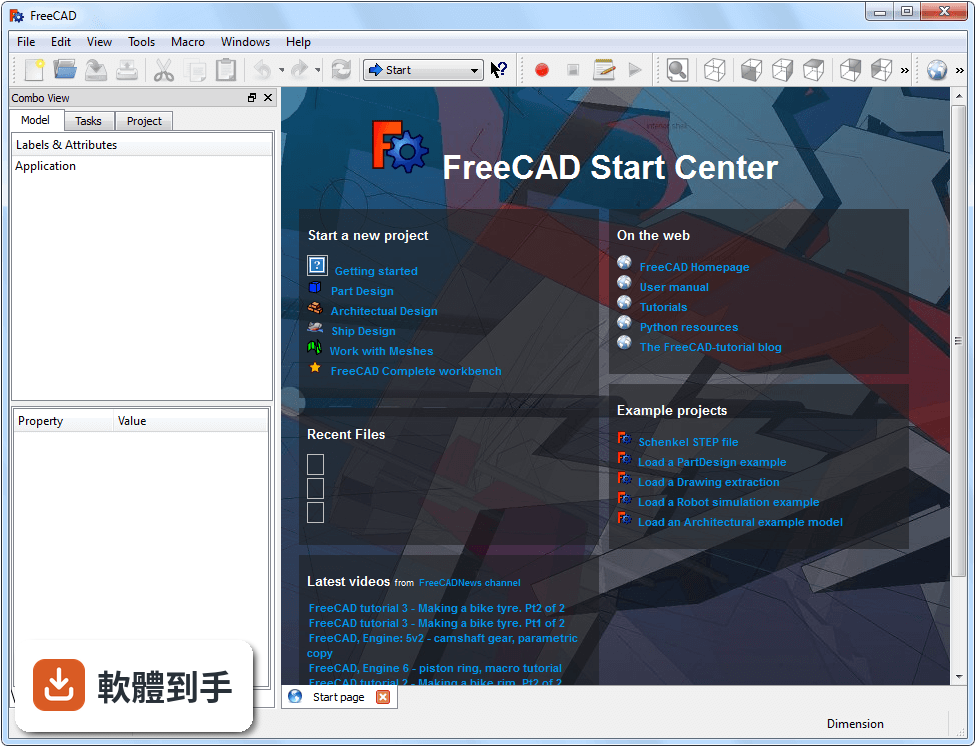
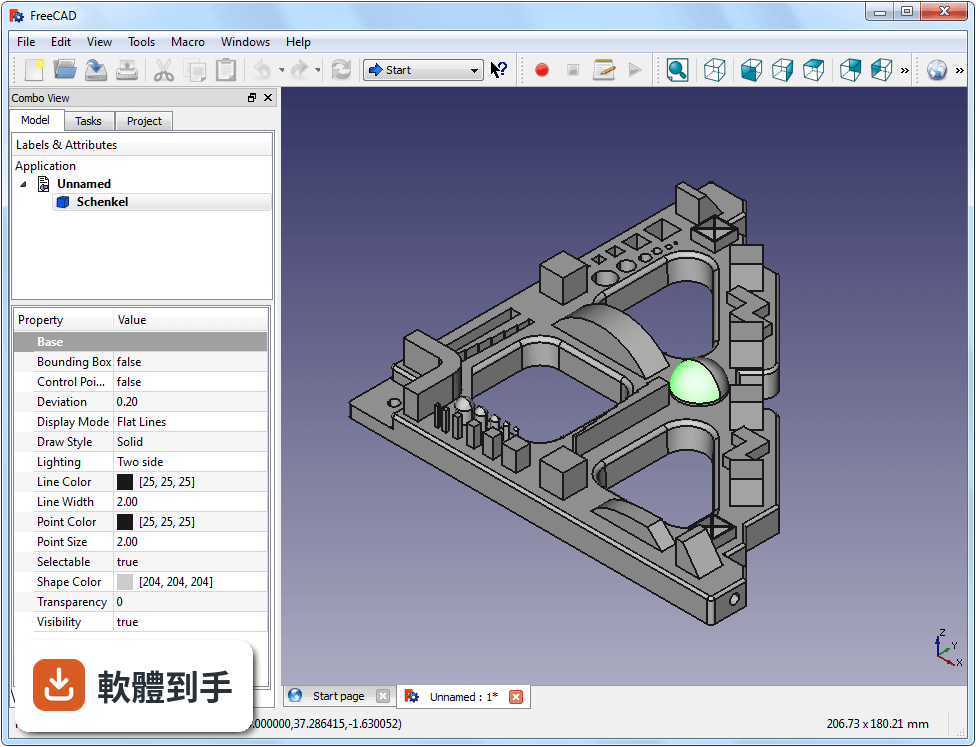
它是一套免費開源的參數化3D CAD軟體,主要用於產品設計、機械工程和建築用途。你可以用它建立帶有約束條件的2D草圖,再拉伸或旋轉成3D實體,也能做布林運算把物件合併或挖空。內建多個工作台,涵蓋零件設計、2D製圖、網格處理、CAM加工路徑和FEM結構分析,等於從建模到製造前置作業都包了。
02這套軟體能不能畫2D工程圖?
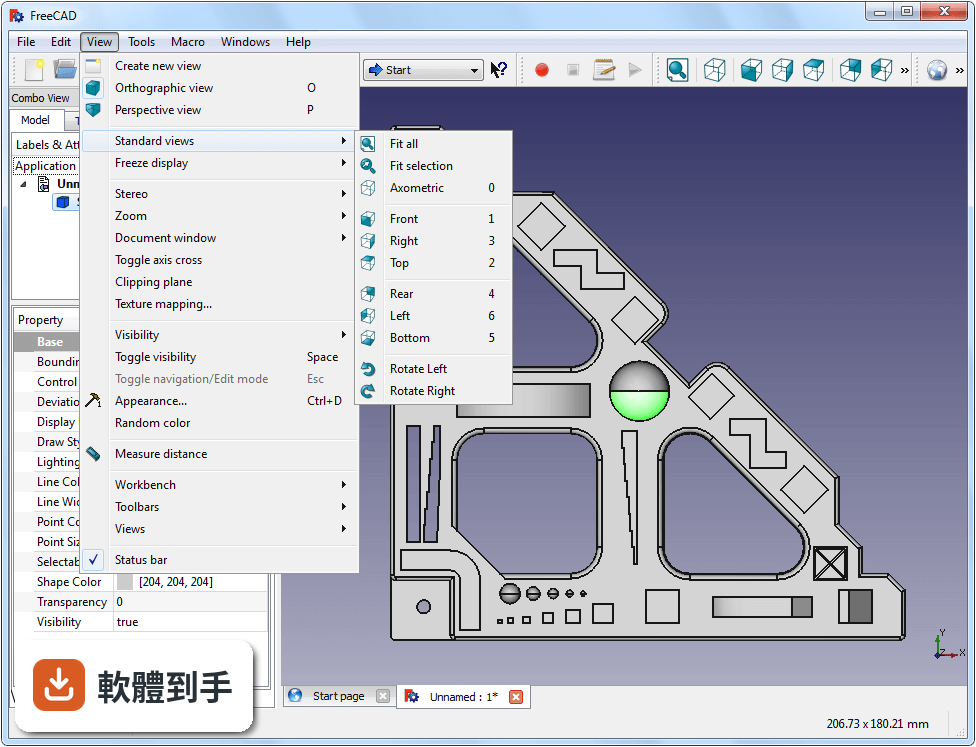
可以。它內建Draft工作台,專門用來建立2D繪圖和佈局,也能把3D模型投影成2D視圖輸出。支援DXF格式,方便跟其他2D CAD軟體交換檔案。不過它的2D功能定位是輔助3D設計,如果你只需要純2D繪圖,LibreCAD這類專門軟體可能更輕量、更容易上手。
03畫好的模型可以轉成哪些檔案格式?
支援的格式相當多,包括STEP、IGES、STL、OBJ、DXF等常見的交換格式。STEP和IGES適合跟其他CAD軟體交換實體模型,STL和OBJ適合丟進3D列印或動畫軟體使用。這代表你不需要擔心檔案打不開,幾乎所有主流CAD和3D軟體都能接收這些格式。
04它能不能寫程式自動化操作?
可以,內建Python腳本支援。你可以用Python自動重複性的建模任務、批次處理檔案、建立自訂工作流程,甚至開發自己的工具。這對工程師來說是很大的加分項,等於把這套軟體變成可以量身打造的平台。不過前提是你得會寫Python,不會的話這項功能暫時用不上。
05介面會不會很難上手?
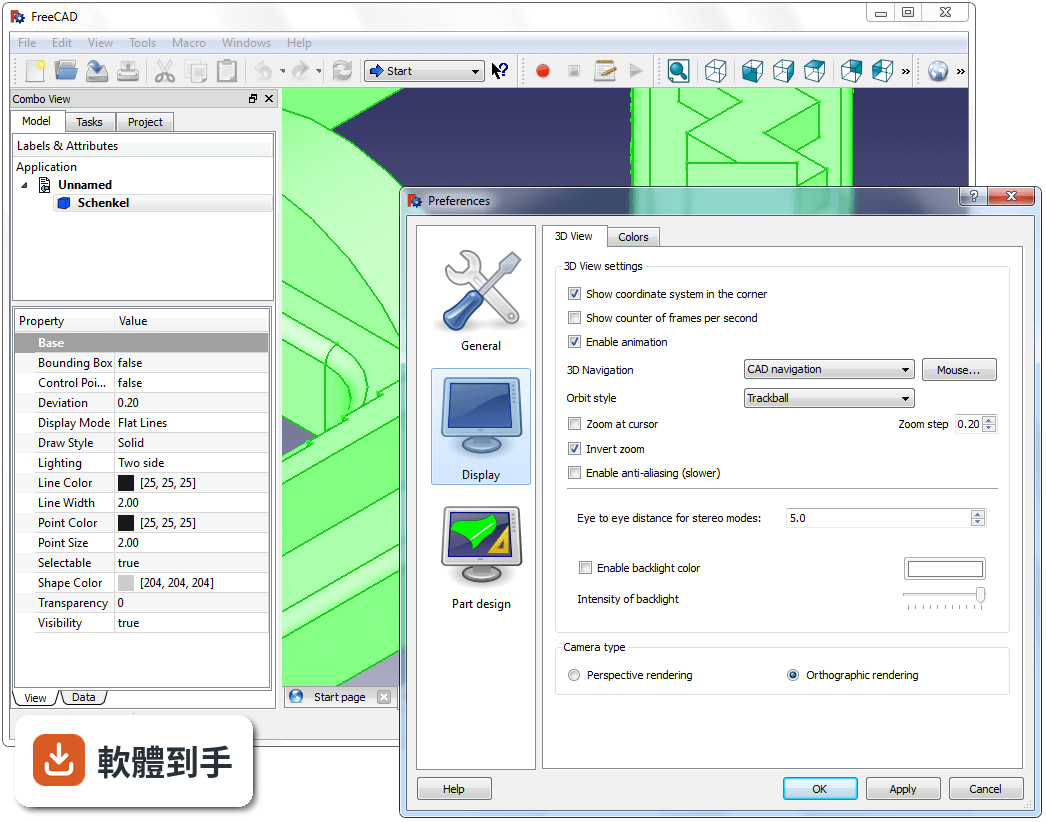
介面採用工作台(Workbench)架構,不同任務切換到不同工作台,例如草圖用Sketcher、零件設計用Part Design。工具列和選單都可以自訂,樹狀結構讓專案導覽很直覺。但官方自己也承認,對初學者來說選項和工具很多,學習曲線偏陡,而且整體介面設計比商業CAD軟體老舊。建議先看官方教學文件,從簡單專案開始練。
06完全沒用過CAD的人適合用嗎?
可以用,但要有心理準備。官方FAQ明確說它適合初學者,但學習曲線很陡。建議先找官方教學文件或線上教學影片,從畫一個簡單的方塊或螺絲開始,逐步熟悉草圖約束和參數設定的邏輯。如果完全沒有3D建模概念,可能會比用SketchUp這類直覺型軟體花更多時間才能畫出第一個成品。
07可以用在專業工作上嗎?
可以,官方FAQ提到許多使用者把它用在專業的工程和設計領域。它具備參數化建模、CAM路徑產生、FEM分析這些專業功能,而且支援STEP、IGES這類工業標準格式,跟其他專業軟體協作沒問題。不過官方也坦言,它缺少商業軟體如SolidWorks或AutoCAD的一些進階功能和精緻度,關鍵專案前最好先自行驗證功能是否足夠。
08介面只有英文,看不懂怎麼辦?
這套軟體的介面語系只有英文,沒有內建繁體中文。如果你英文閱讀有障礙,操作上會比較吃力,因為工作台名稱、工具提示、錯誤訊息都是英文。目前官方資料沒有提到中文介面的選項,需要自行確認是否有社群提供中文化套件,或考慮改用有中文介面的其他CAD軟體。
09跟商業CAD軟體比起來會不會差很多?
功能面它很完整,參數建模、2D草圖、3D實體、CAM、FEM都有,但官方自己承認缺少商業軟體的一些進階能力和打磨。例如介面設計較老舊、偶爾會有開源軟體常見的小臭蟲。如果你是做簡單到中複雜度的機械零件或產品設計,它夠用;但如果是大型組裝、複雜曲面或需要高度穩定性的專業環境,商業軟體還是比較可靠。
10我的舊電腦跑得動嗎?
官方建議的最低需求是雙核心2GHz處理器、4GB記憶體、OpenGL相容顯示卡、2GB硬碟空間。記憶體8GB會比較順暢。以現代標準來看門檻不高,一般文書機都能跑。但如果你要處理大型組裝或複雜曲面模型,顯示卡和記憶體還是會影響流暢度,建議先確認你的顯示卡驅動有更新到最新版。
11它跟SketchUp比起來哪個比較多人用?
在評分人數上,SketchUp Make有234人評分,FreeCAD只有128人評分,SketchUp的使用者基數明顯較大。不過兩者的定位不同,SketchUp偏向直覺建模和概念設計,FreeCAD偏向參數化工程設計。如果你需要精確尺寸和可調整參數,FreeCAD比較合適;如果只是快速拉體塊、做建築外觀概念,SketchUp可能更容易上手。
12這套軟體還有人在維護嗎?
有,而且更新相當頻繁。根據收錄的版本紀錄,從2009年至今持續釋出更新,最近一年內有4次更新、兩年內有7次,屬於活躍開發的專案。官方也強調有活躍的社群和完整的文件支援,不用擔心軟體被遺棄。開源軟體的好處是就算官方停滯,社群也能接手繼續開發。
下載與官方連結
FreeCAD-0.20.1-WIN-x64-installer-1.exe · 連結指向軟體原廠
版本紀錄
- 2026-09-28 FreeCAD 1.1.4 495 MB
- 2026-07-26 FreeCAD 1.1.3 495 MB
- 2026-07-24 FreeCAD 1.1.2 495 MB
再看 5 筆
- 2026-04-15 FreeCAD 1.1.1 495 MB
- 2026-03-25 FreeCAD 1.1.0 495 MB
- 2025-08-06 FreeCAD 1.0.2 408 MB
- 2025-05-16 FreeCAD 1.0.1 468 MB
- 2024-11-19 FreeCAD 1.0.0 382 MB
這一版改了什麼
What's new in this version:
Addon Manager fixes:
- Addon manager did not work on windows with special characters in username
- Fix for non-Github URLs
- Add other_files download for wiki macros
- Fix thread termination bug
Arch fixes:
- Invert opening symbol for simple door
- Fix getCutVolume
- Could not change type of profile after its addition
Core (App and Gui) fixes:
- Fix expressions assignment for FreeBSD
- Set missing angle in Rotation::inverse function
#5592: Respect symbolic links
- GuiPy: allow to call setupWithoutGUI more than once
- Fix crash in ViewProviderLink::currentDraggingPlacement()
- Pressing OK button in "Placement Panel" changed color of the Link object
- Python console: Fix a Latin1 <-> UTF-8 conversion problem
Draft fixes:
- Draft to sketch does not take placement into account
- Fix align working plane to DatumPlane
- Fix default fillmode
- DisplayStatusbarScaleWidget should be checked in preferences
- Join fails when there is a minor difference in coordinates due to rounding
- Fix setEdit
- Fix EditMode for hatch, facebinder and shapestring
- Fix Hatch task panel title
- Remove unnecessary DisplayStatusbar preference
- Fix handling of groups on move-copy and rotate-copy
- Fix Draft Edit AddPoint with BSpline
- Ctrl+Z dis not work in Draft_Wire
FEM fixes:
- Fix point filter initialization issue
- Fix wrong console outputs for fluid materials
- Fix material task dialog for fluids
- Check if solver executables exist
- Fix CalculiX multi-threading bug
- Fix solver console bugs
- Check if Gmsh, CalculiX and Mystran solver binaries exist
- Color bar for result pipelines and filters not updated in view
- Add missing info about transparency
- Fix regression that result pipeline missed some results
- set default selection mode to BoundBox for post objects
- Fix errors on missing material properties
- Add missing eigenfrequcy calculation for Elmer
- Use SoAnnotation to highlight result pipeline objects
- Use direct solving as default for stresses
- Allow to edit solver input files also for Elmer and Z88
- Fix selection issues with electrostatic constraint
- Fix pipeline recompute bug
- Fix another pipeline recompute bug
- Fix warp filter factor
- Fix selection issues with flow velocity constraint
Material improvements: :
- new material card for plain Aluminum
- new material cards for Copper and Invar
Mesh fix:
- 3mf created with FreeCAD cannot be loaded with PruseSlicer
OpenSCAD fix:
- Get rid of SCAD-Import error
Part fixes:
- Fix display "labelfillet" name for Chamfer and Fillet
- Fix GeomBSplineCurve::toBiArcs
- Rename preferences page to "Part/Part Design"
- Fix TopoShape.isInside() for faces
- Correction of decimal places on creation of primitives
- Fix KnotSequence for periodic BSpline surfaces
PartDesign fixes:
- Hole dialog fixes
- Hole initialization bugfix
- Fix ProfileBased::getSupportFace()
- Fix Pad/Pocket logic issue
- Add property enabling logic for pad/pocket
- Improve face selection for Pad/Pocket
Path fixes:
- LeadInOut dressup breaks simulator
- Fix wrong "Please delete and recreate the job" message
- Restore drilling op retract value to user supplied Retract Height
- Fix Type=Polar regression in PathArray
- Fix vcarve c++ exception
- Fix external thread issues
Sketcher fixes:
- "Toggle Construction Geometry Button" is not working in "Custom Workbenches"
- Fix "WhatsThis?" for Sketcher_CompConstrainRadDia
Spreadsheet fixes:
- Fix several memory leaks
- Crash if cell value ' is set
Stylesheet fixes:
- Remove whitespace and add "checked" icon style
- Group box lines were not correctly styled
TechDraw fixes:
- Fix Projection group view spacing
- Fix dimension update on change of Projection group scale
- Fix Dimension export to DXF
- Fix bitmap hatch
- Fix Image scaling
- Fix multiple open dialogs
- Fix bad edge in face finder
- Fix crash on body with no shape
- Fix symbol recompute and scale
Compilation:
- Prepend CMAKE_INSTALL_PREFIX if CMAKE_INSTALL_LIBDIR is not absolute
- Fix Conda test errors