
這是歷史版本頁面 — 看 GIMP 最新版本
不想花錢買 Photoshop?GIMP 能取代它嗎
 GIMP 2.10.6
資料更新 2018-08-21
閱讀約 6 分鐘
你手上有一張照片要修,或是一張海報要做,打開電腦才發現,大家口中的 Photoshop 一個月要付好幾百塊訂閱費。你只是想裁切、調色、去個背,偶爾加點文字,不是每天靠它吃飯,實在不想為了這件事每個月乖乖掏錢。於是你開始找免費的替代方案,下載了幾個軟體,卻發現不是功能太陽春,就是介面卡卡的,連開個檔案都要摸索半天。
免費的影像編輯軟體其實不少,但多數不是功能太簡陋,就是只支援特定格式,真正要拿來做點像樣的作品時,往往卡在關鍵功能上。這類工具的切入點,是提供接近專業等級的編輯能力,同時不跟你收費——但代價是介面比較複雜、學習曲線比較陡,而且很多操作邏輯跟你想像的不太一樣。你需要的是一套功能夠完整、能應付日常修圖需求的軟體,而不是只能裁圖加濾鏡的玩具。
01GIMP 到底是什麼?跟 Photoshop 差在哪?
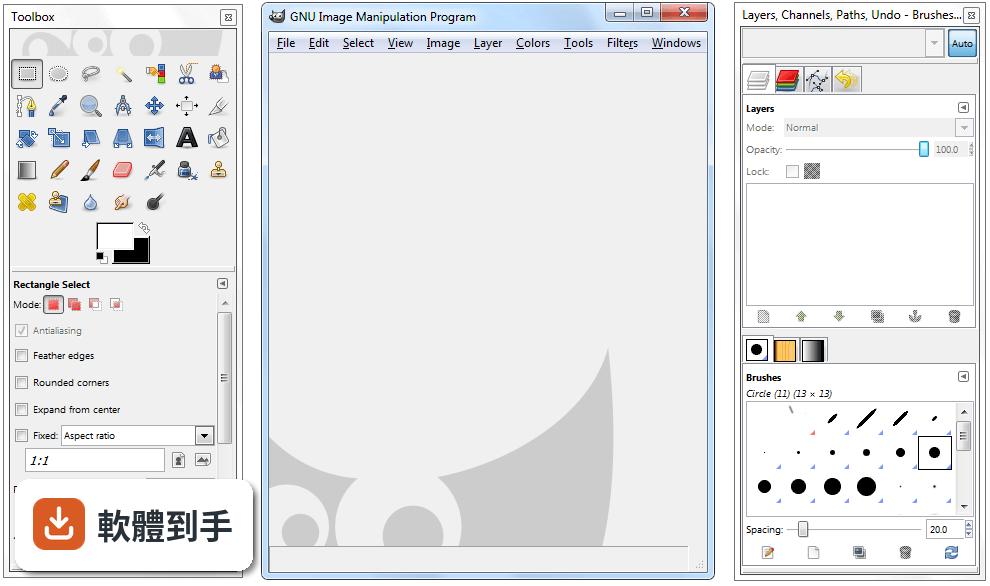
GIMP 是一套開放原始碼的影像編輯軟體,官方定位是 Photoshop 的免費替代品,提供照片修圖、影像合成、圖形創作等功能。它跟 Photoshop 最大的差別在於授權型式——GIMP 完全免費,而 Photoshop 需要付費訂閱。功能面上,GIMP 涵蓋了圖層、遮罩、色階調整、濾鏡等常見編輯工具,但操作介面和部分進階功能與 Photoshop 不同,需要時間適應。
02這套軟體能開 Photoshop 的 PSD 檔嗎?
可以,但有限制。GIMP 支援開啟 PSD 檔案,不過官方說明指出,相容性僅限於較簡單的專案,如果檔案裡含有 Photoshop 特有的進階調整圖層或特效,可能無法完整呈現。建議開啟後仔細檢查圖層和效果是否正確,必要時直接跟對方要原始檔或轉存成通用格式,會比較保險。
03它可以用來畫畫嗎?還是只能修照片?
可以畫圖,但主力不是這個。GIMP 提供多種筆刷和鉛筆工具,可以自訂筆觸效果,也有基本的路徑工具,適合數位繪畫的入門使用。不過它本質上是點陣圖編輯軟體,向量功能有限,如果你主要需求是畫插畫或設計向量圖形,官方建議搭配 Inkscape 一起使用,會比單靠 GIMP 順手。
04除了修圖,它還能做什麼?
它支援多種檔案格式的讀取和匯出,包括 JPEG、PNG、GIF、PSD、TIFF、WebP 等,所以也能拿來做影像格式轉換。另外,GIMP 內建腳本和程式演算法框架,支援 C、C++、Perl、Python、Scheme 等多種程式語言,可以寫腳本批次處理大量圖片,例如一次調整上百張照片的尺寸或色彩。
05介面看起來很複雜,有辦法簡化嗎?
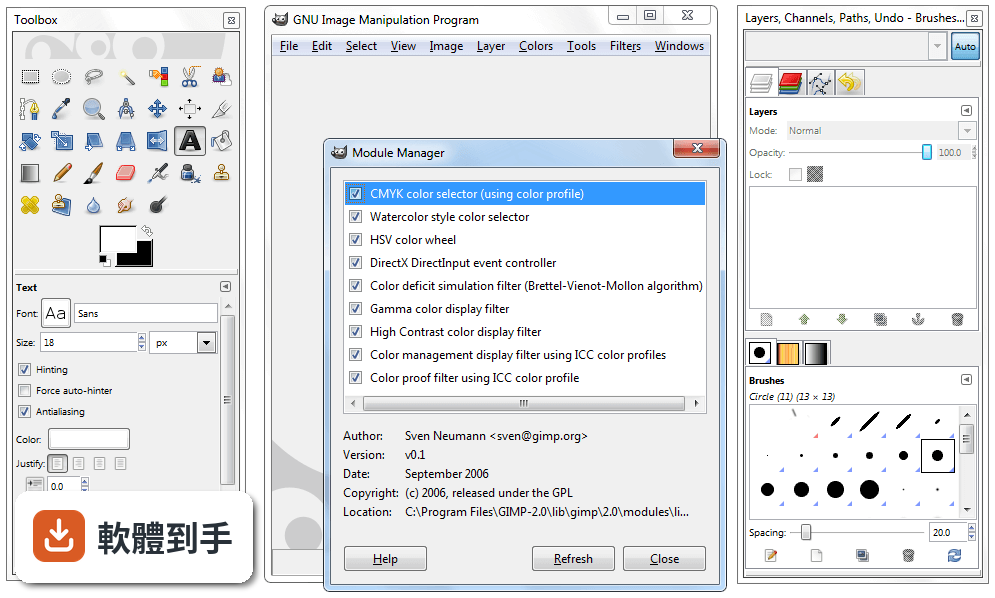
可以。GIMP 的介面支援自訂,你可以依自己的工作習慣調整面板位置和工具列,也提供單視窗模式,把原本分散的浮動視窗整合成一個統一介面,減少雜亂感。初次啟動時會初始化資源和載入外掛,之後開啟速度會比較快。如果還是覺得複雜,可以先從左側工具列的基礎功能開始摸索。
06新手完全沒用過專業修圖軟體,適合直接學這套嗎?
可以學,但要有心理準備。GIMP 的功能完整,相對地介面也比一般免費軟體複雜,官方自己也承認初次使用會覺得有點嚇人。不過一旦熟悉了工具位置、圖層面板和可停靠對話框之後,操作效率會明顯提升。網路上有官方文件和大量社群教學影片可以參考,學習資源不算少,只是需要花時間投入。
07專業設計師或攝影師拿它來工作,夠用嗎?
官方說法是可以的,尤其適合需要免費且功能多元的影像編輯器的個人或組織。它有良好的色彩管理能力,能確保數位和印刷媒體的顏色呈現正確,也能跟 Scribus、Inkscape 等其他免費軟體搭配,組成完整的桌面出版工作流程。但如果你需要的是業界標準的特定功能,付費軟體可能還是比較符合需求。
08我只需要偶爾裁圖、調亮度,有更簡單的選擇嗎?
如果你的需求真的很基本,GIMP 可能超出你的需要。資料中提到的 Paint.NET 就是更簡潔的免費編輯器,適合基礎編輯需求,而且有 316 人評分,比 GIMP 的 254 人多一些。另外,Windows 內建的小畫家或線上編輯工具也能應付簡單裁切和調整,不一定要安裝功能這麼完整的軟體。
09介面只有英文,看不懂怎麼辦?
這確實是個門檻。GIMP 的介面語系是英文,沒有內建繁體中文選項,對不熟悉英文介面的人來說,操作上會比較吃力。你可以考慮安裝中文語系檔或尋找社群提供的中文化方法,但這需要額外設定。如果英文介面讓你卻步,可以參考其他有中文介面的免費編輯軟體,或先從英文介面的基礎功能開始學起。
10這套軟體安全嗎?下載會不會中毒?
官方說明指出,從官方網站或 FileHorse 下載是安全的,但務必確認使用的是最新版本,並從可信賴的來源取得,以避免漏洞風險。GIMP 是開放原始碼軟體,程式碼公開可檢視,理論上安全性有一定保障,但任何軟體都有潛在風險,下載後建議先用防毒軟體掃描,並定期更新版本。
11它跟 Photoshop 比起來,有什麼明顯的弱點?
主要有三點。第一,PSD 相容性有限,複雜的 Photoshop 檔案可能無法完整呈現。第二,向量功能薄弱,官方建議需要大量向量繪圖時改用 Inkscape。第三,介面只有英文,對中文使用者不友善。另外,Photoshop 有龐大的外掛生態系和業界標準地位,這點 GIMP 短期內難以追上。
12我該直接選 Photoshop 嗎?還是先用 GIMP 就好?
取決於你的預算和需求。如果你只是偶爾修圖、不想付月費,GIMP 是功能完整的免費選擇,值得花時間學習。如果你需要與他人協作、交換 PSD 檔案,或仰賴 Photoshop 的特定外掛和功能,那付費訂閱可能比較實際。資料中也提到,需要特定業界標準功能的人,可能還是會偏好付費方案。
下載與官方連結
gimp-2.10.6-setup.exe · 169.84 MB · 連結指向軟體原廠
版本紀錄
- 2026-09-11 GIMP 3.2.6 181.54 MB
- 2026-04-20 GIMP 3.2.4 179.42 MB
- 2026-03-29 GIMP 3.2.2 177.54 MB
再看 5 筆
- 2026-03-15 GIMP 3.2.0 293.63 MB
- 2026-01-25 GIMP 3.0.8 289.61 MB
- 2025-10-06 GIMP 3.0.6 296.06 MB
- 2025-05-19 GIMP 3.0.4 286.27 MB
- 2025-03-25 GIMP 3.0.2 374.46 MB
這一版改了什麼
What's new in this version:
Main changes:
Vertical text layers:
- GIMP finally gets support for vertical text (top-to-bottom writing)! This is a particularly anticipated feature for several East-Asian writing systems, but also for anyone wishing to design fancy vertical text
- For this reason, GIMP provides several variants of vertical text, with mixed orientation (as is typical in East-Asian vertical writing) or upright orientation (more common for Western vertical writing), with right-to-left, as well as left-to-right columns
- Thanks to Yoshio Ono for the vertical text implementation
New filters:
Two new filters make an entrance in this release:
Little Planet:
- This new filter is built on top of the pre-existing gegl:stereographic-projection operation and is finetuned to create “little planets” from 360×180° equirectangular panorama images
Long Shadow:
- This new GEGL-based filter simplifies creating long shadows in several visual styles
- There is a handful of configurable options, all helping you to cut extra steps from getting the desired effect
- The feature was contributed by Ell
Improved straightening in the Measure tool:
- A lot of people appreciated the new Horizon Straightening feature added in GIMP 2.10.4. Yet many of you wanted vertical straightening as well. This is now possible
- In the Auto mode (default), Straighten will snap to the smaller angle to decide for vertical or horizontal straightening. You can override this behavior by specifying explicitly which it should be
Optimized drawable preview rendering:
- Most creators working on complex projects in GIMP have had bad days when there are many layers in a large image, and GIMP can’t keep up with scrolling the layers list or showing/hiding layers
- Part of the reason was that GIMP couldn’t update user interface until it was done rendering layer previews. Ell again did some miracles here by having most drawable previews render asynchronously
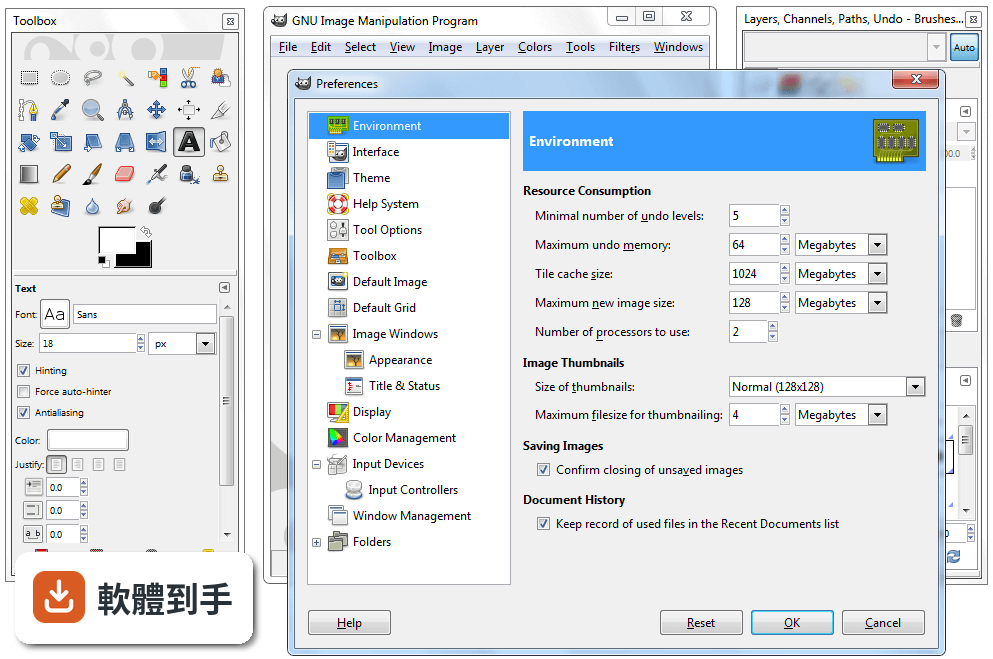
- For now, the only exception to that are layer groups. Rendering them asynchronously is still not possible, so until we deal with this too, we made it possible for you to disable rendering layer group previews completely. Head over to Preferences > Interface and tick off the respective checkbox
- One more thing to mention here. For technically-minded users, the Dashboard dockable dialog (introduced in GIMP 2.10.0) now displays the number of async operations running in the Misc group
A new localization: Marathi:
- GIMP was already available in 80 languages. Well, it’s 81 languages now
- A team from the North Maharashtra University, Jalgaon, worked on a Marathi translation and contributed a nearly full translation of GIMP
- Of course, we should not forget all the other translators who do a wonderful work on GIMP. In this release, 13 other translations were updated: Brazilian Portuguese, Dutch, French, German, Greek, Italian, Latvian, Polish, Romanian, Russian, Slovenian, Spanish, and Swedish
File dialog filtering simplified:
- A common cause of confusion in the file dialogs (opening, saving, exporting…) was the presence of two file format lists, one for displaying files with a specific extension, the other for the actual file format choice. So we streamlined this
- There is just one list available now, and it works as both the filter for displayed images and the file format selector for the image you are about to save or export
- Additionally, a new checkbox allows you to display the full list of files, regardless of the currently chosen file format. This could be useful when you want to enforce an unusual file extension or reuse an existing file’s name by choosing it in the list and then appending your extension
The end of DLL hell? A note to plug-in developers:
- A major problem over the years, on Windows, was what developers call the DLL hell. This was mostly caused either by third-party software installing libraries in system folders or by third-party plug-ins installing themselves with shared libraries interfering with other plug-ins
- The former had already been mostly fixed by tweaking the DLL search priority order. This release provides an additional fix by taking into account 32-bit plug-ins running on 64-bit Windows systems (WoW64 mode)
- The latter was fixed already since GIMP 2.10.0 if you installed your plug-ins in its own directory (which is not compulsory yet, but will be in GIMP 3)
- E.g. if you have a plug-in named myplugin.exe, please install it under plug-ins/myplugin/myplugin.exe. This way, not only you won’t pollute other plug-ins if you ever included libraries, but your plug-in won’t be prevented from running by unwanted libraries as well. All our core plug-ins are now installed this way. Any third-party plug-ins should be as well
Ongoing Development:
Prepare for the space invasion:
- Meanwhile, taking place simultaneously on the babl, GEGL, and GIMP 2.99 fronts, pippin and Mitch embarked on a project internally nicknamed the “space invasion“, the end goal of which is to simplify and improve color management in GIMP, as well as other GEGL-based projects
- About a year ago, babl, the library used by GIMP and GEGL to perform color conversions, gained the ability to tie arbitrary RGB color spaces to existing pixels formats. This, in turn, allowed GIMP to start using babl for performing conversions between certain classes of color profiles, instead of relying solely on the LCMS library, greatly improving performance. However, these conversions would only take place at the edges between the internal image representation used by GIMP, and the outside world; internally, the actual color profile of the image had limited effect, leading to inconsistent or incorrect results for certain image-processing operations
- The current effort seeks to change that, by having all image data carry around the information regarding its color profile internally. When properly handled by GEGL and GIMP, this allows babl to perform the right conversions at the right time, letting all image-processing operations be applied in the correct color space
- While the ongoing work toward this goal is already available in the mainline babl and GEGL versions, we are currently restricting it to the GIMP 2.99 development version (to become GIMP 3.0), but it will most likely make its way into a future GIMP 2.10.x release
GIMP extensions:
- Lastly Jehan, from ZeMarmot project, has been working on extensions in GIMP. An extension could be anything from plug-ins to splash images, patterns, brushes, gradients… Basically anything which could be created and added by anyone. The end goal would be to allow creators of such extensions to upload them on public repositories, and for anyone to search and install them in a few clicks, with version management, updates, etc.
- This work is also only in the development branch for the time being, but should make it to a GIMP 2.10.x release at some point in the future as well
- Keep in mind that pippin and Jehan are able to work on GEGL and GIMP thanks to crowdfunding and the support of the community. Every little bit helps to support their work and helps to make GIMP/GEGL even more awesome