
這是歷史版本頁面 — 看 GIMP 最新版本
不想花錢買 Photoshop?GIMP 能取代它嗎
 GIMP 2.10.32
資料更新 2022-06-20
閱讀約 6 分鐘
你手上有一張照片要修,或是一張海報要做,打開電腦才發現,大家口中的 Photoshop 一個月要付好幾百塊訂閱費。你只是想裁切、調色、去個背,偶爾加點文字,不是每天靠它吃飯,實在不想為了這件事每個月乖乖掏錢。於是你開始找免費的替代方案,下載了幾個軟體,卻發現不是功能太陽春,就是介面卡卡的,連開個檔案都要摸索半天。
免費的影像編輯軟體其實不少,但多數不是功能太簡陋,就是只支援特定格式,真正要拿來做點像樣的作品時,往往卡在關鍵功能上。這類工具的切入點,是提供接近專業等級的編輯能力,同時不跟你收費——但代價是介面比較複雜、學習曲線比較陡,而且很多操作邏輯跟你想像的不太一樣。你需要的是一套功能夠完整、能應付日常修圖需求的軟體,而不是只能裁圖加濾鏡的玩具。
01GIMP 到底是什麼?跟 Photoshop 差在哪?
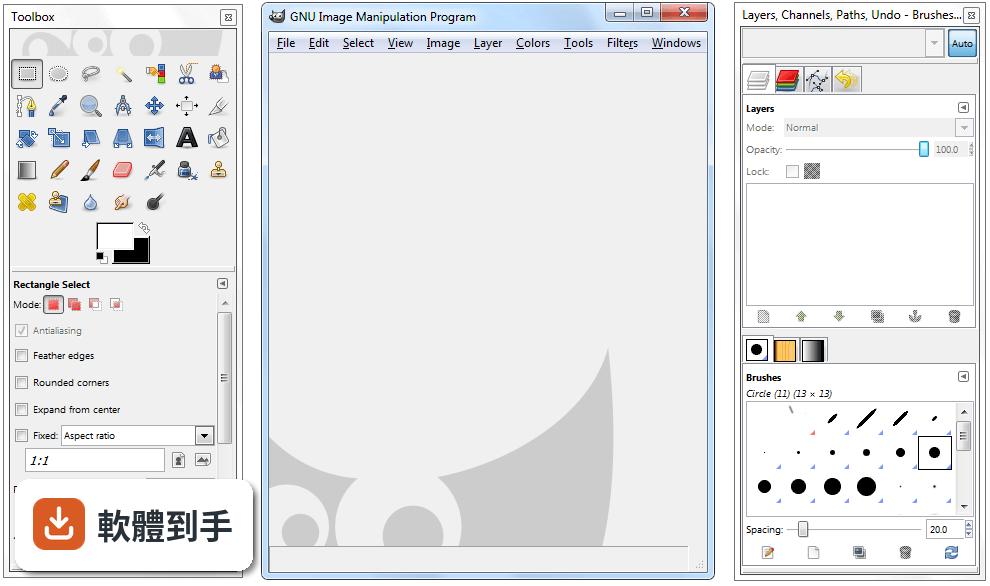
GIMP 是一套開放原始碼的影像編輯軟體,官方定位是 Photoshop 的免費替代品,提供照片修圖、影像合成、圖形創作等功能。它跟 Photoshop 最大的差別在於授權型式——GIMP 完全免費,而 Photoshop 需要付費訂閱。功能面上,GIMP 涵蓋了圖層、遮罩、色階調整、濾鏡等常見編輯工具,但操作介面和部分進階功能與 Photoshop 不同,需要時間適應。
02這套軟體能開 Photoshop 的 PSD 檔嗎?
可以,但有限制。GIMP 支援開啟 PSD 檔案,不過官方說明指出,相容性僅限於較簡單的專案,如果檔案裡含有 Photoshop 特有的進階調整圖層或特效,可能無法完整呈現。建議開啟後仔細檢查圖層和效果是否正確,必要時直接跟對方要原始檔或轉存成通用格式,會比較保險。
03它可以用來畫畫嗎?還是只能修照片?
可以畫圖,但主力不是這個。GIMP 提供多種筆刷和鉛筆工具,可以自訂筆觸效果,也有基本的路徑工具,適合數位繪畫的入門使用。不過它本質上是點陣圖編輯軟體,向量功能有限,如果你主要需求是畫插畫或設計向量圖形,官方建議搭配 Inkscape 一起使用,會比單靠 GIMP 順手。
04除了修圖,它還能做什麼?
它支援多種檔案格式的讀取和匯出,包括 JPEG、PNG、GIF、PSD、TIFF、WebP 等,所以也能拿來做影像格式轉換。另外,GIMP 內建腳本和程式演算法框架,支援 C、C++、Perl、Python、Scheme 等多種程式語言,可以寫腳本批次處理大量圖片,例如一次調整上百張照片的尺寸或色彩。
05介面看起來很複雜,有辦法簡化嗎?
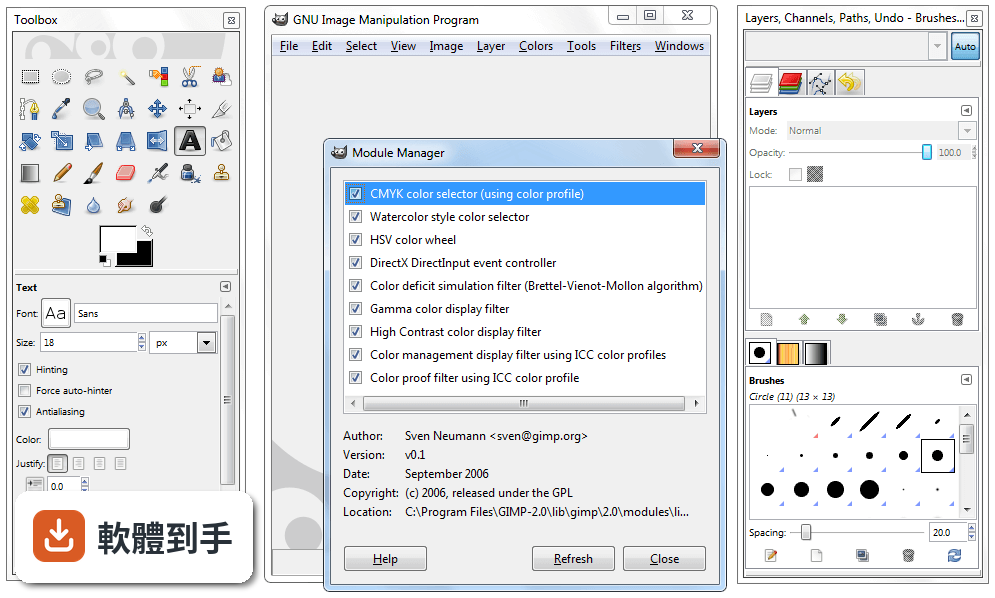
可以。GIMP 的介面支援自訂,你可以依自己的工作習慣調整面板位置和工具列,也提供單視窗模式,把原本分散的浮動視窗整合成一個統一介面,減少雜亂感。初次啟動時會初始化資源和載入外掛,之後開啟速度會比較快。如果還是覺得複雜,可以先從左側工具列的基礎功能開始摸索。
06新手完全沒用過專業修圖軟體,適合直接學這套嗎?
可以學,但要有心理準備。GIMP 的功能完整,相對地介面也比一般免費軟體複雜,官方自己也承認初次使用會覺得有點嚇人。不過一旦熟悉了工具位置、圖層面板和可停靠對話框之後,操作效率會明顯提升。網路上有官方文件和大量社群教學影片可以參考,學習資源不算少,只是需要花時間投入。
07專業設計師或攝影師拿它來工作,夠用嗎?
官方說法是可以的,尤其適合需要免費且功能多元的影像編輯器的個人或組織。它有良好的色彩管理能力,能確保數位和印刷媒體的顏色呈現正確,也能跟 Scribus、Inkscape 等其他免費軟體搭配,組成完整的桌面出版工作流程。但如果你需要的是業界標準的特定功能,付費軟體可能還是比較符合需求。
08我只需要偶爾裁圖、調亮度,有更簡單的選擇嗎?
如果你的需求真的很基本,GIMP 可能超出你的需要。資料中提到的 Paint.NET 就是更簡潔的免費編輯器,適合基礎編輯需求,而且有 316 人評分,比 GIMP 的 254 人多一些。另外,Windows 內建的小畫家或線上編輯工具也能應付簡單裁切和調整,不一定要安裝功能這麼完整的軟體。
09介面只有英文,看不懂怎麼辦?
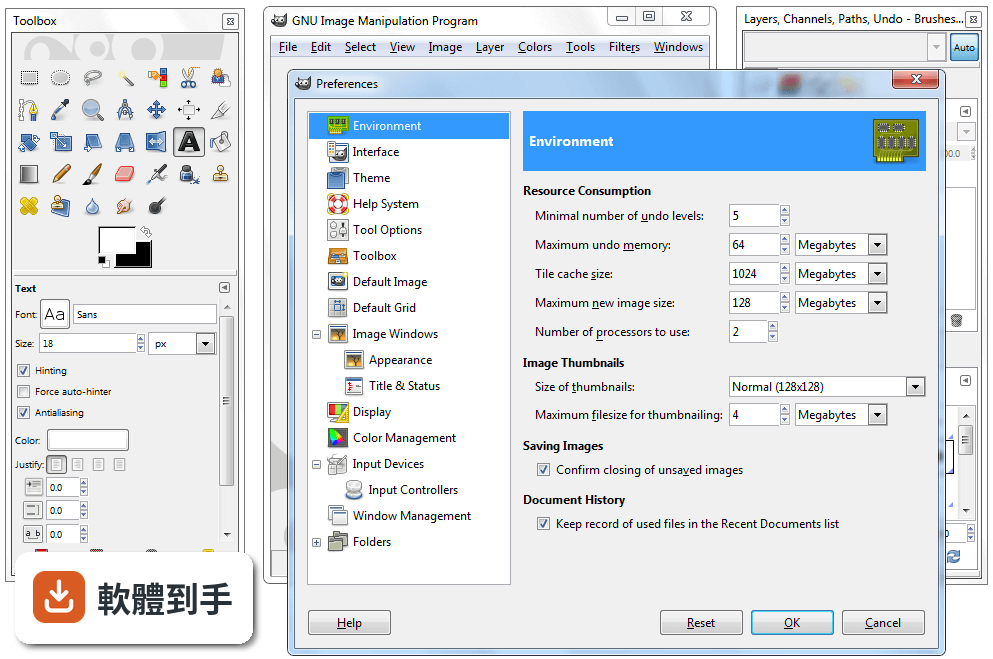
這確實是個門檻。GIMP 的介面語系是英文,沒有內建繁體中文選項,對不熟悉英文介面的人來說,操作上會比較吃力。你可以考慮安裝中文語系檔或尋找社群提供的中文化方法,但這需要額外設定。如果英文介面讓你卻步,可以參考其他有中文介面的免費編輯軟體,或先從英文介面的基礎功能開始學起。
10這套軟體安全嗎?下載會不會中毒?
官方說明指出,從官方網站或 FileHorse 下載是安全的,但務必確認使用的是最新版本,並從可信賴的來源取得,以避免漏洞風險。GIMP 是開放原始碼軟體,程式碼公開可檢視,理論上安全性有一定保障,但任何軟體都有潛在風險,下載後建議先用防毒軟體掃描,並定期更新版本。
11它跟 Photoshop 比起來,有什麼明顯的弱點?
主要有三點。第一,PSD 相容性有限,複雜的 Photoshop 檔案可能無法完整呈現。第二,向量功能薄弱,官方建議需要大量向量繪圖時改用 Inkscape。第三,介面只有英文,對中文使用者不友善。另外,Photoshop 有龐大的外掛生態系和業界標準地位,這點 GIMP 短期內難以追上。
12我該直接選 Photoshop 嗎?還是先用 GIMP 就好?
取決於你的預算和需求。如果你只是偶爾修圖、不想付月費,GIMP 是功能完整的免費選擇,值得花時間學習。如果你需要與他人協作、交換 PSD 檔案,或仰賴 Photoshop 的特定外掛和功能,那付費訂閱可能比較實際。資料中也提到,需要特定業界標準功能的人,可能還是會偏好付費方案。
下載與官方連結
gimp-2.10.32-setup.exe · 連結指向軟體原廠
版本紀錄
- 2026-09-11 GIMP 3.2.6 181.54 MB
- 2026-04-20 GIMP 3.2.4 179.42 MB
- 2026-03-29 GIMP 3.2.2 177.54 MB
再看 5 筆
- 2026-03-15 GIMP 3.2.0 293.63 MB
- 2026-01-25 GIMP 3.0.8 289.61 MB
- 2025-10-06 GIMP 3.0.6 296.06 MB
- 2025-05-19 GIMP 3.0.4 286.27 MB
- 2025-03-25 GIMP 3.0.2 374.46 MB
這一版改了什麼
What's new in this version:
Core:
- Adding support for localized glyphs ('locl') in Text tool depending on the value of the "Language" field in Text tool options
- XCF import nows drop Xmp.photoshop.DocumentAncestors tags after 1000 of them, similarly to what libgimpbase now does. This could happen in XCF files which were created e.g. from a PSD import before we handled the issue in libgimpbase.
XCF import:
- Made more robust by ignoring (with a warning) invalid parasites and continuing to load the rest of the file (which might be valid). This way, we are able to salvage more cases of
- partially corrupted XCF files.
- Additional safety checks to detect broken XCF files
- Version check can be globally disabled through a value in the `gimp-release` file. This would allow to use the same build on repositories with an update channels (where we don't want update check notifications) and on standalone (where we want them).
User Interface:
- Removed titlebar/borders from Windows Splash Screen
- All official themes now have on-hover indicator around eye and link toggles in Layer/Channel/Path Dialog tree-views
Dark theme:
- Hover-on effect on radio menu items to improve readability
Color icon theme:
- Thin contrast border for 'close' and 'detach' to improve their readability against dark backgrounds on mouse-hover
Plug-ins:
- TGA: improving indexed images with alpha channel support (both import and export).
- DICOM: Fix endian conversion for photometric interpretation "MONOCHROME1".
- File-raw: "RGB Save Type" confusing dialog label renamed to "Palette Type" as on the main dev branch
- Screenshot: option to capture cursor in now available on Windows
- Pygimp: new optional parameter `run_mode_param` (defaulting to True) to register() function of the Python binding, which allows to make the "run-mode" parameter optional when creating a new PDB procedure. This is already used to fix "file-openraster-load-thumb" without changing its signature.
- BMP: new PDB procedure "file-bmp-save2" which supports all options available interactively
- BigTIFF: our TIFF plug-in now officially supports BigTIFF import and export
- Import was actually already working transparently if you had a recent enough libtiff. Now the recent libtiff is enforced by dependency requirements.
- Export support was added with a checkbox in the interactive dialog and a new "bigtiff" argument in the "file-tiff-save" PDB procedure
- When an interactive export of ClassicTIFF fails for the explicit reason of "Maximum TIFF file size exceeded", the export dialog is raised again with a message proposing to try again as BigTIFF or trying another compression algorithm. This allows because discoverability and understandibility of the issue, while not forcing BigTIFF export (since it might not be supported everywhere).
- Unlike the same change on the main dev branch, this backport comes without a dependency requirement bump, which means this will only work if GIMP is built with recent enough libtiff
- Raw: more robust load able to load as much as possible from the file, then fill the rest with white, when offset and dimensions are bigger than actual file size
- Improved support of a few plug-in code for building under UCRT Windows environment (more modern C runtime library than MINGW)
- EPS: loading transparent EPS files now supported
- JPEG XL: import backported from the `master` (2.99) branch
- WebP: export has a new IPTC checkbox (saved through XMP) as well as a thumbnail checkbox. (backported from dev branch, since 2.99.8)
- DDS: export has a new flip option (useful for some game engine) as well as a new savetype option to export all visible layers (not only the active one)
TIFF:
- Import support for 8 and 16 bit CMYK(A) TIFF files
- * 1, 2 and 4-bit B/W images are now converted to indexed rather than grayscale as it seems that there is more of a use case for these images to be handled as indexed, even tough technically they can be considered grayscale. In the future we could add an option at loading time where the user can choose whether they prefer it to be loaded as indexed or grayscale.
- Fix loading images generated by MATLAB's blockproc function
- More robust loading for 8 bps grayscale MINISWHITE TIFF
Libgimp:
- New gimp_plug_in_error_quark() as a generic GQuark/GError domain for plug-ins (backported from 2.99.6)
- Gimp_drawable_brightness_contrast() now works in the [-1.0, 1.0] range (it's more of a fix than a change because it's what it should have been from the start)
- Better management of modification time in metadata: IPTC tag
- Iptc.Application2.DateCreated is not overridden anymore as it is the original creation date of the image. Instead we set the XMP tag Xmp.xmp.ModifyDate for file modification time and Xmp.xmp.MetadataDate for metadata modification time.
- Format of Xmp.tiff.DateTime is now properly set with timezone as a consequence of the previous improvement
Libgimpbase:
- Limit to 1000 ancestors when importing images with incredible amount of `Xmp.photoshop.DocumentAncestors` tags, which is most likely due to a bug in some versions of phoshop (in some PSDs, we encountered over 100,000 such tags; it probably makes no sense that a document could have that many ancestor documents). GIMP will now stops at 1000 such tags before dropping the rest and continue loading the file.
Icons:
- Chain icons for the Color icon theme reworked from the Symbolic versions (with contrast borders to work on any background color) so that the "broken" and full variants are easily distinguishable
Translations:
- New Galician and Georgian translations for the Windows installer
- - 20 translations were updated: Catalan, Chinese (China), Croatian, Danish, Dutch, Finnish, French, Georgian, German, Hungarian, Icelandic, Italian, Polish, Portuguese, Russian, Slovenian, Spanish, Swedish, Turkish, Ukrainian.
Build:
- Bumping minimum GEGL to version 0.4.36
- The Windows installer now has an option /DISABLECHECKUPDATE=true to install the same build but editing the `gimp-release` file to disable update check as newly implemented (see above in Core section).