
這是歷史版本頁面 — 看 GNS3 最新版本
練Cisco沒設備?GNS3 模擬器能幫你什麼
 GNS3 2.0.0
資料更新 2017-05-02
閱讀約 5 分鐘
準備 Cisco 認證或是在實驗室裡想測網路設定,最卡的一步往往是手邊沒有實體路由器、交換器可以操作。買設備貴,機架空間有限,而且每台機器都要接線、開機、等它跑起來,光是前置作業就耗掉大半時間。你只是想驗證某個路由協定設定得對不對,結果大半時間都在跟硬體奮鬥。
有些人會改用純模擬的軟體,但那種工具通常只能跑廠商預設好的行為,很多指令不支援,設定方式也跟真實設備有落差。另一種做法是租雲端實驗室,但費用和排程又變成新的負擔。這類工具的切入點,是讓你在一般電腦上直接跑真實的網路作業系統映像檔,用拖曳、接線的方式把整個網路拓撲建出來,設定介面跟實機幾乎一樣,而且不用買任何硬體。
01GNS3 到底是用來做什麼的?
它是一套開放原始碼的網路模擬軟體,讓你在電腦上畫出路由器、交換器、防火牆等設備,把它們接成一個虛擬網路,然後實際對這些設備下指令、跑流量、抓封包。它跑的是真實設備的映像檔,所以操作方式接近實機,不是那種只能按按鈕的陽春模擬器。
02它跟一般網路模擬器有什麼不同?
差別在於它透過 Dynamips、QEMU 和 VirtualBox 這些底層技術去跑真實的網路設備映像檔,所以設定指令、介面輸出都跟實機一致。它不限定單一廠牌,Cisco、Juniper、Arista 的設備都能放進同一個拓撲裡,也支援多供應商混合的環境。
03能不能拿它來練 CCNA 或 CCNP?
可以,很多人就是為了 Cisco 認證考試在用這套軟體。不過要注意,它需要你自行準備 IOS 映像檔,而這些映像檔可能涉及 Cisco 的授權,軟體本身免費,映像檔的來源要自己想辦法。
04它能不能跑虛擬機?
可以,它整合了 VMware、VirtualBox 和 QEMU,你可以在拓撲裡加入虛擬機器,讓它們跟路由器、交換器連在同一個網路裡。這樣就能模擬出「一台真實伺服器接在交換器後面」的情境,而不只是設備對設備。
05一個拓撲最多能放多少設備?
官方說法是不限制設備數量,真正卡住你的是電腦的 CPU 和記憶體。設備越多、映像檔越重,資源吃越兇。官方建議至少 8 GB RAM,如果跑比較大的拓撲,16 GB 以上會比較穩,儲存空間也要預留給映像檔。
06這套軟體適合什麼樣的人用?
主要三種人:準備 Cisco、Juniper 等網路認證的考生,需要驗證網路設定再部署到實機的工程師,以及學校或訓練單位裡教網路課程的老師。它需要你對網路指令有一定基礎,不是給完全沒碰過網路的人玩的。
07我只是一般 IT 人員,想學基礎網路概念,適合嗎?
如果你的目標只是搞懂 IP、子網路遮罩、VLAN 這些基本觀念,這套軟體對你來說會太複雜。光是安裝就要先處理 Wireshark、Python 等相依軟體,還得準備 IOS 映像檔,初學者很容易在設定階段就卡住。這種需求用 Cisco Packet Tracer 會更直接。
08電腦配備不夠好,跑得動嗎?
最低要求是 64 位元系統、2 核心處理器、4 GB RAM,但這只是能安裝的門檻。實際跑模擬時,處理器必須支援虛擬化技術(AMD-V 或 Intel VT-x)並在 BIOS 開啟,記憶體建議 8 GB 以上。如果你電腦是舊款或記憶體只有 4 GB,跑大型拓撲會非常吃力。
09它有沒有什麼明顯的缺點?
有幾個:一是 IOS 映像檔的授權問題,來源要自己想辦法;二是大型模擬很吃資源,電腦不夠力會很卡;三是安裝和設定流程對新手不友善,要裝 Wireshark、Python,還要匯入映像檔,不是裝完就能用;四是官方支援有限,遇到問題主要靠社群論壇。
10介面是中文的嗎?
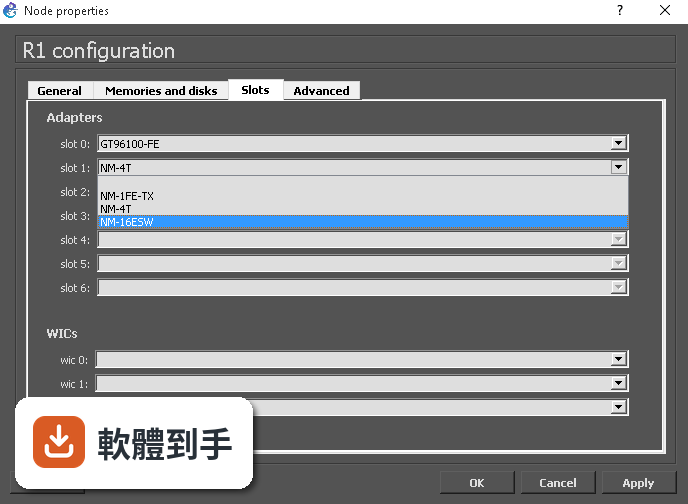
不是,介面語言只有英文。如果你對英文介面不熟悉,操作上會多一層障礙。不過網路設備的指令本來就是英文,所以這對已經在練 Cisco 指令的人影響不大,但對英文閱讀較吃力的使用者來說會比較辛苦。
11它跟 Cisco Packet Tracer 比起來,哪個比較多人用?
以評分人數來看,Packet Tracer 有超過兩千人評分,GNS3 只有一百多人,表示 Packet Tracer 的使用者基數明顯更大。Packet Tracer 是 Cisco 官方出的,對初學者友善、內建實驗環境,但模擬真實度不如 GNS3。兩者的定位不同,不是單純取代關係。
12這套軟體還有人在維護嗎?
有,它更新算頻繁,收錄的版本紀錄顯示近一年內有多次更新,不是放著不管的專案。社群規模也很大,官方宣稱有超過八十萬成員,所以遇到問題時找資料或問人相對容易,只是官方支援管道比較有限,主要靠社群討論。
下載與官方連結
GNS3-2.0.0-all-in-one.exe · 54.5 MB · 連結指向軟體原廠
版本紀錄
- 2026-08-01 GNS3 2.2.61 104 MB
- 2026-07-15 GNS3 2.2.60 104 MB
- 2026-05-09 GNS3 2.2.59 104 MB
再看 5 筆
- 2026-04-12 GNS3 2.2.58.1 104 MB
- 2026-04-10 GNS3 2.2.58 104 MB
- 2026-03-24 GNS3 2.2.57 104 MB
- 2026-01-29 GNS3 3.0.6 68.6 MB
- 2026-01-21 GNS3 2.2.56 104 MB
這一版改了什麼
What's new in this version:
- GNS3 was only a desktop application from the first version up to version 0.8.3. With the more recent 1.x versions, GNS3 has the possibility to use remote servers. Now, in version 2.0, multiple clients could control GNS3 at the same time, also all the “application intelligence” has been moved to the GNS3 server.
New Features:
Save as you go:
- Your projects are automatically saved as you make changes to them, there is no need to press any save button anymore. An additional benefit is this will avoid synchronisation issues between the emulators’ virtual disks and projects.
Multiple users can be connected to the same project:
- Multiple user can be connected to the same project and see each other changes in real time and collaborate. If you open a console to a router you will see the commands send by other users.
Smart packet capture:
- Now starting a packet capture is just as easy as clicking on a link and asking for new capture. GNS3 will guess the pick the best interface where to capture from.
- The packet capture dialog has also been redesigned to allow changing the name of the output file or to prevent automatically starting Wireshark.
Capture on any link between any nodes:
- There is no longer any restriction on what kind of node can be used for a packet capture. Previously VPCS and Qemu were not supported.
Select where to run a VPCS node:
- Like for hubs and switches, it is possible to select which server to use when VPCS node is dropped into a project.
Delete a project from the GUI:
- Now you can delete a project from the file menu. All files will be deleted from your hard drive and remote servers or via the project dialog
Project options:
- There are now multiple options allowing you to load a project with GNS3 in background and even to auto start the nodes.
The cloud is a real node:
- In previous versions of GNS3, the cloud was in fact a direct usage of the emulator capabilities to connect to external networks. In version 2.0, the cloud is a real node, this means:
- Possibility to connect anything to any cloud
- All links to a cloud support packet capture
- There is no need to run emulators as root to connect to a cloud (only uBridge requires admin permission).
Cloud templates:
- You can create cloud templates with your favorite interfaces and symbols.
New cloud interface:
- The cloud interface is simpler with a unique select dialog for ethernet interfaces. We also merged host object into the cloud since the difference between the 2 objects was not clear for most users.
VPCS / Ethernet Switch / Ethernet Hub templates:
- You can create template for these nodes just like other nodes.
Search OS images in multiple locations:
- OS images can be stored in selected folder and used without providing the full path. GNS3 will scan these folders in order to find the correct images.
- VM wizards offer a list of images available locally or remotely. GNS3 will upload an image for you if it can only be found locally.
Periodic extraction of startup configs for Dynamips and IOU:
- Startup configs are extracted at regular interval to avoid configuration loss if Dynamips or IOU crashes.
Custom cloud, Ethernet hub and Ethernet switch templates:
- It is possible to create custom templates (symbol, name format etc.)
Snap to grid for all objects:
- In version 1.5, we introduced the snap to grid feature. Now you can use it for rectangles, ellipses, images etc.
Synchronize the node templates when using multiple GUI:
- Node templates are sync between all the GUIs.
Link label style:
- The style of link labels can be changed just like labels for nodes (color, font, orientation etc.)
New place holders in command line for opening consoles:
- %i will be replaced by the project UUID: When you open a console to a node you can pass %i to the console command line, this will be replaced by the project UUID allowing scripts to interact with your project.
- %c will be replaced by the connection string: When you open a console to a node you can pass %c to the console command line, this will be replaced by the connection string to the GNS3 server allowing your scripts to know how to connect to the GNS3 API.
Export a portable project from multiple remote servers:
- It is possible to export a project and reimport it to a single GNS3 VM if you a have a project running on multiple remote servers.
- Note: You cannot re-import a project to the original multiple remotes or non GNS3 VM server. This a limitation of the export file format.
New save as:
- The old “save as” has been replaced by a project duplication feature. This feature will duplicate not just the .gns3 but also the disk data from all GNS3 servers.
- With evolution of emulators, the complexity of the tasks to duplicate was bigger and we could no longer just duplicate the raw data. Behind the scene the import / export system introduced in version 1.5 using .gns3project extension is now used for duplicated projects.
Snapshots with remote servers:
- Snapshots are not supported when using remote servers. Behind the scene the import / export system introduced in version 1.5 is used for snapshots.
Better start / stop / suspend all nodes:
- Start / stop / suspend all nodes feature will limit the amount of process starting at the same time to optimize CPU usage.
Edit config:
- Dynamips, VPCS and IOU nodes support configuration editing from within GNS3. Note: this feature doesn’t automatically reload the config in the node.
NAT node:
- NAT node can be used to connect GNS3 nodes to the Internet without any configuration, this requires the GNS3 VM or Linux. This node uses the libvirt nat interface.
- This also replaces the Internet VM, the conversion will be automatic for internet VM users. An additional benefit is that this will consume less RAM and CPU.
Support for colorblind users:
- The stop symbol is now a square in order to help colorblind users to see the differences with running devices.
Support for non local server:
- In previous version, disabling the local server was not officially supported.
- Now if you disable the local server you can put settings for a remote server that will replace your local server.
Support for profiles:
- GNS3 can be started with the parameter --profile PROFILNAME in order to have different settings applied. This can be useful if one needs different settings for different usage of GNS3 (home vs office) or enable a dialog at startup
Suspend the GNS3VM when closing GNS3:
- For fastest exit and restart of GNS3 you can now suspend the VM. This works well with an SSD disk. For instance, it takes less than 4 seconds on an old macbook when previously the start time was 30 seconds.
Edit the scene size:
- The scene size can be changed if your project is bigger than the standard one.
IOU licence improved:
- Instead of the old licence file system. Now you can import the IOU licence and it will be sync across your devices.
BIOS image support for Qemu:
- You can now use custom bios image when running Qemu machines. This allow to use appliance with custom UEFI bios.
New API:
- Developers can find out how to control GNS3 using an API here: http://api.gns3.net/en/2.0/
- Thanks to our controller, it is no longer required to deal with multiple GNS3 servers since most of the information is available in the API.
- All the visual objects are exposed as SVG.
- This API is quite complete, the only major missing part at the moment is creation and use of node templates.