
這是歷史版本頁面 — 看 HandBrake 最新版本
HandBrake 免費轉檔,舊 DVD 也能變 MP4
 HandBrake 1.2.0
資料更新 2018-12-22
閱讀約 5 分鐘
你手邊有一堆影片檔,有些是從舊 DVD 備份出來的,有些是手機拍的、網路下載的,格式亂到播放器不認、電視不讀、手機也不理。你想把它們通通轉成一個通用的格式,好丟進隨身碟、傳給別人、或上傳到雲端,但打開檔案總管看到那一排 .vob、.mkv、.avi,就不知道從哪裡開始。
一般人會先想到線上轉檔網站,但檔案一大就卡住,傳上去等半天還可能失敗;或者去裝一堆解碼包,結果播放器是能開了,但檔案還是那個格式,問題根本沒解決。這類轉檔工具的切入點,是直接幫你把影片重新編碼成指定格式,同時處理解析度、位元率、字幕這些細節,讓輸出檔案在各種裝置上都能正常播放。
01HandBrake 能把 DVD 轉成 MP4 嗎?
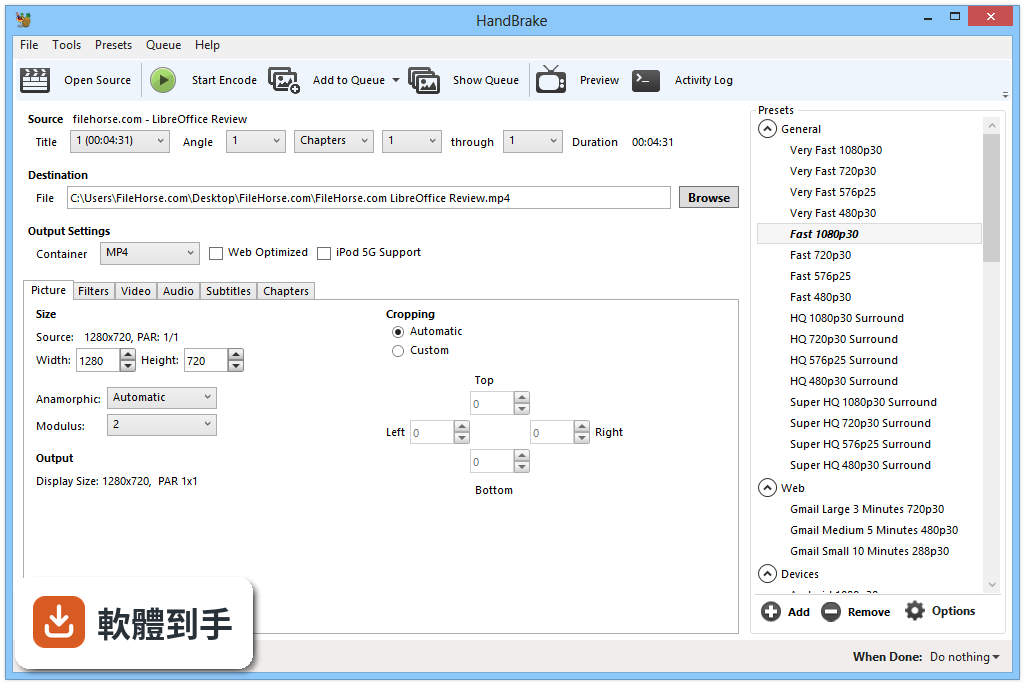
可以,但僅限沒有加密保護的碟片。如果是市售的商業 DVD 或 Blu-ray,內建防盜拷機制,HandBrake 無法處理,需要先用其他工具解除保護才能轉。一般自己錄製、或沒有版權保護的光碟,直接放入光碟機、開啟 HandBrake 選取來源就能開始轉檔。
02它支援哪些輸入和輸出格式?
輸入方面,官方說明指出能處理 MP4、MKV、AVI 等常見格式,幾乎涵蓋你手邊會遇到的影片檔。輸出則支援 MP4、MKV、WebM 三種容器,影片編碼可選 AV1、H.265、H.264、MPEG-4、MPEG-2、VP8、VP9,音訊可選 AAC、MP3、FLAC、AC3、Opus 等,算是相當完整。
03一次要轉很多檔案,它能批次處理嗎?
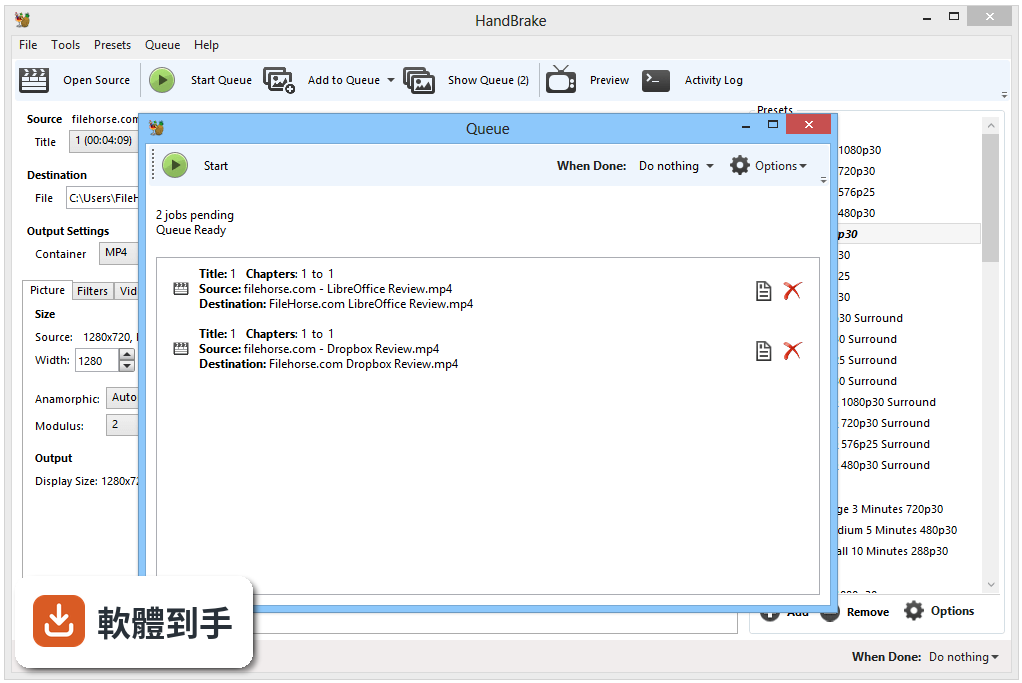
可以。HandBrake 有佇列功能,你可以把多個檔案加入佇列,它會依序處理,不用一支一支手動轉。操作方式是載入第一個檔案、設定好輸出選項後,點選「Add to Queue」,再載入下一個檔案重複動作,最後一次按下開始,它就會把整批轉完。
04轉檔時想保留字幕,要怎麼設定?
在字幕分頁裡可以選擇要保留哪些字幕軌,HandBrake 支援 SRT、SSA、VobSub 等格式,可以選擇直接嵌入(pass-through)保留原字幕,也可以燒進畫面裡(burn-in)。如果你只是想要影片有字幕,選 pass-through 就好,檔案不會多一層畫質損失。
05轉檔速度很慢,有沒有辦法加速?
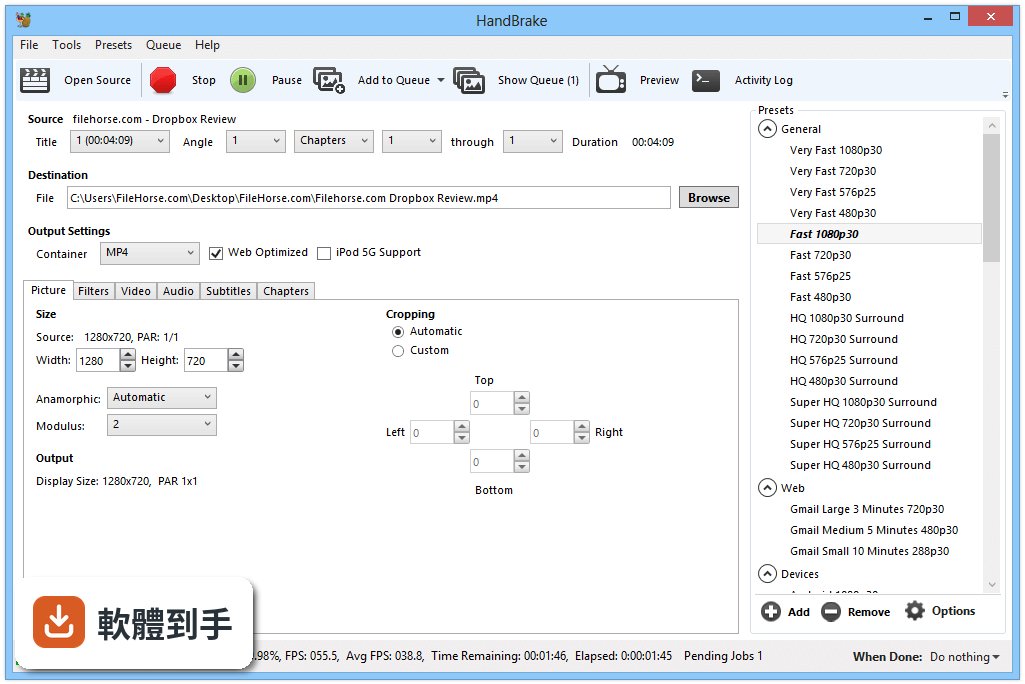
如果你的電腦顯示卡有支援,HandBrake 提供硬體加速編碼,支援 Intel QSV、NVIDIA NVENC、AMD VCE 三種技術。在設定裡開啟硬體加速後,轉檔速度會明顯提升,但要注意輸出檔案大小和畫質可能與純軟體編碼略有差異,建議先轉一小段測試看看。
06我完全不懂編碼設定,只用預設值可以嗎?
可以。HandBrake 內建多種裝置預設,例如 iPhone、Android、Roku 等,你只要在右側面板選一個符合目標裝置的預設,再選輸出資料夾,按下開始就能轉。預設值已經調整好解析度、位元率、編碼器等參數,對一般使用者來說夠用了。
07這套軟體適合什麼樣的人用?
適合需要把影片轉成通用格式、或針對特定裝置(手機、電視、播放器)調整影片規格的人。它的預設功能讓新手也能快速上手,而進階使用者可以手動調整編碼器、位元率、解析度、濾鏡等細節,所以從偶爾轉一兩支影片的普通人,到需要大量轉檔的工作者都適用。
08它是免費軟體嗎?會不會有廣告或綁架軟體?
它是開源軟體,完全免費,沒有付費版本,官方說明也強調沒有廣告、沒有捆綁其他軟體。安裝過程很乾淨,不會偷偷裝工具列或第三方程式。不過要提醒,下載時請從官方網站取得安裝檔,避免從不明來源下載到被改過的版本。
09我想順便剪掉影片片段,它能做嗎?
它的編輯功能很有限。HandBrake 可以選擇要轉檔的章節或時間範圍,也能做裁切、縮放、去交錯、降噪等濾鏡處理,但沒有剪接、合併、加轉場這類功能。如果你需要真正的剪輯軟體,它不適合,建議找專門的影片編輯工具。
10介面是英文的,我看不懂怎麼辦?
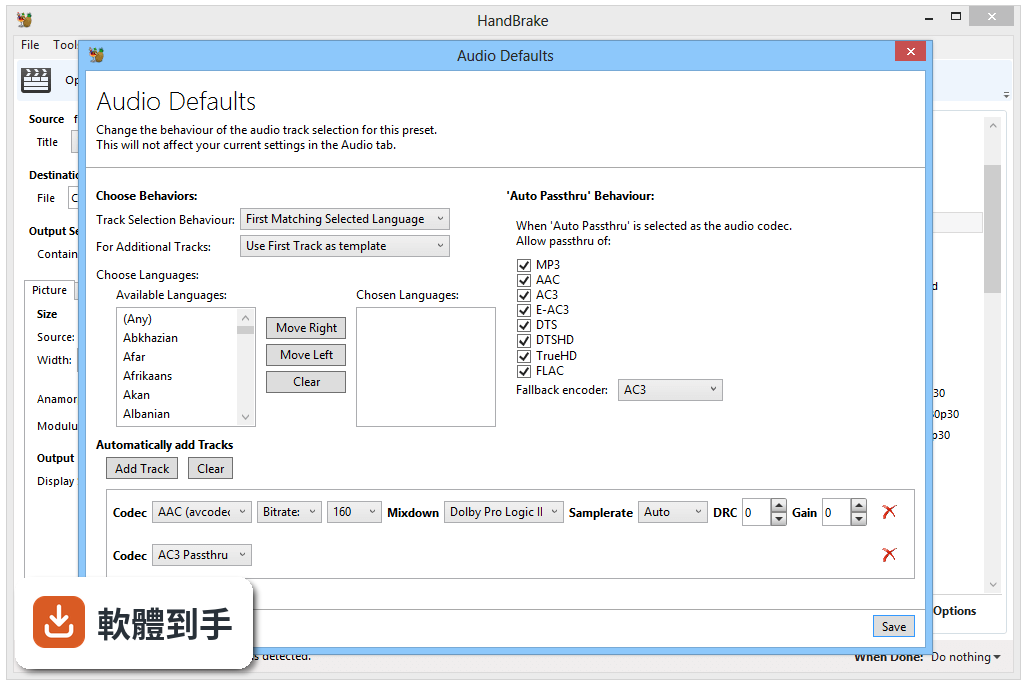
這套軟體的介面只有英文,沒有內建中文語系。不過基本操作流程不複雜:載入檔案、選預設、選輸出位置、按開始,這幾個步驟的英文都不難。如果你完全無法接受英文介面,可以考慮其他有中文的轉檔軟體,但功能上可能沒有它完整。
11它能轉加密的 DVD 或 Blu-ray 嗎?
不行。官方說明明確指出,HandBrake 只能處理未受保護的光碟,商業發行的 DVD 和 Blu-ray 都有 DRM 保護,它無法繞過。如果你手上的光碟是租來的或買的電影,需要先用其他工具解除保護,這部分涉及法律問題,請自行確認當地法規。
12這套軟體和 FFmpeg 比起來,哪個比較好用?
兩者定位不同。FFmpeg 是命令列工具,控制力最強,但學習曲線很陡,適合熟悉指令的使用者;HandBrake 有圖形介面,用預設就能完成大部分轉檔需求,對一般使用者友善得多。如果你只是要轉檔,HandBrake 比較容易上手;如果你需要自動化或特殊處理,FFmpeg 更靈活。
下載與官方連結
HandBrake-1.2.0-x86_64-Win_GUI.exe · 連結指向軟體原廠
版本紀錄
- 2026-06-08 HandBrake 1.11.2 24.16 MB
- 2026-03-23 HandBrake 1.11.1 24.13 MB
- 2026-03-09 HandBrake 1.11.0 24.11 MB
再看 5 筆
- 2025-09-07 HandBrake 1.10.2 23.18 MB
- 2025-08-24 HandBrake 1.10.1 23.19 MB
- 2025-08-11 HandBrake 1.10.0 23.18 MB
- 2025-02-24 HandBrake 1.9.2 23.16 MB
- 2025-02-13 HandBrake 1.9.1 23.13 MB
這一版改了什麼
What's new in this version:
General:
Switched core decoding library from Libav to FFmpeg:
- Fixes numerous sources previously unreadable or otherwise broken
- Facilitates a number of the improvements and features in this release and planned for the future
Removed deprecated Legacy presets:
- See the list of compatible replacements on GitHub
Updated official presets to use stereo instead of DPL2 mixdown:
- Avoids potential spatial positioning issues with the current DPL2 algorithm and wide pans in source material
- Limited in impact since DPL2 decoding has not been in widespread use for years
- Updated official presets descriptions to revise compatibility and mention recently released devices
- Updated official presets to rename Fire TV to Amazon Fire
- Added Amazon Fire 720p30 and Chromecast 1080p60 presets
- Added {creation-date} and {creation-time} to automatic file naming
Video:
- Fixed an issue decoding Blu-ray titles where the aspect ratio is unknown (assume 16:9)
- Fixed an issue encoding video with very short frame durations (less than 0.00285s or greater than 350 FPS)
- Improved extradata handling to accommodate all codecs
- Added support for decoding TIFF/LZMA video
Audio:
- Fixed potential decoding issue for audio lacking an explicit channel layout (intelligently guess the layout)
- Fixed a potential crash during audio probe
- Improved resampling to allow dithering for all codecs (only where necessary)
- Improved quality of the default AAC encoder on non-Mac platforms (FFmpeg AAC), no longer experimental
- Improved bit rate constraints to allow Opus as low as 6 kbit/s per channel
- Added support for up to 7.1 channel AAC encoding (note that FDK AAC/HE-AAC do not support 6.1)
- Added support for E-AC3 audio in MP4 container
- Added Speex audio decoder
Subtitles:
- Fixed a potential crash where an SRT file cannot be opened
- Added support for SRT files using periods instead of commas to delineate fractions
Command line interface:
- Fixed inability to override preset subtitles burn setting (native and none are now valid values for --subtitle-burned)
Build system:
- Fixed Linux packaging with an out-of-tree build directory
- Fixed Windows graphical interface build script signing tool location
- Removed --enable-local-* and associated contrib libraries; please see the documentation for dependencies help
- Updated to mingw-w64-build 4.1.0 with gcc 7.3.0, continuous output (keep alive), and miscellaneous improvements
- Improved support for building with Xcode 10
- Improved support for building on FreeBSD 11, 12, and 13
- Improved Flatpak packaging for Linux (numerous fixes and improvements, no longer experimental)
- Improved configure.py to always use the Python executable found by configure
- Added script for creating Flatpak manifests
- Added support for selecting a compiler via the CC environment variable
- Miscellaneous bug fixes and improvements
Third-party libraries:
Removed libraries:
- Libav 12.3 (decoding and filters)
- yasm 1.3.0
Updated libraries:
- libopus 1.3 (Opus audio encoding)
- x264 157 r2935 (H.264/AVC video encoding)
- x265 2.9 (H.265/HEVC video encoding)
New libraries:
- FFmpeg 4.1 (decoding and filters)
- liblzma (xz) 5.2.4 (LZMA video decoding, e.g. TIFF)
- libspeex 1.2.0 (Speex audio decoding)
Windows:
- HandBrake now requires .NET Framework 4.7.1 or later (installer offers download if missing)
- Fixed mixdown selection where the specified mixdown in the selected preset is not available
- Fixed audio sample rate of 48 kHz being selected where Auto was the specified behavior
- Removed preferences option to show the advanced tab (deprecated and slated for removal)
- Removed options menu from queue in favor of contextual menu
- Improved layout to better support localization
- Improved error handling when adding items to the queue
- Improved multi-instance queue recovery to avoid loading queue files from the wrong instance
- Improved filters layout and controls
- Improved video quality slider by allowing it to grow with window size and setting x264/x265 granularity to 0.5
- Improved SRT import default browse location (open source video location)
- Improved keyboard shortcuts by making Ctrl-S open the destination save dialog (start encode is now Ctrl-E)
- Added additional keyboard shortcuts for various actions
- Added initial localization support and German translation
- Added support for AMD VCE and Nvidia NVENC hardware-accelerated encoders
- Added automatic queue archiving and option to select an archived queue for recovery (archives are removed after 7 days)
- Added support for recovering specific queue files on start using --recover-queue-ids=<id1,id2,...>
- Added additional controls to passthru audio tracks to configure audio fallback parameters
- Added ability to drag and drop SRT subtitles files onto the main window
- Added option to disable preview image on summary tab
- Added option to disable checking for update on start in portable mode
- Added stop encoding confirmation dialog
- Miscellaneous bug fixes and improvements