
這是歷史版本頁面 — 看 HandBrake 最新版本
HandBrake 免費轉檔,舊 DVD 也能變 MP4
 HandBrake 1.4.0
資料更新 2021-07-19
閱讀約 5 分鐘
你手邊有一堆影片檔,有些是從舊 DVD 備份出來的,有些是手機拍的、網路下載的,格式亂到播放器不認、電視不讀、手機也不理。你想把它們通通轉成一個通用的格式,好丟進隨身碟、傳給別人、或上傳到雲端,但打開檔案總管看到那一排 .vob、.mkv、.avi,就不知道從哪裡開始。
一般人會先想到線上轉檔網站,但檔案一大就卡住,傳上去等半天還可能失敗;或者去裝一堆解碼包,結果播放器是能開了,但檔案還是那個格式,問題根本沒解決。這類轉檔工具的切入點,是直接幫你把影片重新編碼成指定格式,同時處理解析度、位元率、字幕這些細節,讓輸出檔案在各種裝置上都能正常播放。
01HandBrake 能把 DVD 轉成 MP4 嗎?
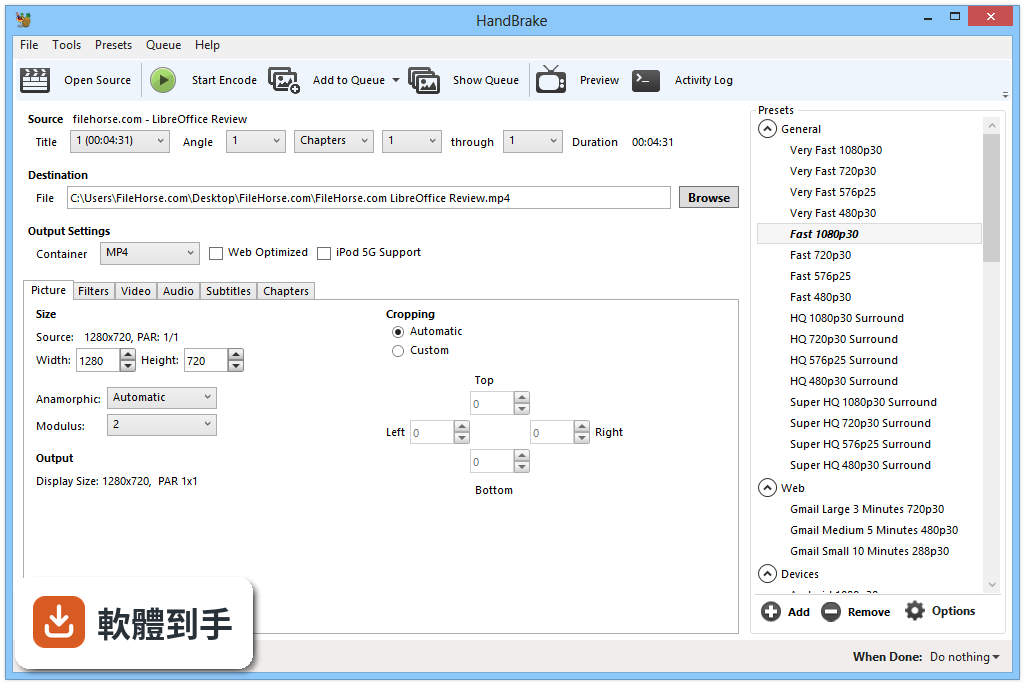
可以,但僅限沒有加密保護的碟片。如果是市售的商業 DVD 或 Blu-ray,內建防盜拷機制,HandBrake 無法處理,需要先用其他工具解除保護才能轉。一般自己錄製、或沒有版權保護的光碟,直接放入光碟機、開啟 HandBrake 選取來源就能開始轉檔。
02它支援哪些輸入和輸出格式?
輸入方面,官方說明指出能處理 MP4、MKV、AVI 等常見格式,幾乎涵蓋你手邊會遇到的影片檔。輸出則支援 MP4、MKV、WebM 三種容器,影片編碼可選 AV1、H.265、H.264、MPEG-4、MPEG-2、VP8、VP9,音訊可選 AAC、MP3、FLAC、AC3、Opus 等,算是相當完整。
03一次要轉很多檔案,它能批次處理嗎?
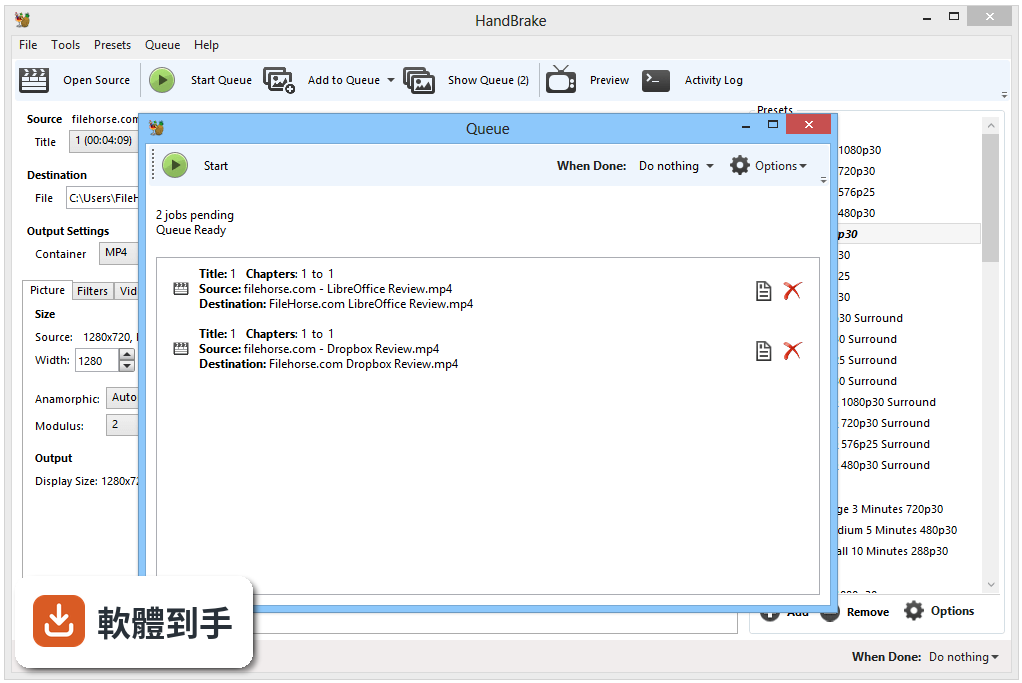
可以。HandBrake 有佇列功能,你可以把多個檔案加入佇列,它會依序處理,不用一支一支手動轉。操作方式是載入第一個檔案、設定好輸出選項後,點選「Add to Queue」,再載入下一個檔案重複動作,最後一次按下開始,它就會把整批轉完。
04轉檔時想保留字幕,要怎麼設定?
在字幕分頁裡可以選擇要保留哪些字幕軌,HandBrake 支援 SRT、SSA、VobSub 等格式,可以選擇直接嵌入(pass-through)保留原字幕,也可以燒進畫面裡(burn-in)。如果你只是想要影片有字幕,選 pass-through 就好,檔案不會多一層畫質損失。
05轉檔速度很慢,有沒有辦法加速?
如果你的電腦顯示卡有支援,HandBrake 提供硬體加速編碼,支援 Intel QSV、NVIDIA NVENC、AMD VCE 三種技術。在設定裡開啟硬體加速後,轉檔速度會明顯提升,但要注意輸出檔案大小和畫質可能與純軟體編碼略有差異,建議先轉一小段測試看看。
06我完全不懂編碼設定,只用預設值可以嗎?
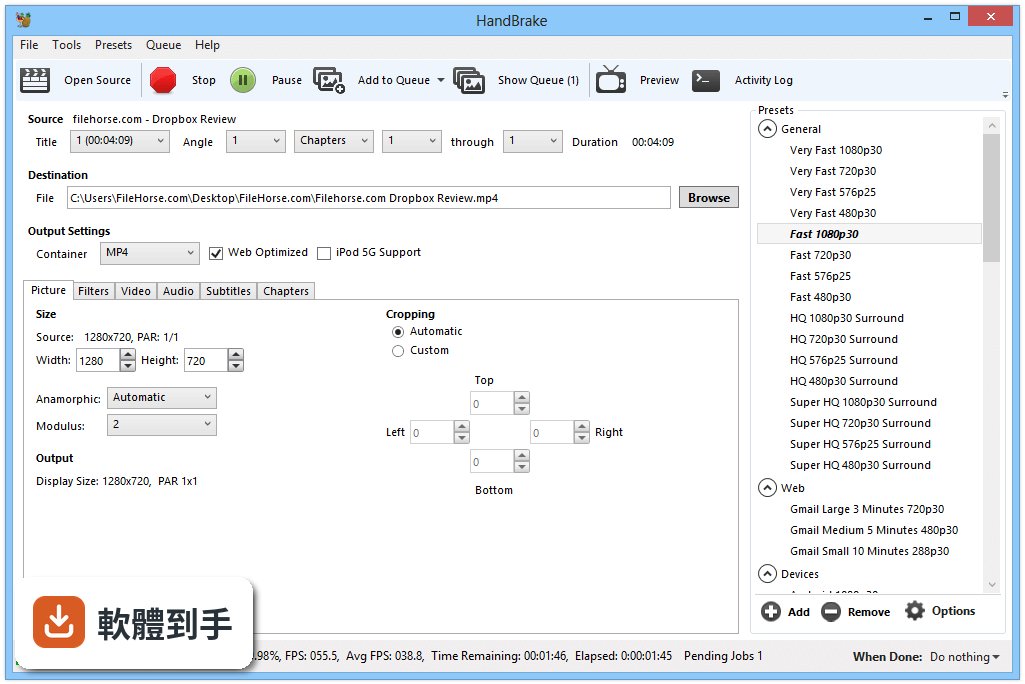
可以。HandBrake 內建多種裝置預設,例如 iPhone、Android、Roku 等,你只要在右側面板選一個符合目標裝置的預設,再選輸出資料夾,按下開始就能轉。預設值已經調整好解析度、位元率、編碼器等參數,對一般使用者來說夠用了。
07這套軟體適合什麼樣的人用?
適合需要把影片轉成通用格式、或針對特定裝置(手機、電視、播放器)調整影片規格的人。它的預設功能讓新手也能快速上手,而進階使用者可以手動調整編碼器、位元率、解析度、濾鏡等細節,所以從偶爾轉一兩支影片的普通人,到需要大量轉檔的工作者都適用。
08它是免費軟體嗎?會不會有廣告或綁架軟體?
它是開源軟體,完全免費,沒有付費版本,官方說明也強調沒有廣告、沒有捆綁其他軟體。安裝過程很乾淨,不會偷偷裝工具列或第三方程式。不過要提醒,下載時請從官方網站取得安裝檔,避免從不明來源下載到被改過的版本。
09我想順便剪掉影片片段,它能做嗎?
它的編輯功能很有限。HandBrake 可以選擇要轉檔的章節或時間範圍,也能做裁切、縮放、去交錯、降噪等濾鏡處理,但沒有剪接、合併、加轉場這類功能。如果你需要真正的剪輯軟體,它不適合,建議找專門的影片編輯工具。
10介面是英文的,我看不懂怎麼辦?
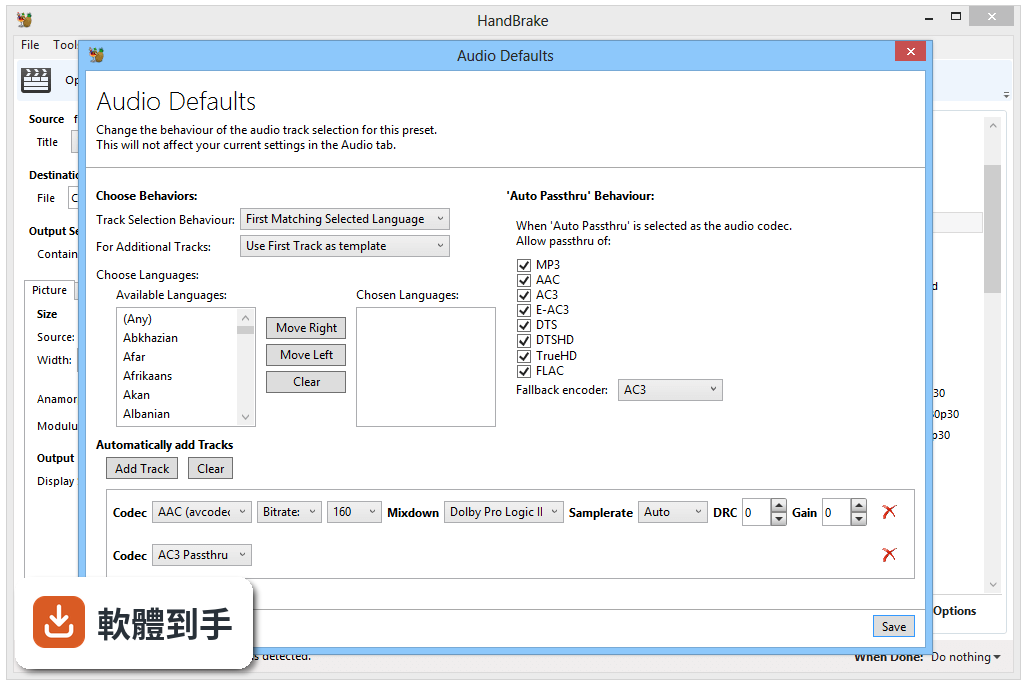
這套軟體的介面只有英文,沒有內建中文語系。不過基本操作流程不複雜:載入檔案、選預設、選輸出位置、按開始,這幾個步驟的英文都不難。如果你完全無法接受英文介面,可以考慮其他有中文的轉檔軟體,但功能上可能沒有它完整。
11它能轉加密的 DVD 或 Blu-ray 嗎?
不行。官方說明明確指出,HandBrake 只能處理未受保護的光碟,商業發行的 DVD 和 Blu-ray 都有 DRM 保護,它無法繞過。如果你手上的光碟是租來的或買的電影,需要先用其他工具解除保護,這部分涉及法律問題,請自行確認當地法規。
12這套軟體和 FFmpeg 比起來,哪個比較好用?
兩者定位不同。FFmpeg 是命令列工具,控制力最強,但學習曲線很陡,適合熟悉指令的使用者;HandBrake 有圖形介面,用預設就能完成大部分轉檔需求,對一般使用者友善得多。如果你只是要轉檔,HandBrake 比較容易上手;如果你需要自動化或特殊處理,FFmpeg 更靈活。
下載與官方連結
HandBrake-1.4.0-x86_64-Win_GUI.exe · 連結指向軟體原廠
版本紀錄
- 2026-06-08 HandBrake 1.11.2 24.16 MB
- 2026-03-23 HandBrake 1.11.1 24.13 MB
- 2026-03-09 HandBrake 1.11.0 24.11 MB
再看 5 筆
- 2025-09-07 HandBrake 1.10.2 23.18 MB
- 2025-08-24 HandBrake 1.10.1 23.19 MB
- 2025-08-11 HandBrake 1.10.0 23.18 MB
- 2025-02-24 HandBrake 1.9.2 23.16 MB
- 2025-02-13 HandBrake 1.9.1 23.13 MB
這一版改了什麼
What's new in this version:
General:
- The HandBrake engine is now 10 and 12bit capable. Please note that not all filters support 10 and 12 bits. Using an 8bit filter will cause the pipeline to run at 8bit. Please see the documentation for more information.
- HDR10 metadata will be passed through from the source file if present
- Static Previews that are generated during file scans are now stored in compressed jpeg format (previously stored as YUV420). Temporary disk space usage and disk writes are massively reduced. This uses libjpeg-turbo
Filters:
- New Filter: Chroma Smooth
- New Filter: Colourspace Selection
- New Filter: Support for QuickSync hardware accelerated Crop/Scale when using full path
Hardware Encoding:
- New Encoder: Media Foundation
- For Windows based ARM64 devices powered by Qualcomm Chipsets
Updates to the AMD VCN encoder:
- Quality tuning for VCN's constrained vbr rate control mode. Results are the same or better than cqp mode, and bit rate is much more predictable.
- Included optimised H265 presets for 1080p and 4K content
Updates to the Intel QuickSync encoder:
- Minor performance improvement by skipping VFR and Crop/Scale filters when they are not required
- Overhauled memory management including improved zero-copy support where software filters are not used which should also improve performance
Audio:
- MP2 Audio Passthru support
Subtitles:
- New General purpose subtitle decoder
- Added support for DVB Subtitles (Passthru and Burn-In)
- Added support for EIA608 Closed Captions
- Replaced current decoders for PGS, SRT and SSA with those in ffmpeg. This should correct a number of rendering issues on Burn-In
- Reduced default CC burn-in font-size
- Third-party libraries
The following 3rd party libraries have changed:
- ffmpeg 4.4
- AMF 1.4.18 (AMD VCN encoding)
- nv-codec-headers 11.0.10.1 (Nvidia NVENC encoding)
- libmfx 1.34
- freetype 2.10.4
- fribidi 1.0.10
- harfbuzz 2.8.1
- jansson 2.13.1
- libass 0.15.1
- libbluray 1.3.0
- libdvdnav 6.1.1
- libdvdread 6.1.1
- dav1d 0.9.0
- libvorbis 1.3.7
- libvpx 1.10.0
- x264 161 r3043
- x265 3.5
- zimg and libjpeg-turbo are new dependencies
- General UI Updates (Applies to Windows, macOS and Linux)
- The "Dimensions" tab has been redesigned
- The Rotate and Flip filter has been moved from the filters tab
- Added support for padding
- Added support to control the resolution limit
- Added limited support for upscaling
- The Windows UI now requires "Microsoft .NET 5 Desktop Runtime" (Please note it is specifically the "Desktop Runtime!)
- Windows 10 is now the minimum version supported. The app will still run on Windows 7 and 8.1 however you will receive a message noting that it is not supported (twice) after which it will continue to run. Please note some functionality may not work correctly on these older operating systems and no support will be provided.
process Isolation:
- When enabled, any encodes that are started are run under a separate "handbrake.worker.exe" process
- This protects the main UI from any crashes that could occur whilst processing a file and allows the queue to continue
- Multiple jobs can be run simultaneously to improve CPU utilisation on high core count systems
Audio Tab:
- Minor improvement to the usability of auto-passthru. To prevent confusion, the "auto-passhtru" audio "encoder" option is now only available on the defaults screen and not the main audio tab.
- Queue Improvements:
- Restored lost "Stop" functionality in the new queue design that landed in 1.3.
Presets:
- The legacy preset side panel has been removed. The presets button on the toolbar will now offer a "preset manager" and list the available for selection.
- The inline-preset view from 1.3 is now permanent.
- Installer Improvements:
- Existing NSIS installer: Option to create a shortcut for "all users" as the last step.
Preference Updates:
- New Auto Name option: Always use the default path for each new source / title selected
- "Send File To" Arguments now supports "{source}" and "{destination}" replacement placeholders.
- Added a preference to configure the "Pause on Low Battery" feature.
- Check for Updates is now "opt-in" for new installs.
- UI Performance: Optimisations to allow better performance when handling large sets of files (1000+)
- Updated translations (levels of completeness vary)
- Miscellaneous bug fixes and improvements