
這是歷史版本頁面 — 看 Intel Driver Update Utility 最新版本
驅動程式老是過時?Intel Driver Update Utility 能幫你掃描更新
 Intel Driver Update Utility 3.7.0
資料更新 2018-12-13
閱讀約 6 分鐘
電腦用了一段時間,裝置管理員裡開始出現黃色驚嘆號,或是玩遊戲突然卡頓、WiFi 三不五時斷線。你直覺是驅動程式該更新了,但打開裝置管理員一個一個點「更新驅動程式」,Windows 常常回你「已是最新」;去官網找,又不知道該抓哪一個版本,怕抓錯反而把系統弄壞。這種時候,你會想要一個工具能直接告訴你「哪個驅動該更新了」。
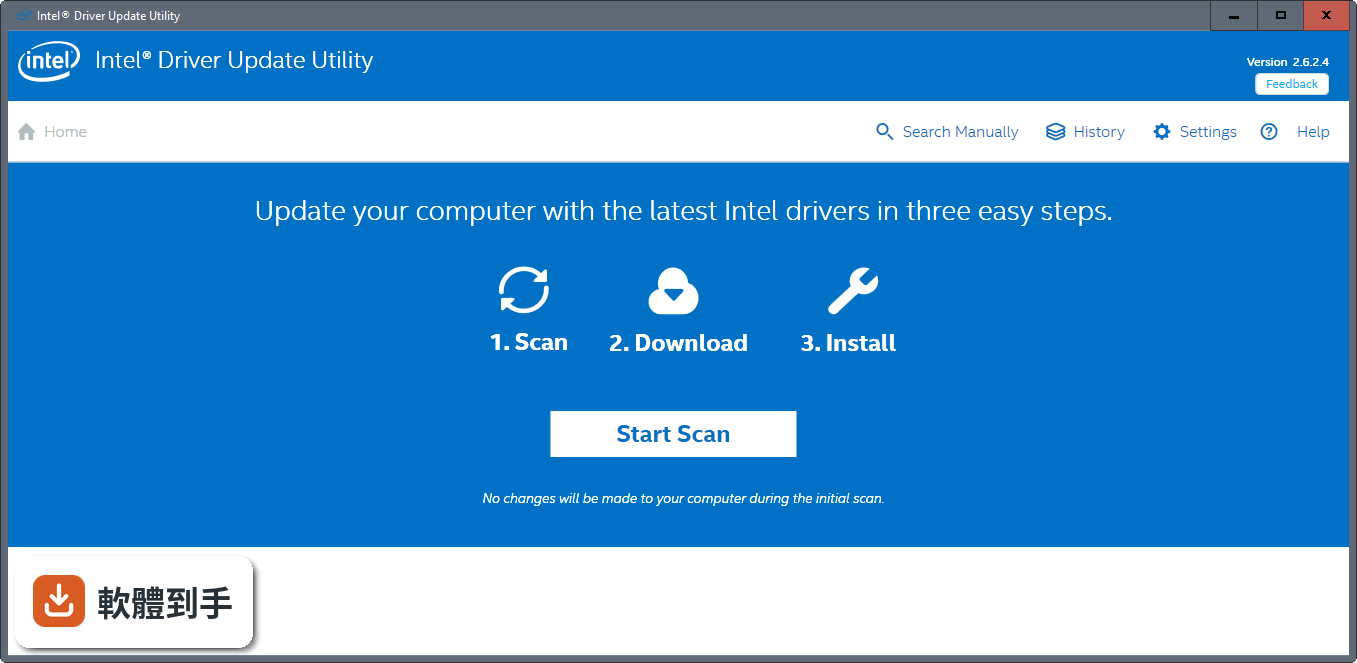
一般人習慣的做法是去各硬體官網手動下載,但 Intel 的驅動種類多,顯示、無線網路、NUC 主機各有各的頁面,找起來很花時間,而且抓錯版本裝了可能出問題。這類工具的做法是掃描你電腦目前的驅動狀態,比對官方資料庫,列出哪些有新版可用,再引導你去下載安裝。它的切入點就是幫你省去「自己找、自己比對」的過程,讓更新這件事變成掃描、確認、下載三步驟。
01Intel Driver Update Utility 到底是用來做什麼的?
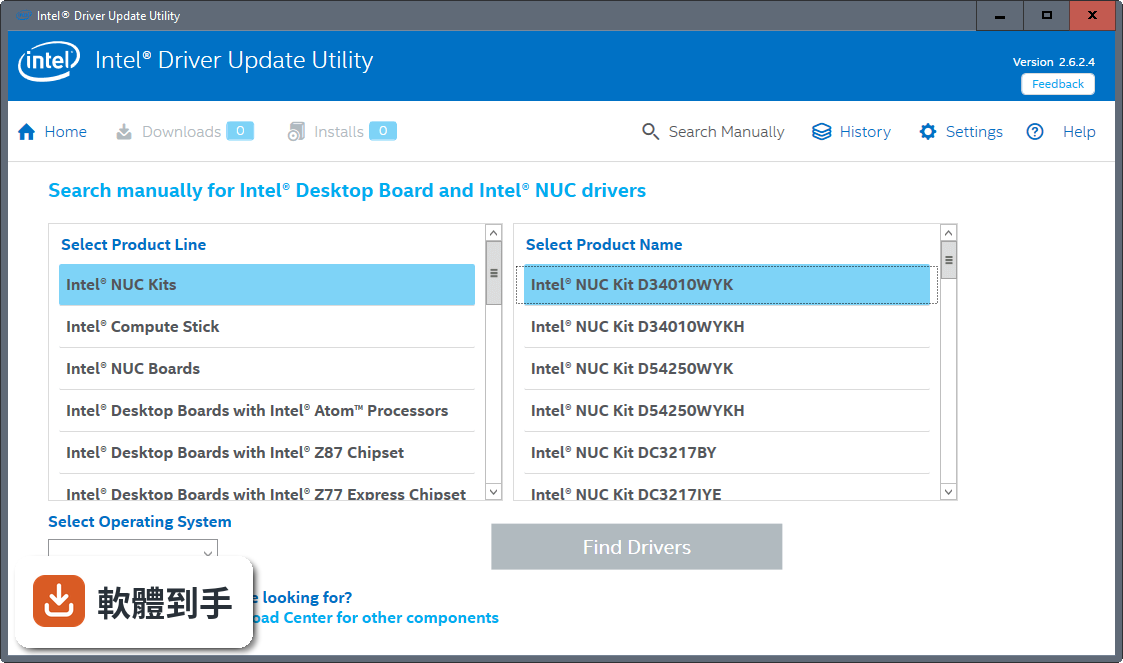
它是一套由 Intel 提供的免費工具,主要功能是掃描你電腦上與 Intel 相關的驅動程式和軟體,比對官方資料庫後列出有哪些更新可用。掃描範圍包含顯示驅動、無線網路、Intel NUC 和 Compute Stick 等產品。掃完之後,它會把結果顯示在 Intel 的支援網站上,方便你直接下載。
02它能掃描到所有硬體的驅動嗎?
它主要針對 Intel 自家的硬體,像是內顯、無線網卡、NUC 主機等。官方說明提到它也能辨識由 Intel 和第三方安裝的驅動,但掃描結果以 Intel 提供的更新為主。如果你的電腦有 AMD 顯示卡、Realtek 音效卡這類非 Intel 元件,它不會提供對應的驅動更新,那些還是得靠其他工具或手動處理。
03掃描之後它會自動幫我安裝驅動嗎?
不會。掃描完成後,它會列出可用的更新,並引導你到 Intel 的支援頁面下載。下載後你要自己執行安裝程式,它不負責背景自動安裝。官方說明中提到的「自動更新」指的是自動偵測並通知有新版驅動,而不是自動裝好。安裝過程還是需要你手動確認。
04它跟手動去裝置管理員更新有什麼差別?
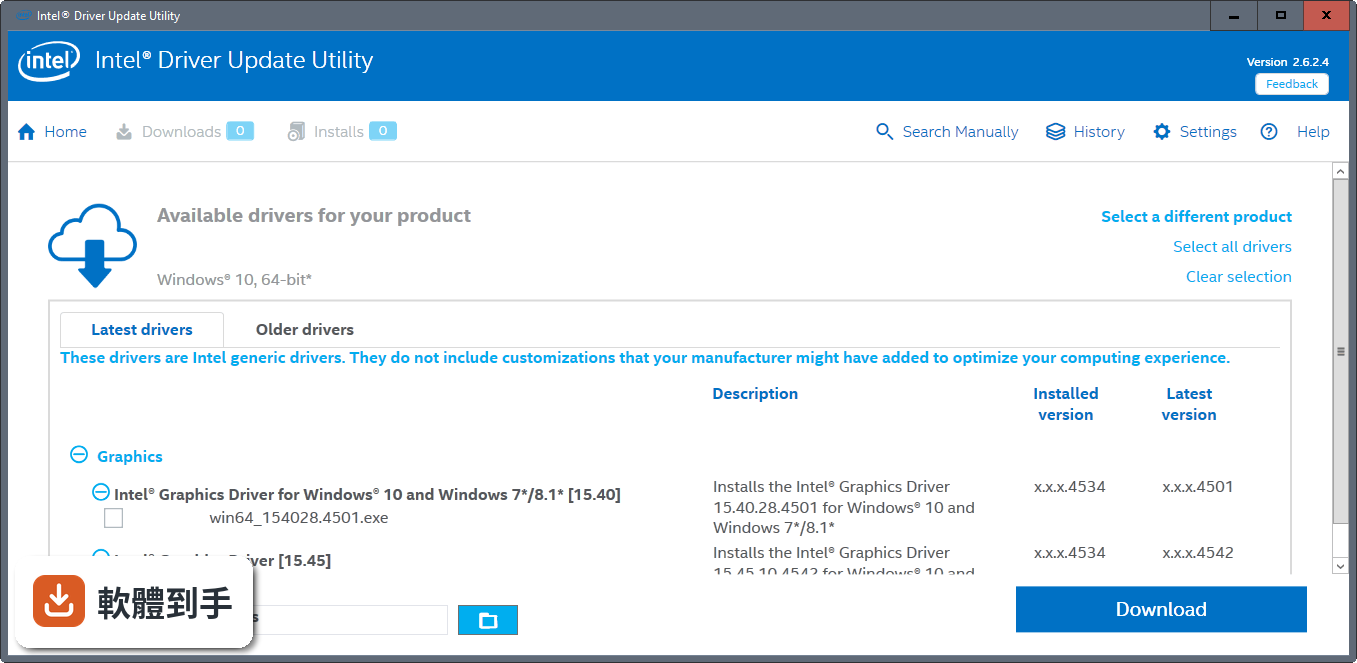
裝置管理員的「更新驅動程式」只會搜尋 Windows 內建或已安裝的驅動,常常找不到 Intel 官網釋出的新版。這套工具是直接連到 Intel 的資料庫比對,能抓到裝置管理員看不到的更新版本。另外它會一併顯示系統和裝置資訊,方便你判斷哪些驅動需要更新,不用自己一個一個裝置點開來看。
05它需要一直開著才會提醒我嗎?
它有提供掃描頻率的選項,你可以設定成「執行一次」的工具,也可以改成持續在背景運作的模式,這樣它會定期掃描並通知你有新的驅動更新。預設情況是安裝後手動啟動掃描,如果你想要它主動提醒,需要到設定裡調整掃描頻率。關掉程式之後,它就不會主動通知。
06什麼樣的人適合用這套軟體?
適合電腦主要使用 Intel 內顯、無線網卡或 NUC 主機的人,尤其是那些不想自己記住驅動版本、也不想每次更新都去官網翻找的使用者。只要安裝後按一下掃描,它就會列出該更新的項目。對於不熟悉硬體型號的人來說,這套工具能省去比對型號的麻煩。
07我的主機板是別家廠商做的,還可以用嗎?
可以用,但要注意官方說明特別提到:電腦製造商可能對驅動程式做過修改或加入自訂功能,Intel 提供的驅動是通用版本。官方建議你優先聯絡電腦製造商取得系統專屬的更新。所以如果你的筆電或品牌桌機有廠商自訂的驅動工具,先用廠商提供的;沒有的話再用這套工具掃描 Intel 通用驅動。
08我的電腦是 AMD 處理器,適合用嗎?
不適合。這套工具只支援 Intel 硬體,官方說明明確指出它掃描的是 Intel 的驅動和軟體更新。如果你的電腦是 AMD 處理器搭配 AMD 顯示卡,這套工具掃描不到任何更新。即使是 AMD 處理器配 Intel 內顯的機型,也建議先確認主機板廠商有沒有提供專屬驅動工具,再考慮是否使用這套。
09它只有英文介面,看不懂怎麼辦?
這套軟體的介面語系只有英文,沒有中文選項。不過操作流程很簡單,安裝後啟動、按掃描、看結果,這幾個步驟的英文單字不難。如果完全看不懂,可以搭配瀏覽器的翻譯功能來閱讀掃描結果頁面。但要注意,翻譯可能不精準,下載驅動時還是要確認型號和系統版本是否正確。
10它跟 Driver Easy 有什麼不同?哪個比較多人用?
Driver Easy 是第三方驅動更新工具,支援的硬體範圍比這套廣,不限於 Intel 產品,但免費版有下載次數限制,部分功能要付費。Intel Driver Update Utility 是官方免費工具,只處理 Intel 相關驅動,沒有付費牆。以評分人數來看,Driver Easy 有 317 人評分,這套只有 148 人,但評分都落在 7 分上下,差異不大。
11這套軟體還適合 Windows 7 或 Windows 8 嗎?
它支援 Windows 7 到 Windows 11,所以舊系統可以安裝。但要注意,官方說明提到它不支援舊版 Internet Explorer,建議用 IE 10 以上、Firefox 或 Chrome 瀏覽器。另外,舊系統的 Intel 驅動可能已經停止更新,掃描結果可能顯示沒有可用更新,這不代表軟體壞了,只是硬體太舊。
12這套軟體有在持續更新嗎?
根據版本紀錄,它收錄了 38 個版本,最早在 2017 年釋出,最近一次更新在 2026 年,近 24 個月更新了 2 次。以更新頻率來說,它不算頻繁更新,但也不是長期停擺的軟體。如果你在意的是「有沒有持續維護」,這套軟體目前還在更新,只是節奏比較慢。
下載與官方連結
前往官方網站 下載 Intel Driver Update Utility
Intel Driver Update Utility Installer.exe · 15.3 MB · 連結指向軟體原廠
版本紀錄
- 2026-08-17 Intel Driver & Support Assistant 26.2.0.7 8.3 MB
- 2026-02-18 Intel Driver & Support Assistant 25.4.36.6 8.7 MB
- 2023-07-06 Intel Driver & Support Assistant 23.3.25.6
再看 5 筆
- 2023-01-10 Intel Driver & Support Assistant 22.8.50.7
- 2022-11-01 Intel Driver & Support Assistant 22.7.44.6
- 2022-10-16 Intel Driver & Support Assistant 22.6.42.2
- 2022-08-17 Intel Driver & Support Assistant 22.5.34.2
- 2022-03-30 Intel Driver & Support Assistant 22.2.4.15
這一版改了什麼
What's new in this version:
Intel Driver & Support Assistant 3.7.0
- Change log not available for this version
Intel Driver & Support Assistant 3.6.1
- General bug fixes and improvements
- Updated Intel® Computing Improvement Program installer
Intel Driver & Support Assistant 3.6.0
- Fixed an issue where installing network drivers would cause IDSA to incorrectly report an error
- Added additional information for certain networking adapters
- Improvements to hardware detection
- General bug fixes and improvements
Intel Driver Update Utility 3.5.1
- Change log not available for this version
Intel Driver Update Utility 3.5.0.3
- Fixed an issue that would cause multiple installations to run at the same time
- Better detection of installed drivers and version numbers
- Fewer reboots required when installing multiple drivers
- Improved driver detection on Intel® NUCs and mini PCs
- General bug fixes and improvements
- Updated Intel® Computing Improvement Program installer
Intel Driver Update Utility 3.4.1.7
- Fixed an issue that caused Intel® Driver & Support Assistant to indicate a reboot was required, even when it wasn’t
- Files that were downloaded in a previous session won’t need to be re-downloaded
- Improved support for proxy detection and the Microsoft Edge* browser
- Intel® Driver & Support Assistant will resume automatically after a system restart
- Additional driver details are displayed for more devices
- General bug fixes and improvements
Intel Driver Update Utility 3.4.0.4
- Fixed an issue that was causing Intel® Driver & Support Assistant not to work on certain Intel® NUCs
- Fixed an issue that was preventing certain drivers from installing correctly
- Added a notification to alert if a proxy or other software is preventing Intel® Driver & Support Assistant from running
- Fixed an issue with certain OEM graphics drivers
- Hardware revision is now shown for networking devices
- General bug fixes and improvements
Intel Driver Update Utility 3.3.1.3
- Change log not available for this version
Intel Driver Update Utility 3.3.0.4
- Detection improvements for various driver types including wireless and storage
- Bug fixes and enhancements for several common issues
- UI improvements including additional information about download issues
- Updated Intel® Computing Improvement Program installer
Intel Driver Update Utility 3.2.0.9
- Detects additional devices and drivers
- Works with a wider range of Intel software and drivers
- Browser compatibility improvements
- Numerous bug fixes and minor enhancements
Intel Driver Update Utility 3.1.2.2
- Updated Intel® Computing Improvement Program can now be uninstalled separately
- Improved compatibility and security
Intel Driver Update Utility 3.1.1.2
- Detection improvements and bug fixes
- Resolved an issue with the tray icon not starting correctly
- Message added when custom drivers detected
- New version of Intel Computing Improvement Program included
Intel Driver Update Utility 3.1.0.12
- Detection of system device information into scan results
- Downloadable detailed system report
- Improved GUI with more detailed information on system and associated drivers
- Enhanced UI with more intuitive navigation of system specifications
Intel Driver Update Utility 3.0.0.9
- Bug fixes
Intel Driver Update Utility 2.9.0.2
- IDUU starts in the Operating System language chosen, if supported
- Fixed bug where two graphics driver updates were shown
Intel Driver Update Utility 2.8.2.2
- Fixed multiple issues with driver detection for Intel® NUCs
- Added support for BIOS Updates for Intel® NUC and Intel® Compute Stick
Intel Driver Update Utility 2.8.1.9
- Improved driver version detection
- Bug fixes
Intel Driver Update Utility 2.8.0.7
- Automatically check for drivers on a regular basis, and receive notifications when new drivers are available
- Tray icon for easy access to the latest drivers
- Improved detection of hardware and drivers
- General bug fixes and improvements