
這是歷史版本頁面 — 看 Krita 最新版本
不想月付繪圖軟體?Krita 能取代 Photoshop 嗎
 Krita 4.2.9 (64-bit)
資料更新 2020-03-23
閱讀約 6 分鐘
你剛開始接觸數位繪圖,或是想從盜版轉正,打開 Photoshop 的訂閱頁面看到每月費用,再看看自己的畫稿頻率,怎麼算都不划算。你只是想好好畫圖、有筆刷、有圖層、能存 PSD 給別人,但免費軟體不是功能太陽春,就是介面陌生到不知道從哪裡下手。你需要的是一套真正以「畫畫」為核心、不是附帶功能的工具。
一般人遇到這個狀況,第一個念頭是找破解版 Photoshop,但更新麻煩、資安風險高,而且功能過剩——你根本用不到那麼多修圖功能。另一條路是免費線上繪圖網站,但畫到一半網路不穩、圖層一多就卡,作品存哪裡都不安心。這類工具的切入點是:把專業繪圖需要的核心功能——筆刷、圖層、色彩管理——做到完整,而且不跟你收錢,讓你能把心力放在畫面上,而不是放在軟體本身。
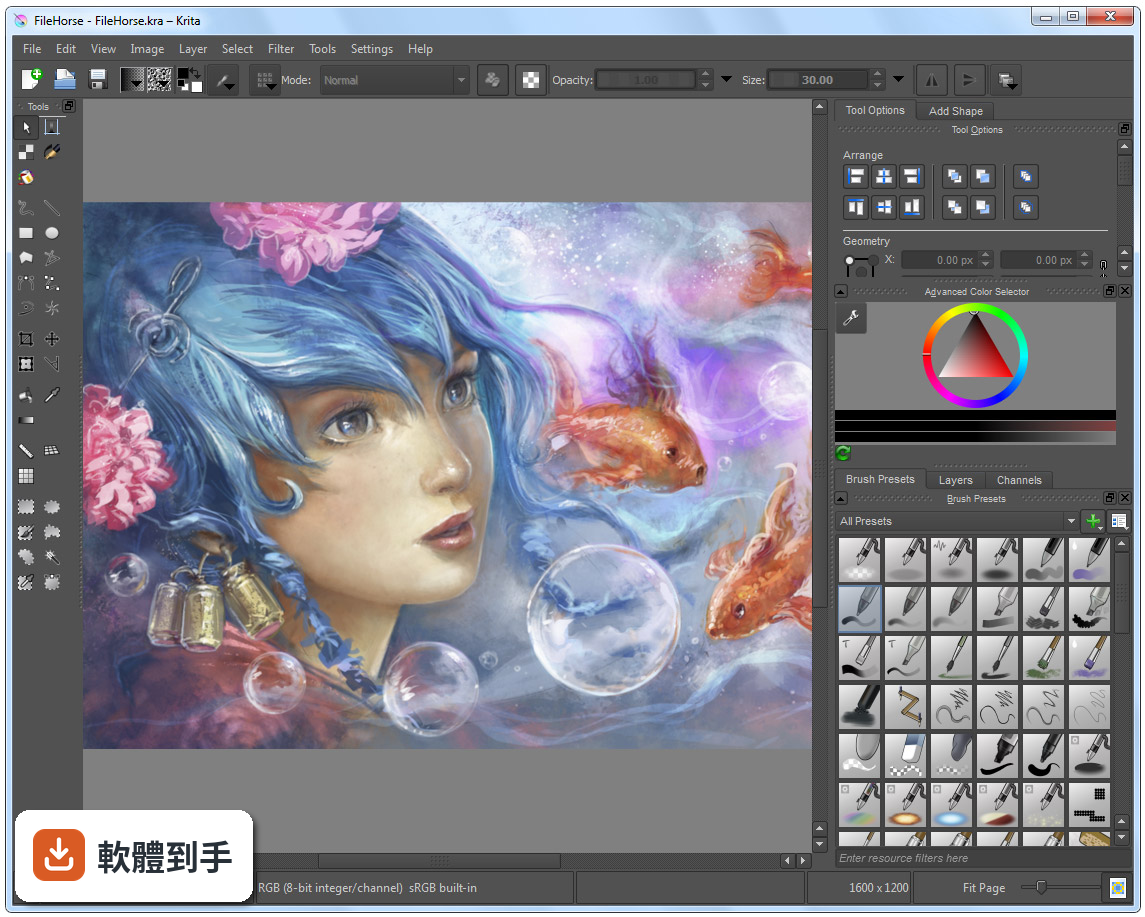
01Krita 這套軟體到底能拿來畫什麼?
它定位是數位繪畫與插畫軟體,涵蓋概念設計、插圖、漫畫到 2D 逐格動畫。內建多種筆刷引擎,包含像素、混色、紋理、剖面線與圖案等,也有向量圖層、遮罩、調整圖層,以及時間軸和洋蔥皮功能。簡單說,從草稿、完稿到輸出成 PNG、JPEG 或 PSD,都能在同一套軟體裡完成。
02它的筆刷跟 Photoshop 比起來會不會差很多?
筆刷數量與自訂深度是它的強項,支援動態筆刷引擎,例如混色與紋理,也提供筆刷編輯器讓你調整參數。官方資料沒有直接跟 Photoshop 做比較,但以繪圖用途來說,筆刷系統的完整度足以應付多數插畫需求。如果你依賴的是 Photoshop 特有的修圖或濾鏡功能,那就不是同一條路線。
03我習慣用圖層畫圖,它的圖層管理夠用嗎?
支援向量與點陣圖層,並提供群組圖層、遮罩與調整圖層,這些都是繪圖軟體的基本盤。圖層面板可以顯示混合模式與不透明度細節,也能一次選取多個圖層同時變形。以畫圖流程來說,該有的都有,非破壞性編輯也能做到。
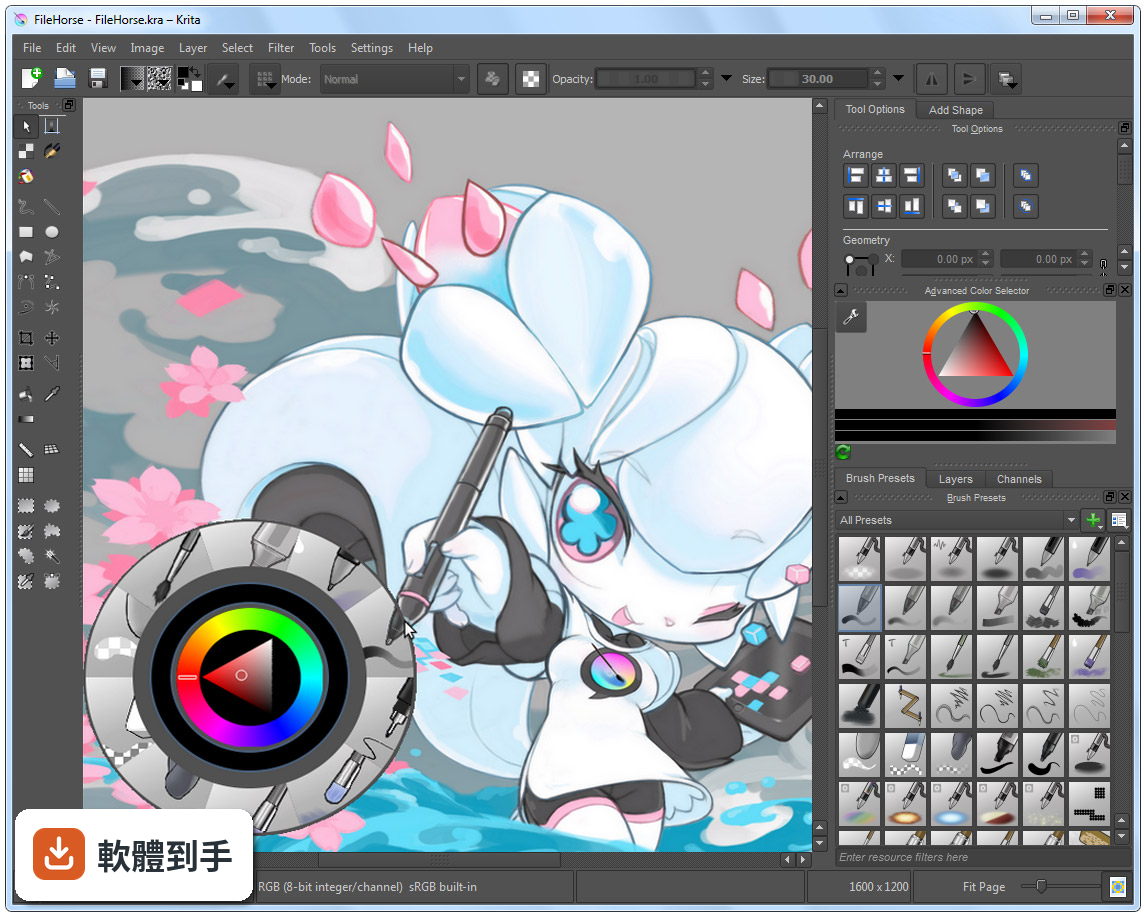
04除了靜態圖,它能不能做動畫?
可以,內建時間軸與洋蔥皮功能,適合做 2D 逐格動畫。官方資料提到,近期的版本強化了影音同步與影片匯出,整合了 FFmpeg,多數使用者不需要另外設定就能匯出影片。不過這套動畫功能是「逐格」取向,不是做骨骼綁定或補間動畫的那種工具。
05它可以開 Photoshop 的 .psd 檔嗎?
可以開啟與儲存 .psd 檔案,但官方有提醒,某些複雜的圖層或特效可能無法完美轉換。如果你需要頻繁跟使用 Photoshop 的人交換檔案,建議先測試幾個含特效或調整圖層的檔案,確認轉換結果符合需求再當作正式流程。
06我是完全沒畫過圖的新手,這套適合我嗎?
介面可以自訂,也有彈出式色盤與筆刷預設,降低上手門檻。但要注意,它的介面語言只有英文,對不習慣英文介面的人來說,初期找功能會比較吃力。官方有提供資源區可以下載額外筆刷與外掛,但那些說明也是英文。如果你願意花時間熟悉,它是可以從零開始學的。
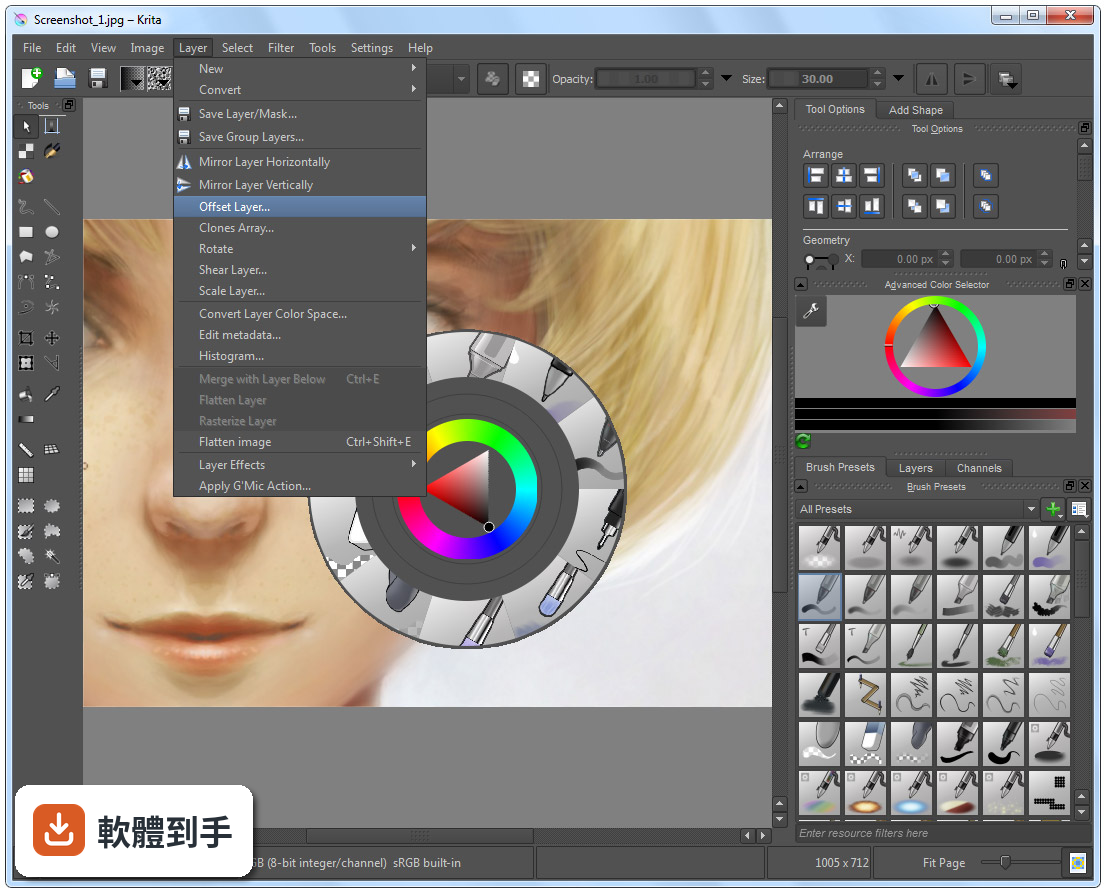
07專業接案的畫家用它會不會不夠用?
它具備 ICC 色彩管理、Gamut Mask 與色輪等專業色彩工具,也支援 CMYK 與 PSD 相容性改善,官方定位就是給藝術家、插畫家與概念設計師使用。不過,評分人數僅 201 人,相較於 Photoshop 的 9575 人,代表使用者的回饋樣本少很多,實際遇到問題時能參考的社群經驗也相對有限。
08我主要用平板畫圖,這套軟體在平板上好用嗎?
官方資料說它支援 Windows、macOS、Linux 與 Android 平板,也支援繪圖筆。但要注意,Android 版本的功能可能與電腦版有差異,例如影片匯出功能在 Android 上就沒有整合 FFmpeg。如果你主力是 Android 平板,建議先確認你需要的功能在該平台上是否完整。
09跟 ArtRage 或 Paint.NET 比起來,我該怎麼選?
這幾套的定位不同。ArtRage 模擬傳統媒材手感,Paint.NET 偏向影像編輯,而 Krita 是完整的繪圖與插畫工具,功能範圍更廣。評分方面,ArtRage 只有 33 人評分,Paint.NET 有 316 人,Krita 是 201 人,樣本都不算大。選擇的關鍵在於你主要畫什麼——如果只是簡單塗鴉,輕量軟體就夠;如果要完整繪圖流程,Krita 的功能面更齊全。
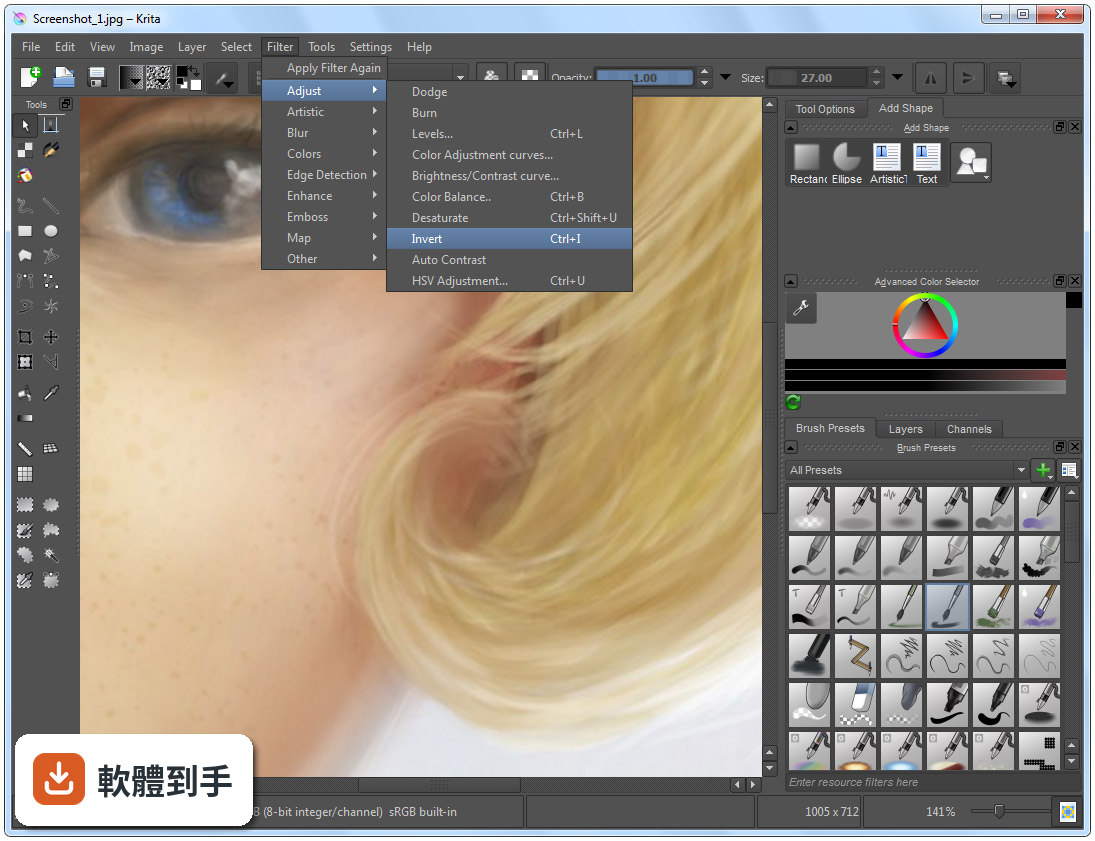
10它的介面只有英文,會不會很難上手?
確實只有英文介面,這是實際的門檻。不過介面本身可以自訂,面板能拖曳、停放或隱藏,也有快捷鍵可以加速操作。如果你英文閱讀沒問題,影響不大;如果看到英文就頭痛,可能要考慮其他有中文介面的軟體,或是花時間查詢常用的功能名稱。
11它跟 Photoshop 可以完全互相替代嗎?
不行。它是繪圖與插畫取向的軟體,Photoshop 是全面的影像編輯工具,兩者的重疊範圍在繪圖與 PSD 相容性,但 Photoshop 的修圖、合成、濾鏡生態系是 Krita 沒有的。如果你只是要畫圖、交稿,Krita 有機會替代;如果你的工作流程包含大量影像處理,那就得兩套並用或繼續用 Photoshop。
12這套軟體更新頻繁嗎?會不會用一用就沒人維護?
根據版本紀錄,近 12 個月更新 9 次,近 24 個月更新 14 次,屬於持續維護中的專案,而且它是開源軟體,由 KDE 社群開發。不過,開源專案的開發節奏與商業軟體不同,功能演進方向由社群決定,不會有「保證某個功能一定在下一版出現」的承諾。以目前的更新頻率來看,短期內不用擔心被放棄。
下載與官方連結
krita-x64-4.2.9-setup.exe · 連結指向軟體原廠
版本紀錄
- 2026-10-08 Krita 5.3.4.1 157.81 MB
- 2026-09-17 Krita 5.3.4 157.88 MB
- 2026-07-30 Krita 5.3.3 157.66 MB
再看 5 筆
- 2026-06-03 Krita 5.3.2.1 156.49 MB
- 2026-05-28 Krita 5.3.2 154.07 MB
- 2026-03-31 Krita 5.3.1 156.64 MB
- 2026-03-25 Krita 5.3.0 156.64 MB
- 2026-02-28 Krita 5.2.16 147.85 MB
這一版改了什麼
What's new in this version:
Changes and bug fixes:
- Allow changing layer name to set document as modified
- Allow undoing when changing layer names
- Update the undo limit if
- Handling of modified document notification in sub-window mode
- Fix when holding right-click over layer’s color settings
- Do not show language switch warning when going back to the default
- Gradient map color mapping issues
- Layout improvements and showing levels for histogram filter
- Add warning when adding shape to clone layer
- Make default background for text editor white for readability
- Activation of FFTW convolution worker
- Crash in halftone filter
- remove notification for unused keyboard short for wrap-around
- Safe assert triggered while drawing
- Warn artists if they try to render an animated GIF with over 50 FPS
- Handle calculation better for grayscale images in high bit depth
- Make tabs and table headers and text translatable
- Make zoom mode persistent when moving across screens
- Exporting animation frames into EXR format
- Load broken TGA files that have bad alpha data
- Allow selecting boundary limits on export
- Unable to set minimal shade selector
- Add pixel snap mode for canvas
- Load pre-Krita 4.0 transform masks
- TIFF export filter flatten images with group layers
- Do not activate already running app instance when exporting image sequence
- Memory leak with GIFs when saving and line length
- Better calculate SVG document size and loading omitted commands
- Hide pattern fill option in vector tools until it is fully implemented
- Artifacts when saving vector layers as PNG
- Crash when merging back split alpha function
- Address sanitizer (ASAN) crash when creating a guide
- Hard to select color in vector objects
- Undo merging a layer that is cloned
- Add fractional DPI scaling (found in settings)
- Allow clone brush to have an option to reset origin after every stroke
- Canvas input cursor updates when it has no input focus
- Hiccups when using wheel on Wacom’s tablet
- Clone brush should use the last layer the source was placed on
- Tilt elevation curve corrections
- Do not focus on tag search line edit in the show event
- Only show layer styles contour and texture when Bevel and Emboss is checked
- Comics plugin improvements to file saving and creating documents
- Pop-up palette color fix when changing themes
- Improve control point size for brush editor curves
- Add option in settings to disable AVX optimizations on Windows
- Make font size consistent
- Unable to select new view item with OSX long path names
- Theme change fixes for overview docker, rulers, and subwindows
- Memory leak caused by converting function
- Wrong position of the merged layer
- Right clicking on popup-palette color selector hides it
- rulers showing pixels no matter what unit
- Crash in Split Alpha function
- wrong bounding box on gradient map
- page orientation switch in new dialog
- Do a better job when finding ffmpeg for flatpak
- Do a better job when calculating nearest neighbor filters
- Improve contrast with checkboxes on pen settings and brush favorites
- Allow group layers to be transformed and improve logic for layers that cannot be transformed
- Background color being lost after merging
- Remember last used directory for shortcut import/export
- Improve canvas refresh rate when moving vector objects
- Intel OpenGL detection for newer drivers
- Fix crash on quick brush engine because of calculations
- splash screen on some high DPI screens
- Move color filters on onion skin out of combo box for easier toggling
- Improve contrast with checkboxes on brush settings, pen sensors, and blending modes
- hangup when starting painting too quickly after changing opacity
- Data loss when adding multiple hold frames through right-click menu
- Copy correct image cache when cloning a layer
- Only show Intel graphics card warning on Windows
- changed “Launch Bug Report Wizard” to “Submit Bug Report” from main menu
- Add tooltip to eraser button in toolbar
- Fix activation of isolate mode when merging layers down
- Add ability for shape brushes to use patterns for filling
- Transform tool crash on layers with pass-through mode
- Add more information like HighDPI and language to usage logger
- Make sure a masked painter knows about outlines
- Make sure polyline takes into account the no-stroke setting
- Add ability to export animation to PNG sequence using commandline
- Better handle loading recent files
- Better show/hide progress bars when loading an unsupported image
- Add mirroring capability for Quick brush
- Add a second row to pop-up palette presets if the number gets above 20 so they are easier to see
- Color smudge might not have an image for tip
- Prevent crash with mirror manager decorations
- When no outline is selected, outline doesn’t use brush width
- Low pixel size limit in Scale to New Size dialog
- Simplex Noise Generator can now be used from a fill layer
- Make disabled icons in animation docker semi-transparent to be like other disabled icons
- creating vector shapes with pattern fills
- minimum animation cell grid size on windows
- conversion errors in Scale new image dialog
- Improve UI for Arrange docker to make it easier to understand
- Only load a thumbnail for a recent file that still exists
- Improve angle selection on layer effects
- Restore broken fonts
- Add a few new options for fill type when creating new documents
- Remove the default shortcut for text tool. We just don’t have any good available keys left
- Improve animation export dialog: Add warning when dimensions are not divisible by 2 for MP4 and MKV. Make sure the default dialog uses the encoder config for the format
- Fix opening templates from the command line
- Inserting a layer when on a group layer adds it above the layer, not inside it now
- Advanced Color Selector – Add option to hide the color selector in the configure menu
- Remove old Karbon gradient files that weren’t being used
- Restore the UI after crashing in canvas only mode
- Added safe assert to prevent Krita from crashing when a toolbar gets accidentally enabled
- Add more information to the bug reporter with memory, CPU cores, and swap location
- Update the layer box to better to support RTL languages
- Add Python plugin importer to make importing plugins easier
- Add direction choice for the Image Split feature
- Actions on Move Tool only being executed after changing current node in move tool
- Python API. Fix crash when trying to access projection pixel data on transform mask
- Return colorspace of projection before returning the colorspace of the node
- Enable automatic docstring generation for python (commit e7fe83c9)
- Loading KRA files with image names starting with a “/” symbol
- Enabling the selection mode shortcuts
- Generator Layers. Added real-time preview when changing layer properties
- Polygonal Selection: Add ability to undo these operations
- File layers: Use the mergedimage preview when opening ORA or KRA files
- Transform Tool: Added Granularity to tool options
- Update Qt programming framework to Qt 5.12
- Update GMIC filters plugin to version 2.4.5
- Update PDF library (Poppler) to version 0.74.0
- Update Python API libraries (PyQt and SIP) to version 5.12
- Added new blending modes: Reflect, Glow, Freeze, Heat, Glow-Heat, Heat-Glow, Reflect-Freeze, Freeze-Reflect, Heat-Glow & Freeze-Reflect Hybrid
- Save mirror tool state to KRA file
- Make it easier to select lower values for stabilizer sliders
- Saving reference images z-order
- Disable use of Always Use Template in the New File Window
- Be the top handler of applications on some Linux distributions
- Add a tooltip to the composition docker
- Bug where mirroring canvas would get out of sync with the main menu action
- Check if animation config exists before accessing its contents