
這是歷史版本頁面 — 看 Krita 最新版本
不想月付繪圖軟體?Krita 能取代 Photoshop 嗎
 Krita 4.4.0 (64-bit)
資料更新 2020-10-13
閱讀約 6 分鐘
你剛開始接觸數位繪圖,或是想從盜版轉正,打開 Photoshop 的訂閱頁面看到每月費用,再看看自己的畫稿頻率,怎麼算都不划算。你只是想好好畫圖、有筆刷、有圖層、能存 PSD 給別人,但免費軟體不是功能太陽春,就是介面陌生到不知道從哪裡下手。你需要的是一套真正以「畫畫」為核心、不是附帶功能的工具。
一般人遇到這個狀況,第一個念頭是找破解版 Photoshop,但更新麻煩、資安風險高,而且功能過剩——你根本用不到那麼多修圖功能。另一條路是免費線上繪圖網站,但畫到一半網路不穩、圖層一多就卡,作品存哪裡都不安心。這類工具的切入點是:把專業繪圖需要的核心功能——筆刷、圖層、色彩管理——做到完整,而且不跟你收錢,讓你能把心力放在畫面上,而不是放在軟體本身。
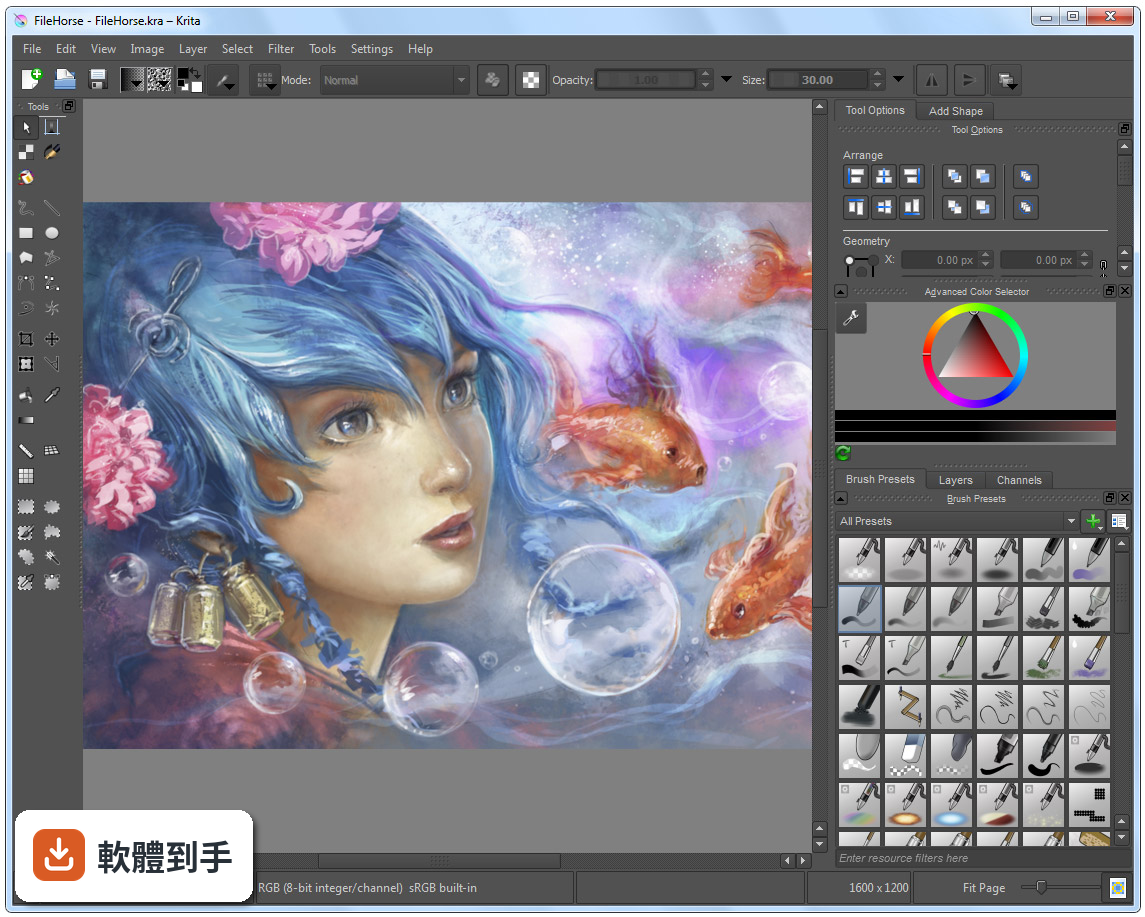
01Krita 這套軟體到底能拿來畫什麼?
它定位是數位繪畫與插畫軟體,涵蓋概念設計、插圖、漫畫到 2D 逐格動畫。內建多種筆刷引擎,包含像素、混色、紋理、剖面線與圖案等,也有向量圖層、遮罩、調整圖層,以及時間軸和洋蔥皮功能。簡單說,從草稿、完稿到輸出成 PNG、JPEG 或 PSD,都能在同一套軟體裡完成。
02它的筆刷跟 Photoshop 比起來會不會差很多?
筆刷數量與自訂深度是它的強項,支援動態筆刷引擎,例如混色與紋理,也提供筆刷編輯器讓你調整參數。官方資料沒有直接跟 Photoshop 做比較,但以繪圖用途來說,筆刷系統的完整度足以應付多數插畫需求。如果你依賴的是 Photoshop 特有的修圖或濾鏡功能,那就不是同一條路線。
03我習慣用圖層畫圖,它的圖層管理夠用嗎?
支援向量與點陣圖層,並提供群組圖層、遮罩與調整圖層,這些都是繪圖軟體的基本盤。圖層面板可以顯示混合模式與不透明度細節,也能一次選取多個圖層同時變形。以畫圖流程來說,該有的都有,非破壞性編輯也能做到。
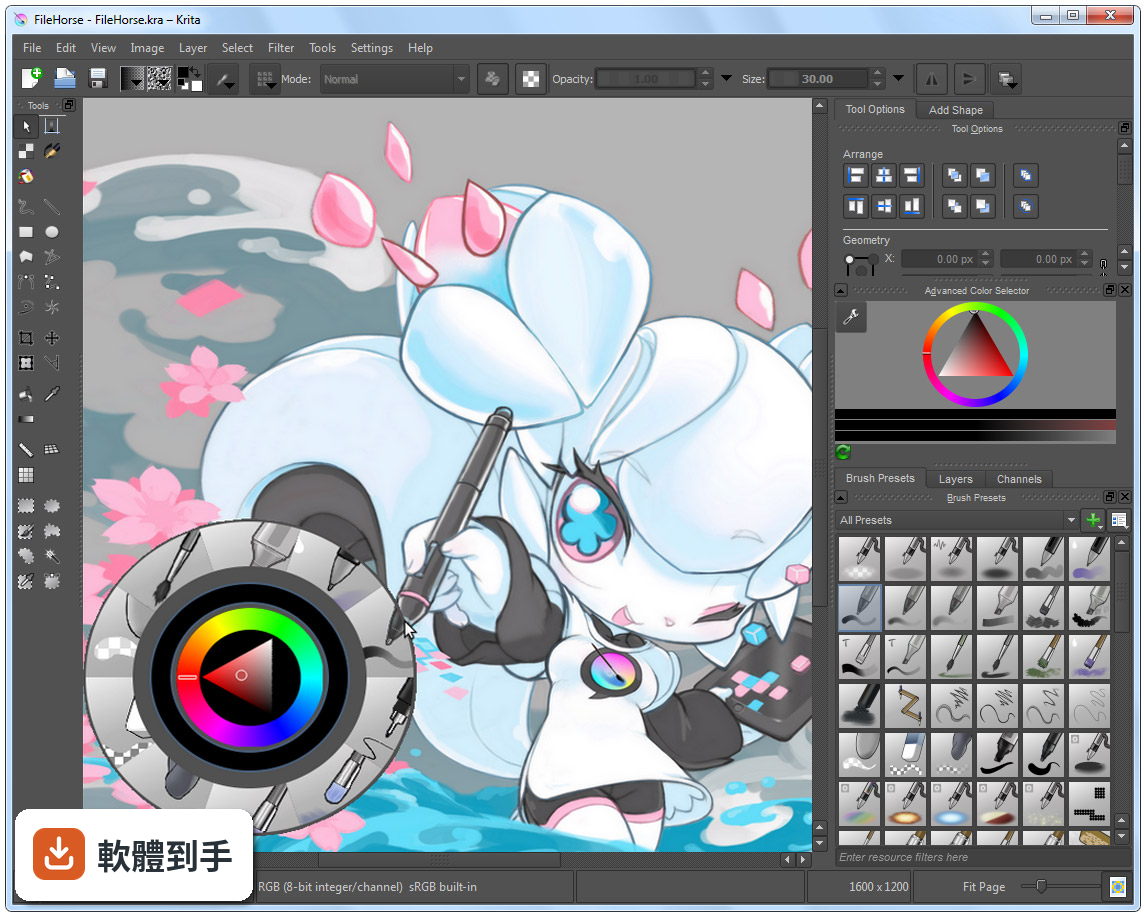
04除了靜態圖,它能不能做動畫?
可以,內建時間軸與洋蔥皮功能,適合做 2D 逐格動畫。官方資料提到,近期的版本強化了影音同步與影片匯出,整合了 FFmpeg,多數使用者不需要另外設定就能匯出影片。不過這套動畫功能是「逐格」取向,不是做骨骼綁定或補間動畫的那種工具。
05它可以開 Photoshop 的 .psd 檔嗎?
可以開啟與儲存 .psd 檔案,但官方有提醒,某些複雜的圖層或特效可能無法完美轉換。如果你需要頻繁跟使用 Photoshop 的人交換檔案,建議先測試幾個含特效或調整圖層的檔案,確認轉換結果符合需求再當作正式流程。
06我是完全沒畫過圖的新手,這套適合我嗎?
介面可以自訂,也有彈出式色盤與筆刷預設,降低上手門檻。但要注意,它的介面語言只有英文,對不習慣英文介面的人來說,初期找功能會比較吃力。官方有提供資源區可以下載額外筆刷與外掛,但那些說明也是英文。如果你願意花時間熟悉,它是可以從零開始學的。
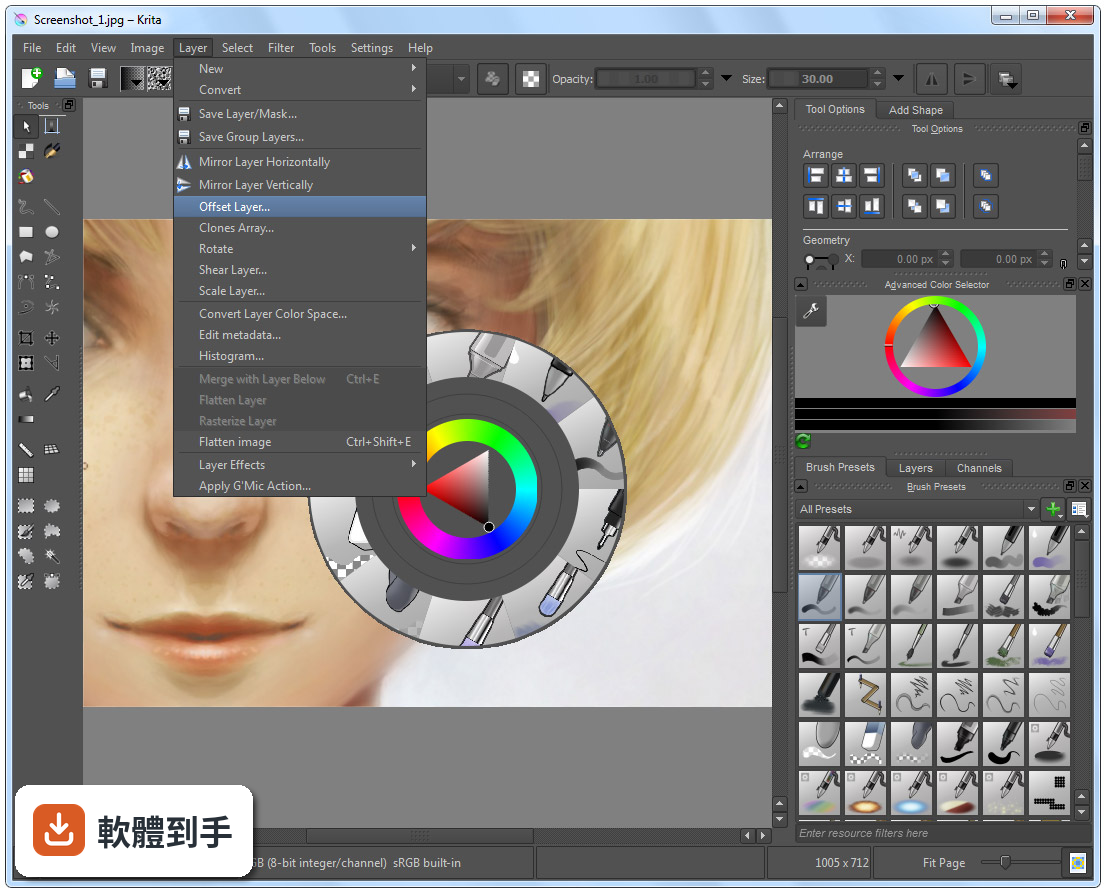
07專業接案的畫家用它會不會不夠用?
它具備 ICC 色彩管理、Gamut Mask 與色輪等專業色彩工具,也支援 CMYK 與 PSD 相容性改善,官方定位就是給藝術家、插畫家與概念設計師使用。不過,評分人數僅 201 人,相較於 Photoshop 的 9575 人,代表使用者的回饋樣本少很多,實際遇到問題時能參考的社群經驗也相對有限。
08我主要用平板畫圖,這套軟體在平板上好用嗎?
官方資料說它支援 Windows、macOS、Linux 與 Android 平板,也支援繪圖筆。但要注意,Android 版本的功能可能與電腦版有差異,例如影片匯出功能在 Android 上就沒有整合 FFmpeg。如果你主力是 Android 平板,建議先確認你需要的功能在該平台上是否完整。
09跟 ArtRage 或 Paint.NET 比起來,我該怎麼選?
這幾套的定位不同。ArtRage 模擬傳統媒材手感,Paint.NET 偏向影像編輯,而 Krita 是完整的繪圖與插畫工具,功能範圍更廣。評分方面,ArtRage 只有 33 人評分,Paint.NET 有 316 人,Krita 是 201 人,樣本都不算大。選擇的關鍵在於你主要畫什麼——如果只是簡單塗鴉,輕量軟體就夠;如果要完整繪圖流程,Krita 的功能面更齊全。
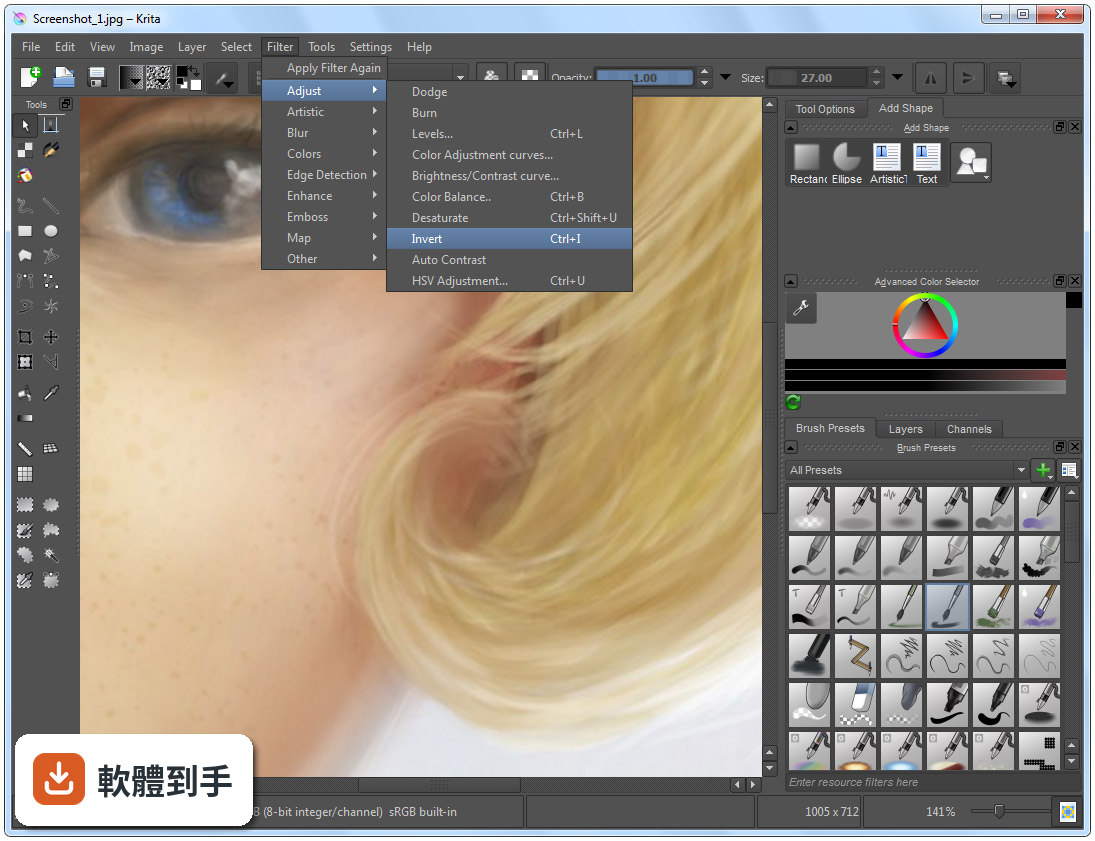
10它的介面只有英文,會不會很難上手?
確實只有英文介面,這是實際的門檻。不過介面本身可以自訂,面板能拖曳、停放或隱藏,也有快捷鍵可以加速操作。如果你英文閱讀沒問題,影響不大;如果看到英文就頭痛,可能要考慮其他有中文介面的軟體,或是花時間查詢常用的功能名稱。
11它跟 Photoshop 可以完全互相替代嗎?
不行。它是繪圖與插畫取向的軟體,Photoshop 是全面的影像編輯工具,兩者的重疊範圍在繪圖與 PSD 相容性,但 Photoshop 的修圖、合成、濾鏡生態系是 Krita 沒有的。如果你只是要畫圖、交稿,Krita 有機會替代;如果你的工作流程包含大量影像處理,那就得兩套並用或繼續用 Photoshop。
12這套軟體更新頻繁嗎?會不會用一用就沒人維護?
根據版本紀錄,近 12 個月更新 9 次,近 24 個月更新 14 次,屬於持續維護中的專案,而且它是開源軟體,由 KDE 社群開發。不過,開源專案的開發節奏與商業軟體不同,功能演進方向由社群決定,不會有「保證某個功能一定在下一版出現」的承諾。以目前的更新頻率來看,短期內不用擔心被放棄。
下載與官方連結
krita-x64-4.4.0-setup.exe · 連結指向軟體原廠
版本紀錄
- 2026-10-08 Krita 5.3.4.1 157.81 MB
- 2026-09-17 Krita 5.3.4 157.88 MB
- 2026-07-30 Krita 5.3.3 157.66 MB
再看 5 筆
- 2026-06-03 Krita 5.3.2.1 156.49 MB
- 2026-05-28 Krita 5.3.2 154.07 MB
- 2026-03-31 Krita 5.3.1 156.64 MB
- 2026-03-25 Krita 5.3.0 156.64 MB
- 2026-02-28 Krita 5.2.16 147.85 MB
這一版改了什麼
What's new in this version:
Bugfixes:
- Fix undo breakage after converting a pixel selecion into a vector one
- Add a workaround for boolean operations on shapes
- Fix Move Tool to work correctly with Instant Preview
- Add antialias to the gradients in the cases they showed jagged borders
- Make the color labels combobox nicer in Tool Options
- Fix layer’s bounds extending when painting outside the selected area
- Disable doing bitBlt outside extent when alpha channel is locked
- Fix moving local selection mask created from global selection
- Fix the _other_ place where the lorem text was used
- Bugfix: Recent documents don’t open
- Fix resource icon aspect ratio on 1 column display
- Fix artifacts when moving a layer with layer styles
- Fix leftover artifacts when moving shapes under layer styles
- Let Select Opaque deselect the selection when the layer is empty
- Fix converting multile shapes into a vector selection
- Don’t start move-selection stroke if selection is empty
- Fix move-selection action after using locked-alpha painting
- Fix conversion of masks into a paint layer
- Recover active node when the user toggles “Edit Global Selection”
- Created a shader for drawing brush tool outline
- Fixed OpenGL canvas rendering for High-DPI displays
- Make Angle preferred renderer on Windows
- Remove old workaround for popup palette hiding
- Add context to the “Original” label
- Fix the plugins/tool action files
- Fix loading ASL gradients with only one stop
- Fix updates of masks when changing visibility
- Fix Liquify Transform to avoid changing the image when no transform done
- Fix jumping of shapes when Orthogonal Snap is enabled
- Fixes the problem of calculating threshold of flood fill tools
- Fix applying invert filter on transparency masks
- Make Smart Patch Tool consider active selection
- Lens blur: Map between translated and untranslated strings in filter config
- Fix “Shrink from image border” wrapping
- Fix border selection to generate non-fuzzy edges
- Fix Screen Fetch Logic Crash in KoToolBox that was triggered by vertical monitors
- Parent the resource manager window
- Fix KoZoomTool on rotated and mirrored canvas
- Fix canvas FBO object to work ocrrectly in fractional display scaling mode (qt 5.14.0)
- Fix handling of Control modifier in the Zoom Tool
- Fix the aspect ration of the gradient selector popup
- No need to abort when this assert fails
- Remove the jpef/jfif mime subtype
- Fix exporting ORA files
- Add a small executable to print the version
- Save and load assistant side handles in .kra and .paintingassistant files
- Add a warning label in file layer dialog
- Show floating message of activated preset in Ten Brushes
- Disambiguate the filter categories
- Fill layers: Keep the config around when switching generators
- Fix contiguous selection tool working on projection
- Fix ffmpeg argument construct for GIF save
- Update the waterc brushes so they work with mice, too
- Fix use-after-free in the resource server
- Fix cloning of a stroke layers style with “center” position
- Fix crash when using Fill Tool without a selection
- Add cancellation of assistant creation with escape
- Fix destination atop rendering
- Add a workaround for too big brushes generated by Masking Brush option
- Fix saving broken .ora file in case of empty layer
- Don’t save x and y of groups in .ora files
- Don’t save reference images in .ora files
- Allow shift snapping when placing and dragging assistant handles
- Don’t hide global assistant color when no assistant is selected
- Fix broken shortcuts when user uses Space key as a modifier
- Fix Crash on Frame Priority Caching when Graphics Acceleration is Disabled
- Fix the aspect ratio of the palette chooser
- Fix crash on curve adjustment filter in CMYK document
- Snap: Fix file chooser icons. Add jpeg 2000, gif, raw, TIFF, HEIF
- Make assistant guidelines follow brush during stroke
- Fixup: Canvas No Longer Soft-Locks When Changing Graphics Acceleration Setting
- Fix deform brush slowly turning the canvas transparent
- Add missing header QList
- Fix painting with colorsmudge brush when a selection is active
- Fix KRA Saving Failure When Audio File is Missing
- Fix Rendering Fail on First Render After Switching to video/ogg Container Type
- Fix Loading Group Node Opacity Keyframes
- Some “Render Animation” dialog settings init to document settings
- Fix: Properly Maintain Selection of Keyframes When Inserting / Removing Hold Frames
- Fix canvas crashing on closing when having more than one document open
- Fix Overview Docker resetting Instant Preview caches
- Fix layer index generation algorithm
- Fix update of file layers created via “Convert to” menu
- Fix canvas freeze on closing the second document in Angle mode
- Correctly flush cache after layer > resize operations
- Fix z-order saving for reference images
- Fix setting z-index for reference images when loading or adding to a document
- Add signal compressor in the reference image tool to prevent freezes
- Fix skipping over fake nodes for composition visibility
- Elide very long brush names
- Enable antialiasing properly for rectangle select
- Fix “Fill Entire Selection” action not to multiply opacity twice
- Remove the version number from the caption
- Fix loading colorize masks with custom profiles
- Fix first redo() after paint device color space conversion
- Fix ellipsis sign in some user actions
- Fix halos around strokes in “Inherit Alpha” layers with transparency
- Fix Local Selection being collapsed right after addition
- Fix extra frames not being added for hidden animation layers
- Fix scaling of file layers with transparent background (May change old files)
- Fix the color label of the layers when doing merge-down
- Fix artifacts when using Move Tool in WrapAround mode
- Fix painting with colorsmudge brush on a alpha-locked layer
- Fix shotcut conflict in “Protoshop Compatible” profile
- Fix setting a proper color profile in RAW import plugin
- Fix flatten/merge down/merge multiple action handle locked groups correctly
- Remove global/document import question for palettes.
- Align quickbrush dabs to outline
- New shortcut: Resize brush in full pixel increments
- Fix actions not to modify locked layers
- Fix drop indicator rendering for the layers
- Fix jumps in composite op combobox when using mouse wheel or keyboard
- Fix color space when saving EXR with Gray channels
- Fix temporary wrongly selected layer when merging down huge layers
- Try once more to fix the window captions
- Fix update of layers with Destination Atop blendign mode
- Limit the size of the warning icon in the Blending Mode combobox
- Fix layers docker not updating blendmode availability on image cs change
- Fix errorneously set background color in EXR loading code
- Switch radio buttons to combobox to reduce the size of the predefined brushes
- Fix crash on particular LCMS profiles
- Fix selecting a font in the font combobox by being less agressive in activating slots
- Fix convertions of font-weight between qt and svg
- Add reload preset button to brush HUD in popup palette
- Add a warning message when changing profile of a multilayered image
- Fix a bug in KisConvolutionWorkerFFTW
- Make LCMS init() crash-proof
- `pixelDataAtTime` Implementation Correction
- Don’t let transform tool use non-affine transforms on vector layers
- Add * to the tab caption for modified documents
- Make Opacity/BlendingMode/InheritAlpha changes compressible
- Fix updates when changing visibility of a layer
- Fix bug with brushes that can’t find brushtip
- Select last reference image whenever adding a reference image
- Fix saving/loading colorized masks after cropping them
- Fix duplication of default tags
- Fix loading visibility of colorize masks
- Fix crash when trying to export Transform Mask
- Fix artifacts when using Masking Brush in Subtract mode in FP color space
- Fix comma at the end of “Blur,” filter category
- Fix artifacts when doing Split Alpha after Gaussian Blur filter
- Make “Use Selection As Boundary” create new selection when clicking outside selection
- Fix Divide, Vivid Light and Parallel blending modes handle negative layer colors
- Show shortcuts in native format where applicable
- Link to krita-artists.org instead of the forum
- Fix WinTab protocol handling on convertible Yoga C940
- Fix initialization of WinInk if wintab.dll is not found
- Fix switching Krita settings to WinInk when the driver doesn’t support WinTab
- Frame Drag and Drop No Longer Accepted on Uneditable Layers
- Frame Drag and Drop Default Pixel Correction
- Fix crash when D&D a reference image as an external URL
- Fix blending mode shortcuts when using non-English locale
- Reenable Next/Prev Blendign Mode shortcuts
- Fix full-pressure blobs when using floating dockers
- Add Up/Down buttons to compositions docker
- Fix small images and pixel art in Overview docker
- Fix Image->Convert Color Space for layers with a different color space
- Fix bad rendering of text shapes
- Fix jumping when editing vector path
- Fix crash when redoing creation of a colorize mask
- Fix erratic assert in ToolTransformArgs
- Add a translators tab to the aboutbox
- Fix crash after pasting a shape layer into a different document
- Fix crash in ColorSmudge paintop with animated GIH brushes
- Fix a crash when recoverng the assistants via snapshots
- Fix font options after clearing the rich text editor
- Refactor a logic that enables FBO rendering for the brush outline
- Fix brush outline rendering on openGL 3.0
- Fix partial updates in Reference Images tool
- Fix rendering (bounding box) of fancy fonts
- Fix text marked modified when Text Editor is opened
- Fix several python API functions to be synchronous
- Fix mapping of Alt key on Windows
- Add diagonal lines to MyPaint Shade Selector
- Fix crash when loading a file with reference images
- Fix lightness strength option for smudge engine
- Fix Cutoff Pattern option
- Android: Vector/references don’t get rendered
- Fix updates of color picker’s preview
- Also copy the other two .lnk files for Krita animation and Krita minimal, these are shortcuts that will open up Krita in a specific workspace
- Fix crash when undoing Rectangle Selection and doing redo after
- Fix a crash when moving local selection mask
- Fix shortcut for Polygonal Selection Tool
- Fix update of color preview in MyPaint Color Selector on mouse click
- SeExpr: assert isDirty on the correct preset instance
- Fix snapping decorations in Create Path Tool
- Android: Use Storage Access Framework for all file operations
- Android: show recent files on Welcome widget
- Android: Fix problem with loading/saving file layer
- Android: Fix saving for files with no extension
- Android: Fix saving with selections
- Android: Fix saving usage logging
- Do not install Krita 3 bundle on android so the apk is small enough
- Fix missing translated menu entries by letting Krita recognise the context properly
- Fix pop-up palette not showing brushes on Android
- Fix incorrect conversion in artistic color selector for HSL mode
- Android: fix move tool not moving the layer
- Android: fix opening autosave files
- Fix a crash caused by multithreading
- Fix textured mode for patterns with transparency
- Fix pasting as reference image on Android
- Fix second color preview in MyPaint shade selector
- Android: activate kinetic scrolling by default
- Fix canvas updates in wraparound mode
- Fix link to Krita artists
- Fix memory leak
- Fix crash caused by pasting as reference image when there was no clipboard data
- Fix finding quazip