
這是歷史版本頁面 — 看 Krita 最新版本
不想月付繪圖軟體?Krita 能取代 Photoshop 嗎
 Krita 4.4.2 (64-bit)
資料更新 2021-01-19
閱讀約 6 分鐘
你剛開始接觸數位繪圖,或是想從盜版轉正,打開 Photoshop 的訂閱頁面看到每月費用,再看看自己的畫稿頻率,怎麼算都不划算。你只是想好好畫圖、有筆刷、有圖層、能存 PSD 給別人,但免費軟體不是功能太陽春,就是介面陌生到不知道從哪裡下手。你需要的是一套真正以「畫畫」為核心、不是附帶功能的工具。
一般人遇到這個狀況,第一個念頭是找破解版 Photoshop,但更新麻煩、資安風險高,而且功能過剩——你根本用不到那麼多修圖功能。另一條路是免費線上繪圖網站,但畫到一半網路不穩、圖層一多就卡,作品存哪裡都不安心。這類工具的切入點是:把專業繪圖需要的核心功能——筆刷、圖層、色彩管理——做到完整,而且不跟你收錢,讓你能把心力放在畫面上,而不是放在軟體本身。
01Krita 這套軟體到底能拿來畫什麼?
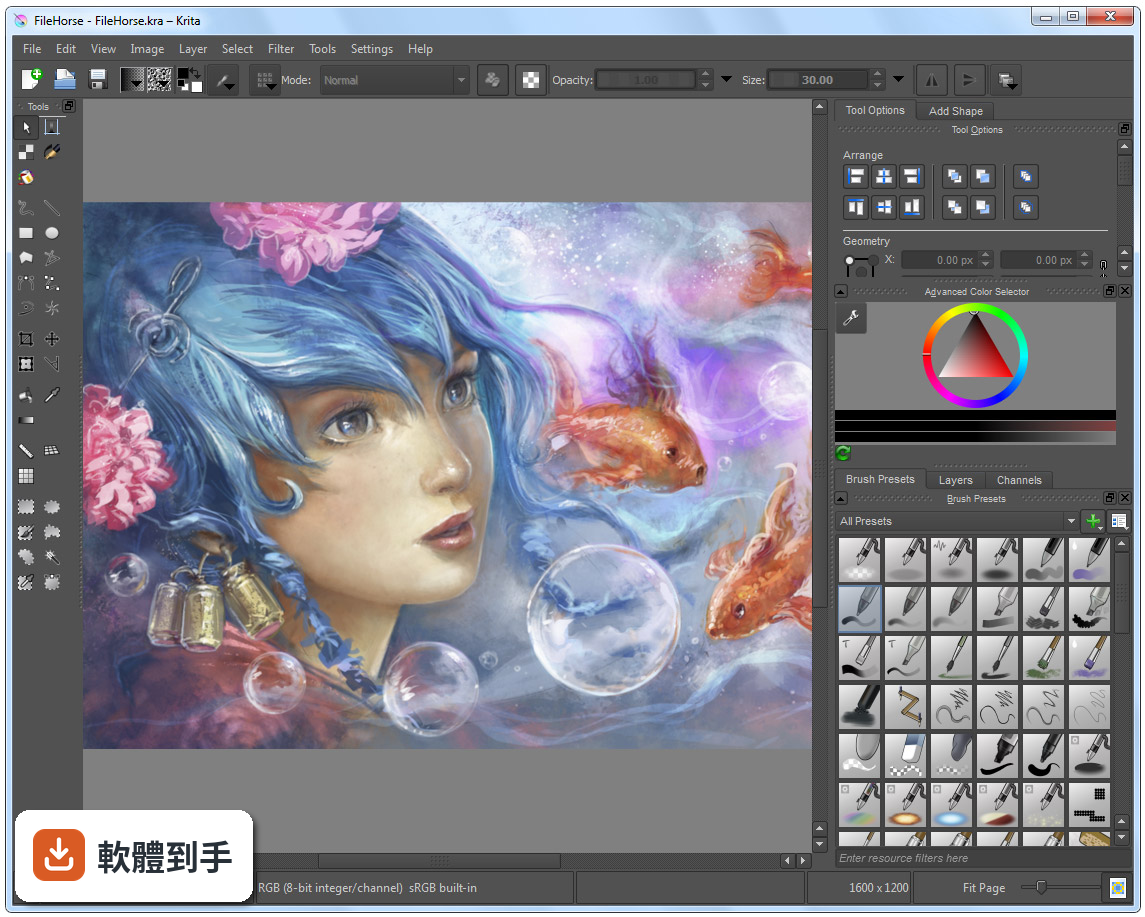
它定位是數位繪畫與插畫軟體,涵蓋概念設計、插圖、漫畫到 2D 逐格動畫。內建多種筆刷引擎,包含像素、混色、紋理、剖面線與圖案等,也有向量圖層、遮罩、調整圖層,以及時間軸和洋蔥皮功能。簡單說,從草稿、完稿到輸出成 PNG、JPEG 或 PSD,都能在同一套軟體裡完成。
02它的筆刷跟 Photoshop 比起來會不會差很多?
筆刷數量與自訂深度是它的強項,支援動態筆刷引擎,例如混色與紋理,也提供筆刷編輯器讓你調整參數。官方資料沒有直接跟 Photoshop 做比較,但以繪圖用途來說,筆刷系統的完整度足以應付多數插畫需求。如果你依賴的是 Photoshop 特有的修圖或濾鏡功能,那就不是同一條路線。
03我習慣用圖層畫圖,它的圖層管理夠用嗎?
支援向量與點陣圖層,並提供群組圖層、遮罩與調整圖層,這些都是繪圖軟體的基本盤。圖層面板可以顯示混合模式與不透明度細節,也能一次選取多個圖層同時變形。以畫圖流程來說,該有的都有,非破壞性編輯也能做到。
04除了靜態圖,它能不能做動畫?
可以,內建時間軸與洋蔥皮功能,適合做 2D 逐格動畫。官方資料提到,近期的版本強化了影音同步與影片匯出,整合了 FFmpeg,多數使用者不需要另外設定就能匯出影片。不過這套動畫功能是「逐格」取向,不是做骨骼綁定或補間動畫的那種工具。
05它可以開 Photoshop 的 .psd 檔嗎?
可以開啟與儲存 .psd 檔案,但官方有提醒,某些複雜的圖層或特效可能無法完美轉換。如果你需要頻繁跟使用 Photoshop 的人交換檔案,建議先測試幾個含特效或調整圖層的檔案,確認轉換結果符合需求再當作正式流程。
06我是完全沒畫過圖的新手,這套適合我嗎?
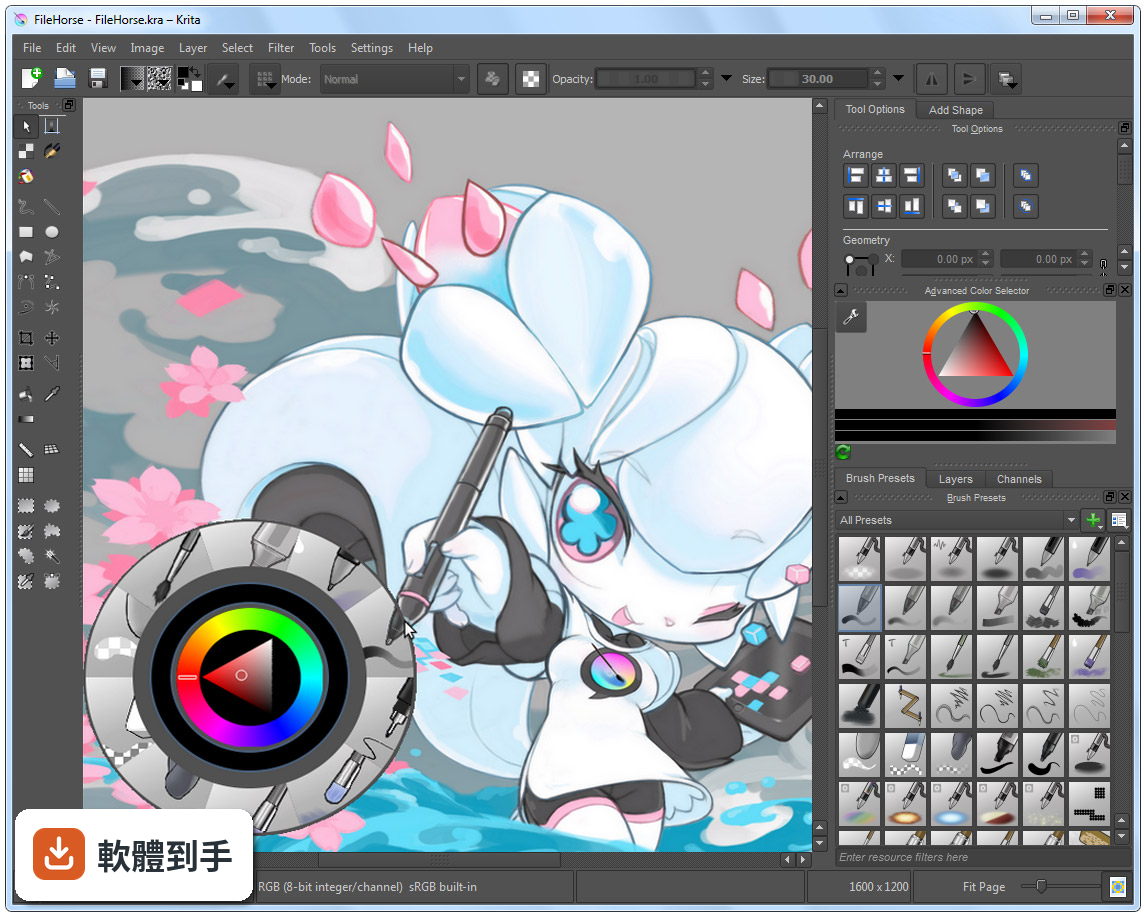
介面可以自訂,也有彈出式色盤與筆刷預設,降低上手門檻。但要注意,它的介面語言只有英文,對不習慣英文介面的人來說,初期找功能會比較吃力。官方有提供資源區可以下載額外筆刷與外掛,但那些說明也是英文。如果你願意花時間熟悉,它是可以從零開始學的。
07專業接案的畫家用它會不會不夠用?
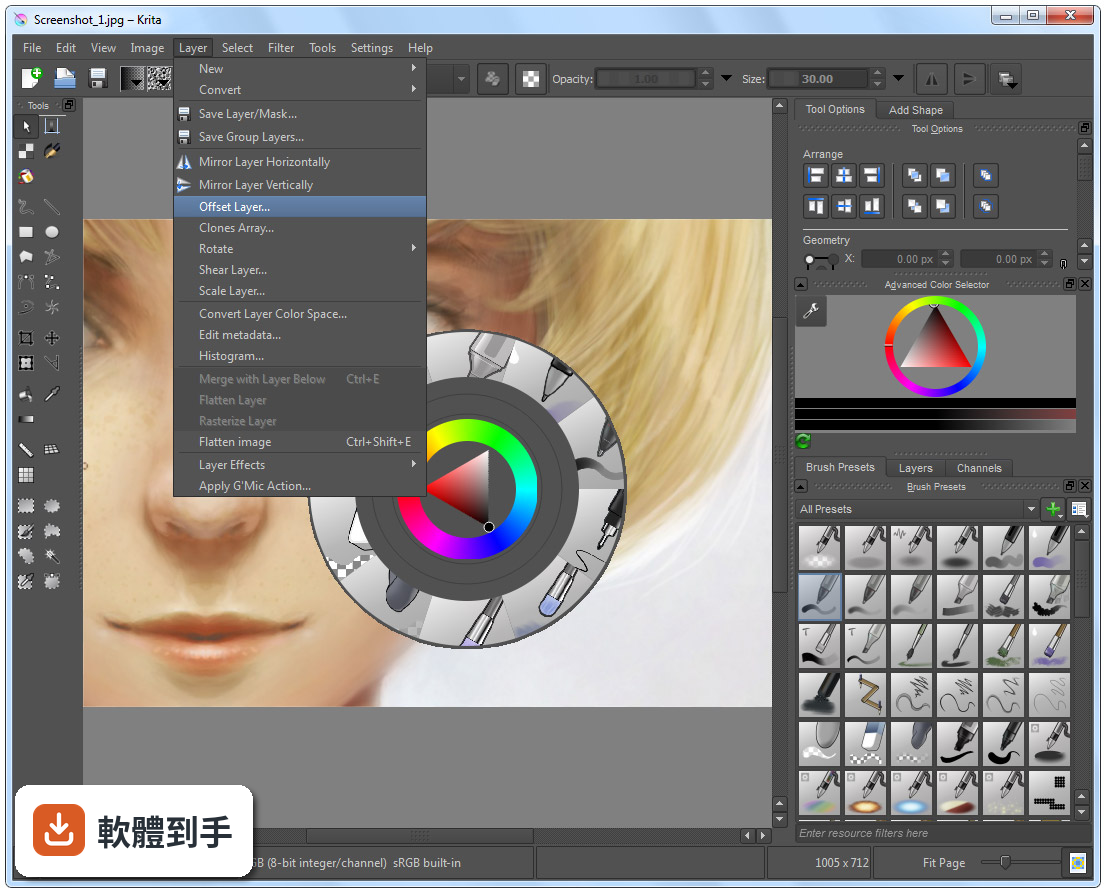
它具備 ICC 色彩管理、Gamut Mask 與色輪等專業色彩工具,也支援 CMYK 與 PSD 相容性改善,官方定位就是給藝術家、插畫家與概念設計師使用。不過,評分人數僅 201 人,相較於 Photoshop 的 9575 人,代表使用者的回饋樣本少很多,實際遇到問題時能參考的社群經驗也相對有限。
08我主要用平板畫圖,這套軟體在平板上好用嗎?
官方資料說它支援 Windows、macOS、Linux 與 Android 平板,也支援繪圖筆。但要注意,Android 版本的功能可能與電腦版有差異,例如影片匯出功能在 Android 上就沒有整合 FFmpeg。如果你主力是 Android 平板,建議先確認你需要的功能在該平台上是否完整。
09跟 ArtRage 或 Paint.NET 比起來,我該怎麼選?
這幾套的定位不同。ArtRage 模擬傳統媒材手感,Paint.NET 偏向影像編輯,而 Krita 是完整的繪圖與插畫工具,功能範圍更廣。評分方面,ArtRage 只有 33 人評分,Paint.NET 有 316 人,Krita 是 201 人,樣本都不算大。選擇的關鍵在於你主要畫什麼——如果只是簡單塗鴉,輕量軟體就夠;如果要完整繪圖流程,Krita 的功能面更齊全。
10它的介面只有英文,會不會很難上手?
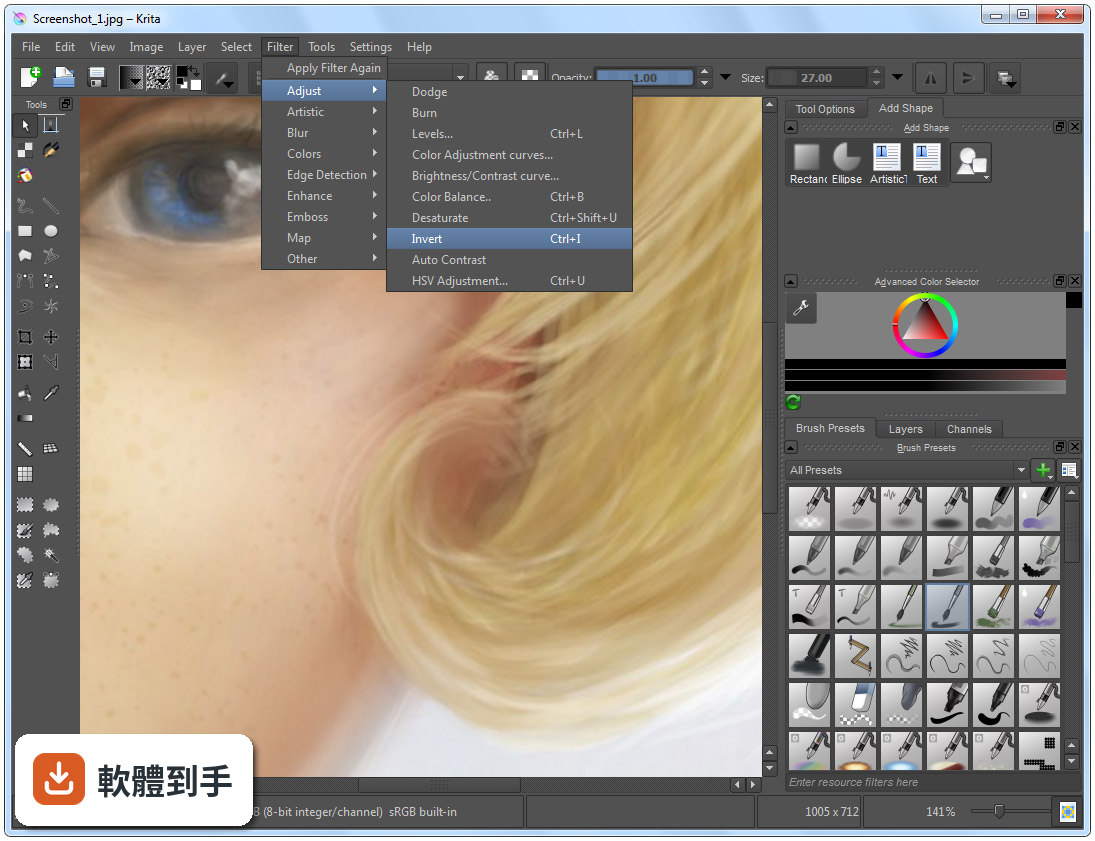
確實只有英文介面,這是實際的門檻。不過介面本身可以自訂,面板能拖曳、停放或隱藏,也有快捷鍵可以加速操作。如果你英文閱讀沒問題,影響不大;如果看到英文就頭痛,可能要考慮其他有中文介面的軟體,或是花時間查詢常用的功能名稱。
11它跟 Photoshop 可以完全互相替代嗎?
不行。它是繪圖與插畫取向的軟體,Photoshop 是全面的影像編輯工具,兩者的重疊範圍在繪圖與 PSD 相容性,但 Photoshop 的修圖、合成、濾鏡生態系是 Krita 沒有的。如果你只是要畫圖、交稿,Krita 有機會替代;如果你的工作流程包含大量影像處理,那就得兩套並用或繼續用 Photoshop。
12這套軟體更新頻繁嗎?會不會用一用就沒人維護?
根據版本紀錄,近 12 個月更新 9 次,近 24 個月更新 14 次,屬於持續維護中的專案,而且它是開源軟體,由 KDE 社群開發。不過,開源專案的開發節奏與商業軟體不同,功能演進方向由社群決定,不會有「保證某個功能一定在下一版出現」的承諾。以目前的更新頻率來看,短期內不用擔心被放棄。
下載與官方連結
krita-x64-4.4.2-setup.exe · 連結指向軟體原廠
版本紀錄
- 2026-10-08 Krita 5.3.4.1 157.81 MB
- 2026-09-17 Krita 5.3.4 157.88 MB
- 2026-07-30 Krita 5.3.3 157.66 MB
再看 5 筆
- 2026-06-03 Krita 5.3.2.1 156.49 MB
- 2026-05-28 Krita 5.3.2 154.07 MB
- 2026-03-31 Krita 5.3.1 156.64 MB
- 2026-03-25 Krita 5.3.0 156.64 MB
- 2026-02-28 Krita 5.2.16 147.85 MB
這一版改了什麼
What's new in this version:
New Features:
Mesh Gradients:
- Sharaf Zaman’s Google Summer of Code project has landed in this release! Compatible with Inkscape, Krita now provides the second independent implementation of SVG Mesh Gradients. Mesh gradients are used on vector objects and can deliver really natural looking results.
Mesh Transform:
- But the gradients are not the only mesh related feature! This release also sees the first iteration of the mesh-transform. Like the gradient mesh, the mesh transform consists of bezier patches that can be individually shaped to create precise transforms, especially useful for rounded objects. Not shown in the above screenshot: you can optionally show the handles of each bezier curve making up the mesh for even more precision and control!
- Deif Lou added a new gradient fill layer type, this one will make it easy to quickly create a variety of gradients non-destructively. With it, he also made an important usability fix: Gradients in Krita could be either segment type, or stop type, with different features each, and different editors each. That could get quite annoying if you were working on a gradient, but you realized you had the wrong type! This is now fixed, as both gradient types can now be edited by the same editor, which also converts between the two.
Improved Halftone Filter:
- Deif Lou also created a new halftone filter. The old filter was slow and could not be used as a filter mask, and could only show dots.
- The new filter can handle being applied as filter layer, per-channel filtering, and the pattern itself can be generated with any of the fill layer options, giving endless combinations.
Updated macOS integration plugins:
- Amyspark improved the quicklook plugin by adding thumbnailing support (needs macOS 10.15 or higher) and added metadata support for Spotlight
A Paste Shape Style Action:
- A small feature that allows you to only paste the style of the copied vector shape onto other selected vector shapes. This feature can be found under the edit menu, or assigned a shortcut in the shortcut settings.
A Toolbar Button for Wraparound Mode:
- Originally, we had a shortcut, W, that enabled Krita’s Wraparound mode, one of the features Adobe copied this year for the next release of Photoshop.
- But too many people pressed the shortcut by accident and were then confused and thought Krita had gone crazy… So we removed the shortcut, but now nobody could find it anymore. That’s why in this release, we have added a button to the toolbar that activates wraparound.
New brushes:
- There are also six new brushes by Ramon Miranda, meant to show off the new RGBA brush tip feature
Agata Cacko improved HiDPI rendering (BUG:411118) of:
- Pixelart previews
- Reference images
- Comic manager pages
- Image thumbnails in the last documents docker
- Recent documents thumbnails
- The Popup palette
- Clipboard content in the new image dialog
- The Color selectors
- Gamut masks
- Brush preset icon in the Brush preset editor
- Layer thumbnails and icons
- Resource choosers
- Bundle icons
Bug Fixes:
File Handling:
- Files with names starting with a number are now autosaved correctly
- Make it possible to load EXR files with non-ascii characters in the path
- Disable making the background black for a semi-transparent EXR file
Painting:
- The PressureIn sensor now works correctly in combination with the Hue color expression
- The speed smoothing algorithm no longer creates blobby lines
- The colorsmudge brush now blends when there is a selection active
- The brush outline no longer snaps when switching between two images with a different zoom level
Animation:
- Most animation work is going in the master branch, which will become Krita 5.0.
- Onion skins are hidden when playing an animation
- Warn the user when they are trying to run the ffmpeg download archive, instead of unpacking it
- Fix converting an animated transparency mask to a paint layer
Usability:
- The default shortcuts for changing the mode in the selection tools have been removed: they are replaced by ctrl/shift/alt modifiers. The actions still exist, so you can configure single-key shortcuts in Krita’s shorcut settings dialog.
- The magnetic selection tool now has buttons to confirm or discard a selection
- An issue where moving a selection would jump was fixed
- A Fit to Height zoom shortcut was added, patch by Jonathan Colman
- The screentone generator’s defaults were improved
- File layers that are dragged and dropped now have a proper name
- The popup palette now has a clear color history button
- The report bug dialog now provides the system information and usage logs in an easy to copy/paste manner
- Blacklisted resources that contain a in the filename were ignored
- Displays are shown by name in the color management settings page
- Fix showing custom icons for user-defined templates
- The fill layer dialog and seexpr widgets were polished
- The x/y position spin boxes in the move tool options were fixed
- Add default letter spacing for the text shape
- Add support for user-installed color schemes
- All dialogs and message boxes are now correctly parented to the main window
- Make it possible to export groups as merged layers
- Fix kerning handling in the text editor
- Add support for color opacity in the text editor
- Fix cropping the transform mask when moving the masked layer
- Improve switching between SVG source and rich text editor
- Fix issues with the brush outline getting stuck when the brush size is smaller than 0
- Improve the Python plugin importer so action files get imported correctly
- Fix tearing of patterns when scrolling in the resource chooser
- The rectangle and ellipse tool now have default shortcuts: Shift+R and Shift+J, respectively
- Allow the Select Similar Color selection tool to pick from a set of layers, make work correctly with image bounds and handle transparent layers correctly
- Fix the isometric grid so it is drawn correctly
- The outline selection tool was renamed to freehand selection tool
Filters:
- The bundled g’mic plugin is updated to 2.9.2 which contains a correct Boost-Fade filter
- The gradient map filter was improved and made faster
Stability and Performance:
- Fix a lot of memory leaks
- Improve performance by removing a bottleneck when transforming internal colors to and from QColor
- Fix a race condition in the Comics Manager plugin
- Fix the fill layers updating too many times
- Fix random crashes when changing screentone fill layer parameters
- Fix a crash in the Square Gradient strategy (patch by Deif Lou)
- Fix a crash when converting SVG source to rich text or back (patch by Lucid Sunlight)
- Fix an assert when trying to liquify transform an empty layer
- Fix an assert when creating a new layer from the visible layers while the active layer is hidden
- Make the Select Similar selection tool multithreaded