
這是歷史版本頁面 — 看 Malwarebytes Anti-Malware 最新版本
裝了防毒還是中毒?Malwarebytes 專門清什麼
 Malwarebytes Anti-Malware 2.1.8
資料更新 2015-06-30
閱讀約 5 分鐘
電腦明明裝了防毒軟體,卻還是覺得怪怪的:開機變慢、瀏覽器一直被導到奇怪的網頁、三不五時跳出看不懂的彈窗。當下想做的不是再裝一套更大包的防護軟體,而是找一個能「把已經進來的東西清掉」的工具。你需要的不是預防,是清理。
一般人遇到這種狀況,第一個念頭是再掃一次毒,但原本那套防毒軟體掃了半天什麼也沒找到,或者找到了卻說無法處理。問題在於傳統防毒著重「擋在門外」,對已經混進來的間諜軟體、廣告程式、潛在不需要的程式,偵測和清除能力往往有限。這類工具的做法是針對已感染的系統做深度掃描,用行為分析去抓那些躲在角落、防毒軟體沒看到的東西。
01Malwarebytes 到底能拿來做什麼?
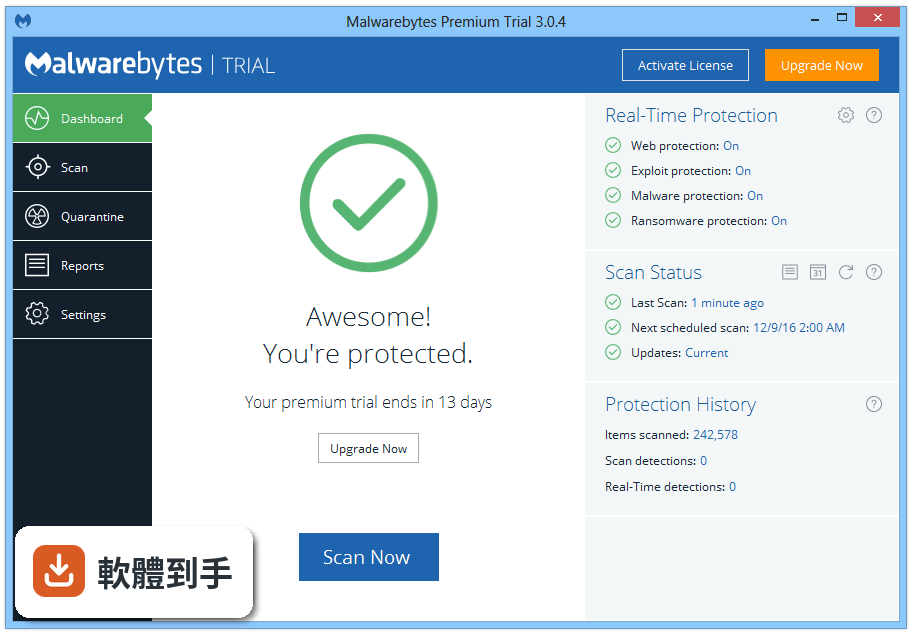
它的核心工作是偵測並移除病毒、勒索軟體、間諜軟體,以及廣告程式和潛在不需要的程式(PUP)。跟一般防毒軟體不同,它用行為分析去抓新出現的威脅,所以特別適合拿來處理「防毒軟體掃不到但系統就是怪怪的」的狀況。官方說明指出,它可以在已經有防護的裝置上,額外偵測到威脅。
02免費版和付費版差在哪裡?
免費版只能手動掃描和移除威脅,沒有即時防護、排程掃描、勒索軟體防護和網頁封鎖。付費版(Premium)才有即時防護、排程掃描、勒索軟體防護和更快更徹底的掃描選項。簡單說,免費版是「中了毒才拿來清」的工具,付費版才是「持續防護」的方案。
03它能不能跟原本的防毒軟體一起裝?
可以。官方說明明確表示,這套軟體設計上就是可以跟傳統防毒程式並存,不會衝突。很多人是把它當作防毒軟體之外的「第二道防線」,專門處理防毒軟體漏掉的東西。如果你原本的防毒軟體還在用,不需要先移除再裝它。
04掃描模式有哪幾種?
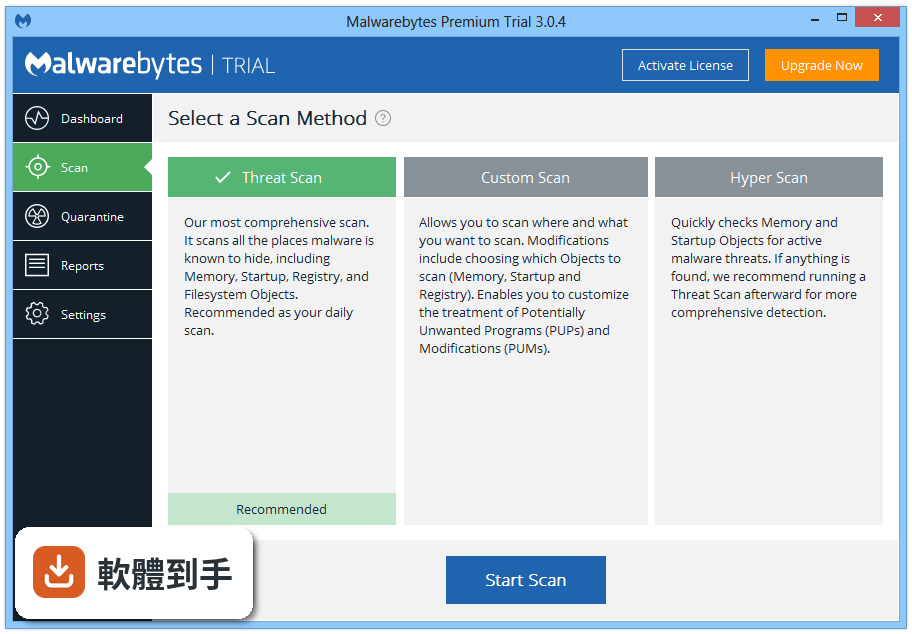
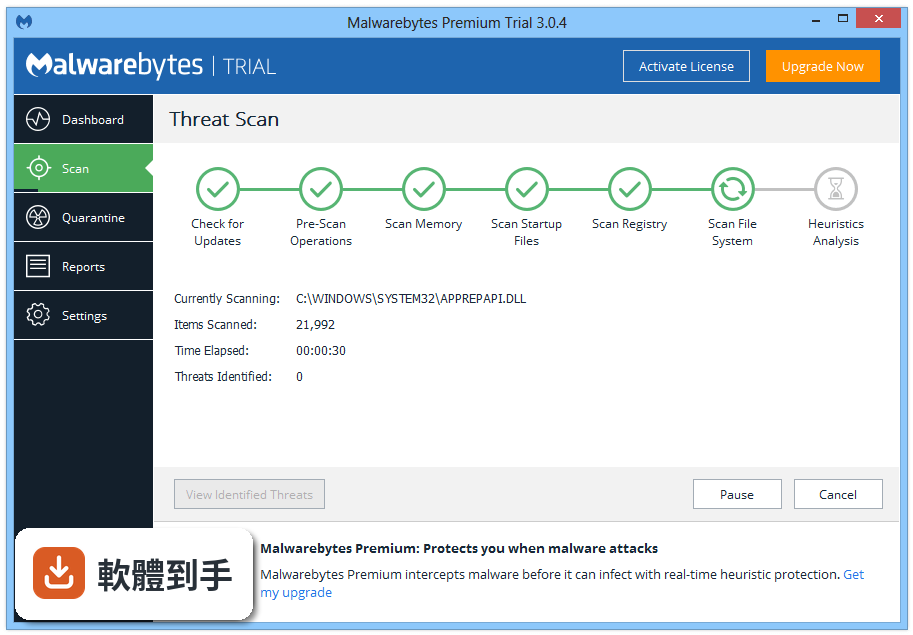
官方說明提到有三種掃描模式:快速掃描(Quick)、威脅掃描(Threat)和自訂掃描(Custom)。快速掃描就是從主畫面按一下「Scan」做快速檢查;威脅掃描是更深入的系統掃描;自訂掃描則讓你自己選擇要掃哪些位置。建議的頻率是每週一次快速掃描、每月一次完整掃描。
05它會拖慢電腦速度嗎?
官方說明強調它是輕量化的設計,不會明顯影響系統效能。而且最近的更新還大幅降低了 CPU 使用率,讓系統負擔更輕。不過實際效能表現還是會因電腦硬體而異,如果你用的是比較舊的機器,建議安裝後自己觀察一下開機速度和日常操作的流暢度。
06什麼樣的人適合用這套軟體?
適合已經有防毒軟體、但懷疑系統被感染卻掃不出東西的人;也適合偶爾會下載來路不明檔案、瀏覽器常被綁架或跳出奇怪廣告的人。另外,如果你不想花錢換掉現有的防毒軟體,只想多一層清理工具,它免費版就能滿足基本需求。
07完全不懂英文的人能用嗎?
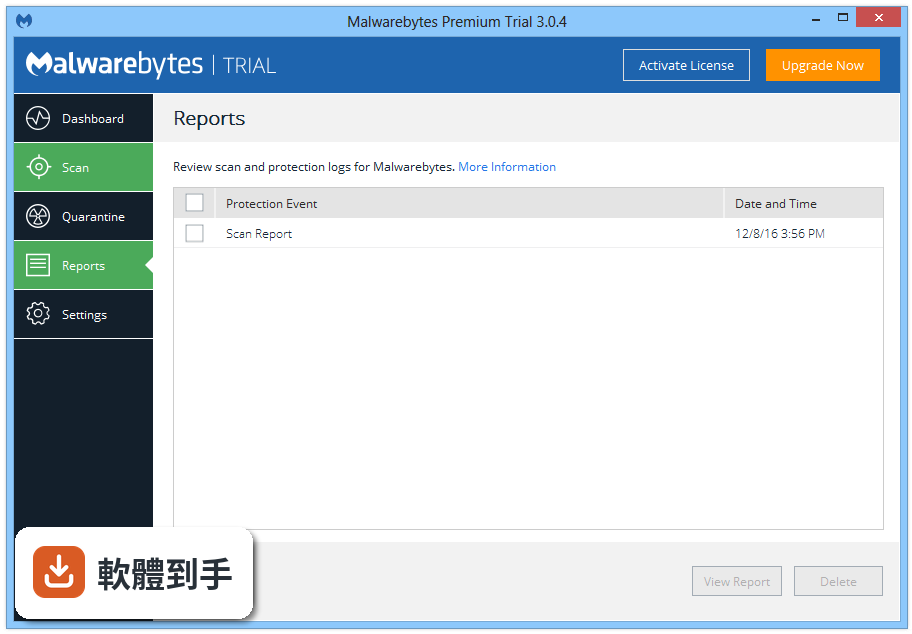
這套軟體的介面只有英文,沒有中文介面。不過它的操作介面算簡單,主要按鈕就是掃描、隔離區、設定這幾個區塊,官方說明也提到介面乾淨直觀。如果你完全看不懂英文,操作上會比較吃力,尤其是設定排程掃描或處理隔離區的檔案時,建議先查一下操作教學再動手。
08它能不能取代我原本的防毒軟體?
官方說法是你可以把它當作獨立的安全工具,也可以跟傳統防毒軟體搭配使用。但官方也承認,有些人會選擇搭配傳統防毒軟體以獲得完整防護。如果你只裝它而不裝其他防毒軟體,免費版的防護會明顯不足,因為沒有即時防護和網頁封鎖;付費版則比較接近完整的防護方案。
09介面只有英文,會不會很難設定?
主要功能都在主畫面上,掃描、更新、設定都標示得很清楚,官方說明也說導覽很直觀。但如果你需要設定排程掃描、調整即時防護選項,或處理隔離區的檔案,這些進階設定都在英文介面裡,需要一些英文閱讀能力。如果連「Settings」都看不懂,建議找有中文介面的替代方案。
10它很久才更新一次,會不會影響防護效果?
這套軟體近兩年只更新了兩次,更新頻率不算高。對一個主打「抓新威脅」的工具來說,更新頻率低可能代表威脅資料庫的更新速度較慢。如果你很在意即時防護能力,可以考慮更新更頻繁的防毒軟體;但如果只是拿來做定期手動掃描,更新頻率的影響相對有限。
11有沒有功能相近、更多人用的選擇?
官方列出的替代方案包括 Bitdefender Internet Security、Norton 360、Avast Free Antivirus 和 Kaspersky Premium,這些都是功能完整的防護套件。另外,資料中也提到 BullGuard、Dr.Web、eScan 等軟體與它功能相近,評分人數都在 2100 人左右。如果你想要的是「專門清毒」的工具,這套軟體是少數專注在清除而非預防的選擇;如果你想要的是完整防護,上述替代方案可能更適合。
下載與官方連結
前往官方網站 下載 Malwarebytes Anti-Malware
mbam-setup-2.1.8.1057.exe · 23.22 MB · 連結指向軟體原廠
版本紀錄
- 2026-10-20 Malwarebytes Premium 5.7.3 2.5 MB
- 2026-10-04 Malwarebytes Premium 5.7.2 2.5 MB
- 2026-09-24 Malwarebytes Premium 5.7.1 2.5 MB
再看 5 筆
- 2026-09-09 Malwarebytes Premium 5.7.0 2.5 MB
- 2026-08-21 Malwarebytes Premium 5.6.5 2.5 MB
- 2026-07-27 Malwarebytes Premium 5.6.3 2.5 MB
- 2021-11-05 Malwarebytes 4.4.10
- 2021-10-04 Malwarebytes 4.4.7
這一版改了什麼
What's new in this version:
Improvements:
- License key is now displayed on the My Account screen
- Remaining subscription duration now displayed on My Account screen
- Implemented other licensing improvements to clarify license status
- Enhanced protection capabilities of Malwarebytes Anti-Malware Web Protection
- Numerous enhancements to prepare for full compatibility with Windows 10
- Enhanced Malwarebytes Chameleon's ability to fully restore Malwarebytes functionality when affected by a malware infection
- Updated data collection techniques to improve malware research and analysis
- Removed "Exclude" button on Website Blocked notification to reduce inadvertent allowing of malicious sites
- Updated button text on Malware Detected and Non-Malware Detected notifications to clarify meaning
- Added enhanced support for High DPI displays
- Enabled the Malwarebytes Anti-Malware Free version to receive incremental database updates
- Added appropriate copyright notices and license statements for all third-party open source software
- Corrected translation errors for core non-English languages (German, French, Spanish, Italian, Dutch, Portuguese, Brazilian Portuguese, Russian and Polish)
- Added support for Chinese Traditional, which is provided as a convenience for our users by a community volunteer and is not an officially supported language
- Several improvements to malware detection and remediation capabilities
Issues Fixed:
- Reverted the temporary change in v.2.1.6 that disabled checking for updates prior to scheduled scans
- Fixed SDK Database load errors for error code 2 and 1812
- Removed obsolete "Terminate program when no threats are found" setting since scans now run from the tray application
- Fixed several crashes that could occur during scan and quarantine operations
- Fixed crash that occurred when clicking the Clear Policies link on Access Policies screen
- Fixed issue where "Show notification after successful update" setting was not properly retained during upgrade from v.2.1.4 to v.2.1.6
- Fixed issue where "Close notification" setting was not retained during upgrade from v. 2.1.4 to v.2.1.6 if the user had changed that setting back to 7 seconds after installing v.2.1.4
- Fixed issue on the Quarantine screen where unselecting a quarantined item disabled the Delete and Restore buttons
- Fixed issue where incorrect program version was listed in the scan logs
- Disabled option to specify rootkit scanning as part of a Hyper scan
- Fixed issue in Windows 10 Tech Preview and Windows 8.1 where Malwarebytes Anti-Malware was unable to start in certain cases after self-protection was turned on
- Fixed issue where Malwarebytes Chameleon did not load properly on Windows XP SP3 in certain conditions
- Fixed issue which prevented Malwarebytes Anti-Malware v.2.1.4 (and higher) from upgrading over certain Malwarebytes Anti-Malware v.1.75 consumer builds