
這是歷史版本頁面 — 看 MediaPortal 最新版本
把電腦變成家庭媒體中心,MediaPortal 能搞定電視錄影嗎
 MediaPortal 2.2.1
資料更新 2019-04-13
閱讀約 6 分鐘
你有一台舊電腦,擺在客廳電視旁邊,想讓它變成能看影片、聽音樂、又能看電視的機器。你試過用瀏覽器開網頁看影片,但畫質不穩、廣告又多;你也試過把影片檔案丟進播放器,但字幕、音軌、封面全部要手動處理。最麻煩的是電視——你想錄下來的節目,卻找不到一個簡單的方式定時錄影。
一般人會想說,那就裝個播放器、再裝個電視軟體,分開用就好。但問題是,每個軟體有自己的介面、自己的遙控器支援、自己的設定方式,切來切去很煩。而且錄影這種事,牽涉到節目表、排程、檔案格式,分開的軟體根本無法協調。媒體中心軟體就是為了解決這件事而存在:把影片、音樂、照片、電視、錄影全部放進同一個介面,用一支遙控器就能操作。
01MediaPortal 到底能拿來做什麼?
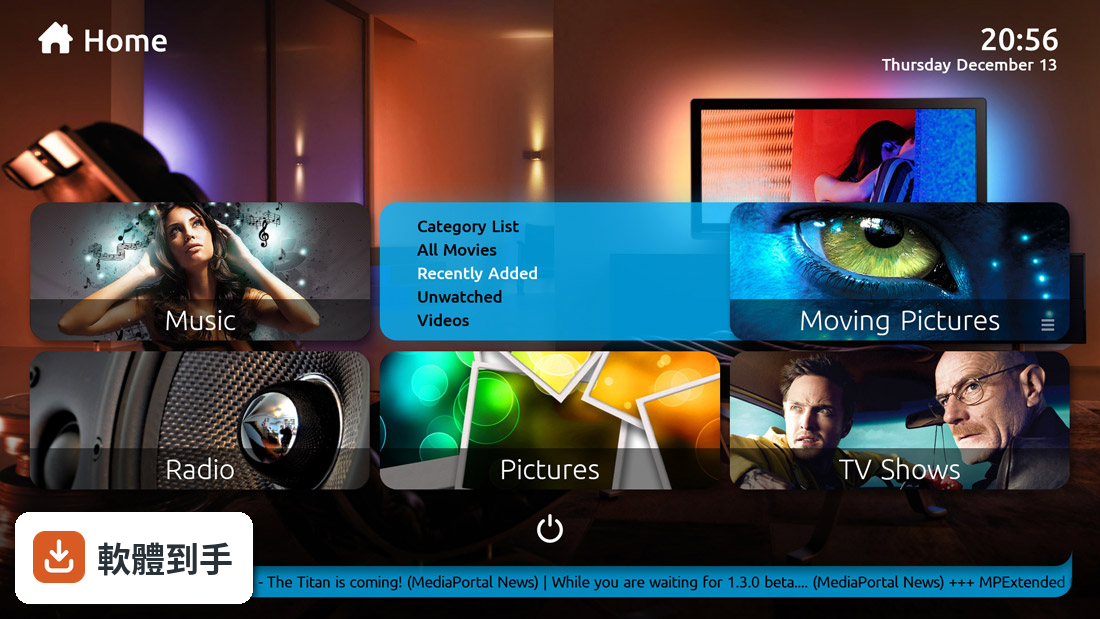
它是一套媒體中心軟體,安裝在 Windows 電腦上,把電腦變成多媒體播放器。主要功能包含播放本機或網路硬碟裡的影片、音樂、照片,也支援觀看和錄製直播電視。介面可以用遙控器操作,也能安裝外掛擴充功能,例如天氣、YouTube 等。簡單說,它是把客廳電腦變成一台多功能播放機的整合方案。
02它能不能看第四台或數位電視?錄影功能怎麼用?
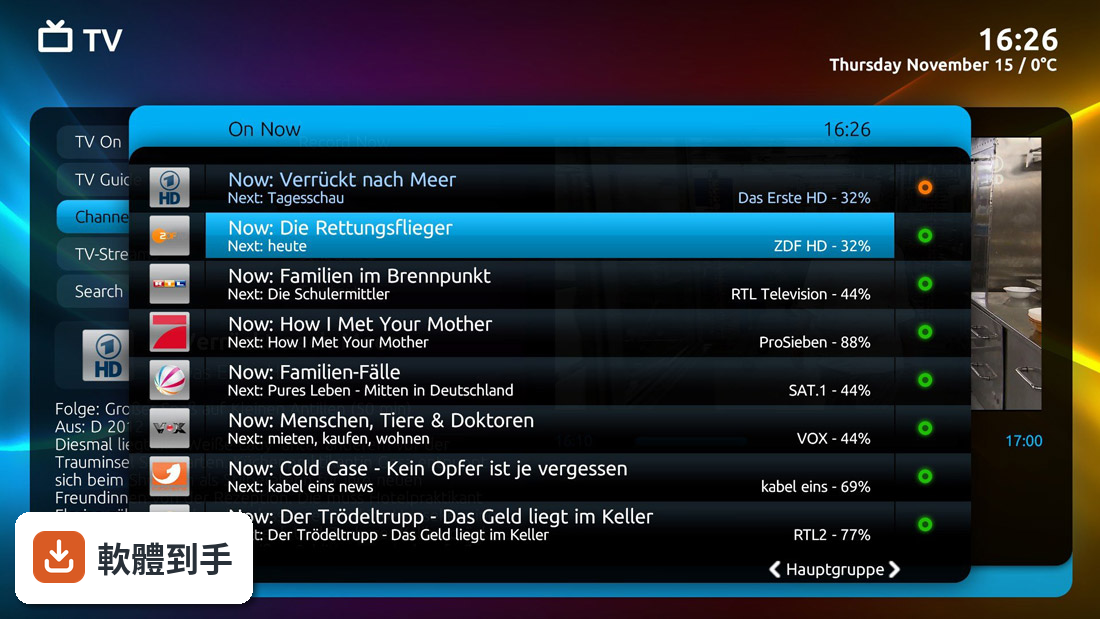
可以,前提是你的電腦有電視調諧器(電視卡或 USB 電視棒)。它支援多個調諧器,可以同時看一台、錄另一台。錄影功能包含時間平移(邊看邊倒轉)、電子節目表(EPG)和系列錄影(設定一次,之後同個節目自動錄)。實際使用上,你需要先把電視訊號來源設定好,再透過節目表排定錄影。
03我的影片檔案很亂,它能自動整理嗎?
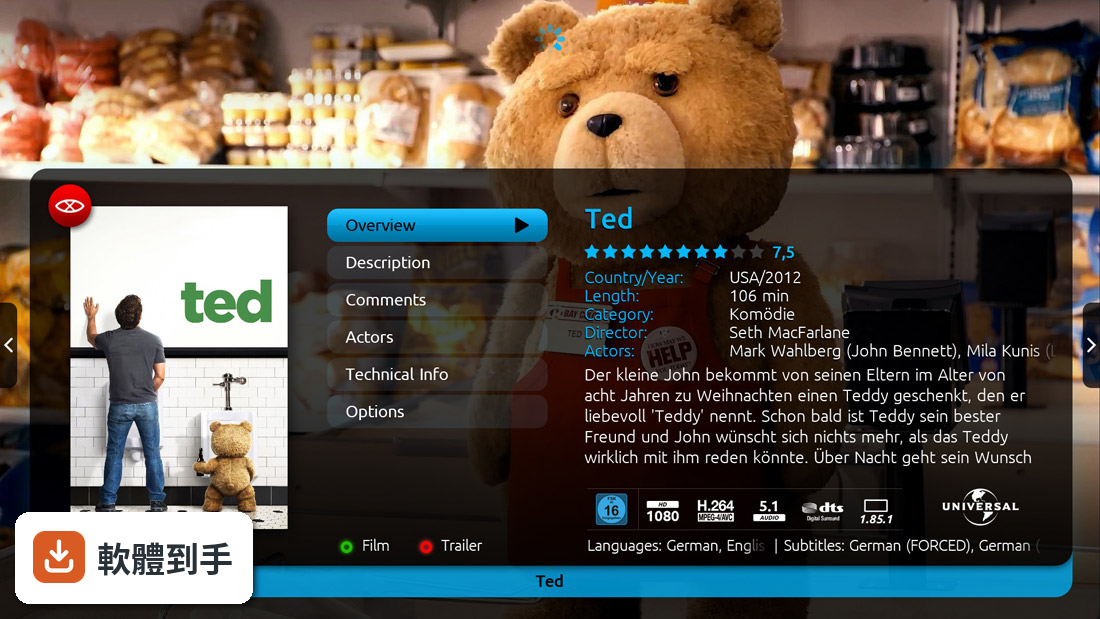
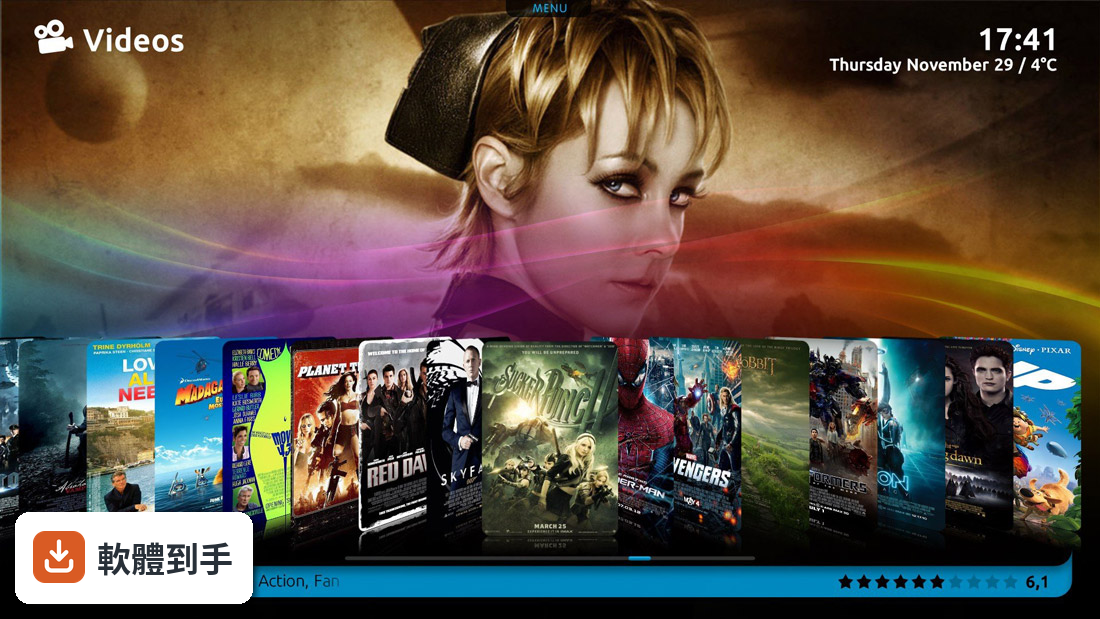
可以。它會掃描你指定的資料夾,自動抓取影片的 metadata(片名、年份、海報、簡介)和字幕,整理成一個有封面的媒體庫。音樂和照片也有類似的整理功能。不過,它抓 metadata 的來源是英文資料庫,所以中文影片的資訊可能抓不到或抓不完整,這點要先有心理準備。
04它能不能用手機或平板控制?
資料中沒有提到官方手機 App,但它支援多房間串流,可以把內容傳送到同一網路上的其他裝置播放。遙控器方面,它相容多種遙控器,包含 Windows Media Center 遙控器和一些紅外線接收器。如果你想要用手機當遙控器,可能要自己找第三方方案或外掛,這部分需要自行確認。
05外掛能加什麼功能?一定要裝嗎?
外掛是它的擴充機制,官方列出的例子有天氣、YouTube 整合、家庭自動化控制等。外掛不是必須安裝,但如果你想要更多功能,可以到官方網站下載安裝。要注意的是,外掛的品質和維護狀況不一,有些可能很久沒更新,安裝前最好看一下評價和更新時間。
06什麼樣的人適合用這套軟體?
適合已經有一台 Windows 電腦放在客廳、想把它變成電視播放器的人。尤其是你對硬體有一定了解,知道怎麼安裝電視調諧器、設定訊號來源,而且不排斥花時間調整設定。它也很適合喜歡自己動手客製化介面的人,因為支援自訂皮膚和外掛,可以打造出自己想要的樣子。
07我對電腦不熟,能用嗎?
會比較吃力。它的介面只有英文,安裝和設定過程也涉及不少技術細節,例如設定電視訊號、網路分享、外掛安裝等。如果你沒有碰過類似軟體,可能會花很多時間在摸索。相比之下,如果你只是要簡單看影片,市面上有更簡單的播放器可以選擇。
08介面只有英文,會不會很難上手?
會。整個操作介面都是英文,沒有中文語系。如果你不習慣英文介面,選單、設定、節目表這些地方都要花時間理解。雖然核心功能不難懂,但進階設定(例如錄影排程、外掛設定)的說明文件也是英文,對英文不熟的人來說門檻比較高。
09它跟 Kodi 比起來,哪個比較多人用?
兩者的使用者評分人數差不多,MediaPortal 有 51 人評分,Kodi 有 52 人評分,分數也都是 7/10。但 Kodi 的知名度通常比較高,社群的討論和教學資源也比較多。如果你遇到問題想找解答,Kodi 的資料會比 MediaPortal 好找。不過 MediaPortal 在電視錄影這塊的整合度是它的強項。
10它多久更新一次?會不會放著不管?
根據版本紀錄,它近 12 個月更新 1 次,近 24 個月更新 3 次,表示開發團隊還在維護,但不是頻繁更新那種。如果你習慣軟體常常有新功能或修正,它的步調可能讓你覺得慢。但另一方面,它也代表這套軟體已經相對穩定,不會三天兩頭改介面或出問題。
11我只要簡單看個影片,需要用到它嗎?
不需要。如果你只是偶爾用電腦看影片,一般的播放器(例如 VLC 或 PotPlayer)就夠用了。MediaPortal 的價值在於整合——把電視、錄影、媒體庫、遙控器全部兜在一起。如果你沒有電視錄影的需求,也不想花時間設定,它對你來說反而是負擔。
12它支援哪些 Windows 版本?舊電腦跑得動嗎?
官方支援 Windows 7、8、10、11。舊電腦能不能跑,取決於你的硬體規格,資料中沒有提到最低需求。不過它畢竟是媒體播放軟體,一般來說不會太吃資源,但如果你同時要錄影和播放,硬體需求會高一些。建議先安裝試用看看,跑不動再考慮升級硬體或換其他軟體。
下載與官方連結
MP2-Setup-2.2.1.zip · 140.4 MB · 連結指向軟體原廠
版本紀錄
- 2026-02-19 MediaPortal 2.5.0 212.8 MB
- 2025-08-14 MediaPortal 1.38.1 243.06 MB
- 2025-07-25 MediaPortal 1.38 243.07 MB
再看 5 筆
- 2022-07-15 MediaPortal 2.4.1
- 2021-12-31 MediaPortal 2.4
- 2021-09-07 MediaPortal 1.29.0
- 2021-07-14 MediaPortal 1.28.0
- 2021-01-08 MediaPortal 2.3.2
這一版改了什麼
What's new in this version:
TV:
- Extended subtitle support: All kinds of subtitles (DVB, Closed Captions, Teletext) can now be displayed. Individual settings allow users to customize which kind of subtitles they wish MediaPortal to support
- N.B.: When in window-mode, a remaining problem may lead to 'Teletext' subtitles being cut-off at the left and right side of the window.
- Recording skin functionality: All recording functons in the different menus have been stream-lined. Recordings can now be scheduled from more places using the record button. Recording options have been expanded
- Previous programm: pressing "0" on the remote or keyboard will now switch back to the previously watched channel
EPG:
- 'Single Channel' will now display the complete available guide
- Improved one-button navigation allows to quickly move 12 hrs (Next/Prev) or 24 hrs (Fwd/Rew)
- Start and end of the MiniEPG channel list can now quickly be reached with either Home/End on a keyboard or Prev/Next on a remote
- Typing a channel number will highlight the respective channel in the EPG
Extended TV card support:
- TBS cards CI/CAM
- DiSeqC motor delay
- Digital Devices dynamic PMT
- HD-PVR 2
HID Input Device Management:
- MediaPortal is now processing HID input. This allows the use of any Microsoft-compatible input device, be it remote, keyboard or gamepad. Generic Windows functions (including the standard MyTV, MyVideos, MyMusic, MyPictures) are pre-mapped to MediaPortal functions, therefore all devices should in principle work out of the box
- The plugin now not only allows to map any button or key on your input device to a MediaPortal function but you can also assign a MediaPortal or Configuration screen. This way you can for example assign special shortcuts to switch from one screen directly to another (e.g. to directly jump to TV from anywhere within MediaPortal)
System:
- Importer: Out-of-memory issues during large imports have been fixed
- Restart: A new option in the shutdown menu now allows an easy restart of MediaPortal
- needs to be enabled in settings first)
- List navigation: Navigating in long lists has become easier. The following functionalities are now in place
- Up/Down Move focus by one element. Scroll down/up if top/bottom list element has focus
- Pg Up/Down Display the previous/next screenful of list elements ('Channel Up/Down' on remote)
- Home/End The first/last element of a list gets the focus ('Prev/Next' on remote)
- Mouse control: The sensitivity of the mouse has been reduced so that minor movements will not immediately take the focus away
- Settings section: The system response upon entering the settings section has been significanly improved. The new busy cursor gives a more modern touch to your skin
- Special key handling: All keys and combinations are now treated as such. So Ctrl-F7 is now a different key than Shft-F7 or F7 itself. Note that Shift-F10 is hard-coded to the MS Windows context menu function
Extensions:
- MediaPortal 2.2.1's functionality can be further extended through the installation of additional plugins. The choice of extensions, while currently limited, is steadily growing. Discover what else is available in our Featured Plugins section
Trakt:
- A new Trakt plugin has been developed with better sync and watched flags management, completely compatible with the new User Management system, allowing different trakt accounts for different users. The development of the plugin has been moved out from the standard Mediaportal 2 development. This will ease development and bug fixes
- For details or manual, please refer to the related WIKI section
Flag Mover:
- Flag mover is a new plugin developed for MediaPortal 2.2 and newer versions. You'll be able to backup user specific watched flags (JSON format) and to restore/transfer them into a new clean installation
Moving from MP1 to MP2:
- Procedures to install MP2 in parallel to MP1 are described in the Wiki
- For all those who would like to move from MP1 to MP2 and preserve their current media organisation, our forum member raffe has created a small tool that will extract information from your MP-TvSeries and MovingPictures databases and picture folders, The tool will leave all your original data untouched, create .nfo files for all your media and copy existing pictures from your MovingPictures and MP-TvSeries to your new MediaPortal 2 media folders. The .nfo files and pictures then allow a smooth and quick import of all your media info into MediaPortal 2. See thee respective forum thread for further details