
這是歷史版本頁面 — 看 mIRC 最新版本
還在用 IRC 的人,mIRC 能幫你做到什麼
 mIRC 7.52
資料更新 2018-02-28
閱讀約 6 分鐘
還在用 IRC 的人,大概都遇過這種時刻:想連上某個伺服器加入討論,卻發現手邊的客戶端不是介面老舊難懂,就是連線設定複雜到讓人卻步。你只是想好好掛在頻道裡,偶爾回個話、傳個檔,結果光搞設定就耗掉半小時,最後還不一定連得上。這種卡關的感覺,正是 IRC 老牌工具試圖解決的麻煩。
一般人遇到這種狀況,直覺是改用網頁版 IRC 或現代通訊軟體,但那些工具往往少了 IRC 特有的腳本自動化、多伺服器同時掛線,以及 DCC 直接傳檔的能力。這類工具的切入點,是提供一個穩定、可自訂的視窗環境,讓熟悉 IRC 指令的人能保留原本的工作流程,同時用腳本把重複動作變成自動化,而不是靠滑鼠點來點去。
01mIRC 這套軟體到底能拿來做什麼?
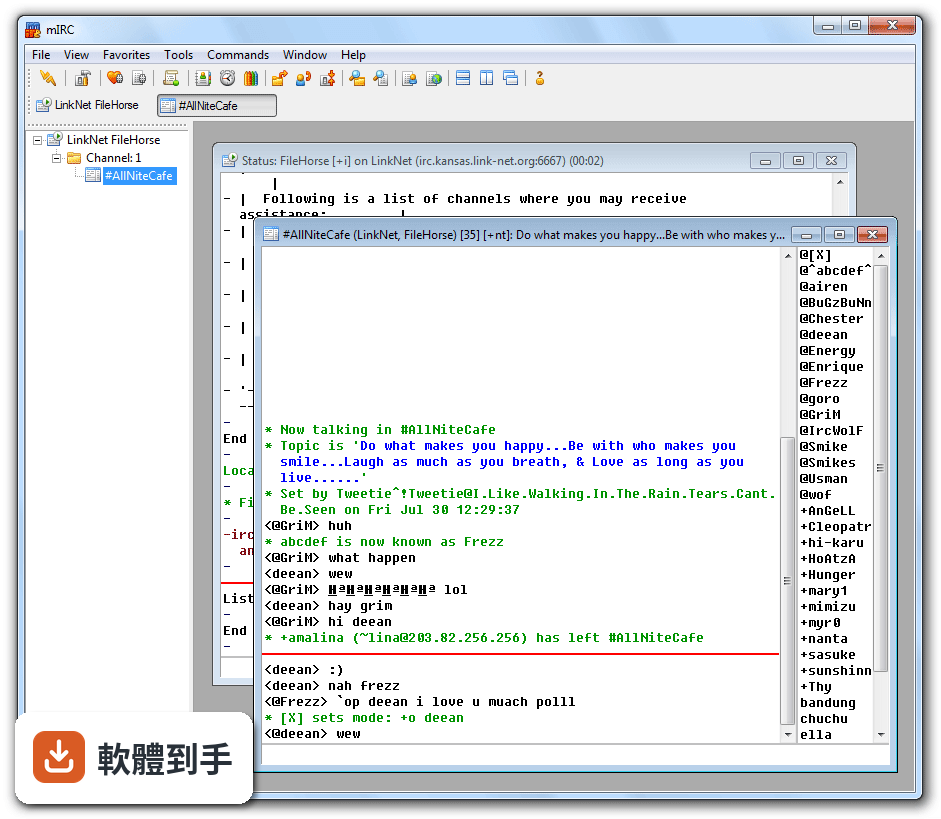
它是一套 Windows 上的 IRC 用戶端,主要用來連線到 IRC 網路(例如 irc.libera.chat),加入頻道聊天、傳私人訊息、管理暱稱與頻道成員。另外支援同時連線多個伺服器、DCC 檔案傳輸、對話紀錄自動存檔,以及用內建腳本語言寫出自動化指令或聊天機器人。對常跑 IRC 的人來說,這些功能涵蓋了日常聊天與管理的大部分需求。
02它跟一般網頁版 IRC 差在哪裡?
網頁版通常只能開一個連線、功能陽春,而這套軟體可以同時掛多個 IRC 網路,每個網路各自獨立分頁,方便管理。它還能把對話紀錄存成檔案,之後用紀錄檢視器開啟,也支援關鍵字提醒、事件觸發(例如有人進出頻道時跳出通知)。這些是網頁版不容易做到的事,尤其如果你需要同時盯好幾個頻道,差異會很明顯。
03它的腳本功能實際能幫我做到什麼?
腳本可以自動化重複動作,例如設定常用指令的快捷鍵、在特定頻道自動發送歡迎訊息、根據關鍵字過濾訊息,甚至寫出一個會自動管理頻道的機器人。官方說明提到,透過腳本可以建立自訂指令與聊天機器人,用於管理或自動化。不過這需要花時間學它的腳本語法,不是打開就能用,適合願意投入時間研究的人。
04用 DCC 傳檔案是怎麼運作的?
DCC 是 IRC 上的點對點直接傳輸,讓兩台電腦直接連線交換檔案,不走伺服器中轉。官方說明指出,這項功能常被現代安全工具阻擋,因為可能被濫用。實際使用時,對方也要支援 DCC,且雙方網路環境要允許直接連線,否則會失敗。如果你只是偶爾傳個小檔,這功能堪用,但別期待它像現代通訊軟體那麼順手。
05它會自動記錄聊天內容嗎?
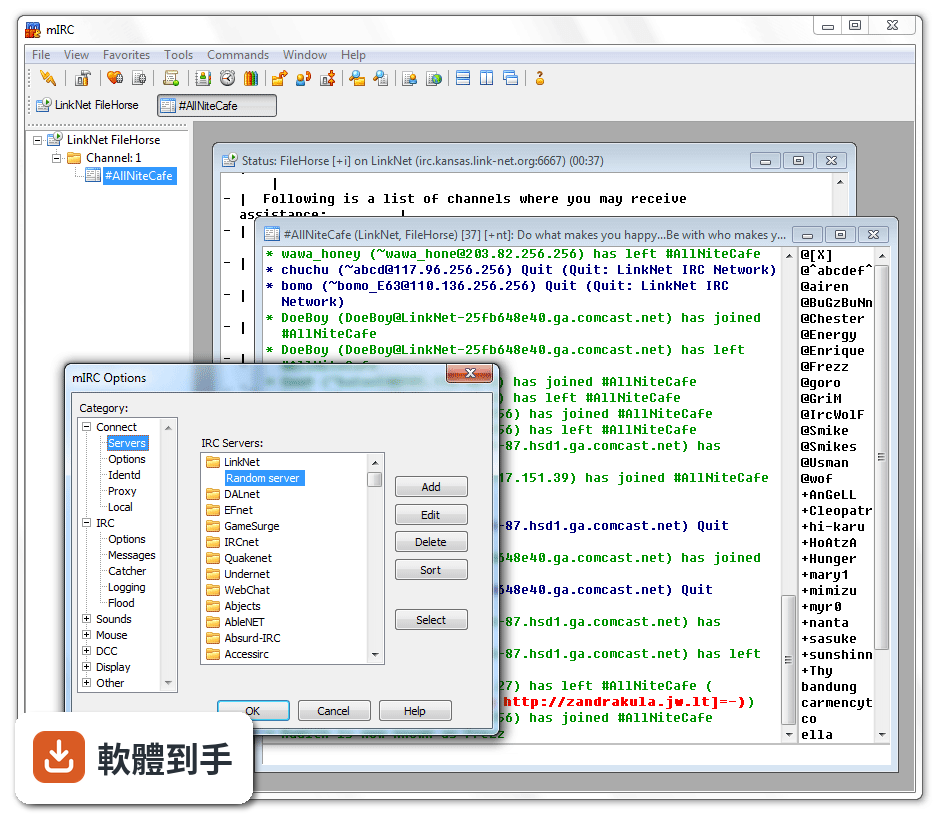
會,官方功能列表有「Logging」這一項,會自動記錄對話,方便事後查閱或做頻道管理。預設的記錄檔可以從狀態視窗的系統選單開啟,也可以到選項裡調整記錄的格式與存放位置。如果你需要留底或事後檢視討論內容,這功能很實用,但要注意隱私問題,記錄檔會存在本機硬碟。
06什麼樣的人適合用這套軟體?
適合已經熟悉 IRC 指令、需要同時管理多個頻道或伺服器的人,尤其是開發者、開源社群參與者,或習慣用文字介面做事的使用者。官方說明提到,它仍活躍於開發者與技術社群,因為腳本能力強、資源占用低。如果你只是偶爾想找人聊天,這套軟體對你來說可能太複雜,學習成本不划算。
07新手完全沒用過 IRC,能直接上手嗎?
可以,但會有一段陣痛期。安裝後首次設定會要求輸入暱稱、備用暱稱和伺服器資訊,之後用指令 /join #頻道名稱 加入聊天室、/msg 使用者名稱 訊息 來傳私人訊息。介面是 Windows 98 時代的風格,官方自己也說對新手可能顯得老舊或複雜。如果你願意花時間看指令說明,大概一兩天能上手,但不會像現代通訊軟體那麼直覺。
08它的介面只有英文嗎?中文使用者有障礙嗎?
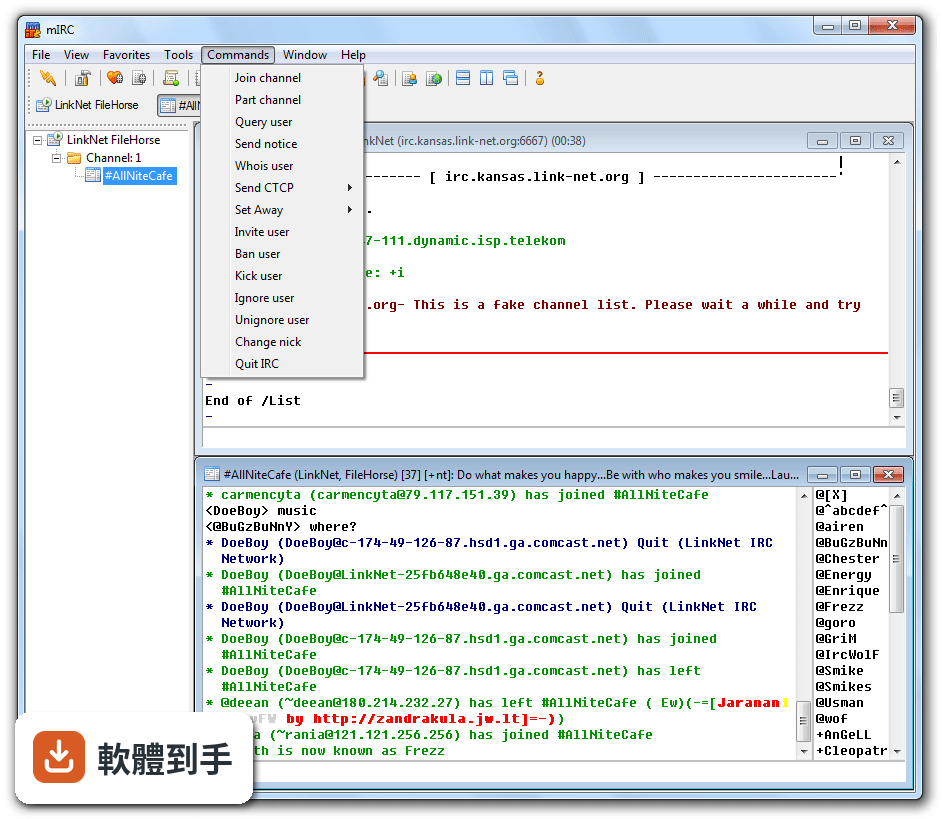
官方介面語系只有英文,沒有繁體中文選項。對不熟悉英文介面的人來說,選單和設定項目會需要對照翻譯才能理解。不過 IRC 指令本身都是英文,頻道內也常以英文溝通,所以如果你已經習慣 IRC 環境,英文介面影響不大;但若你完全不懂英文,操作上會比較吃力。
09這套軟體免費嗎?還是要付費?
官方提供 30 天免費試用,試用期滿後需要一次性付費註冊,費用是 19.95 美元,終身使用。官方說明提到,如果沒付費,軟體仍會以受限模式繼續運作,但功能會打折。如果你只是短期試用,30 天很夠;若要長期使用,就得考慮這筆費用值不值得。
10什麼情況不該選它?有沒有更簡單的替代方案?
如果你只是想要一個現代化、圖形介面漂亮的聊天工具,這套軟體不適合,它的介面停留在舊時代,官方也承認這點。另外,如果你需要手機上使用,它不支援行動裝置,官方說明明確寫了「Not mobile-compatible」。若你只是偶爾上 IRC 看看,可以考慮網頁版 IRC 客戶端,或試試 Pidgin、XChat 這類功能相近的軟體,但它們的評分人數也不多,穩定性需自行評估。
11它的安全性如何?適合談敏感話題嗎?
官方說明指出,它支援 SSL 加密連線,但 IRC 本質上不是完全安全的協定,敏感對話建議使用私人伺服器或額外加密。另外,DCC 傳檔可能被安全工具阻擋,這也代表某些環境下這功能會失效。如果你需要高度隱私的通訊,IRC 本身就不是好選擇,這套軟體也無法改變這點。
12這套軟體還有人在維護嗎?會不會突然沒更新?
根據版本紀錄,它近 12 個月更新了 3 次,近 24 個月更新 6 次,代表開發者仍持續維護,最近一次更新在 2026 年 6 月。官方說明也提到新增了 Windows 10/11 的深色模式支援、修復了多個崩潰問題。不過它的更新頻率不算高,如果你需要頻繁新增功能的軟體,這點要列入考量。
下載與官方連結
mirc752.exe · 2.64 MB · 連結指向軟體原廠
版本紀錄
再看 5 筆
這一版改了什麼
What's new in this version:
Changes:
- Changed website/forums to use HTTPS/SSL connections
- Changed HTTP requests, such as the update check, to use HTTPS/SSL
- Older versions of mIRC do not support this, so continue to use non-SSL connections
- Added support for IRCv3 sts secure connection feature that directs clients to switch from a non-SSL to an SSL port when connecting to a server Sts port and duration settings are saved in serversini file
- Added /server -u switch that makes the server connection ignore IRCv3 sts directives
- Fixed SSL connect behaviour that prevented a retry connect attempt for non-critical SSL errors
- Extended $file() to include path, name, and ext properties
- Updated code signing certificate
- Advance notification: the next version of mIRC will change the default
- SSL dialog setting from "Display invalid certificates for approval" to "Skip connections with invalid certificates" This means that, by default, mIRC will not connect to SSL servers that use invalid, self-signed certificates, such as on EFnet, DALnet, and LinkNet
- Fixed $chan()ibl/iel/iil/iql $inmode status not being reset when server returns numeric 482
- Added support for IRCv3 batch feature, however, as allowed by the spec, mIRC does not delay processing of batched lines
- Fixed online timer bug that caused mIRC to freeze once a minute the more connected status windows were open
- Extended Window menu status window items to include user mode
- Fixed /editbox -bNeN selection not being set if the text length resulted in auto-resizing of the multiline editbox
- Extended ^K color support for indexes 16 to 98
- Fixed $cb(N,u) not returning UTF-8 encoded text
- Updated libraries to OpenSSL 102n
- Fixed $window()tbtext not returning text for hidden windows
- Fixed font dialog not displaying sample text correctly for certain fonts
- Changed $sfile()/$msfile() to return $null for special folders such as the fonts folder and to set $sfstate that returns "cancel" for cancelled dialogs and "error" for errors
- Added "Hide away reminders" option to IRC/Options dialog that hides repeat away messages in active query windows for ten minutes
- Fixed /timer -h bug that prevented a subsequent /timer -h request from using the multimedia timer
- Changed script editor file monitor to ignore daylight savings offset and to check file size changes
- Fixed window focus not being set correctly in some contexts when mIRC is made the active application
- Changed CAP cap-notify support for NEW/DEL so that mIRC no longer disconnects/reconnects for most CAP features unless necessary
- Fixed $encode() bug that caused it to report "line too long" with binary variables and certain combinations of switches
- Updated to TagLib library latest fixes
- Fixed $encode()/$decode() with e/c switches not handling short/long keys correctly
- Extended nickname, highlight, display, marker, and styles dialogs to support color indexes 16 to 98
- Changed JOIN events to no longer restore/activate channel windows that already exist when rejoining after a kick/hop/reconnect
- Fixed user/level commands, such as /auser, causing gpf with long parameters
- Extended highlight dialog to show line color
- Changed mouse wheel scrolling to scroll by page if this option is enabled for your mouse in Windows
- Added /savebuf -p switch that strips control codes from saved lines
- Extended $width() to support $true/$false parameters
- Extended /hload and /hadd to support -mN which creates the table, with N slots, if it does not already exist
- Extended $cb() to support output to a %var|&binvar as third parameter and to return length If N == -1, stores entire clipboard
- Added /bwrite -c switch that chops file after appended bytes
- Extended /window -M -tN to allow N = 0 which enables leading text to be hidden
- Fixed $hotlink(match) bug that did not store nicknames correctly in some contexts
- Added $timer(N)name property that treats N parameter as timer name and returns position
- Added /debug -rNoN switch that sets the received and outgoing line colors
- Changed server dialog to update the connection details of any open status windows if you edit a matching server item
- Added $fromeditbox identifier that returns $true/$false if command or identifier called directly from an editbox
- Changed $encode()/$decode() with e/c switches to allow $null parameters
- Changed /debug colors to support the color 99 to use the default color
- Added $parms identifier that returns an untokenized $1- for events and other command/identifier calls
- Extended /splay to enable pause, seek, and resume with wave and midi files
- Added /fupdate [N] command that sets the display update rate when outputting text to windows
- Fixed MDI window maximize bug that caused a second copy of mIRC to not have a maximized window on startup
- Fixed $msfile() gpf when too many files are selected
- Fixed regular expression bug relating to K escape sequence
- Added /ignore support for highlight, speech, and tips
- Fixed beep on message option not beeping on an incoming message that matched a highlight item It now beeps as usual if the highlight item does not specify a sound
- Changed Switchbar/Treebar "blink icons" feature so that it is now controlled by the global flash setting and individual window flash setting It can still be fully disabled in the Display dialog
- Fixed /window -t <name> T1 T2 Tn bug that caused it to not update the display immediately
- Fixed UDP server sockets being closed due to WSAECONNRESET error
- Fixed $com() not freeing returned dispatch pointers if they were not being saved for later use
- Changed CTCP handling to correctly display empty ACTIONs/SOUNDs and empty CTCPs Also, all CTCPs in DCC Chats are now displayed as CTCPs for consistency, not just ACTIONs/SOUNDs
- Fixed List Channels dialog file not being set correctly after connecting to a different network
- Fixed scripts dialog using an invalid folder for new files if a user has deleted the folder outside of mIRC
- Fixed regex support for UTF-8 parsing and handling (*UTF8) prefix
- Added /flash -c switch to clear flash status of all windows
- Optimized switchbar in certain contexts when many windows are being displayed
- Added set/var -p switch to treat value as literal text, including quotes and spaces
- Added /savebuf -n switch to treat wrapped lines as single line
- Changed /join -i so that it will work in an event
- Added /join -md switches to set mdi/desktop for new windows
- Added /query -mdx switches to set mdi/desktop for new windows and to maximize a window
- Changed /raw to support @msgtag prefixes internally when parsing commands
- Changed "Split long channel/query messages" option to handle @msgtag prefixes