
這是歷史版本頁面 — 看 Mixxx 最新版本
想學DJ但不想花錢買軟體?Mixxx 能做什麼
 Mixxx 2.3.0
資料更新 2021-06-29
閱讀約 7 分鐘
想開始玩DJ混音,打開網路一看,Serato、Traktor、Virtual DJ 這些名字不斷出現,每個看起來都很專業,但點進官網看到訂閱費用或一次性買斷價格,心裡就涼了一半。你只是想在家裡練習、偶爾錄個混音丟上網,或者幫朋友的派對放歌,實在不想為了這個興趣先砸一筆錢。又或者你已經有一台 MIDI 控制器,卻發現它附贈的軟體試用期過了之後,功能就被鎖了一大半。
免費的選擇不是沒有,但很多號稱免費的 DJ 軟體,不是功能陽春到連對拍都吃力,就是介面全是英文、設定複雜到讓人想放棄。更別提有些免費版還會在輸出時加上浮水印,或者限制錄音長度。這類工具的切入點,其實是「用開源社群的力量,把付費軟體的核心功能做出來,然後免費給大家用」——不求每一項都跟商業軟體一樣精緻,但至少讓想入門的人不用先過「付費」這一關。
01Mixxx 是免費的嗎?真的完全不用錢?
是,這套軟體採用開放原始碼授權,官方說明明確寫著「免費且開源」,沒有隱藏費用,也不用註冊或訂閱。下載安裝之後,所有功能都是完整開放的,不會有試用期到了就鎖功能的問題。如果你在意軟體來源,可以從官方網站下載,也可以到 FileHorse 這類軟體下載站取得安裝檔。
02它能接我現有的 DJ 控制器嗎?還是只能鍵盤滑鼠?
它支援 MIDI 和 HID 兩種協定的控制器,官方說法是可以相容「眾多」市面上常見的 DJ 硬體。但「眾多」不等於「全部」,如果你的控制器是比較冷門的型號,建議先到官方網站或社群論壇查一下有沒有對應的對應設定檔,或者直接問開發團隊。接上之後,通常還需要手動設定一下按鍵對應,不是插上去就全部自動搞定。
03我有一堆 MP3 和 FLAC,它能讀嗎?會不會挑格式?
官方列出的支援格式包含 MP3、WAV、OGG、FLAC,還有其他常見格式,基本上你電腦裡一般的音樂檔案它都能讀。這點對收藏了大量無損音樂的人來說很實用,不用為了用軟體還得先把檔案轉成特定格式。如果你有比較罕見的格式,建議先丟一首進去試試看,官方沒列出來的不保證一定可以。
04可以一邊放歌一邊錄下來嗎?還是只能現場放?
可以錄。官方功能說明裡有提到「Broadcast or Record」,也就是除了現場播放,也能把混音過程錄下來存成檔案。這對想錄練習成果、上傳混音作品的人來說是基本需求。另外它也支援透過 Icecast 和 Shoutcast 協定做線上直播,如果你之後想開網路電台或直播放歌,這套軟體有內建這功能,不用另外裝其他工具。
05它有沒有自動混音?我新手不會對拍怎麼辦?
有,它內建 Auto DJ 功能,可以自動播放清單裡的歌曲,讓混音流程自動化。另外它也有 BPM 偵測和自動同步功能,系統會幫你算出每首歌的速度,然後把兩軌的速度對齊,降低手動對拍的門檻。不過要提醒,自動對拍只是輔助,音樂的結構、進歌點、情緒轉折還是要靠自己聽,這部分沒有捷徑。
06我完全沒碰過 DJ,這套適合入門嗎?
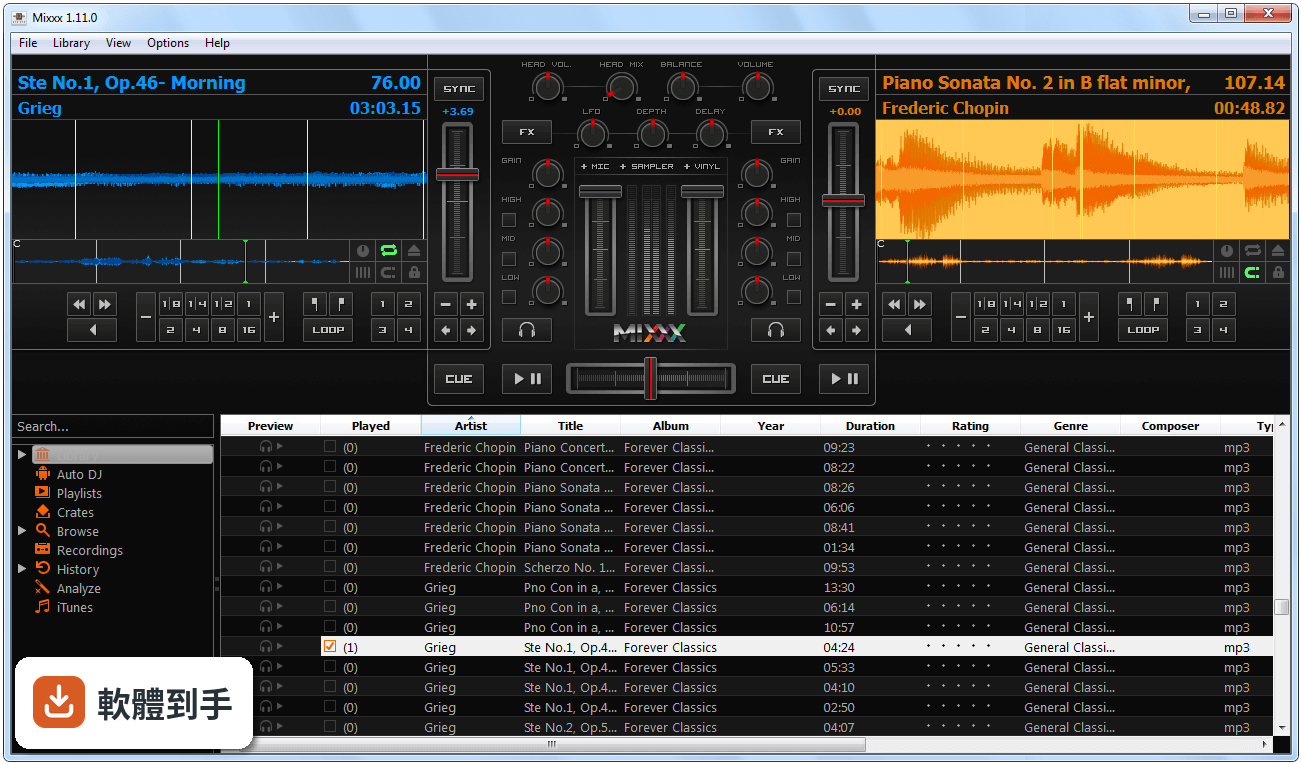
官方說明裡明確提到它「適合初學者」,介面設計也標榜直覺、好上手,有波形顯示、效果器面板和播放清單區塊,版面不會太複雜。而且因為它是免費的,你不需要先花錢就能開始練習,這對不確定自己會不會持續玩下去的人來說,是很大的優勢。不過介面是英文的,如果英文閱讀比較吃力,初期需要花點時間熟悉按鈕功能。
07我主要是想在家練習,偶爾錄個混音上傳,夠用嗎?
如果你的需求是「在家練習、錄音、偶爾放給朋友聽」,它的功能是夠用的。它有即時混音、效果器、等化器、交叉淡化器這些 DJ 基本配備,也有黑膠時間碼支援,之後想接黑膠唱盤也可以。但官方也承認,它缺少一些高階商業軟體才有的進階功能,如果你追求的是非常專業的表演效果,可能還是會碰到天花板。
08我是用 Mac 的,這套有支援嗎?
有,官方說明寫得很清楚,它同時支援 Windows、macOS 和 Linux 三個平台。所以不管你是用 Windows 筆電還是 MacBook,都可以安裝使用,這點比一些只出 Windows 版本的軟體來得方便。不過要注意,官方列出的系統需求是 Windows 11/10 64 位元,Mac 版的具體需求建議到官方網站確認一下。
09我接的控制器很冷門,它支援嗎?還是只能碰運氣?
官方只說「相容眾多」控制器,沒有保證全部支援。如果你的控制器是比較小眾的品牌或型號,建議先到官方社群論壇搜尋看看有沒有人用過,或者直接問開發團隊。另外,因為它是開源軟體,社群有提供一些使用者自製的對應設定檔,但這部分就要靠你自己去找了,官方沒有提供完整的相容性列表。
10我聽說它偶爾會當機,拿來接表演會不會出事?
官方說明裡確實提到「偶發的穩定性問題」,這點要誠實面對。如果你只是在家練習,當機頂多重開就好;但如果是接現場表演,穩定性就是很現實的考量。建議在重要場合之前,先用你要用的那台電腦、那台控制器,連續跑幾個小時測試看看,確認沒問題再上場。另外,它的技術支援是社群導向,沒有付費軟體那種專人客服,遇到問題要自己爬文或發問。
11我習慣用 Serato,換過來會不會不習慣?
這套軟體的介面邏輯和 Serato 不太一樣,操作習慣需要重新適應。官方沒有提供 Serato 的匯入功能,所以你的播放清單、Cue 點、設定檔這些東西,換過來之後都要重新建立。如果你已經很熟悉 Serato 的操作流程,而且沒有預算壓力,那繼續用原本的軟體可能比較省事;但如果你想找一套免費的替代方案,願意花時間重新熟悉,那 Mixxx 是可以考慮的對象。
12我電腦很舊,跑得動嗎?
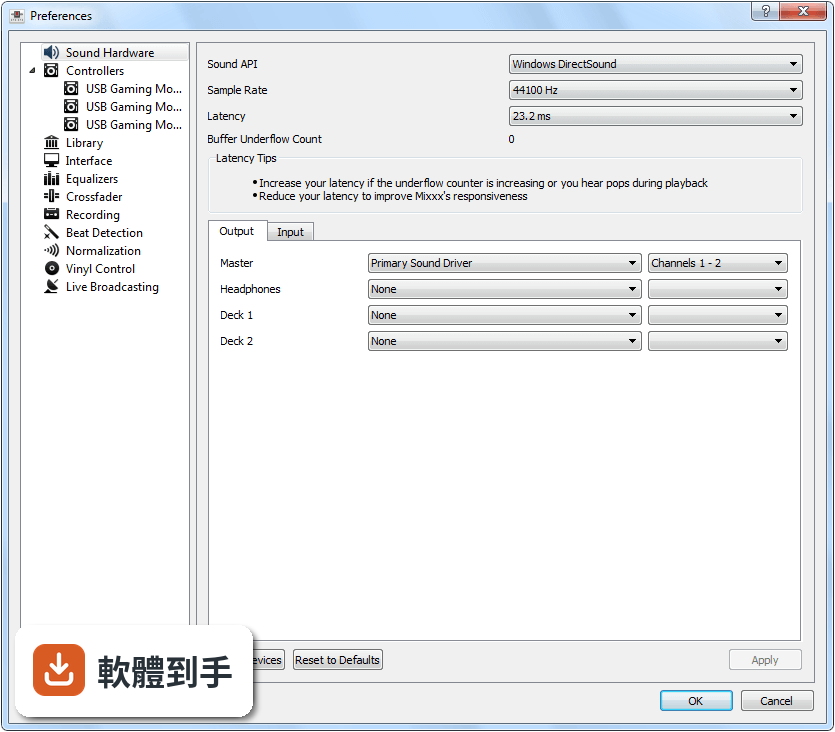
官方列出的最低需求是雙核心 CPU(建議 2 GHz 以上)、4GB RAM(建議 8GB)、500MB 可用空間,音效卡建議支援 ASIO 以降低延遲,顯示卡則需要支援 OpenGL 2.1 才能顯示波形。如果你的電腦符合這些條件,基本上可以跑,但如果你同時開很多效果器或處理大量音軌,效能可能會吃緊。建議先安裝試跑看看,實際用你的音樂庫測一下最準。
下載與官方連結
mixxx-2.3.0-win64.msi · 連結指向軟體原廠
版本紀錄
- 2026-03-28 Mixxx 2.5.6 115.07 MB
- 2025-12-15 Mixxx 2.5.4 114.89 MB
- 2025-09-03 Mixxx 2.5.3 114.1 MB
再看 5 筆
- 2025-06-14 Mixxx 2.5.2 113.16 MB
- 2025-04-28 Mixxx 2.5.1 113.08 MB
- 2025-01-03 Mixxx 2.5.0 113.11 MB
- 2024-11-27 Mixxx 2.4.2 64.82 MB
- 2024-05-10 Mixxx 2.4.1 64.46 MB
這一版改了什麼
What's new in this version:
Hotcues:
- Add hotcue colors and custom labels by right clicking hotcue buttons or right clicking hotcues on overview waveforms
- Mouse hover cues on overview waveform to show time remaining until the cue
Hotcue & Track Colors:
- Add configurable color per track
- Add customizable color palettes for hotcue and track colors
- Add hotcue color find-and-replace tool
Importing From Other DJ Software:
- Import cue points, track colors, and playlists from Serato file tags & database
- Note: Mixxx does not yet support multiple loops per track. We are working on this for Mixxx 2.4. In Mixxx 2.3, if you import a track with multiple loops from Serato, Mixxx will use the first loop cue as the single loop Mixxx currently supports. The imported loops are still stored in Mixxx’s database and are treated as hotcues in Mixxx 2.3. If you do not delete these hotcues, they will be usable as loops in Mixxx 2.4. Serato keeps loops and hotcues in separate lists, but Mixxx does not, so loops from Serato are imported starting as hotcue 9
- Import cue points, track colors, and playlists from Rekordbox USB drives
- Note: The first Rekordbox memory cue is imported for the main cue button in Mixxx and the remaining Rekordbox memory cues are imported as Mixxx hotcues, starting with the next hotcue number after the last hotcue from Rekordbox
- Note: Mixxx does not yet support multiple loops per track. Imported loops from Rekordbox are treated like imported loops from Serato, so refer to the note above for details
Intro & Outro Cues:
- Add intro & outro range cues with automatic silence detection
- Show duration of intro & outro ranges on overview waveform
- Use intro & outro cues in AutoDJ transitions
Deck cloning:
- Add deck cloning (also known as “instant doubles” in other DJ software) by dragging and dropping between decks and samplers
- Clone decks by double pressing the load button on a controller (with option to disable this)
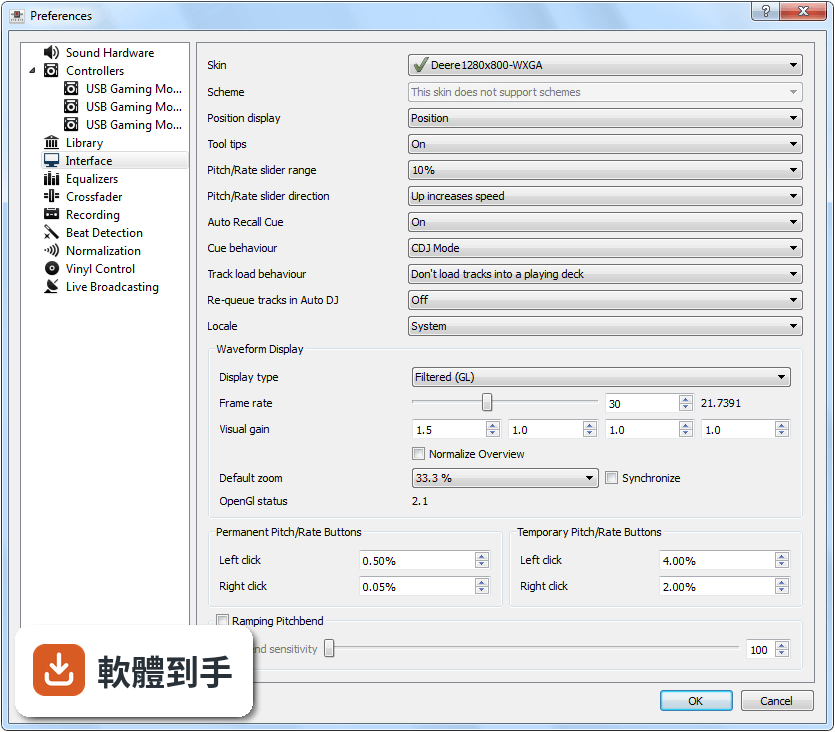
Skins & GUI:
- Aesthetically revamped LateNight skin
- Right click overview waveform to show time remaining until that point
- Show track info dialog when double clicking track labels in decks
- Show track context menu when right clicking text in decks
- Add laptop battery widget to skins
- Show when passthrough mode is active on overview waveforms
- Changed format of currently playing track in window title from “artist, title” to “artist - title”
- Workaround Linux skin change crash
- Fix touch control
- Fix broken knob interaction on touchscreens
- AutoDJ: Make “enable” shortcut work after startup
- Add rate range indicator
- Allow menubar to be styled
- Add Donate button to About dialog
- Add Scrollable Skin Widget
- Fix minor visual issues in Skins
Music Feature Analysis:
- Multithreaded analysis for much faster batch analysis on multicore CPUs
- Fix bugs affecting key detection accuracy
- Note: Users who have not manually corrected keys are advised to clear all keys in their library by pressing Ctrl + A in the library, right clicking, going to Reset -> Key, then reanalyzing their library. This will freeze the GUI while Mixxx clears the keys; this is a known problem that we will not be able to fix for 2.3. Wait until it is finished and you will be able to reanalyze tracks for better key detection results
- Remove VAMP plugin support and use Queen Mary DSP library directly. vamp-plugin-sdk and vamp-hostsdk are no longer required dependencies
- Improvements BPM detection on non-const beatgrids
- Fix const beatgrid placement
Music Library:
- Add support for searching for empty fields (for example crate:””)
- Improve synchronization of track metadata and file tags
- Library Scanner: Improve hashing of directory contents
- Rework of Cover Image Hashing
- MusicBrainz: Handle 301 status response
- MusicBrainz: Add extended metadata support
- TagLib: Fix detection of empty or missing file tags
- Fix caching of duplicate tracks that reference the same file
- Use 6 instead of only 4 compatible musical keys (major/minor)
- Fix possible crash when trying to refocus the tracks table while another Mixxx window has focus
- Don’t create new tags in file when exporting metadata to it
- Fix playlist files beginning with non-english characters not being loaded
- Enable sorting in “Hidden Tracks” and “Missing Tracks” views
- Fix track table being empty after start
Audio Codecs:
- Add FFmpeg audio decoder, bringing support for ALAC files
- Include LAME MP3 encoder with Mixxx now that the MP3 patent has expired
- Add Opus streaming and recording support
- Remove support for SoundSource plugins because the code was not well-maintained and could lead to crashes
- Add HE-AAC encoding capabilities for recording and broadcasting
Audio Engine:
- Fix loss of precision when dealing with floating-point sample positions while setting loop out position and seeking using vinyl control
- Prevent moving a loop beyond track end
- Fix possible memory corruption using JACK on Linux
- Fix changing of vinyl lead-in time
- Fix tempo change of non-const beatgrid track on audible deck when cueing another track
- Fix crash when changing effect unit routing
- Make microphone ducking use strength knob the same way in automatic & manual mode
Controllers:
- Improve workflow for configuring controller mappings and editing mappings
- Improve error reporting from controller scripts
- Make hotcue and track colors mappable on controllers
- Add way to change library table sorting from controllers
- Add support for velocity sensitive sampler buttons in Components JS library
- Add logging when script ControlObject callback is disconnected successfully
- Add controller mapping for Roland DJ-505
- Add controller mapping for Numark iDJ Live II
- Add controller mapping for Hercules DJControl Inpulse 200
- Add controller mapping for Hercules DJControl Jogvision
- Add controller mapping for Pioneer DDJ-200
- Add controller mapping for Pioneer DDJ-400
- Add controller mapping for ION Discover DJ Pro
- Add controller mapping for Native Instrument Traktor Kontrol S3
- Add controller mapping for Behringer B-Control BCR2000
- Add controller mapping for Behringer DDM4000
- Update controller mapping for Allen & Heath Xone K2 to add intro/outro cues
- Update controller mapping for Hercules P32 DJ for more accurate headmix control
- Update controller mapping for Native Instruments Traktor Kontrol S4MK2 to add auto-slip mode and pitch fader range
- Fix Pioneer DDJ-SB2 controller mapping auto tempo going to infinity bug
- Fix Numark Mixtrack Pro 3 controller mapping inverted FX on/off control
- Gracefully handle MIDI overflow
Other:
- Add CMake build system with ccache and sccache support for faster compilation times and remove SCons
- Make Mixxx compile even though QT_NO_OPENGL or QT_OPENGL_ES_2 is defined (fixes build on Raspberry Pi)
- Fix ARM build issues
- Fix missing manual in DEB package
- Add macOS codesigning and notarization to fix startup warnings
- Don’t trash user configuration if an error occurs when writing
- Enable CUE sheet recording by default
- Fix crash when double clicking GLSL waveforms with right mouse button
- Derive Mixxx version from git describe
- Improve tapping the bpm of a deck
- And countless other small fixes and improvements (too many to list them all!)