
這是歷史版本頁面 — 看 NetBeans IDE 最新版本
Java 開發用哪套 IDE?NetBeans 能做什麼
 NetBeans IDE 16.0
資料更新 2022-12-08
閱讀約 7 分鐘
寫 Java 程式寫到一個階段,會開始覺得記事本或陽春編輯器不夠用。專案一多,檔案散在好幾個資料夾,改一個變數要手動找所有用到的地方,編譯錯誤只能靠眼睛慢慢抓,更別說要拉一個視窗介面,光排版就耗掉半天。你真正需要的,是一套能把編輯、編譯、除錯、專案管理全部兜在一起的工具,讓寫程式這件事不再卡在這些雜務上。
一般人習慣的做法,是開一個純文字編輯器,再開命令提示字元手動下指令編譯。這樣不是不行,但專案一大,光記指令和找檔案就夠累,而且沒有語法檢查,打錯字要等編譯失敗才知道。這類整合開發環境(IDE)的切入點,就是把這些流程整合進同一個視窗:寫程式時即時標出語法錯誤,按一下就能編譯執行,專案檔案自動分類管理,甚至連版本控制都內建好,省去切換軟體的麻煩。
01NetBeans 除了寫 Java,還能拿來寫哪些語言?
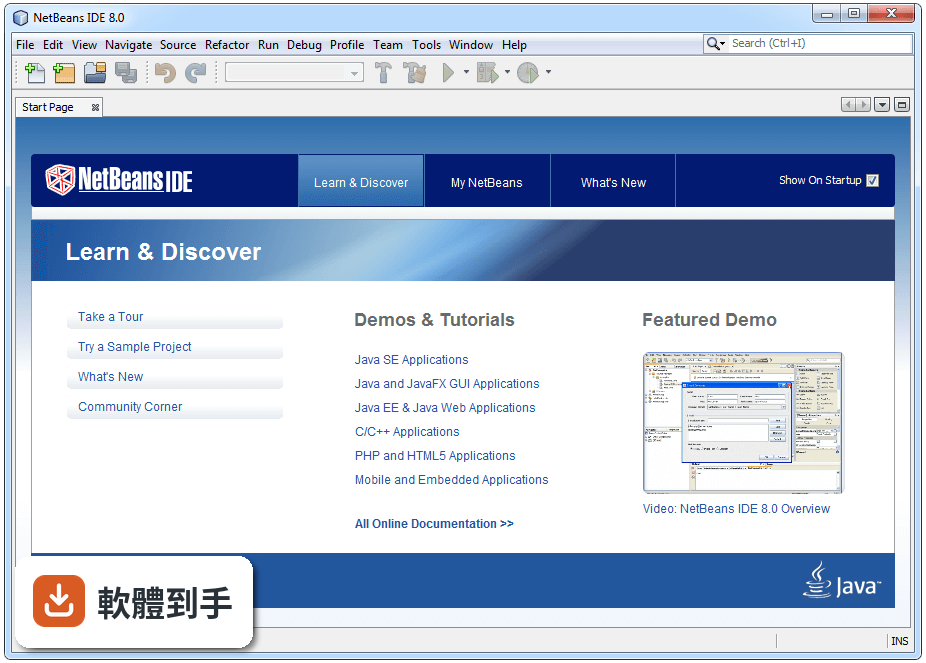
官方說明指出,它主要用於 Java 應用程式開發,但也支援 PHP、HTML5 和 C/C++。也就是說,如果你同時碰 Java 和 PHP,或需要寫一點 C/C++,可以都在同一套軟體裡處理,不用為了不同語言裝好幾套編輯器。不過每種語言的支援深度可能不同,實際用起來順不順手,建議自己裝起來試寫一小段程式看看。
02它跟一般文字編輯器差在哪?為什麼要用 IDE 寫程式?
文字編輯器只負責打字,IDE 額外提供語法標示、程式碼自動補全、錯誤即時提示、重構工具、專案管理、版本控制整合、除錯和效能分析等功能。以 NetBeans 來說,它會同時標示語法和語意上的問題,寫錯的地方當下就看得到,不用等編譯。重構功能也幫你安全地改程式碼結構,改一個方法名稱,所有呼叫的地方會一起更新。
03它的圖形介面設計工具是怎麼用的?可以拉元件做視窗嗎?
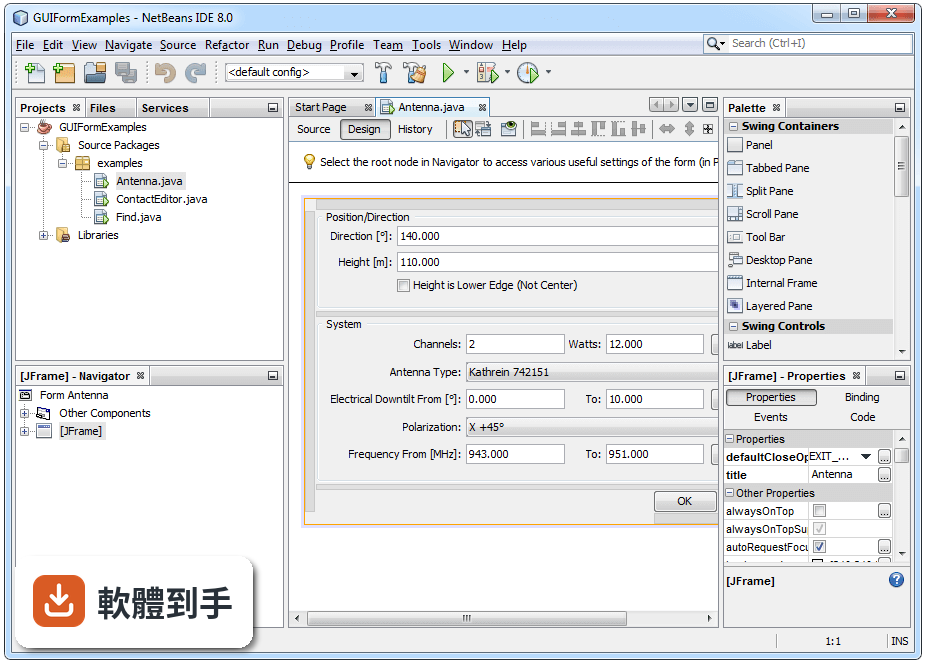
可以。NetBeans 內建 GUI Builder,支援 Java Swing 和 JavaFX 應用程式,用拖曳的方式把按鈕、文字欄位等元件放到視窗上,再調整版面配置,不用手寫一堆排版程式碼。這對不熟悉 Swing 或 JavaFX 版面管理的人來說,可以省下不少摸索時間。不過拖曳產生的程式碼結構,如果你習慣完全掌控每一行程式,可能需要一段時間適應。
04它能不能管 Git 版控?還是要另外裝軟體?
內建就有。官方說明提到它整合了 Git、Subversion 和 Mercurial 三種版本控制系統,可以直接在 IDE 裡做 commit、update 和其他版控操作,不用另外開命令列或裝圖形化版控軟體。這對一個人開發或小團隊協作都夠用,開個專案就能看到哪些檔案改過、跟遠端同步,流程都在同一個視窗完成。
05外掛要怎麼裝?裝了能做什麼?
從「Tools」選單進「Plugins」就能開啟外掛管理員,可以安裝、更新或移除外掛。官方說明指出它有一個豐富的外掛生態系,可以依自己的開發需求擴充功能,例如加裝不同語言的支援、程式碼格式化工具或主題配色等。安裝時可以只挑需要的裝,不用一次全裝,保持 IDE 輕量。具體有哪些外掛可用,打開管理員瀏覽一下就知道。
06剛開始學 Java 的人用這套會不會太難?
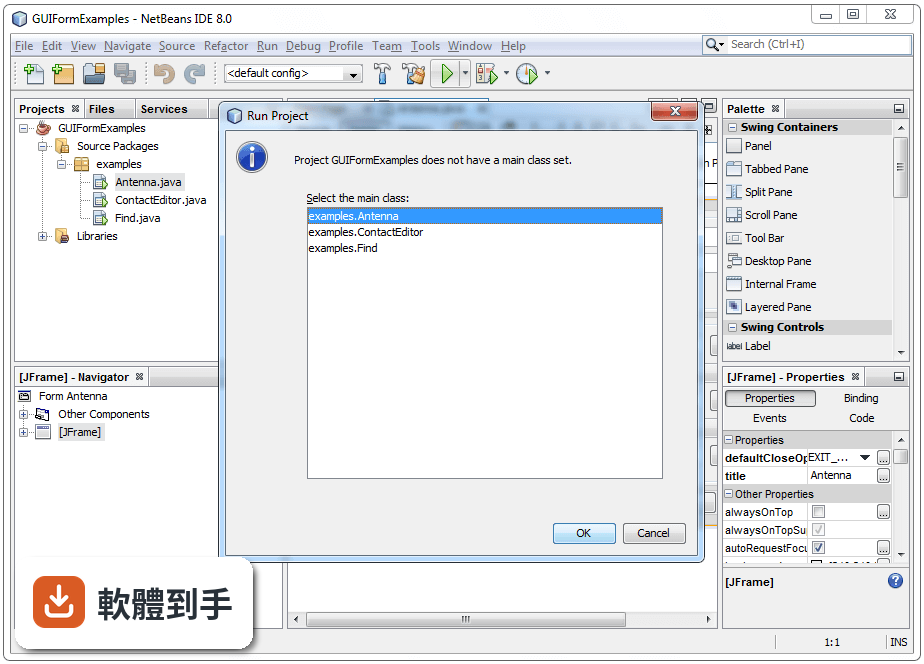
官方說明提到它對初學者可能有一條比較陡的學習曲線,但同時也提供專案精靈和範本,開新專案時照著步驟選類型、設定名稱就能開始寫。如果你完全沒用過 IDE,一開始要熟悉介面配置和專案結構需要一點時間,但它的介面算是有條理,選單、工具列、視窗配置都清楚。建議先從開新專案、寫 Hello World、按 Run 執行這條路徑開始,慢慢摸熟其他功能。
07學生或個人開發者用這套要付錢嗎?
不用。NetBeans 是 Apache 基金會底下的開源軟體,官方說明明確表示完全免費、沒有授權費用,也沒有功能限制,安裝後就是完整功能。對學生、個人開發者或預算有限的組織來說,這點是它的一大優勢。你不需要為了省錢去找破解版或閹割版,直接從官方網站下載安裝就能用。
08它跟 Eclipse 比起來,哪個比較適合初學者?
官方資料沒有直接比較兩者,但可以從幾個面向自己判斷。NetBeans 的預設介面比較整齊,專案精靈和範本齊全,開新專案的路徑很直覺;Eclipse 的彈性較大,但初期設定和觀念比較抽象。兩者都是免費開源、都有龐大外掛生態。建議都裝來試寫一個小專案,看哪一套的介面和操作邏輯你比較順手,這比看任何評測都準。
09我已經在用 IntelliJ IDEA 了,還需要換成這套嗎?
官方資料沒有提供兩者的功能比較,無法直接回答哪個比較好。如果你目前用 IntelliJ IDEA 用得順手,沒有什麼困擾,就沒有必要換。NetBeans 的定位是免費開源的 Java IDE,而 IntelliJ IDEA 是商業軟體,但官方資料也提到它有免費的 Community Edition。如果你只是好奇或想找免費替代方案,可以裝來試試,但如果你對現狀滿意,換工具反而要重新適應。
10它的介面只有英文,看不懂英文的人是不是不適合?
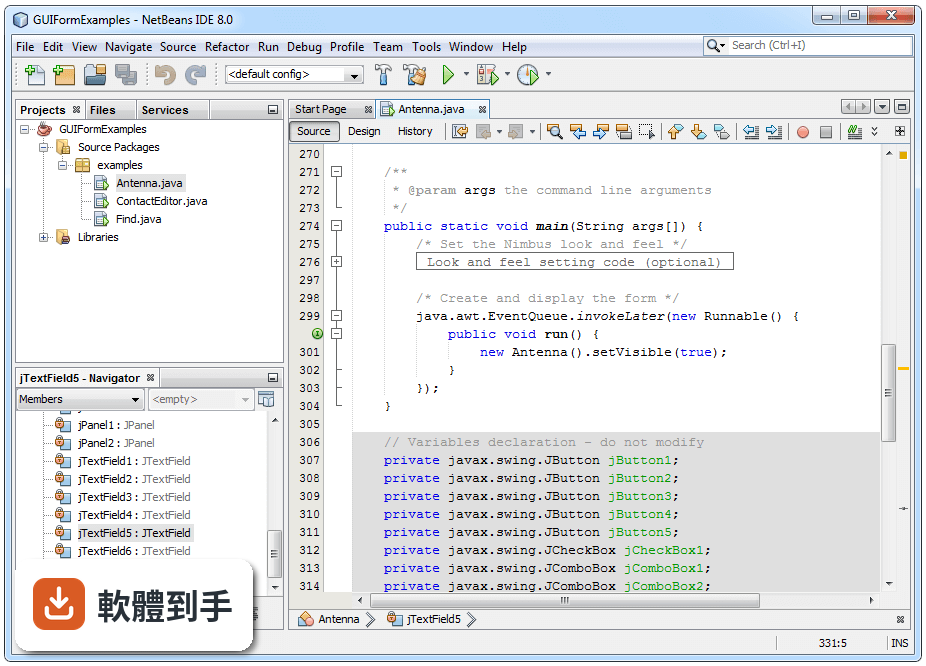
官方資料顯示介面語系只有 English,沒有中文介面。如果你對英文介面不熟悉,選單和設定項目可能會需要一段時間適應。不過 IDE 的操作邏輯大同小異,常用功能的位置和圖示都算直覺,加上網路上有不少中文教學文章可以對照,門檻沒有想像中高。如果你完全無法接受英文介面,可能就要考慮其他有中文語系的 IDE。
11電腦只有 2GB 記憶體,跑得動嗎?
官方列出的系統需求是 2GB 記憶體最低、建議 4GB,處理器 1.5GHz 以上,硬碟空間 1.5GB。也就是說 2GB 是勉強可以跑的最低門檻,但同時開 IDE 加瀏覽器或其他軟體,可能會明顯感到卡頓。官方說明也提到它啟動速度比某些 IDE 慢,這在記憶體不足的機器上會更明顯。如果你的電腦規格低於這個門檻,建議先升級硬體,或考慮用更輕量的編輯器。
12我主要是寫 Python 或 JavaScript,這套適合嗎?
官方說明列出的支援語言是 Java、PHP、HTML5 和 C/C++,沒有提到 Python 或 JavaScript 的專門支援。雖然透過外掛可能可以擴充,但官方資料沒有提供這方面的資訊,無法確認效果。如果你主要寫 Python 或 JavaScript,市場上有其他更專門的編輯器或 IDE 可以考慮,NetBeans 的強項還是在 Java 這條主線上,建議先確認外掛生態有沒有你要的語言支援再決定。
下載與官方連結
Apache-NetBeans-16-bin-windows-x64.exe · 連結指向軟體原廠
版本紀錄
- 2026-08-15 Apache NetBeans 31.0 496.9 MB
- 2026-02-24 Apache NetBeans 29.0 492.11 MB
- 2025-11-15 Apache NetBeans 28.0 491.85 MB
再看 5 筆
- 2025-08-22 Apache NetBeans 27.0 490.92 MB
- 2025-05-21 Apache NetBeans 26.0 585.11 MB
- 2025-04-21 Apache NetBeans 25.0 493.38 MB
- 2024-12-12 Apache NetBeans 24.0 492.38 MB
- 2024-09-20 Apache NetBeans 23.0 485.51 MB
這一版改了什麼
What's new in this version:
Gradle:
- Initial implementation of (experimental) Dependency API in Gradle
- Refactor Grade Editor Related Functionality into a gradle.editor Module
- Gradle hide empty generated folders
- Support projects without build.gradle
- Fix npe from gradle build actions dialog
- NETBEANS-4720 Support custom gradle test sourcesets
- Override gradle's compiler version from compiler args.
- Various fixes and improvements [1/3]
API: access to build properties of gradle script [2/3]
- Fix for Gradle project sources popup menu invocation error #4755
- Support for jar & native image artifact for gradle projects [3/3]
#4847: do not use newer classes in older distributions.
- Switched gradle.dist and gradle.editor module to regular. Fixes #4866
#4923: access to gradle internal APIs is protected from failing the project load, just logs a notification.
- Prevent CCE NbGradleProjectImpl to DataObject
- Fix GradleCliEditorKit Registration
Maven:
- Support for project output artifacts
- Improve Jakarta EE 9/9.1 support
- Build action must be included in the cache key
- Allow to disable warning for specific lifecycle participants.
- Artifact tags, support for shaded output and source attachments.
- Fix possible NPE in NexusRepositoryIndexerImpl exception handler.
- Update Maven archetype version for Jakarta EE 9.1
- Implement maven pom javac release option hint (JEP 247).
- Maven UseReleaseOptionHint fixes
- hide template link as last resort if it appears to be broken.
- Fix maven classpath listening
- Maven HintsPanel UI layout fixes and minor cleanup.
Java:
- Modernize ActionsManager in Debugger API
- OrganizeImports fixed for clashing star imports.
- Update nb-javac to 19+33.
- Multi-release jar support
- Fix extra space added in try with resources
- Avoid using an invalid JavaPlatform
- JavadocImports fixed for illegal string trim.
- Fixing error recovery for (current) record patterns.
- Code completion for jdk-19 case patterns implemented.
- Fixing error recovery when j.l.MatchException is missing, and patterns are present.
- revert rushed unbalanced-hint fix (#4421).
[NETBEANS-4923]: Problem with Deploy/HotDeploy using Netbeans 12.1 an…
- Code completion after yield in switch expressions fixed.
- Improve java platform selection logic for hints.
- Fix error in wizard when creating module-info file (GH4628)
- Provide hints for conversion to Virtual thread executor when thread pools are used
- add semantic highlight for when keyword
- Implementation of auto completion, formatting adjustment and providing hints for JEP 405 record patterns
- Update JDK 19 Javadoc link from EA to GA.
- put nb-javac modules on the plugin import block list.
- Never mark overriding methods as unused, fixes GH4276.
- Fix MoveMemberPanel and MoveClassPanel (GH4708)
Groovy:
- #4556 - NetBeans should not auto-insert n in Groovy triple quoted strings
PHP:
- Fix the syntax error for the constant array access #4684
- Fix the formatting for the textual operators(AND, OR, XOR) #4635
C/C++:
- The CPPLight debugger works on aarch64.
Enterprise:
- Support for vulnerability audit in Oracle cloud
- Fixed JBoss EAP regex patterns to match two digit minor/patch versions
- Better messages during project audit. Code cleanup.
- Unable to register Payara 6.x in Apache NetBeans 15
- More options for LSP audit command
- Import local schema to avoid DNS lookup in build
Web:
CSS: Implemented position:sticky
- Fix for not calling auto completion after end tag was already added
Editor:
- Cleanup debug Exception after an old issue
FIX-3732: Prevent possible IAE in DocumentViewOp.
- Fixed a NPE from issue #4629
- YAML Support
- Change YAML indent to 2 spaces by default
- YAML Support Layer Code Cleanup
- Minor cleanup in YAML Language Support
- Dockerfile Support
- Added multiview [Source|History] for Dockerfile-s
new: TOML Support
- Some support for TOML files
- TOML Cleanup and Improvements
new: ANTLR v4 and v3 Support
- ANTLR v4 and v3 Grammar Editing Support
- Fix possible NPE while editing ANTLR Grammar
- Improve support for ANTLRv4 Grammars
- ANTLRv4 indent and code snippet support.
- More precise code-completion for ANTLRv4 Grammars
- Fixed end of file indenting and code completion for ANTLR v4
UI Changes:
- Add ability to load custom FlatLaf properties from user config.
- Keyboard focus can activate top component
- Add update centre notifications to Check for Updates dialog
- Update FlatLaf from 2.4 to 2.5
- Dialog parent should not be null
- Update FlatLaf from 2.5 to 2.6
- about panel needs a vertical scrollbar if the async plugin update notification appears
Platform:
- Better messages from Janitor on abandoned cache dirs.
- Do not eager load non-eager module fragments.
- Limit ValidateClassFilesTest to scan only JARs referenced from modules
- Another attempt to fix intermittent clipboard bug on Windows
- After file external change fire reloaded event
Language Server Protocol:
- LSP: Cloud explorer should be hidden with Java support switched off.
- LSP: Html4J UI modified work over LSP.
- Accept file paths passed as a plain string, toURL throws IAE.
- Automatically disable NBLS Java for GCN users.
- Project info exported through LSP
- Allow empty jdbc password
VSCode Extension:
- Vulnerability audit fixes
- Changed wording of the vulnerability scan message.
- Reveal things in project explorer by default.
- Updates for 15.0.301 release of VSNetBeans
- Add debugger listening connector to LSP.
Maintanance:
- fix CI concurrency settings
- Cleanup a bunch of raw type error messages related to TreeSet.
- remove usages of deprecated junit.framework.Assert.
- Cleanup warnings related to raw type List
- conditional CI pipeline + migrate some jobs from travis to gh
- bump versions of setup-java, setup-php and cache actions.
- Cleanup more raw type List warnings..
- Tomcat module cleanup
- wrap unreliable micronaut tests in retry script for now
- ci - run cache action after checkout
Other Changes:
- Increment spec versions for Apache NetBeans 16 development.
- Update issue forms for 15 release candidates.
- Snapshot of APIs as of NetBeans 15
- Set "--add-modules ALL-MODULE-PATH" when compiling MX project.
- Make Apache NetBeans 15 the latest version for issue reports.
- Recognize generatedDependencies tag
- Limit bootstrap libraries to java.se
- jna.nosys is required so that JNA tries to load native library via System#loadLibraryin #4736
- use java.net.URLEncoder/Decoder instead of buggy custom impl.
- Recognize Scala class constructor