
這是歷史版本頁面 — 看 NVDA 最新版本
視障者用電腦卡關?NVDA 免費讀屏能做什麼
 NVDA 2010.2
資料更新 2010-10-29
閱讀約 6 分鐘
視覺障礙者或重度視力衰退的人,坐在電腦前不是「看不到螢幕」這麼簡單——是滑鼠游標不知道在哪、視窗開了幾個搞不清楚、網頁讀到哪一段完全沒概念。明明文書、上網、收信都是日常需求,卻因為讀不到畫面,每一步都卡在「現在到底發生什麼事」。這種狀況下,需要的不是放大鏡,而是把螢幕上的文字變成聲音或點字,讓操作者用聽的、用摸的就知道系統狀態。
一般人直覺會想到「把字放大」或「請人幫忙唸」,但前者對全盲沒用,後者不可能隨時在旁邊。系統內建的朗讀功能往往只覆蓋特定程式,遇到網頁或 Office 就斷斷續續。這類工具的切入點,是直接攔截系統和應用程式送出的文字資訊,再用語音合成或點字顯示器輸出,讓使用者在沒有視覺輔助的狀態下,照樣能操作 Windows、瀏覽網頁、編輯文件。
01NVDA 是什麼?裝了之後到底能做什麼?
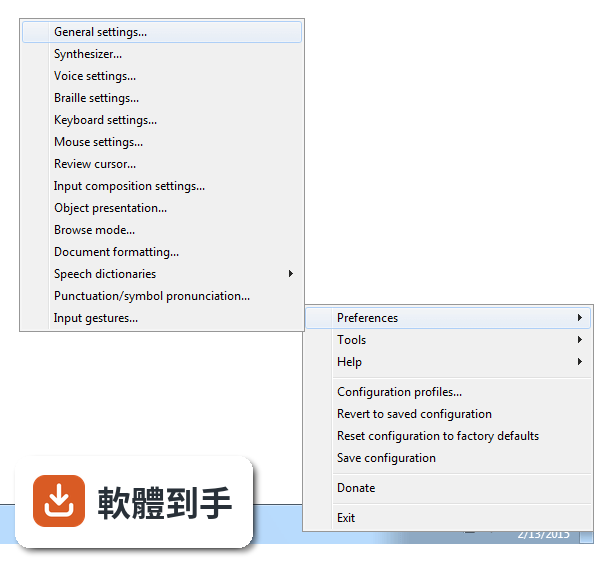
NVDA 是一套免費、開源的螢幕閱讀器,安裝後會用合成語音讀出螢幕上的文字,也能搭配點字顯示器輸出。它讓視障者可以操作 Windows 桌面、瀏覽網頁、使用 Microsoft Office、記事本,以及 Outlook、Thunderbird 等郵件軟體。啟動方式是按下 Ctrl + Alt + N,之後用 Tab 和方向鍵就能在視窗和選單之間移動,系統會即時唸出焦點所在的位置。
02它能不能讀網頁?用鍵盤要怎麼瀏覽?
可以。NVDA 支援 Chrome、Firefox、Edge 等主流瀏覽器,開啟網頁後,用方向鍵上下移動就能逐行讀出文字,按 H 鍵跳到下一個標題,按 K 鍵跳到連結。不需要滑鼠,整頁內容都可以靠鍵盤讀完。遇到圖片或按鈕,它會唸出替代文字或「按鈕」之類的提示,讓你知道這個元素可以做什麼。
03可以接點字顯示器嗎?要怎麼設定?
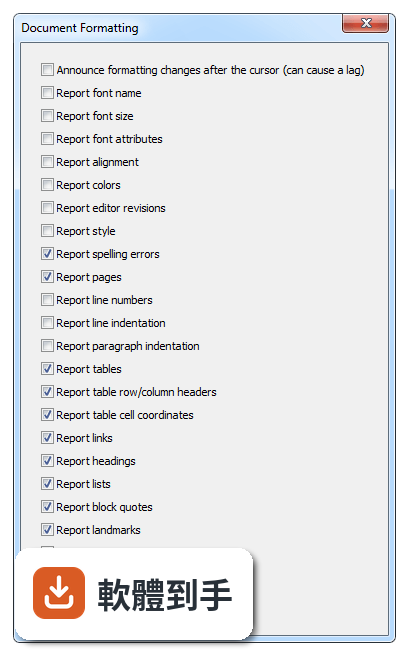
可以。NVDA 支援多種可更新式點字顯示器,透過 USB 或藍牙連線,然後在 NVDA 的設定選單裡找到「點字」項目,選擇你的顯示器型號並調整相關參數。設定完成後,螢幕上的文字會即時轉成點字輸出,適合不想一直聽語音、或需要精確確認拼字的使用者。
04它一定要安裝才能用嗎?能不能帶著走?
不必安裝。NVDA 提供可攜版,可以把程式直接放到 USB 隨身碟裡,插到任何一台 Windows 電腦上就能執行,不需要在該台電腦上安裝軟體。這對需要在不同地方使用電腦的人很方便,例如在學校、圖書館或別人的電腦上,插入隨身碟啟動 NVDA 就能開始操作。
05它支援哪些 Windows 版本?對電腦硬體有要求嗎?
官方說明支援 Windows 7、8、10、11,32 位元和 64 位元都行。硬體需求是處理器 1 GHz 以上、建議 2 GB 記憶體、100 MB 可用磁碟空間,並需要音效輸出裝置來播放語音。點字顯示器是選配,沒有也可以只用語音。整體來說,一般文書用的電腦都跑得動。
06完全看不到的人適合用嗎?還是只有弱視的人能用?
全盲使用者是 NVDA 的主要對象,因為它完全靠語音和點字輸出,不需要任何視覺回饋。弱視的人也可以搭配螢幕放大鏡工具一起使用,NVDA 本身有與放大工具整合的能力,讓還有一點殘餘視力的人同時用聽的和看的來操作。兩種狀況都適用,差別在於怎麼搭配其他輔具。
07不想花錢買商業讀屏軟體的人,用 NVDA 夠嗎?
如果你的需求是讀網頁、用 Office、收發郵件、操作 Windows 基本功能,NVDA 都能勝任,而且完全免費。它更新頻繁,近兩年有多次版本釋出,代表持續在維護。但如果你需要的是商業軟體才有的進階功能,例如更細緻的語音品質或特定專業應用程式的深度整合,NVDA 可能就沒有那些東西。
08它的介面是英文的,不會英文的人能操作嗎?
官方介面語系是英文,但 NVDA 本身支援多種語言的語音輸出,也就是說,它可以用中文或其他語言朗讀螢幕內容。不過,設定選單、快速鍵說明這些操作介面是英文,對完全不懂英文的人來說,初始設定會比較吃力。建議找懂英文的人協助完成第一次設定,之後日常使用主要靠鍵盤指令,不太需要一直看選單。
09有些程式它讀不到,遇到這種情況怎麼辦?
官方說明指出,NVDA 支援大多數標準應用程式,但某些專有或客製化軟體可能功能有限。如果你常用的程式讀不到內容,可以先確認該程式是否有無障礙支援或替代方案,或者改用網頁版。NVDA 本身沒有辦法解決所有應用程式的相容問題,這部分需要自行測試或尋找其他輔助工具搭配。
10它的語音聽起來很機械,會不會影響長時間使用?
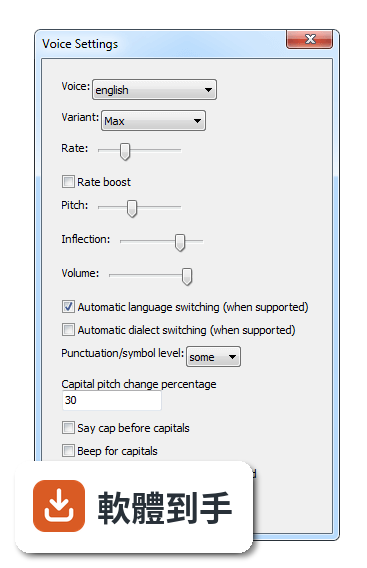
官方說明坦承,NVDA 的語音合成品質比商業付費方案粗糙,聽起來確實比較機械。對長時間聆聽的人來說,這可能造成疲勞,但很多人會透過調整語速、音調和詳細程度來改善。如果你對語音品質非常敏感,可以考慮安裝其他語音引擎,但這需要額外設定,而且效果因人而異。
11跟其他讀屏軟體比起來,NVDA 的評價如何?
在收錄的評分中,NVDA 有 168 人評分,平均 8.18 分(滿分 10 分)。這個分數不算低,但評分人數不算多,參考價值有限。跟它放在一起比較的 Foxit Reader、Adobe Digital Editions、ALLPlayer 都不是讀屏軟體,類別不同,無法直接對比。如果你在考慮付費讀屏,建議先試用 NVDA,確認基本需求能不能滿足,再決定要不要花錢。
下載與官方連結
nvda_2010.2_installer.exe · 12.06 MB · 連結指向軟體原廠
版本紀錄
- 2026-10-26 NVDA 2026.3 66.14 MB
- 2026-05-06 NVDA 2026.1 59.96 MB
- 2026-02-16 NVDA 2025.3.3 48.7 MB
再看 5 筆
- 2025-11-24 NVDA 2025.3.1 48.72 MB
- 2025-11-24 NVDA 2025.3.2 48.72 MB
- 2025-09-15 NVDA 2025.3 48.73 MB
- 2025-08-13 NVDA 2025.2 44.03 MB
- 2025-06-23 NVDA 2025.1.2 42.34 MB
這一版改了什麼
What's new in this version:
New Features:
- Navigating through objects with the review cursor has been greatly simplified. The review cursor now excludes objects which aren't useful to the user; i.e. objects only used for layout purposes and unavailable objects.
- In applications using the Java Access Bridge (including OpenOffice.org), formatting can now be reported in text controls. (#358, #463)
- When moving the mouse over cells in Microsoft Excel, NVDA will appropriately announce them.
- In applications using the Java Access Bridge, the text of a dialog is now reported when the dialog appears. (#554)
- A virtualBuffer can now be used to navigate adobe Flash content. Object navigation and interacting with the controls directly (by turning on focus mode) is still supported. (#453)
- Editable text controls in the Eclipse IDE, including the code editor, are now accessible. You must be using Eclipse 3.6 or later. (#256, #641)
- NVDA can now retrieve most text written to the screen. (#40, #643)
- This allows for reading of controls which do not expose information in more direct/reliable ways.
- Controls made accessible by this feature include: some menu items which display icons (e.g. the Open With menu on files in Windows XP) (#151), editable text fields in Windows Live applications (#200), the errors list in Outlook Express (#582), the editable text control in TextPad (#605), lists in Eudora, many controls in Australian E-tax and the formula bar in Microsoft Excel.
- Support for the code editor in Microsoft Visual Studio 2005 and 2008. At least Visual Studio Standard is required; this does not work in the Express editions. (#457)
- Support for IBM Lotus Symphony documents.
- Early experimental support for Google Chrome. Please note that Chrome's screen reader support is far from complete and additional work may also be required in NVDA. You will need a recent development build of Chrome to try this.
- The state of toggle keys (caps lock, num lock and scroll lock) is now displayed in braille when they are pressed. (#620)
- Help balloons are now displayed in braille when they appear. (#652)
- Added a driver for the MDV Lilli braille display. (#241)
- When selecting an entire row or column in Microsoft Excel with the shortcut keys shift+space and control+space, the new selection is now reported. (#759)
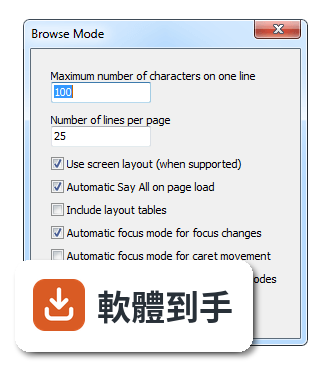
- Table row and column headers can now be reported. This is configurable from the Document Formatting preferences dialog.
- Currently, this is supported in documents in Mozilla applications such as Firefox (version 3.6.11 and later) and Thunderbird (version 3.1.5 and later). (#361)
- Introduced commands for flat review: (#58)
- NVDA+numpad7 switches to flat review, placing the review cursor at the position of the current object, allowing you to review the screen (or a document if within one) with the text review commands.
- NVDA+numpad1 moves the review cursor into the object represented by the text at the position of the review cursor, allowing you to navigate by object from that point.
- Current NVDA user settings can be copied to be used on secure Windows screens such as the logon and UAC screens by pressing a button in the General Settings dialog. (#730)
- Support for Mozilla Firefox 4.
- Support for Microsoft Internet Explorer 9.
Changes:
- The sayAll by Navigator object (NVDA+numpadAdd), navigator object next in flow (NVDA+shift+numpad6) and navigator object previous in flow (NVDA+shift+numpad4) commands have been removed for the time being, due to bugginess and to free up the keys for other possible features.
- In the NVDA Synthesizer dialog, only the display name of the synthesizer is now listed. Previously, it was prefixed by the driver's name, which is only relevant internally.
- When in embedded applications or virtual buffers inside another virtualBuffer (e.g. Flash), you can now press nvda+control+space to move out of the embedded application or virtual buffer to the containing document. Previously nvda+space was used for this. Now nvda+space is specifically only for toggling brows/focus modes on virtualBuffers.
- If the speech viewer (enabled under the tools menu) is given the focus (e.g. it was clicked in) new text will not appear in the control until focus is moved away. This allows for selecting the text with greater ease (e.g. for copying).
- The Log Viewer and Python Console are maximised when activated.
- When focusing on a worksheet in Microsoft Excel and there is more than one cell selected, the selection range is announced, rather than just the active cell. (#763)
- Saving configuration and changing of particular sensitive options is now disabled when running on the logon, UAC and other secure Windows screens.
- Updated eSpeak speech synthesiser to 1.44.03.
- If NVDA is already running, activating the NVDA shortcut on the desktop (which includes pressing control+alt+n) will restart NVDA.
- Removed the report text under the mouse checkbox from the Mouse settings dialog and replaced it with an Enable mouse tracking checkbox, which better matches the toggle mouse tracking script (NVDA+m).
- Updates to the laptop keyboard layout so that it includes all commands available in the desktop layout and works correctly on non-English keyboards. (#798, #800)
- Significant improvements and updates to the user documentation, including documentation of the laptop keyboard commands and synchronisation of the Keyboard Commands Quick Reference with the User Guide. (#455)
- Updated liblouis braille translator to 2.1.1. Notably, this fixes some issues related to Chinese braille as well as characters which are undefined in the translation table. (#484, #499)
Bug Fixes:
- In µTorrent, the focused item in the torrents list no longer reports repeatedly or steals focus when a menu is open.
- In µTorrent, the names of the files in the Torrent Contents list are now reported.
- In Mozilla applications, focus is now correctly detected when it lands on an empty table or tree.
- In Mozilla applications, "not checked" is now correctly reported for checkable controls such as checkable table cells. (#571)
- In Mozilla applications, the text of correctly implemented ARIA dialogs is no longer ignored and will now be reported when the dialog appears. (#630)
- in Internet Explorer and other MSHTML controls, the ARIA level attribute is now honoured correctly.
- In Internet Explorer and other MSHTML controls, the ARIA role is now chosen over other type information to give a much more correct and predictable ARIA experience.
- Stopped a rare crash in Internet Explorer when navigating through frames or iFrames.
- In Microsoft Word documents, right-to-left lines (such as Arabic text) can be read again. (#627)
- Greatly reduced lag when large amounts of text are displayed in a Windows command console on 64-bit systems. (#622)
- If Skype is already started when NVDA starts, it is no longer necessary to restart Skype to enable accessibility. This may also be true for other applications which check the system screen reader flag.
- In Microsoft Office applications, NVDA no longer crashes when speak foreground (NVDA+b) is pressed or when navigating some objects on toolbars. (#616)
- Fixed incorrect speaking of numbers containing a 0 after a separator; e.g. 1,023. (#593)
- Adobe Acrobat Pro and Reader 9 no longer crash when closing a file or performing certain other tasks. (#613)
- The selection is now announced when control+a is pressed to select all text in some editable text controls such as in Microsoft Word. (#761)
- In Scintilla controls (e.g. Notepad++), text is no longer incorrectly selected when NVDA moves the caret such as during say all. (#746)
- It is again possible to review the contents of cells in Microsoft Excel with the review cursor.
- NVDA can again read by line in certain problematic textArea fields in Internet Explorer 8. (#467)
- Windows Live Messenger 2009 no longer exits immediately after it is started while NVDA is running. (#677)
- In web browsers, It is no longer necessary to press tab to interact with an embedded object (such as Flash content) after pressing enter on the embedded object or returning from another application. (#775)
- In Scintilla controls (e.g. Notepad++), the beginning of long lines is no longer truncated when it scrolls off the screen. Also, these long lines will be correctly displayed in braille when they are selected.
- In Loudtalks, it is now possible to access the contact list.
- The URL of the document and "MSAAHTML Registered Handler" are no longer sometimes spuriously reported in Internet Explorer and other MSHTML controls. (#811)
- In tree views in the Eclipse IDE, the previously focused item is no longer incorrectly announced when focus moves to a new item.
- NVDA now functions correctly on a system where the current working directory has been removed from the DLL search path (by setting the CWDIllegalInDllSearch registry entry to 0xFFFFFFFF). Note that this is not relevant to most users. (#907)
- When the table navigation commands are used outside of a table in Microsoft Word, "edge of table" is no longer spoken after "not in table". (#921)
- When the table navigation commands cannot move due to being at the edge of a table in Microsoft Word, "edge of table" is now spoken in the configured NVDA language rather than always in English. (#921)
- In Outlook Express, Windows Mail and Windows Live Mail, the state of the checkboxes in message rules lists is now reported. (#576)
- The description of message rules can now be read in Windows Live Mail 2010.