
這是歷史版本頁面 — 看 NVDA 最新版本
視障者用電腦卡關?NVDA 免費讀屏能做什麼
 NVDA 2014.1
資料更新 2014-03-12
閱讀約 6 分鐘
視覺障礙者或重度視力衰退的人,坐在電腦前不是「看不到螢幕」這麼簡單——是滑鼠游標不知道在哪、視窗開了幾個搞不清楚、網頁讀到哪一段完全沒概念。明明文書、上網、收信都是日常需求,卻因為讀不到畫面,每一步都卡在「現在到底發生什麼事」。這種狀況下,需要的不是放大鏡,而是把螢幕上的文字變成聲音或點字,讓操作者用聽的、用摸的就知道系統狀態。
一般人直覺會想到「把字放大」或「請人幫忙唸」,但前者對全盲沒用,後者不可能隨時在旁邊。系統內建的朗讀功能往往只覆蓋特定程式,遇到網頁或 Office 就斷斷續續。這類工具的切入點,是直接攔截系統和應用程式送出的文字資訊,再用語音合成或點字顯示器輸出,讓使用者在沒有視覺輔助的狀態下,照樣能操作 Windows、瀏覽網頁、編輯文件。
01NVDA 是什麼?裝了之後到底能做什麼?
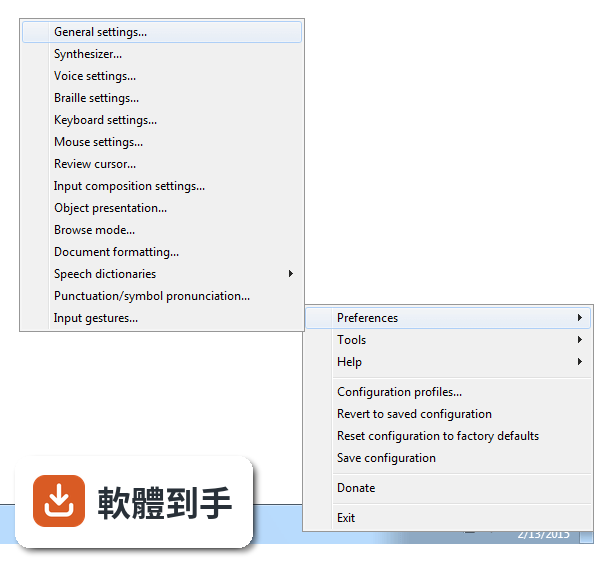
NVDA 是一套免費、開源的螢幕閱讀器,安裝後會用合成語音讀出螢幕上的文字,也能搭配點字顯示器輸出。它讓視障者可以操作 Windows 桌面、瀏覽網頁、使用 Microsoft Office、記事本,以及 Outlook、Thunderbird 等郵件軟體。啟動方式是按下 Ctrl + Alt + N,之後用 Tab 和方向鍵就能在視窗和選單之間移動,系統會即時唸出焦點所在的位置。
02它能不能讀網頁?用鍵盤要怎麼瀏覽?
可以。NVDA 支援 Chrome、Firefox、Edge 等主流瀏覽器,開啟網頁後,用方向鍵上下移動就能逐行讀出文字,按 H 鍵跳到下一個標題,按 K 鍵跳到連結。不需要滑鼠,整頁內容都可以靠鍵盤讀完。遇到圖片或按鈕,它會唸出替代文字或「按鈕」之類的提示,讓你知道這個元素可以做什麼。
03可以接點字顯示器嗎?要怎麼設定?
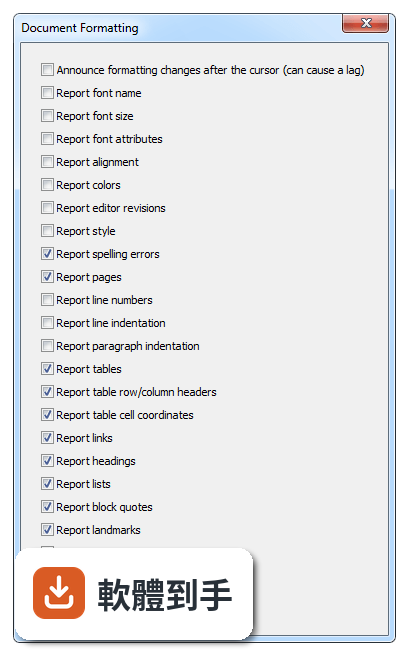
可以。NVDA 支援多種可更新式點字顯示器,透過 USB 或藍牙連線,然後在 NVDA 的設定選單裡找到「點字」項目,選擇你的顯示器型號並調整相關參數。設定完成後,螢幕上的文字會即時轉成點字輸出,適合不想一直聽語音、或需要精確確認拼字的使用者。
04它一定要安裝才能用嗎?能不能帶著走?
不必安裝。NVDA 提供可攜版,可以把程式直接放到 USB 隨身碟裡,插到任何一台 Windows 電腦上就能執行,不需要在該台電腦上安裝軟體。這對需要在不同地方使用電腦的人很方便,例如在學校、圖書館或別人的電腦上,插入隨身碟啟動 NVDA 就能開始操作。
05它支援哪些 Windows 版本?對電腦硬體有要求嗎?
官方說明支援 Windows 7、8、10、11,32 位元和 64 位元都行。硬體需求是處理器 1 GHz 以上、建議 2 GB 記憶體、100 MB 可用磁碟空間,並需要音效輸出裝置來播放語音。點字顯示器是選配,沒有也可以只用語音。整體來說,一般文書用的電腦都跑得動。
06完全看不到的人適合用嗎?還是只有弱視的人能用?
全盲使用者是 NVDA 的主要對象,因為它完全靠語音和點字輸出,不需要任何視覺回饋。弱視的人也可以搭配螢幕放大鏡工具一起使用,NVDA 本身有與放大工具整合的能力,讓還有一點殘餘視力的人同時用聽的和看的來操作。兩種狀況都適用,差別在於怎麼搭配其他輔具。
07不想花錢買商業讀屏軟體的人,用 NVDA 夠嗎?
如果你的需求是讀網頁、用 Office、收發郵件、操作 Windows 基本功能,NVDA 都能勝任,而且完全免費。它更新頻繁,近兩年有多次版本釋出,代表持續在維護。但如果你需要的是商業軟體才有的進階功能,例如更細緻的語音品質或特定專業應用程式的深度整合,NVDA 可能就沒有那些東西。
08它的介面是英文的,不會英文的人能操作嗎?
官方介面語系是英文,但 NVDA 本身支援多種語言的語音輸出,也就是說,它可以用中文或其他語言朗讀螢幕內容。不過,設定選單、快速鍵說明這些操作介面是英文,對完全不懂英文的人來說,初始設定會比較吃力。建議找懂英文的人協助完成第一次設定,之後日常使用主要靠鍵盤指令,不太需要一直看選單。
09有些程式它讀不到,遇到這種情況怎麼辦?
官方說明指出,NVDA 支援大多數標準應用程式,但某些專有或客製化軟體可能功能有限。如果你常用的程式讀不到內容,可以先確認該程式是否有無障礙支援或替代方案,或者改用網頁版。NVDA 本身沒有辦法解決所有應用程式的相容問題,這部分需要自行測試或尋找其他輔助工具搭配。
10它的語音聽起來很機械,會不會影響長時間使用?
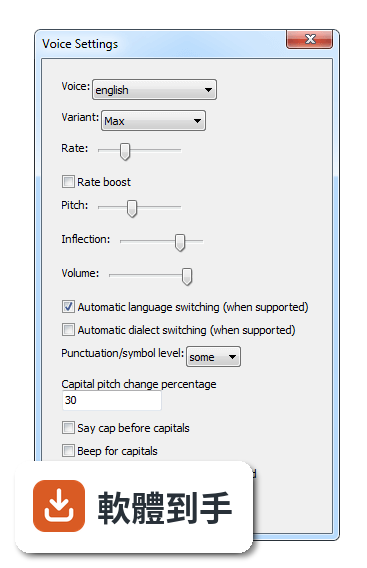
官方說明坦承,NVDA 的語音合成品質比商業付費方案粗糙,聽起來確實比較機械。對長時間聆聽的人來說,這可能造成疲勞,但很多人會透過調整語速、音調和詳細程度來改善。如果你對語音品質非常敏感,可以考慮安裝其他語音引擎,但這需要額外設定,而且效果因人而異。
11跟其他讀屏軟體比起來,NVDA 的評價如何?
在收錄的評分中,NVDA 有 168 人評分,平均 8.18 分(滿分 10 分)。這個分數不算低,但評分人數不算多,參考價值有限。跟它放在一起比較的 Foxit Reader、Adobe Digital Editions、ALLPlayer 都不是讀屏軟體,類別不同,無法直接對比。如果你在考慮付費讀屏,建議先試用 NVDA,確認基本需求能不能滿足,再決定要不要花錢。
下載與官方連結
nvda_2014.1.exe · 15.67 MB · 連結指向軟體原廠
版本紀錄
- 2026-10-26 NVDA 2026.3 66.14 MB
- 2026-05-06 NVDA 2026.1 59.96 MB
- 2026-02-16 NVDA 2025.3.3 48.7 MB
再看 5 筆
- 2025-11-24 NVDA 2025.3.1 48.72 MB
- 2025-11-24 NVDA 2025.3.2 48.72 MB
- 2025-09-15 NVDA 2025.3 48.73 MB
- 2025-08-13 NVDA 2025.2 44.03 MB
- 2025-06-23 NVDA 2025.1.2 42.34 MB
這一版改了什麼
What's new in this version:
New Features:
- Support for Microsoft PowerPoint 2013. Note that protected view is not supported. (#3578)
- In Microsoft word and Excel, NVDA can now read the selected symbol when choosing symbols using the Insert Symbols dialog. (#3538)
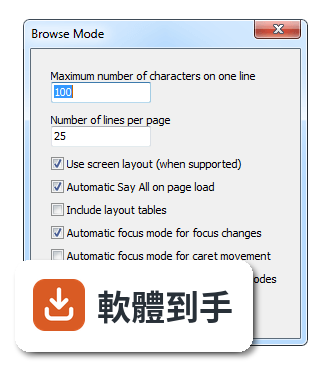
- It is now possible to choose if content in documents should be identified as clickable via a new option in the Document Formatting settings dialog. This option is on by default in accordance with the previous behavior. (#3556)
- Support for braille displays connected via Bluetooth on a computer running the Widcomm Bluetooth Software. (#2418)
- When editing text in PowerPoint, hyperlinks are now reported. (#3416)
- When in ARIA applications or dialogs on the web, it is now possible to force NVDA to switch to browse mode with NVDA+space allowing document-style navigation of the application or dialog. (#2023)
- In Outlook Express / Windows Mail / Windows Live Mail, NVDA now reports if a message has an attachment or is flagged. (#1594)
- When navigating tables in accessible Java applications, row and column coordinates are now reported, including column and row headers if they exist. (#3756)
Changes:
- For Papenmeier braille displays, the move to flat review/focus command has been removed. Users can assign their own keys using the Input Gestures dialog. (#3652)
- NVDA now relies on the Microsoft VC runtime version 11, which means it can no longer be run on Operating systems older than Windows XP Service Pack 2 or Windows Server 2003 Service Pack 1.
- Punctuation level Some will now speak star (*) and plus (+) characters. (#3614)
- Upgraded eSpeak to version 1.48.04 which includes many language fixes and fixes several crashes. (#3842, #3739, #3860)
Bug Fixes:
- When moving around or selecting cells in Microsoft Excel, NVDA should no longer inappropriately announce the old cell rather than the new cell when Microsoft Excel is slow to move the selection. (#3558)
- NVDA properly handles opening a dropdown list for a cell in Microsoft Excel via the context menu. (#3586)
- New page content in iTunes 11 store pages is now shown properly in browse mode when following a link in the store or when opening the store initially. (#3625)
- Buttons for previewing songs in the iTunes 11 store now show their label in browse mode. (#3638)
- In browse mode in Google Chrome, the labels of check boxes and radio buttons are now rendered correctly. (#1562)
- In Instantbird, NVDA no longer reports useless information every time you move to a contact in the Contacts list. (#2667)
- In browse mode in Adobe Reader, the correct text is now rendered for buttons, etc. where the label has been overridden using a tooltip or other means. (#3640)
- In browse mode in Adobe Reader, extraneous graphics containing the text "mc-ref" will no longer be rendered. (#3645)
- NVDA no longer reports all cells in Microsoft Excel as underlined in their formatting information. (#3669)
- No longer show meaningless characters in browse mode documents such as those found in the Unicode private usage range. In some cases these were stopping more useful labels from being shown. (#2963)
- Input composition for entering east-asian characters no longer fails in PuTTY. (#3432)
- Navigating in a document after a canceled say all no longer results in NVDA sometimes incorrectly announcing that you have left a field (such as a table) lower in the document that the say all never actually spoke. (#3688)
- When using browse mode quick navigation commands while in say all with skim reading enabled, NVDA more accurately announces the new field; e.g. it now says a heading is a heading, rather than just its text. (#3689)
- The jump to end or start of container quick navigation commands now honor the skim reading during say all setting; i.e. they will no longer cancel the current say all. (#3675)
- Touch gesture names listed in NVDA's Input Gestures dialog are now friendly and localized. (#3624)
- NVDA no longer causes certain programs to crash when moving the mouse over their rich edit (TRichEdit) controls. Programs include Jarte 5.1 and BRfácil. (#3693, #3603, #3581)
- In Internet Explorer and other MSHTML controls, containers such as tables marked as presentation by ARIA are no longer reported to the user. (#3713)
- in Microsoft Word, NVDA no longer inappropriately repeats table row and column information for a cell on a braille display multiple times. (#3702)
- In languages which use a space as a digit group/thousands separator such as French and German, numbers from separate chunks of text are no longer pronounced as a single number. This was particularly problematic for table cells containing numbers. (#3698)
- Braille no longer sometimes fails to update when the system caret is moved in Microsoft Word 2013. (#3784)
- When positioned on the first character of a heading in Microsoft Word, the text communicating it is a heading (including the level) no longer disappears off a braille display. (#3701)
- When a configuration profile is triggered for an application and that application is exited, NVDA no longer sometimes fails to deactivate the profile. (#3732)
- When entering Asian input into a control within NVDA itself (e.g. the browse mode Find dialog), "NVDA" is no longer incorrectly reported in place of the candidate. (#3726)
- The tabs in the Outlook 2013 options dialog are now reported. (#3826)
- Improved support for ARIA live regions in Firefox and other Mozilla Gecko applications:
- Support for aria-atomic updates and filtering of aria-busy updates. (#2640)
- Alternative text (such as alt attribute or aria-label) is included if there is no other useful text. (#3329)
- Live region updates are no longer silenced if they occur at the same time as the focus moves. (#3777)
- Certain presentation elements in Firefox and other Mozilla Gecko applications are no longer inappropriately shown in browse mode (specifically, when the element is marked with aria-presentation but it is also focusable). (#3781)
- A performance improvement when navigating a document in Microsoft Word with spelling errors enabled. (#3785)
- Several fixes to the support for accessible Java applications:
- The initially focused control in a frame or dialog no longer fails to be reported when the frame or dialog comes to the foreground. (#3753)
- Unuseful position information is no longer announced for radio buttons (e.g. 1 of 1). (#3754)
- Better reporting of JComboBox controls (html no longer reported, better reporting of expanded and collapsed states). (#3755)
- When reporting the text of dialogs, some text that was previously missing is now included. (#3757)
- Changes to the name, value or description of the focused control is now reported more accurately. (#3770)
- Fix a crash in NVDA seen in Windows 8 when focusing on certain RichEdit controls containing large amounts of text (e.g. NVDA's log viewer, windbg). (#3867)
- On systems with a high DPI display setting (which occurs by default for many modern screens), NVDA no longer routes the mouse to the wrong location in some applications. (#3758, #3703)
- Fixed an occasional problem when browsing the web where NVDA would stop working correctly until restarted, even though it didn't crash or freeze. (#3804)
- A Papenmeier braille display can now be used even if a Papenmeier display has never been connected via USB. (#3712)
- NVDA no longer freezes when the Papenmeier BRAILLEX older models braille display is selected without a display connected.
Changes for Developers:
- AppModules now contain productName and productVersion properties. This info is also now included in Developer Info (NVDA+f1). (#1625)
- In the Python Console, you can now press the tab key to complete the current identifier. (#433)
- If there are multiple possibilities, you can press tab a second time to choose from a list.