
這是歷史版本頁面 — 看 NVDA 最新版本
視障者用電腦卡關?NVDA 免費讀屏能做什麼
 NVDA 2019.3.1
資料更新 2020-02-10
閱讀約 6 分鐘
視覺障礙者或重度視力衰退的人,坐在電腦前不是「看不到螢幕」這麼簡單——是滑鼠游標不知道在哪、視窗開了幾個搞不清楚、網頁讀到哪一段完全沒概念。明明文書、上網、收信都是日常需求,卻因為讀不到畫面,每一步都卡在「現在到底發生什麼事」。這種狀況下,需要的不是放大鏡,而是把螢幕上的文字變成聲音或點字,讓操作者用聽的、用摸的就知道系統狀態。
一般人直覺會想到「把字放大」或「請人幫忙唸」,但前者對全盲沒用,後者不可能隨時在旁邊。系統內建的朗讀功能往往只覆蓋特定程式,遇到網頁或 Office 就斷斷續續。這類工具的切入點,是直接攔截系統和應用程式送出的文字資訊,再用語音合成或點字顯示器輸出,讓使用者在沒有視覺輔助的狀態下,照樣能操作 Windows、瀏覽網頁、編輯文件。
01NVDA 是什麼?裝了之後到底能做什麼?
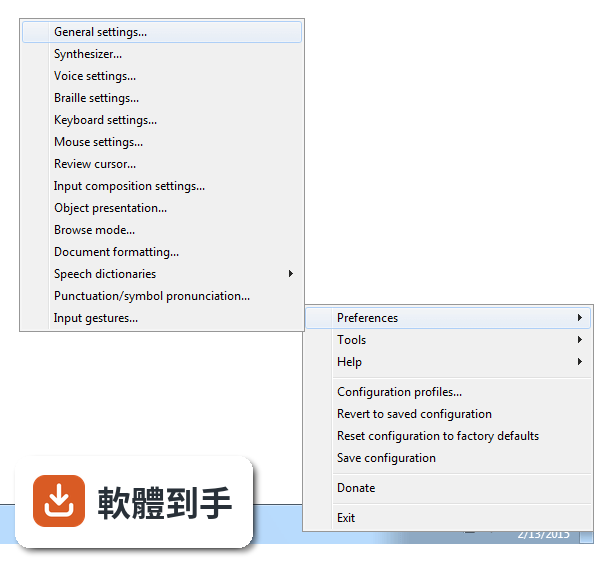
NVDA 是一套免費、開源的螢幕閱讀器,安裝後會用合成語音讀出螢幕上的文字,也能搭配點字顯示器輸出。它讓視障者可以操作 Windows 桌面、瀏覽網頁、使用 Microsoft Office、記事本,以及 Outlook、Thunderbird 等郵件軟體。啟動方式是按下 Ctrl + Alt + N,之後用 Tab 和方向鍵就能在視窗和選單之間移動,系統會即時唸出焦點所在的位置。
02它能不能讀網頁?用鍵盤要怎麼瀏覽?
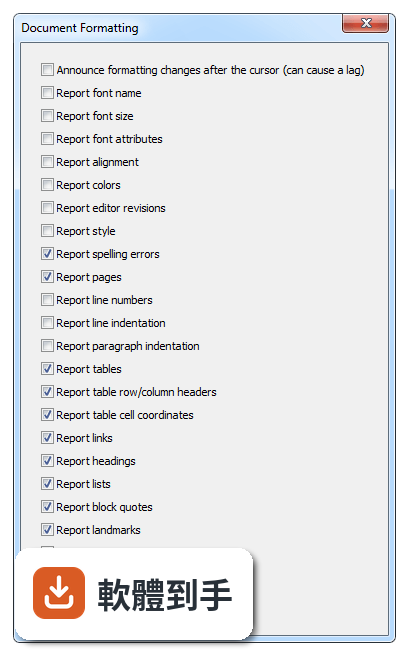
可以。NVDA 支援 Chrome、Firefox、Edge 等主流瀏覽器,開啟網頁後,用方向鍵上下移動就能逐行讀出文字,按 H 鍵跳到下一個標題,按 K 鍵跳到連結。不需要滑鼠,整頁內容都可以靠鍵盤讀完。遇到圖片或按鈕,它會唸出替代文字或「按鈕」之類的提示,讓你知道這個元素可以做什麼。
03可以接點字顯示器嗎?要怎麼設定?
可以。NVDA 支援多種可更新式點字顯示器,透過 USB 或藍牙連線,然後在 NVDA 的設定選單裡找到「點字」項目,選擇你的顯示器型號並調整相關參數。設定完成後,螢幕上的文字會即時轉成點字輸出,適合不想一直聽語音、或需要精確確認拼字的使用者。
04它一定要安裝才能用嗎?能不能帶著走?
不必安裝。NVDA 提供可攜版,可以把程式直接放到 USB 隨身碟裡,插到任何一台 Windows 電腦上就能執行,不需要在該台電腦上安裝軟體。這對需要在不同地方使用電腦的人很方便,例如在學校、圖書館或別人的電腦上,插入隨身碟啟動 NVDA 就能開始操作。
05它支援哪些 Windows 版本?對電腦硬體有要求嗎?
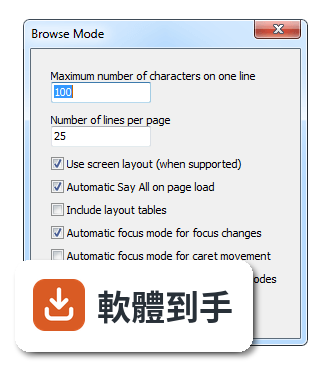
官方說明支援 Windows 7、8、10、11,32 位元和 64 位元都行。硬體需求是處理器 1 GHz 以上、建議 2 GB 記憶體、100 MB 可用磁碟空間,並需要音效輸出裝置來播放語音。點字顯示器是選配,沒有也可以只用語音。整體來說,一般文書用的電腦都跑得動。
06完全看不到的人適合用嗎?還是只有弱視的人能用?
全盲使用者是 NVDA 的主要對象,因為它完全靠語音和點字輸出,不需要任何視覺回饋。弱視的人也可以搭配螢幕放大鏡工具一起使用,NVDA 本身有與放大工具整合的能力,讓還有一點殘餘視力的人同時用聽的和看的來操作。兩種狀況都適用,差別在於怎麼搭配其他輔具。
07不想花錢買商業讀屏軟體的人,用 NVDA 夠嗎?
如果你的需求是讀網頁、用 Office、收發郵件、操作 Windows 基本功能,NVDA 都能勝任,而且完全免費。它更新頻繁,近兩年有多次版本釋出,代表持續在維護。但如果你需要的是商業軟體才有的進階功能,例如更細緻的語音品質或特定專業應用程式的深度整合,NVDA 可能就沒有那些東西。
08它的介面是英文的,不會英文的人能操作嗎?
官方介面語系是英文,但 NVDA 本身支援多種語言的語音輸出,也就是說,它可以用中文或其他語言朗讀螢幕內容。不過,設定選單、快速鍵說明這些操作介面是英文,對完全不懂英文的人來說,初始設定會比較吃力。建議找懂英文的人協助完成第一次設定,之後日常使用主要靠鍵盤指令,不太需要一直看選單。
09有些程式它讀不到,遇到這種情況怎麼辦?
官方說明指出,NVDA 支援大多數標準應用程式,但某些專有或客製化軟體可能功能有限。如果你常用的程式讀不到內容,可以先確認該程式是否有無障礙支援或替代方案,或者改用網頁版。NVDA 本身沒有辦法解決所有應用程式的相容問題,這部分需要自行測試或尋找其他輔助工具搭配。
10它的語音聽起來很機械,會不會影響長時間使用?
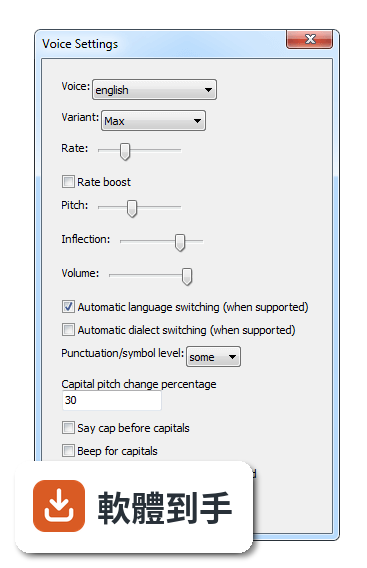
官方說明坦承,NVDA 的語音合成品質比商業付費方案粗糙,聽起來確實比較機械。對長時間聆聽的人來說,這可能造成疲勞,但很多人會透過調整語速、音調和詳細程度來改善。如果你對語音品質非常敏感,可以考慮安裝其他語音引擎,但這需要額外設定,而且效果因人而異。
11跟其他讀屏軟體比起來,NVDA 的評價如何?
在收錄的評分中,NVDA 有 168 人評分,平均 8.18 分(滿分 10 分)。這個分數不算低,但評分人數不算多,參考價值有限。跟它放在一起比較的 Foxit Reader、Adobe Digital Editions、ALLPlayer 都不是讀屏軟體,類別不同,無法直接對比。如果你在考慮付費讀屏,建議先試用 NVDA,確認基本需求能不能滿足,再決定要不要花錢。
下載與官方連結
nvda_2019.3.1.exe · 24.05 MB · 連結指向軟體原廠
版本紀錄
- 2026-10-26 NVDA 2026.3 66.14 MB
- 2026-05-06 NVDA 2026.1 59.96 MB
- 2026-02-16 NVDA 2025.3.3 48.7 MB
再看 5 筆
- 2025-11-24 NVDA 2025.3.1 48.72 MB
- 2025-11-24 NVDA 2025.3.2 48.72 MB
- 2025-09-15 NVDA 2025.3 48.73 MB
- 2025-08-13 NVDA 2025.2 44.03 MB
- 2025-06-23 NVDA 2025.1.2 42.34 MB
這一版改了什麼
What's new in this version:
- Highlights of this release include automatic detection of many Braille displays, support for new Windows 10 features including the Windows 10 Emoji input panel, and many other bug fixes
- New Features
- NVDA will report grammar errors when appropriately exposed by web pages in Mozilla Firefox and Google Chrome
- Content marked as being either inserted or deleted in web pages is now reported in Google Chrome
- Added support for BrailleNote QT and Apex BT's scroll wheel when BrailleNote is used as a braille display with NVDA
- Added scripts for reporting elapsed and total time of current track in Foobar2000
- The Mac command key symbol (⌘) is now announced when reading text with any synthesizer
- Custom roles via the aria-roledescription attribute are now supported in all web browsers
- New braille tables: Czech 8 dot, Central Kurdish, Esperanto, Hungarian, Swedish 8 dot computer braille
- Support has been added to automatically detect braille displays in the background
- ALVA, Baum/HumanWare/APH/Orbit, Eurobraille, Handy Tech, Hims, SuperBraille and HumanWare BrailleNote and Brailliant BI/B displays are currently supported
- You can enable this feature by selecting the automatic option from the list of braille displays in NVDA's braille display selection dialog
- Please consult the documentation for additional details
- Added support for various modern input features introduced in recent Windows 10 releases. These include emoji panel (Fall Creators Update), dictation (Fall Creators Update), hardware keyboard input suggestions (April 2018 Update), and cloud clipboard paste (October 2018 Update)
- Content marked as a block quote using ARIA (role blockquote) is now supported in Mozilla Firefox 63
Changes:
- The list of available languages in NVDA's General Settings is now sorted based on language names instead of ISO 639 codes
- Added default gestures for Alt+Shift+Tab and Windows+Tab with all supported Freedom Scientific braille displays
- For ALVA BC680 and protocol converter displays, it is now possible to assign different functions to the left and right smart pad, thumb and etouch keys
- For ALVA BC6 displays, the key combination sp2+sp3 will now announce the current date and time, whereas sp1+sp2 emulates the Windows key
- The user is asked once when NVDA starts if they are happy sending usage statistics to NV Access when checking for NVDA updates
- When checking for updates, if the user has agreed to allow sending usage statistics to NV Access, NVDA will now send the name of the current synth driver and braille display in use, to aide in better prioritization for future work on these drivers
- Updated liblouis braille translator to version 3.6.0
- Updated the path to the correct Russian eight-dots Braille table
- Updated eSpeak-ng to 1.49.3dev commit 910f4c2
Bug Fixes:
- Accessible labels for controls in Google Chrome are now more readily reported in browse mode when the label does not appear as content itself
- Notifications are now supported in Zoom. For example, this includes mute/unmute status, and incoming messages
- Switching braille context presentation when in browse mode no longer causes braille output to stop following browse mode cursor
- ALVA BC680 braille displays no longer intermittently fail to initialize
- By default, ALVA BC6 displays will no longer execute emulated system keyboard keys when pressing key combinations involving sp2+sp3 to trigger internal functionality
- Pressing sp2 on an ALVA BC6 display to emulate the alt key now works as advertised
- NVDA no longer announces redundant keyboard layout changes
- Mouse tracking is now much more accurate in Notepad and other plain text edit controls when in a document with more than 65535 characters
- NVDA will recognize more dialogs in Windows 10 and other modern applications
- On Windows 10 October 2018 Update and Server 2019 and above, NVDA no longer fails to track the system focus when an application freezes or floods the system with events
- Users are now informed when attempting to read or copy an empty status bar
- Fixed an issue where the "not checked" state on controls is not reported in speech if the control has previously been half checked
- In the list of languages in NVDA's General Settings, language name for Burmese is displayed correctly on Windows 7
- In Microsoft Edge, NVDA will announce notifications such as reading view availability and page load progress
- When navigating into a list on the web, NVDA will now report its label if the web author has provided one
- When manually assigning functions to gestures for a particular braille display, these gestures now always show up as being assigned to that display. Previously, they showed up as if they were assigned to the currently active display
- The 64-bit version of Media Player Classic is now supported
Several improvements to braille support in Microsoft Word with UI Automation enabled:
- Similar to other multiline text fields, When positioned at the start of a document in Braille, the display is now panned such that the first character of the document is at the start of the display
- Reduced overly verbose focus presentation in both speech and braille when focusing a Word document
- Cursor routing in braille now works correctly when in a list in a Word document
- Newly inserted bullets/numbers in a Word document are correctly reported in both speech and braille
- In Windows 10 1803 and later, it is now possible to install add-ons if the "Use Unicode UTF-8 for worldwide language support" feature is enabled
- NVDA will no longer make iTunes 12.9 and newer completely unusable to interact with
Changes for Developers:
- Added scriptHandler.script, which can function as a decorator for scripts on scriptable objects
- A system test framework has been introduced for NVDA
Some changes have been made to the hwPortUtils module:
- ListUsbDevices now yields dictionaries with device information including hardwareID and devicePath.
- Dictionaries yielded by listComPorts now also contain a usbID entry for COM ports with USB VID/PID information in their hardware ID
- Updated wxPython to 4.0.3
- As NVDA now only supports Windows 7 SP1 and later, the key "minWindowsVersion" used to check if UIA should be enabled for a particular release of Windows has been removed
- You can now register to be notified about configuration saves/reset actions via new config.pre_configSave, config.post_configSave, config.pre_configReset, and config.post_configReset actions
- Config.pre_configSave is used to be notified when NVDA's configuration is about to be saved, and config.post_configSave is called after configuration has been saved
- Config.pre_configReset and config.post_configReset includes a factory defaults flag to specify if settings are reloaded from disk (false) or reset to defaults (true)
- Config.configProfileSwitch has been renamed to config.post_configProfileSwitch to reflect the fact that this action is called after profile switch takes place
- UI Automation interfaces updated to Windows 10 October 2018 Update and Server 2019 (IUIAutomation6 / IUIAutomationElement9)