
這是歷史版本頁面 — 看 NVDA 最新版本
視障者用電腦卡關?NVDA 免費讀屏能做什麼
 NVDA 2020.4
資料更新 2021-02-22
閱讀約 6 分鐘
視覺障礙者或重度視力衰退的人,坐在電腦前不是「看不到螢幕」這麼簡單——是滑鼠游標不知道在哪、視窗開了幾個搞不清楚、網頁讀到哪一段完全沒概念。明明文書、上網、收信都是日常需求,卻因為讀不到畫面,每一步都卡在「現在到底發生什麼事」。這種狀況下,需要的不是放大鏡,而是把螢幕上的文字變成聲音或點字,讓操作者用聽的、用摸的就知道系統狀態。
一般人直覺會想到「把字放大」或「請人幫忙唸」,但前者對全盲沒用,後者不可能隨時在旁邊。系統內建的朗讀功能往往只覆蓋特定程式,遇到網頁或 Office 就斷斷續續。這類工具的切入點,是直接攔截系統和應用程式送出的文字資訊,再用語音合成或點字顯示器輸出,讓使用者在沒有視覺輔助的狀態下,照樣能操作 Windows、瀏覽網頁、編輯文件。
01NVDA 是什麼?裝了之後到底能做什麼?
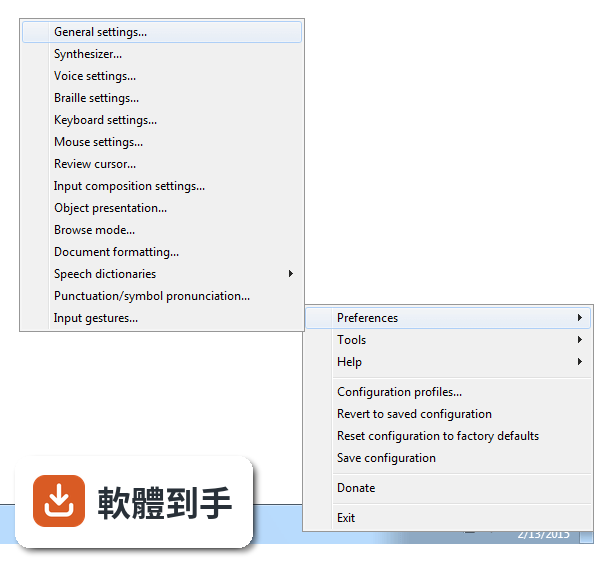
NVDA 是一套免費、開源的螢幕閱讀器,安裝後會用合成語音讀出螢幕上的文字,也能搭配點字顯示器輸出。它讓視障者可以操作 Windows 桌面、瀏覽網頁、使用 Microsoft Office、記事本,以及 Outlook、Thunderbird 等郵件軟體。啟動方式是按下 Ctrl + Alt + N,之後用 Tab 和方向鍵就能在視窗和選單之間移動,系統會即時唸出焦點所在的位置。
02它能不能讀網頁?用鍵盤要怎麼瀏覽?
可以。NVDA 支援 Chrome、Firefox、Edge 等主流瀏覽器,開啟網頁後,用方向鍵上下移動就能逐行讀出文字,按 H 鍵跳到下一個標題,按 K 鍵跳到連結。不需要滑鼠,整頁內容都可以靠鍵盤讀完。遇到圖片或按鈕,它會唸出替代文字或「按鈕」之類的提示,讓你知道這個元素可以做什麼。
03可以接點字顯示器嗎?要怎麼設定?
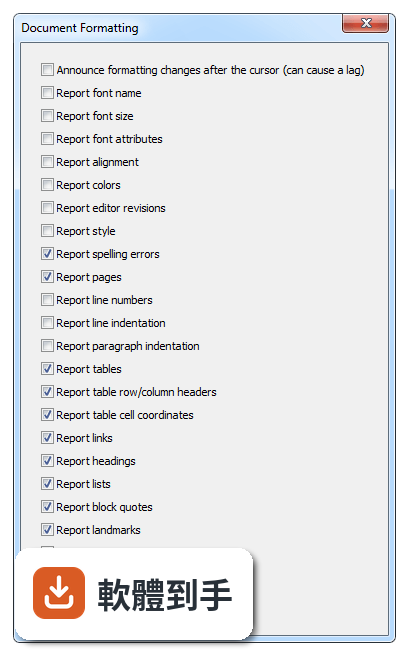
可以。NVDA 支援多種可更新式點字顯示器,透過 USB 或藍牙連線,然後在 NVDA 的設定選單裡找到「點字」項目,選擇你的顯示器型號並調整相關參數。設定完成後,螢幕上的文字會即時轉成點字輸出,適合不想一直聽語音、或需要精確確認拼字的使用者。
04它一定要安裝才能用嗎?能不能帶著走?
不必安裝。NVDA 提供可攜版,可以把程式直接放到 USB 隨身碟裡,插到任何一台 Windows 電腦上就能執行,不需要在該台電腦上安裝軟體。這對需要在不同地方使用電腦的人很方便,例如在學校、圖書館或別人的電腦上,插入隨身碟啟動 NVDA 就能開始操作。
05它支援哪些 Windows 版本?對電腦硬體有要求嗎?
官方說明支援 Windows 7、8、10、11,32 位元和 64 位元都行。硬體需求是處理器 1 GHz 以上、建議 2 GB 記憶體、100 MB 可用磁碟空間,並需要音效輸出裝置來播放語音。點字顯示器是選配,沒有也可以只用語音。整體來說,一般文書用的電腦都跑得動。
06完全看不到的人適合用嗎?還是只有弱視的人能用?
全盲使用者是 NVDA 的主要對象,因為它完全靠語音和點字輸出,不需要任何視覺回饋。弱視的人也可以搭配螢幕放大鏡工具一起使用,NVDA 本身有與放大工具整合的能力,讓還有一點殘餘視力的人同時用聽的和看的來操作。兩種狀況都適用,差別在於怎麼搭配其他輔具。
07不想花錢買商業讀屏軟體的人,用 NVDA 夠嗎?
如果你的需求是讀網頁、用 Office、收發郵件、操作 Windows 基本功能,NVDA 都能勝任,而且完全免費。它更新頻繁,近兩年有多次版本釋出,代表持續在維護。但如果你需要的是商業軟體才有的進階功能,例如更細緻的語音品質或特定專業應用程式的深度整合,NVDA 可能就沒有那些東西。
08它的介面是英文的,不會英文的人能操作嗎?
官方介面語系是英文,但 NVDA 本身支援多種語言的語音輸出,也就是說,它可以用中文或其他語言朗讀螢幕內容。不過,設定選單、快速鍵說明這些操作介面是英文,對完全不懂英文的人來說,初始設定會比較吃力。建議找懂英文的人協助完成第一次設定,之後日常使用主要靠鍵盤指令,不太需要一直看選單。
09有些程式它讀不到,遇到這種情況怎麼辦?
官方說明指出,NVDA 支援大多數標準應用程式,但某些專有或客製化軟體可能功能有限。如果你常用的程式讀不到內容,可以先確認該程式是否有無障礙支援或替代方案,或者改用網頁版。NVDA 本身沒有辦法解決所有應用程式的相容問題,這部分需要自行測試或尋找其他輔助工具搭配。
10它的語音聽起來很機械,會不會影響長時間使用?
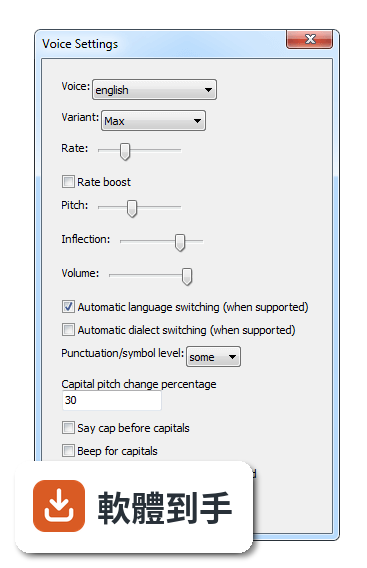
官方說明坦承,NVDA 的語音合成品質比商業付費方案粗糙,聽起來確實比較機械。對長時間聆聽的人來說,這可能造成疲勞,但很多人會透過調整語速、音調和詳細程度來改善。如果你對語音品質非常敏感,可以考慮安裝其他語音引擎,但這需要額外設定,而且效果因人而異。
11跟其他讀屏軟體比起來,NVDA 的評價如何?
在收錄的評分中,NVDA 有 168 人評分,平均 8.18 分(滿分 10 分)。這個分數不算低,但評分人數不算多,參考價值有限。跟它放在一起比較的 Foxit Reader、Adobe Digital Editions、ALLPlayer 都不是讀屏軟體,類別不同,無法直接對比。如果你在考慮付費讀屏,建議先試用 NVDA,確認基本需求能不能滿足,再決定要不要花錢。
下載與官方連結
nvda_2020.4.exe · 連結指向軟體原廠
版本紀錄
- 2026-10-26 NVDA 2026.3 66.14 MB
- 2026-05-06 NVDA 2026.1 59.96 MB
- 2026-02-16 NVDA 2025.3.3 48.7 MB
再看 5 筆
- 2025-11-24 NVDA 2025.3.1 48.72 MB
- 2025-11-24 NVDA 2025.3.2 48.72 MB
- 2025-09-15 NVDA 2025.3 48.73 MB
- 2025-08-13 NVDA 2025.2 44.03 MB
- 2025-06-23 NVDA 2025.1.2 42.34 MB
這一版改了什麼
What's new in this version:
New:
- Pressing F1 inside NVDA dialogs will now open the help file to most relevant section
- Support for auto complete suggestions (IntelliSense) in Microsoft SQL Server Management Studio plus Visual Studio 2017 and higher
- Symbol pronunciation: Support for grouping in a complex symbol definition and support group references in a replacement rule making them simpler and more powerful
- Users are now notified when attempting to create Speech Dictionary entries with invalid regular expression substitutions
- Specifically grouping errors are now
- Added support for the new chinese Traditional Quick and Pinyin Input methods in Windows 10
- Tab headers are now considered form fields with quick navigation f key
- Added a command to toggle reporting of marked (highlighted) text; There is no default associated gesture
- Added the --copy-portable-config command line parameter that allows you to automatically copy the provided configuration to the user account when silently installing NVDA
- Braille routing is now supported with the Braille Viewer for mouse users, hover to route to a braille cell
- NVDA will now automatically detect the Humanware Brailliant BI 40X and 20X devices via both USB and Bluetooth
Changed:
- Updated liblouis braille translator to version 3.16.1:
- Addresses multiple crashes
- Adds Bashkir grade 1 Braille table
- Adds Coptic 8 dot computer braille table
- Adds Russian literary braille and Russian literary braille (detailed) tables
- Adds Added Afrikaans grade 2 braille table
- Removes the Russian grade 1 Braille table
- When reading with say all in browse mode, the find next and find previous commands do not stop reading anymore if Allow skim reading option is enabled; say all rather resumes from after the next or previous found term
- For HIMS braille displays F3 has been remapped to Space + dots 148
- Improvements to the UX of the "braille message timeout" and "Show messages indefinitely" options
- In web browsers and other applications that support browse mode, the Elements List dialog (NVDA+F7) can now be invoked when in focus mode
- Updates to ARIA live regions are now suppressed when reporting of dynamic content changes is disabled
- NVDA will now report "Copied to clipboard" before the copied tex
- Presentation of graphical view table in disk management has been improved
- Labels for controls are now disabled (greyed out) when the control is disabled
- Updated CLDR emoji annotation to version 38
- The inbuilt "Focus Highlight" feature has been renamed "Vision Highlight"
Fixed:
- NVDA once again works correctly with edit fields when using the Fast Log Entry application
- Report elapsed time in Foobar2000 if no total time is available (e.g. when playing a live stream)
- NVDA now honors the aria-roledescription attribute on elements in editable content in web pages
- 'list' is no longer announced on every line of a list in Google Docs or other editable content in Google Chrome
- When arrowing by character or word from one list item to another in editable content on the web, entering the new list item is now announced
- NVDA now reads the correct line when the caret is placed at the end of a link on the end of a list item in Google Docs or other editable content on the web
- On Windows 7, opening and closing the start menu from the desktop now sets focus correctly
- When "attempt to cancel expired focus events" is enabled, the title of the tab is now announced again when switching tabs in Firefox
- NVDA no longer fails to announce a list item after typing a character in a list when speaking with the SAPI5 Ivona voices
- It is again possible to use browse mode when reading emails in Windows 10 Mail 16005.13110 and later
- When using the SAPI5 Ivona voices from harposoftware.com, NVDA is now able to save configuration, switch synthesizers, and no longer will stay silent after restarting
- It is now possible to enter number 6 in computer braille from a braille keyboard on HIMS displays
- Major performance improvements in Azure Data Studio
- With "Attempt to Cancel speech for expired focus events" enabled the title of the NVDA Find dialog is announced again
- NVDA should no longer freeze when waking the computer and focus lands in a Microsoft Edge document
- It is no longer necessary to press tab or move focus after closing a context menu in MS Edge for browse mode to be functional again
- NVDA no longer fails to read items in list views within a 64-bit application such as Tortoise SVN
- ARIA treegrids are now exposed as normal tables in browse mode in both Firefox and Chrome
- A reverse search can now be initiated with 'find previous' via NVDA+shift+F3
- An NVDA script is no longer treated as being repeated if an unrelated key press happens in between the two executions of the script
- Strong and emphasis tags in Internet Explorer can again be suppressed from being reported by returning off Report Emphasis in NVDA's Document Formatting settings
- A freeze of several seconds experienced by a small amount of users when arrowing between cells in Excel should no longer occur
- In Microsoft Teams builds with version numbers like 1.3.00.28xxx, NVDA no longer fails reading messages in chats or Teams channels due to an incorrectly focused menu
- Text marked both as being a spelling and grammar error at the same time in Google Chrome will be appropriately announced as both a spelling and grammar error by NVDA
- When using Outlook (French locale), the shortcut for 'Reply all' (control+shift+R) works again
- In Visual Studio, IntelliSense tool tips that provide additional details about the currently selected IntelliSense item are now only reported once
- In Windows 10 Calculator, NVDA will not announce progress of calculations if speak typed characters is disabled
- NVDA no longer crashes when using English US grade 2 and expand to computer Braille at the cursor is on, when displaying certain content such as a URL in Braille
- It is again possible to report formatting information for the focused Excel cell using NVDA+F
- QWERTY input on Papenmeier braille displays that support it again works and no longer causes NVDA to randomly freeze
Changes for Developers:
- System tests can now send keys using spy.emulateKeyPress, which takes a key identifier that conforms to NVDA's own key names, and by default also blocks until the action is executed
- NVDA no longer requires the current directory to be the NVDA application directory in order to function
- The aria live politeness setting for live regions can now be found on NVDA Objects using the liveRegionPoliteness property
- It is now possible to define separate gestures for Outlook and Word document