
這是歷史版本頁面 — 看 Octoparse 最新版本
不會寫程式也能抓網頁資料?Octoparse 能做什麼
 Octoparse 6.4.1
資料更新 2017-03-12
閱讀約 5 分鐘
打開瀏覽器,看著那個網站上的商品價格、客戶名單、論文資料,一筆一筆複製貼上到 Excel。貼了半小時,才處理完兩頁,後面還有幾十頁。你想把整個網站有結構的資料一次抓下來,但你不會寫程式,也不知道從哪裡開始。
找人寫程式要花錢,自己學又太慢。手動複製貼上不是不行,但遇到會自動載入新內容的網頁、需要登入才能看的頁面、或是要翻好幾十頁的列表,很快就會放棄。這類工具的切入點,是讓你把「瀏覽網站、點資料、設定規則」的動作,交給軟體去模擬執行,最後輸出成表格。
01Octoparse 到底能抓什麼資料?
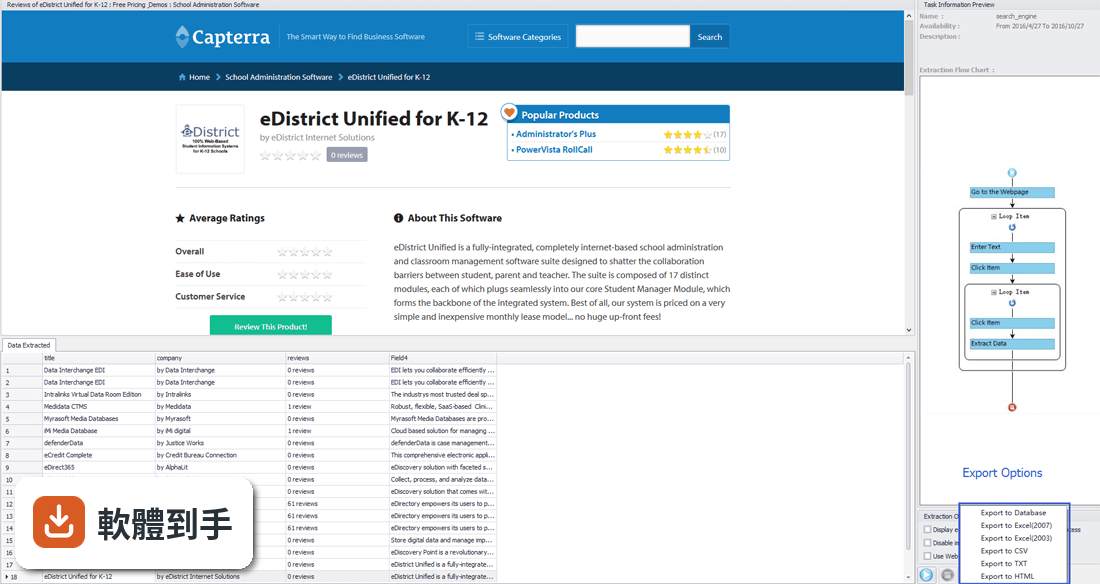
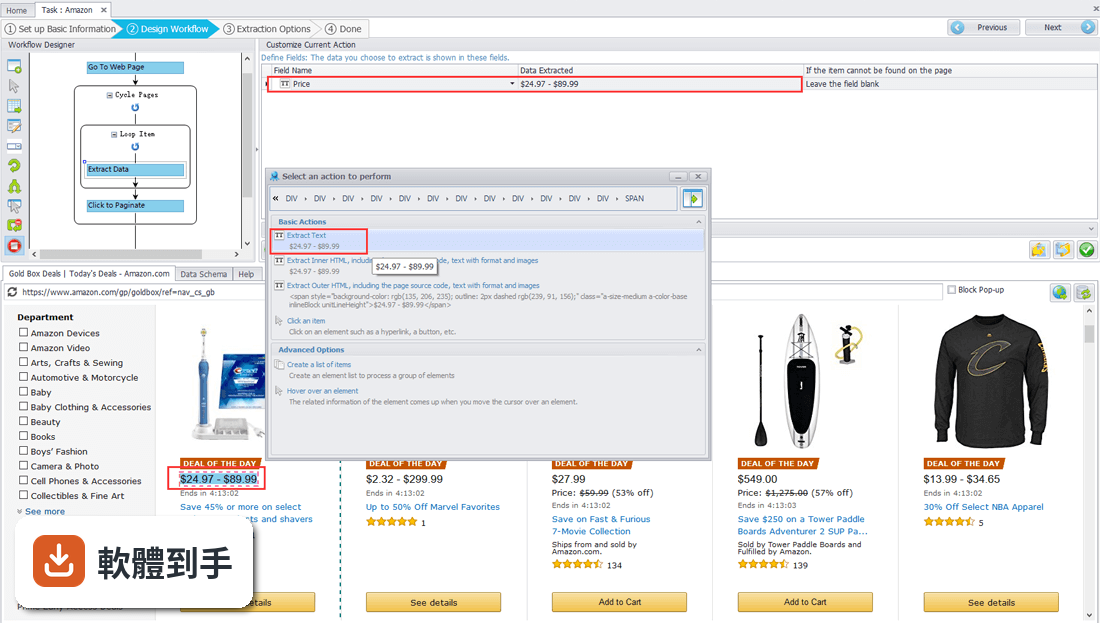
它能把網頁上的文字、連結、圖片網址、HTML 原始碼抓下來,整理成表格。官方列出的用途包含追蹤競爭對手價格、蒐集潛在客戶名單、做市場研究。內建幾種現成模板,例如 Twitter、TikTok、Google Maps、Amazon 的抓取任務,可以直接套用,不用從零開始設定。
02需要會寫程式才能用嗎?
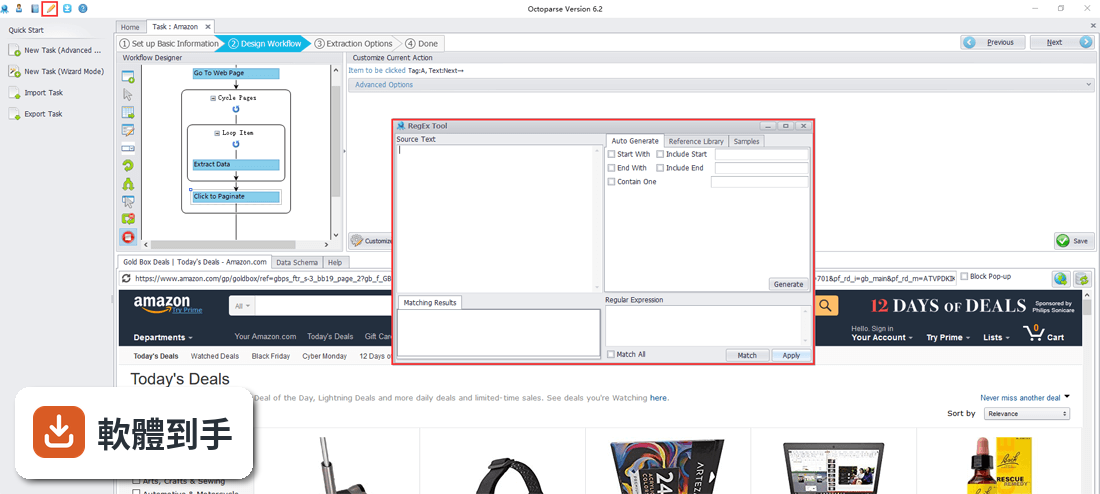
不用。它的操作方式是打開內建瀏覽器,到目標網站上用滑鼠點選要抓的資料,軟體會用機器學習演算法判斷資料位置,然後產生抓取規則。流程設計介面是圖形化的,像畫流程圖一樣把「開網頁、登入、輸入文字、點按鈕」這些動作串起來,不需要寫任何程式碼。
03抓下來的資料能存成什麼格式?
可以匯出成 CSV、Excel、HTML、TXT,也能直接寫進 MySQL、SQL Server、Oracle 資料庫。另外可以設定自動匯出到 Google Drive、Dropbox、Amazon S3,或透過 OAuth 匯到 Google Sheets。不用再手動複製貼上。
04遇到會一直載入新內容的網頁,它抓得到嗎?
可以。官方說明提到它支援 JavaScript、AJAX 這類動態載入的網頁,也能處理無限捲動的頁面、需要登入才能看的內容、下拉選單切換、表單填寫這些操作。它模擬的是真人瀏覽行為,不是單純讀原始碼,所以動態網站也能應付。
05能不能設定時間讓它自動跑?
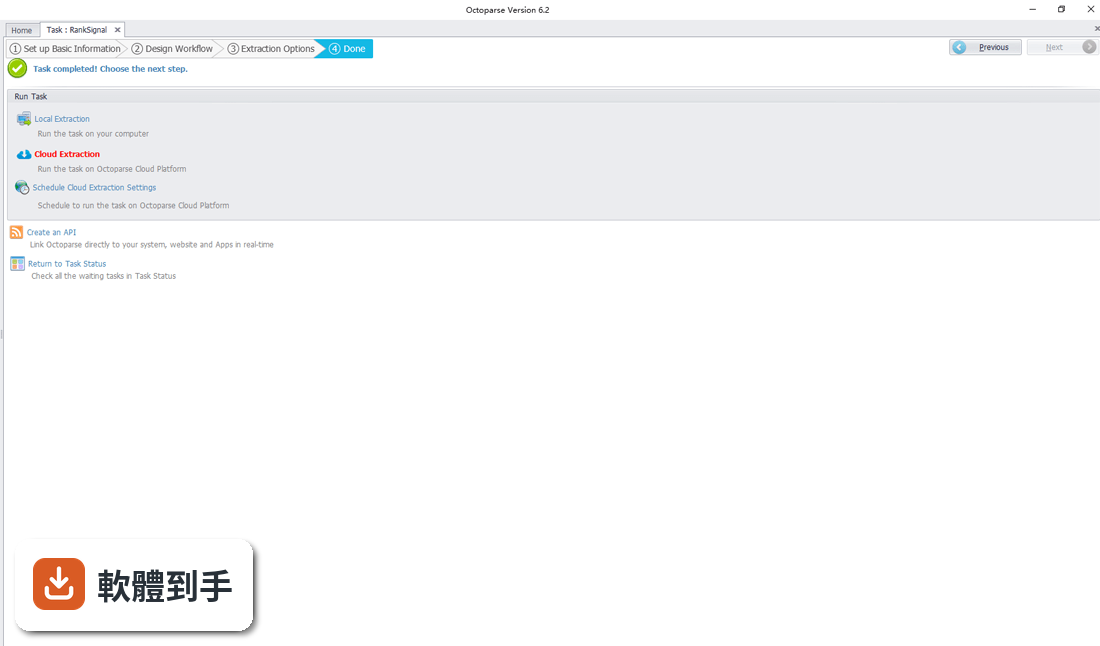
可以。免費版只能在你的電腦本機執行任務,但付費的雲端方案可以把抓取任務放到雲端跑,24 小時不間斷,速度號稱比本機快 6 到 20 倍。雲端執行時會透過不同 IP 發出請求,降低被網站封鎖的機率。任務完成或出錯時,新版也加入了通知功能。
06我不會寫程式,適合用嗎?
適合。它的主要賣點就是「不用寫程式」,操作方式是點選和拖曳。官方也提供預建模板,選好模板、輸入目標網址就能開始。不過介面是英文的,如果英文閱讀有困難,設定流程時會比較吃力,這點要先有心理準備。
07做市場調查或蒐集客戶名單的人,用得上嗎?
用得上。官方列出的用途之一就是潛在客戶開發——從網站上大量擷取聯絡人資料,建立銷售名單。價格監控也是主打功能,可以定期抓取競爭對手的售價,做價格調整參考。研究人員也能用它把網頁資料匯出成表格,餵給資料模型或分析工具。
08免費版夠用嗎?
免費版有限制:只能建立 10 個任務、只能在電腦本機執行、每次匯出最多 1 萬筆資料、每月最多匯出 5 萬筆。如果你的需求超過這個量,或需要用到雲端執行、代理 IP 輪換這些功能,就得付費。付費方案從每月 99 美元起跳,訂閱前先評估自己的資料量。
09介面只有英文,會不會很難上手?
介面確實只有英文,沒有中文選項。如果英文程度不算好,第一次設定流程可能會卡關。不過官方有提供模板和教學資源,新版首頁也重新設計,放了更多說明。可以先從預建模板試跑一次,熟悉流程後再建立自訂任務,會比直接從空白開始容易。
10跟其他類似的抓取工具比,它有什麼限制?
這套軟體在檔案下載網站上的評分是 6.44/10,只有 25 人評分,樣本數不多,參考價值有限。功能相近的軟體在該站也只有 5 人評分,沒有明顯更多人使用的替代選擇。另外它只支援 Windows 10 和 11 的 64 位元系統,Mac 使用者無法安裝。
11抓大量資料的時候,會不會被網站封鎖?
免費版在本機執行,用的是你自己的 IP,抓太兇有可能被網站擋。付費雲端方案透過多台伺服器、不同 IP 發出請求,降低被追蹤和封鎖的機率,也支援代理和 API。另外新版加入了驗證碼處理功能,能解決部分 hCaptcha、ReCaptcha 和 Cloudflare Turnstile 驗證。
12這軟體還有人在維護嗎?
有。官方在檔案下載網站上收錄了 32 個版本,最近一年內更新了 7 次,兩年內更新了 11 次,屬於持續維護中的軟體。近期更新包含新增 Apple ID 登入、Apple Pay 和 Google Pay 付款方式、改善模板搜尋演算法、支援 Oracle 和 PostgreSQL 資料庫,以及新增隨機等待時間設定。
下載與官方連結
OctoparseV6.4.1Setup.zip · 連結指向軟體原廠
版本紀錄
- 2026-09-24 Octoparse 10.2.1 207 MB
- 2026-08-31 Octoparse 10.2.0 207 MB
- 2026-07-28 Octoparse 10.1.1 111 MB
再看 5 筆
- 2026-07-03 Octoparse 10.1.0 111 MB
- 2026-06-09 Octoparse 10.0.2 116 MB
- 2026-05-22 Octoparse 10.0.1 116 MB
- 2026-05-09 Octoparse 10.0.0 116 MB
- 2026-03-02 Octoparse 8.9.0 102 MB
這一版改了什麼
What's new in this version:
Octoparse 6.4.1
Updates:
- Optimized the Local Extraction Export performance. Data will not be deleted if exported abnormally
- Added the feature to batch modify the Task Category
- Added Schedule Task feature in Start Interface. Users can apply the saved scheduled settings to batch tasks
- Authority is not necessary anymore when data needs to be exported to Mysql
- Improve Local Extraction Speed
- Memory usage is reduced
- Added Reminders of how to speed up data extraction before running the tasks
- Added Extraction Failure Report on Local Extraction
- Greatly improved the quality of the extracted data and decrease the quantity of missing data
- Greatly improved the client performance and speed up the extraction
- Added the function to load the data page when viewing extracted data
- Pagination threshold can be set with a higher value in Wizard Mod
- Added the feature -- Refresh to update tasks and task groups by right-click
Bug Fixes:
- Some existed bugs have been resolved
- Resolve the bug of redundant and duplicated data generated when exporting dat
- if multiple pages of extracted data are compacted into one page
- Resolve the bug of invalid Default Value Settings
Octoparse 6.2
Updates:
- Added a brand new feature -- Smart Mode to get data by just pasting in a URL
- Added a brand new feature -- Ad Blocking to optimize the loading time of web page
Bug Fixes:
- Optimized the Export to Excel performance and resolved unexpected export errors
- Optimized the Export to Database performance and resolved unexpected export errors
- Improved the Incremental Extraction feature and enabled URL parameter option
Octoparse 6.0
- Added four types of extraction configuration to simplify the data extraction process
- Added the 'Tutorial Guidance' option for extraction configuration
- Added the option to decide the order of running tasks in Cloud Extraction
- Scheduled Cloud Extraction
- Added the 'View all' option and 'View unexported data' option in the 'Cloud: Completed' to view all the data run in cloud extraction. Users can export all the unexported data
- Tasks can be dragged to different categories
- Added the 'Export to Oracle database' feature
Octoparse 5.1
- Added the feature to extract missing data. (only for certain types of processes). Cloud data extraction support the feature of auto-extracting missing data to improve the quality of data extracted
- Added the 'Enable Incremental extraction' option in the 'Extraction Options' step to extract new data when extracting data
- Added the 'Export to Oracle database' feature
Octoparse 4.0
- Greatly improved the data export feature and can export large amounts of data
- Added the feature to imitate the other devices such as smartphones or tablets to grab data from more web pages with other formats
- Added the 'Use a proxy IP' feature in the 'Local Extraction' option and supported setting a number of proxy IPs
- Added the feature to import or export volume data
- Added the feature to intelligently recognize field names. Octoparse can automatically identify the field names and automatic naming
Octoparse 3.0
- Upgraded the kernel, thus to increase the extraction speed significantly and reduce resource consumption
- Added the action to extract data by looping over the list of links in the web page. Extract all the links and their corresponding details by opening these links. Then combine the extracted data from these two sections (the Links and the Details) in data table by the order of links
- Added the 'Local extraction' option. Users can disable image loading to increase the extraction speed and reduce network traffic
- Optimized the algorithm for 'Cycle Click' action and for 'Extract Data' in a loop action . The system can intelligently identify and specify the parameters to simplify the configuration process
- The anchor can automatically relocated after clicking a hyperlink on a web page
Octoparse 2.0
- Added the 'Export to Database' feature
- Added the 'Loop Text' feature to use current loop to enter text
- Added the 'Wait before execution' option and 'Or wait until specific element appears' option
- Added the 'End loop' action
- Added the 'Cloud :Waiting' option in 'Task Status'
Octoparse 1.0
- Improved the compatibility by identifying pages automatically
- Improved the configuration process by stopping the page jump when clicking on some elements in web page
- Improved data security for users