
這是歷史版本頁面 — 看 OpenShot Video Editor 最新版本
免費開源影片剪輯卡關?OpenShot 能幫你什麼
 OpenShot Video Editor 2.4.1
資料更新 2017-11-14
閱讀約 6 分鐘
你剛從手機或相機倒出一堆影片檔,想剪掉多餘片段、加上字幕和音樂,弄成一支能丟上網的短片。打開電腦才發現,系統內建的照片App只能做陽春的幻燈片,線上剪輯工具上傳檔案等半天,免費版還浮水印。你只是想快速處理一支家庭出遊或上課筆記的影片,卻卡在「找不到一個順手的工具」這一步。
一般人遇到這種狀況,會先想到找免費軟體,但下載安裝後常常發現介面複雜、教學看不懂,或是功能少到連轉場都做不出來。另一條路是直接用付費軟體的試用版,但剪到一半跳出試用到期,進度全部卡住。這類問題的切入點其實是:有沒有辦法在不用付費、不強制綁雲端的前提下,用一套安裝在電腦上的工具,把剪輯、字幕、音訊、轉場這些基本需求一次處理完。
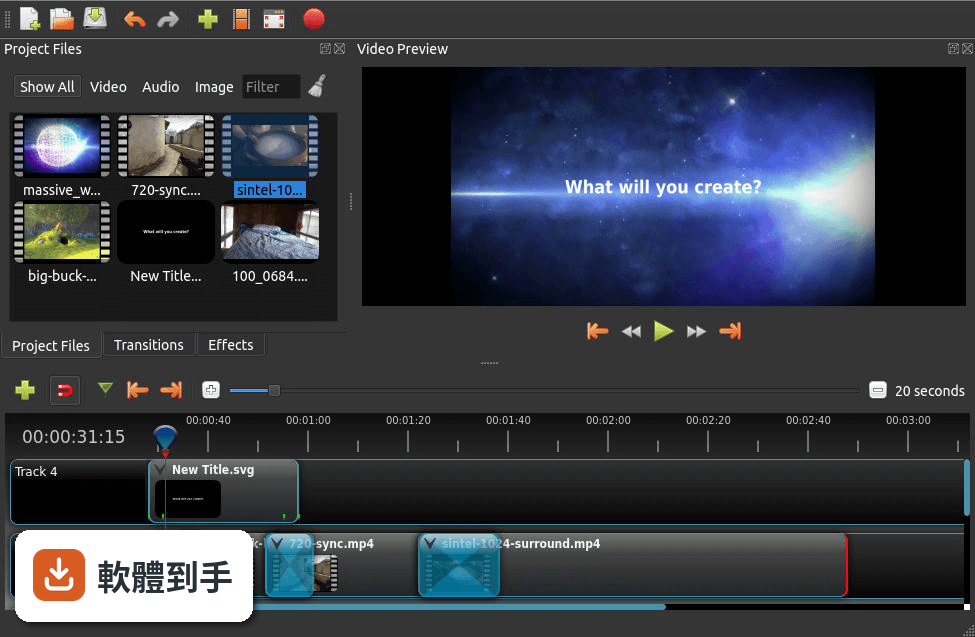
01OpenShot 這套軟體到底是做什麼用的?
它是一套安裝在電腦上的影片剪輯工具,主要工作是把多段影片、圖片、音樂丟進時間軸,進行裁剪、排列、加上轉場和字幕,最後輸出成一支完整的影片。支援 Windows、macOS 和 Linux,官方說明強調介面直覺、容易上手,適合處理日常影片剪輯需求,例如家庭影片、上課筆記或社群短片。
02它有哪些功能是實際剪片時會用到的?
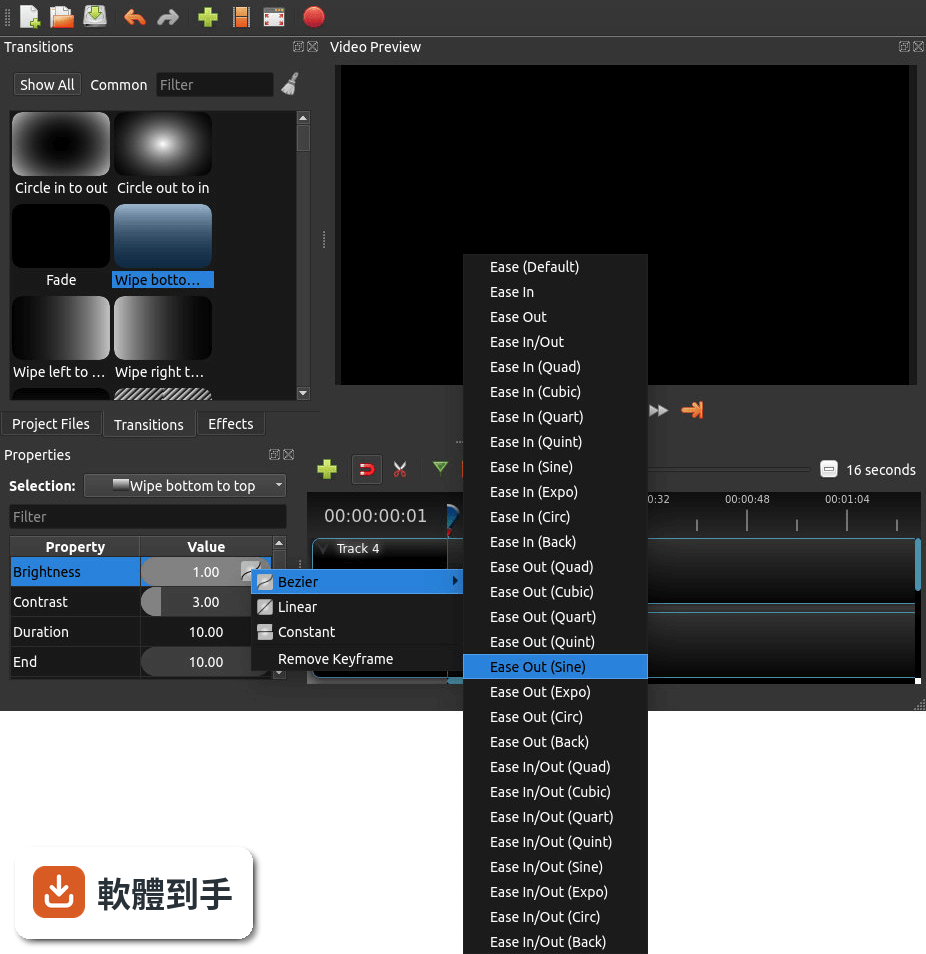
常見的剪輯操作都有:拖曳檔案進時間軸、裁剪片段長度、調整影片大小和旋轉、加上轉場效果、調整播放速度(包含倒轉)、關鍵幀動畫、音訊波形顯示、以及內建標題編輯器。特效引擎包含模糊、色彩校正、去背綠幕等。官方也提到支援 4K 影片編輯,但實際順暢度會依電腦效能而有差異。
03字幕和文字標題要怎麼處理?
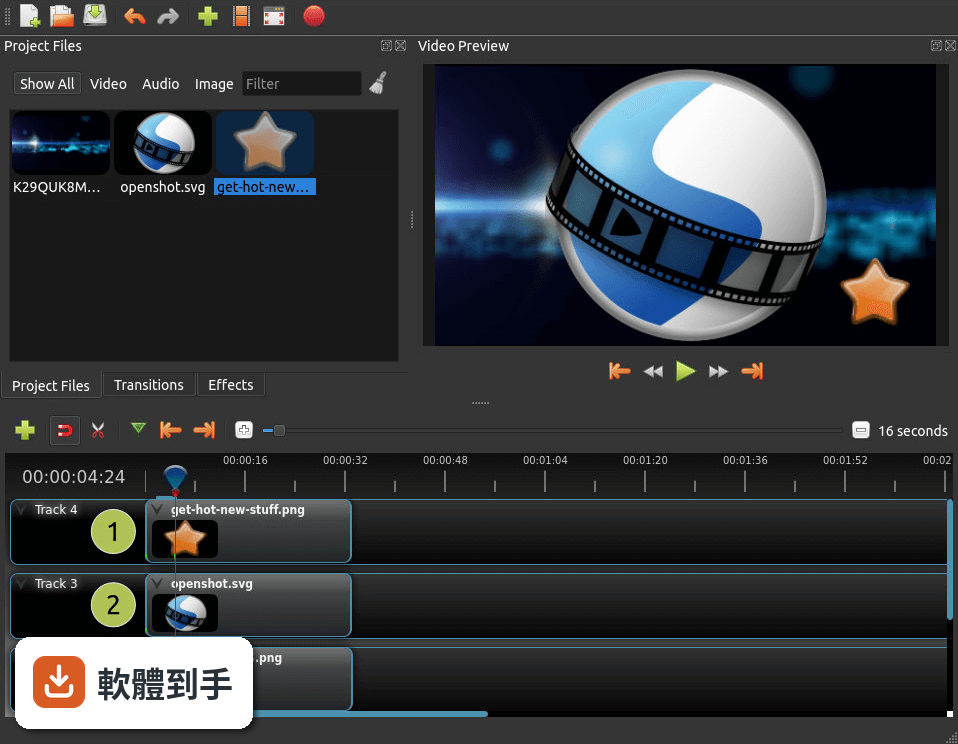
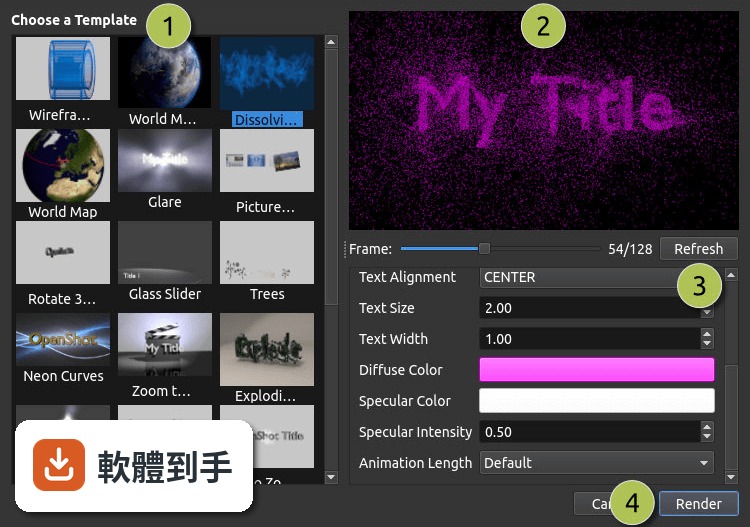
內建標題編輯器可以輸入文字、調整字型、顏色和動畫,也能製作 3D 動態標題,但這部分需要依賴 Blender 運算。基本做法是從「標題」選單建立新標題,編輯完成後拖到時間軸上方的軌道,再調整出現的時間長度。沒有看到直接匯入字幕檔的說明,這部分需要自行確認。
04音訊編輯能做到什麼程度?
可以把音樂或錄音檔直接拖進音訊軌道,調整音量、設定淡入淡出,也能套用音訊特效。時間軸上會顯示音訊波形,方便對準畫面找音樂下拍點。官方說明提到可以把波形直接輸出成影片的一部分,這在製作音樂相關內容時會用到。但沒有提到多軌混音或降噪等進階功能。
05匯出影片時可以設定哪些選項?
匯出時可以選擇格式、解析度和品質,官方說明沒有列出詳細的格式清單,但表示支援多種影片、音訊和圖片格式。做法是按下「匯出」按鈕,在對話視窗中調整設定,再開始渲染。要注意的是,渲染時間會依影片長度、解析度和電腦效能而不同,4K 影片的輸出時間會明顯拉長。
06這套軟體適合什麼樣的人用?
適合需要基本到中等剪輯功能、不想付費訂閱、而且願意花一點時間熟悉英文介面的人。官方 FAQ 表示它適合初學者到進階使用者,但也坦承缺少專業級軟體的進階功能。如果你只是要剪日常影片、加字幕和音樂,不需要複雜的調色或特效,這套工具在功能上足夠應付。
07完全沒有剪輯經驗的人上手會很困難嗎?
官方設計目標就是「容易使用、快速學習」,介面分為時間軸、預覽視窗和專案檔案區三大區塊,操作以拖曳為主。基本流程是開新專案、匯入檔案、拖到時間軸、裁剪排列、加轉場和字幕、最後匯出。對沒經驗的人來說,最大的門檻不是操作,而是介面只有英文,需要對照翻譯或看教學才能順利設定。
08什麼情況下不該選這套軟體?
如果你需要專業級調色、複雜的動態圖形、多機位同步剪輯或高效能的 4K 即時預覽,這套軟體可能無法滿足。官方 FAQ 也承認它缺少專業級軟體的進階功能。另外,介面只有英文,不習慣英文介面的人會用得很吃力。評分人數僅 38 人,相較於其他同類軟體(如 PowerDirector 有 980 人評分),實際使用樣本數偏少,穩定性有待自行驗證。
09它和 Kdenlive、VSDC 這些免費軟體比起來有什麼不同?
這幾套都是免費或開源方案,但 OpenShot 的評分人數(38 人)明顯少於 Kdenlive(116 人)和 VSDC(192 人),代表實際使用和回報問題的人數較少。功能上,OpenShot 主打拖曳操作和快速上手,而 Kdenlive 以穩定性和豐富功能著稱。如果你重視社群回饋和問題解決資源,評分人數較多的軟體通常有更多討論串可以參考。
10這套軟體還在使用中嗎?會不會裝了之後沒人維護?
根據版本紀錄,這套軟體持續有更新,近 12 個月內更新了 4 次,近 24 個月內更新了 5 次,開發團隊仍在維護。作為開源專案,它依賴社群貢獻和捐款維持開發。安裝前可以到官方網站確認最新版本和系統需求,避免下載到過舊的版本。
11系統需求會不會很高?舊電腦跑得動嗎?
官方列出的最低需求是 64 位元多核心處理器、4 GB RAM(建議 8 GB)、500 MB 可用空間,支援 Windows 7 到 11。以這個規格來看,一般文書電腦都能安裝,但實際剪輯流暢度取決於影片解析度和軌道數量。官方建議遇到效能問題時,可以調整播放設定、降低預覽品質來改善。
12它和付費軟體(如 PowerDirector、Movavi)的主要差異在哪?
最主要的差異是授權型式:OpenShot 完全免費且開源,而 PowerDirector(980 人評分)和 Movavi(201 人評分)都是付費軟體,且評分人數遠多於 OpenShot。付費軟體通常提供更完整的技術支援、繁體中文介面和更穩定的效能,但需要負擔訂閱或買斷費用。如果你預算有限、能接受英文介面,OpenShot 是可行選項;如果重視售後服務和中文介面,付費方案會更適合。
下載與官方連結
前往官方網站 下載 OpenShot Video Editor
OpenShot-v2.4.1-x86_64.exe · 連結指向軟體原廠
版本紀錄
- 2026-09-28 OpenShot Video Editor 4.0.1 (64-bit) 216 MB
- 2026-08-31 OpenShot Video Editor 4.0.0 (64-bit) 218 MB
- 2026-04-08 OpenShot Video Editor 3.5.1 (64-bit) 209 MB
再看 5 筆
- 2026-03-21 OpenShot Video Editor 3.5.0 (64-bit) 209 MB
- 2025-12-16 OpenShot Video Editor 3.4.0 (64-bit) 207 MB
- 2024-12-23 OpenShot Video Editor 3.3.0 (64-bit) 190 MB
- 2024-07-12 OpenShot Video Editor 3.2.1 (64-bit) 189 MB
- 2024-06-25 OpenShot Video Editor 3.2.0 (64-bit) 189 MB
這一版改了什麼
What's new in this version:
Improved Image Quality:
- We have improved the image processing pipeline in OpenShot to create sharper images, by switching our image scaling algorithm, and most importantly, only scaling a frame once, as opposed to multiple times (which used to happen in certain scenarios). This results in a noticeably sharper image, and slightly better performance
Improved Playback Smoothness:
- The video preview capabilities in OpenShot have been improved to better handle higher framerate videos (50 fps, 60 fps, 120 fps). This results in a smoother playback experience, and less jittering and freezing with certain preview profiles
Improved Stability (especially for Windows):
- Right after our previous release (in September 2017) we made some very large changes to libopenshot to better support Windows (with respect to certain data types in C++). This fixes many, many Windows issues, including audio files stopping early, sync/desync issues, videos stopping at 30 minutes (or at an earlier time), opening project files with non-English characters, and more. If you have had any issues on Windows, please give this new version a try
But is it really more stable?:
- Yes. Each release we fix actual stability issues, and continue to find race conditions, and add more protection around high risk code (such as image data). On certain systems, and with different combinations of video cards, CPUs, and OSes, some crashes happen often (which is less than ideal), and on other systems, it doesn’t crash at all. Each time we can reproduce a crash, we fix it, and the net result is statistically less crashes with each new version of OpenShot. We have reduced the # of crashes by a factor of 10 in the past 12 months, and will continue to work hard in this area
New Video Tutorials:
- I am proud to announce a new series of video tutorials is in the works, and the first few are now available. I will be adding more videos very soon, and look forward to building a comprehensive collection of short (5 to 10 minutes) tutorials, covering all the features, secrets, and workflows built into OpenShot
Openshot-qt (full list of changes):
- Fixing small regression with translation website URLs when using default/en_US
- Fixing small bug in Export dialog where profile and quality get blown away when changing format
- Ignoring history update messages, since libopenshot doesn't care about them
- Simplifying export progress, reducing # of signals being emitted
- Integrating current language into website URLs and simplifying a few translations (removing HTML tags)
- Removing unneeded UTF8 encode method, which caused certain project paths to fail when loading (solves crash on Windows trying to open non-English project file paths)
- Fixing a big race condition on initial launch of OpenShot, which causes certain JavaScript calls to fail (so default profiles, snapping mode, and few other things set on launch would fail sometimes)
- Adding keyboard shortcuts for toggling 'Transform' and 'Insert Keyframe'. This improves the animation work-flow, and no longer requires a bunch of mouse clicks / context menus for animations.
- Preventing overwriting an input file with the export dialog, and updating export progress on export window title (thanks Peter)
- Updating translations and contributor credits
Libopenshot (full list of changes):
- More experimental critical sections trying to prevent race conditions on high CPU core systems
- Additional omp critical sections around adding frame images
- Experimental codec lookup by name in FFmpegWriter, which should solve a few issues (such as xvid support). Thanks Peter!
- Fixing regression (I think) with rotation origin. Things should always rotate around the center of an object (until I add in keyframable origin points)
- Setting timebase on video stream in FFmpegWriter... a bit experimental
- Improving playback smoothness on high framerate videos, especially when the video frames need to jump forward to keep up with the audio
- Removing throw statements from header files (thanks Peter)
- Reducing # of scale operations to 1 per layer on the timeline
- Fixing 16 thread limit on FFmpegReader
- Fixing a cast from long to int64_t
- Big update! Updating all "long int" frame number types to int64_t, so all 3 OSes will produce the same depth and precision on frame numbers
- Removing variable bitrate support (for now), since it causes more problems than it solves