
這是歷史版本頁面 — 看 Rainmeter 最新版本
桌面想放時鐘天氣系統資訊,Rainmeter 能做什麼
 Rainmeter 3.0
資料更新 2013-10-13
閱讀約 6 分鐘
Windows 桌面用久了,總覺得少了點什麼。看著一片平坦的桌布,想放個時鐘、天氣預報,或隨時知道 CPU 使用率、網路上下傳速度,卻發現系統內建的工具早就被微軟拿掉了。上網找桌面小工具,裝了幾個不是卡頓就是失效,最後還是回到什麼都沒有的桌面。
其實這類需求一直都有,只是多數人不知道該用什麼工具來補。常見的做法是裝一堆單一功能的小軟體,一個放時鐘、一個放天氣、一個監控硬體,結果系統列擠滿圖示,資源也越吃越多。另一種做法是買整套桌面美化套件,但往往綁手綁腳,想改個樣式還得看軟體臉色。這類工具的切入點,是用輕量、可組合的「皮膚」在桌面上顯示資訊,要放什麼、放哪裡、長什麼樣子,都由使用者自己決定,而不是被預設的樣板綁死。
01Rainmeter 到底是做什麼用的?
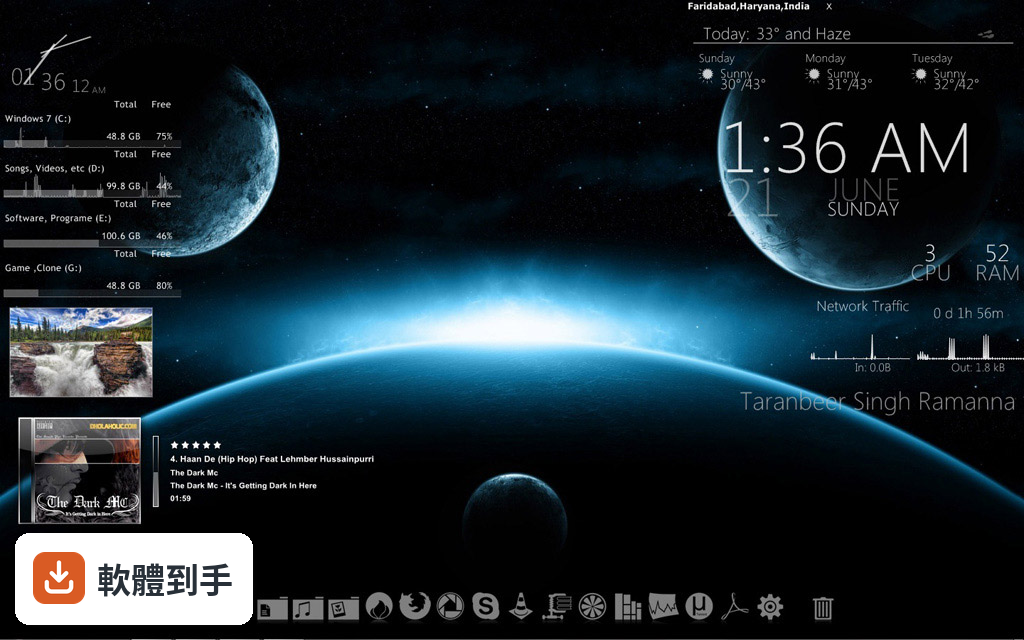
它是一套在 Windows 桌面上顯示自訂皮膚的工具。皮膚可以是一塊時鐘、一個系統監控面板、天氣資訊、RSS 訂閱,甚至是音樂視覺化效果。你可以從社群下載別人做好的皮膚直接套用,也可以自己組合多個皮膚,把桌面變成你要的資訊儀表板。它本身不提供內容,內容全部來自皮膚。
02這套軟體能顯示哪些資訊?
官方說明列出的皮膚類型包括系統資源使用量、天氣預報、RSS 訂閱等。實際能顯示什麼,取決於你安裝的皮膚——有人做 CPU 記憶體監控,有人做時鐘日曆,也有人做音樂播放器控制。皮膚是社群貢獻的,所以種類很多,但官方文件只保證基本功能,特定資訊要看你找到的皮膚有沒有支援。
03皮膚只能下載別人做好的嗎?能不能自己改?
可以自己改,也可以從零開始做。皮膚的設定檔是 INI 格式,用記事本就能打開修改,例如調整顏色、字型、位置、更新頻率。想進一步擴充功能的話,支援 Lua 腳本,可以寫邏輯去控制皮膚的行為。官方文件有提供皮膚製作的詳細說明,但需要花時間讀。
04裝了會不會拖慢電腦?
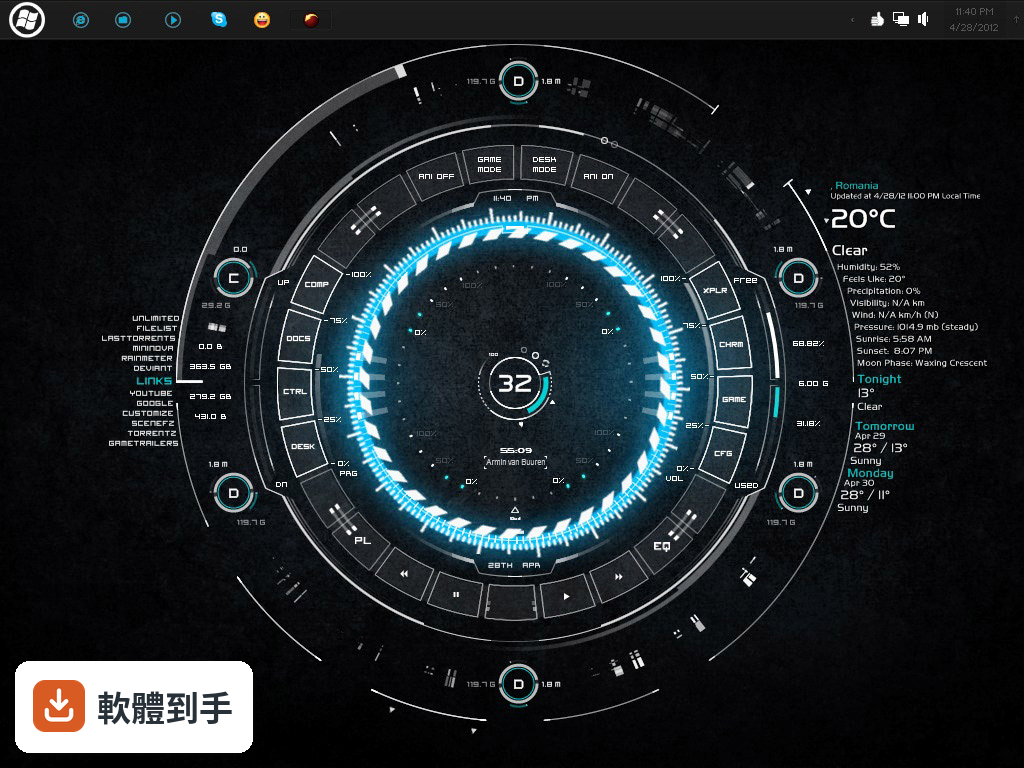
官方宣稱它設計得輕量、有效率,但同時也提醒:複雜的皮膚,或同時跑多個皮膚,可能會對系統效能造成些許影響。所以答案取決於你裝了什麼皮膚——一個簡單的時鐘幾乎無感,但一個動畫特效多、每秒更新多次的監控面板就會吃資源。建議從簡單的皮膚開始試,觀察效能變化。
05皮膚要去哪裡找?
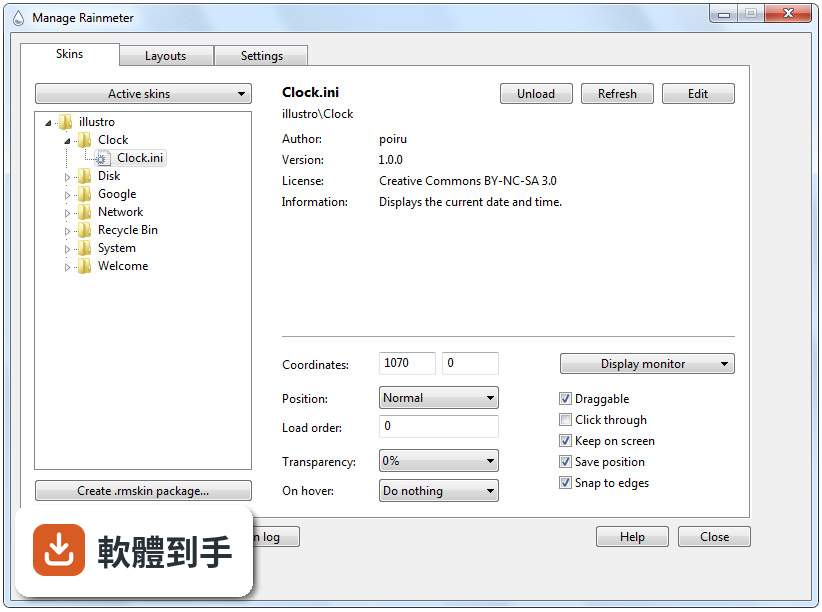
官方說明提到 DeviantArt、Reddit 的 Rainmeter 板,以及官方論壇都有大量皮膚可以下載。下載後把檔案解壓縮到皮膚資料夾,再從 Rainmeter 的管理視窗載入即可。皮膚數量很多,但品質參差不齊,下載前可以看其他使用者的回應或評分來判斷。
06完全不會寫程式的人能用嗎?
能用。基本操作是從管理視窗載入皮膚、右鍵皮膚開啟設定選單調整屬性,這些都不需要寫程式。官方介面設計得極簡,但官方文件也承認,對新手來說可能不夠直覺,需要一些引導。會改 INI 檔或寫 Lua 腳本的人可以玩得更深,但不會也不影響基本使用。
07這套軟體適合什麼樣的人?
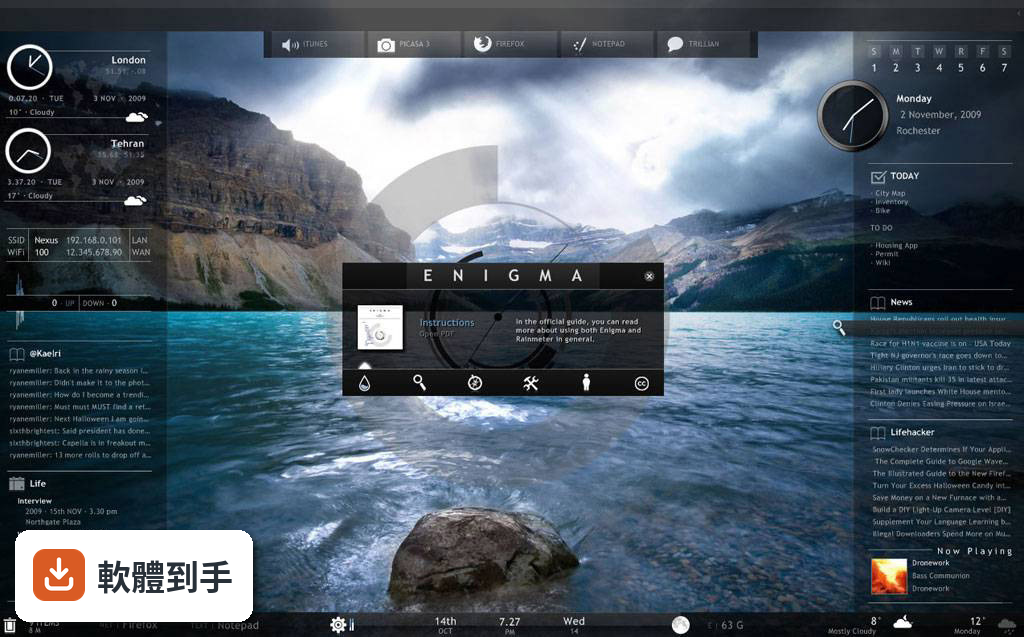
適合願意花時間研究、喜歡把桌面調成自己樣子的人。它不像一般軟體裝完就有完整功能,而是給你一個空殼,內容要自己找皮膚、自己組合、自己調整。如果你享受這種「拼裝」的過程,它會很耐玩;如果你只想一鍵完成桌面美化,它可能會讓你覺得麻煩。
08多螢幕使用者能用嗎?
可以。官方 FAQ 明確說它支援多螢幕,可以在不同螢幕上放置不同的皮膚。例如主螢幕放時鐘和天氣,副螢幕放系統監控面板。設定方式跟單螢幕一樣,載入皮膚後用拖曳方式放到指定螢幕即可。
09介面只有英文,看不懂怎麼辦?
它的介面語系是英文,官方文件也是英文。皮膚本身可能包含文字,例如天氣描述或選單選項,這些也多半是英文。如果你完全看不懂英文,操作上會比較吃力,因為管理視窗、右鍵選單、設定選項都是英文。不過皮膚的視覺效果不受語言影響,可以靠圖示和試誤來摸索。
10跟其他桌面工具比,哪個比較多人用?
以評分人數來看,Rainmeter 有 367 人評分,是這幾套裡面最多的。其他可比較的軟體如 WindowBlinds 有 308 人、Winstep Nexus Dock 有 147 人、Yahoo Widgets 有 87 人、ObjectDock 有 67 人、DeskScapes 有 61 人。評分人數多不代表一定比較好,但至少表示有較多使用者實際用過並留下意見。
11想要現成完整的桌面主題,這套適合嗎?
不適合。Rainmeter 提供的是皮膚元件,不是整套主題。你要自己找時鐘、自己找監控面板、自己調整位置和配色,才能拼出一個完整的桌面。如果你想要的是裝完就有一個整合好的漂亮桌面,其他提供完整主題的軟體可能更符合需求,但那些軟體的自訂彈性通常也比較低。
12舊電腦或低規格設備適合裝嗎?
官方列出的最低需求是 1 GHz 處理器、1 GB 記憶體、10 MB 硬碟空間、1024x768 解析度,看起來門檻不高。但要注意,這只是基本需求,實際吃多少資源取決於你跑的皮膚。舊電腦建議從簡單的皮膚開始,避免一次載入多個複雜皮膚,否則可能感受到明顯的延遲。
下載與官方連結
Rainmeter-3.0.exe · 1.25 MB · 連結指向軟體原廠
版本紀錄
- 2026-10-13 Rainmeter 4.5.28 2.51 MB
- 2026-10-06 Rainmeter 4.5.27 2.51 MB
- 2026-05-23 Rainmeter 4.5.26 2.51 MB
再看 5 筆
- 2026-05-17 Rainmeter 4.5.25 2.5 MB
- 2026-05-14 Rainmeter 4.5.24 2.43 MB
- 2025-04-12 Rainmeter 4.5.22 2.43 MB
- 2025-04-12 Rainmeter 4.5.23 2.43 MB
- 2025-02-05 Rainmeter 4.5.21 2.42 MB
這一版改了什麼
What's new in this version:
- There are a lot of new features and capabilities in the latest Rainmeter. You can safely install the new release version right over your existing Rainmeter installation, and nothing you have done will be lost or changed. There is never any need to uninstall any earlier version of Rainmeter to use the newest version.
Improved font rendering:
The biggest single change in Rainmeter is that we have moved from the older GDI+ display rendering method for applications to the newer and vastly better Direct2D rendering engine. As a part of a bigger effort to move all of Rainmeter to the new engine, the initial change concentrates on improving the quality of text displayed in String meters.
- There will be a dramatic improvement in the quality of text you display in your skins.
- Rainmeter will use the new Direct2D rendering by default if your system supports it. If not, it will fall back to the older GDI+ engine, and there will be no impact. Direct2D requires either Windows 8, or Windows 7 with the latest Platform Update.
- The Rainmeter user is given complete control over when Direct2D is used and when it is not. The overall default use of Direct2D for your entire Rainmeter installation is controlled with the UseD2D option in the Manage / Settings Tab. In addition, the user can have individual skins override this setting by changing the UseD2D option in the skin context menu.
- There may be some minor differences when Direct2D is used with older Rainmeter skins, due to differences in the way Direct2D and GDI+ handle font metrics and create the "container" the meter is displayed in. It is possible that some older skins, particularly those using 3rd-party custom fonts, may need some tweaking for position with Direct2D.
Other enhancements in Rainmeter:
- The WebParser plugin now supports Dynamic Variables. This is a long-awaited and very welcome change to the way WebParser works, and should provide a lot of flexibility in creating skins that access the web. See Change Announcements for additional information about this change.
- Added support for Unicode characters in Lua scripting. This means that you can use languages and alphabets in Lua other than those supported by standard "ANSI" in your text editor.
- Added a Padding=left,top,right,bottom option to meters. Allows adding pixels around any or all sides a meter. The width and height of the meter will dynamically be adjusted to the new size. This can be very useful for positioning meters relative to each other with more flexibility, and when used with the SolidColor meter option, can give you a lot of control over the "background" of your meters, without having to create additional meters specifically for this purpose.
- Added a AccurateText option in the [Rainmeter] section of skins. One of the failings of the older GDI+ rendering engine was some forced and undesirable extra padding around fonts when rendered in String meters. Whether your system or skin uses Direct2D or not, this option can be used to render fonts with the much more accurate method used in Direct2D. This option defaults to 0, which will use the GDI+ positioning of the string within all meters. When set to 1, the more accurate method will be used, giving you much better flexibility with relative positioning.
- Added a new UniqueRandom option. If set to 1, any Calc measure using the Random constant and UpdateRandom will not repeat until all values between and including LowBound and HighBound have been used. Note that any dynamic change to LowBound or HighBound will reset the tracking of values.
- Added !PauseMeasure, !UnpauseMeasure, and !TogglePauseMeasure bangs. This is similar to a disabled measure, however the measure retains its current value instead of changing to zero. Group versions of these bangs have also been added.
- dded a Paused=0/1 option to measures. This allows setting the "paused" state of a measure, in addition to the !PauseMeasure/!UnpauseMeasure/!TogglePauseMeasure bangs above.
- Added a OnWakeAction option to the [Rainmeter] section of skins, to take action when Windows returns from sleep or hibernate states.
- Important improvements made to the Process plugin to correct issues with the plugin not being able to detect processes started with a higher security level than Rainmeter, 64bit processes when Rainmeter is 32bit, and processes run as a Windows "service".
- Added a OnDismissAction option to the InputText plugin. This will allow you to define an action to be taken when you hit escape to dismiss the input text field without submitting any value.
- Added a ImagePath option to General Image Options. This replaces the existing Path option on Image meters, and extends the functionality to all other meters that support images. Note that Histogram uses PrimaryImagePath, SecondaryImagePath and BothImagePath due to the fact that the Histogram meter has an optional secondary measure binding.
- Added a UseExifOrientation option for meters using images, to automatically correct the orientation of the image based on the EXIF data encoded by a camera.
- Added new "Config" and "File" parameters to the !Manage bang. This will allow opening the Manage / Skins panel with the desired config and / or skin .ini file automatically selected in the list.
- Added a new #ROOTCONFIG# built-in variable. This provides the name of the root config - The highest-level folder under the skins folder for the current skin.
- Made improvements to the About / Log dialog to better show the source of errors. Where possible, the config or skin.ini, and meter or measure section producing the error will be displayed. In addition, improvements have been made to to the level of detail in the Rainmeter log when there are command or bang errors, and added a "Clear" button to the panel to remove the current contents of the log displayed in the panel.
- Improved performance when using the !SetWallpaper bang with large images.
- Changed the mouse over behavior on Button meter images, to ignore transparent areas of the image. This make the behavior visibly match the existing mouse click behavior.