
這是歷史版本頁面 — 看 Songbird 最新版本
Songbird 0.7 Beta
 Songbird 0.7 Beta
資料更新 2008-08-21
下載與官方連結
Songbird_0.7.0_windows-i686-msvc8.exe · 16.19 MB · 連結指向軟體原廠
版本紀錄
- 2026-02-25 Winamp 5.9.2 Build 10042 12.43 MB
- 2022-12-22 Winamp 5.9.1 Build 10029 10.08 MB
- 2022-08-02 Winamp 5.9 Build 9999 10.87 MB
再看 5 筆
- 2018-11-10 Winamp 5.8 Build 3660 Beta 7.82 MB
- 2016-10-26 Winamp 5.8 Build 3653 Beta 7.6 MB
- 2015-01-22 Winamp 5.666 Full Build 3516 (patched) 14.33 MB
- 2013-12-13 Winamp 5.666 Full Build 3516 16.37 MB
- 2013-11-21 Winamp 5.66 Full 11.85 MB
這一版改了什麼
What's new in this version:
NEW FEATURES AND IMPROVEMENTS
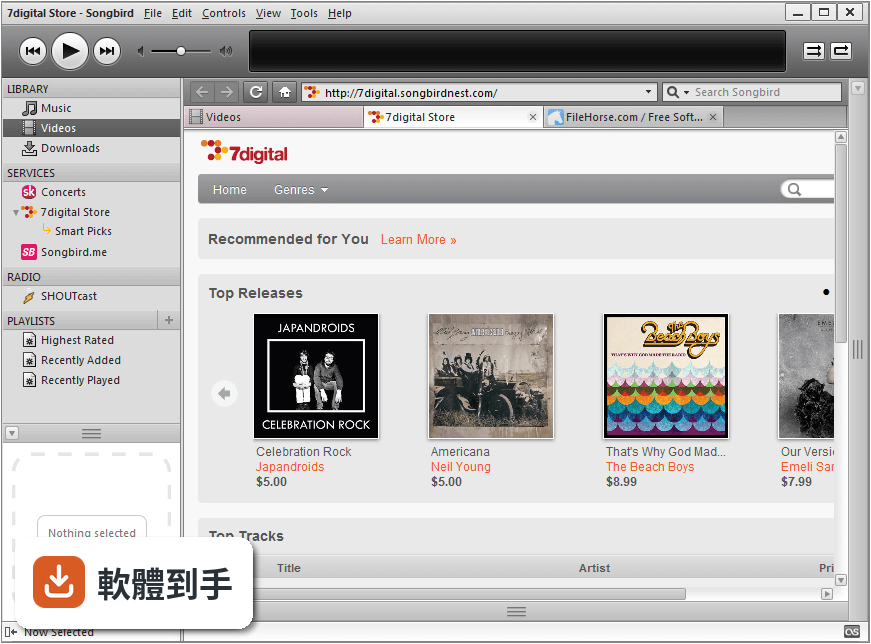
New UI
* The new UI includes significant visual and functional changes such as:
o A new dedicated tab that contains all of your media content
o Ability to show/hide the service pane when viewing webpages (it's automatically hidden when viewing web content, but a button will allow you to toggle show/hide)
o Ability to choose where the player controls live, the top or bottom of the window, based on user preference (right click on the player control pane to change its location or on some platforms View menu -> Player Controls).
o New look and feel for the Mini Player
Faster Media Scan
* Scanning for media on your local drive is significantly faster.
First Run Wizard
* The wizard will walk you through EULA, media scanning, and installing recommended add-ons when launching the application for the first time. You'll need to create a new profile to be presented with the wizard (since you will not see it if upgrading).
Drag & Drop
* The drag and drop experience in the application has been greatly improved.
* It now supports visual feedback to show you how many items you are dragging.
Smart Playlists
* We now have smart playlist support which not only allows you to create your own customized playlists, but also provide defaults for:
o Highest Rated
o Most Played
o Recently Added
o Recently Played
Album Art
* Songbird can now read, write and display album artwork. There's a new Album Art Display Pane in the bottom of the Service Pane that shows the artwork associated with currently playing track. In the Metadata Editor, you can add, remove and paste artwork to a track - changes will be saved to the file(s) you edit.