
這是歷史版本頁面 — 看 Songbird 最新版本
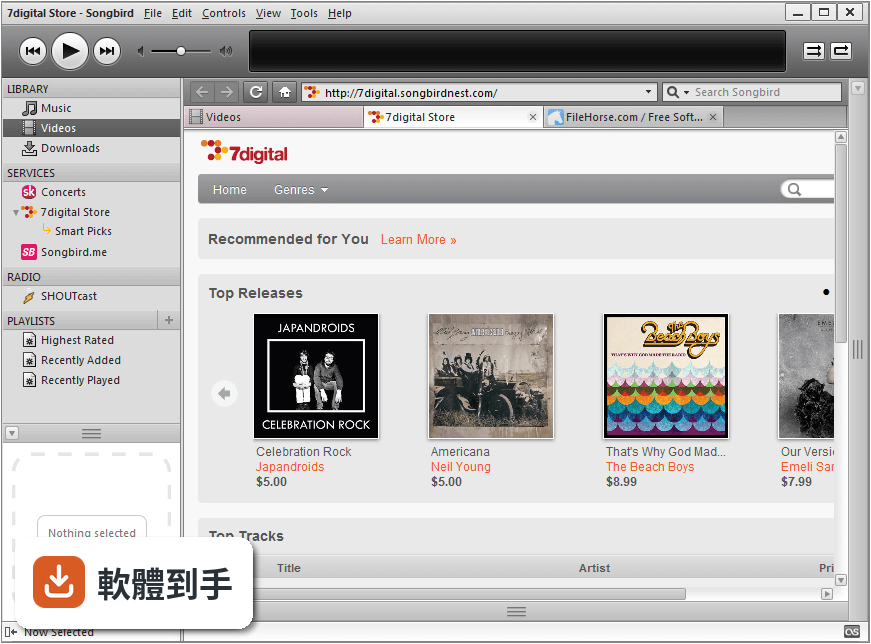
Songbird 1.2.0
 Songbird 1.2.0
資料更新 2009-06-19
下載與官方連結
Songbird_1.2.0-1146_windows-i686-msvc8.exe · 13.05 MB · 連結指向軟體原廠
版本紀錄
- 2026-02-25 Winamp 5.9.2 Build 10042 12.43 MB
- 2022-12-22 Winamp 5.9.1 Build 10029 10.08 MB
- 2022-08-02 Winamp 5.9 Build 9999 10.87 MB
再看 5 筆
- 2018-11-10 Winamp 5.8 Build 3660 Beta 7.82 MB
- 2016-10-26 Winamp 5.8 Build 3653 Beta 7.6 MB
- 2015-01-22 Winamp 5.666 Full Build 3516 (patched) 14.33 MB
- 2013-12-13 Winamp 5.666 Full Build 3516 16.37 MB
- 2013-11-21 Winamp 5.66 Full 11.85 MB
這一版改了什麼
What's new in this version:
Automatically Organize Library Files
Songbird can now automatically organize the files that are contained in your library. Once enabled, it will consolidate your media in one location. You can customize the structure of the folder and file names based on metadata contained in every track.
2-Way iTunes Import/Export
If you’re using iTunes Music Store to purchase content, you can now automatically expose iTunes library tracks and playlists into Songbird. You can also export tracks and playlists added to Songbird back into iTunes, so that they can easily be synced to your iPhone or iPod touch.
Last.fm Radio
Last.fm Radio supports artist, tag, and user stations, mapping station links on the Last.fm website to play internally in Songbird. It includes the Radio Directory allowing you to conveniently browse and explore the tag and artist relationships on Last.fm. Additionally, the Radio directory includes quick links for playing stations based on your Last.fm library, your Songbird library, and friends/neighbors’ libraries.
10-band Equalizer
Now you can tweak the frequency response of the audio playback to match your room’s acoustics or your personal preferences.