
這是歷史版本頁面 — 看 SpeedCommander 最新版本
檔案總管不夠用?SpeedCommander 雙視窗管理能做什麼
 SpeedCommander 18.50 Build 9700 (64-bit)
資料更新 2020-03-16
閱讀約 5 分鐘
你正在整理一個塞滿各種檔案的文件夾,想比對兩個資料夾的內容、把散落在不同位置的檔案一次搬好,或是同時開兩個視窗來回拖放。Windows 內建的檔案總管一次只能開一個視窗,要在不同資料夾之間複製、移動、比對,就得不停切換視窗,視窗一多整個桌面亂成一團,光是找檔案就耗掉大半時間。
有些人會改用「取代檔案總管」的雙視窗工具,讓兩個資料夾並排顯示,左邊選來源、右邊選目的地,複製移動只要按個鍵就完成。這類工具的核心不是把視窗變漂亮,而是把「同時處理兩個位置」變成基本操作,再往上加壓縮、同步、FTP 這些日常會用到的功能。SpeedCommander 就是走這個路線的其中一套。
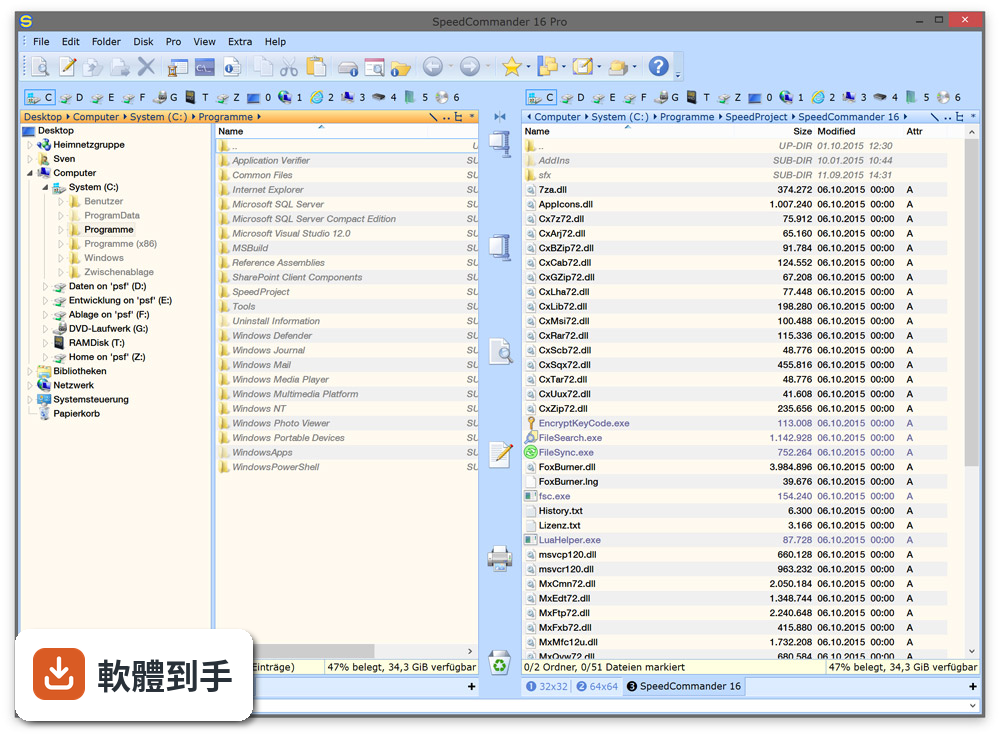
01SpeedCommander 跟 Windows 內建的檔案總管差在哪?
它採用雙視窗並排設計,左右兩邊各顯示一個資料夾,可以同時看到來源和目的地。複製、移動、刪除、重新命名這些基本操作都能用鍵盤或滑鼠完成,不需要像檔案總管那樣開一堆視窗切來切去。介面是英文,第一次打開會需要一點時間適應按鍵配置。
02它能處理哪些壓縮格式?
官方說明提到支援 13 種壓縮格式,包含 ZIP、RAR、7z 等常見格式,可以直接在軟體裡壓縮和解壓縮,不需要另外開 WinRAR 或 7-Zip。實際支援的完整格式清單,官方文件沒有逐一列出,如果你有特定格式要處理,建議先到官網確認。
03內建的檔案檢視器可以看哪些檔案?
官方宣稱內建檢視器支援超過 80 種檔案格式,涵蓋常見的文件、圖片、影片等類型,不需要為了看一個檔案另外開對應的應用程式。但官方說明沒有列出這 80 種格式的完整清單,如果你有特殊格式的檔案,最好先確認是否在支援範圍內。
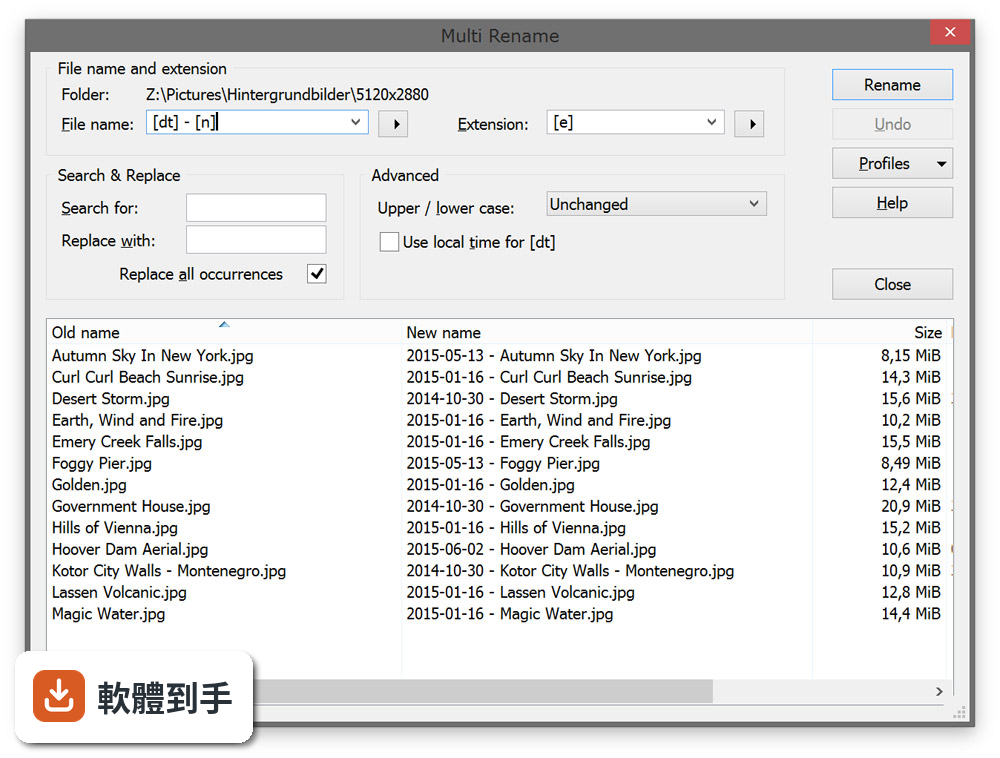
04它能不能連 FTP 或遠端伺服器?
可以。官方功能說明提到支援 FTP、FTP-SSL 和 SFTP,也就是說除了本機檔案管理,也能連到遠端伺服器做檔案傳輸。Pro 版另外支援直接存取雲端儲存空間,以及燒錄光碟和 ISO 映像檔處理,但這些是付費版才有的功能。
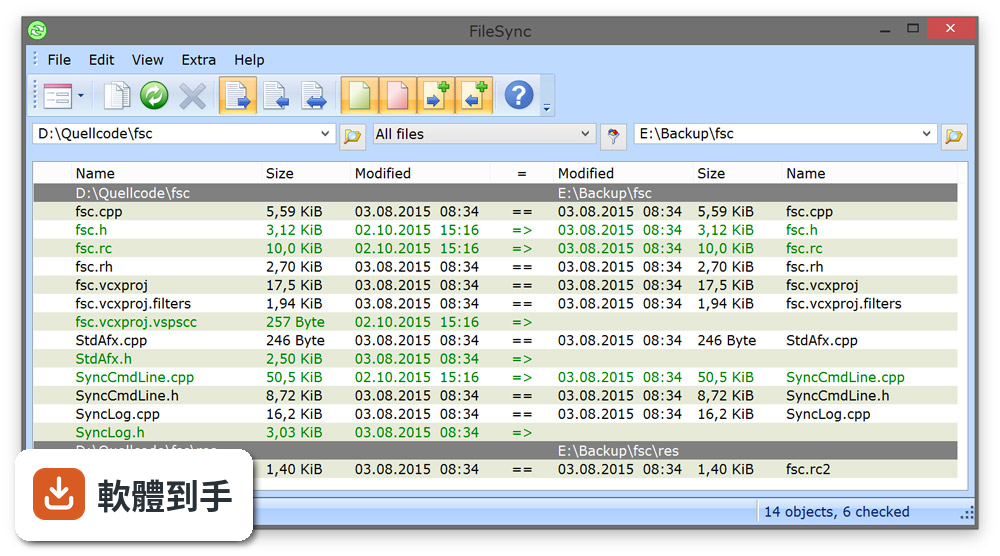
05檔案同步功能是怎麼運作的?
它提供檔案同步功能,可以在兩個位置之間比對並同步檔案,確保兩邊的資料一致。具體的同步模式(例如雙向同步、單向鏡像)官方說明沒有詳細描述,實際操作時可以自己試試看。如果你需要的是自動定時同步,這套軟體是否支援,官方文件沒有提到。
06什麼樣的人適合用這套軟體?
習慣用鍵盤操作、不想一直滑鼠點來點去的人會比較適合,因為它強調鍵盤和滑鼠都能操作。另外,經常需要同時處理兩個資料夾、大量搬移檔案、或需要內建檢視器減少開其他程式的使用者,雙視窗設計能省下不少切換視窗的時間。願意花時間讀英文介面和文件的人,才能發揮它的完整功能。
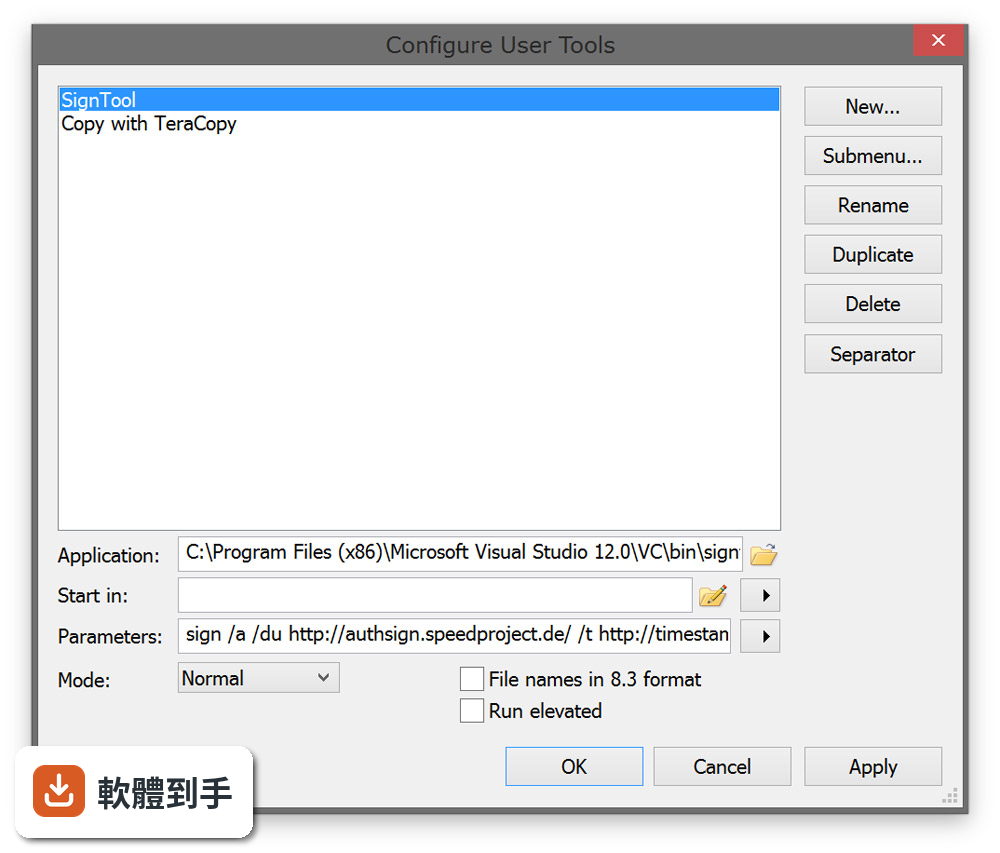
07它適合電腦初學者嗎?
不太適合。介面是英文,而且官方說明自己都提到「進階功能有學習曲線」。如果你只是偶爾搬幾個檔案,Windows 內建的檔案總管就夠用了,不需要為了偶爾的需求去適應一套新軟體。這套軟體的功能設計偏向經常處理大量檔案的人,初學者用起來會覺得按鍵和選單很複雜。
08什麼情況不該選它?
如果你需要中文介面,這套軟體只有英文,操作上會多一層障礙。另外它只有 Windows 版本,Mac 或 Linux 使用者無法使用。如果你只是想要一個免費的雙視窗檔案管理器,它是試用版,60 天試用期過後需要付費購買,長期使用要考慮這筆費用。
09它的試用版有什麼限制?
官方說明提供 60 天免費試用,試用期滿後需要購買授權才能繼續使用。官方沒有明確列出試用版和付費版的功能差異,只提到 Pro 版有雲端存取和燒錄功能。如果你打算長期使用,試用期結束前要決定是否付費,不然軟體會無法繼續使用。
10它的使用者評價如何?
在收錄的評分中,它獲得 6.56/10 分,但只有 23 人評分,樣本數不多,參考價值有限。同類軟體中,Total Commander 有 115 人評分、XYplorer 有 49 人評分、Multi Commander 有 51 人評分,評分人數都比較多。如果你在意社群回饋的參考性,可以多看看這幾套的評價再決定。
11它跟 Total Commander、XYplorer 這些同類軟體比起來如何?
功能定位很接近,都是雙視窗檔案管理器,支援壓縮、FTP、同步這些功能。差別在於 SpeedCommander 的評分人數明顯少於 Total Commander 和 XYplorer,表示實際使用者的數量可能比較少,遇到問題時能找到的討論和教學也比較少。功能細節的差異官方沒有提供比較表,建議自己裝試用版實際操作看看。
12這套軟體還在持續更新嗎?
根據收錄的版本紀錄,它持續有在更新,近 12 個月內有 2 次更新,近 24 個月內有 4 次,表示開發者還有在維護。不過更新頻率不算高,如果你很在意軟體是否頻繁修正問題,可以參考這個更新節奏來判斷。
下載與官方連結
sc18_x64.exe · 連結指向軟體原廠
版本紀錄
- 2026-10-22 SpeedCommander 22.40 Build 12100 (64-bit) 23.9 MB
- 2026-07-06 SpeedCommander 22.30 Build 12000 (32-bit) 21.7 MB
- 2026-07-06 SpeedCommander 22.30 Build 12000 (64-bit) 23.9 MB
再看 5 筆
- 2025-06-02 SpeedCommander 21.50 Build 11600 (32-bit) 21.1 MB
- 2025-06-02 SpeedCommander 21.50 Build 11600 (64-bit) 23.2 MB
- 2023-07-03 SpeedCommander 20.40 Build 10900 (32-bit)
- 2023-07-03 SpeedCommander 20.40 Build 10900 (64-bit)
- 2022-02-21 SpeedCommander 19.60 Build 10400 (32-bit)
這一版改了什麼
What's new in this version:
- Change log not available for this version
SpeedCommander 18.40 Build 9600 (64-bit)
- Change log not available for this version
SpeedCommander 18.30 Build 9500 (64-bit)
Updates:
- Updated Xtreme Toolkit to version 18.6
- Updating CRT / MFC / Compiler to Visual Studio 2017 (9/15/15)
- Quick View: Updated DynaPDF to version 4.0.30.91
New function:
- Pro version: Own AddIn entry for Web.de SmartDrive
Fixed bugs:
- Resizable dialogs were partially displayed outside the visible area when using different screen configurations
- FileSearch: Attributes selected on the Date, Size and Attributes page were ignored when searching for folders
- FTP: Possible crash when connecting to an FTP server if the FTP server terminates the connection while entering the password
SpeedCommander 18.20 Build 9400 (64-bit)
- Change log not available for this version
SpeedCommander 18.10 Build 9300 (64-bit)
- Updating CRT / MFC / Compiler to Visual Studio 2017 (15.9)
- Quick View: Updated DynaPDF to version 4.0.25.72
- Pro version: Checking for maximum file size (2 GiB) when uploading to HiDrive
- Quick View: Display of additional SHA256 certificates for signed program files
- SCBackupRestore: For restoring backups and creating / updating a portable version, the "File replacement" dialog can be disabled
- SCBackupRestore: When creating / updating a portable version, optionally only the program files can be copied
- SCBackupRestore: Prevent deletion of the SpeedCommander configuration via "Delete special configuration", if the folder with the current SpeedCommander configuration files as the base folder is set
- Possible crash when starting in ucrtbase.dll
- On older systems without Universal CRT, the dll api-ms-win-crt-time-l1-1-0.dll was not copied to the program directory
- Pro version: After the 'Reset access token' call, the cloud connection list was not reloaded
- Pro version: Access to OneDrive has stopped after the shutdown of the SkyDrive API by Microsoft
- Pro version: No automatic sorting of the view after renaming an entry in the Cloud AddIn
- Pro version: Possible error message 'The input string has the wrong format' when accessing Nextcloud
- File filter: Crash when selecting the entry 'General - Evaluation' in the 'Create query' dialog
- File operation: Possible crash when copying sparse files to non-NTFS disks
- Quick View: An additional white border appeared when viewing PDF files with rotated page orientation
- Update: Possible crash when updating the tree view
- RAR: Possible infinite loop if an incorrect password was entered when unpacking an encrypted RAR5 archive
- SpeedEdit: The line number range has been truncated on seven-digit line numbers of some fonts
SpeedCommander 18.00 Build 9200 (32-bit)
- Pro version: No error message if the free space in the target directory is insufficient when creating a disk image
- [-] List view: After switching to SpeedCommander, the selection bar disappeared under certain circumstances
- List view: When double-clicking a folder shortcut (.lnk) in the desktop directory, the linked directory did not appear in SpeedCommander
- Quick View: Display error when viewing multiple pages of a PDF file at the same time