
這是歷史版本頁面 — 看 Sublime Text 最新版本
想要輕量又快的程式編輯器,Sublime Text 適合誰
 Sublime Text 3170 (32-bit)
資料更新 2018-05-08
閱讀約 6 分鐘
你正準備打開一個幾百 MB 的設定檔或 log 檔,電腦卻像卡住一樣,游標轉圈圈,等了好幾秒才回應。或者你正在改一份前端專案,要在十幾個檔案裡重複修改同一段程式碼,一個一個慢慢找、慢慢改,改到眼睛都快花了。你只是想要一個打開快、編輯順、不會一直跳通知干擾你的文字編輯器,卻發現系統內建的記事本太陽春,其他編輯器又太笨重。
一般人遇到這種狀況,直覺是上網找「免費的文字編輯器」,但下載安裝後才發現,很多編輯器為了追求功能齊全,介面塞滿按鈕、開檔要等、記憶體吃很兇,反而讓電腦變得更慢。這類工具真正的切入點,是提供一個輕量、反應迅速、把常用操作濃縮成快速鍵的編輯環境,讓你把注意力放在程式碼本身,而不是被工具本身拖累。它不追求什麼都內建,而是讓你自己決定要裝什麼。
01Sublime Text 到底能做什麼?
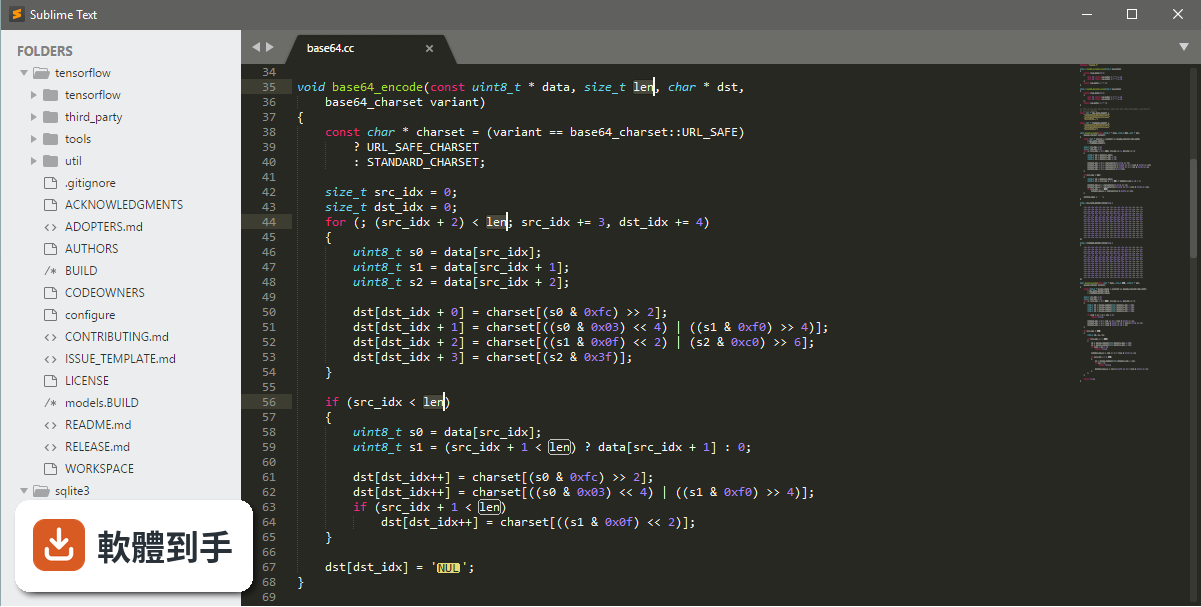
它是一套在 Windows 上執行的文字編輯器,主打輕量與快速。支援多種程式語言的語法高亮與自動補全,可以同時開啟多個檔案分割畫面編輯,也有指令面板、Goto Anything 快速跳轉等功能。對開發者、程式設計師或需要大量編輯文字的人來說,它提供了一個反應迅速、可高度自訂的編輯環境。
02它的多重選取功能實際用起來是什麼感覺?
你可以按住 Ctrl 同時用滑鼠點選多個位置,或選取一段文字後,用快速鍵把下一次出現的相同文字也加進選取範圍。選取後直接打字,所有選取的位置會同時被修改。這對一次改多行重複的程式碼、或同時修改多個變數名稱很有幫助,省去一個一個慢慢改的時間。
03指令面板和 Goto Anything 要怎麼用?
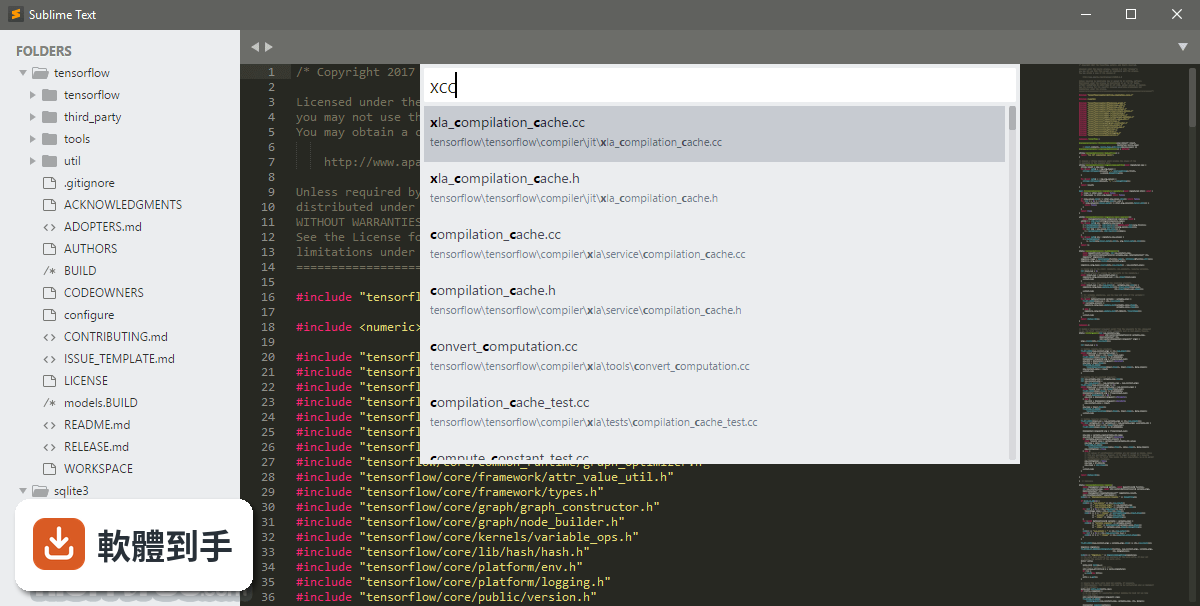
指令面板用 Ctrl + Shift + P 開啟,輸入關鍵字就能執行各種指令,例如安裝外掛、切換語法、開啟設定檔。Goto Anything 用 Ctrl + P 開啟,輸入檔名可以快速切換檔案,輸入 @ 加上函式名稱可以跳到該函式,輸入 : 加上行號可以直接跳到那一行。這兩個功能都是靠鍵盤操作,減少滑鼠點選的時間。
04外掛要怎麼安裝?
先透過 View > Show Console 開啟控制台,貼上 Package Control 的安裝指令,安裝完成後重新啟動。之後用 Ctrl + Shift + P 開啟指令面板,輸入 Install Package,就能搜尋並安裝你要的外掛。外掛生態是這套軟體的主要擴充方式,例如 GitGutter 可以在側邊欄顯示 Git 變更狀態,SublimeCodeIntel 可以增強自動補全。
05介面可以改成自己習慣的樣子嗎?
可以。主題、字型、配色都可以在設定檔裡調整,也有不少現成主題可以透過 Package Control 安裝。側邊欄的位置可以移到右側,編輯區可以分割成多個視窗同時檢視不同檔案。快速鍵也能在 Preferences > Key Bindings 裡自行修改,設定方式是以 JSON 格式編輯,對開發者來說不算太困難。
06這套軟體適合什麼樣的人用?
適合需要快速開啟檔案、大量編輯文字、而且願意花時間設定快速鍵和外掛的人。它特別適合前端開發、程式設計、或需要處理大型文字檔的使用者。因為它本身很輕量,在舊電腦或低規格裝置上也能順暢運作,如果你對編輯速度很敏感,不喜歡等待,這套軟體可以試試看。
07完全沒用過這類工具的人,上手會很困難嗎?
基本的開啟檔案、打字編輯、儲存,跟一般文字編輯器沒有太大差別,不會有障礙。但它的進階功能,例如多重選取、指令面板、外掛安裝,需要花一點時間看文件或教學才能熟悉。如果你只是偶爾編輯文字檔,不打算學快速鍵,那它對你來說就只是另一個記事本,優勢發揮不出來。
08它跟 Atom 或 Brackets 比起來,差別在哪?
資料裡有收錄 Atom 和 Brackets 的評分,但沒有提供它們的功能細節,無法直接比較優劣。可以確認的是,Sublime Text 主打輕量與速度,Atom 和 Brackets 則分別以可駭性與網頁即時預覽為特色。如果你重視開啟速度和低資源占用,Sublime Text 的定位比較接近;如果你需要的是特定功能,建議先確認那些功能是否內建或需要外掛。
09它免費嗎?還是要付錢?
它可以免費下載使用,而且評估期沒有時間限制,可以一直用下去。但它是 Demo 授權,免費使用時會不定期跳出購買授權的提醒。如果不想看到提醒,需要支付一次性授權費用。資料顯示授權費是 99 美元,實際價格以官方網站為準。
10介面只有英文,會不會很難用?
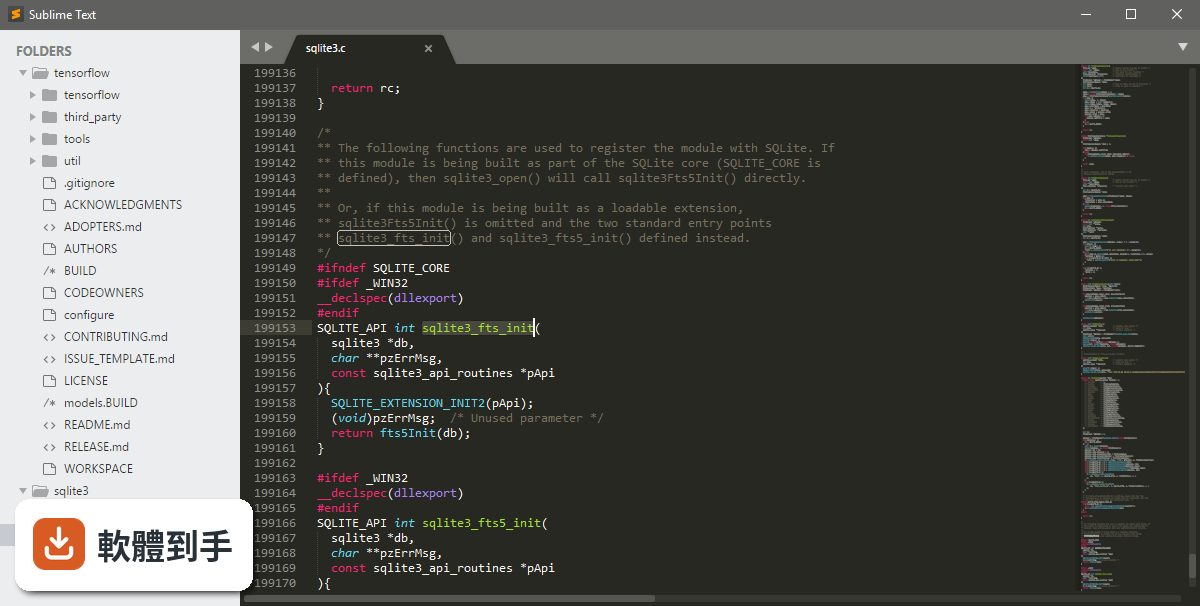
介面確實只有英文,沒有官方中文語系。如果英文介面對你來說是個障礙,操作上會需要多花一點時間熟悉選單和設定。不過它的核心操作大多靠快速鍵和指令面板,指令名稱都是常見的英文單字,例如 Open、Save、Install Package,對有基本英文能力的人來說,影響不大。
11我的電腦是 32 位元的 Windows,可以用嗎?
資料顯示它支援 Windows 7、8、10、11 的 64 位元版本,沒有提到 32 位元系統的支援。如果你的系統是 32 位元,安裝時可能會遇到問題或無法執行。建議先確認官方網站上的系統需求說明,再決定是否下載。
12它很久沒更新了,還值得用嗎?
資料顯示近 12 個月有 1 次更新,近 24 個月有 4 次更新,代表它仍然有在維護,但更新頻率不算高。它本身是穩定的編輯器,核心功能不會因為更新慢而失效。不過如果你需要的是持續新增功能、或對新技術支援很敏感的軟體,更新頻率這點需要納入考量。
下載與官方連結
Sublime Text Build 3170 Setup.exe · 連結指向軟體原廠
版本紀錄
- 2026-09-28 Sublime Text 4215 20.96 MB
- 2026-09-22 Sublime Text 4213 20.96 MB
- 2026-08-03 Sublime Text 4200 15.45 MB
再看 5 筆
- 2025-01-20 Sublime Text 4192 15.34 MB
- 2024-12-20 Sublime Text 4189 15.32 MB
- 2024-12-17 Sublime Text 4186 15.33 MB
- 2024-08-06 Sublime Text 4180 15.3 MB
- 2023-11-24 Sublime Text 4169
這一版改了什麼
What's new in this version:
Themes/UI:
- Windows: Added support for Windows 10 (and 8.1) per-monitor DPI scaling
- Improved overall High DPI support
- Added support for 8k monitors and 300% DPI scale
- Themes can now provide @3x versions of images for very high DPI monitors
- Improved indent guide positions when using line padding
- Rulers are drawn with stippled lines
- Linux/Windows: Improved High DPI minimap rendering
- Mac: Fixed occasional yellow or black windows when using a theme with a colored title bar
- Mac: Double-clicking a themed title bar now performs the default system action
- Mac: Fixed sizing of some dialog windows when a theme uses a themed title bar
- Mac: Fixed gutter icons sometimes not drawing
Text Rendering:
- Added ligature support for symbols
- Added font_options for controlling ligatures and stylistic sets
- Improved rendering and selection of emojis
- Tab width is now properly measured for proportional fonts
- Windows: DirectWrite is now used by default for all fonts
- Windows: Support gray_antialias in conjunction with DirectWrite
- Windows: improved DirectWrite anti-aliasing, adding support for system ClearType tuning
Goto Definition:
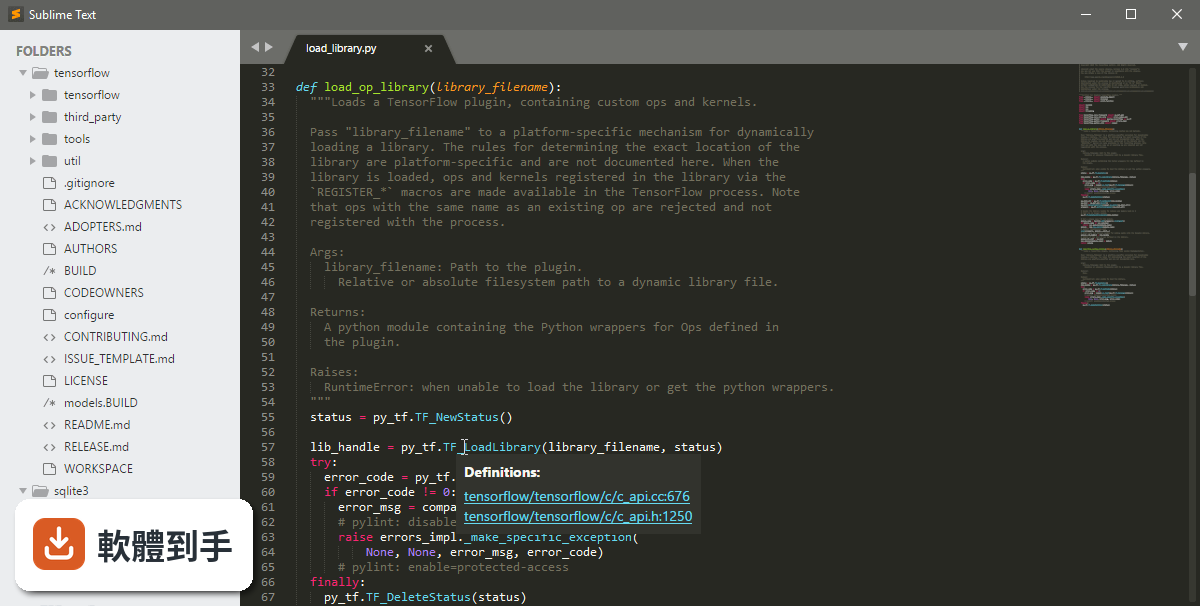
- Added Goto References when hovering over a symbol
- Added goto_reference command to the Goto menu
Color Schemes:
- Added new color scheme format, .sublime-color-scheme
- Add Hashed Syntax Highlighting
- Added the Celeste color scheme to showcase hashed syntax highlighting
- Selections now render by default with true rounded corners
- Added color scheme settings for selection border width, corner style and radius
- Selection background and border now support alpha channels
- Improved color scheme reloading
- Added Convert Color Scheme command
- Added support for the invisibles key in color schemes
- selection_foreground can now be specified on a per-scope basis
- Color Schemes can specify bold and italic in the brackets_options key
- Improved handling of invalid.deprecated scopes in default color schemes
Syntax Highlighting:
- Add embed action to .sublime-syntax files for improved syntax nesting
- Added Git Formats package for Git config files and use as core.editor, with thanks to Ryan Boehning and deathaxe
Many syntax highlighting improvements, including significant improvements to:
- JavaScript, with thanks to Thomas Smith
- ShellScript, with thanks to Raoul Wols
- Makefiles, with thanks to Raoul Wols
- Java, with thanks to lastsecondsave
- C#, with thanks to keith-hall
- Markdown, with thanks to keith-hall
- Python, with thanks to FichteFoll
- Added stand alone syntax test runner for Linux, allowing for CI testing
- Various syntax definition errors now include the file name in the message
Command Palette:
- New Command Palette implementation that can accept text input from users
- Fuzzy matching can match terms out of order by space separating them
- Added new commands Arithmetic, Rename File and View Package File to showcase new features
- Keyboard shortcut hints are no longer cut off at 15 characters
Build Systems:
- Improve cancellation handling
- Use /usr/bin/env to locate bash
- Fix multi-byte encodings sometimes triggering decoding errors
- Improved exec build target handling of killing child processes
Files and Folders:
- Improved handling of symlinks in the sidebar, including additions and removals
- Symlinks no longer have an expand arrow in the sidebar, but have a Reveal Link Source context menu entry
- Add support for binary_file_patterns, index_exclude_patterns and index_include_patterns to .sublime-project files
- index_exclude_patterns and index_include_patterns can now match full paths instead of just filename
- Linux/Windows: File system notifications now account for symlinks (and Windows junctions)
- Linux: file system notification now only requires a single inotify instance
- Linux: Improved behavior when fs.inotify.max_user_watches is too low
- Mac: Reduced the number of file stats operations
- Mac: Added support for case-sensitive file systems
Input:
- Fixed popup and auto complete windows not showing when the caret is at the leftmost position of a widget
- Fix left arrow not working in the side bar
- Fixed not being able to grab the scrollbar by clicking on the rightmost pixels of the window
- Fix double clicking on the selection not setting input focus when drag_drop is enabled
- Linux: Context menus no longer cause the editor control to be focused when closed
- Windows: Fix pen input
Performance:
- Significantly reduced memory usage related to syntax definitions - using up to 30% less total program memory
- Improve idle CPU usage
- Fix a bug where theme animations may continue even after a layer has been hidden, causing excessive CPU usage
- Mac: Solved increased CPU usage on Macs when a GPU switch occurs while using a theme with a colored title bar
API:
- Added TextInputHandler and ListInputHandler to interact with new Command Palette functionality
- Added View.style() and View.style_for_scope()
- Added automatically generated scope names for use with the regions API: region.redish, region.orangish, region.yellowish, region.greenish, region.bluish, region.purplish and region.pinkish
- Improve View.find() and View.find_all() performance when doing literal matches
- Expanded ViewEventListener API
- Fix EventListener.on_activated_async() not being called for views when the editor starts
- Add ViewEventListener.on_activated() and ViewEventListener.on_activated_async() to be called for views when the editor starts
- Improve tracebacks for Python in .sublime-package files
- shell_environment is now ensured to be loaded before plugin_loaded() is called on plugins
- Plugin commands are now created before plugin_loaded() is run
- Loaded plugins are now stored in __plugins__ rather than plugins
- The Python ssl module will now negotiate TLS 1.2, 1.1 or 1.0 with the PROTOCOL_TLSv1 constant
- Updated Python environment with SQLite 3.22.0, and OpenSSL 1.0.2n
Miscellaneous:
- Fixed being unable to load dictionary files larger than 16mb
- Fixed an issue where out of memory conditions would trigger a buffer overflow instead of a clean crash
- Word wrap is turned on by default for the console
- Added Regex Replace Widget.sublime-settings and Console Input Widget.sublime-settings
- Fixed a number of bugs that would cause crashes