
這是歷史版本頁面 — 看 Telegram for Desktop 最新版本
電腦想用Telegram但介面全英文,怎麼上手?
 Telegram for Desktop 1.2.17
資料更新 2018-04-09
閱讀約 5 分鐘
手機上裝了 Telegram,跟朋友傳訊息、加群組都很順,但一坐到電腦前,想回個訊息就得拿手機,或開網頁版慢慢等。網頁版功能少,傳檔案也常卡,想裝桌面版,下載下來一看,介面全是英文,當場愣住。
一般做法是開網頁版應急,或改用其他通訊軟體,但網頁版陽春,其他軟體朋友又沒在用,裝了也白裝。這類工具的切入點是:把通訊軟體從手機延伸到電腦,讓訊息、檔案、群組在裝置間同步,不用一直低頭看手機,打字也快得多。
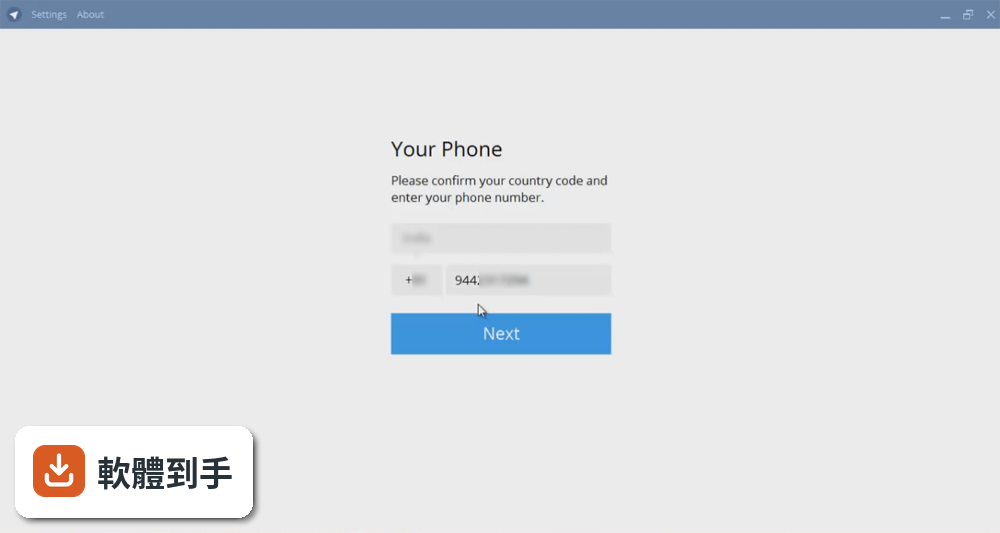
01Telegram for Desktop能拿來做什麼?
它是Telegram的電腦版客戶端,主要用途是把手機上的Telegram延伸到電腦。可以傳訊息、照片、影片、文件(文件、壓縮檔、mp3等),也能建立最多20萬人的群組,或開頻道對不限人數廣播。支援語音和視訊通話,訊息會在多個裝置間同步,手機沒看完的對話,電腦上接著看。
02它跟手機版差在哪,電腦版少了什麼功能?
資料裡沒有直接比較電腦版和手機版的功能差異,但可以確定的是,電腦版介面是英文,手機版可能有多國語言。電腦版同樣能傳訊息、檔案、開群組、語音視訊通話,也支援端到端加密、自毀訊息、兩步驗證。如果你在意某個手機版功能在電腦版有沒有,建議安裝後自己確認。
03傳檔案有沒有大小限制,可以傳哪些類型?
官方說明提到可以傳送文件、zip壓縮檔、mp3等任何類型的檔案,但沒有寫具體的大小上限。群組最多20萬人,頻道可以對不限人數廣播。如果你要傳超大檔案,建議先測試看看,或查官方文件確認限制。
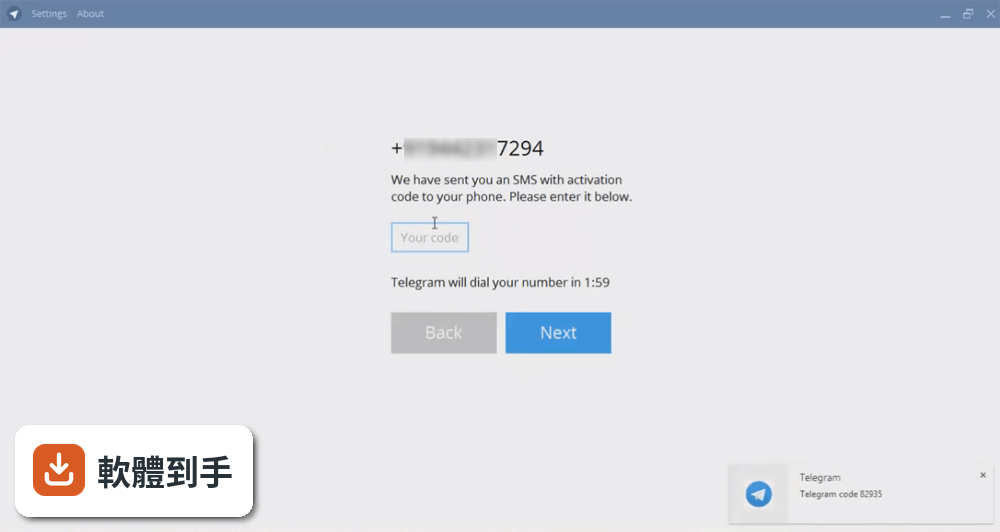
04群組和頻道有什麼不同,最多可以加多少人?
群組適合雙向討論,最多20萬人;頻道是單向廣播,訂閱人數沒有限制。兩者都可以在電腦版建立和加入。如果你是要團隊協作或社群經營,群組和頻道可以搭配使用,例如用頻道發布公告,用群組讓成員討論。
05安不安全,訊息會不會被看?
官方說明強調它比WhatsApp和Line更安全,採用MTProto協定,支援端到端加密的語音和視訊通話、自毀訊息、兩步驗證、密碼鎖。程式碼是開源的,任何人都能審查,也支援可驗證建置,讓專家確認下載的版本和原始碼一致。不過,端到端加密預設是否開啟,資料沒寫清楚,建議自己查。
06我朋友都在用手機版,我裝電腦版有用嗎?
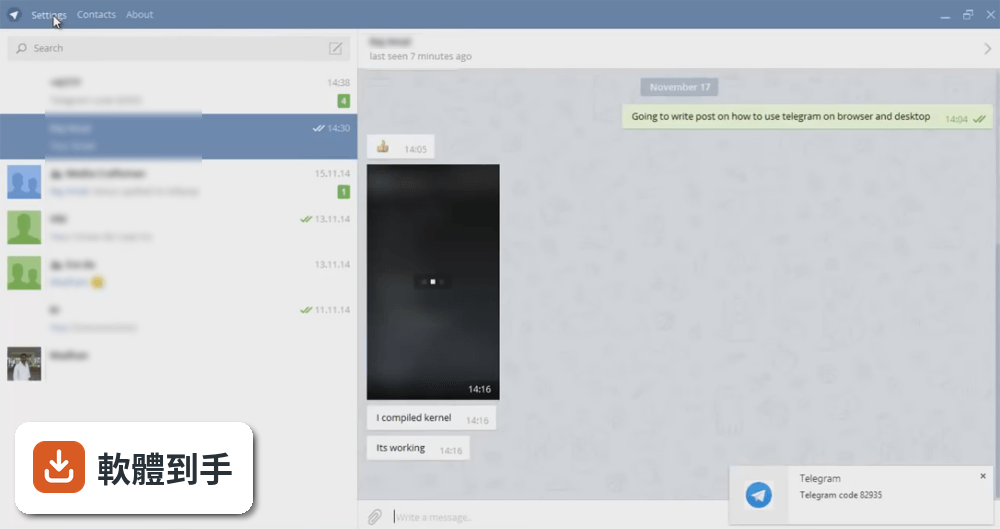
有用。電腦版和手機版是同一個帳號,訊息會同步,你在電腦上回訊息,手機上也會同步顯示。如果你常常坐在電腦前,用電腦版打字比較快,也能直接拖曳檔案傳送,不用先存到手機再傳。適合長時間用電腦工作、又不想一直看手機的人。
07我是做小生意的,可以用它跟客戶聯絡嗎?
可以。官方說明提到它適合個人和商業使用,有大型群組、用戶名、桌面應用程式和檔案分享功能。你可以用用戶名讓客戶找到你,開群組或頻道發布消息,也能傳檔案給客戶。不過介面是英文,如果你或員工不熟英文,可能要花時間適應。
08我電腦很舊,Windows 7跑得動嗎?
它支援Windows 7、8、10、11,所以Windows 7可以安裝。但官方沒有寫最低硬體需求,如果你的電腦記憶體或處理器很舊,建議先安裝試用看看,或查官方論壇看有沒有其他使用者的回報。另外,介面是英文,舊電腦跑起來順不順,還是要實測才知道。
09我只看懂中文,介面只有英文會不會很難用?
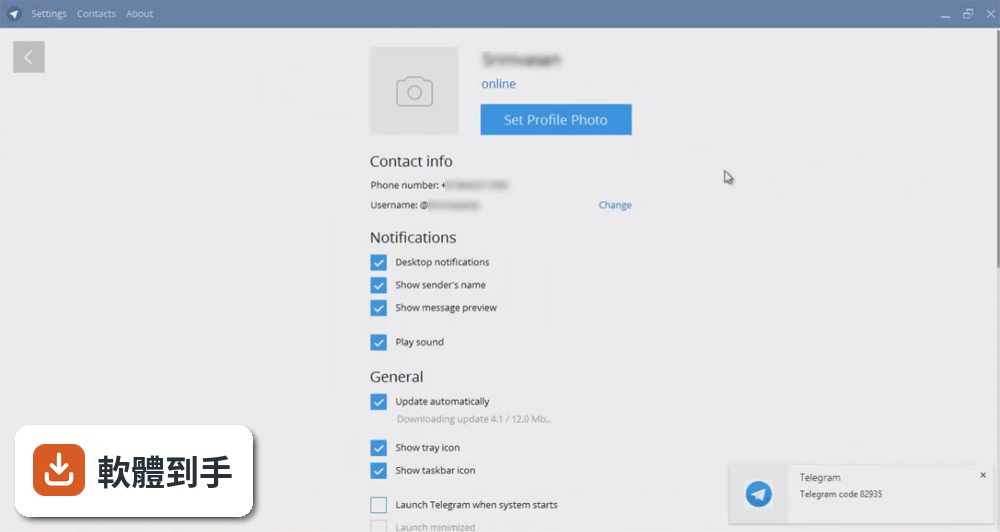
介面確實只有英文,沒有中文選項。如果你不熟英文,操作上會比較吃力,例如設定、選單、按鈕都是英文。不過,基本功能像是傳訊息、開群組,位置和手機版類似,可以對照手機版操作。如果你完全無法接受英文介面,可能要考慮其他有中文的軟體。
10我已經在用WhatsApp了,有必要換嗎?
兩者功能相近,但WhatsApp在資料庫裡有2970人評分,Telegram for Desktop只有1032人,使用人數和評價數量有差距。如果你已經用WhatsApp且朋友都在上面,換到Telegram可能沒什麼好處,除非你需要Telegram的群組容量(20萬人)或頻道廣播功能。資料沒有比較兩者的優劣,建議依需求決定。
11這套軟體更新勤不勤,會不會裝了沒人維護?
資料顯示它收錄了151個版本,最早2015年,最近2026年,近12個月更新6次,近24個月也是6次,代表開發團隊持續在維護,不是放著不管。不過更新頻率不算高,如果你需要頻繁的新功能,可能要考慮其他更新更勤的軟體。開源軟體的好處是,就算官方停更,社群也可能接手。
12我只有一個人用,沒有要開群組,適合嗎?
適合。即使不開群組或頻道,你還是可以用它傳訊息、傳檔案、語音視訊通話,也能用手機和電腦同步訊息。官方說明提到它像SMS和email的結合,個人使用完全沒問題。不過,如果你只是偶爾傳訊息,手機版可能就夠了,電腦版是給長時間用電腦的人。
下載與官方連結
前往官方網站 下載 Telegram for Desktop
tsetup.1.2.17.exe · 21.4 MB · 連結指向軟體原廠
版本紀錄
- 2026-10-21 Telegram for Desktop 7.3.3 54.4 MB
- 2026-10-21 Telegram for Desktop 7.3.2 54.4 MB
- 2026-10-11 Telegram for Desktop 7.3.1 51.7 MB
再看 5 筆
- 2026-09-17 Telegram for Desktop 7.2.9 47.9 MB
- 2026-09-11 Telegram for Desktop 7.2.8 47.9 MB
- 2026-09-08 Telegram for Desktop 7.2.7 47.8 MB
- 2026-09-04 Telegram for Desktop 7.2.5 47.6 MB
- 2026-09-02 Telegram for Desktop 7.1.4 47.6 MB
這一版改了什麼
What's new in this version:
Telegram for Desktop 1.2.17
- Change log not available for this version
Telegram for Desktop 1.2.15
- Change log not available for this version
Telegram for Desktop 1.2.14
- Discover new stickers: Type one emoji to see suggestions from popular sticker sets. Suggestions from your installed sticker sets will come first
- Search for Stickers: Click on the new search icon to access your sticker sets or find new ones
- Quick Reply: Double click near a message for a quick reply
Telegram for Desktop 1.2.6
- Grouped Photos. Group media into an album when sharing multiple photos and videos. Choose the exact order of media you send
Telegram for Desktop 1.2.4
- Group media into an album when sharing multiple photos and videos
- Bug fixes and other minor improvements
Telegram for Desktop 1.2.3
- Several crash fixes
Telegram for Desktop 1.2.2
- Grouped photos and videos are displayed as albums
Telegram for Desktop 1.2.1
- Bug fixes and other minor improvements
Telegram for Desktop 1.2.0
- Radically improved navigation. New side panel on the right with quick access to shared media and group members
- Saved Messages. Bookmark messages by forwarding them to "Saved Messages". Access them from the Chats list or from the side menu
- Pinned Messages. If you are a channel admin, pin messages to focus your subscribers' attention on important announcements
- Easily recognize messages from group admins by the new 'admin' badge
- Also supported clearing history in supergroups and added a host of minor improvements
Telegram for Desktop 1.1.25
- Bug fixes and other minor improvements
Telegram for Desktop 1.1.24
- Radically improved navigation. New side panel on the right with quick access to shared media and group members
- Pinned Messages. If you are a channel admin, pin messages to focus your subscribers' attention on important announcements
- Also supported clearing history in supergroups and added a host of minor improvements
Telegram for Desktop 1.1.23
- Change log not available for this version
Telegram for Desktop 1.1.22
- Change log not available for this version
Telegram for Desktop 1.1.21
- Bug fixes and other minor improvements
Telegram for Desktop 1.1.20
- Groups with unread mentions and replies are now marked with an '@' badge in the chats list
- Navigate new mentions and replies in a group using the new '@' button
- Mark your stickers as “favorite” to quickly access them from the redesigned sticker panel
- Add an official sticker set for your group which all members will be able to use while chatting in your group (100+ member groups only)
Telegram for Desktop 1.1.19
- Change log not available for this version
Telegram for Desktop 1.1.18
- Bug fixes and other minor improvements
Telegram for Desktop 1.1.17
- Bug fixes and other minor improvements
Telegram for Desktop 1.1.15
- Send bold and italic text in your messages
- Get a share link for posts in public supergroups
- Quickly share posts from channels and media messages from bots
- Search large supergroup members by name
- Search channel members by name for admins
- Use search in the service actions log
- Ban supergroup members via the right click menu in the service actions log
Telegram for Desktop 1.1.10
- Add event log filter for channel or supergroup event log
- Fix search by username in privacy exceptions editor
- Fix adding admins in channels
Telegram for Desktop 1.1.9
- Supergroups can now have up to 10.000 members
- Appoint supergroup admins with granular rights. Choose who can add users, manage messages, block members, edit group info & username, add new admins, etc.
- Restrict and ban supergroup members with granular precision. Read-only bans, GIF & sticker bans, media bans, temporary bans and restrictions
- Check the new event log to see all service actions taken by members and admins of a channel or supergroup in the last 48 hours
- Toggle night mode in the main menu
Telegram for Desktop 1.1.7
- Improved video messages: radial playback progress, Picture-in-Picture support, duration countdown
- Voice and video messages now automatically play one after another
Telegram for Desktop 1.1.2
- Emoji icon tooltip about hiding the sidebar
- Fix possible calls deadlock in Linux
- Preserve Emoji/Stickers/GIFs panel state between activations
Telegram for Desktop 1.1.0
- Change log not available for this version
Telegram for Desktop 1.0.29
- Improved Emoji, Stickers, and Saved GIFs panel
- Bug fixes and other minor improvements
Telegram for Desktop 1.0.27
- Update API scheme
Telegram for Desktop 1.0.26
- Send MP4/MOV files as videos that will play right inside Telegram
- Click on the date in any chat to quickly jump to messages from a specific day
- Change your phone number in Settings
- Edit who can see your last seen time and who can add you to groups in Settings
- Edit your list of blocked users in Settings
- Bug fixes and other minor improvements
Telegram for Desktop 1.0.14
- Fix crash in text rendering
Telegram for Desktop 1.0.13
- Fix unnecessary window activations
Telegram for Desktop 1.0.12
- Support for more emoji
- Click and drag on waveform to play audio from a chosen moment
- Added Theme editor to Settings
- Bug fixes and other minor improvements
Telegram for Desktop 1.0.7
- Change log not available for this version
Telegram for Desktop 1.0.6
- Change log not available for this version
Telegram for Desktop 1.0.5
- Change log not available for this version
Telegram for Desktop 1.0.2
- Resize chats list
- Fixed drag and drop from Firefox
- Bug fixes and other minor improvements
Telegram for Desktop 1.0.0
- Change log not available for this version
Telegram for Desktop 0.10.20
- Change log not available for this version
Telegram for Desktop 0.10.19
- Change log not available for this version
Telegram for Desktop 0.10.18
- Change log not available for this version
Telegram for Desktop 0.10.17
- Change log not available for this version
Telegram for Desktop 0.10.16
- New audio player design
- Quick reply from notifications
- Hide all notifications button added
- Change notifications location and maximum count
- Respecting quiet hours for the notifications (for Windows 10)
Telegram for Desktop 0.10.15
- Some grammar improvements and pinned message bar hiding fixed
Telegram for Desktop 0.10.14
- Fixed retina icon userpics, langs updated
Telegram for Desktop 0.10.11
- Change log not available for this version
Telegram for Desktop 0.10.10
- Change log not available for this version
Telegram for Desktop 0.10.9
- Change log not available for this version
Telegram for Desktop 0.10.8
- Change log not available for this version
Telegram for Desktop 0.10.7
- Fix of settings saving
- Fix of OpenSSL in Linux build
- Fix entities moving when replacing emoji
Telegram for Desktop 0.10.6
- Fixed updater erasing for OS X
- Fixed build for linux (dynamic linking of xcb)
Telegram for Desktop 0.10.5
- New cute design for the Settings page
- Bug fixes and other minor improvements