
這是歷史版本頁面 — 看 Thunderbird 最新版本
郵件散落好幾個帳號?Thunderbird 能幫你收攏
 Thunderbird 60.0
資料更新 2018-08-06
閱讀約 6 分鐘
你每天打開電腦,第一件事就是登入網頁信箱,一個帳號看完換下一個。Gmail 看完了,換 Outlook,再來是公司那個不知道什麼時候會寄信來的公務信箱。明明只是要確認一封報價單,卻得在三個分頁之間來回切換,偶爾漏掉一封重要的,還得回頭翻垃圾郵件。你其實只是想要一個地方,把所有的信都收在一起,不用再記哪封信在哪個網站裡。
你也許想過用 Windows 內建的那個郵件軟體,但它的介面太陽春,過濾規則也綁手綁腳。或者你聽說 Outlook 很強,但那個授權費用和複雜的設定,對你來說只是要收發信而已,實在有點過頭。你需要的是一個能同時管理多個帳號、把信件、行事曆、聯絡人放在同一個視窗裡,而且不會一直跳通知叫你升級的工具。這類桌面郵件軟體的核心,就是幫你把分散的郵件集中管理,用一套介面處理所有通訊需求。
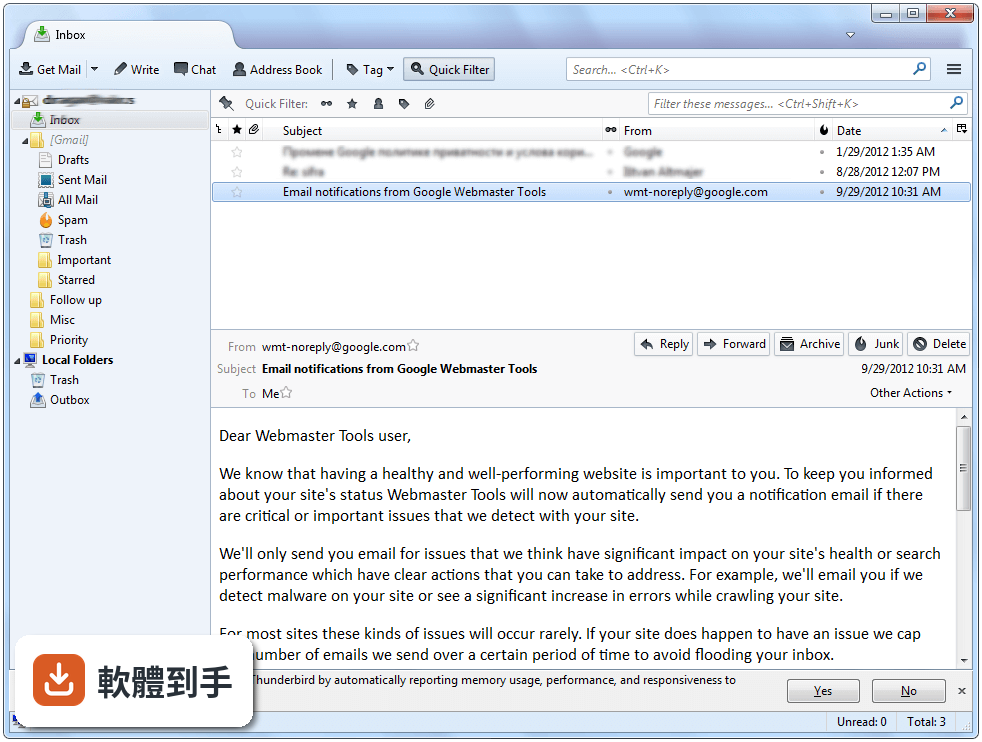
01Thunderbird 可以同時管理幾個郵件帳號?
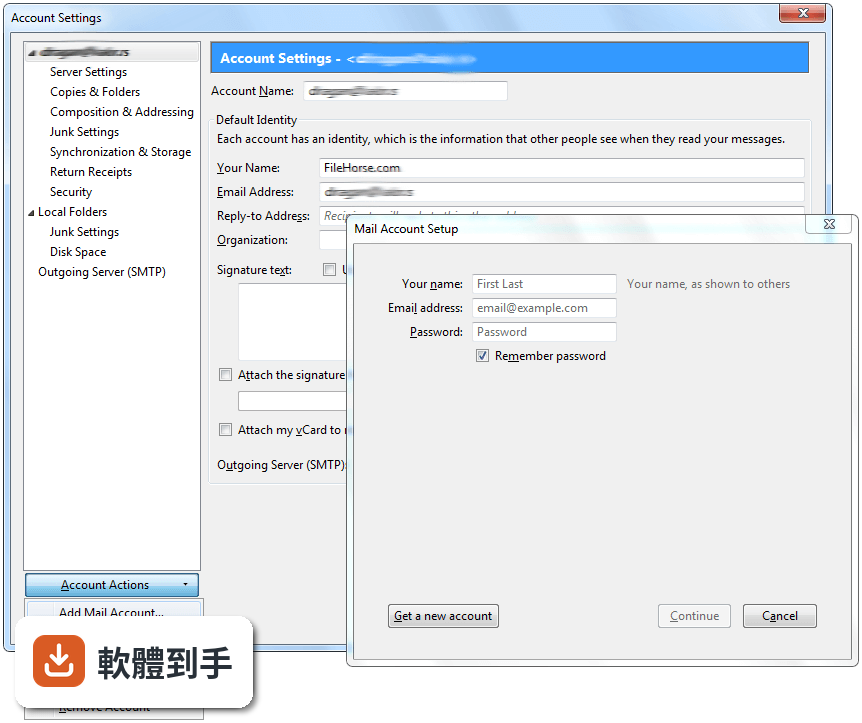
它支援多個郵件帳號,而且可以設定統一收件匣,把不同帳號的信全部集中在一處檢視。設定帳號時會自動偵測常見的郵件服務商,Gmail、Outlook、Yahoo 這些都有支援,只要選定帳號類型、輸入密碼,就能完成設定。如果你想把公司信和私人信分開看,也可以關掉統一收件匣,讓每個帳號各自獨立顯示。
02這套軟體可以過濾垃圾郵件嗎?
內建垃圾郵件過濾功能,而且它會從你標記垃圾郵件的動作中學習,你用得越久,判斷就越準。信件進來時會先被丟進「垃圾郵件」資料夾,你可以定期檢查有沒有誤判。另外它也支援手動建立過濾規則,例如把某個寄件者的信自動歸類到指定資料夾,或直接標記為已讀,這些規則可以針對單一帳號或全部帳號設定。
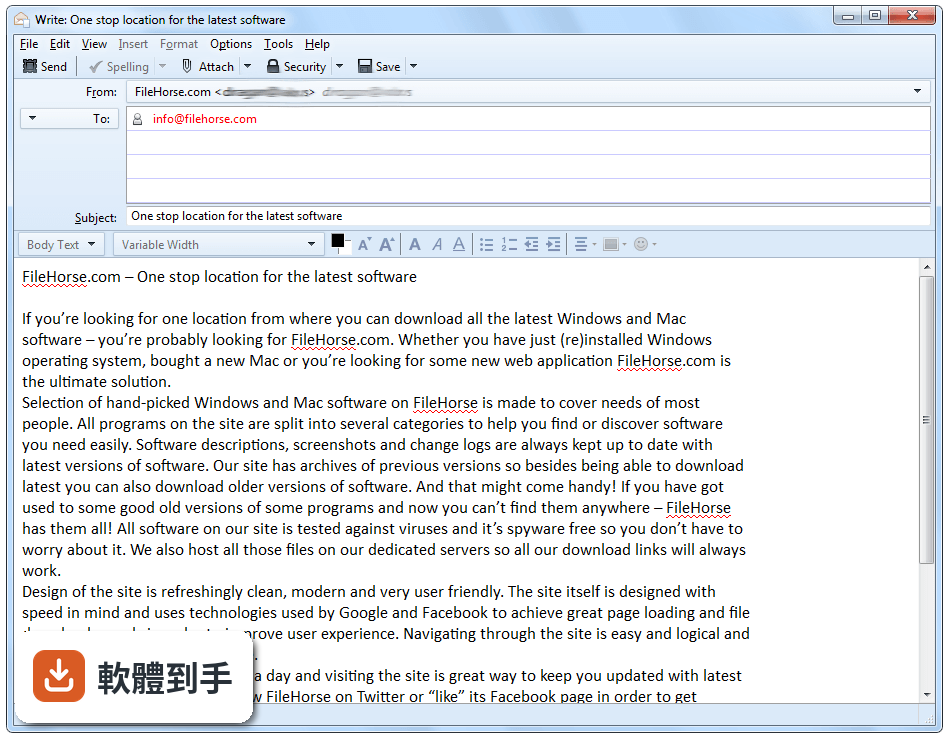
03它有沒有行事曆功能?可以跟 Google 行事曆同步嗎?
內建行事曆,可以新增事件、設定提醒、建立工作清單,而且行事曆和郵件、聯絡人都在同一個視窗裡,不用另外開網頁。行事曆支援 CalDAV 協定,所以 Google 行事曆可以同步進來,訂閱別人的共用行事曆也可以。如果你原本用 Outlook 的行事曆,匯入時可以一併把行事曆資料帶過來,不用重新建立。
04搜尋舊信方便嗎?
它的搜尋功能可以指定寄件人、收件人、關鍵字、日期範圍等條件,不是只能搜標題而已。搜尋結果會以列表顯示,點開就能看完整內容。如果你常常要找幾個月前的信件,可以建立「已儲存搜尋」資料夾,把常用的搜尋條件存起來,之後一鍵就能叫出符合條件的所有信件,不用每次重新輸入。
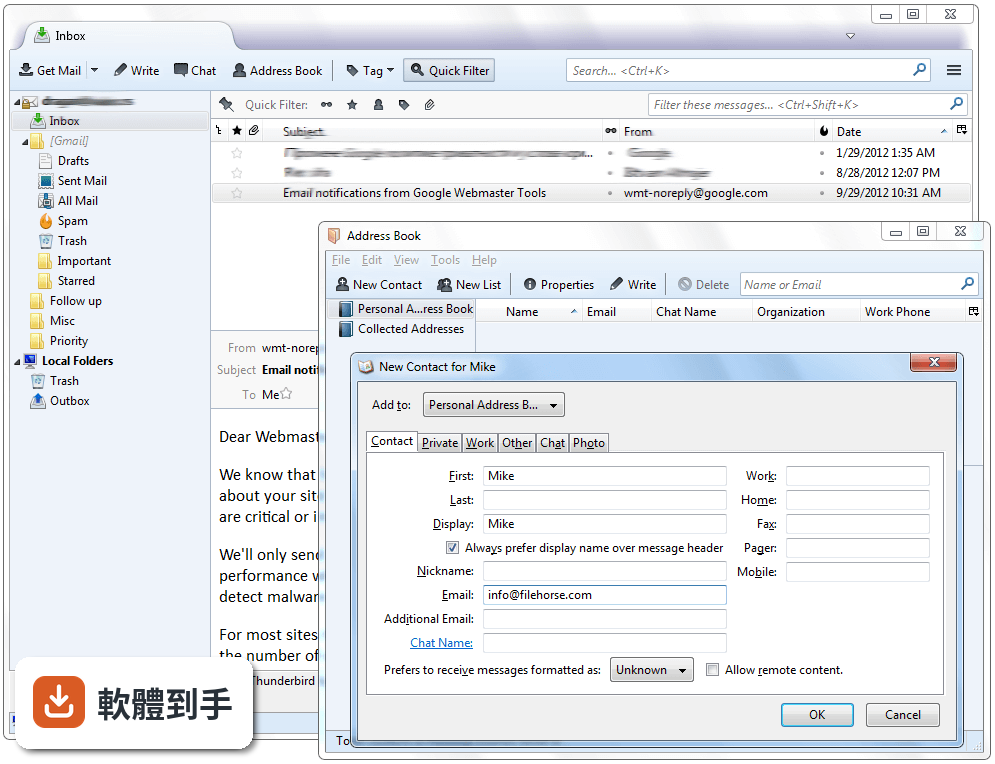
05可以自訂介面嗎?例如換主題或調整版面?
介面可以調整,主視窗是傳統的三欄式設計,左邊資料夾、中間信件列表、右邊預覽窗格,這三欄的寬度可以拖曳調整。工具列可以增減按鈕,也可以套用主題改變整體外觀。如果你想要更多變化,可以到官方附加元件庫找更多主題和擴充功能,安裝後就能改變配色或加入額外按鈕。
06我習慣用 Outlook,換過來會很麻煩嗎?
安裝過程會詢問你是否要從其他郵件軟體匯入資料,Outlook、Windows Mail、Apple Mail 都在支援清單裡。匯入的內容包含郵件、聯絡人、行事曆和帳號設定,匯入後原本的資料夾結構也會保留。如果你原本用 Outlook 的 PST 檔,匯入時要確認檔案路徑,匯入後建議先檢查行事曆和聯絡人是否完整,再決定要不要刪除原本的 Outlook 資料。
07公司有幾十個員工,這套軟體適合當團隊郵件工具嗎?
它本身是單機軟體,沒有伺服器端的管理介面,所以不適合當作團隊郵件伺服器。但如果公司只是需要一個統一的郵件收發工具,讓員工各自設定自己的帳號,它是可以用的。要注意的是,它沒有 Exchange 協定的完整支援,如果公司信箱是 Exchange 或 Microsoft 365,有些功能像是共用行事曆、全域通訊錄可能無法正常運作,這點要先確認。
08我只用 Gmail,有必要裝這套嗎?
如果你只使用 Gmail 一個帳號,而且習慣在瀏覽器裡收信,那它的優勢就不明顯。它主要的好處是離線存取、多帳號集中管理、以及把郵件和行事曆放在同一個視窗。如果你平常都在有網路的環境,而且不需要離線讀信,那繼續用網頁版就可以了。但如果你想要一個獨立的桌面軟體來管理郵件,它還是可以勝任。
09我主要用手機收信,這套軟體適合嗎?
它沒有官方的手機 App,官方說明也明確指出它主要是桌面軟體。如果你大部分時間都在手機上處理郵件,那這套軟體對你的幫助有限。不過如果你在電腦前工作時需要處理大量郵件,手機只是輔助,那可以考慮電腦用 Thunderbird、手機用原廠郵件 App 或網頁版,兩邊透過 IMAP 同步,信件狀態會保持一致。
10公司規定要用 Exchange 通訊錄,它能用嗎?
官方資料沒有提到對 Exchange 通訊錄的完整支援,只說相容 IMAP、POP、SMTP 協定。如果你的公司信箱是 Exchange 或 Microsoft 365,建議先確認通訊錄和共用行事曆是否能正常運作。有些 Exchange 環境可以透過附加元件或第三方工具補足,但這需要額外設定,不是裝好就能用。如果公司 IT 部門有統一規定,最好先問清楚再決定。
11這套軟體是免費的嗎?會不會有廣告?
它是開放原始碼軟體,可以免費下載使用,官方說明中沒有提到廣告。開發商是 Mozilla Organization,就是開發 Firefox 瀏覽器的那個組織。由於是開放原始碼,你也可以自行檢視原始碼,或由社群協助解決問題。如果你想要捐款支持開發,官方網站有相關管道,但這不是使用上的必要條件。
下載與官方連結
Thunderbird Setup 60.0.exe · 30.4 MB · 連結指向軟體原廠
版本紀錄
- 2026-10-06 Thunderbird 157.0.1 (64-bit) 80 MB
- 2026-09-16 Thunderbird 156.0 (64-bit) 80 MB
- 2026-09-11 Thunderbird 155.0.1 (64-bit) 79.9 MB
再看 5 筆
- 2026-09-04 Thunderbird 155.0 (64-bit) 79.9 MB
- 2026-08-19 Thunderbird 154.0 (64-bit) 79.7 MB
- 2026-08-13 Thunderbird 153.0.3 (64-bit) 79.1 MB
- 2026-08-09 Thunderbird 153.0.2 (64-bit) 79.1 MB
- 2026-07-31 Thunderbird 153.0.1 (64-bit) 79 MB
這一版改了什麼
What's new in this version:
New:
- When writing a message, a delete button now allows the removal of a recipient. This delete button is displayed when hovering the To/Cc/Bcc selector.
- Many improvements to attachments handling during compose: Attachments can now be reordered using a dialog, keyboard shortcuts, or drag and drop. The "Attach" button moved to the right to be above the attachment pane. The access key of the attachment pane (e.g. Alt+M, may vary depending on localization, Ctrl+M on Mac) now also works to show or hide the pane. The attachment pane can also be shown initially when composing aNEW message. Right-click on the header to enable this option. Hiding a non-empty attachment pane will now show a placeholder paperclip to indicate the presence of attachments and avoid sending them accidentally.
- "Edit Template" command. This also solves various problems when saving as template (duplicates created, message ID lost).
- "New Message from Template" command
- Allow changing the Spellcheck Language from status bar
- Light and Dark themes
- WebExtension themes are now enabled in Thunderbird
- A default startup directory in the address book window can now be configured
- Individual feed update interval
- An option under "Tools > Options, Advanced, General" now allows to select whether date/time display will follow the application locale (adjusted by operating system's format settings for that locale) or the locale selected in the operating system's regional settings. In other words, an US English Thunderbird can use, for example, German formats.
- OAuth2 authentication for Yahoo and AOL
- FIDO U2F support
- Thunderbird now allows the conversion of folders from mbox to maildir format and vice versa. This is an experimental feature that needs to be enabled by setting the preference mail.store_conversion_enabled. Note that this functionality does not not work if the option "Allow Windows Search/Spotlight to search messages" is selected.
- Calendar: Allow copying, cutting or deleting of a selected occurrence or the entire series for recurring events
- Calendar: Provide an option to display locations for events in calendar day and week views
- Calendar: Provide the ability for sending/not sending meeting notifications directly instead of showing a popup
- Calendar: Option to select the target calendar when pasting an event or task
- Calendar: Allow email scheduling for CalDAV servers supporting server-side scheduling
- Thunderbird Chat now contains multiple built-in message themes
Changed:
- IMPORTANT: Add-ons not marked as compatible with Thunderbird 60 by their authors will be disabled (this can be reverted via preference extensions.strictCompatibility)
- IMAP: When after sending a message storing that sent message fails, the message can now be stored in a local folder
- Add-on options can no longer be configured from the Add-on Manager page. ANEW menu item "Add-on Options" is now available on the Tools menu.
- When messages are composed in paragraph format, "body text" and split mail quotes are converted to paragraphs when pressing the enter key
- "Edit AsNEW Message" will now use the account's default compose format, either HTML or plain text ignoring the format of the message. Plain text messages will be converted to HTML and vice versa. Then using the modifier, the format choice will be reverted.
- The "Edit Draft" command now also honors the use of the shift key to convert HTML to plain text or vice versa when editing a draft
- The plain text to HTML conversion has been improved where such a conversion is necessary for "Edit AsNEW Message" or when the shift modifier is used for "Edit Draft" or "New Message from Template".
- During address entry, the matching part of the address is now shown in bold. Preference mail.autoComplete.commentColumn allows to display the address book where the address is stored.
- When attaching a message via drag and drop, the subject of the message is now used as attachment name instead of "Attached Message"
- Better address book photo handling: Photos can be added by drag and drop and a copy of all photos will be stored in the Thunderbird profile
- On first start, Thunderbird now shows the account setup dialog, no longer the account provisioner dialog
- Thunderbird follows Firefox' Photon design with rectangular tabs and many other theme improvements
- When customizing the From: address, Thunderbird will now use this address for the SMTP "MAIL FROM" command. Previously the address configured in the identity was used. The preference mail.smtp.useSenderForSmtpMailFrom allows return to the previous behavior.
- Native notifications on Linux are now re-enabled
- Thunderbird now uses Mozilla's latest proxy technology (add-on FoxyProxy now supported)
- Thunderbird now uses the latest Rust-based Mozilla technology, including Quantum's CSS engine (based on Servo) and encoding_rs, for displaying and encoding messages
- Calendar: Removal of capability to send email invitations compatible to Outlook 2002 and earlier
- Calendar: Reminders on read-only calendars can now be dismissed, while reminders for missed events will now only be displayed for writable calendars if option "Show missed reminders for writable calendars" is selected
- Thunderbird Chat: Nicknames inside of messages are colored to match the participants list
Fixed:
- When many Thunderbird clients or other email clients accessed the same IMAP draft folder, messages were sometimes sent with the wrong identity. This has been corrected and the user will be notified if none of their identities matches the draft.
- Various problems related to handling the IMAP trash folder: Under certain circumstances the selection of the trash folder didn't persist, for example when the name contained non-ASCII characters, or in localized versions of Thunderbird. At times unwanted additional trash folders were created. Selection of a trash folder didn't give immediate visual feedback.
- Shared IMAP folders not shown in subscribe dialog under some circumstances
- Messages moved between IMAP accounts were missing parts (embedded content or attachments) under some circumstances
- Improvements encoding/decoding message headers
- Text in the address book card view wasn't selectable
- Passwords can now contain non-ASCII characters, like international characters, for example áäß, and symbols, for example €§
- Outlook import. Note: Mail, address book and settings need to be imported individually as "Import Everything" currently does not work.
- Localised versions of Thunderbird didn't show a localised name for Hotmail's "Deleted" folder
- Contacts sidebar: Selection and context menu behavior
- Better error handling for Gmail authentication to avoid re-downloading of folders
- Thunderbird used a stale cached password after user edited a saved password
- Calendar: Wrong time formatting for some time zones
- Calendar: Can't copy information from event dialog for received invitations