
這是歷史版本頁面 — 看 Tor Browser 最新版本
想匿名上網不被追蹤,Tor Browser 能為你做什麼
 Tor Browser 8.5
資料更新 2019-05-21
閱讀約 6 分鐘
你可能有過這種經驗:只是上網查個東西,接下來好幾天,各種廣告如影隨形地跟著你;或者,你身處的環境讓你不想讓別人知道你連過哪些網站,但一般瀏覽器怎麼清紀錄,都還是覺得不放心。你真正想要的,不是「假裝沒看到」的無痕模式,而是讓網站和網路供應商根本無法把你和你的瀏覽行為連在一起。
一般人習慣的做法,是開無痕視窗、手動刪 Cookie,或裝個 VPN。但無痕模式只是不存紀錄在電腦上,你的 IP 和網路流量還是清清楚楚;VPN 則是把信任交給一家公司,而且很多免費 VPN 本身就在賣你的資料。這類工具的切入點,是從「隱藏身份」下手——把你的流量丟進一個由志願者伺服器組成的迷宮裡,讓任何單一節點都看不出你是誰、你在做什麼。
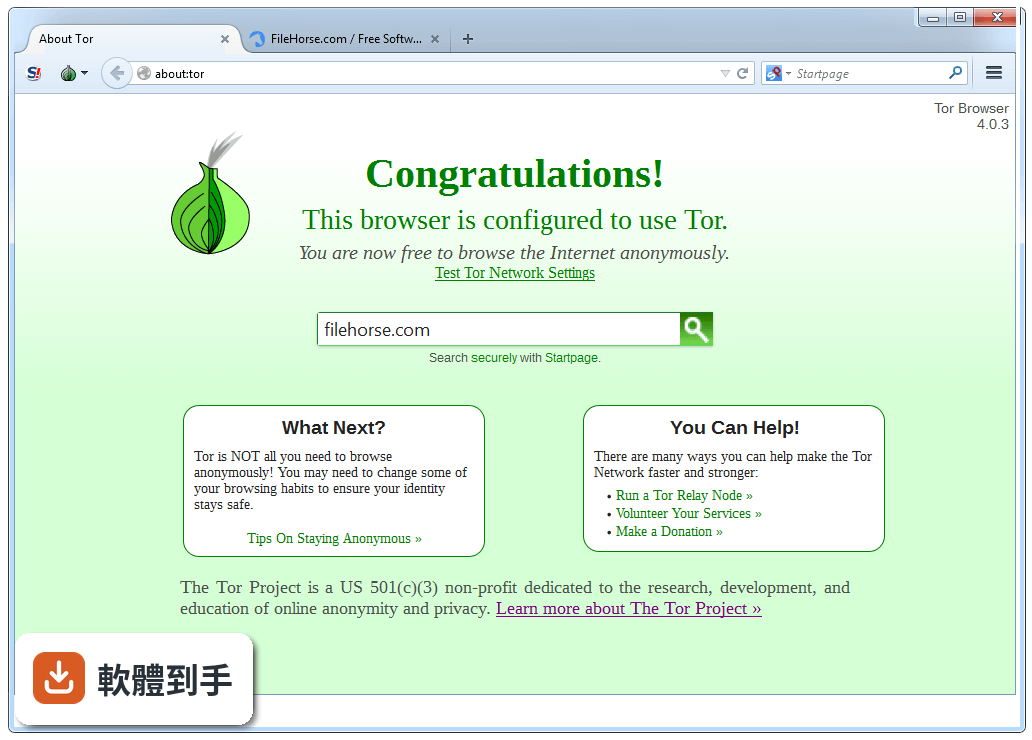
01Tor Browser 到底是做什麼的,跟一般瀏覽器有什麼不一樣?
它是一個以 Firefox 為基礎改造的瀏覽器,核心功能是透過「洋蔥路由」把你的網路流量加密後,經過多個志願者伺服器轉跳,再送到目標網站。每個節點只知道上一站和下一站,無法知道起點和終點。對使用者來說,你打開它、連上網路,就能用一個跟平常沒兩樣的瀏覽器上網,但網站看到的是出口節點的 IP,不是你家的 IP。
02用這套軟體上網,是不是就完全不會被追蹤了?
不是。它能大幅提高追蹤難度,但不等於隱形。如果你的瀏覽器設定不當、登入了個人帳號、或下載了檔案,這些行為都可能洩漏身份。而且有些網站會封鎖 Tor 的出口節點,讓你連不進去。它提供的是一個「更難被追蹤」的環境,不是「絕對安全」的保證,使用習慣還是很重要。
03它的介面用起來會不會很複雜,我沒用過會不會卡住?
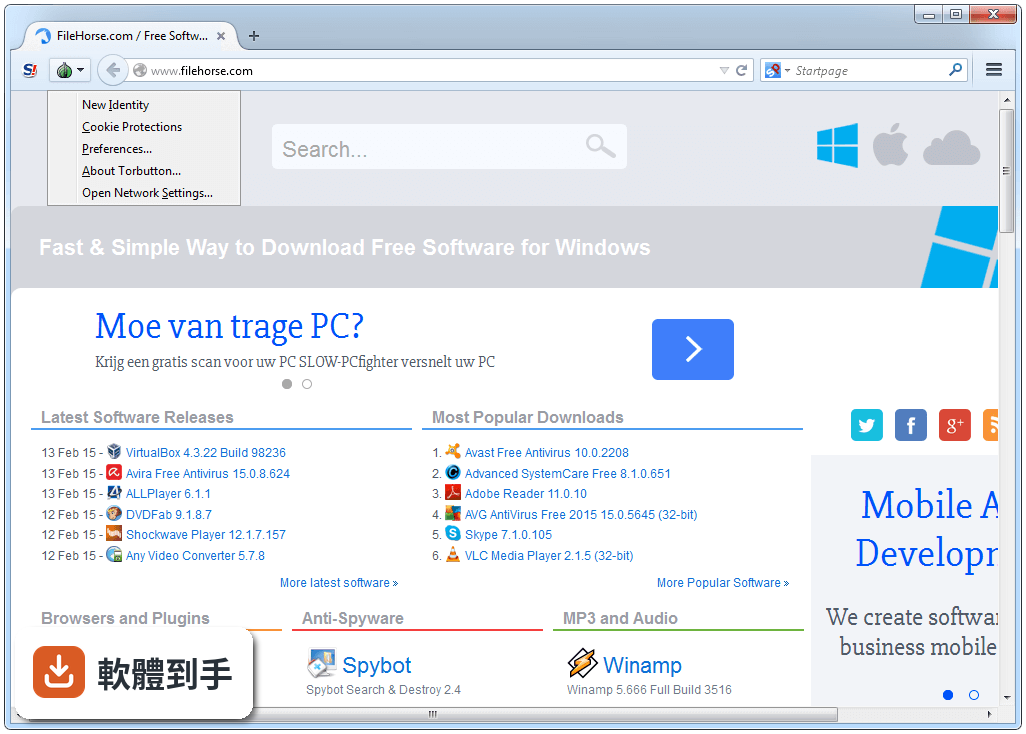
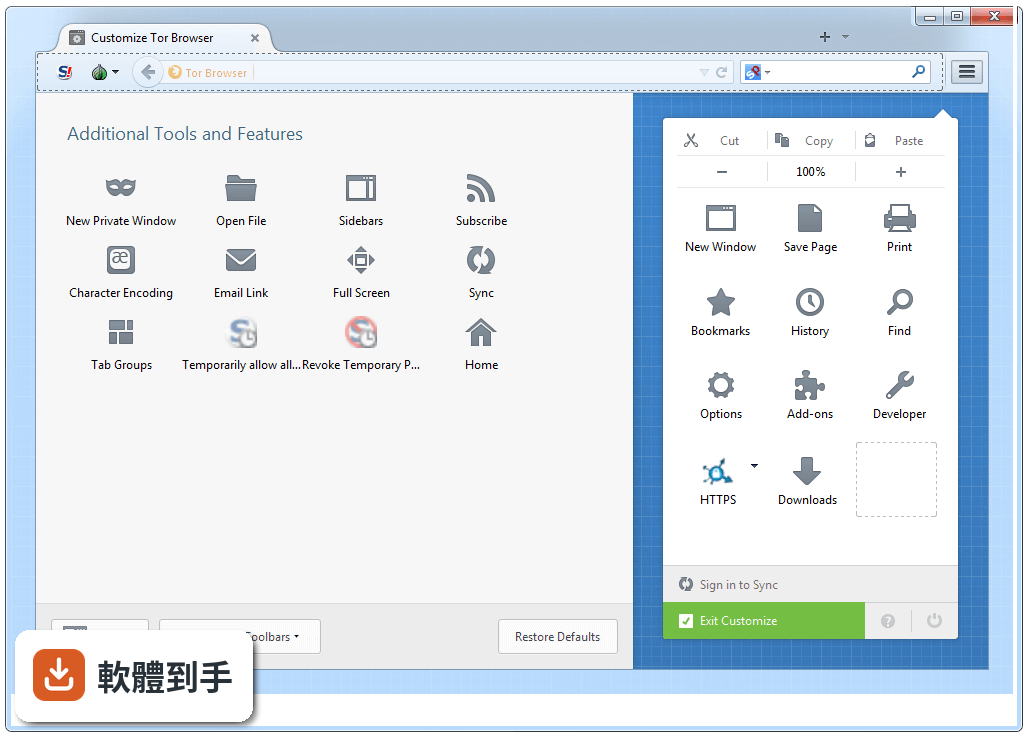
介面跟 Firefox 很像,書籤、歷史紀錄、分頁這些基本操作都一樣,所以上手門檻不高。最大的差別是右上角多了一個「Tor 按鈕」,用來連線到 Tor 網路和調整安全等級。第一次打開時會問你要不要連線,按下去等它連上就能開始用了,整體流程算是直覺。
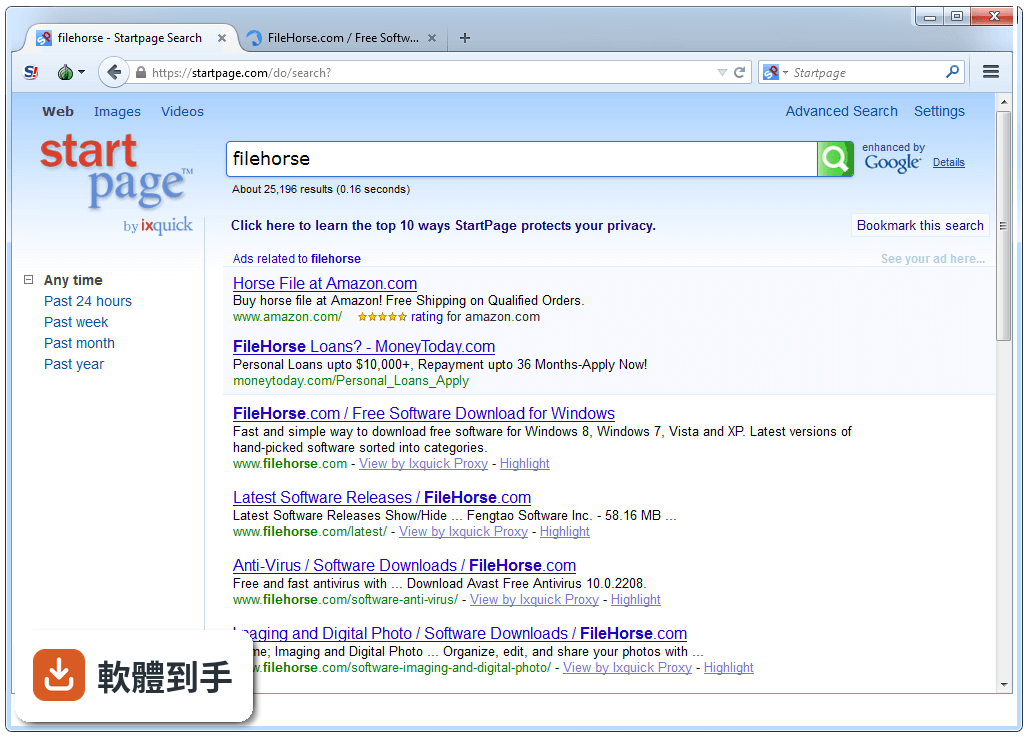
04它能不能拿來當日常瀏覽器用,像是看影片、逛購物網站?
可以開,但體驗不會好。因為流量要繞過多個節點,速度明顯比一般瀏覽器慢,看串流影片或下載大檔案會很痛苦。官方也明確說不建議拿來做這類用途,因為 Tor 的設計目的是匿名,不是高速傳輸。如果你只是要隱藏 IP,但還是想保有速度,這套軟體可能不是你要的工具。
05它有哪些安全設定可以調,預設夠不夠安全?
它有分級的安全設定,從「標準」到「最安全」,等級越高,網站功能犧牲越多,例如關閉 JavaScript 或擋掉某些字型。預設的「標準」等級已經有基本的反追蹤和 HTTPS 加密,但如果你要對抗的是更進階的指紋辨識追蹤,可以往上調。調高之後很多網站會變得很難用,要自己取捨。
06這套軟體適合什麼樣的人用?
適合那些「不想讓任何人知道自己在看什麼」的人,例如記者、人權工作者、需要查敏感資料的研究者,或是身處網路管制環境、想繞過審查的使用者。如果你只是偶爾覺得廣告很煩,那它對你來說可能太重了。它解決的是「身份與行為的隔離」,不是「擋廣告」或「加速上網」這類日常需求。
07我只是一般人,偶爾想查一些不想被家人知道的東西,適合用嗎?
如果你只是不想讓同住的人看到瀏覽紀錄,用一般瀏覽器的無痕模式就夠了,不需要動用到這套軟體。它的使用成本(速度變慢、部分網站進不去)對一般需求來說太高。但如果你連網路供應商都不想讓對方知道你在連什麼網站,那它確實是少數能做到這件事的工具。
08它只有英文介面嗎?看不懂英文會不會很難用?
官方提供的介面語系是英文,沒有內建中文。不過因為操作邏輯跟 Firefox 很像,就算英文不好,靠圖示和位置猜也還能應付。但如果你需要閱讀說明文件或除錯訊息,英文能力會是門檻。介面沒有中文化的狀況下,對英文不熟悉的使用者來說,使用上會比較吃力。
09我可以在隨身碟上帶著走,到別台電腦用嗎?
可以。它的 Windows 安裝檔本身就是可攜式設計,不需要安裝就能執行,官方也說裝在隨身碟或本機硬碟的效果是一樣的。這代表你可以把整個瀏覽器放在隨身碟裡,插到任何 Windows 電腦上直接跑,不會在系統裡留下安裝紀錄。不過要注意,你帶走的只是軟體,你的瀏覽紀錄和設定還是存在那支隨身碟裡。
10這套軟體更新頻率高嗎?會不會裝了之後沒人維護?
它的更新很頻繁,官方持續在修補安全漏洞和更新 Firefox 基底,近一年內有超過二十次更新紀錄。對一個安全導向的軟體來說,頻繁更新是必要的,因為新的攻擊手法不斷出現。如果你在意安全性,這點可以放心,它背後有專職團隊和社群在維護。
11它跟 Brave 或 Epic Privacy Browser 比起來,哪個比較好?
這要看你的目標。Brave 和 Epic 都是「強化隱私的一般瀏覽器」,主打擋廣告、擋追蹤,但你的 IP 還是看得到;Tor Browser 則是「匿名瀏覽器」,透過節點轉傳讓網站無法得知你的真實 IP。如果你要的是「不被追蹤」,Brave 可能更實用;如果你要的是「不被知道是誰」,Tor 是唯一選擇。兩者取向不同,不是同一個類型的產品。
12在什麼情況下,我不該選這套軟體?
如果你需要高速下載、看串流影片、玩線上遊戲,或常逛需要登入的服務(如網路銀行、社群網站),這套軟體會讓你很痛苦。另外,它只有英文介面,對英文不熟的人會增加使用困難。如果你的需求只是擋廣告或不想被追蹤 Cookie,市面上有更多介面友善、速度正常的瀏覽器可以選,不需要付出這麼大的速度代價。
下載與官方連結
torbrowser-install-8.5_en-US.exe · 54.2 MB · 連結指向軟體原廠
版本紀錄
- 2026-10-29 Tor Browser 16.0 120.44 MB
- 2026-10-21 Tor Browser 15.0.26 108.38 MB
- 2026-10-14 Tor Browser 15.0.25 108.37 MB
再看 5 筆
- 2026-09-30 Tor Browser 15.0.24 108.34 MB
- 2026-09-16 Tor Browser 15.0.23 108.35 MB
- 2026-09-09 Tor Browser 15.0.22 108.3 MB
- 2026-09-02 Tor Browser 15.0.21 108.26 MB
- 2026-08-18 Tor Browser 15.0.20 108.26 MB
這一版改了什麼
What's new in this version:
All platforms:
- Update Firefox to 60.7.0esr
Update Torbutton to 2.1.8:
- Integrate Torbutton into tor-browser for Android
- Update about:tor desktop version to work on mobile
- Fix new circuit button for error pages
- Update circuit display when back button is pressed
- Opening about:config shows circuit from previous website
- Map browser+domain to credentials to fix circuit display
- Update Tor Browser icon to follow design guidelines
- Add click-to-play button for WebGL
- Links on about:tor are not clickable
- Don't sync cookie.cookieBehavior and firstparty.isolate
- Intelligently add new Security Level button to taskbar
- No WebGL click-to-play on the standard security level
- Remove WebGL pref for min capability mode
- Replace security slider with security level UI
- Change onboarding Security panel to open new Security Level panel
- Update about:tor when Tor Browser is updated
- Improved Torbutton icons for dark theme
- Don't ship the Torbutton .xpi on mobile
- Improve navigation within onboarding (strings)
- Introduce new features to users (strings)
- Update donation banner style to make it fit in small screens
- about:tor has scroll bar between widths 900px and 1000px
- Enable dump() if log method is 0
- Don't show App Blocker dialog on Android
- Change tor circuit icon to torbutton.svg
- Use locales in AB-CD scheme to match Mozilla
- Add locale: es-AR
- Add locales cs, el, hu, ka
- Remove remaining stopOpenSecuritySettingsObserver() pieces
- Tone down missing SOCKS credential warning
- Revert armagadd-on-2.0 changes
- Add Donate link to about:tor
- Use slider and about:tor localizations on mobile
- Remove outdated information from the README
- Remove NoScript (XPCOM) related unused code
- Translations update
- Code clean-up
- Update HTTPS Everywhere to 2019.5.6.1
- Remove WebGL pref for min capability mode
- Enable media cache in memory
- Proper first-party isolation of s3.amazonaws.com
- Backport patches for bug 1469916
- Backport patches for bug 1474659
- "Check for Tor Browser update" doesn't seem to do anything
- Auto-decline most canvas warning prompts again
- Backport SSL status API
- Fix our debug builds
- Add locales cs, el, hu, ka
- Add locale: es-AR
- Make sure enterprise policies are disabled
- Remove network.http.spdy.* overrides from meek helper user.js
- TypeError: hostName is null on about:tor page
- Revert armagadd-on-2.0 changes
Windows + OS X + Linux:
- Update OpenSSL to 1.0.2r
- Update Tor Launcher to 0.2.18.3
- Use the new Tor Browser logo
- Account for Tor 0.4.0.x's revised bootstrap status reporting
- Improve "For assistance" link
- Use the new Tor Browser logo
- Cannot use Moat if a meek bridge is configured
- Update Moat URLs
- Add locales cs, el, hu, ka
- Add locale es-AR
- Enable dump() if log method is 0
- Translations update
- Activity 1.1 Update Tor Browser icon to follow design guidelines
- Use Tor Browser icon in identity box
- Make 'Save Page As' obey first-party isolation
- Introduce new features to users
- Improve navigation within onboarding
- Replace security slider with security level UI
- Replace security slider with security level UI
- Cannot use Moat if a meek bridge is configured
- notify users that update is downloading
- MAR download stalls when about dialog is opened
- Users are not taught how to open security-slider dialog
- Avoid about:blank tabs when opening onboarding pages
- Update about:tor when Tor Browser is updated
- WebExtensions icons are not shown on first start
- Change onboarding Security panel to open new Security Level panel
- Fix many occurrences of "Firefox" in about:preferences
- Stop shipping pingsender executable
- Remove defunct default bridges
- Windows
- Bug 27503: Improve screen reader accessibility
- Bug 27865: Tor Browser 8.5a2 is crashing on Windows
- Bug 22654: Firefox icon is shown for Tor Browser on Windows 10 start menu
- Bug 28874: Bump mingw-w64 commit to fix WebGL crash
- Bug 12885: Windows Jump Lists fail for Tor Browser
- Bug 28618: Set MOZILLA_OFFICIAL for Windows build
- Bug 21704: Abort install if CPU is missing SSE2 support
- Bug 28002: Fix the precomplete file in the en-US installer
Build System:
All platforms:
- Fix installation of python-future package
- Disable network during build
- Generate source tarballs during build
- Set Build ID based on Tor Browser version
- Set DEBIAN_FRONTEND=noninteractive
- Upgrade go to 1.11.5
- Install updated apt packages (CVE-2019-3462)
- Don't try to install python3.6-lxml for HTTPS Everywhere
- Enable verification of langpacks checksums
Windows:
- Update binutils to 2.31.1
- Build certutil for Windows