
這是歷史版本頁面 — 看 Tor Browser 最新版本
想匿名上網不被追蹤,Tor Browser 能為你做什麼
 Tor Browser 12.5
資料更新 2023-06-23
閱讀約 6 分鐘
你可能有過這種經驗:只是上網查個東西,接下來好幾天,各種廣告如影隨形地跟著你;或者,你身處的環境讓你不想讓別人知道你連過哪些網站,但一般瀏覽器怎麼清紀錄,都還是覺得不放心。你真正想要的,不是「假裝沒看到」的無痕模式,而是讓網站和網路供應商根本無法把你和你的瀏覽行為連在一起。
一般人習慣的做法,是開無痕視窗、手動刪 Cookie,或裝個 VPN。但無痕模式只是不存紀錄在電腦上,你的 IP 和網路流量還是清清楚楚;VPN 則是把信任交給一家公司,而且很多免費 VPN 本身就在賣你的資料。這類工具的切入點,是從「隱藏身份」下手——把你的流量丟進一個由志願者伺服器組成的迷宮裡,讓任何單一節點都看不出你是誰、你在做什麼。
01Tor Browser 到底是做什麼的,跟一般瀏覽器有什麼不一樣?
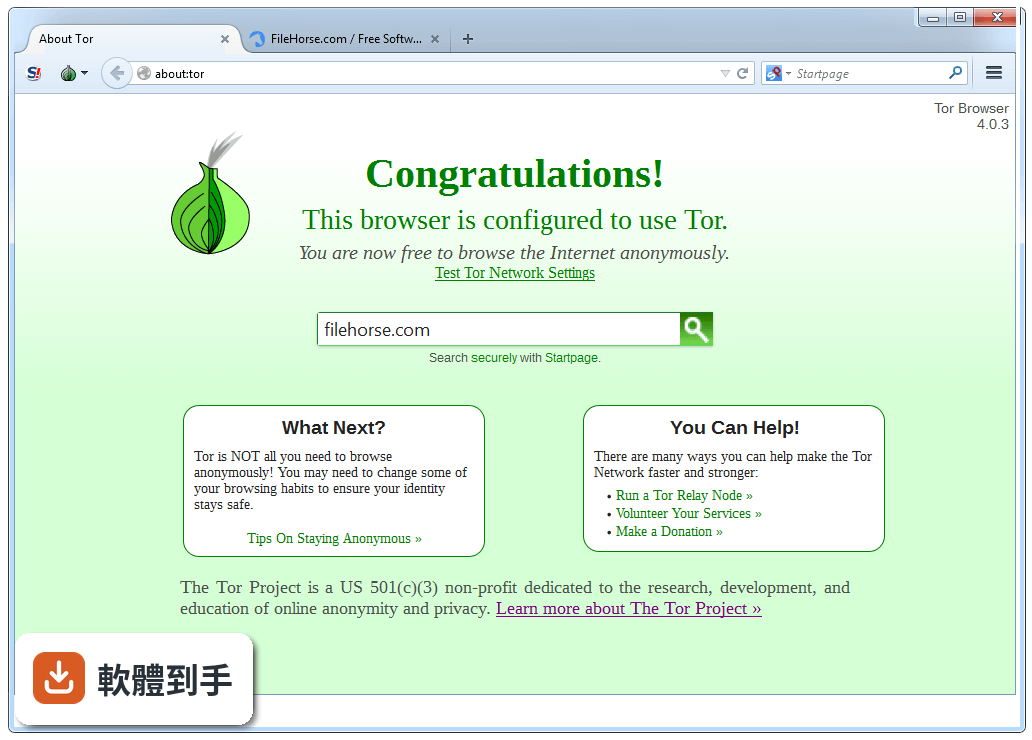
它是一個以 Firefox 為基礎改造的瀏覽器,核心功能是透過「洋蔥路由」把你的網路流量加密後,經過多個志願者伺服器轉跳,再送到目標網站。每個節點只知道上一站和下一站,無法知道起點和終點。對使用者來說,你打開它、連上網路,就能用一個跟平常沒兩樣的瀏覽器上網,但網站看到的是出口節點的 IP,不是你家的 IP。
02用這套軟體上網,是不是就完全不會被追蹤了?
不是。它能大幅提高追蹤難度,但不等於隱形。如果你的瀏覽器設定不當、登入了個人帳號、或下載了檔案,這些行為都可能洩漏身份。而且有些網站會封鎖 Tor 的出口節點,讓你連不進去。它提供的是一個「更難被追蹤」的環境,不是「絕對安全」的保證,使用習慣還是很重要。
03它的介面用起來會不會很複雜,我沒用過會不會卡住?
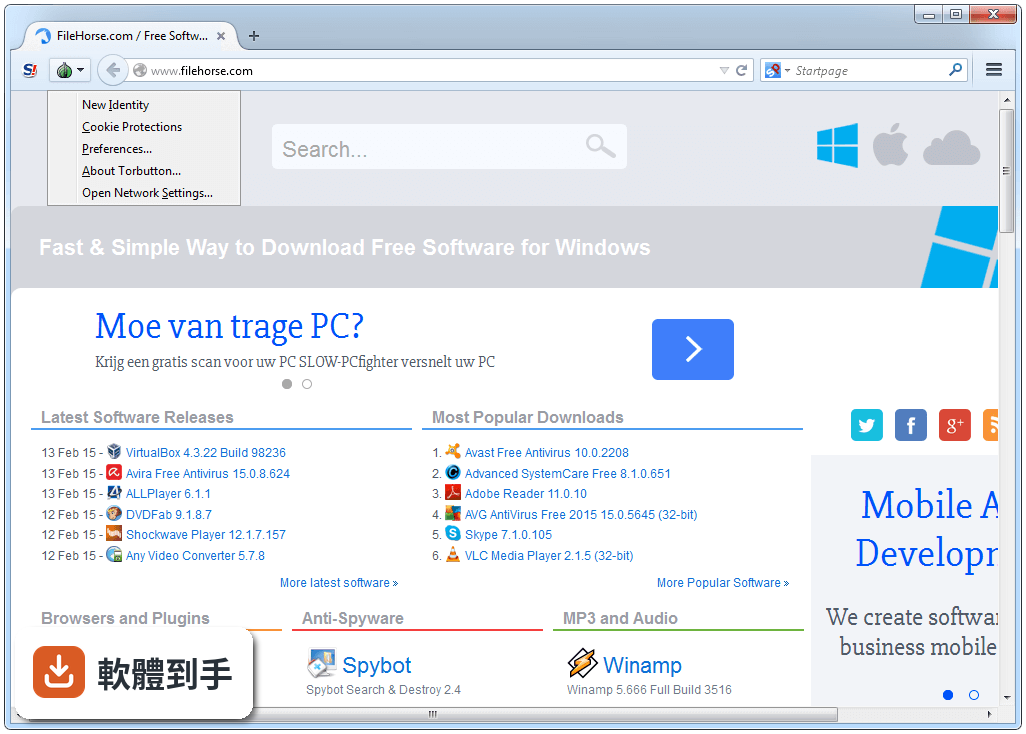
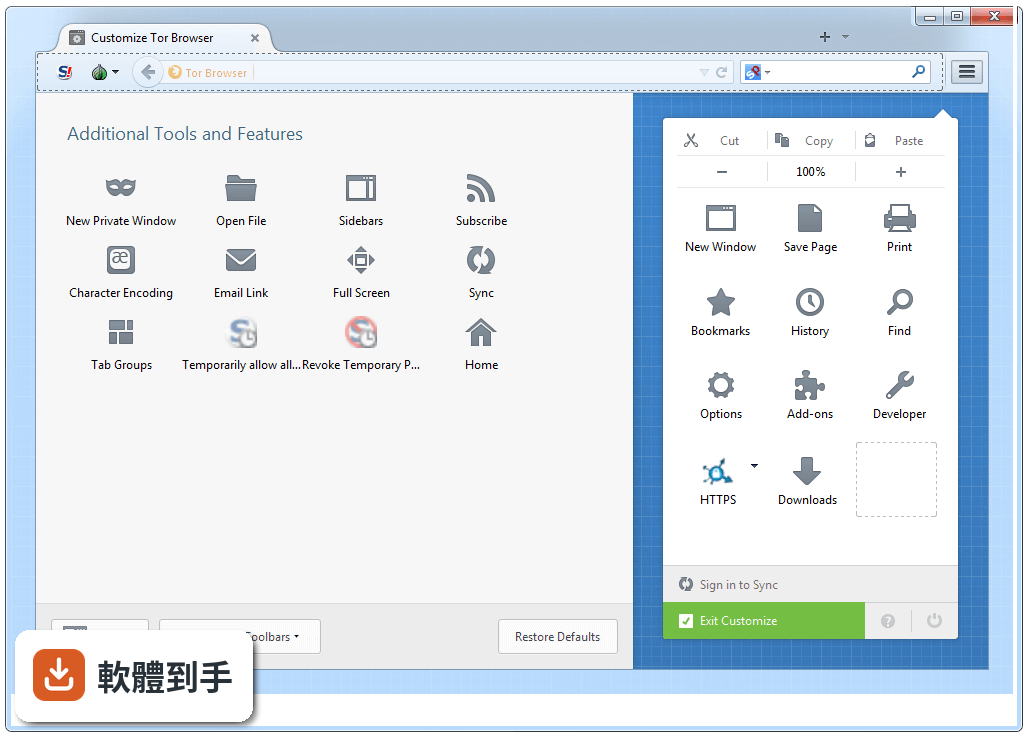
介面跟 Firefox 很像,書籤、歷史紀錄、分頁這些基本操作都一樣,所以上手門檻不高。最大的差別是右上角多了一個「Tor 按鈕」,用來連線到 Tor 網路和調整安全等級。第一次打開時會問你要不要連線,按下去等它連上就能開始用了,整體流程算是直覺。
04它能不能拿來當日常瀏覽器用,像是看影片、逛購物網站?
可以開,但體驗不會好。因為流量要繞過多個節點,速度明顯比一般瀏覽器慢,看串流影片或下載大檔案會很痛苦。官方也明確說不建議拿來做這類用途,因為 Tor 的設計目的是匿名,不是高速傳輸。如果你只是要隱藏 IP,但還是想保有速度,這套軟體可能不是你要的工具。
05它有哪些安全設定可以調,預設夠不夠安全?
它有分級的安全設定,從「標準」到「最安全」,等級越高,網站功能犧牲越多,例如關閉 JavaScript 或擋掉某些字型。預設的「標準」等級已經有基本的反追蹤和 HTTPS 加密,但如果你要對抗的是更進階的指紋辨識追蹤,可以往上調。調高之後很多網站會變得很難用,要自己取捨。
06這套軟體適合什麼樣的人用?
適合那些「不想讓任何人知道自己在看什麼」的人,例如記者、人權工作者、需要查敏感資料的研究者,或是身處網路管制環境、想繞過審查的使用者。如果你只是偶爾覺得廣告很煩,那它對你來說可能太重了。它解決的是「身份與行為的隔離」,不是「擋廣告」或「加速上網」這類日常需求。
07我只是一般人,偶爾想查一些不想被家人知道的東西,適合用嗎?
如果你只是不想讓同住的人看到瀏覽紀錄,用一般瀏覽器的無痕模式就夠了,不需要動用到這套軟體。它的使用成本(速度變慢、部分網站進不去)對一般需求來說太高。但如果你連網路供應商都不想讓對方知道你在連什麼網站,那它確實是少數能做到這件事的工具。
08它只有英文介面嗎?看不懂英文會不會很難用?
官方提供的介面語系是英文,沒有內建中文。不過因為操作邏輯跟 Firefox 很像,就算英文不好,靠圖示和位置猜也還能應付。但如果你需要閱讀說明文件或除錯訊息,英文能力會是門檻。介面沒有中文化的狀況下,對英文不熟悉的使用者來說,使用上會比較吃力。
09我可以在隨身碟上帶著走,到別台電腦用嗎?
可以。它的 Windows 安裝檔本身就是可攜式設計,不需要安裝就能執行,官方也說裝在隨身碟或本機硬碟的效果是一樣的。這代表你可以把整個瀏覽器放在隨身碟裡,插到任何 Windows 電腦上直接跑,不會在系統裡留下安裝紀錄。不過要注意,你帶走的只是軟體,你的瀏覽紀錄和設定還是存在那支隨身碟裡。
10這套軟體更新頻率高嗎?會不會裝了之後沒人維護?
它的更新很頻繁,官方持續在修補安全漏洞和更新 Firefox 基底,近一年內有超過二十次更新紀錄。對一個安全導向的軟體來說,頻繁更新是必要的,因為新的攻擊手法不斷出現。如果你在意安全性,這點可以放心,它背後有專職團隊和社群在維護。
11它跟 Brave 或 Epic Privacy Browser 比起來,哪個比較好?
這要看你的目標。Brave 和 Epic 都是「強化隱私的一般瀏覽器」,主打擋廣告、擋追蹤,但你的 IP 還是看得到;Tor Browser 則是「匿名瀏覽器」,透過節點轉傳讓網站無法得知你的真實 IP。如果你要的是「不被追蹤」,Brave 可能更實用;如果你要的是「不被知道是誰」,Tor 是唯一選擇。兩者取向不同,不是同一個類型的產品。
12在什麼情況下,我不該選這套軟體?
如果你需要高速下載、看串流影片、玩線上遊戲,或常逛需要登入的服務(如網路銀行、社群網站),這套軟體會讓你很痛苦。另外,它只有英文介面,對英文不熟的人會增加使用困難。如果你的需求只是擋廣告或不想被追蹤 Cookie,市面上有更多介面友善、速度正常的瀏覽器可以選,不需要付出這麼大的速度代價。
下載與官方連結
torbrowser-install-12.5_ALL.exe · 連結指向軟體原廠
版本紀錄
- 2026-10-29 Tor Browser 16.0 120.44 MB
- 2026-10-21 Tor Browser 15.0.26 108.38 MB
- 2026-10-14 Tor Browser 15.0.25 108.37 MB
再看 5 筆
- 2026-09-30 Tor Browser 15.0.24 108.34 MB
- 2026-09-16 Tor Browser 15.0.23 108.35 MB
- 2026-09-09 Tor Browser 15.0.22 108.3 MB
- 2026-09-02 Tor Browser 15.0.21 108.26 MB
- 2026-08-18 Tor Browser 15.0.20 108.26 MB
這一版改了什麼
What's new in this version:
Updated Translations:
- Re-enable rlbox
- Add Finnish (fi) language support
- Circuit Isolation should take containers into account
- Check if we can create our own directories for branding
- eslint broken since migrating torbutton
- Disable LaterRun
- about:networking#networkid should be normalized
- Disable unused about: pages
- Disable the Normandy component at compile time
- Disable back webextension.storage.sync after ensuring NoScript settings won't be lost
- Turn --enable-base-browser in --with-base-browser-version
- Disable about:sync-logs
- Turn media.peerconnection.ice.relay_only to true as defense in depth against WebRTC ICE leaks
- Remove startup.homepage_override_url from Base Browser
- Immediately return on remoteSettings.pollChanges
- Replace the patch to disable live reload with its preference
- TTP-02-003 WP1: Data URI allows JS execution despite safest security level (Low)
- Avoid re-defining some macros in nsUpdateDriver.cpp
- Remove YEC 2022 strings
- Fix maximization warning x button and preference
- Improve support for non-portable mode
- HTTP onion sites do not give a popup warning when submitting form data to non-onion HTTP sites
- about:privatebrowsing Firefox branding
- URL bar lock icon says connection is not secure when on "view-source:.onion" URLs [tor-browser]
- New texts for the add a bridge manually modal
- Improve security warning when downloading a file
- Review and expand the stakeholders we communicate major changes to
- Use the new branding directories
- Allow customizing MOZ_APP_BASENAME
- Copy some documentation files only on Tor Browser
- Move translations to new paths
- Tor Browser 11.0.4-11.0.6 phoning home
- Set update URL for nightly base-browser
- Make testing the updater easier
- Add basebrowser-incrementals-nightly makefile target
- base-browser nightly is using the default channel instead of nightly
- The number of relays displayed for an onion site can be misleading
- Update "Click to Copy" button label in circuit display
- Some users are choosing an adjacent country for circumvention settings
- Reserve red as a button color for dangerous actions
- Refactor the UI to remove all bridges
- Users don't understand the purpose of bridge-moji
- "New circuit..." button gets cut-off when onion name wraps
- Move the implementation of Bug 19273 out of Torbutton
- Move the crypto protection patch earlier in the patchset
- Crypto warning popup is not screen reader accessible
- User 'danger' style for primary button in new identity modal
- Tor Browser says Firefox timed out, confusing users
- Disable restart in case of reboot and restore in case of crash
- Improve localization notes
- Page Info window for view-source:http://...onion addresses says Connection Not Encrypted
- Confusing build-id date in about:preferences in alphas
- API-triggered fullscreen after F11 causes letterboxing to crop the page
- Disable profile migration
- Disable the updater for Base Browser
- Disable pagethumbnails capturing
- Some users have difficulty finding the circuit display
- Update "New Circuit" icon
- Improve the UX of the location bar's connection status
- Move the disabling of Firefox Home (Activity Stream) to base-browser
- Skip Drang & Drop filtering for DNS-safe URLs (no hostname, e.g. RFC3966 tel:)
- Improve the UX of the built-in bridges dialog
- Update the iconography used in the status strip in connection settings
- Update connection assist's iconography
- Updating from 12.0.2 to 12.0.3 resets NoScript settings
- Remove --enable-tor-browser-data-outside-app-dir
- Move part of the updater patches to base browser
- Move the 'Bug 11641: Disable remoting by default' commit from base-browser to tor-browser
- Port warning on maximized windows without letterboxing from torbutton
- Tighten up the tor onion alias regular expression
- Reporting an extension does not work
- The connection pill needs to be centered vertically
- sendCommand should not try to send a command forever
- Race condition when opening a new window in New Identity
- Add the external filetype warning to about:downloads
- Update title and button strings in the new circuit display to sentence case
- Stray connectionPane.xhtml patch
- Animate the torconnect icon to transition between connected states
- Add a 'Connected' flag to indicate which built-in bridge option Tor Browser is currently using
- Customize the default CustomizableUI toolbar using CustomizableUI.jsm
- Replace the onion-glyph with dedicated icon for onion services
- Keyboard navigation broken leaving the toolbar tor circuit button
- Avoid re-defining some macros in nsUpdateDriver.cpp
- Network monitor in developer tools shows HTTP onion resources as insecure
- Drag and Drop protection prevents dragging downloads
- Add the external filetype warning to Library / Manage Bookmarks
- Fix handleProcessReady in TorSettings.init
- Bad regex used to extract transport from bridgeline
- Add "Connect" buttons to Request Bridge and Provide Bridge modals
- The top navigation in about:torconnect isn't updated correctly
- Use the new onion-site.svg icon in the onion-location pill
Build System:
- Updated Go to 1.20.5
- Avoid building each go module separately
- Use the latest translations for nightly builds
- Update Ubuntu version from projects/mmdebstrap-image/config to 22.04.1
- Create a script to prepare changelogs
- Update fetch-changelogs.py scripts to support new Build System label
- Find why rlbox hurts reproducibility
- make signtag-* needs to take project name into account
- We should not copy mar tools when the updater is disabled
- Add BSD packager contacts to release prep templates
- Add support for signing multiple browsers in tools/signing/nightly
- Update download-unsigned-sha256sums-gpg-signatures-from-people-tpo to use $projectname prefix directory
- Fix var_p/nightly_torbrowser_incremental_from after #40737
- Include the build-id in firefox-l10n output name
- Trim down tor-browser-build release prep issue templates
- Bad UX for the changelogs script when using the issue number
- Define the version flag for all browsers
- Add config for signing base-browser nightly in tools/signing/nightly
- Make var/rezip in projects/firefox/config quiet
- Enable wasm target for rust compiler
- Use http://archive.debian.org/debian-archive/ for jessie
- Rebase mullvad-browser build changes onto main
- Remove url without browser name from tools/signing/download-unsigned-sha256sums-gpg-signatures-from-people-tpo
- Create rebase and security backport gitlab issue templates
- Add base-browser nightly mar signing key
Windows + macOS + Linux
- Provide a way for easily updating Go dependencies of projects
- Use the new tor-browser l10n branch in Firefox
- Create a Go bootstrap project
- Disable all translations with testbuilds in Firefox
- Remove all languages but en-US for privacy-browser build target
- Remove --enable-tor-browser-update and --enable-verify-mar from projects/firefox/mozconfig
- Enable var/updater_enabled for basebrowser nightly
- Update appname_* variables in projects/release/update_responses_config.yml
- Correctly set appname_marfile for basebrowser in tools/signing/nightly/update-responses-base-config.yml
- MAR generation uses (mostly) hard-coded MAR update channel
- Adapt signing scripts to new signing machines
- Move Go dependencies to the projects dependent on them, not as a standalone projects
- Remove Using ansible to set up a nightly build machine from README
- obfs4 is renamed to lyrebird
Windows
- NSIS Installer not reproducible when icon has an alpha channel
- Change projects/browser/windows-installer/torbrowser.nsi to a template file
Windows + macOS + Linux
- Review Bundle-Data and try not to ship the default profile in base browser
- Ship NoScript in the distribution directory also for Windows and Linux
- UpdateInfo jumped into Data
- Check and fix HiDPI issues in the NSIS installer
- Add some metadata also to the Windows installer
- Correct the ExecShell for system-wide installs in the NSIS script
- WebRTC fails to build under mingw
- WebRTC build fix patches incorrectly defining pid_t