
這是歷史版本頁面 — 看 TunnelBear for Windows 最新版本
公共WiFi上網怕被盜資料?TunnelBear VPN 能做什麼
 TunnelBear for Windows 3.0.37.12
資料更新 2017-09-13
閱讀約 6 分鐘
出門在外連上咖啡廳或機場的免費WiFi,想收個信、登入網銀,手指卻停在輸入密碼那一步——總覺得這種開放網路不太安全,好像有人在旁邊看。你需要的不是防毒軟體,而是把這條網路連線變成只有自己看得懂的加密通道,讓別人截到的只是一堆亂碼。這就是VPN軟體存在的理由,而TunnelBear正是以「簡單到連熊都會用」為設計出發點的工具。
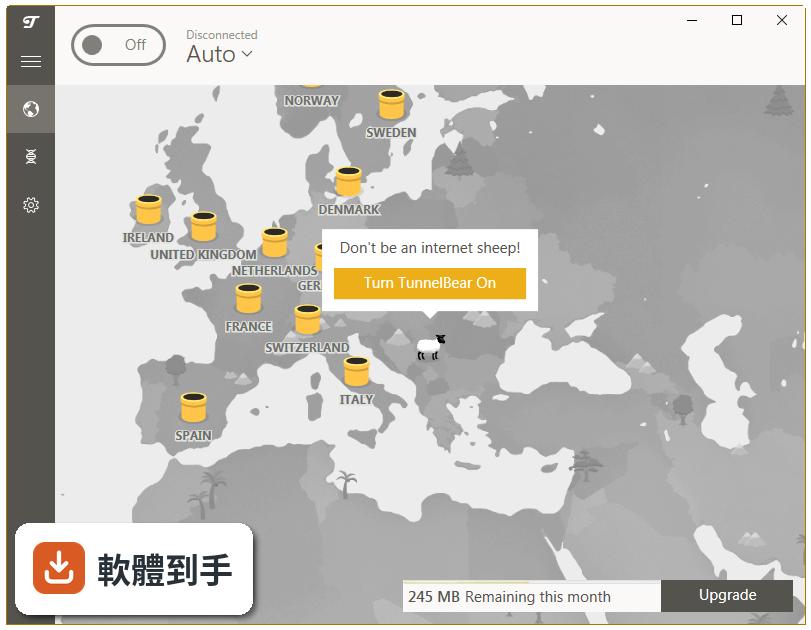
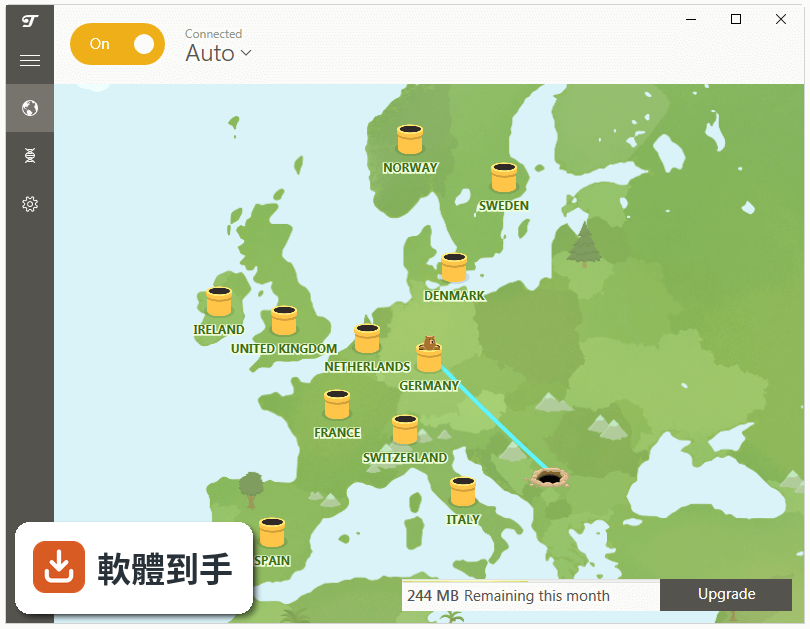
一般人的直覺是找免費VPN,但免費方案往往流量少、速度慢,甚至有些會偷看你的瀏覽紀錄。另一條路是研究那些功能滿滿的專業VPN,但介面複雜、設定一堆,對只想「按一下就連上」的人來說門檻太高。TunnelBear的切入點很直接:把伺服器畫成一張世界地圖,上面有可愛的熊圖示,點哪隻熊就連到哪個國家,連線狀態一目瞭然,把VPN最麻煩的部分藏起來。
01TunnelBear 連上之後,我上網到底會發生什麼事?
連上後,你裝置進出的網路資料都會被加密,ISP、網路管理員或試圖竊聽的人看到的只會是無法辨識的亂碼。同時你的虛擬位置會變成你選擇的伺服器所在地,網站和廣告服務無法用你原本的IP追蹤你的行為。簡單說,你在公共WiFi上輸入的密碼和個人資料,不會以明文方式在網路上流動。
02它除了加密,還有沒有其他保護隱私的功能?
有兩項。VigilantBear(Kill Switch)會在VPN連線突然中斷時自動切斷你的網路,避免資料在沒有保護的狀態下洩漏出去。GhostBear則是把VPN流量偽裝成一般網路流量,讓網站或政府比較難偵測到你在用VPN。另外官方宣稱有嚴格的無日誌政策,也就是他們不記錄你的上網活動。
03我想看其他國家的Netflix影片庫,用它可以嗎?
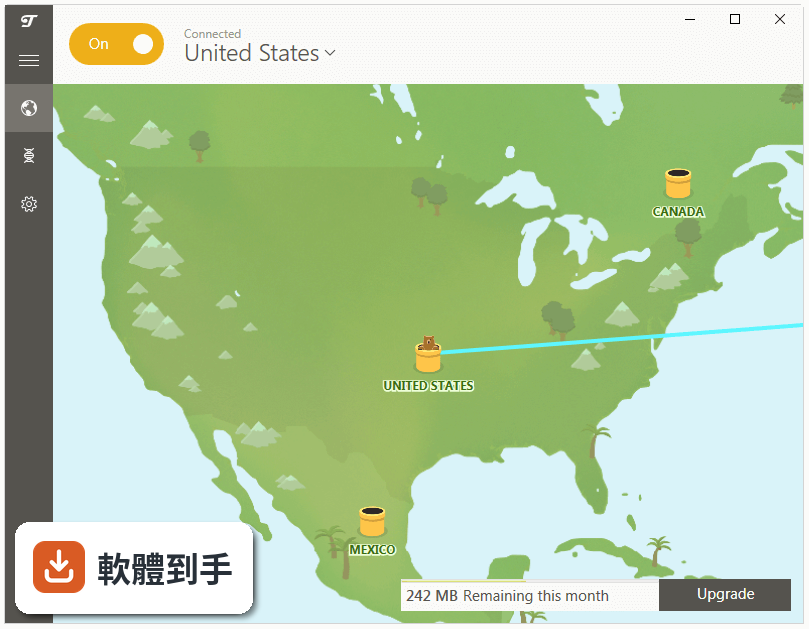
官方說明中明確表示,透過它的全球伺服器網路,可以存取不同國家的Netflix影片庫。它提供超過40個國家的伺服器位置,你只要在世界地圖上點選想連的國家,就能以該國的虛擬位置存取當地內容。不過實際能不能成功解鎖,會受到Netflix當下的偵測機制影響,這點官方沒有保證。
04它免費嗎?免費和付費差在哪?
有免費方案,但每月只有500MB的流量,對輕度使用(收信、查資料)勉強夠用,看影片或大量下載很快就會用完。付費方案則提供無限流量、更多伺服器選擇、城市級別的伺服器選取,以及優先客服支援。付費後最多可以同時連線10台裝置,免費方案能連幾台官方說明中沒有提到。
05我可以在手機和電腦上同時用它嗎?
可以。它支援Windows、macOS、Android、iOS,還有Chrome和Firefox的瀏覽器擴充功能。付費帳號可以同時連線最多10台裝置,也就是說你筆電、手機、平板加起來不超過10台,都能在同一個帳號下使用。安裝時需要先到官網註冊帳號,再下載對應裝置的版本。
06什麼樣的人會覺得這套軟體好用?
適合不想研究VPN技術細節、只想「開啟程式、點一下熊、就完成保護」的人。它的介面只有一張世界地圖和熊圖示,沒有複雜的設定選單。如果你只是偶爾在公共WiFi上網、想跨區看個影片、或不想讓ISP知道你瀏覽了什麼,這種直覺式的操作會比功能繁多的專業VPN更容易上手。
07它適合拿來下載種子(torrenting)嗎?
官方說明表示,它允許在某些伺服器上進行torrenting,但並非所有伺服器都支援。如果你有下載種子的需求,需要先查閱他們的政策和伺服器清單,確認哪些位置允許。另外要注意,免費方案的500MB流量限制對下載檔案來說幾乎不夠用,這部分要自行評估。
08我在中國或網路管制很嚴格的國家,它能翻牆嗎?
官方說明特別提到,雖然有GhostBear混淆技術,但「不保證」在像中國這樣高度管制的國家能正常運作。也就是說,它做了讓VPN流量比較難被偵測的設計,但面對深度封鎖的環境,能不能連上、連上後穩不穩定,官方沒有背書。如果你主要需求是翻牆,這套軟體不是有把握的選擇。
09它的介面是中文的嗎?我看不懂英文會不會很難操作?
這套軟體的介面語言是英文,官方資料中沒有提到支援中文。不過它的操作非常簡單——開啟程式、登入帳號、點地圖上的熊圖示,這幾個動作不太需要閱讀大量文字。但如果你對英文介面感到不安,或需要閱讀說明檔案、設定進階選項,英文能力不足可能會造成障礙。
10它跟其他VPN比起來,使用者評價如何?
在收錄的評分中,它獲得7/10分,共有134人評分。同類軟體中,Betternet有359人評分、Windscribe有106人評分、Avira Phantom VPN有79人評分、Hide.me VPN有78人評分。它的評分人數不算多,樣本數有限,但分數不算差。如果你在意社群共識,可以參考評分人數更多的選項。
11它的更新頻率如何?會不會很久沒維護?
收錄的版本紀錄顯示,從最早版本到最近一次更新,時間跨度很長,但近12個月只更新了1次,近24個月也只更新了1次。這代表它的開發維護步調偏慢,不是那種頻繁推出新功能或快速修漏洞的軟體。如果你很在意安全性更新是否即時,這點需要列入考量。
12我該不該選它,還是直接挑評分人數更多的軟體?
這取決於你的優先順序。它的優勢是操作極簡、有免費方案、跨平台支援廣;但它的授權型式是Demo(試用版),介面只有英文,更新頻率低,而且評分人數在同類軟體中偏少。如果你想要的是長期穩定、更新頻繁、社群回饋多的VPN,Betternet(359人評分)或Windscribe(106人評分)可能是更多人驗證過的選擇。
下載與官方連結
前往官方網站 下載 TunnelBear for Windows
TunnelBear-Install.exe · 連結指向軟體原廠
版本紀錄
- 2026-10-04 TunnelBear 4.20.0.0 193 MB
- 2026-08-11 TunnelBear 4.19.0.0 185 MB
- 2023-08-31 TunnelBear 4.8.0.0
再看 5 筆
- 2023-07-14 TunnelBear 4.7.4.0
- 2023-06-20 TunnelBear 4.7.2.0
- 2023-05-16 TunnelBear 4.7.1.0
- 2023-05-03 TunnelBear 4.7.0.0
- 2023-01-20 TunnelBear 4.6.3.0
這一版改了什麼
What's new in this version:
TunnelBear 3.0.37.12
- Tunnels more accessibility friendly
- Taskbar bear taught the difference between connected and disconnected
- Tunnels made extra secure with OpenVpn 2.4.3
- Bears now deal with installation problems more efficiently
- Better handling of captive portals when you're out in the wild
- Better handling of captcha challenges when tunnelling
- App window can find it's 'bearings' more efficiently on multiple monitors
- Several usability and stability bugs squished
- 57.6% more bears
TunnelBear 3.0.36.9
- Bear trained to maul man-in-the-middle attacks even more efficiently
- Cookie Authentication means you're now more secure than the average Bear
- Squished GhostBear bug on 32bits Windows
- Un-bear-able installation error messages improved
- Bear now plays nice with VLC media player
- 67.3% more Bears
TunnelBear 3.0.35.0
- Updated the tunnels to OpenVPN 2.4
- Added a fix to the TAP Adapter (Network Driver) on Windows 10
- Added a fix to TCP Override
- Fixed a bug that kept your Bear from reconnecting after long hours of hibernation
- 463% more Bears
TunnelBear 3.0.34.0
- Redesigned and reengineering from the paws up, we proudly present the new TunnelBear for Windows app
- We've improved nearly every aspect of your TunnelBear, including a beautiful new design, stronger security features and faster connection times
- We've shed the retro wood from our original app and redesigned a simple, beautiful new app that feels more at home on Windows
- Trusted networks feature automatically connects to any network not in your trusted list. E.g. You can list your home Wi-Fi as trusted and have TunnelBear automatically connect the next time you're on a public Wi-Fi that might be less safe
- Be alerted on unsecure networks that use WEP, or no admin passwords
- Improved "Vigilant" mode will block all unsecured data while you connect and reconnect
- Connect and reconnect up to 60% faster than our old app
- Much, much more
- 3853% more Bears
TunnelBear 3.0.32.0
- Change log not available for this version
TunnelBear 3.0.29.0
- Change log not available for this version
TunnelBear 3.0.26.0
- Change log not available for this version
TunnelBear 3.0.25.0
- Redesigned and reengineering from the paws up, we proudly present the new TunnelBear for Windows app
- We've improved nearly every aspect of your TunnelBear, including a beautiful new design, stronger security features and faster connection times
- We've shed the retro wood from our original app and redesigned a simple, beautiful new app that feels more at home on Windows
- Trusted networks feature automatically connects to any network not in your trusted list. E.g. You can list your home Wi-Fi as trusted and have TunnelBear automatically connect the next time you're on a public Wi-Fi that might be less safe
- Be alerted on unsecure networks that use WEP, or no admin passwords
- Improved "Vigilant" mode will block all unsecured data while you connect and reconnect
- Connect and reconnect up to 60% faster than our old app
- Much, much more
- 3853% more Bears
TunnelBear 2.3.25
- Updated OpenSSL version
TunnelBear 2.3.24
- Your Internet connection often drops? Don't worry your TunnelBear will still work on restoring it
- Patched up our installer
TunnelBear 2.3.23.1
- Change log not available for this version
TunnelBear 2.3.22.0
- Change log not available for this version
TunnelBear 2.3.20.1
- More IPv6 Bug fixes
TunnelBear 2.3.19.0
- Bug fixes
TunnelBear 2.3.18.0
- Change log not available for this version
TunnelBear 2.3.17.0
- Change log not available for this version
TunnelBear 2.3.15.0
- DNS hijacking prevention
- Multiple Tap Adapters fix
- Bug fixes
TunnelBear 2.3.14.0
- Accessibility fixes
- UI tweaks & Bug fixes
- Updated our Bear’s armor – making TunnelBear a bit more resilient to censorship
TunnelBear 2.3.13.0
- Rare startup crash fix
- Auto-repair bear embedded for some network adapters
TunnelBear 2.3.12.0
- Change log not available for this version
TunnelBear 2.3.11.0
- Change log not available for this version
TunnelBear 2.3.10.0
- Our Bears speak French now: “Je m’appelle TunnelOurs!”
- Connection tweaks for slower tunnels
TunnelBear 2.2.33.0
- WebRTC block
TunnelBear 2.2.31.0
- Bug fixes
- Prepared the tunnels for a bigger update
TunnelBear 2.2.27.0
- Bug fixes
- UI improvements
TunnelBear 2.2.19.0
- Vigilant helps to protect you by blocking any unsecured traffic while TunnelBear is connecting
- TCP override option added in Settings
- Squashed lots of Bear ticks (software bugs)
TunnelBear 2.2.14.0
- TCP override option added in Preferences
- Squashed lots of Bear ticks (software bugs)
Version 2.2.12.0
- IntelliBear: A more intelligent bear who digs smarter tunnels
- New preferences window
- Squashed lots of Bear ticks (software bugs)
TunnelBear 2.2.3.0
- Squashed lots of Bear ticks (software bugs)
- A cute new PC Installer that supports seamless automatic app-updates
TunnelBear 2.1.2.0
- Change log not available for this version
TunnelBear 2.1.0.0
- Squashed lots of Bear ticks (software bugs)
- Sharpened Bear Claws (Speed/Performance tweaks)
- Can’t connect? Click on the gear icon, than help, than “Diagnose Your Bear” to run a battery tests on your Bear
TunnelBear 2.0.18.0
- TunnelBear now mauls the ads, scripts, cookies, beacons and social buttons that track everything you do online!
- Improved support for those grizzly old Windows XP SP3 and Vista users
- Lots of bug fixes and UX Tweaks
- 137% more Bears!
TunnelBear 2.0.16.0
- Redesigned and reengineered from the paws up for always on privacy
- Sanded and rebuffed wood user interface
- Opens and connects on computer startup (optional)
- Vigilant feature monitors your connection for occasional disruptions such as flaky WiFi, computer sleep, etc and blocks unsecured (http) traffic while TunnelBear reconnects
- Smoother reconnection from computer sleep
- Still no ads, no bloatware and no logging