
這是歷史版本頁面 — 看 VEGAS Pro 最新版本
VEGAS Pro 適合誰?跟 DaVinci Resolve 怎麼選
 VEGAS Pro 9.0a (32-bit)
資料更新 2009-07-23
閱讀約 7 分鐘
你手上有一批影片素材,可能是訪談、活動紀錄或自己拍的畫面,想剪成一支完整的影片。你打開電腦,發現內建的剪輯工具陽春到連字幕都不好加,更別說調色、去背或處理雜訊。你開始找專業剪輯軟體,卻發現每套都號稱功能強大,介面複雜到不知道從哪裡開始,下載試用後光是搞懂時間軸就耗掉整個晚上。
一般人遇到這種狀況,直覺是去抓免費或盜版軟體,但免費的往往閹割功能,盜版的又怕中毒或檔案損壞。另一條路是直接買最貴的套裝,結果買回來才發現一堆功能你用不到,介面還全是英文。這類專業剪輯工具的切入點,其實是讓你在「功能完整度」和「上手難度」之間找到平衡——不是越貴越好,而是要看它提供的工具是否對應你實際會遇到的剪輯工作,以及你願不願意花時間把介面摸熟。
01VEGAS Pro 到底能拿來做什麼?
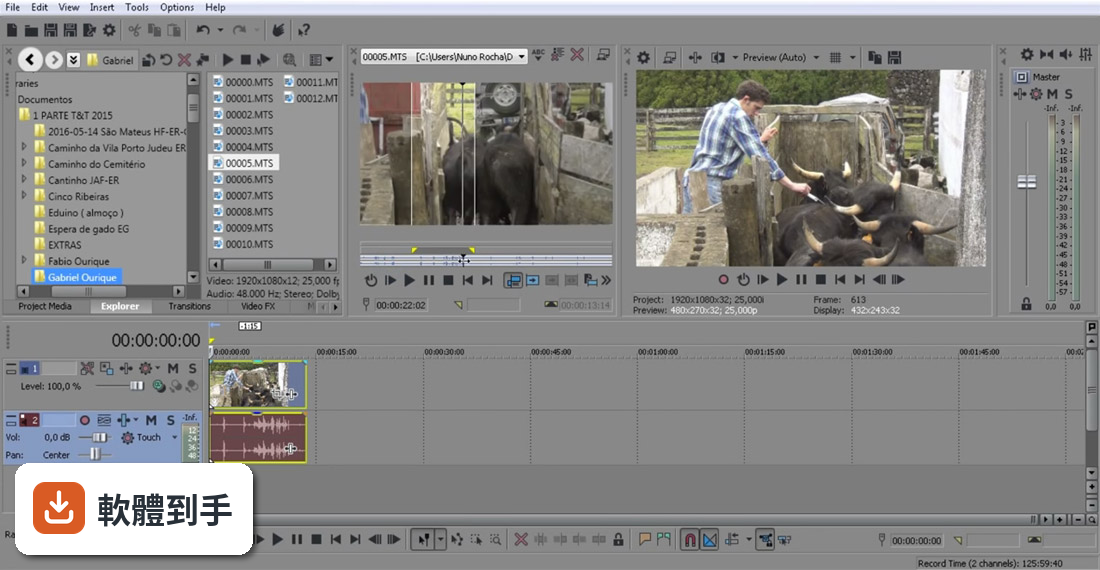
它是一套在 Windows 上跑的專業影片剪輯軟體,涵蓋剪接、調色、合成、音訊處理到輸出成片。官方列出的能力包括編輯最高 4K 解析度的影片、用 AI 工具去背或追蹤物件、製作字幕、調色、做 2D/3D 合成,也能燒錄 DVD 和藍光光碟。簡單說,從素材匯入到最終輸出,它想包辦整個流程。
02它的 AI 功能是噱頭還是真的有用?
官方列出的 AI 功能有幾項是實際可用的:Smart Mask 可以自動去背或追蹤移動物體,不用手動一格一格畫遮罩;Text-based Editing 把音訊轉成文字,你直接編輯文字就能剪掉贅詞和停頓;Speech to Text 自動產生字幕;Text to Speech 用文字生成配音;還有 AI Reframe 自動調整畫面比例。這些功能對訪談、多機剪輯或大量素材的案子確實能省時間,但實際效果還是要自己試。
03它調色能力夠專業嗎?
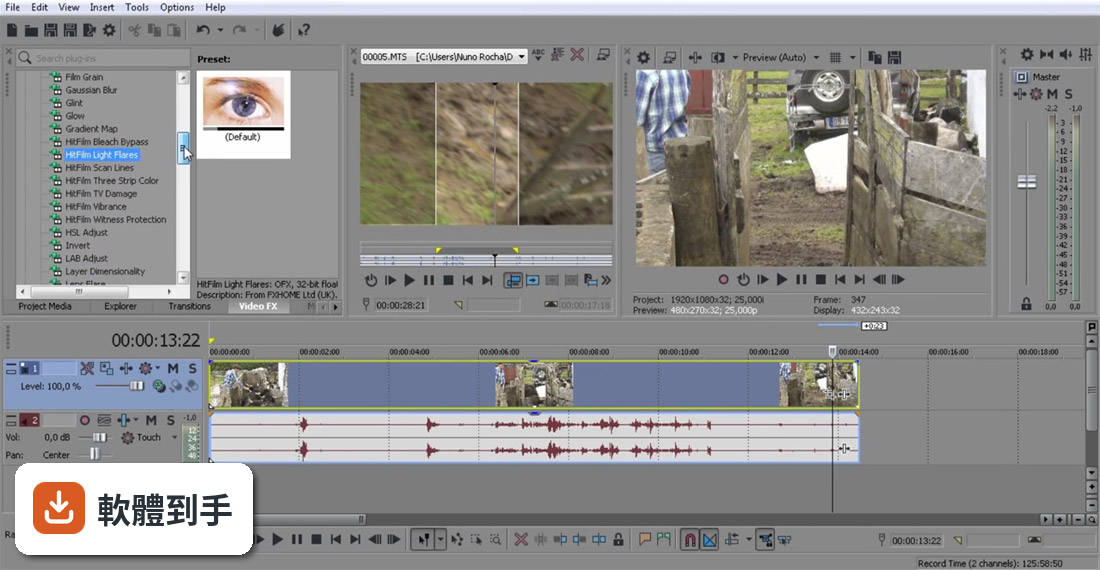
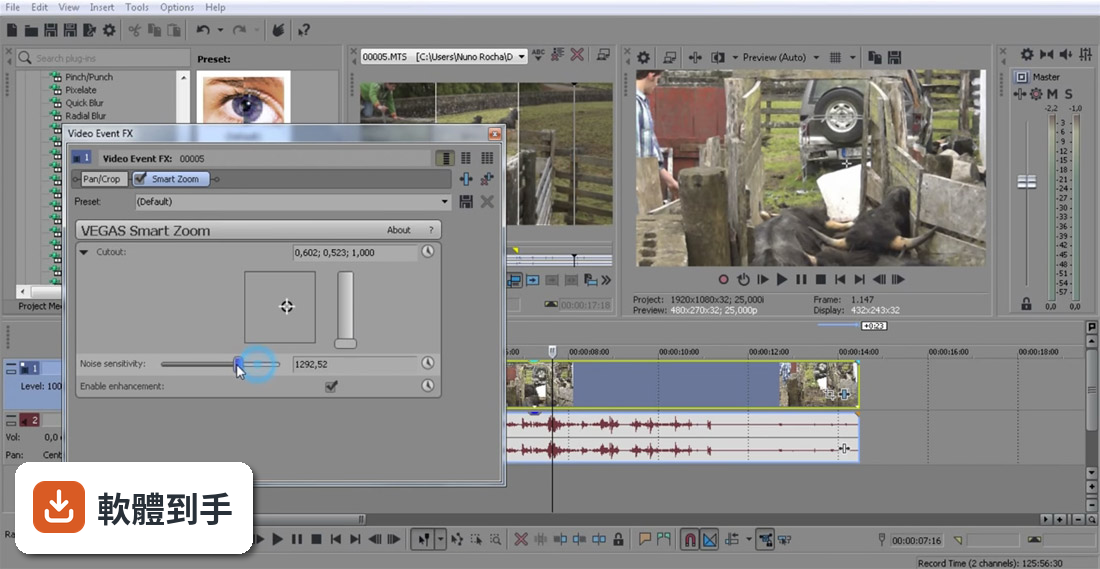
官方強調有詳細的色彩校正工具,可以調整色相、飽和度、明度,也支援 LUT,還提到新的版本支援 ACES 1.3 和 OpenColor IO,色彩管理有跟上專業流程。另外有「Footage Restoration」功能,可以消除影片雜訊、穩定晃動畫面、去除霓虹燈閃爍和黑邊。如果你只是要快速調出好看的顏色,它夠用;如果要做到電影級的精細分級,它提供的工具深度可能不如 DaVinci Resolve。
04音訊編輯做到什麼程度?
它內建專業音訊編輯工具,可以處理高品質音軌,也支援 VST-3 插件,等於能用外部音訊效果器。新版還加了現代化等化器,可以在訊號鏈的任何階段做精確的 EQ 調整。另外有 Audio Sync 功能,可以快速同步多機錄製的素材。如果你需要做細緻的對白修補、混音或音效設計,它比一般剪輯軟體內建的音訊功能強,但如果你主要做音樂製作,那 Sound Forge Pro 是更專門的工具。
05它跟 DaVinci Resolve 比,差在哪?
兩套都是專業剪輯軟體,但取向不同。DaVinci Resolve 的調色功能是業界標竿,而且有免費版本,使用者評分人數也較多(365 人)。VEGAS Pro 的強項是單一時間軸就能完成剪輯和後製,AI 工具整合得比較直接,介面對習慣 Windows 操作的人來說相對親切。如果你主要卡在調色,Resolve 是主流選擇;如果你想要一套軟體從剪輯到輸出都搞定,而且不想被節點式調色介面嚇到,VEGAS Pro 可以考慮。
06新手適合直接學這套嗎?
官方說它同時適合業餘和專業剪輯者,介面設計有把工具整合進時間軸,降低學習曲線。但要注意,它的介面語言只有英文,如果你不習慣英文選單,初期會比較吃力。另外它沒有免費版,只有 30 天試用,試用期過後就要付費。如果你完全沒碰過剪輯軟體,建議先從免費的 DaVinci Resolve 或手機剪輯 App 開始,確認自己真的需要這麼多功能再投入。
07我主要拍 YouTube 影片,用它會太超過嗎?
如果你拍的內容需要去背、動態字幕、多機同步或精細調色,它的 AI 工具確實能省時間。但如果你只是拍 talking head 加上一些 B-roll,用免費軟體或線上剪輯工具就夠了。它的價值在於把多個步驟整合在同一套軟體裡,不用在剪輯、調色、字幕軟體之間切換。如果你的工作流程很單純,花錢買它可能用不到一半功能。
08什麼情況不該選它?
有三種狀況建議先想清楚:第一,你完全看不懂英文介面,操作會很痛苦;第二,你主要需要調色,那 DaVinci Resolve 是更多人用的選擇,而且有免費版;第三,你的電腦規格不夠新,因為新版引擎強調 DirectX 11/12 和 GPU 加速,舊硬體跑起來可能不順。另外,它的使用者評分人數(387 人)比 DaVinci Resolve(365 人)多一點,但兩者都算小眾,社群資源和教學影片的數量,Resolve 明顯更多。
09我的電腦跑得動嗎?
官方只說支援 Windows 11,也支援 Windows on ARM(透過 NPU 加速),但沒有列出最低硬體需求。新版強調用 DirectX 11/12、VRAM 內處理和 ACES 1.3,代表顯示卡和記憶體會是關鍵。建議你先下載 30 天試用版,實際匯入你的素材跑看看,確認預覽和輸出不會卡頓再決定。如果你的電腦是五年前的機型,可能要考慮升級硬體或選更輕量的軟體。
10它跟 Sound Forge Pro 有什麼關係?
它們現在是同一家開發商(Boris FX)旗下的產品,但定位不同。VEGAS Pro 是影片剪輯為主、附帶音訊編輯能力;Sound Forge Pro 是專業音訊編輯軟體,專門做錄音、音檔修復和聲音設計。如果你主要做影片,買 VEGAS Pro 就夠;如果你要處理 podcast、音樂或音效素材,Sound Forge Pro 是更專門的工具。兩者可以搭配使用,但不需要同時買。
11它值得從舊版升級嗎?
官方資料顯示近 12 個月只更新了 1 次,更新頻率不算高。新版的主要賣點是全新的 VEGAS Core Engine,宣稱效能大幅提升、預覽更流暢,還有 Windows on ARM 支援和介面更新。如果你目前用的版本跑得順,而且沒有遇到效能瓶頸,不急著升級;如果你常被預覽卡頓或色彩不準困擾,新版引擎可能值得試試。建議先看試用版的實際表現再決定。
12有免費的替代方案嗎?
官方只有 30 天試用,沒有免費版。功能相近的 DaVinci Resolve 有免費版本,而且調色能力更強,是許多人會先試的選擇。另外,微軟內建的 Clipchamp 或線上工具如 Canva、CapCut 也能應付基本剪輯。如果你的需求只是偶爾剪一支影片,不需要 AI 去背或專業調色,免費工具就夠了;如果你要長期做專業剪輯,再考慮付費買 VEGAS Pro。
下載與官方連結
vegaspro90a_32bit.exe · 164.9 MB · 連結指向軟體原廠
版本紀錄
- 2026-11-02 VEGAS Pro Suite 2027
- 2026-07-13 VEGAS Pro Suite 26.0
- 2023-08-14 VEGAS Pro Suite 21.0 591.19 MB
再看 5 筆
- 2023-07-10 VEGAS Pro 20.0 Build 411 626.44 MB
- 2022-08-10 VEGAS Pro 29.0 Build 139
- 2022-06-23 VEGAS Pro 19.0 Build 643 738.2 MB
- 2022-06-09 VEGAS Pro 19.0 Build 636
- 2022-04-01 VEGAS Pro 19.0 Build 550
這一版改了什麼
What's new in this version:
- If you see incorrect colors with certain large still images, please refer to Microsoft knowledge base article KB963106 for a hotfix.
- Added support for essence markers and title metadata for XDCAM EX clips.
- Added surround audio source decoding to the QuickTime reader.
- Added support for additional YUV formats in AVI reader (HDYC, 2vuy, Y422, YUY2, V422, IYUV, and V210).
- Added support for the AJA Xena LHi and 2K cards. SDI is supported for capture, print to tape, and external monitoring; HDMI is supported for external monitoring only at this time. HDMI monitoring requires an HDMI-to-HDMI connection; DVI-to-HDMI converters are not supported.
- The Device Explorer window can now import video from additional Sony hard-drive-based video devices and camcorders (including the HDR SR1).
- Improved performance of OpenEXR image reading.
- Numerous improvements to RED format support, including native 64-bit reading.
- Numerous localization improvements.
- Numerous enhancements to the Vegas color scheme.
- When device control is not available, the Print-to-Tape Wizard now uses the project ruler format to help determine whether to use drop-frame time codes in the leader and trailer Duration boxes.
- Fixed the Browse button in the Project Recorded Files Folder dialog so it defaults to the project folder instead of My Documents.
- Image Sequence rendering now uses 6-digit file names (instead of a variable number of digits).
- The Project Media window spacing has been improved to show more clips.
- Some scripting enhancements have been implemented (RenderArgs SaveProjectPathLink property).
- The Dynamic RAM Preview max and Maximum number of rendering threads preferences are now nonshared preferences between 32-bit and 64-bit versions running on same (64-bit) OS.
- Fixed an issue using some Generic MIDI controllers that used polyphonic aftertouch.
- Fixed a Video Capture issue that was recreating default capture directory.
- Fixed an undo issue that could occur when Preferences > Display > Automatically hide docking area was enabled.
- Fixed an issue that prevented the Video Preview from updating immediately if the project field order was changed.
- Fixed an issue with incorrect generated media (e.g. Text) settings being used when switching between projects that were created from a common project (using Save As).
- Fixed an issue that could cause incorrect behavior if multiple clips were loaded into the Trimmer from the Vegas Explorer.
- Fixed an issue with Import from Hard Disk Recording Unit where only the first clip would appear in the Project Media window.
- Fixed an issue with Import from Hard Disk Recording Unit with files with discontinuous timestamps.
- Fixed an issue where subclip comments were not being preserved when media was relinked during load.
- Fixed an issue where media comments were not being preserved when media was copied with the project.
- Fixed an issue with supplying time information to some VST plug-ins.
- Fixed an issue where using Apply Non-Real-Time Event FX with the Simple Delay plug-in was not including the effect tail.
- Fixed an issue with Apply Non-Real-Time Event FX using monophonic sources.
- Fixed an issue with tempo-synchronized effects when used with Apply Non-Real-Time Event FX renders.
- Fixed an issue in the MPEG-2 reader that could cause black frames in certain cases.
- Fixed an issue which could cause crashes with Windows Media Video (WMV) content.
- Fixed a freeze that could occur previewing MOV files on an external display via IEEE 1394/DV.
- Fixed an issue that prevented smart rendering from being used when rendering MXF DV to AVI DV.
- Fixed an issue with running out of memory during AVCHD rendering.
- Fixed an issue that could cause the Video Preview to freeze when using IEEE 1394/DV external monitoring.
- Fixed an issue that could cause the frame to turn white when using Best mode, Track Motion, and 32-bit floating point pixel format.
- Fixed an issue that could cause a crash during rendering with certain audio plug-ins.
- Fixed an issue that could cause a crash while opening certain MP3 files.
- Fixed an issue reading certain MP3 metadata.
- Fixed an issue that could cause a freeze when using the Video Preview Split Screen View feature with Clipboard contents.
- Fixed an issue that would not show correct preview during fast forward/fast reverse during HDV capture preview.
- Fixed an issue that could cause incorrect playback with clips from certain Panasonic HDV cameras.
- Fixed slow startup times for users with many FX packages.
- Fixed a rendering freeze when using Acoustic Mirror on a bus.
- Fixed an issue with video event masks not rendering in the correct location.
- Fixed a crash rendering MainConcept AVC with the Two-pass check box selected.
- Fixed a crash that could occur when using Undo while dragging a pan/crop rectangle.
- Fixed live update of Video Preview while changing RED File Format Properties in the 64-bit version of Vegas Pro.
- Fixed a problem reading multichannel audio from RED camera files.
- Fixed a render freeze with certain projects.
- Fixed a crash that could occur when attempting to record if the drive containing your recorded files folder is offline.
- Fixed issues with custom templates in Print to Tape and XDCAM Explorer export.
- Fixed an issue with partial conforms in the XDCAM Explorer.
- Fixed an issue with rendering surround projects to multiple mono files.
- Fixed an issue that prevented stereo render templates from being displayed for 5.1 surround projects.
- Fixed an issue with Center control resetting to 0.0 dB (if it was over 0.0 dB) after moving the pan position.
- Fixed an issue with trying to save 32-bit files as FLAC; we now limit these to 24-bit.
- Fixed an issue that caused other file types to be displayed when All Project and Media Files was selected in the Files of type drop-down list.
- Fixed an issue that prevented .veg files from being displayed in the Import Media dialog under Windows XP.
- Fixed an issue rendering 32-bit floating-point project to DPX format if the project contained levels above full brightness.
- Fixed an issue opening some FLAC files.
- Fixed performance issue reading CineForm media when Video Preview is in set to Half or Quarter size (or Auto when it uses these sizes).
- Fixed an issue with certain large images not scaling correctly (resulting in slightly reduced quality).
- Fixed an issue with the ProType Titler not using character animation if you closed the property page while editing the text.
- Fixed a video resampling (e.g., velocity envelope) issue with certain combinations of source media and project formats when Adjust source media to better match project or render settings is enabled.
- Fixed an issue with event mask feather amount jumping in certain cases while panning across an image.
- Fixed an issue that resulted in very dark levels for certain DPX files.
- Fixed an issue reading XDCAM HD422 proxy files generated with newer deck firmware.
- Fixed a crash that could occur saving a customized keyboard map.
- Fixed an issue that could cause a crash when running the application with the Device Explorer window open and certain optical discs (such as Blu-ray Disc media) loaded.
- Fixed an issue with rendering to AVI using a custom template when the audio format was set to anything other than "uncompressed."
- Fixed an issue in capture entering timecode when the device's dropframe/non-dropframe state differs from the previous clip.
- Fixed an issue reading MXF templates from previous versions.
- Fixed an issue with Mixing Console fader positions when switching between automation and trim modes.
- Fixed an issue with the Text generator that caused the Outline and Shadow settings to revert to the default values when turning off the effect.
- Fixed an issue that could prevent the 64-bit version of Vegas from prompting you to save your project when shutting down Windows.