
這是歷史版本頁面 — 看 Waterfox 最新版本
舊電腦想用 Firefox 擴充套件?Waterfox 是另一條路
 Waterfox 56.0.1
資料更新 2017-12-13
閱讀約 6 分鐘
你手上可能有一台跑得動 Windows 7 或 8 的舊電腦,系統還算順,但瀏覽器越用越卡。開幾個分頁就開始轉圈,記憶體被吃光,甚至整個瀏覽器直接當掉。你想換一個輕一點的瀏覽器,但又放不下那些用了好幾年的擴充套件——尤其是某些舊版 Firefox 套件,換到 Chrome 或 Edge 根本找不到替代品。
一般人遇到這種狀況,第一個念頭是裝回 Firefox 官方版,但新版 Firefox 已經不支援舊式擴充套件,而且對舊電腦來說負擔也不輕。另一個常見做法是改用 Chrome,但 Chrome 的記憶體用量更大,舊電腦只會更喘。這類工具的切入點,是拿 Firefox 的原始碼重新編譯,針對 64 位元系統做最佳化,同時保留舊擴充套件的相容性——讓你在不換電腦的前提下,繼續用習慣的瀏覽器。
01Waterfox 跟 Firefox 到底差在哪?
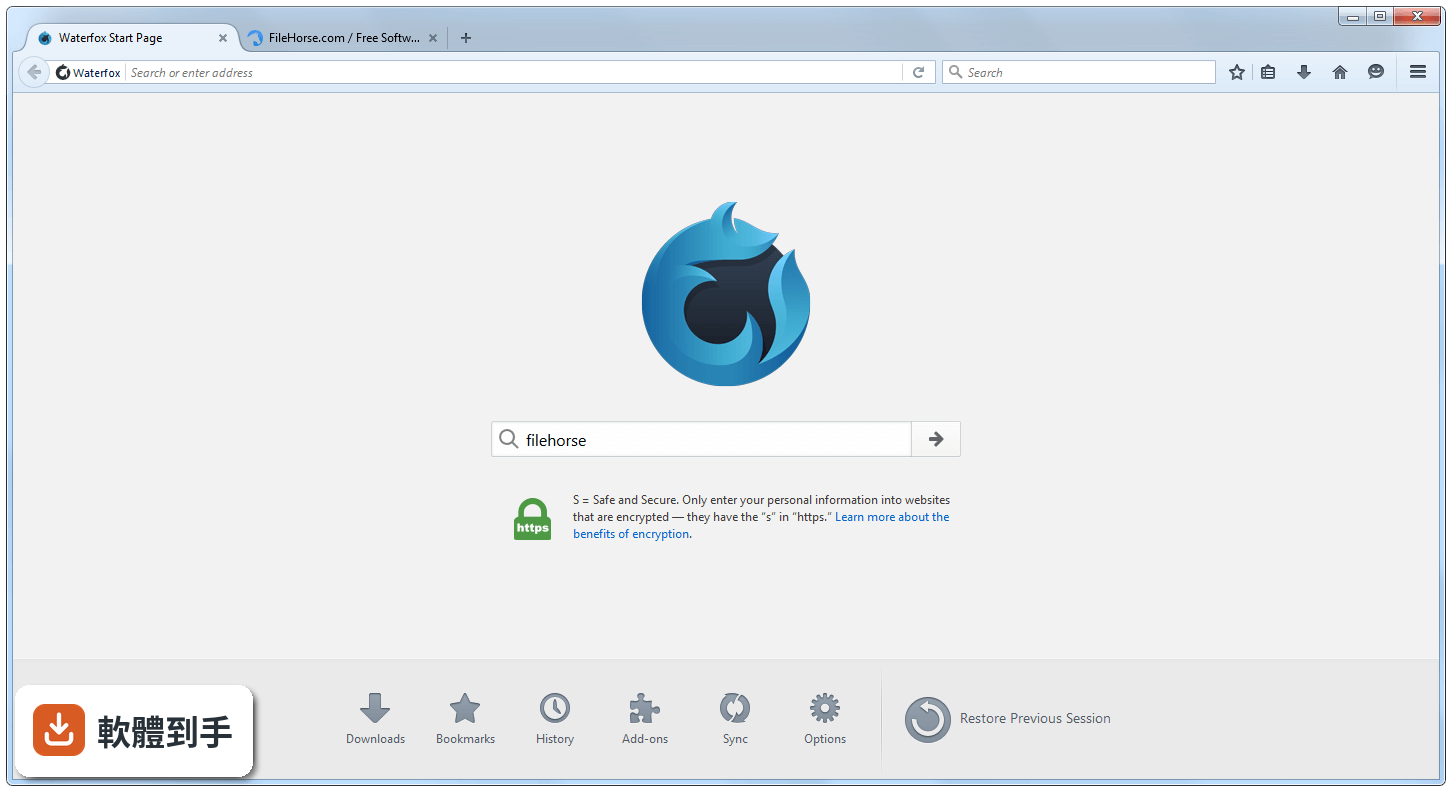
Waterfox 是拿 Firefox 的原始碼重新編譯成 64 位元版本,並加上編譯最佳化,官方說法是啟動更快、分頁切換更順、捲動更流暢。它保留了 Firefox 的擴充套件架構,所以 Firefox 能用的 WebExtensions 和部分 bootstrap 擴充套件,它也能用。但介面只有英文,沒有官方中文版。
02它宣稱的隱私保護具體做了什麼?
官方說明提到三件事:預設封鎖追蹤器、提供 Oblivious DNS 隱藏網站連線紀錄、私密瀏覽模式會自動擋掉帶有追蹤器的廣告。另外它強調不收集遙測資料、不出售個人資訊。不過這些都是官方說法,實際效果沒有第三方評測背書,如果你很在意,可以自己裝套件再驗證。
03舊的 Firefox 擴充套件真的都能裝嗎?
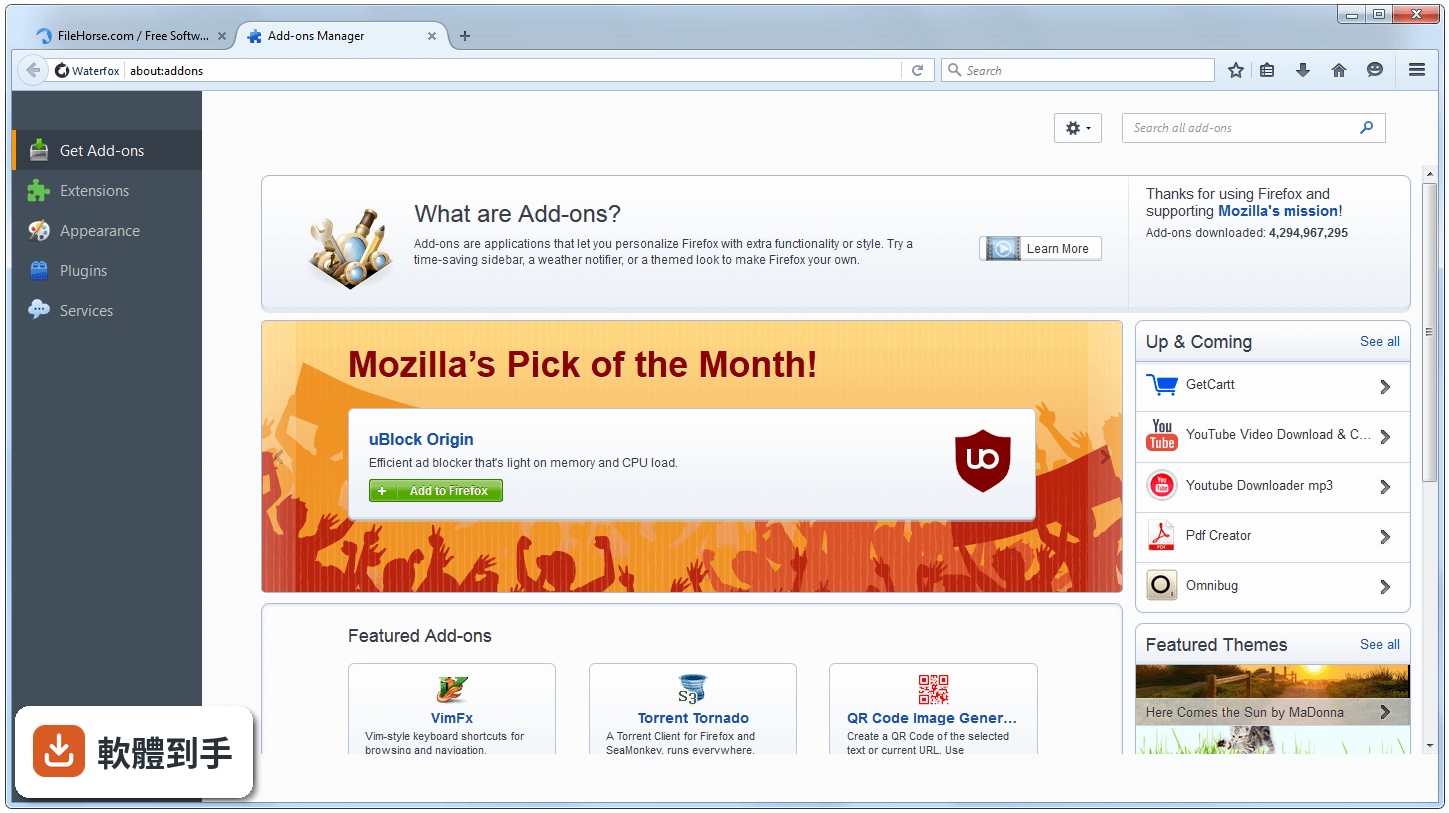
不是全部。官方說法是目前支援所有 WebExtensions 和「一些」bootstrap 擴充套件,經典舊式擴充套件的支援「即將推出」但還沒上線。也就是說,如果你依賴的是很久以前那種 XUL 架構套件,現在裝上去可能會失敗。建議先查一下你要用的套件屬於哪一種類型,再決定要不要換過來。
04它跟 Chrome 比起來,記憶體吃得多嗎?
官方宣稱「平衡的記憶體使用」,說瀏覽時不會佔光你電腦的記憶體。但官方同時也列了一條缺點:「比預期用更多 RAM」。所以實際情況是——它沒有 Chrome 那麼肥,但也稱不上輕量。如果你的舊電腦記憶體只有 2GB,官方建議的最低需求是 2GB,跑起來可能還是會喘。
05它有同步功能嗎?手機跟電腦之間能同步分頁嗎?
有。官方說明提到可以同步分頁、登入資訊和瀏覽紀錄,也能在另一個裝置上查看目前開啟的分頁。但要注意,這是 Waterfox 自家的同步服務,不是 Firefox 的 Sync,所以你不能拿 Firefox 帳號直接登入。需要另外註冊 Waterfox 的帳號。
06什麼樣的人適合用這套軟體?
適合三種人:一是還在用 Windows 7 或 8 的舊電腦使用者,官方明確支援這兩個系統;二是離不開某些 Firefox 舊擴充套件、但新版 Firefox 不支援的人;三是對隱私很敏感、不想被瀏覽器廠商收集資料的人。如果你符合其中一項,可以試試看。
07我電腦只有 2GB 記憶體,跑得動嗎?
官方列出的最低需求是 2GB RAM、500MB 硬碟空間、Intel Core 2 Duo 或 AMD Athlon 64 X2 處理器。但「最低需求」只代表能開機,不代表順暢。官方自己也承認它比預期吃更多記憶體,所以如果你的電腦剛好只有 2GB,建議先裝起來實際用一兩天,看分頁開到幾個會開始卡。
08它更新頻率高嗎?會不會裝了就沒人管?
官方列出的缺點之一是「更新較不頻繁」。從版本紀錄來看,它收錄了 178 個版本,最早的版本在 2011 年,最近一次更新在 2026 年 8 月,近 12 個月更新了 18 次。所以它沒有停止維護,但節奏比 Firefox 官方版慢。如果你需要每天追最新功能,這套可能不適合。
09它的安全性跟 Firefox 官方版比起來如何?
官方自己列了一條缺點:「不如主流瀏覽器安全」。原因很直接——更新頻率低,代表安全性修補的速度也慢。Firefox 官方版有 Mozilla 團隊在盯漏洞,Waterfox 是獨立團隊維護,資源差很多。如果你拿它來登入網路銀行或處理重要資料,風險比用 Chrome 或 Firefox 高。
10介面只有英文,會不會很難上手?
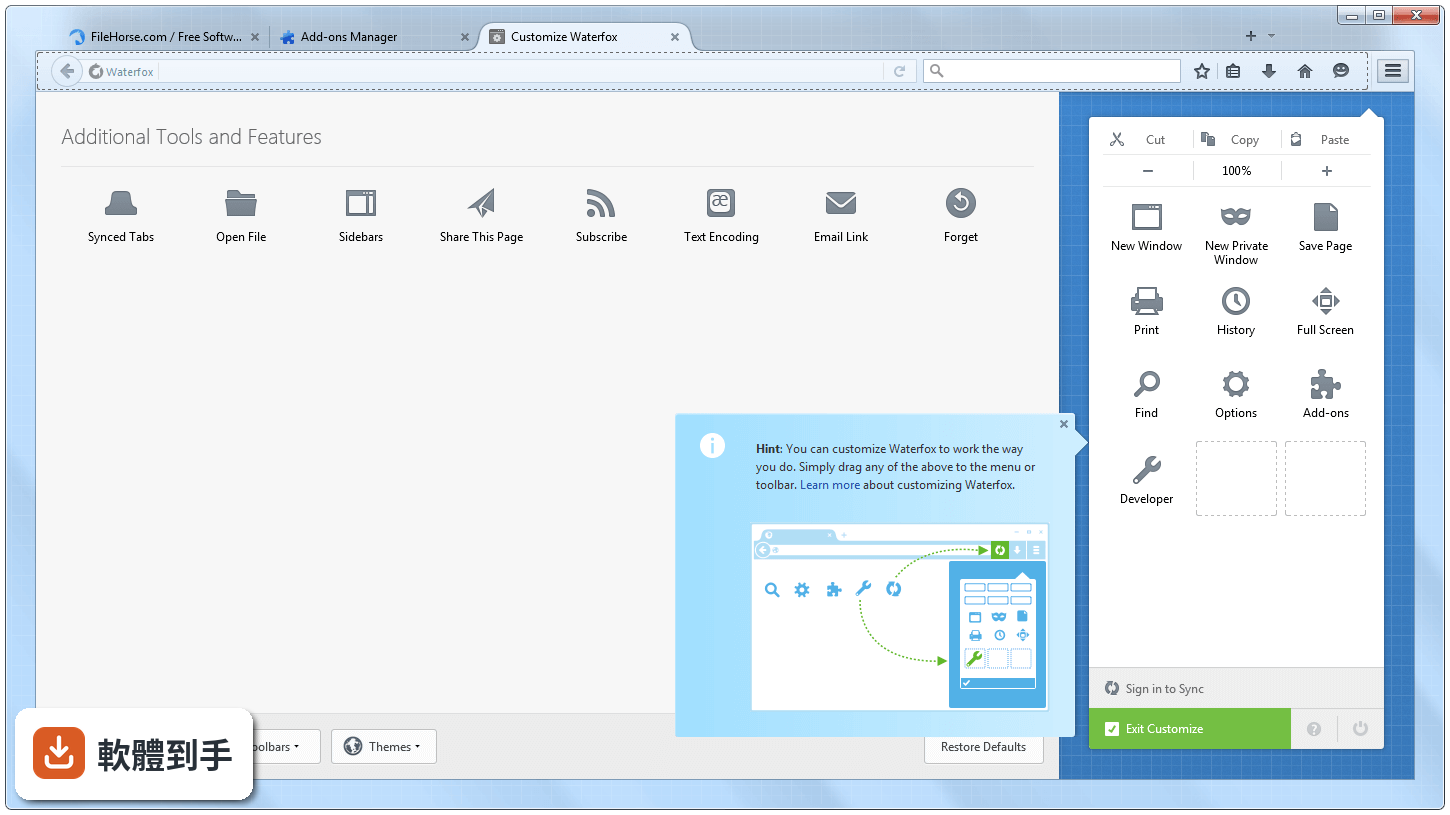
如果你用過 Firefox,選單和設定位置幾乎一樣,只是全部變成英文。對常碰電腦的人來說,大概半天就能適應。但如果你完全不懂英文,建議先開 Google 翻譯對照著看,或者直接放棄這套。另外,它沒有內建中文語系,所以網頁翻譯功能也得靠擴充套件補。
11它有官方技術支援嗎?出問題找誰?
官方列出的缺點之一是「缺乏專門的支援團隊」。也就是說,沒有客服信箱、沒有電話、沒有官方論壇的專人回覆。出問題只能靠社群討論或自己查文件。如果你習慣遇到問題就找客服,這套軟體會讓你有點無助。建議先到官方網站看 FAQ,再決定要不要用。
12它跟 SeaMonkey、Cyberfox 這些同類軟體比起來,選哪個好?
在收錄的比較名單中,Firefox (32-bit) 有 3795 人評分,Waterfox 有 191 人,Cyberfox 有 145 人,SeaMonkey 只有 25 人。Waterfox 的評分人數在非主流瀏覽器中算多的,代表有人實際在用。但這不代表它比較好,只能說它的使用者基數比較大,遇到問題比較容易找到前人討論。
下載與官方連結
Waterfox 56.0.1 Setup.exe · 連結指向軟體原廠
版本紀錄
- 2026-10-28 Waterfox G6.7.7 101 MB
- 2026-10-14 Waterfox G6.7.6 101 MB
- 2026-10-01 Waterfox G6.7.5 99.2 MB
再看 5 筆
- 2026-09-23 Waterfox G6.7.4 99.2 MB
- 2026-09-13 Waterfox G6.7.3 101 MB
- 2026-09-09 Waterfox G6.7.2 103 MB
- 2026-08-28 Waterfox G6.7.1.1 104 MB
- 2026-08-20 Waterfox G6.7.0 103 MB
這一版改了什麼
What's new in this version:
Waterfox 56.0.1
- Change log not available for this version
Waterfox 56.0
IMPORTANT! WATERFOX NOW USES ITS OWN PROFILE LOCATION:
- Waterfox now uses its own profile directory. If you have updated from an automatic update, you will get a prompt to import your data to this new location after restarting the browser post update.
- As much of your data will try to be kept as possible. Location on macOS: ~/Library/Application Support/Waterfox.
- If you use a different than default location for Firefox, you should be able to just update the profile.ini in the new Waterfox profile location to carry on using that location.
New:
- Waterfox will now remain at 56 for the time being, following the security releases of 59 ESR until it becomes End of Line (Q1 2019). In the meanwhile, a “new” browser will be developed to follow the ethos of Waterfox of customisation and choice, while staying up to do date with the rapidly evolving browser landscape.
- Based on Firefox 56.0.2 release.
- Fixed GUI rendering issues on macOS High Sierra.
- Fixed search suggestions not appearing.
- Enabled e10s by default, some add-ons that aren’t marked as compatible may cause unexpected behaviour.
- Cookie Prompt has been re-implemented thanks to Savarese.Org: Firefox used to allow you to be notified every time a Web site attempted to set a cookie. You could decide to accept or reject the cookie as well as specify the cookie lifetime and whether to use your choice for all cookies from the Web site, thereby updating your cookie preferences.
Security patches from 57 release:
- Bug 1261175, Bug 1325923, Bug 1339259, Bug 1365894, Bug 1366420, Bug 1369561, Bug 1370497, Bug 1375146, Bug 1383019, Bug 1384121, Bug 1387799, Bug 1387845, Bug 1394031, Bug 1394265, Bug 1394530, Bug 1395138, Bug 1397811, Bug 1399540, Bug 1399922, Bug 1400003, Bug 1400554, Bug 1401339, Bug 1401804, Bug 1402363, Bug 1402876, Bug 1402896, Bug 1403646, Bug 1404636, Bug 1406154, Bug 1406398, Bug 1406750, Bug 1407032, Bug 1407375, Bug 1407740, Bug 1407751, Bug 1408005, Bug 1408412, Bug 1408782, Bug 1408990, Bug 1411458, Bug 1412252
Waterfox 55.2.2
- Stop Mozilla from installing add-ons without user permission
- If these add-ons are already installed, they will be removed within a day of using the updated version
Waterfox 55.2.1
- Patched crash on Windows 7 systems, from 56.0.1 release
- Don’t build AUS Helper extension
- Disable Battery Status API for privacy reasons
- Update bundled search plugins to their OpenSearch equivalents where available
- Revert to Ecosia as default, while issues are resolved with Yahoo
- Update blocklist (extension, plugin and certificate)
Waterfox 55.2.0
- Patched security issues from 52.4 ESR/56 Release. (Mozilla Security Advisories)
- Linux: Switched to an older build environment for better compatibility of libraries
- Linux: No longer statically link libgcc
- Linux: Backported patches for issues with FreeType
- macOS: 10.13 has graphical issues with the GUI. Will wait for all patches to release before fixing in 56
- Android: Download APK or from Google Play Store (slight delay)
- Yahoo is now the default search partner, but you may still use Ecosia to support Waterfox
Waterfox 55.1.0.1
- Change log not available for this version
Waterfox 55.1.0
- Updated to Firefox 55.0.3 (Release Notes)
- Statically linked libstdc++ on Linux
- Added option to toggle Electrolysis in about:preferences > General
- Android release is ready! Just passing through the Google Play store and will submit request to go onto the F-Droid store
- Improved migration of profile to not copy over old profile
- Toggle some privacy options by removing Microsoft Family ’MITM’ and disable add-on metadata updates
- Added FINDX and updated Yahoo! URL
Waterfox 55.0.2
- Fixed an issue with missing label in about:dialog for language packs
- Reverted Yahoo partner URL until better solution found
- Note: If you are using Linux, you will need version 3.4.22 of libstdc++
- Windows builds are now available
- Updated to Firefox 55.0.2
Waterfox 54.0.0.1
- Disable building of pingsender executable
- Give users choice to use Google’s Widevine CDM for HTML5 EME/DRM. Note: No proprietary binaries are included by default, they are optionally downloaded in Preferences > Content
Waterfox 54.0
- Updated to Firefox 54.0 (Release Notes)
- Windows installer now lists Waterfox as publisher instead of Mozilla
- Language request now also change when a different locale is selected
Waterfox 53.0.3
Fixed:
- Fix hangs when using a proxy with NTLM authentication
- Fix excessive resource usage from the captive portal detection service
Changed:
- Bump preloaded security information expiration times
Waterfox 53.0.1
- Remove limitations for Windows XP/Vista users. Built targetting SUBSYSTEM:5.02 (Windows XP quits immediately on start, probably due to unsupported features on XP. Vista runs fine with various features disabled)
- Use built in OS location services. This will require permissions from your OS, which should ask when Waterfox tries to utilise the API (tested on Windows 7+ and macOS, will get MLS API key as well for unsupported systems)
- Fixed add-on corruption issue on add-ons with no manifest ID
- macOS builds are now available
Waterfox 53.0
- Updated to Firefox 53.0
- The Git repo now includes the mozilla-release commit history to allow easier merging
- Delay in macOS release as I’ve lost all of my private keys for my previous Apple Developer ID certs and am awaiting the 5 cert limit to be lifted. I’ve heard this can take a while so will try to push as I can’t make any new Mac ???? releases without one.
- NPAPI Plugins and unsigned extensions should still run
Waterfox 52.0.2
- Attempt to fix future issues with search engine getting replaced upon update. Unfortunately, your search preference will be edited with this update, but hopefully should stop getting overwritten with future updates.
- Fully gutted and removed slowStartup, BrowserUITelemetry & UITour, BrowserUsageTelemetry
- Update Git repository to include Mozilla commit history, old repo moved to Waterfox-old
- Updated to Firefox 52.0.2
- Disabled PulseAudio and enabled ALSA for Linux builds
Waterfox 52.0.1
- Updated to Firefox 52.0.1
- Fixed about:home CSS
- Fixed Netflix/Amazon Prime Video/Chase website issues by spoofing Firefox 38 user agent for those sites
- Enabled various HTML5 features
Waterfox 52.0
- Temporarily reverted to MSVC on Windows
- Updated to Firefox 52.0
- Removed 64-Bit NPAPI Flash only limiation
- Pulled changes that fixed various issues with telemetry, startup performance and more. Big thanks to PandaCodex for their contributions!
- There is a small bug on about:home with the logo being misplaced which I’ll make sure is resolved in a small bug fix update.
Waterfox 51.0.1
- Fixed painting issues on Windows
- Updated to Firefox 51.0.1
Waterfox 51.0
- Updated to Firefox 51 codebase
- Quality of Life feature: Select your language from Options (Preferences) > General > Locale! Language are now automatically bundled with Waterfox
- Quality of Life feature: Duplicate Tabs! Right Click and Select Duplicate Tab to access this feature
- Switched to O3 flag when compiling on macOS
- Disabled offline archiving of telemetry data
Waterfox 50.1.0
- Security updates
- Utilised Windows 10 SDK when building instead of 8.1 SDK for Windows builds
- Issues with Windows NT 5.2 (XP era) systems are being looked into
Waterfox 50.0.2
- Critical security updates, immediate update recommended
Waterfox 50.0
- Waterfox is now built with Clang-cl thanks to the great progress made in the winclang bug
Waterfox 49.0.3
- Updated codebase to Firefox 49.0.2
Waterfox 49.0.2
- Removed remaining Mozilla pingback URLs
- Set minimum supported version for OS X to 10.6 (not guaranteed to run)
- Fixed ICU reverting back to 56.1, now at 57.1 again
- Removed graphics from empty snippet box on home page
Waterfox 49.0.1
- Tor browser anonymity features were meant to be in this release but will be pushed back to the next release
- Windows XP 64-Bit may have issues running the latest version, this is being looked into
- Updated codebase to Firefox 49.0.1
Waterfox 48.0.2
- Update codebase to Firefox 48.0.2
- Adobe Flash 23 Beta should resolve “Context3D Not Available!” issue
Waterfox 48.0.1
- Temporarily reverted to Visual Studio 2015 due to some graphical issues with Clang.
- Implemented patch for Bug 1283274 - Avoid the wmode windowed -> opaque Flash workaround when we detect Flash async drawing support
- Fix wrong profile location on OS X.
Waterfox 48.0
- Switched to Clang for Windows compilation. Things look much more promising than previous reports and stability seems good. Please report any issues and I’ll file bugzilla reports as this will help out Mozilla as well ???? This is a promising step to using a completely free/open-source build environment!
- Reverted Registry Entries to be the same location as Mozilla’s so 3rd party programs like Roboform can work again (might need to re-install Roboform or Waterfox again for example)
- Another attempt to fix unsigned extensions from not running. So hopefully they will now!