
這是歷史版本頁面 — 看 WebBrowserPassView 最新版本
WebBrowserPassView 1.86
 WebBrowserPassView 1.86
資料更新 2017-07-03
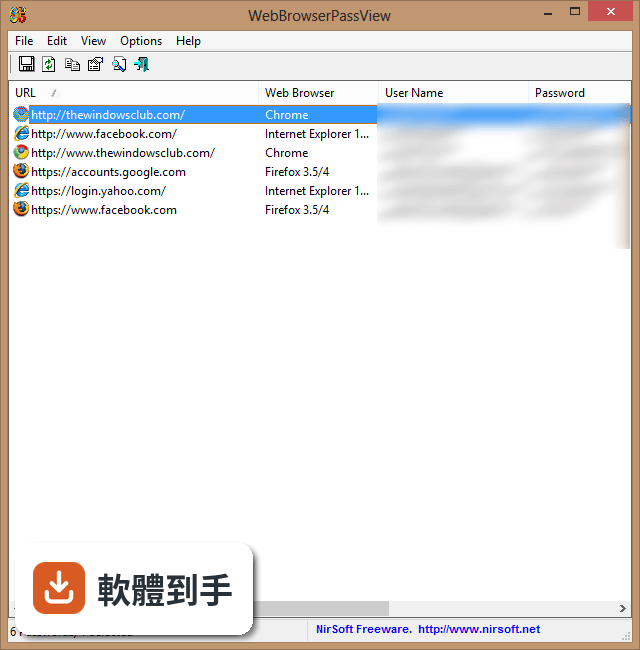
下載與官方連結
webbrowserpassview_setup.exe · 連結指向軟體原廠
版本紀錄
- 2020-06-30 WebBrowserPassView 2.07 321.07 KB
- 2020-05-25 WebBrowserPassView 2.06 320.38 KB
- 2020-05-04 WebBrowserPassView 2.05 253 KB
再看 5 筆
- 2020-03-15 WebBrowserPassView 2.00 242.26 KB
- 2020-01-01 WebBrowserPassView 1.94 281.71 KB
- 2019-12-17 WebBrowserPassView 1.93 281.33 KB
- 2019-09-28 WebBrowserPassView 1.92 272.6 KB
- 2019-08-08 WebBrowserPassView 1.91 351 KB
這一版改了什麼
What's new in this version:
WebBrowserPassView 1.86
- Added 'Quick Filter' feature (View -> Use Quick Filter or Ctrl+Q). When it's turned on, you can type a string in the text-box added under the toolbar and WebBrowserPassView will instantly filter the passwords table, showing only lines that contain the string you typed.
WebBrowserPassView 1.85
- In 'Advanced Options' window, you can now specify the base profiles folder for Firefox and Chrome (e.g: E:Usersuser1AppDataRoamingMozillaFirefoxProfiles ) and WebBrowserPassView will scan all profiles stored under the specified folder
WebBrowserPassView 1.82
- Added 'Filename' column (For Chrome and Firefox Web browsers)
WebBrowserPassView 1.81
- Added support for Vivaldi Web browser
WebBrowserPassView 1.80
- Fixed a crash problem occurred on some Windows 10 systems (The problem occurred if you added Gmail or other email account into Windows 10 Mail application). Also, WebBrowserPassView now displays the modified time of IE10/IE11 items
WebBrowserPassView 1.75
- You can now choose the desired encoding (ANSI, UTF-8, UTF-16) to save the csv/xml/text/html files. (Under the Options menu)
- Fixed problem with saving the KeePass csv file
WebBrowserPassView 1.70
- WebBrowserPassView now automatically detect the passwords of Yandex Web browser