
這是歷史版本頁面 — 看 WeBuilder 最新版本
網頁開發工具越用越卡?WeBuilder 在做什麼
 WeBuilder 2018 15.0.0.199
資料更新 2018-04-09
閱讀約 6 分鐘
你打開編輯器準備改個前端畫面,結果光是等它載入就花了快一分鐘。外掛裝了一堆,真正用到的沒幾個,介面塞滿按鈕和面板,你只想趕快找到那支 PHP 檔案的某個函式。明明只是要改一行 CSS,卻得先跟編輯器本身奮鬥,這種感覺比寫程式本身還讓人煩躁。
很多人習慣直接裝功能最龐大的 IDE,或是免費但外掛越裝越多的編輯器,以為功能多就是好。結果換來的是啟動慢、介面雜亂、更新頻繁打斷工作。另一種做法是同時開好幾個輕量編輯器,分別處理 HTML、CSS、PHP,但檔案切換和工具分散反而更花時間。這類工具的切入點,是把網頁開發常用的編輯、驗證、上傳功能整合在一起,同時保持輕量和快速,讓你把力氣花在寫程式上,而不是伺候工具。
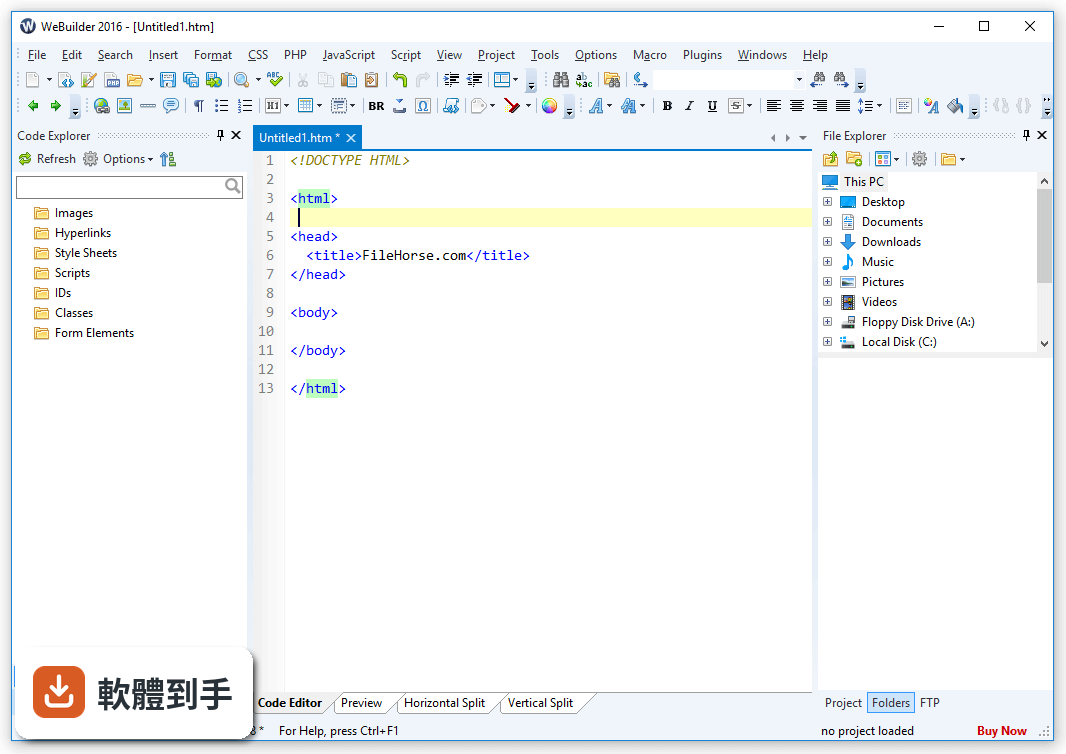
01WeBuilder 和一般文字編輯器差在哪裡?
它把網頁開發會用到的功能整合在一起,不用另外裝外掛。內建 HTML、CSS、PHP、JavaScript 編輯器,語法檢查、驗證、格式化工具都包在裡面,還可以直接連 FTP 編輯伺服器上的檔案。對比純文字編輯器,省去自己找外掛、設定環境的時間,但功能又不像大型 IDE 那麼重。
02它內建的 AI 助理實際能做什麼?
官方說明提到,AI 助理可以自動產生、修改和最佳化程式碼,也能協助解決編碼上的問題。具體能做到什麼程度、支援哪些語言、是否需要付費或額外設定,官方資料沒有細說,建議下載試用版實際測看看,確認它產出的程式碼品質是否符合你的標準。
03這套軟體支援哪些程式語言?
語法高亮支援 HTML、CSS、JavaScript、PHP、XML、ASP、ASP.Net、C#.Net、Perl、Python、Ruby、SQL、Apache 等。PHP 編輯器有自動完成、語法檢查、除錯和格式化功能,JavaScript 編輯器也有自動完成和語言工具。如果你主要寫 Python 或 Ruby,它也有語法高亮,但編輯器的深度功能還是以 PHP 和 JavaScript 為主。
04它可以直接編輯伺服器上的檔案嗎?
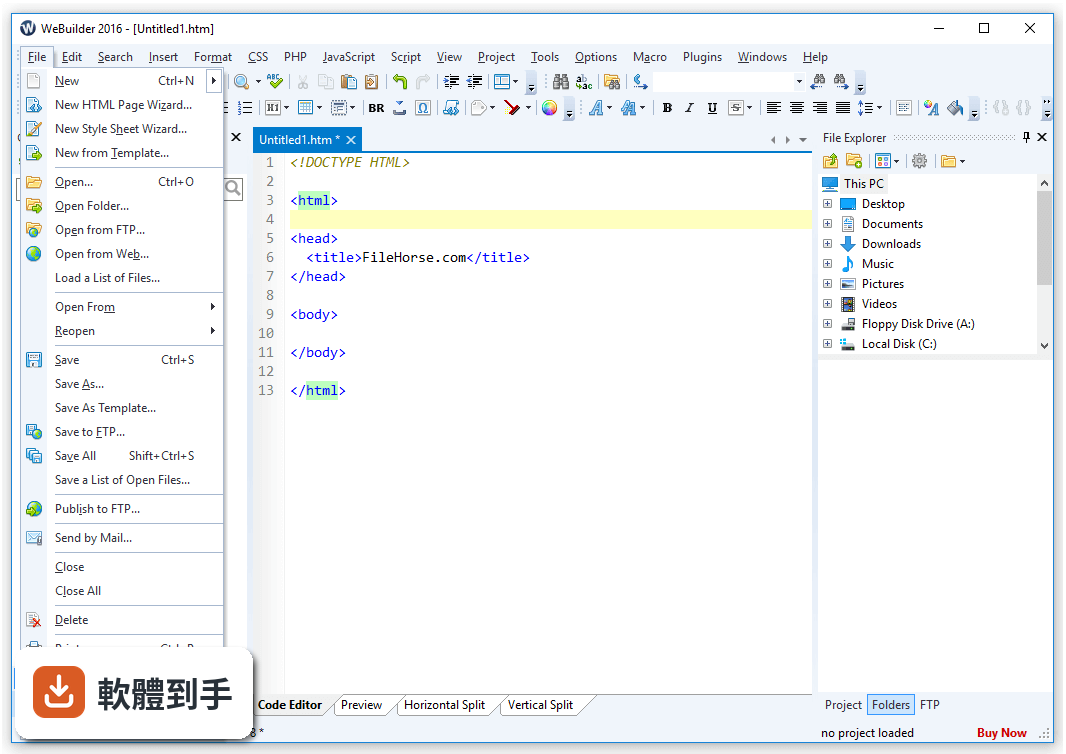
可以。內建 FTP、SFTP、FTPS 功能,可以直接在伺服器上編輯檔案,也可以把本機開發的檔案一鍵上傳更新。對於沒有用 Git 做部署、習慣直接改伺服器檔案的人來說,這個功能很實用。支援的傳輸協定有三種,涵蓋一般虛擬主機和 VPS 常見的連線方式。
05它的搜尋和取代功能有什麼特別之處?
提供快速搜尋、詳細搜尋、檔案搜尋,支援正規表示式,搜尋結果會詳細列出。對於要在整個專案裡找一段程式碼、或是一次取代多個檔案裡的特定字串,這類功能可以省下不少時間。具體的搜尋速度和多檔案取代的細節,官方資料沒有提供效能數據,需要自己實測。
06適合什麼樣的人用?
適合主要使用 Windows、寫網頁相關程式(HTML、CSS、JavaScript、PHP)的人,尤其是覺得大型 IDE 啟動太慢、介面太雜,但又不滿足於陽春編輯器的人。它強調快速啟動、介面乾淨、功能整合,如果你受夠了每次開編輯器都要等、工具分散在不同視窗,可以試試看。
07它和 Visual Studio Code 比起來,優勢在哪?
VS Code 是免費且外掛生態龐大,但外掛裝多了會拖慢啟動速度、佔用記憶體。WeBuilder 的定位是開箱即用,內建網頁開發常用工具,不需要自己組裝外掛。官方資料也提到它啟動比同類功能的 IDE 快很多。但它的外掛數量遠少於 VS Code,如果你習慣用大量外掛打造個人化環境,它可能不適合。
08這套軟體有中文介面嗎?
沒有。官方資料顯示介面語系只有英文,沒有繁體中文或簡體中文。如果你對英文介面不熟悉,操作上會需要一些時間適應。選單、設定、工具提示都是英文,這點在決定使用前要先考慮清楚。
09它只能在 Windows 上跑嗎?
是的。官方資料明確寫支援 Windows 10 和 Windows 11,沒有提供 macOS 或 Linux 版本。如果你不是用 Windows 系統,這套軟體直接不適用,可以考慮其他跨平台的編輯器或 IDE。
10它適合團隊協作用嗎?
不適合。官方列出的缺點就包含「有限協作功能」和「沒有即時預覽」。它本質上是單人使用的編輯器,沒有多人同時編輯、程式碼審查、專案討論這類協作功能。如果你的工作流程需要和團隊成員頻繁協作,這套軟體幫不上忙,應該找支援協作的 IDE 或搭配其他工具。
11它和 Rapid PHP Editor、HTMLPad 有什麼關係?
這幾套都是同一家開發商 Blumentals Solutions 的產品,功能相近。Rapid PHP Editor 和 HTMLPad 的評分人數分別只有 12 人和 29 人,WeBuilder 是 20 人,樣本數都不多。它們的定位有重疊,如果你在考慮這幾套,建議直接下載試用版比較,看哪一套的操作流程比較順手。
12這套軟體有試用限制嗎?
有。官方資料註明試用版可以使用 30 次,不是 30 天,是開啟 30 次。試用期滿後需要購買授權才能繼續使用。另外,它只有 Windows 版本,介面只有英文,這些都是試用前要確認的條件。如果你只是偶爾寫幾行程式,付費買授權可能不划算,可以考慮免費的替代方案。
下載與官方連結
webuild2018.exe · 63.01 MB · 連結指向軟體原廠
版本紀錄
- 2026-09-18 WeBuilder 2025 18.9 119.81 MB
- 2026-07-28 WeBuilder 2025 18.8 119.66 MB
- 2026-07-08 WeBuilder 2025 18.7 119.66 MB
再看 5 筆
- 2026-03-28 WeBuilder 2025 18.6 119.59 MB
- 2026-01-25 WeBuilder 2025 18.5 119.61 MB
- 2025-11-04 WeBuilder 2025 18.4 119.58 MB
- 2025-04-17 WeBuilder 2025 18.3 119.35 MB
- 2024-04-04 WeBuilder 2025 18.0 119.21 MB
這一版改了什麼
What's new in this version:
Version 2018 is an admittedly long overdue major update that brings WeBuilder up to date with modern standards and technologies:
- Built upon the successful previous version
- Complete dark visual theme support
- Upgraded user interface with high resolution monitor / high-DPI support
- Updated HTML, JavaScript, CSS, PHP language support and framework definitions
- Address many of the suggestions from our customers accumulated over the last 3 years
- Large number of new and rewritten features
Heavily improved user interface:
- Dark interface theme
- High resolution monitor (high DPI) support
- Customizable tab menu
- Improved multi-monitor taskbar support
Improved text editor:
- Better performance with unusually large files
- Fixed some quirks with cursor position
Improved preview:
- Updated built-in Chrome preview
- Improved Web browser detection for preview
- Improved Project management:
- Faster auto complete in large projects
- Experts can now customize TODO keyword pattern via todo.ini file
Improved FTP/SFTP/FTPS:
- Updated SFTP support and compatibility with the latest servers
- Connect to IPv6 addresses
- FTP connections are saved when modified, not only when application closed
- Various FTP fixes and stability improvements
Improved HTML and CSS support:
- New, powerful and up to date HTML formatter
- New, powerful and up to date CSS formatter
- Updated CSS definitions and compatibility info
- Updated HTML Tidy
- Form field tag editors now support aditional input types (e.g. date, email, tel etc.)
- Form field tag editors now support new HTML5 attributes (e.g. step, min, max, readonly etc.)
- Anchor tag editor now uses id for bookmark links
- Improved CSS syntax highlighting
- Improved built-in CSS checker
- Improved CSS, LESS, SASS auto complete
- Updated CSS prefixizer
- Inspector now shows only those prefixized properties that are still necessary
- Collapsible HTML tags now can be configured by advanced users in collapsibletags.ini
Improved JavaScript support:
- Improved JavaScript formatter
- Built-in JavaScript minimizer
- New built-in JSHint code checker and validator
- ES6 syntax updates (e.g. let keyword, template literals, back-tick strings)
- More responsive live syntax check
Improved PHP support:
- New, powerful and up to date PHP formatter
- New PHP keyword support in syntax highlighting
- New PHP function and class support
- Interfaces are now shown in Code Explorer
- Better handling of anonymous PHP functions
- Minor PHP auto complete improvements
- More responsive live syntax check
- Embedded, pre-installed PHP makes it easy to operate advanced preview, debug and syntax check features for beginners. This will not affect advanced users with custom PHP configurations, just make things easy for beginners
- Updated framework support
- Added Bootstrap 3 & 4 frameworks
- Laravel framework update
- Wordpress framework update
- CakePHP framework update
- CodeIgniter framework update
- Symfony framework update
- Zend framework update
Plugin improvements:
- Plugins can easily execute PHP script and get output
- Plugins now can hook into auto complete behavior and modify inserted content
- Plugins now can execute auto complete on-demand based on user actions
- New class TScriptableJSON for parsing and creating JSON
- New TScriptableJsExecuter for executing JavaScript files via Chromium engine without involving browser GUI
- TOpenDialog now supports multiple files via TOpenDialog.Files property
Misc minor adjustments and fixes:
- Improved: Code collapse based on keywords
- Improved: PHP line comment behavior
- Improved: Search in multiple files now scrolls more content into view
- Improved: Minimized chance of unwanted breakpoint being set accidentally during line select
- Improved: Improved HTML tag closing, now supports Blade templates
- Fixed: Bug with publish to FTP working incorrectly if a file is opened from FTP
- Fixed: Bug with FTP connection created from Projects window not appearing on FTP tab
- Fixed: FTP transfer progress bar in some occasions
- Fixed: Multiple Inspector bugs with value editing and insertion
- Fixed: Bug with CSS selectors appearing in upper case during syntax check
- Fixed: Bug with META encoding not being inserted properly in some cases
- Fixed: Bug with maximized app window appearing on top when opening files from Windows File Explorer
- Various other fixes