
這是歷史版本頁面 — 看 WindowBlinds 最新版本
Windows介面看膩了?WindowBlinds能幫你換掉整套外觀
 WindowBlinds 6.0
資料更新 2007-10-03
閱讀約 5 分鐘
每天開機看到同樣的藍色工作列、白色資料夾視窗、方方正正的視窗邊框,想換個樣子卻發現Windows內建的個人化選項少得可憐。換桌布、改色彩模式,弄了半天桌面看起來還是差不多,那種「明明換了卻像沒換」的無力感,很多人都有過。
一般人會先從系統設定下手,但Windows能改的範圍就那幾項,視窗邊框、開始面板、控制按鈕這些天天看到的東西,系統幾乎不讓你碰。要真正改變介面外觀,需要一套能深入系統層級、把整個視窗介面當作皮膚來換的工具,而不是只改顏色或桌布。
01WindowBlinds到底能改哪些東西?
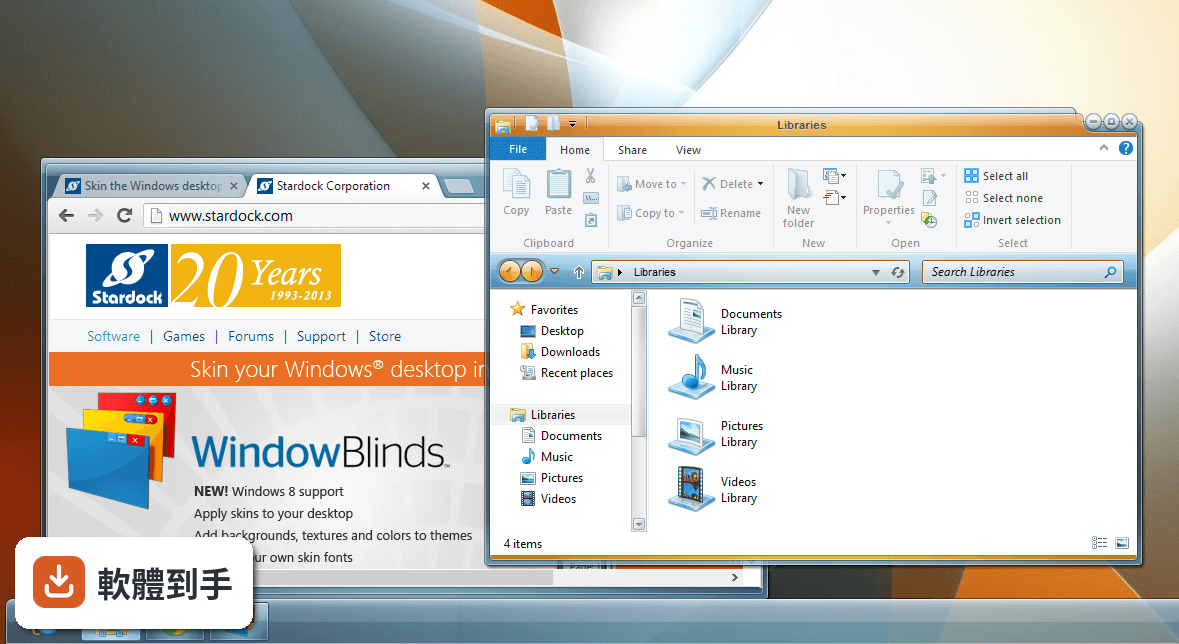
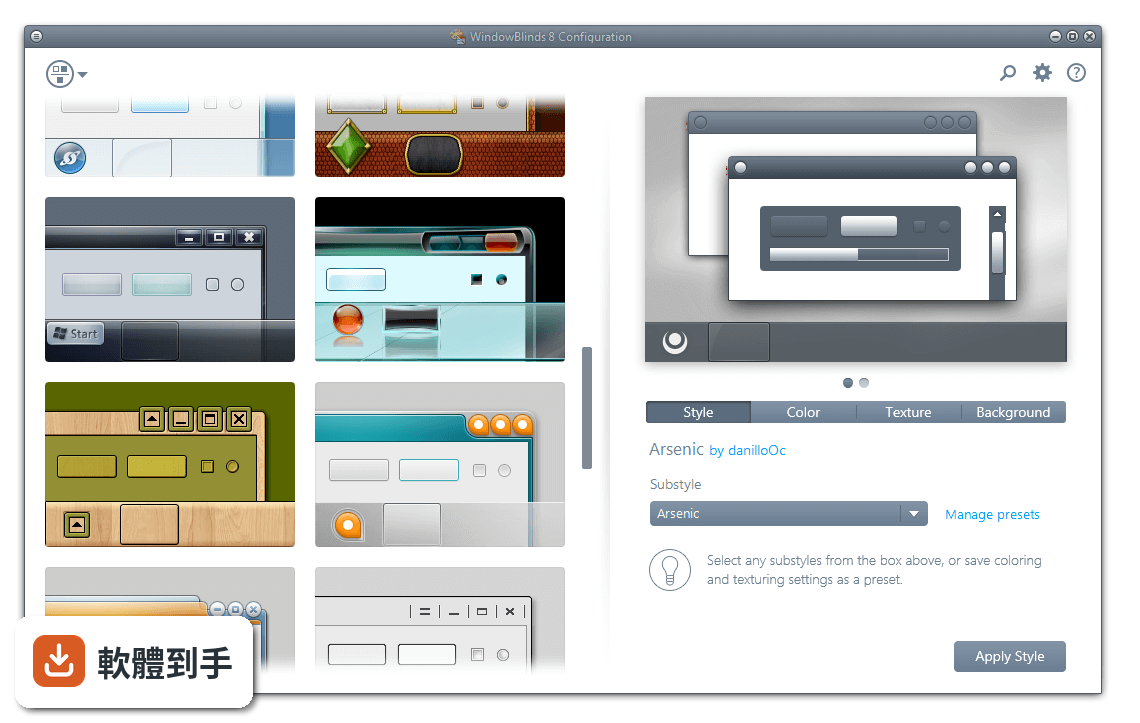
它能更換的範圍包括開始面板、工作列、視窗邊框、控制按鈕,還有檔案總管視窗的背景。你可以直接套用內建主題,或到WinCustomize.com下載別人做好的皮膚,也能自己調整顏色、字型、材質,把調整結果存成預設組合,之後一鍵套用。
02皮膚要去哪裡找?一定要自己會做嗎?
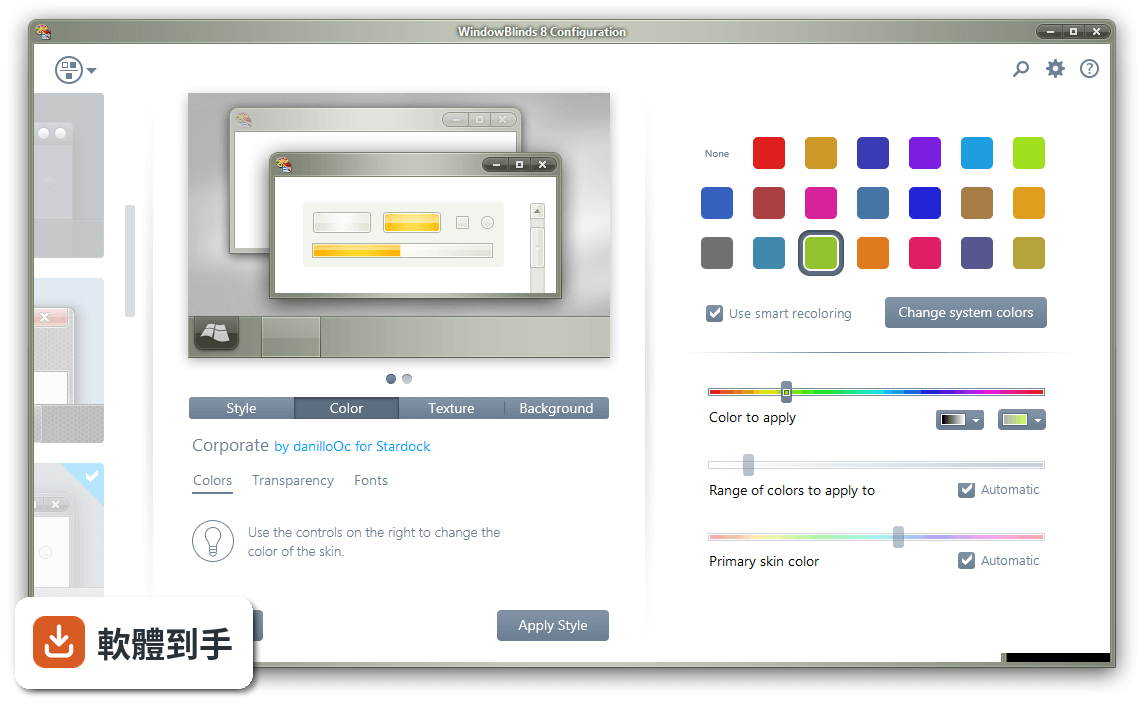
不用自己會做。軟體內建多款主題可直接套用,官方網站WinCustomize.com上有數千款皮膚可以下載。有些皮膚還包含多種子樣式,可以依個人喜好切換。如果你想要特定顏色,軟體設定選單裡可以直接改色,不需要動到皮膚檔案。
03我完全沒設計經驗,也能做出自己的皮膚嗎?
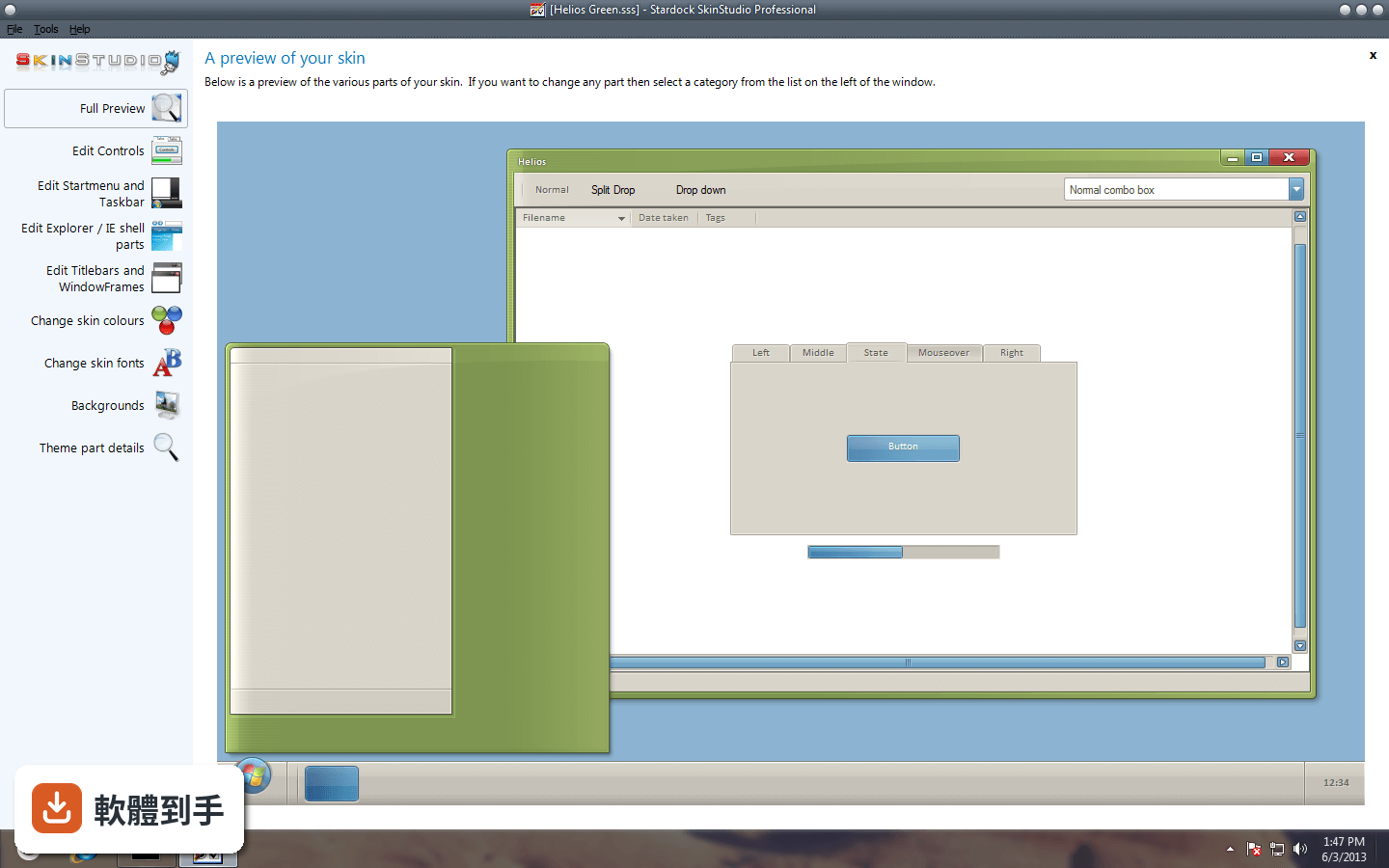
可以。購買授權會附帶SkinStudio工具,它採用「只改你想改的部分」的邏輯,你勾選要調整的項目,例如開始按鈕或工作列,其餘部分它會自動處理。初學者能快速做出成品,進階使用者也可以逐項設計每個介面細節。
04它會讓電腦變慢嗎?
官方說明指出對系統效能影響低,但沒有提供具體的效能數據。實際影響程度會因電腦硬體、套用的皮膚複雜度而異。建議先安裝30天試用版,在平常使用的情境下觀察看看,覺得順再考慮購買。
05可以設定成每次開機都換不同皮膚嗎?
可以。軟體支援定時隨機更換皮膚,你可以設定間隔時間,每次登入時自動套用不同主題。如果你喜歡新鮮感、不想手動切換,這個功能可以直接用。
06這套軟體適合什麼樣的人?
適合對Windows預設外觀感到厭倦、想徹底改變視窗介面的人。它比單純換桌布或改色彩模式更深入,能改到視窗邊框、控制按鈕這些細節。也適合喜歡逛皮膚網站、蒐集不同主題的人,因為WinCustomize上的資源量很大。
07我英文不好,用起來會很吃力嗎?
這套軟體介面只有英文,沒有中文語系。主要設定選單的用詞不算太艱深,但如果你對英文介面不熟悉,操作上會需要花時間摸索。SkinStudio的進階功能涉及較多術語,英文不好會增加學習成本,這點要列入考慮。
08它跟Rainmeter有什麼不同?我該選哪個?
兩者定位不同。WindowBlinds是直接更換Windows系統介面的外觀,改的是視窗邊框、工作列、開始面板這些系統元件。Rainmeter主要是在桌面上放各種自訂小工具,例如時鐘、系統監控、天氣等,不更動系統介面本身。如果你是想換掉視窗外觀,選WindowBlinds;想在桌面加資訊面板,選Rainmeter。
09免費試用版跟付費版差在哪?
官方提供30天完整功能試用,試用期內所有功能都能用。試用期結束後需要付費才能繼續使用,定價是5個安裝數34.99歐元,含30天技術支援。沒有免費的永久版本,這點要特別注意。
10我裝了之後,Windows更新會不會讓它失效?
官方說明提到與某些Windows更新存在有限度的相容性問題,也可能偶爾與第三方應用程式衝突。如果你習慣第一時間安裝系統更新,或電腦裝了很多其他軟體,建議先裝試用版觀察一段時間,確認沒有衝突再決定是否購買。
11它跟Classic Shell比起來,哪個比較多人用?
以評分人數來看,Classic Shell有99人評分,WindowBlinds有308人評分,WindowBlinds的使用者基數明顯較大。但兩者功能不同,Classic Shell主要把Windows 8/10的開始選單改回傳統樣式,WindowBlinds是全面更換介面外觀。如果你只是想找回舊版開始選單,Classic Shell更直接。
12我電腦是Windows 7,能用嗎?
可以,它支援Windows 7到Windows 11。不過要注意,在Windows 10和11上,開始選單的換膚需要另外安裝Start11這套軟體才能作用,WindowBlinds本身不涵蓋開始選單的換膚。如果你主要想改開始選單,這點要特別留意。
下載與官方連結
WindowBlinds6_public.exe · 17.57 MB · 連結指向軟體原廠
版本紀錄
- 2025-09-11 WindowBlinds 11.0.7 110.49 MB
- 2025-04-09 WindowBlinds 11.0.6 110.28 MB
- 2025-02-01 WindowBlinds 11.0.4 106.51 MB
再看 5 筆
- 2023-04-07 WindowBlinds 11.0.2 95.37 MB
- 2022-12-22 WindowBlinds 11.0.1
- 2022-12-02 WindowBlinds 11.0
- 2021-06-18 WindowBlinds 10.89
- 2021-04-16 WindowBlinds 10.87
這一版改了什麼
What's new in this version:
- Animation Overlays - The Start Menu now supports animation on both Windows XP and Vista
- The new Molten skin has been included with the BETA to show off this "hot" new feature.
- Blur Glass Effects - WindowBlinds now has Blur support in title bars in Windows XP (additionally on the menus on Windows Vista)
- User Created Sub-styles - Edit the system colors/fonts and save all skin changes as presets giving the user the ability to customize their skins beyond what's initially offered as a skin in the software. It gives greater user control over what the user interface will look like.
- Full Font Control - New to WB6 is enhanced font features: Users can now change the size and font style they see in menus, tabs and toolbars.
- Skinning of Explorer Backgrounds - Support for explorer background bitmaps including IE navigation arrows, IE tabs, start menu shutdown/lock buttons
- WindowBlinds now has category filtering when viewing skins to apply. Users with many skins can now filter by the category assigned to the skin (for example Holiday, OS, Computers, Sports, etc.)
- Wallpaper can now be filtered by tags (keywords) such as Light/Dark, Animals, Plants, etc.) Allowing the user to quickly find wallpaper that will match their chosen skin.
- Support for a random skin selection when applying a new skin.
- Users can now recolor a skin and save that setting on a per skin basis. (For example changing blues to reds.)
- In addition, WindowBlinds now supports "Advanced HSL Coloring". Users can choose a single color to change instead re-coloring the entire skin
- A Vista-izeTM me function which sets some defaults to have a more Vista-like look
- Explorer background bitmaps can now be included as part of the skin,
- Edit the system colors from WindowBlinds
- Change skin fonts from WindowBlinds
- Control transparency and blur on start menu, menus, taskbar & window frames. Has some limitations on XP.
- Save all skin changes as presets
- Edit a sidebar skin from within WindowBlinds
- Alter the mouse over animation speed
- Alter the default button pulsing speed
- Handle skin upgrades in an improved fashion
- Use the Aero frames with the rest of the skin